Product Updates | September 28th, 2023
Insights
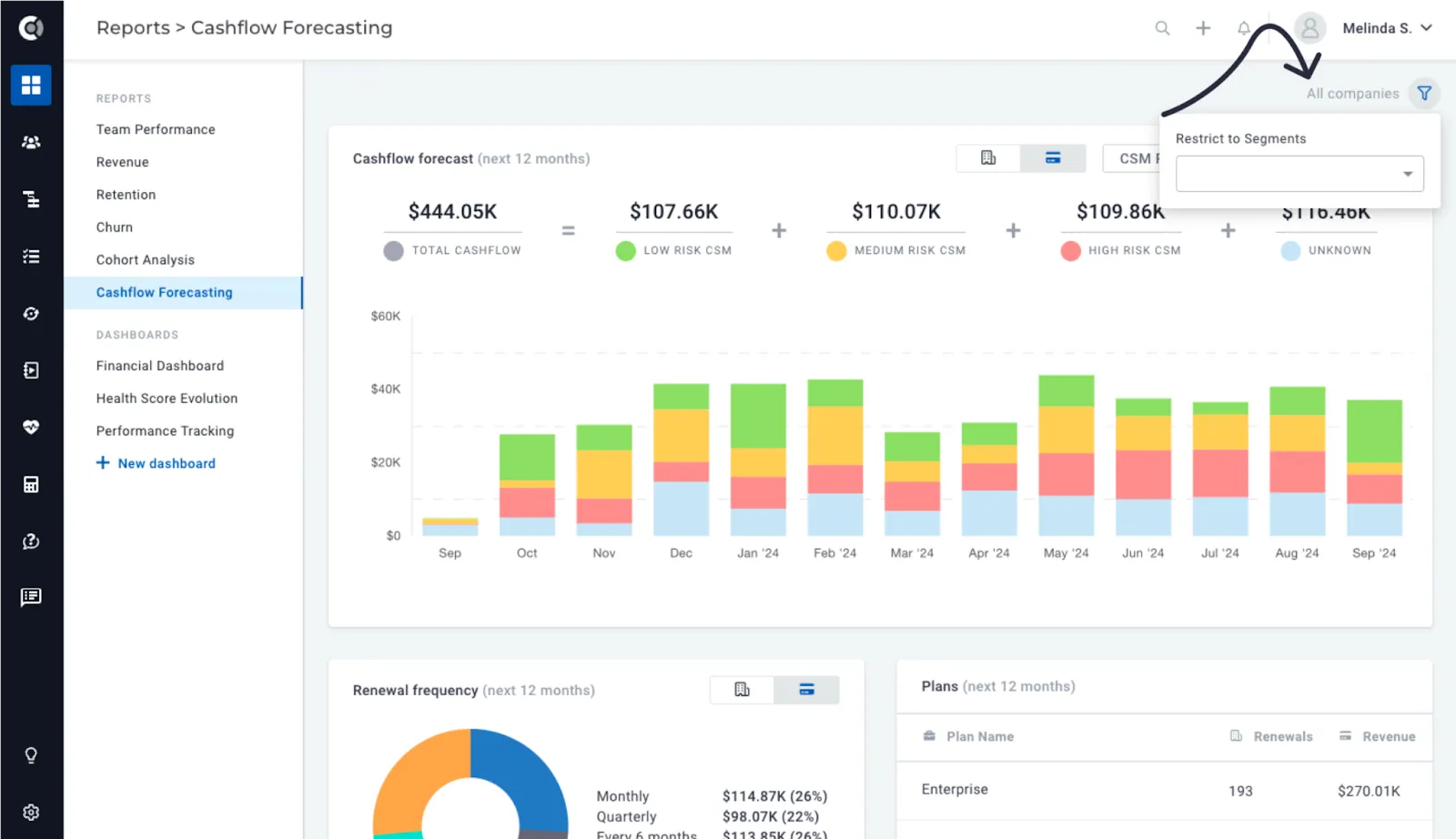
Ability to apply customer segment filters to Financial Reports: With the introduction of customer segment filters in the Revenue, Retention, Churn, and Cashflow Forecasting reports, you now have the flexibility to access financial details tailored to specific customer groups. For example, you can retrieve the cash flow forecast for customers on specific plans or exclude trial accounts. You can select multiple segments within a single filter, and the logical operator used will be ‘OR’.
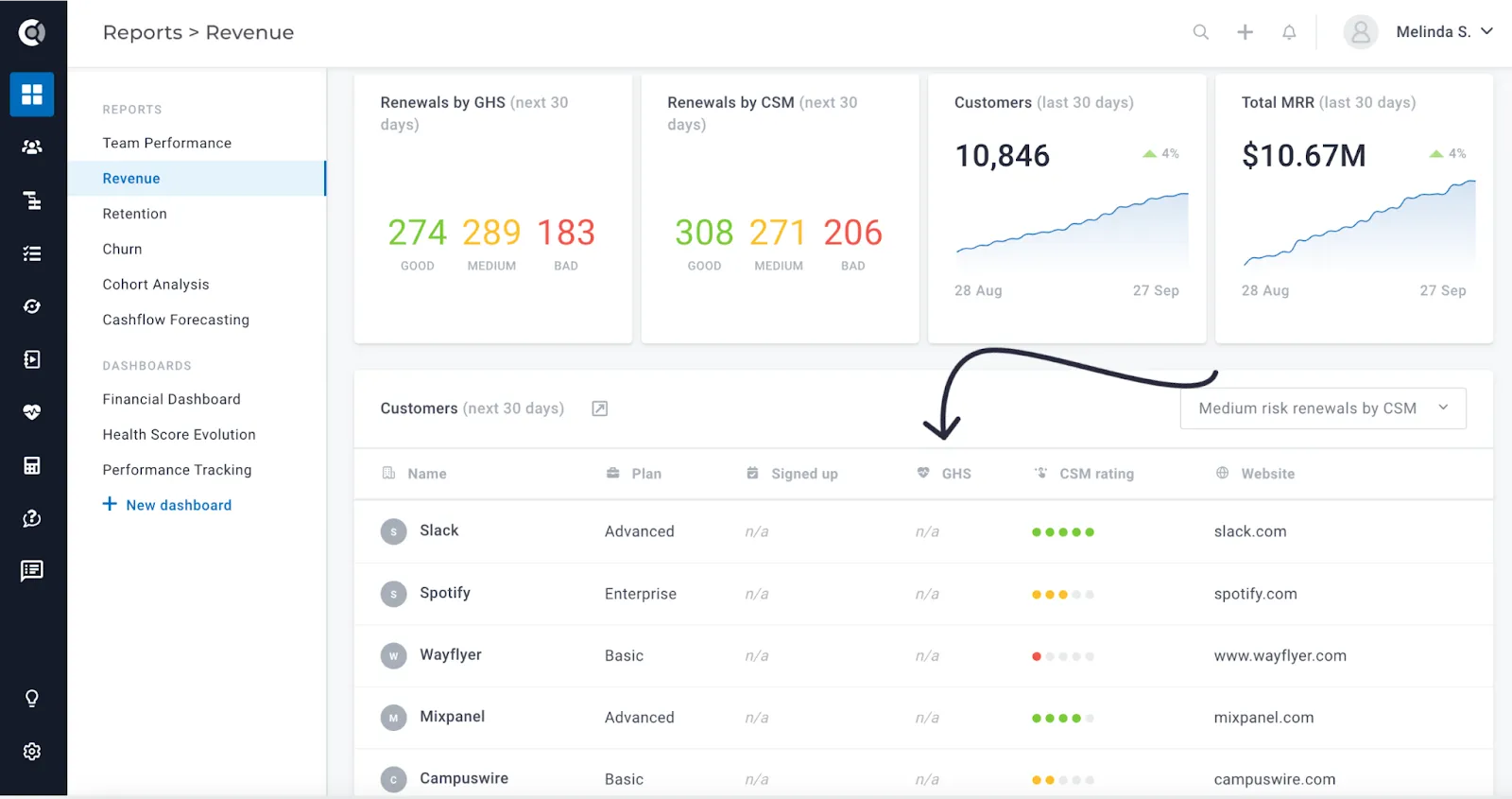
Global Health Score column on the Revenue Report: The Global Health Score is now accessible within the Revenue Report’s customer list. This enhancement enables you to view health metrics for customers with upcoming renewals, providing a quick and insightful assessment of their renewal outlook.
Customer 360
Meetings Section: Now you can conduct a precise search by meeting title or participant. Furthermore, you can filter meetings based on their associated tags. This simplifies the process of identifying recent Business Reviews, training sessions, or even discussions about support issues during calls.
Calculated Metrics
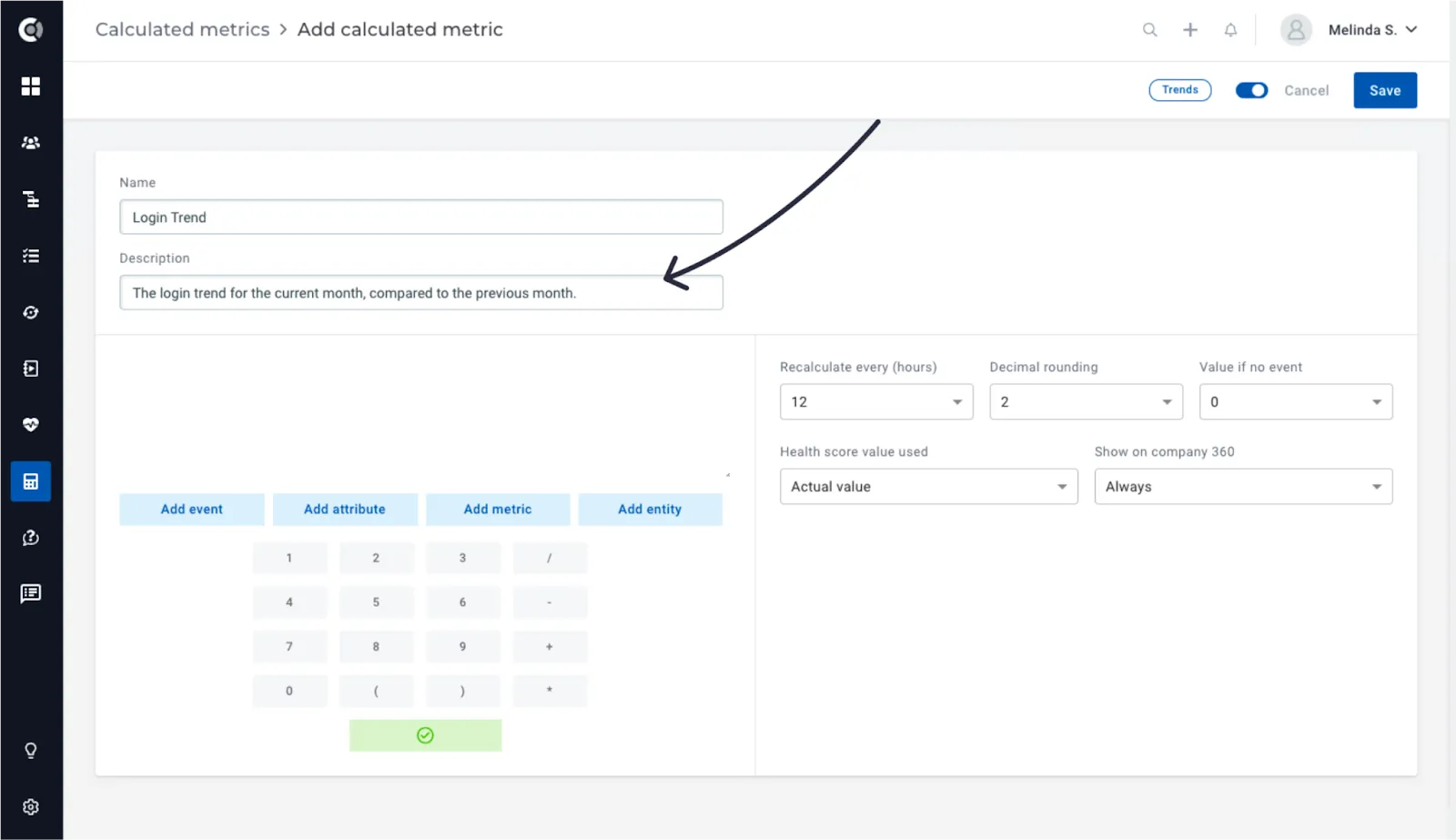
Description field for metrics: A description field is now available for calculated metrics, so you can add details about the calculated metrics logic. The details will be displayed on the calculated metrics’ list and on the Customer 360 page on hover.
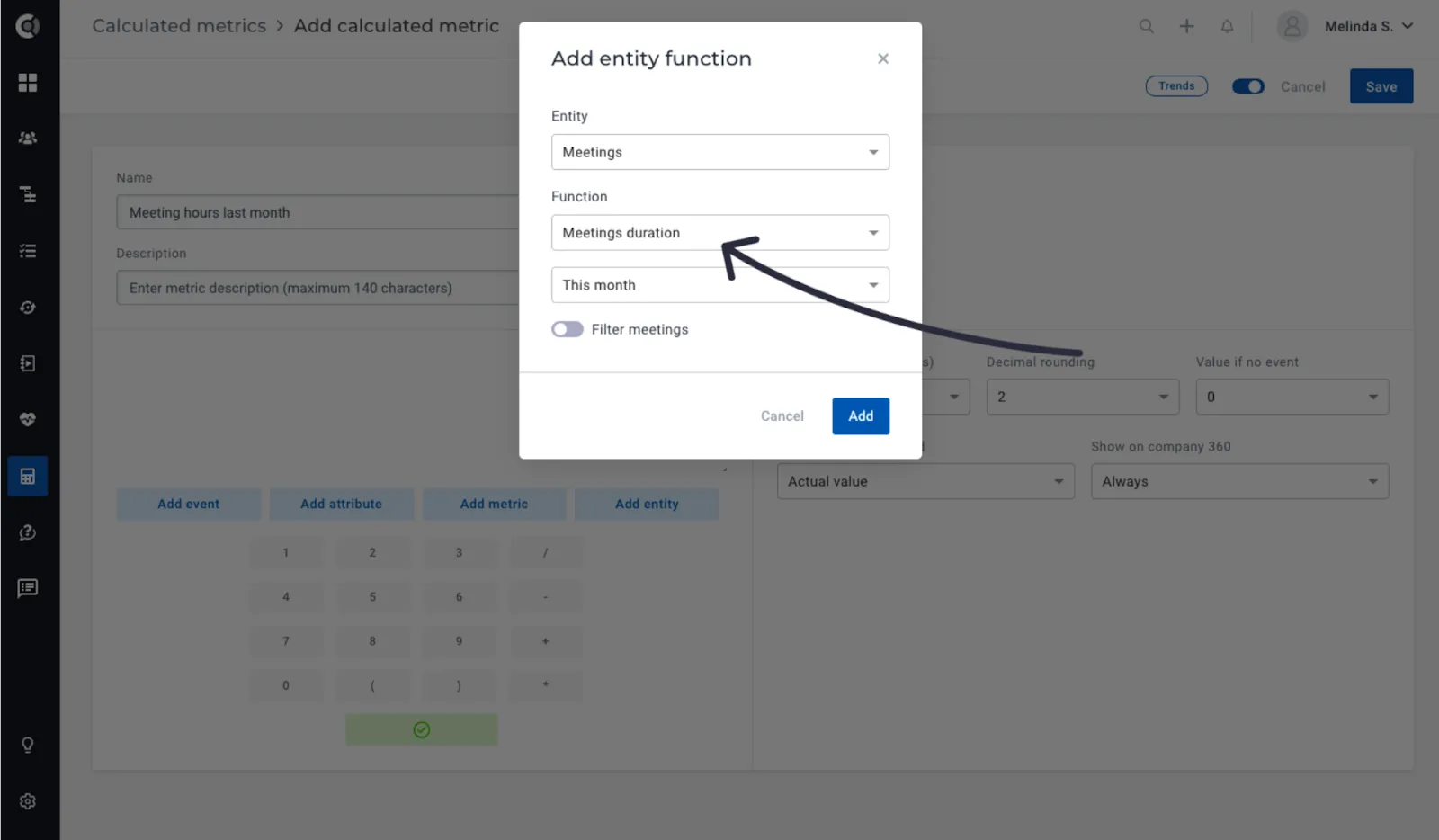
New metrics for meeting duration: Incorporate the meeting duration as a variable in a formula calculation. For example, you can now calculate the total hours dedicated to meetings over the course of a month and then compare it with the support hours stipulated in the contract.
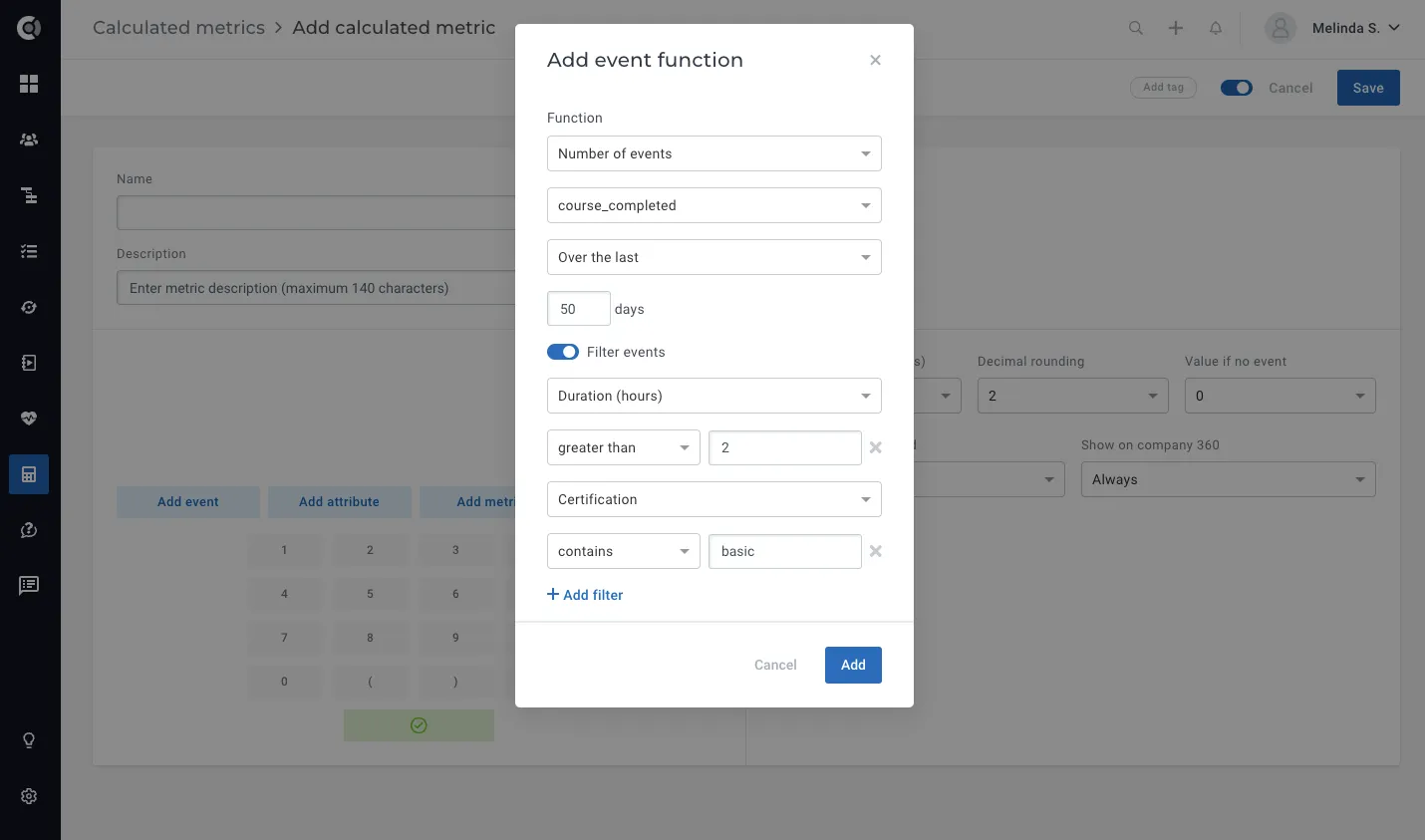
Multiple filters on event metadata: The option to apply multiple event metadata filters when using event-based functions is now available. This lets you count events or perform advanced calculations on events that match multiple criteria in their metadata.
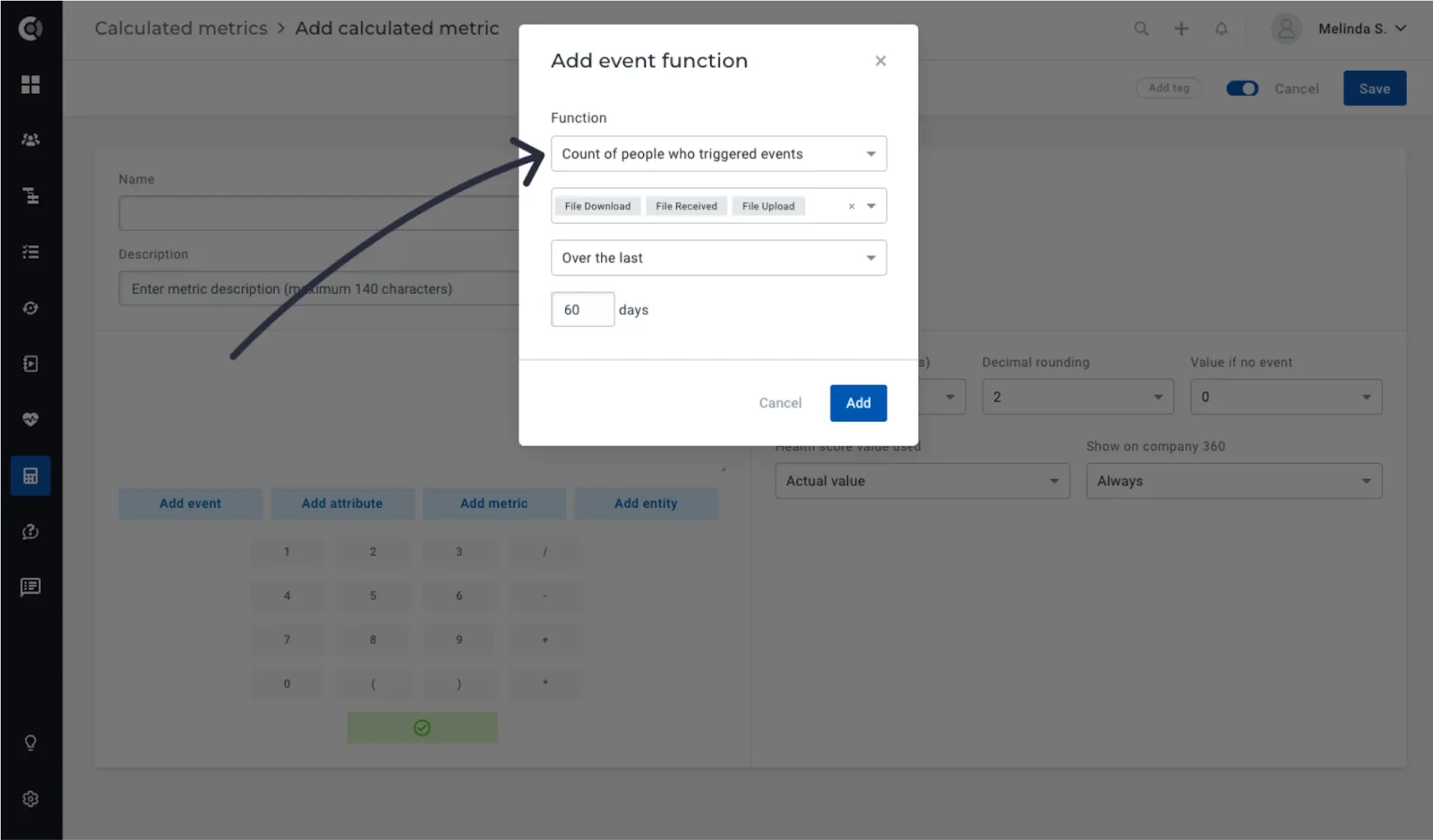
Count of people who triggered at least one of multiple events: This new formula helps you return for each company the number of people who triggered at least one event from the list that you select, in a given timeframe.
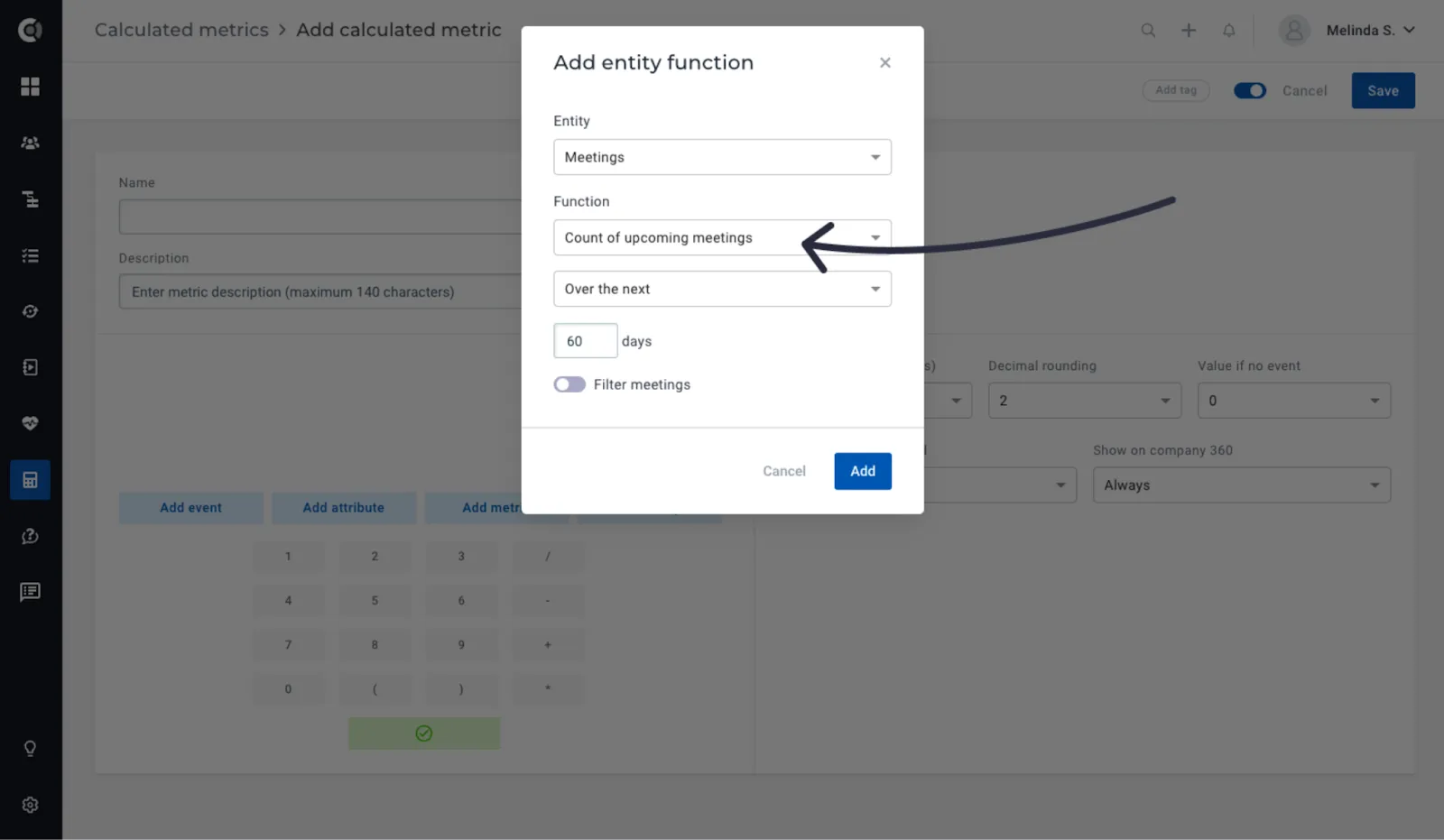
Count of upcoming meetings: Just like the option to count the number of meetings that occurred within a specified timeframe, you can now count the number of upcoming meetings.
Surveys
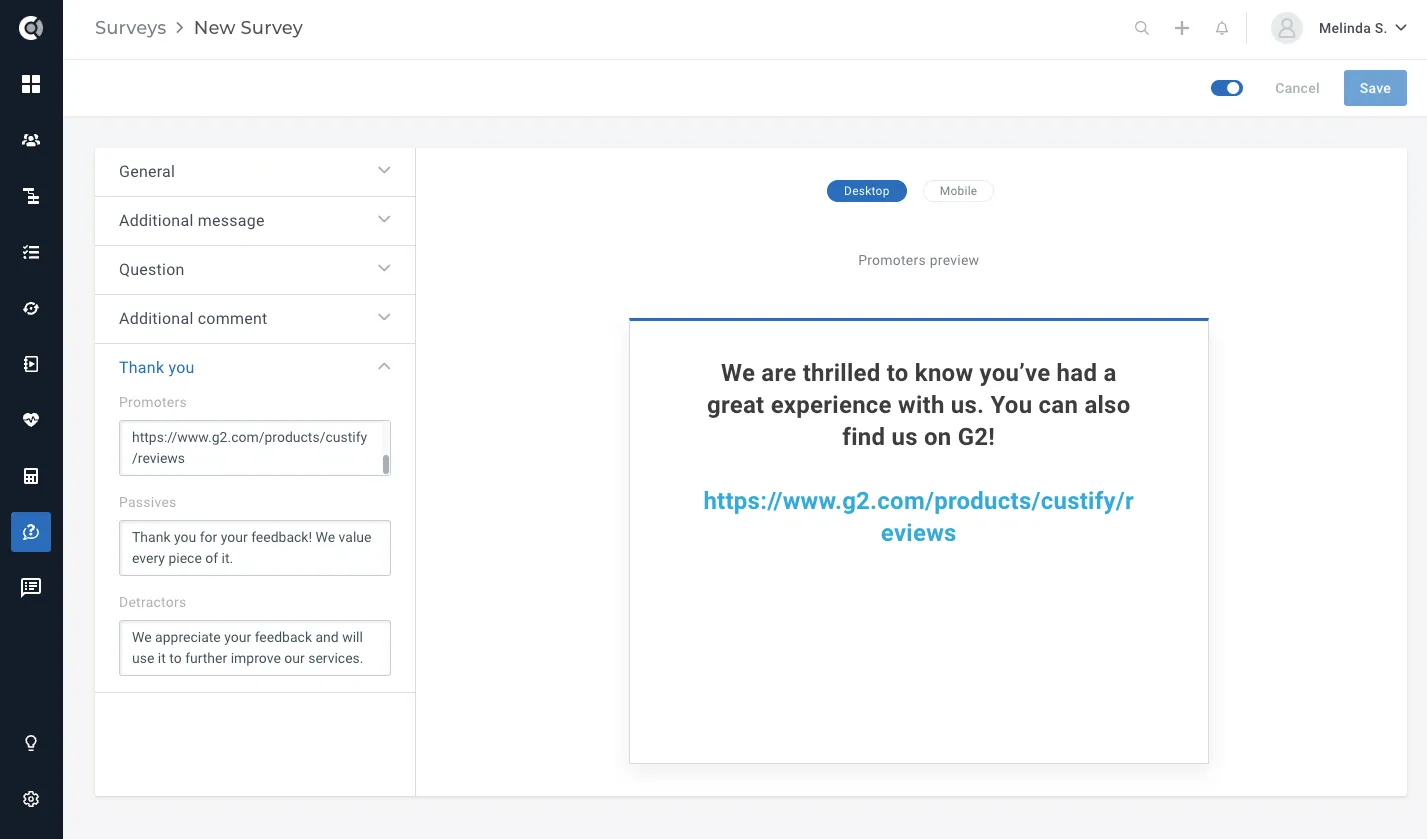
Ability to add hyperlinks in surveys: In both Net Promoter Score and CSAT surveys, you have the flexibility to insert clickable links in any section, including within the questions, additional comments, or the ‘thank you’ section. Simply copy and paste the link, and it will automatically become clickable in the preview.
Touchpoints
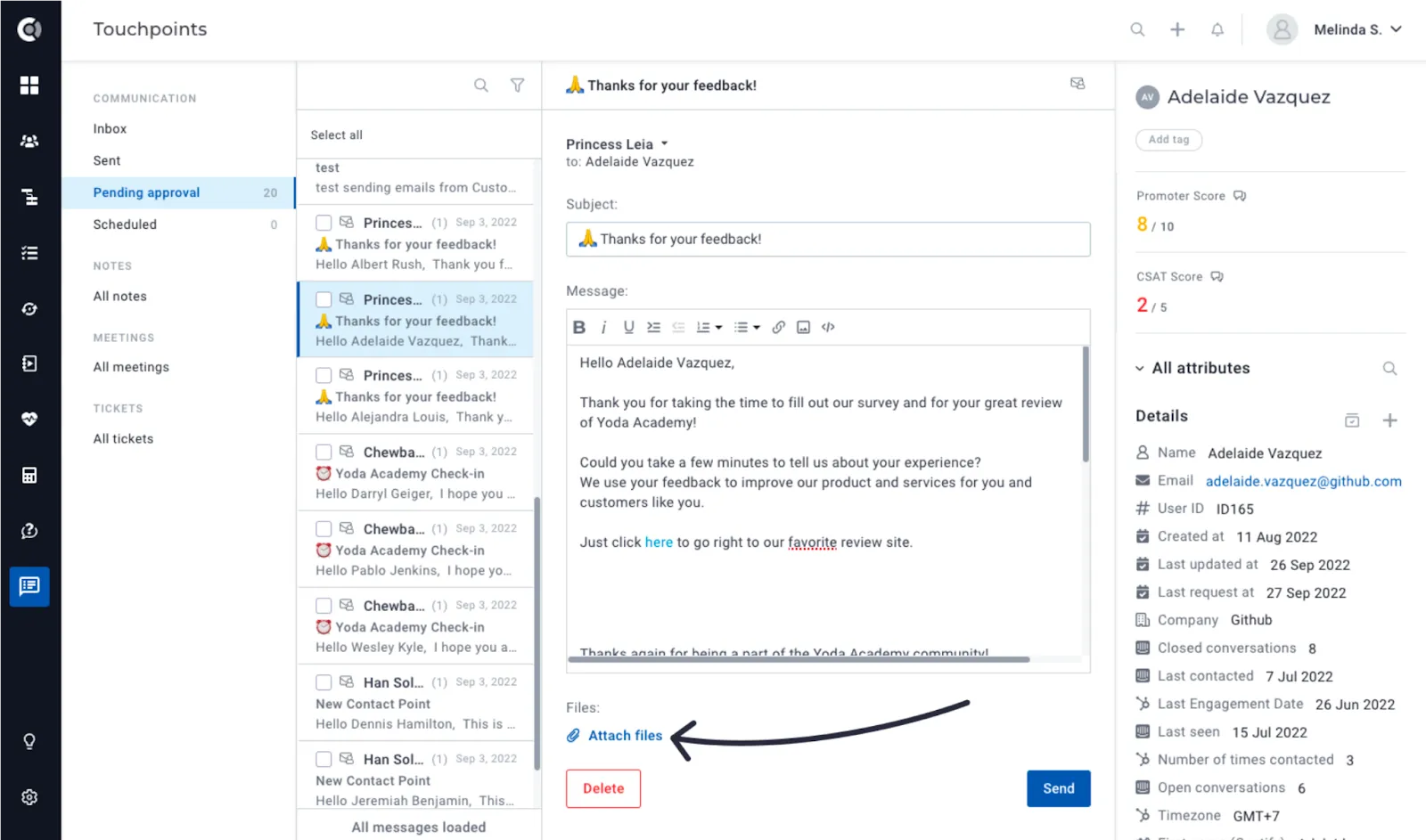
Manage attachments for pending approval emails: The ability to include or delete attachments for emails sent to Pending Approval is now available. You can streamline the email sending process using playbooks while also tailoring the customer experience by adding specific files for each individual customer.
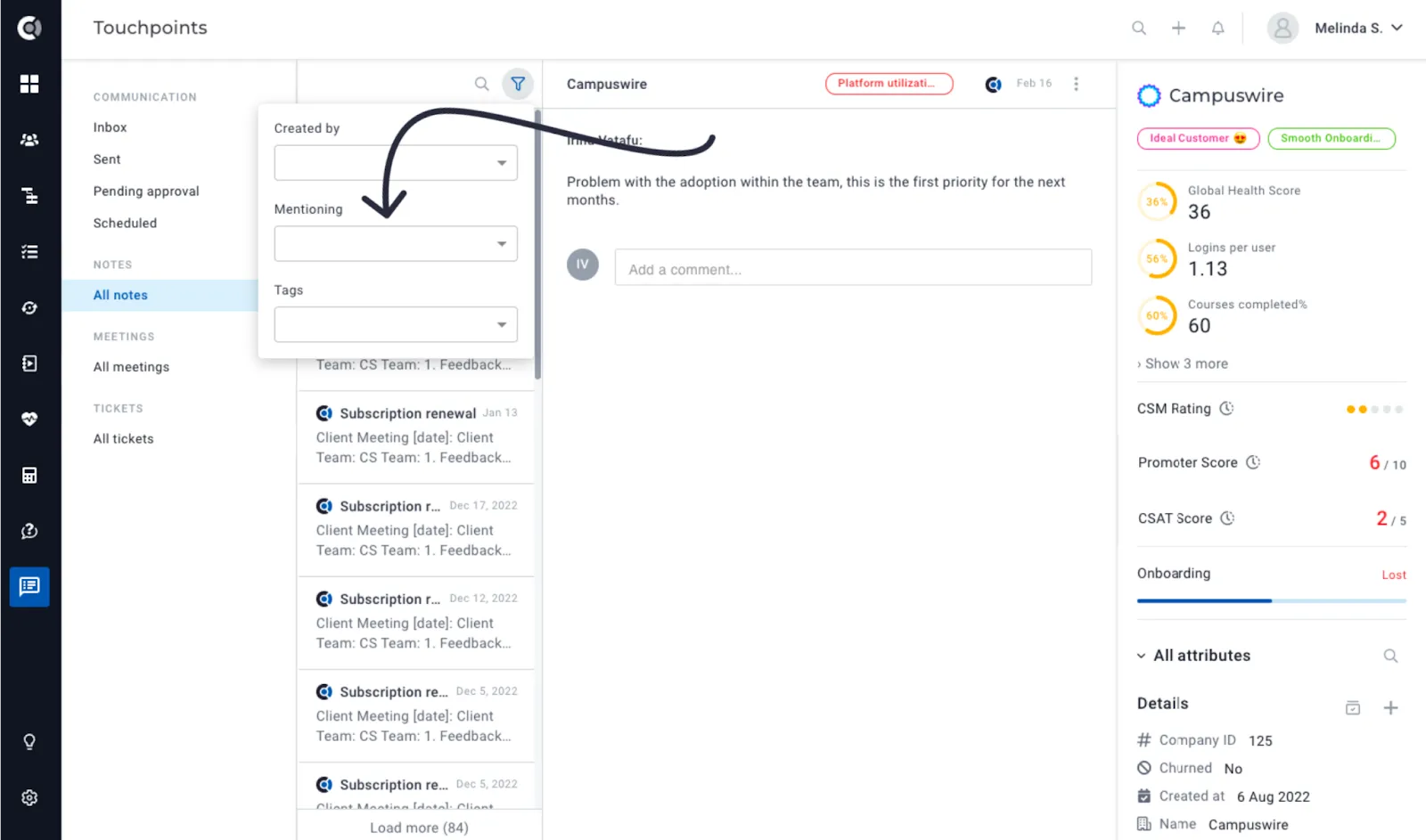
Filter by notes where you were mentioned: Easily retrieve a list of notes that include mentions of you or your colleagues by utilizing the Mentioning filter within the Notes section under Touchpoints.
Settings
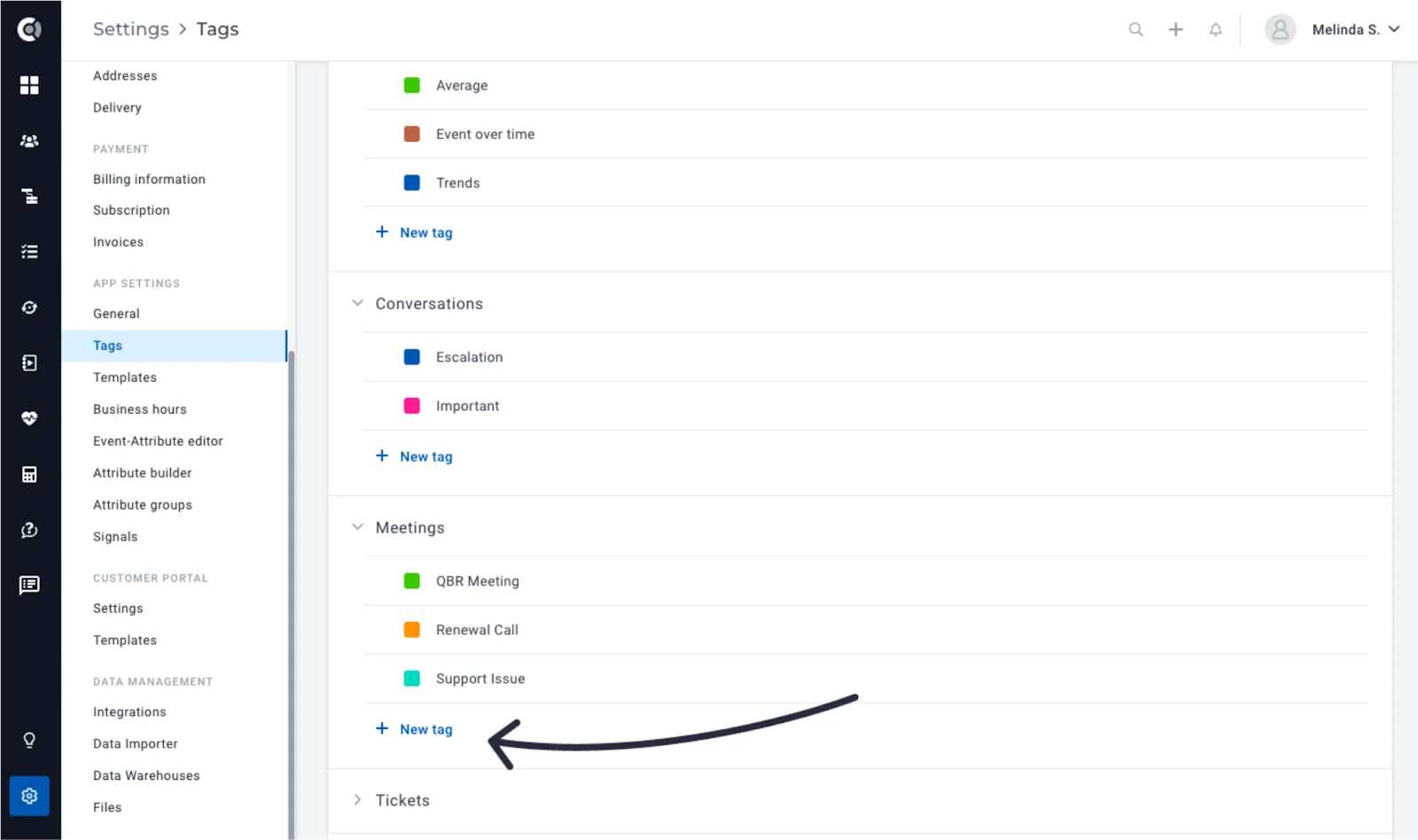
Tag tickets and conversations: Tickets and conversations can now be tagged, allowing you to assign specific labels or categories to these interactions, making it easier to organize, track, and manage your customer support and communication.
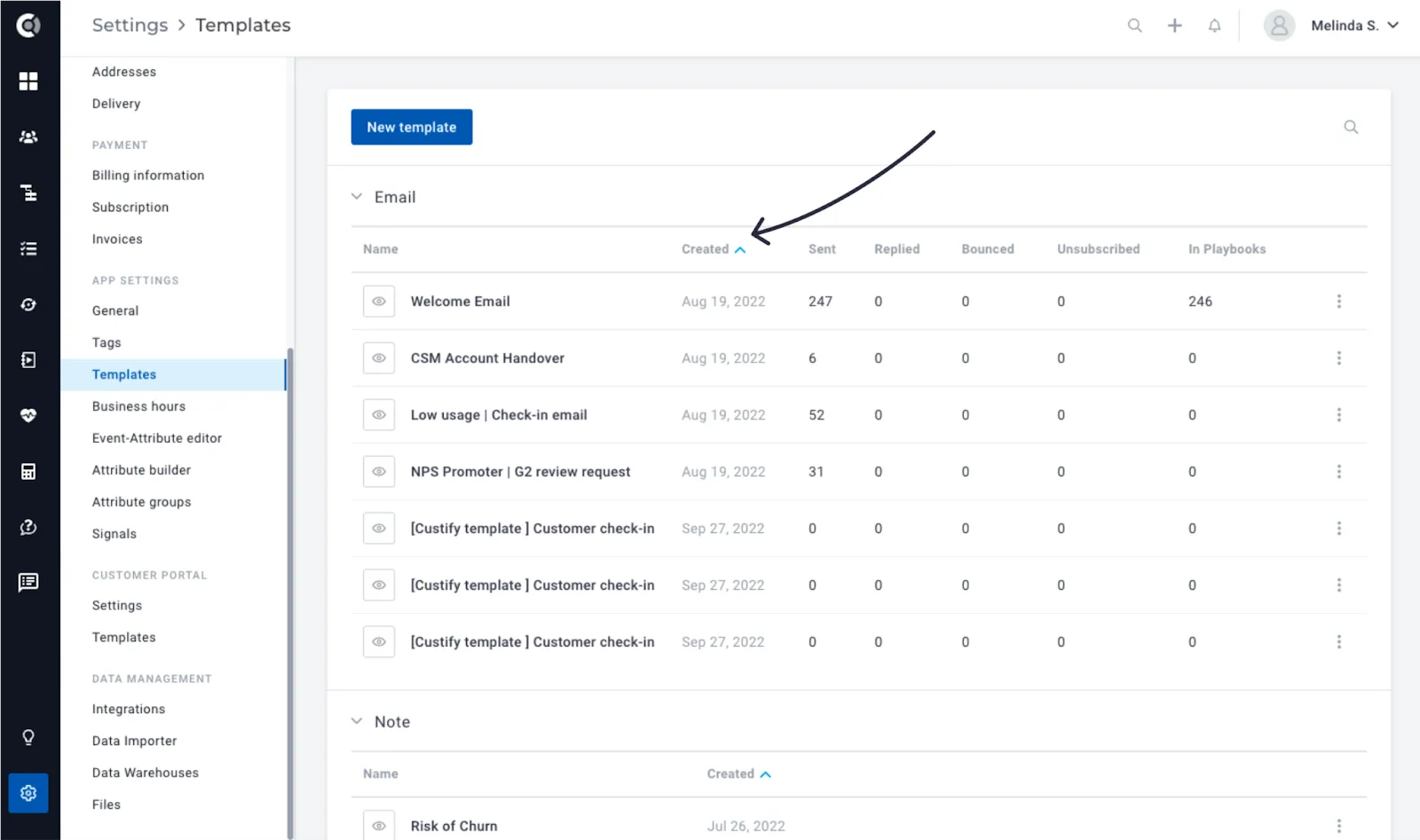
Sorting notes, emails and tasks templates: They can now be sorted ascending or descending by Creation Date, by simply clicking on the column header.
Integrations
Outlook Calendar Integration: You can seamlessly import your Outlook meetings into the Meetings section by establishing a connection between your Outlook account and Custify. This integration provides comprehensive visibility into customer interactions, enabling the creation of metrics based on meeting frequency and populating various default Custify metrics.
Please note that if you’ve previously linked your Outlook account to Custify, you will need to re-establish the connection to import your meetings
Hubspot 2-way Sync: In addition to notes, health scores and calculated metrics export from Custify to Hubspot, we also added the option to export manual attributes (that can populate existing Hubspot attributes with the attribute values from Custify). More details about this feature can be found here.
Multiple other UI/Ux enhancements.