Custify Sidekick Chrome Extension: How-to Guide
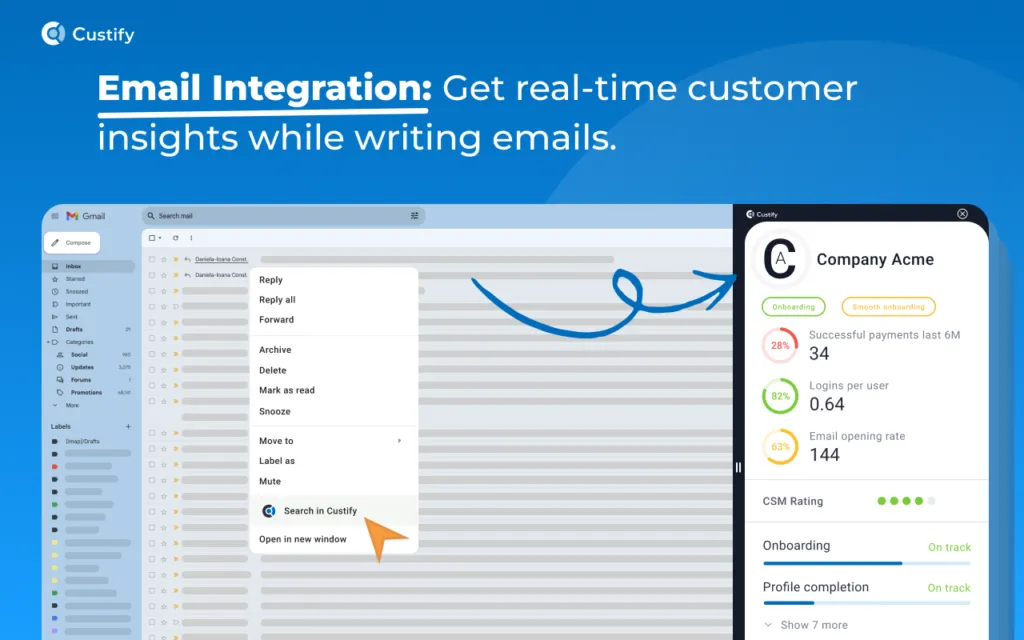
1. Right-click on an Email Address:
Easily access critical customer information with just a click. How it works:
- Right-click on any email address within your browser.
- Select "Search email in Custify" from the context menu.
- Instantly view detailed company and customer data pulled from Custify, right in your browser.
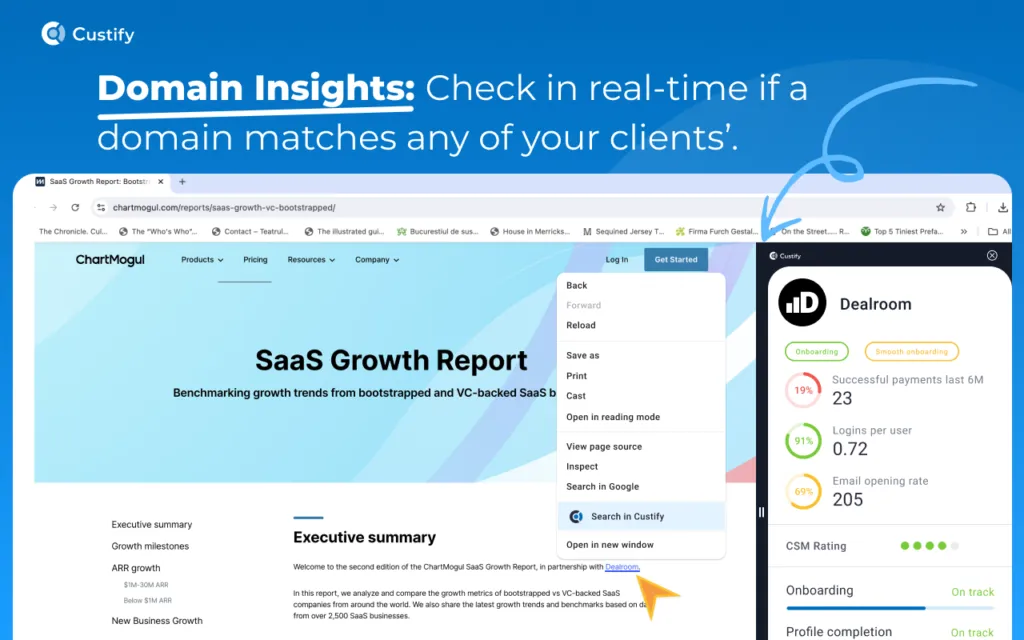
2. Right-click on a Link:
Quickly gain insights into companies associated with any URL. How it works:
- Right-click on any link in your browser.
- Select "Search in Custify".
- Custify will search the domain and display relevant customer details.
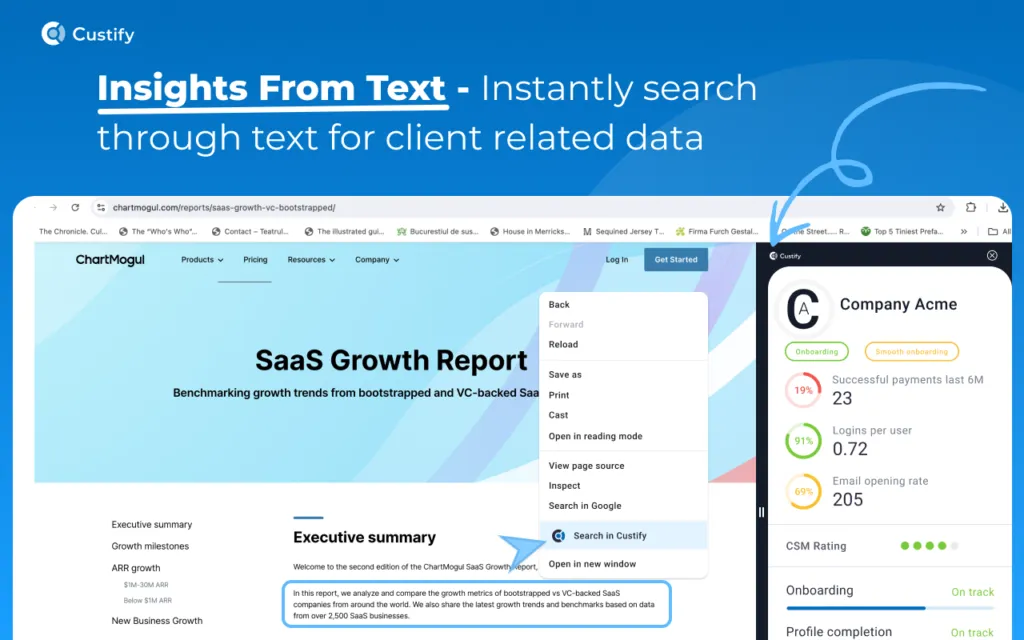
3. Right-click on Selected Text:
Extract and explore customer data with ease. How it works:
- Highlight any text, right-click, and choose "Search in Custify".
- The extension will extract and identify any emails, domains, or URLs within the selected text.
- Custify will then display the first matching result from your client list.
4. Right-click Anywhere on a Page:
Similar to point 2, this option instantly checks the current website’s domain. How it works:
- Right-click on any part of the page (not on specific elements like links or emails).
- Select "Search in Custify".
- The extension will search for the domain and will pull up relevant data if it exists in your client database.
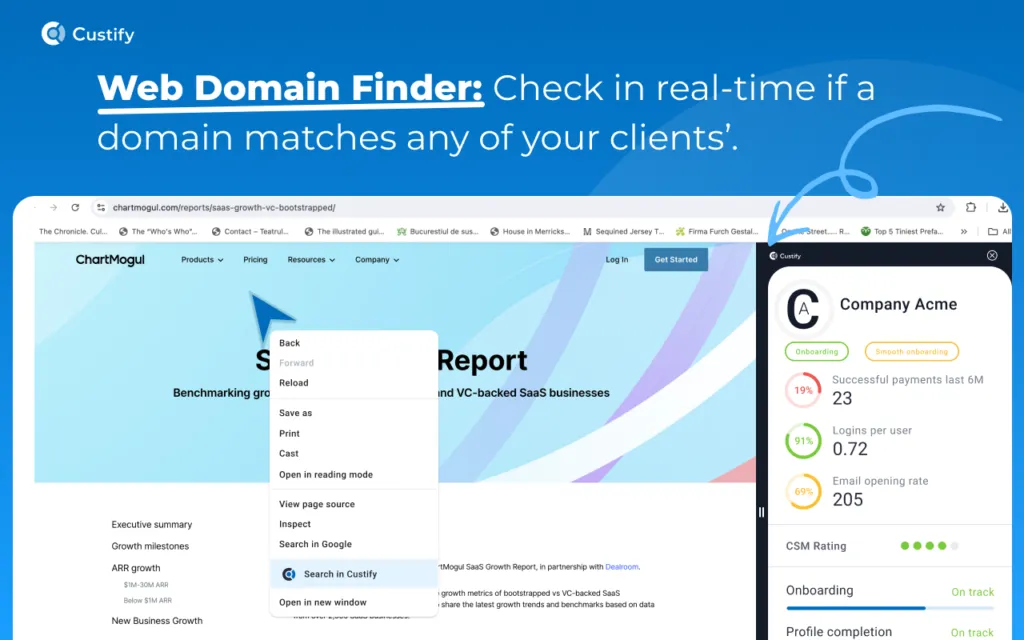
The extension automatically captures the domain from the browser’s URL bar and uses it for the search. For instance, if you are on a page within Microsoft website and perform a right-click search, the extension will search within the microsoft.com domain, providing relevant results.
Keep in mind then, when trying to search while being on the customer page in other CRMs, like Hubspot, the extension attempts to search using the Hubspot subdomain, but since it cannot be found, no results will be returned.
Sidekick Extension Overview:
The Custify Sidekick Chrome Extension is a CSM-focused hub designed to streamline account management, enhance productivity, and boost customer retention.
The Custify Sidekick Chrome Extension provides instant access to vital customer data directly within your browser. Whether preparing for a meeting, composing an email, or conducting strategic planning, this tool ensures you have all the necessary insights at your fingertips, improving efficiency and effectiveness in your customer success efforts.