Usage Trends
Clustering customers and comparing the performance inside each cluster can help you better understand their health.
However, if your customers are different in terms of size, industry, subscription type, or maturity, clustering may become irrelevant.
If you find yourself in such a scenario, we recommend that you compare each customer’s performance individually and set alerts in case the activity drops below certain levels.
To achieve this, build a trend that compares relevant timeframes (e.g. Month over Month, Week over Week) and tells you if the usage trend is positive or negative.
To build the trend, you can define Calculated Metrics and use them in Health Scores to observe the evolution of an event occurrence over time. Here’s how.
Step 1: Build a calculated metric using the formula:
Trend = (time period now / time period before) * 100 – 100
Here is an example of a trend that compares the number of logins from March with the ones from February.
No of logins February | No of logins March | Trend | Health Score |
|---|---|---|---|
100 | 40 | -60% | Red |
100 | 80 | -20% | Yellow |
100 | 150 | 50% | Green |
In the first row, you can notice a decrease of 60%, meaning that the customers logged in less than they did before. In the second row, you can notice a smaller decrease of just 20%, while in the third row, there is an increase of 50%.
This is how you build the formula in Custify:
((EVENT_OVER_TIME(‘Login’,7) / (EVENT_OVER_TIME(‘Login’,14) – EVENT_OVER_TIME(‘Login’,7))) * 100) – 100 |
|---|
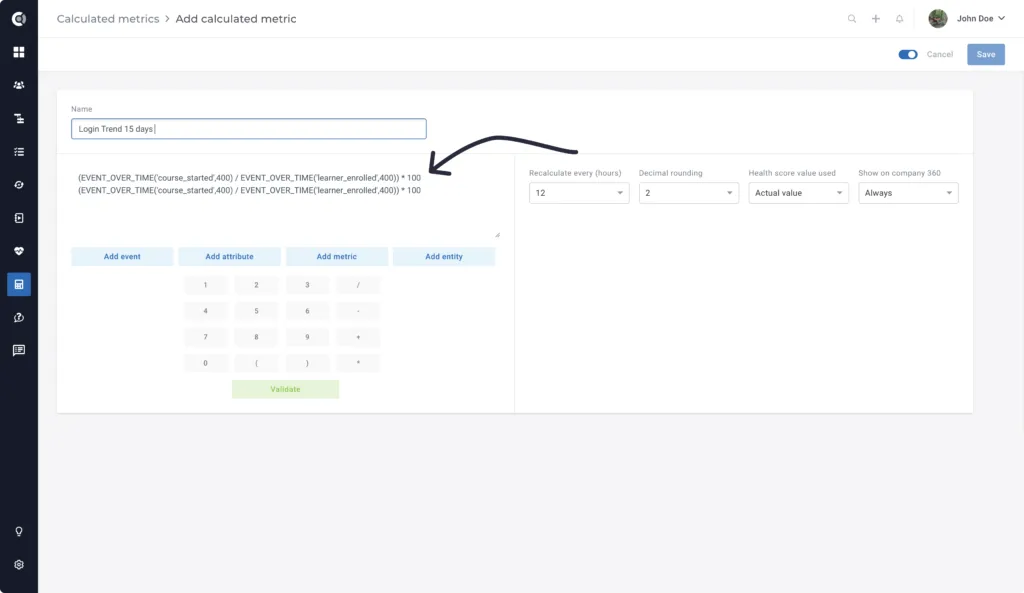
Step 2: Create a Health Score using this Calculated Metric.
Here, you can add the metric you just calculated and define the score intervals. For example, -80% can be the worst value, and +20% can be the best value.
- Red (bad) — a decrease larger than -50%
- Yellow (average) — between-50% and -20%
- Green (good) — an increase or a decrease smaller than -20%