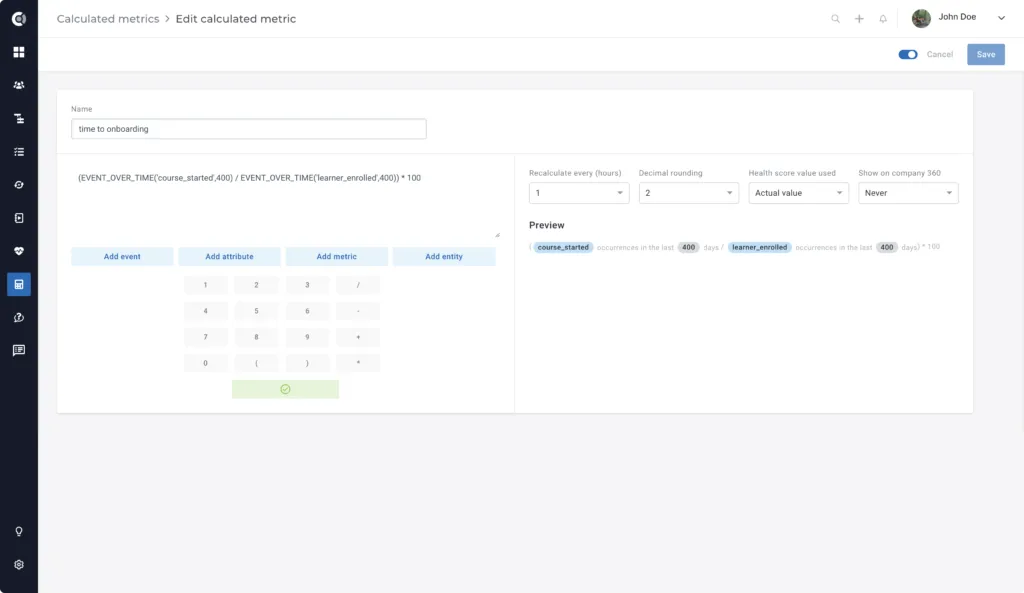
Calculating the Time in Onboarding
Would you like to know how long your customers stay in the Onboarding stage of the Lifecycle, and how much effort Onboarding requires?
Below you will find the step-by-step process for measuring the time in Onboarding, applicable to any Lifecycle that you build in Custify (e.g. calculating average customer lifetime, time to deployment, etc.).
Step 1: Create Manual Attributes
The first step is to create records that will return the dates when the customer starts and ends the Onboarding.
For that, you could use two manual attributes and dynamically populate them using Playbooks.
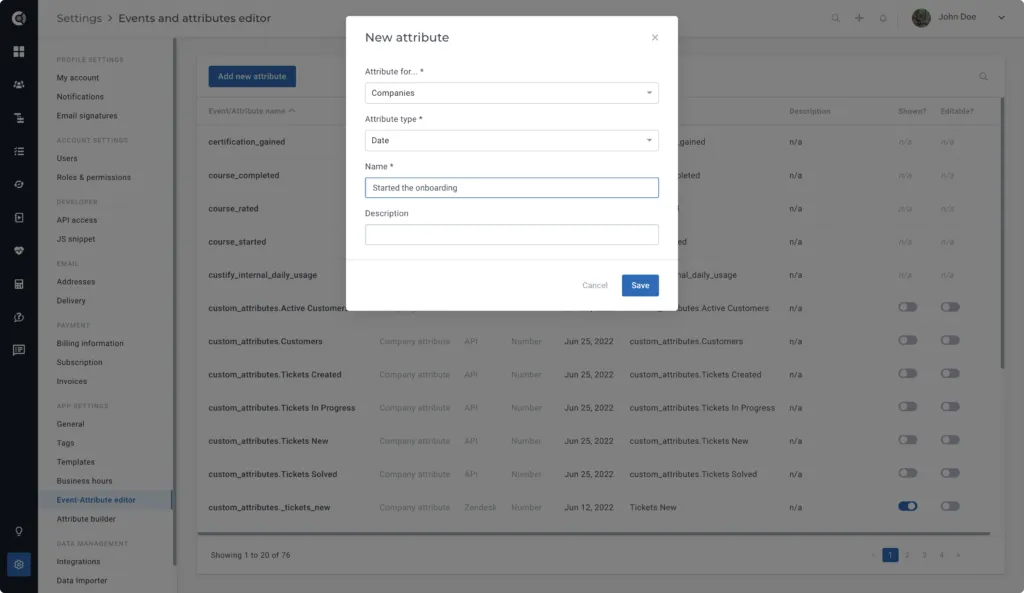
Create two manual attributes from Settings ➡️ Event-Attribute editor ➡️ Add new attribute. The attributes have to be of the Date type. The names could be Started the onboarding and Finished the onboarding.
Step 2: Build the Segments
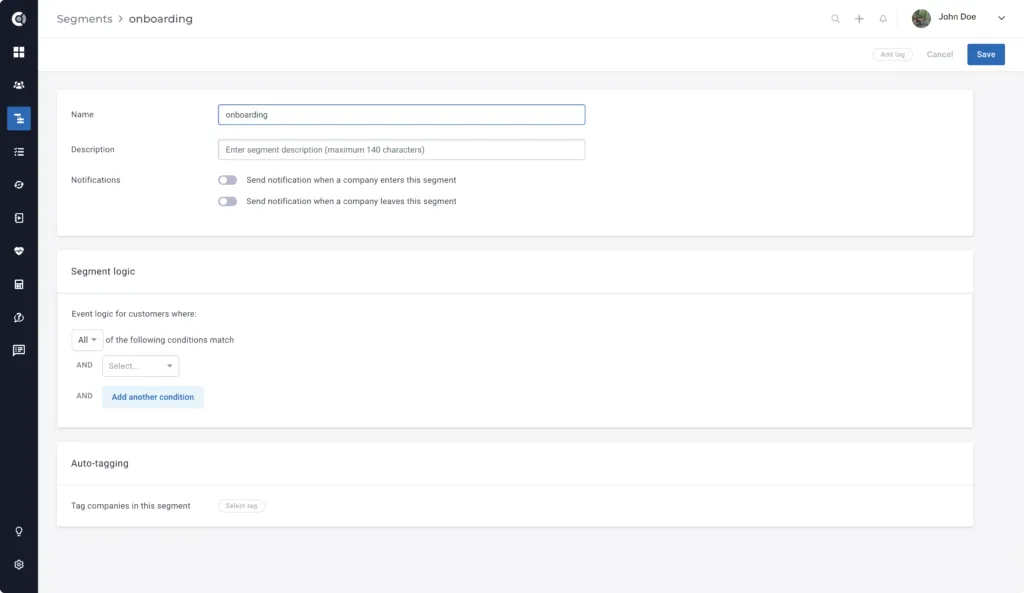
Create two Segments using the conditions below:
- Lifecycle status: on track in Onboarding (name it “In onboarding”
- Lifecycle status: completed Onboarding ("Onboarding completed”)
These Segments are the triggers for the automations that fill in the attributes. This is a one-time effort that helps you avoid manual work (e.g. filling in the attributes manually).
Step 3: Build the Playbooks
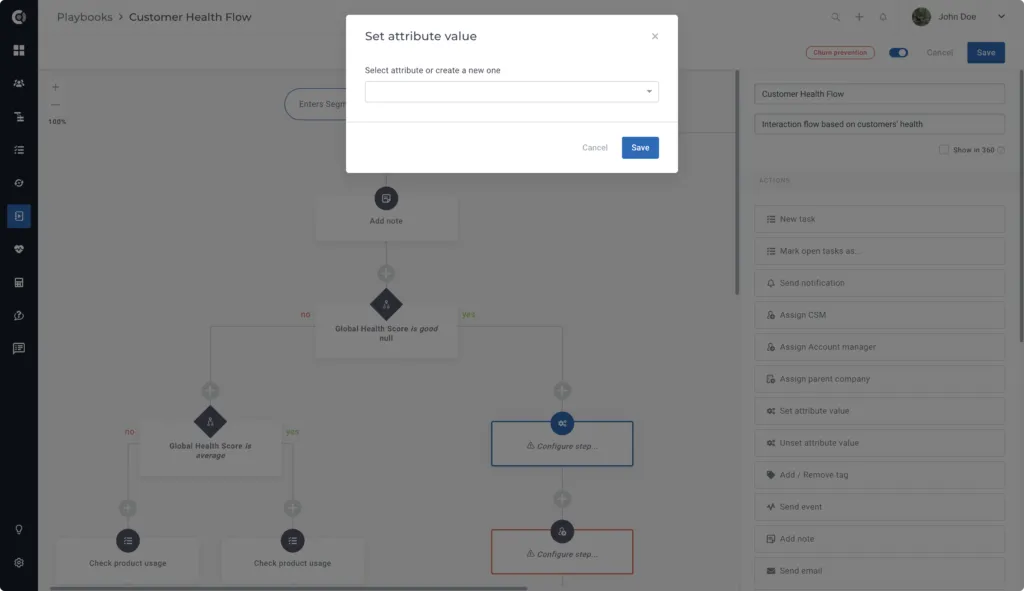
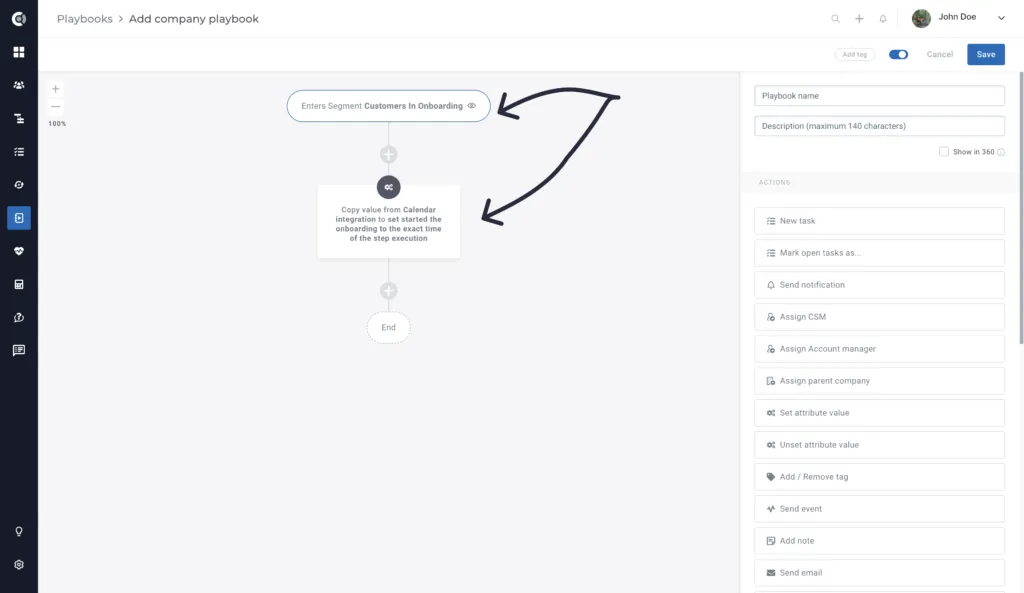
Create two Playbooks that will populate the new attributes you created:
- Populate “Started the Onboarding”:
- Start trigger: Enters segment “In onboarding”
- Action: Set attribute value ➡️ Attribute “Started the onboarding”
- Set date as: Exact time of the Playbook execution
- Populate “Finished the Onboarding”
- Start trigger: Enters segment “Onboarding completed”
- Action: Set attribute value ➡️ Attribute “Finished the Onboarding”
- Set date as: Exact time of the Playbook execution
Step 4: Set up the Calculated Metrics
Create a Calculated Metric that will measure the days between the Started the onboarding and the Finished the onboarding.
Under calculated metrics, use the formula:
Days since Started the onboarding – Finished the onboarding.
This new metric tracks the number of days it took each of your customers to complete the Onboarding lifecycle.