How does the CSV Data Importer work?
Using Custify’s .csv Data Importer, you can easily import .csv files containing data into the application to:
- Create People;
- Add/update People attributes;
- Create Companies;
- Add/update Company attributes;
- Assign people to multiple Companies;
- Assign Companies to Companies (parent-child relationship);
- Import historical events.
Importing Data
To initiate the data import, you will go to Settings —> Data importer.
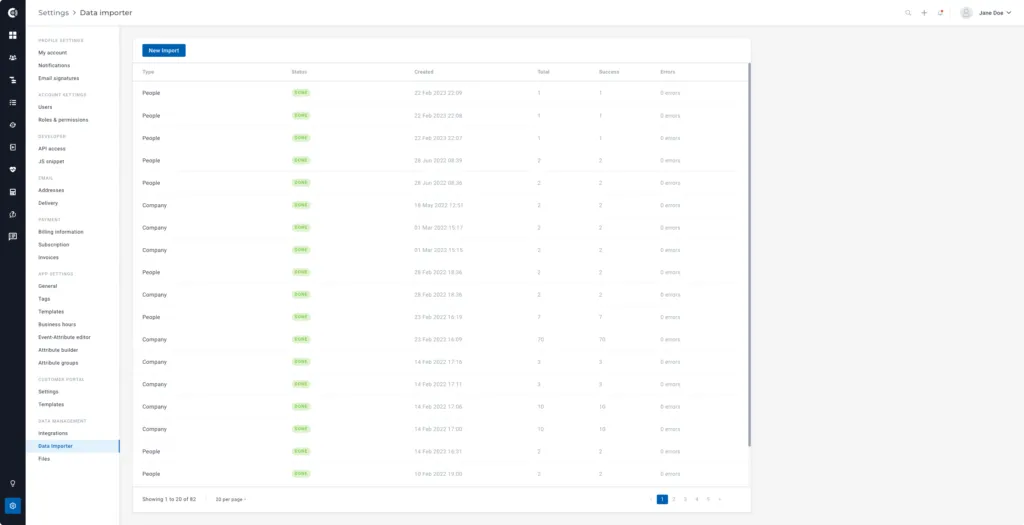
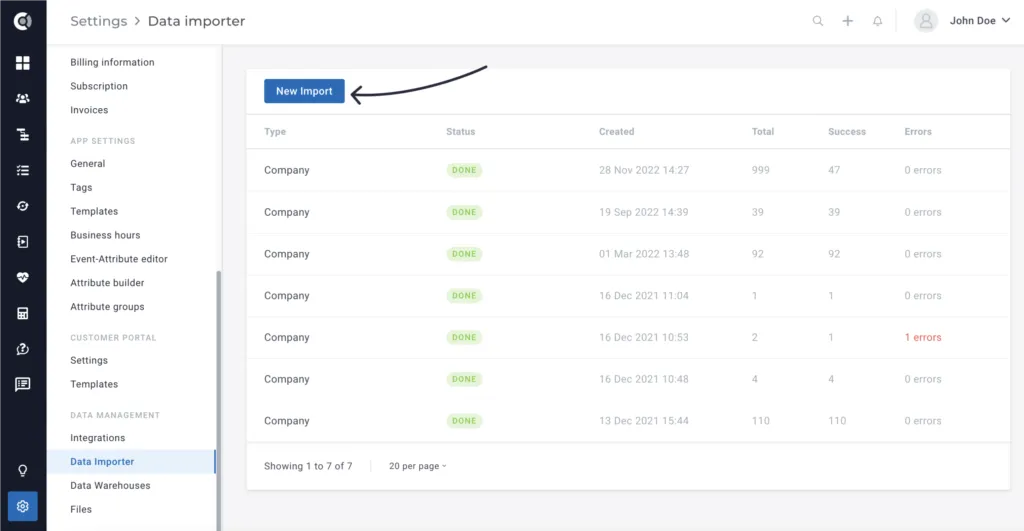
Once you access the section, click on the New Import button at the top of the page.
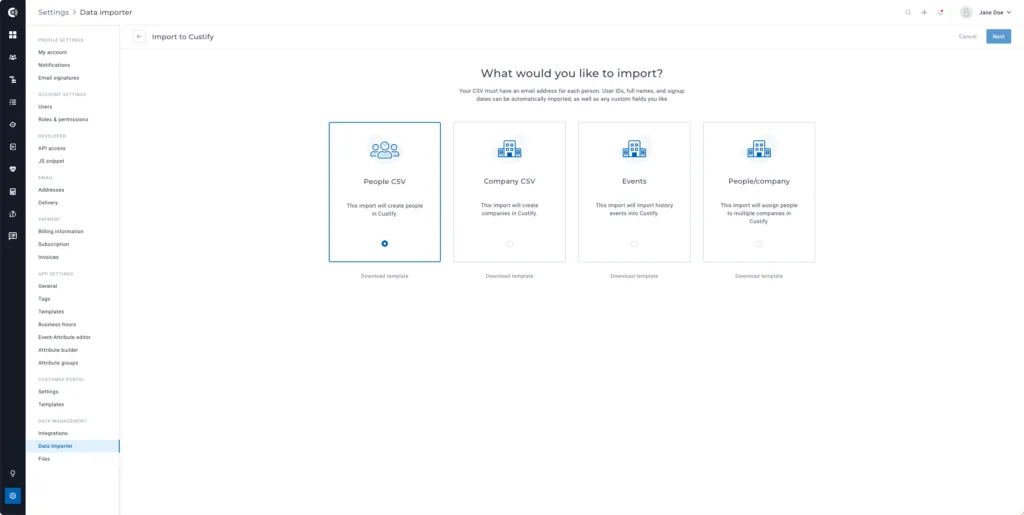
Then, select the type of import you want to perform:
- Select People CSV to create new people or add/update people’s attributes;
- Select Company CSV to create new companies or add/update company attributes;
- Select Events to import historical events;
- Select People/Company to assign people to multiple companies.
Once you select the import type, perform the following steps:
Step 1: Download the template to build the .csv file that needs to be imported.
Step 2: Populate your .csv file with the attributes/events that you want to create or update in Custify.
💡Custify Tip 1: Read more about attributes and events here.
💡Custify Tip 2: The Company ID or User ID are mandatory for all types of imports.
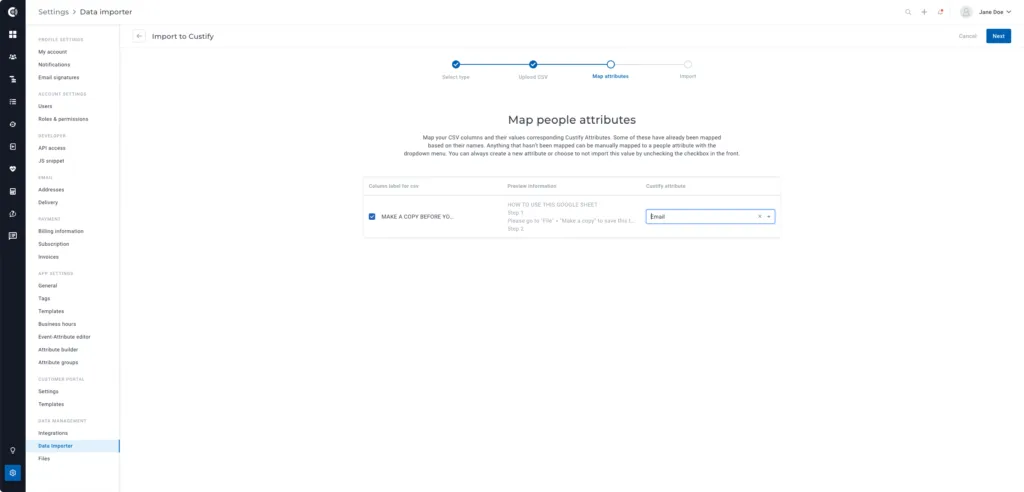
Step 3: Follow the steps suggested by the application (upload the file, map the attributes, and import).
Observation! Make sure the mapping is correctly done. Select the corresponding Custify attributes that should match the .csv fields.
Additional Information
There are 4 types of attributes that can be populated through .csv files:
- Date
- Number
- Boolean
- String
Date — For an attribute (or event metadata) to be considered a Date, it should be sent in one of the following ISO 8601 formats:
- YYYY-MM-DD HH:mm:ss
- YYYY-MM-DD
- YYYY-MM-DDTHH:mm:ss
- YYYY-MM-DD HH:mm
- YYYY-MM-DDTHH:mm:ss.SSS
- YYYY-MM-DDTHH:mm:ssZ
- YYY-MM-DDTHH:mm:ss.SSSZ
- YYYY-MM-DDTHH:mm:ss.SSSSSSZ
Otherwise, they’ll be treated as Strings. These attributes must be sent as UTC dates or using the timezone format.
Example:

Number — For an attribute (or event metadata) to be detected as a Number, you must send it as in the following example:

Boolean — For an attribute (or event metadata) to be considered as a Boolean, you must send it as in the following example:

String — For an attribute (or event metadata) to be considered as a String, you must send it as in the following example:

CSV Data Import — Use Cases
- Creating Parent-Child Relationships
Companies can be assigned to other companies through the .csv import. The parent company should already exist in Custify. To assign a child company to the existing parent, use the company .csv import type, add the parent company ID to the .csv file as a new column, and run the import. It will automatically update the companies and will create the parent-child relationship.
- Assigning CSMs to Companies
You can assign the CSMs to the companies using the company .csv import. Add the email address of the CSM to the .csv file and map it to the correct field (account owner).
- Assigning People to Multiple Companies
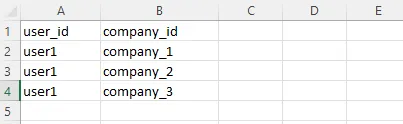
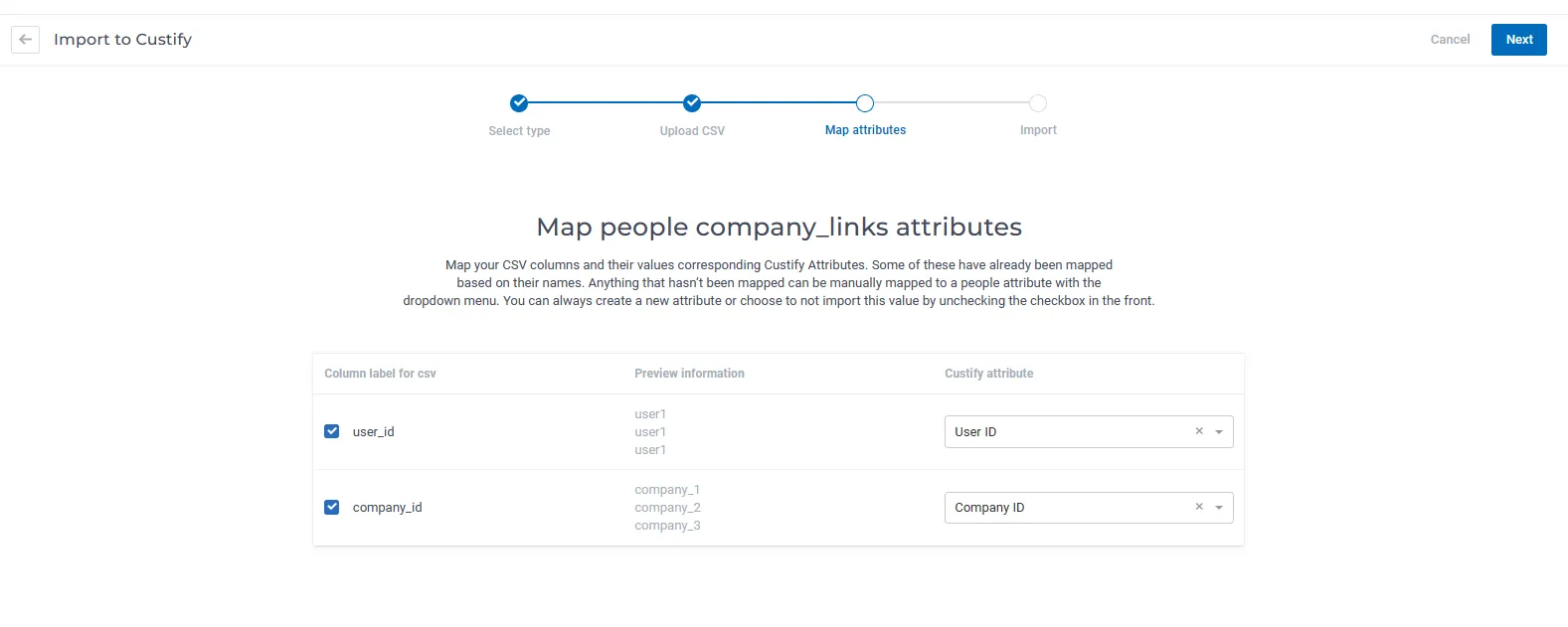
In order to bulk-assign people to multiple companies, add a new line for each company in your .csv file. In the columns, add the userID and each company’s ID. Import the file using the 4th import option (People/Companies).
- Historical MRR Imports
The CSV Data Importer now supports a dedicated Historical MRR import type, designed for accounts that want their first revenue dashboards to show months of history rather than starting from a flat line. This is most useful when you onboard onto Custify and your billing data lives elsewhere — you can backfill the MRR timeline retroactively in a single import, and the Revenue dashboard rebuilds MRR movements to match.
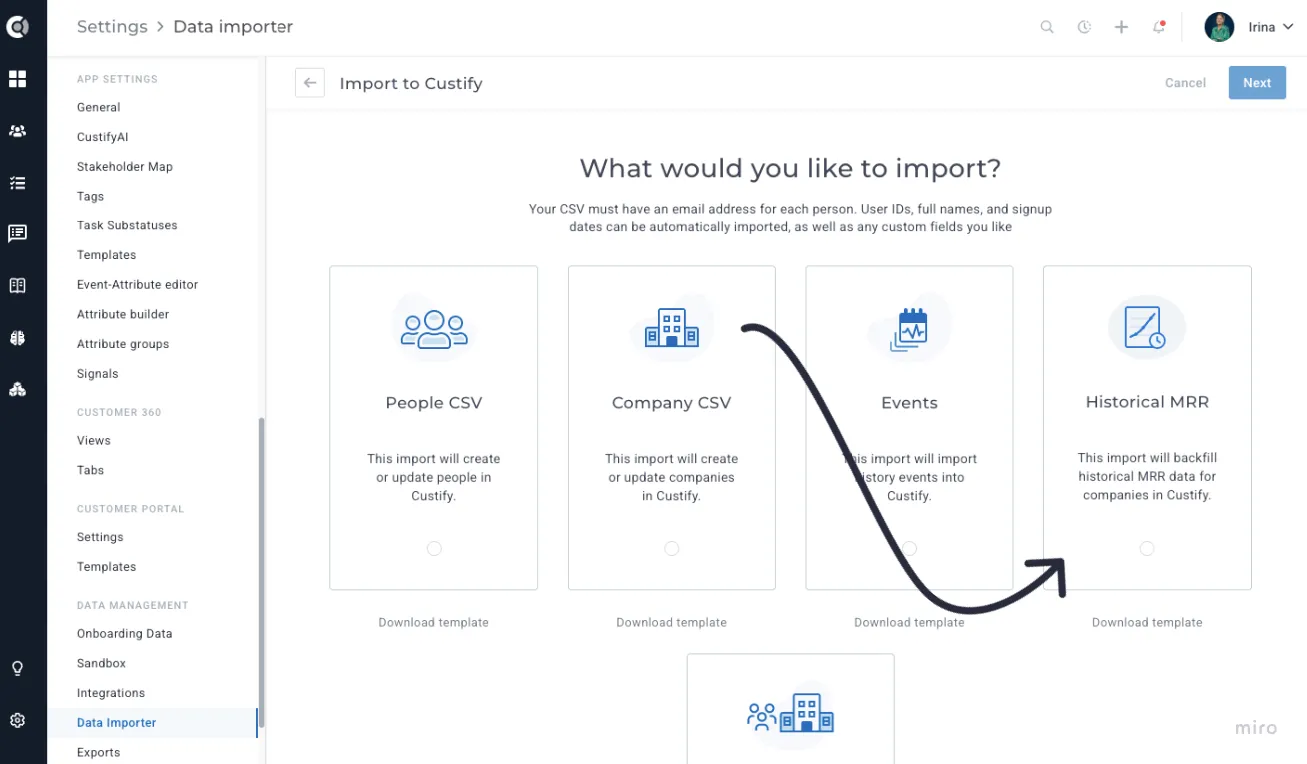
To use it, navigate to Settings - Data Importer - New Import and select the Historical MRR card. Download the template, which contains three columns: company_id, mrr, and date. Each row represents a point in time when the MRR for a company changed. Custify fills in the daily values between dates and forward-carries the last value to today, so you only need one row per change rather than one row per day.
After mapping the three required columns, an Existing MRR History options panel appears with four choices for how to treat data that is already in Custify:
- Clear history from first imported record onward (default): for each company in the file, deletes existing records from the earliest CSV date through today.
- Clear all MRR history for imported companies: wipes all stored history for the companies present in the file.
- Clear all MRR history for all companies: removes MRR history account-wide. This option is locked behind a confirmation checkbox.
- Keep existing MRR history: only upserts the imported rows, no deletion.
Observation:
The account must have an MRR attribute configured under Settings - General before you run this import. Rows referencing a company_id that does not exist in Custify, or carrying an invalid MRR or date value, are rejected per row and surfaced in the import summary. The current MRR attribute value on each company is not changed by this import — only the historical timeline is populated.