Insights – Best Practices
The Insights feature is designed to give you an overview of the most important data you have in Custify.
We provide an extensive selection of default reports, primarily focusing on two key areas:
- Team Performance
- Revenue
In addition to our pre-built reports, we offer customizable dashboards. These enable you to create reports for any data points within Custify, including Custify-specific elements like health scores, playbooks, and lifecycles.
Dashboards’ Categories
When organizing your Dashboards, consider structuring them to enhance report readability:
- Develop a shared dashboard that can benefit other members of your organization.
- Establish a dedicated dashboard for the Customer Success (CS) Team as a whole.
- Encourage individual Customer Success Managers (CSMs) to create their own dashboards tailored to the key performance indicators (KPIs) relevant to their assigned accounts.
Below are some frequently used dashboards that can be easily created in Custify.
General dashboards
- Dashboards that show the big picture of your customer base
Examples:
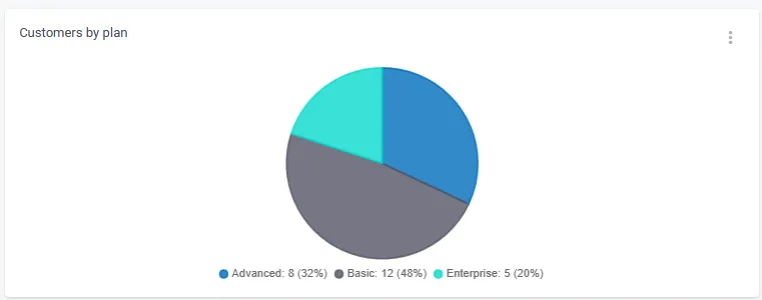
- Companies by plan
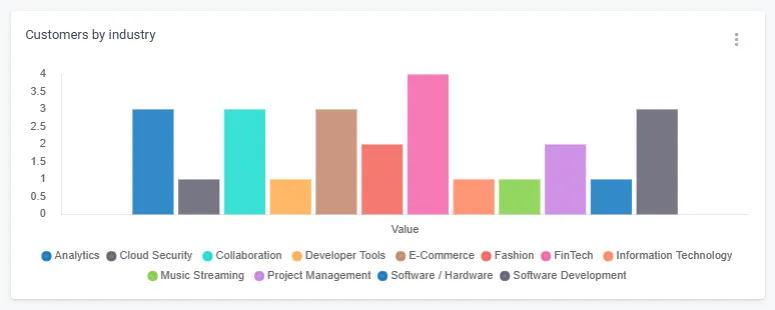
- Companies by industries
- Companies split per countries
- Churn segment evolution
- New customers segment evolution
- Paying accounts segment evolution etc.
Set up any widgets that will help you have easily accessible reporting regarding your customer base. These are usually Company/Data evolution widgets or Segment evolution widgets.
2. Dashboards that focus on customers at risk
Examples:
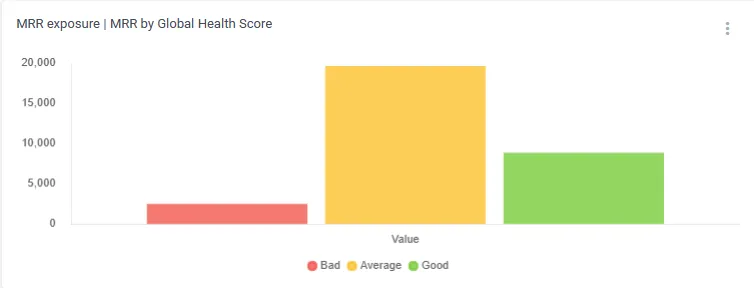
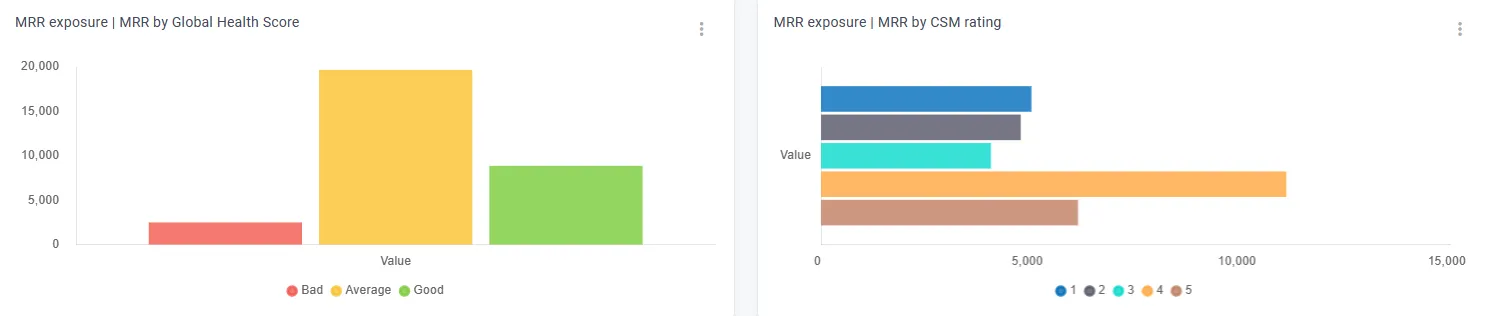
- MRR exposure: MRR per Global Health Score or MRR per CSM Rating
- “Customer at risk” segment evolution
- Customers by “churn risk” attribute
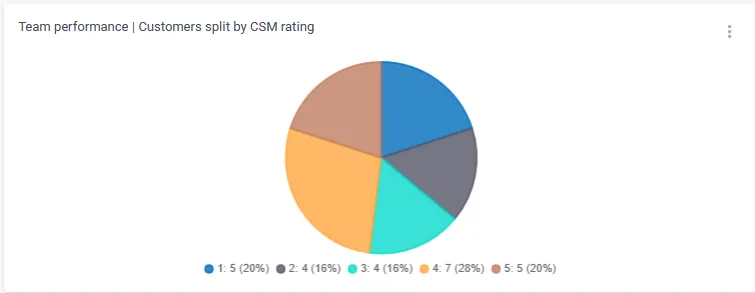
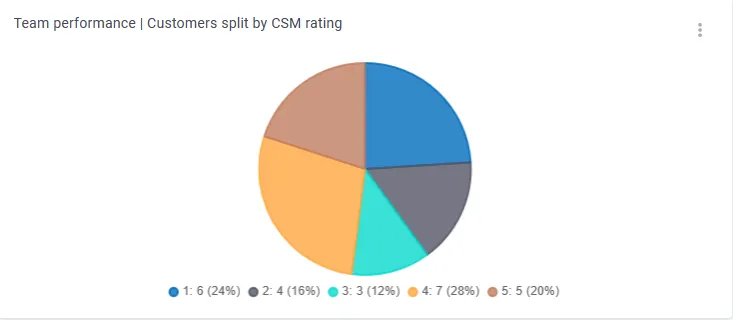
- Customers by CSM rating
- Customers with overdue invoices etc.
This second category of widgets will assist both you and other members of your organization stay informed about the risks associated with your customers. It will also aid in making decisions related to necessary process changes, areas for improvement, and sales forecasting.
3. Product usage dashboards
Examples:
- Active users’ evolution;
- Number of generated events (per core features) etc.
These types of reports could prove valuable to the product team for identifying the most and least used features, analysing usage patterns across accounts, and more. However, they can also benefit your team. It’s important to note that when using the Company Data/Evolution widget, you can not only tally the number of events generated by companies but also segment the data by specific attributes, such as plan, CSM, Trial vs Paying customers, and so on.


CS Team Dashboards
These are some examples of dashboards that can be used for tracking the overall performance of the CS team and also the high-level picture of the customer health.
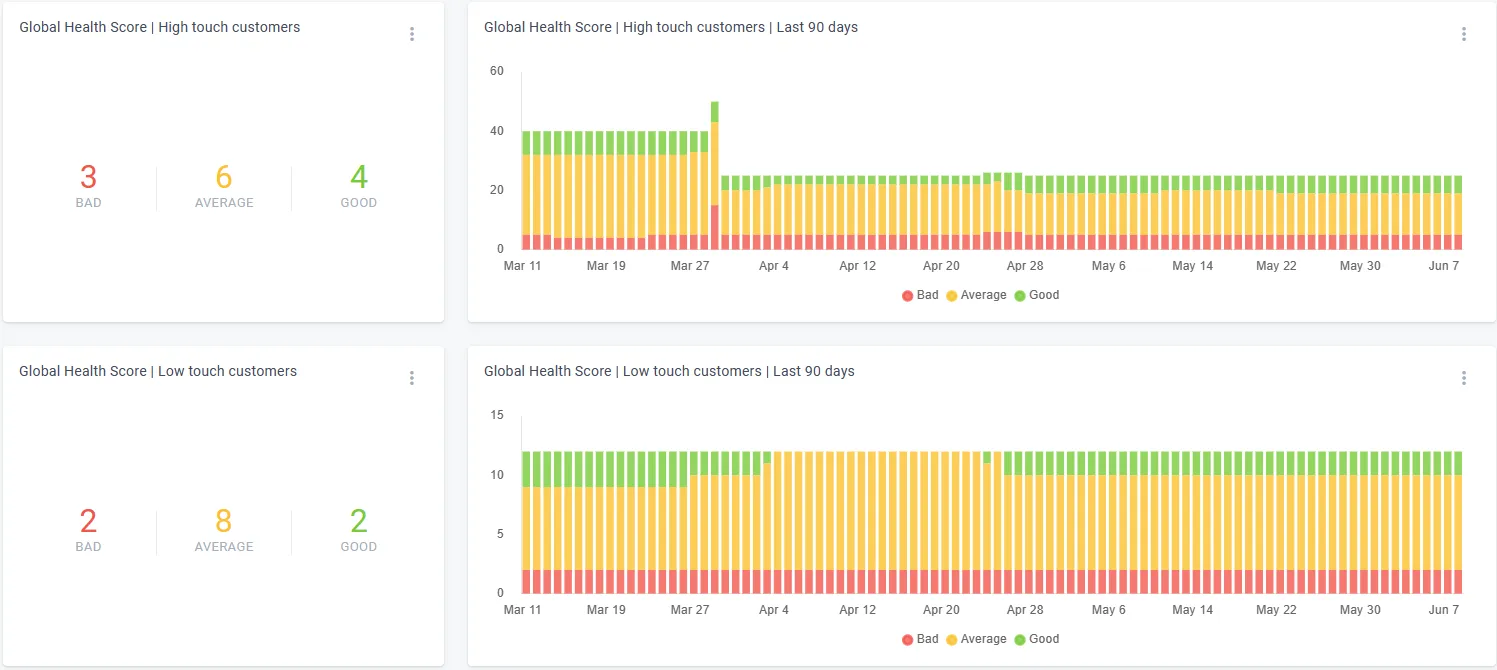
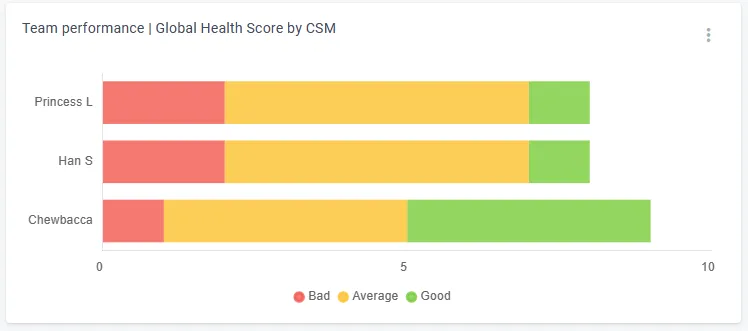
- Health-score-related reports
Examples:
- Health Score distribution for the Global Health Score and your other key health scores;
- Health Score evolution for the Global Health Score and your key health scores;
- Global Health Score by CSM (and of course, you can do the same for your key health scores).
2. Lifecycle-related reports
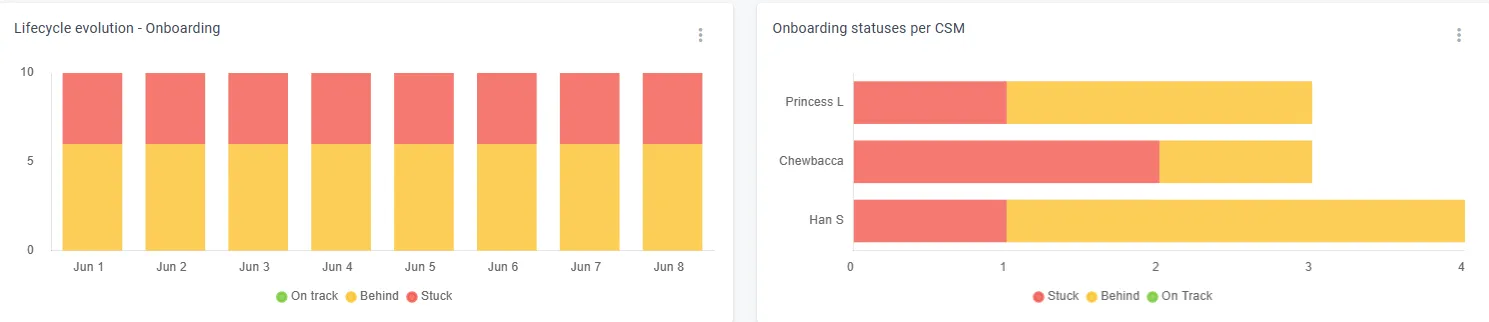
Examples:
- Lifecycle status for all the relevant lifecycles;
- Lifecycle evolution for all the relevant;
- Lifecycle status per CSM.

3. Workload
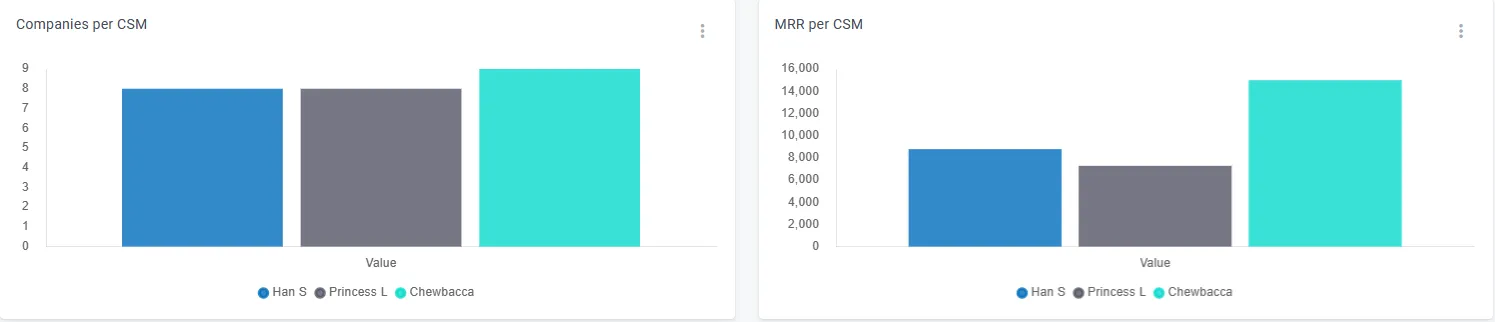
Examples:
- Companies per CSM;
- MRR handled by each CSM;
- Customers onboarded per CSM;
- Enterprise customers per CSM.
4. Customers at risk
Examples:
- Companies per CSM rating
- Companies per tags
- MRR exposure reports (MRR split by Global Health Score or CSM Rating)
5. Satisfaction reports
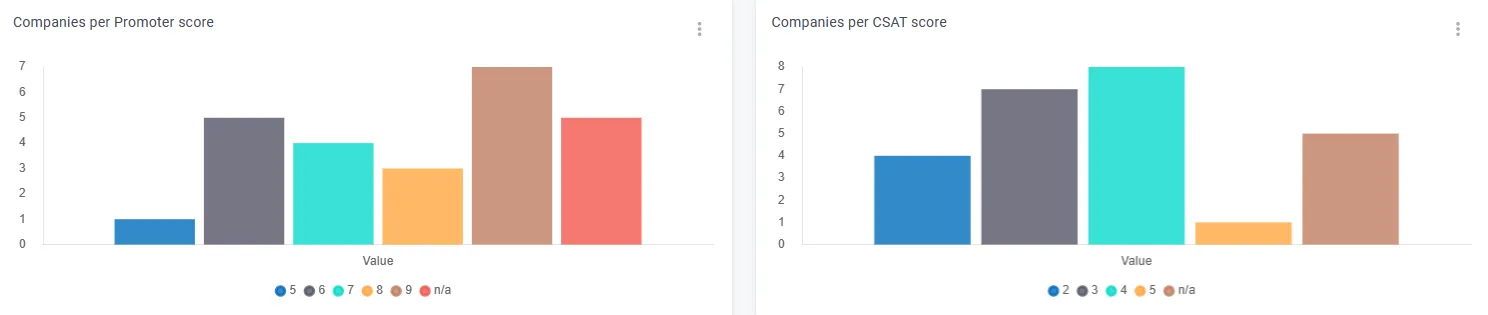
If you use our Surveys module and collect CSAT and NPS scores from your customers, it is highly recommended to generate reports based on these scores as well.
Individual dashboards
Each CSM can replicate the main CS team dashboard and limit all the widgets to a segment containing only the companies assigned to them.
General recommendations:
- Create segments for each CSM’s portfolio of active customers (conditions: CSM is X and Churned is false).
- Create segments for each CSM’s churned accounts (conditions: CSM is X and Churned is true).
- Base all the widgets on the individual CS dashboards on the corresponding segments.
- Once you have built the initial dashboard, you can duplicate it and simply replace the segments to which the widgets are restricted.
Setting up dashboards
While everything listed in this article is generally applicable, you can always enhance the suggested list of reports with widgets that are specific to your product.
Here are some key considerations:
- It’s important to maintain a general dashboard with reports covering your entire customer base, but it’s equally vital to develop specific reports that allow for in-depth analysis of different customer segments.
- Increasing visibility and enabling effective tracking for your CSMs can be achieved by creating individualized and customized dashboards tailored to their needs.
- Utilize the dashboard sharing feature to restrict access to specific reports. For instance, view-only users will only have visibility of the general dashboard, not individual ones.
Leveraging the dashboards
Once they are set up, here are some recommendations on how to make the most of them.
- CSMs should regularly review their individual reports (e.g., daily or weekly) and take appropriate actions. This includes checking on unhealthy accounts and monitoring companies at different stages of their lifecycles, reaching out to clients with ‘get-well’ plans when necessary.
- Utilize the evolution widgets to identify patterns and track the effectiveness of specific processes. For example, you can use the Health Score evolution widget to monitor changes in the number of unhealthy companies over a specific time period after implementing improvement actions.
- Use them in your conversations with the leadership, to show them your team’s progress and pain points.