Enabling Hubspot 2-way Sync
In addition to notes, health scores and calculated metrics export from Custify to Hubspot, we also added the option to export manual attributes (that can populate existing Hubspot attributes with the attribute values from Custify).
Use Case example:
You have contact information that is getting imported from Hubspot. The CSMs identify that the contact details of a specific person changed, so they change this information in Custify. If the 2-way sync is enabled, the changes will reflect back to Hubspot.
How to set this up:
The 2-way attribute sync is available at company, deal and contact level. In order for the data to be synced back to Hubspot, you will need to:
- Go to Settings – Integrations – Hubspot – Advanced Settings
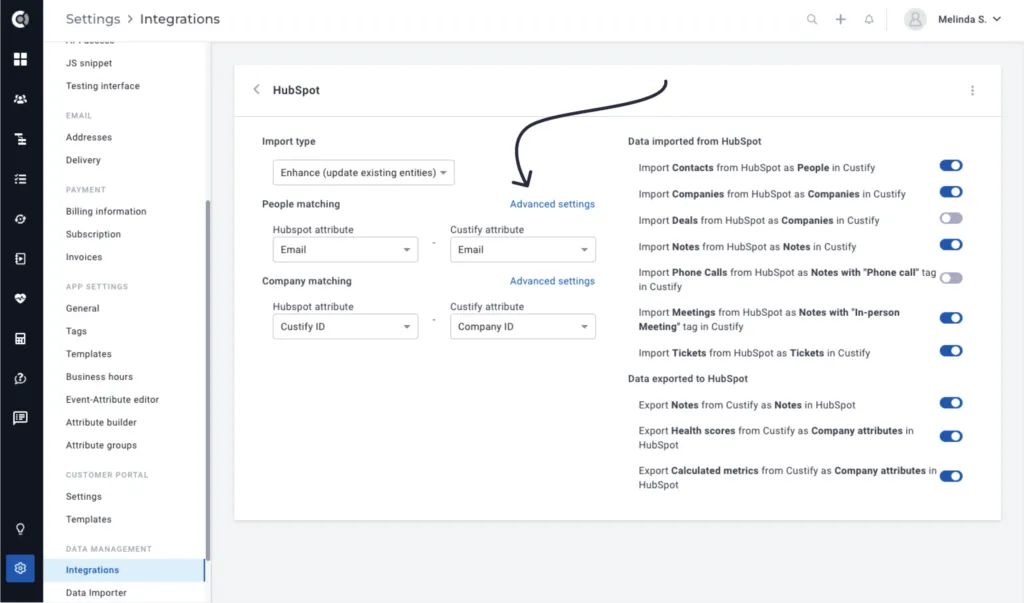
2. Enable custom mapping.
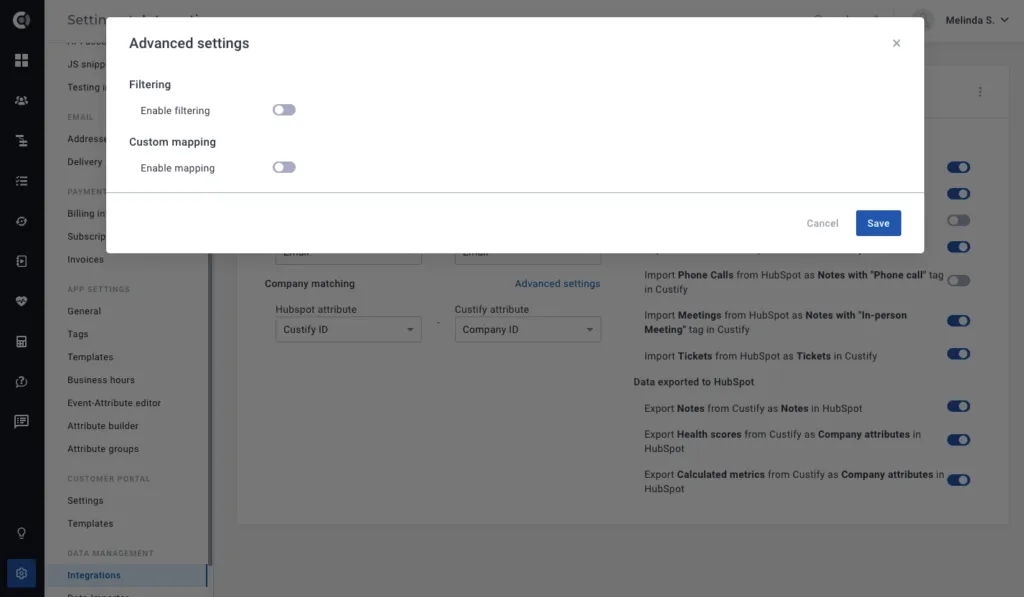
3. You will see a list containing a column for Hubspot attributes, another one for Custify attributes, and a column for sync Direction.
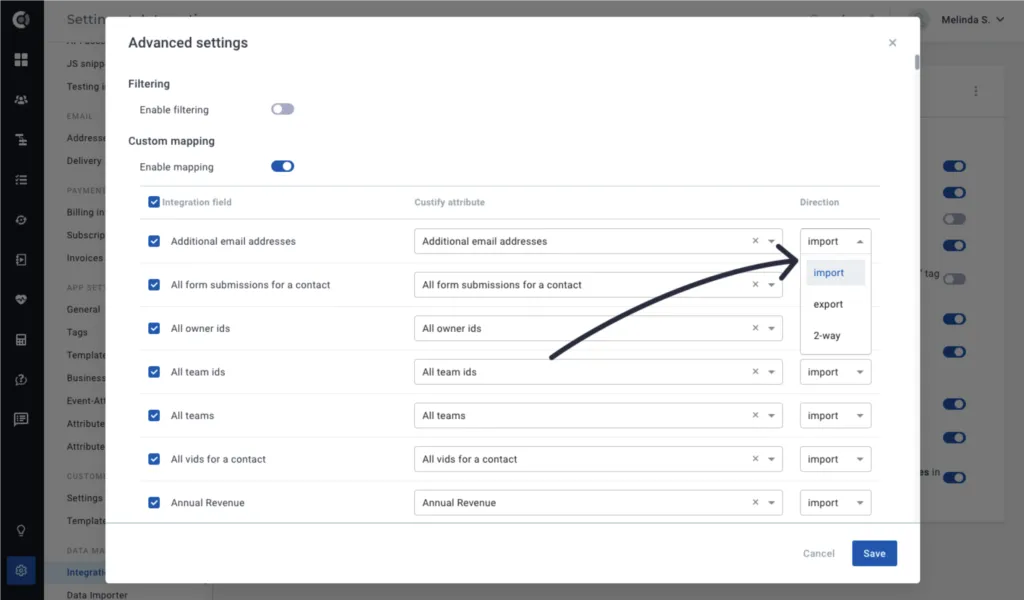
The Direction can be:
- Import: Custify attribute is populated with the value of the Hubspot attribute.
- Export: Hubspot attribute is populated with the value of the Custify attribute.
- 2-way: Sync works in 2-ways, if there is a change in Hubspot, it will reflect in Custify and vice versa.
4. Select the sync direction and the matching attributes, and the setup is done.
! Side note: Only manual attribute changes are exported for now to Hubspot.
For an attribute to be exported, you have to make sure it is editable, and then to populate its value in Custify.
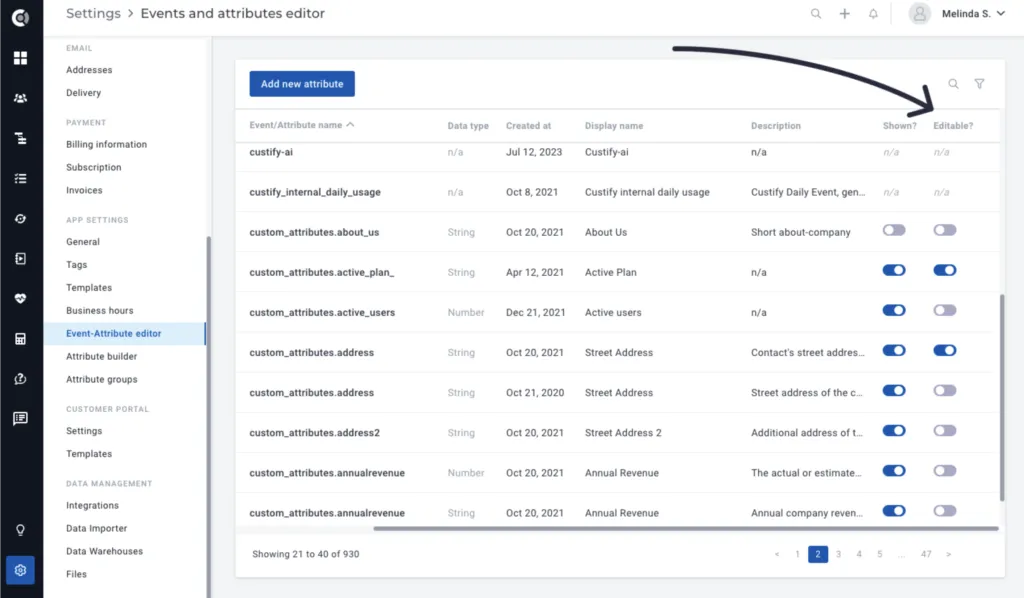
For now, we have limited this option to manually edited attributes in order to maintain control over the modifications being made. Overwriting data can be a delicate process, and making bulk data changes via API, playbooks, or other integrations may result in unintended alterations within HubSpot and potential human errors.
Things to keep in mind:
- The sync will not create new attributes in Hubspot, it will only populate existing attributes with new values; if you want to populate an attribute that does not exist in Hubspot, the field has to be first created in Hubspot and the sync to be activated.
- Attributes populated through playbooks are not considered manually populated, so their values will not be exported to Hubspot.
- The two-way sync will only export manual changes made after its activation; any manual changes made before activation will not be exported.