Should I keep churned companies in Custify
While there is no definitive recommendation for keeping churned companies in your CS platform, there are some benefits to consider before deciding to keep them or not in Custify.
First, if you decide to keep both active and churned companies in Custify, you should make sure that the companies are correctly marked as churned, to ensure that they can be easily differentiated from active companies. To do that, follow the checklist below:
- Mark the companies as churned (either automatically, through API or manually – you can check this article)
- Fill in the churn date and the churn reason (either the one you collect during offboarding calls or intuitive if you don’t get a hold of the client).
- The monthly revenue should be set to 0.
If these conditions are met and the churned companies remain in Custify, you can gain and report on these types of insights:
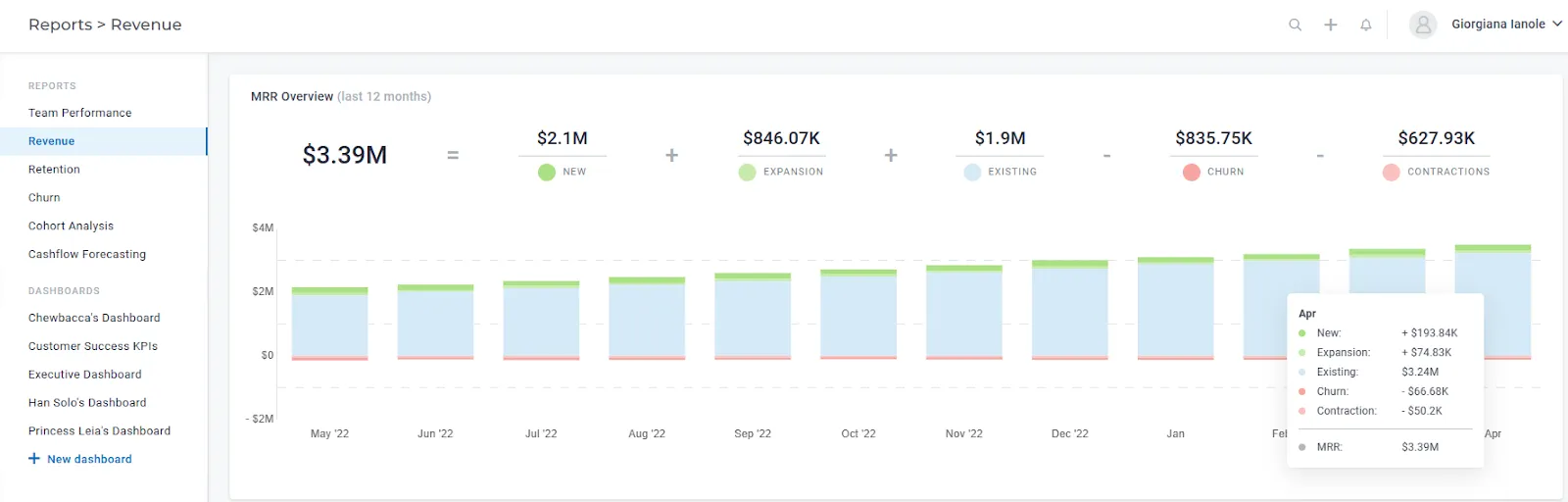
- Revenue data – by setting the monthly revenue to 0 for churned companies, we will be able to compute how much revenue you lose every month due to churn (besides the contraction, expansion, new and existing). This report would provide insightful data for everyone on the team and even help you forecast the sales targets for the next period.
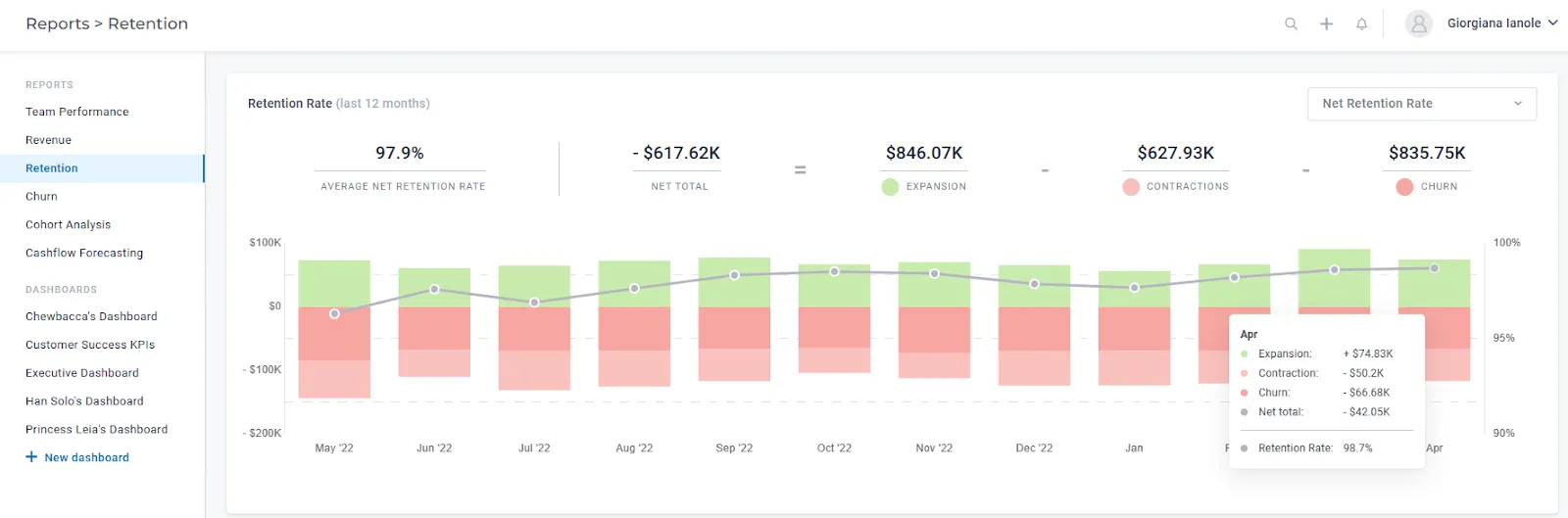
2. Retention data – you will be able to see the NRR and GRR across your accounts, monthly. This is also, in a lot of cases, a very useful metric not only for the CS team, but also for the entire company, as you will be able to track month by month how much of your revenue you are retaining. In order for the retention metrics to be correctly computed, you need to store information about churned companies.
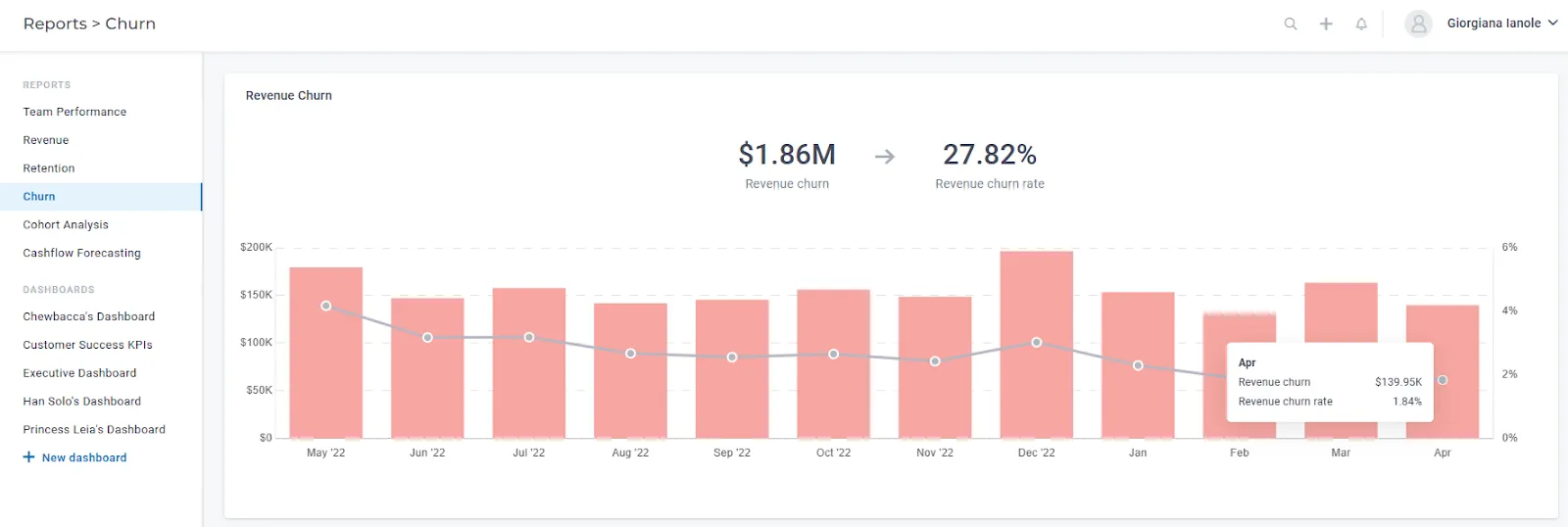
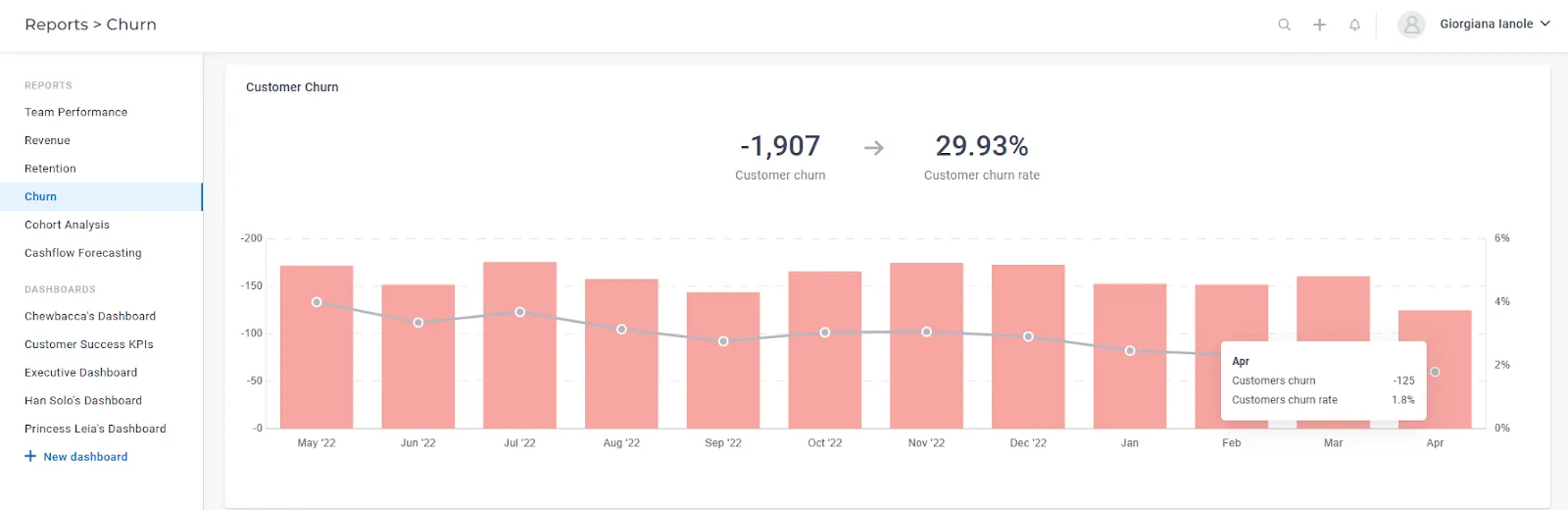
3. Revenue churn and logo churn – you will be able to see the percentage of revenue you lose every month due to churn, as well as the % of churned customers. This is a great metric to track, and it will provide you with insights regarding your own processes and how successful they are.
4. Churn reasons – you can see statistics on your top churn reasons in certain timeframes, which of course can be a valuable start for adjusting/improving your internal processes.
E.g: Let’s say that you observe that a large percentage of customers churn due to champions leaving. Based on this information, you can:
- make sure during onboarding that you establish a relationship with multiple people inside the company;
- make sure to include all of your contacts in any meaningful communication and you CC them when sending minutes of the meetings
- check the product adoption across the entire team, not only for your champion;
- constantly reach out with product updates and interesting best practices to all of your points of contact, etc.
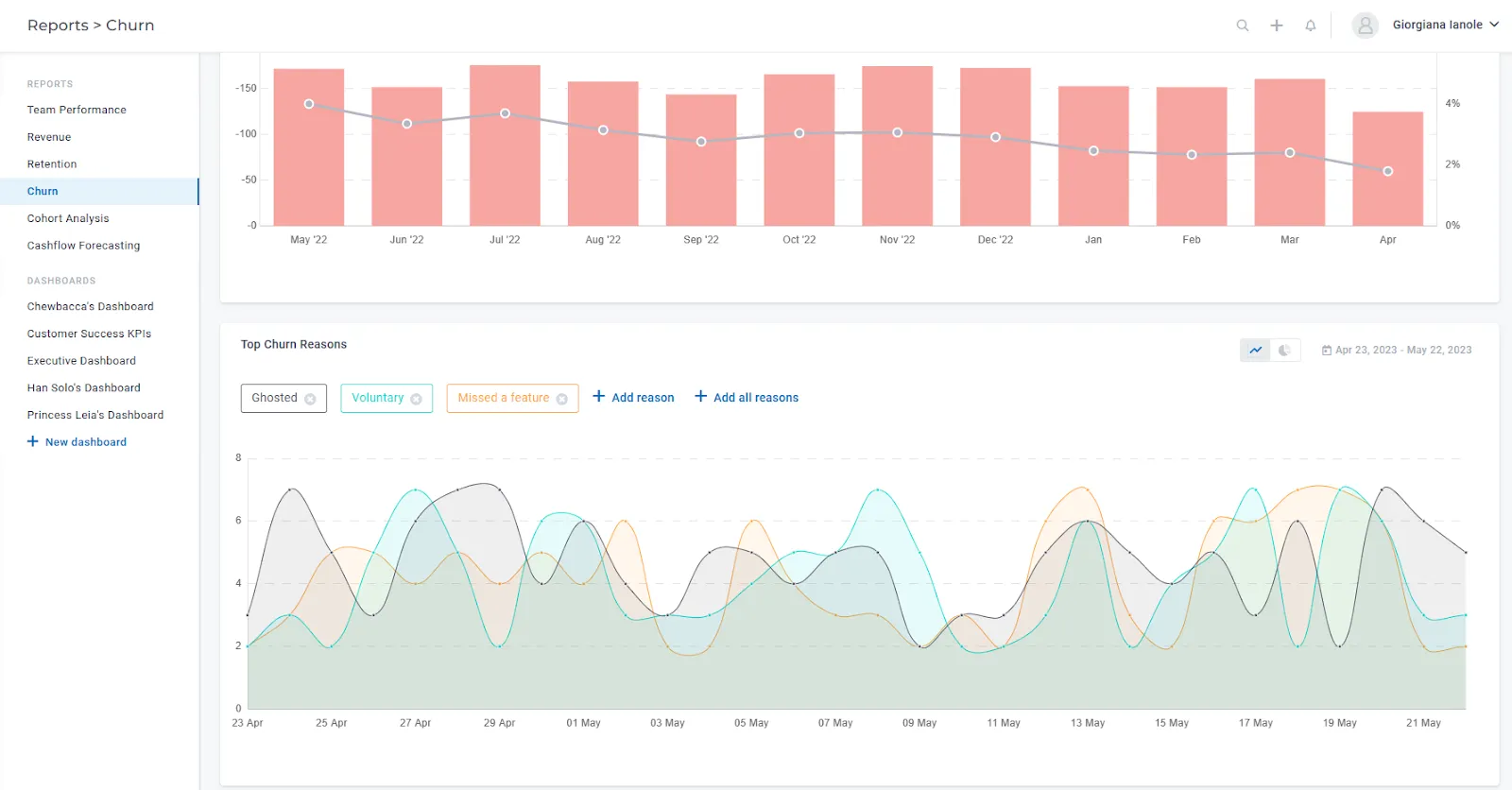
5. Churn per categories of customers – you can create widgets to display the segment of churned customers by different types of data points. E.g. split the churned customers by plan; split the churned customers by CSM; split the churned customers by region etc.
You can also get other types of reporting based on churn, e.g. how many of your customers on POC are churning and how many are renewing? How many of your lower plans churn and how many are renewing? etc.
6. Metrics/behaviors of churned customers – another valuable piece of information you can get by storing your churned customers in Custify is the usage behavior before churn. Of course, customers can churn for other reasons (budget issues, process restructuring, change of master, etc.), but this can give you a first clue to identify a potential churn risk in the early stages.
You can set up a playbook (manually started) that “freezes” the values of the health scores for churned customers (before churn).
Since the Health Scores should be restricted to active accounts, you can create some manual attributes and set up a playbook that copies the value of the last Health Score into these attributes.
So, even if the Health Scores will disappear from Company 360, you will have these attributes to capture the last values. Then, using the dashboards, you can create statistics that will indicate a common behavior for customers at risk. You can then use these values as a risk threshold and set up alerts whenever you have customers getting close to those values, so you can reach out to them and try to re-engage them before it’s too late.