How do I mark a customer as churned?
We recommend keeping track of the customers that cancel their subscriptions to:
- Track the evolution of the churned customers over time
- Exclude the churned customers from the flows you have defined
- Segment churned customers and manage the churning process (update the churn reason, generate statistics on churn reasons, identify churn patterns, etc.).
If you don’t have a way to update the churned attribute via the API, we recommend tracking it manually using our default attribute Churned (true/false).
There are two ways of marking customers as churned.
From the Company 360° Profile
In order to mark a customer as churned, you would need to access the Company 360° Profile, click on Actions (top-right side of the screen), and choose Mark as churned.
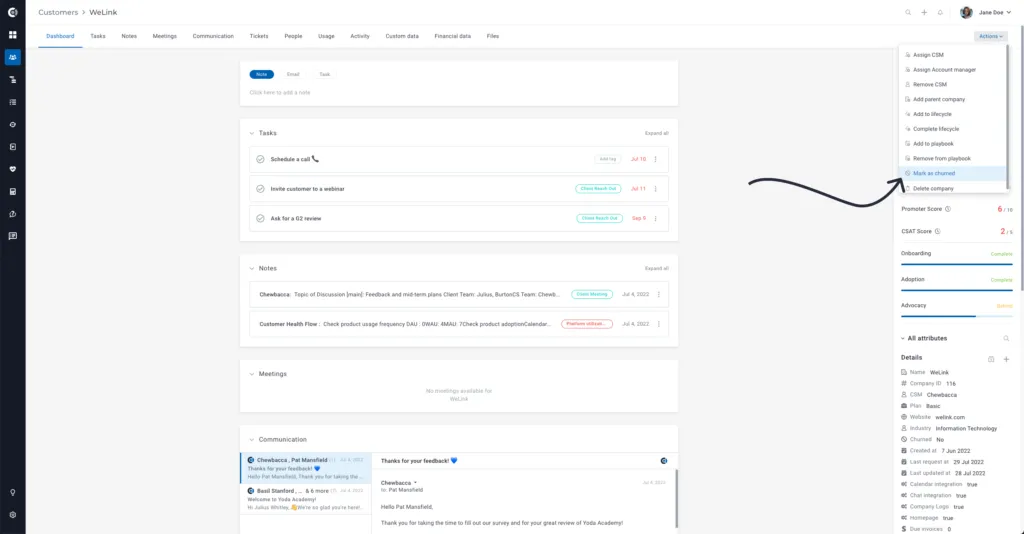
Once you have clicked on the option Marked as churned, a new screen will appear where you will be prompted to choose the reason and the churn date.
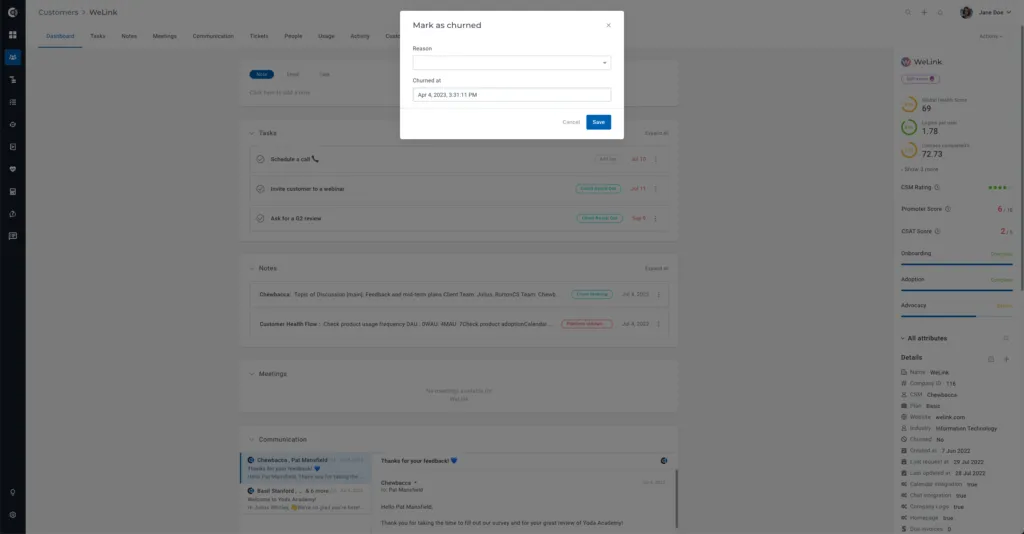
The two fields will populate the default Churn reason and Churned at attributes.
If you want to edit the options available under the Churn reason dropdown, go to Settings ➡️ App settings ➡️ Event-Attribute editor ➡️ Search for the name of the attribute and click Edit.
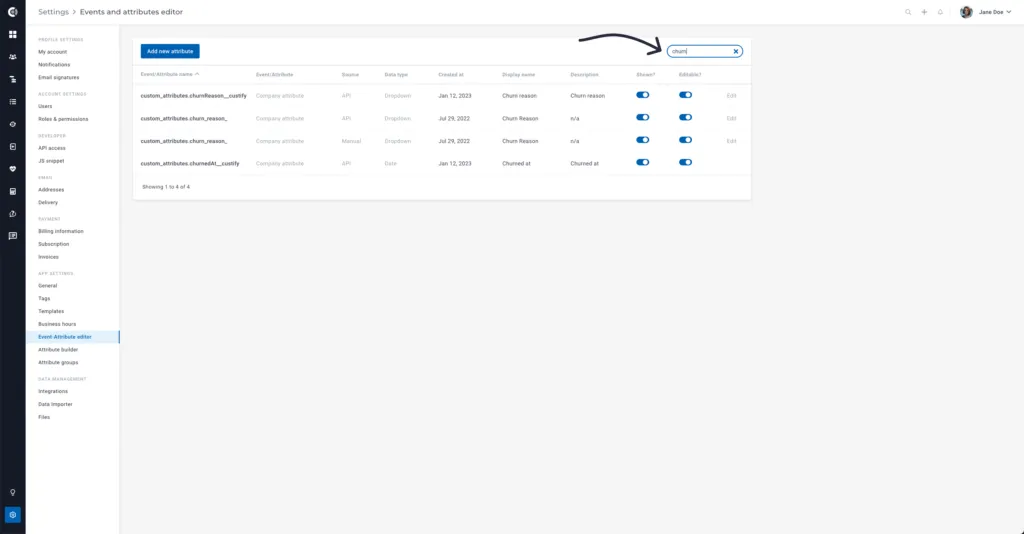
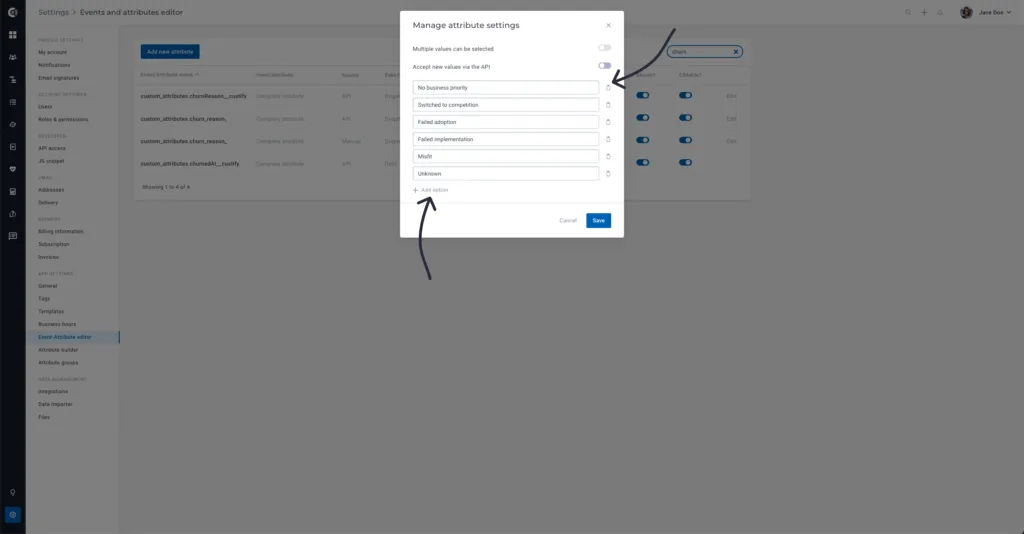
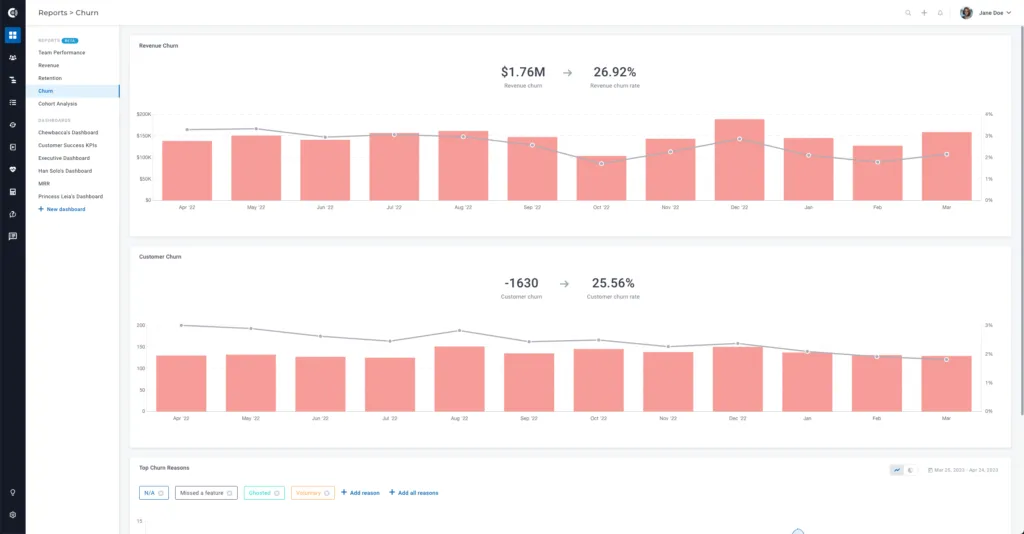
Both these attributes will help compute the Top Churn Reasons widget on the default Churn report (within Insights).
Though Playbooks
If there are situations when you want to mark customers as churned in bulk, you can use a Playbook.
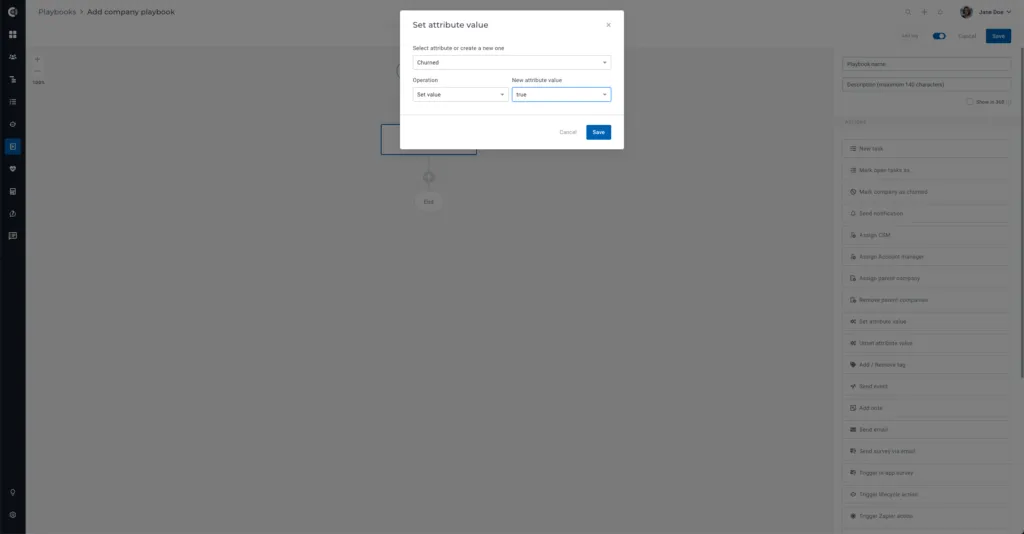
First, create a company Playbook with the following settings:
- Trigger: Manually started
- Action step: Set attribute value
- Attribute: Churned
- Operation: Set value
- New attribute value: True
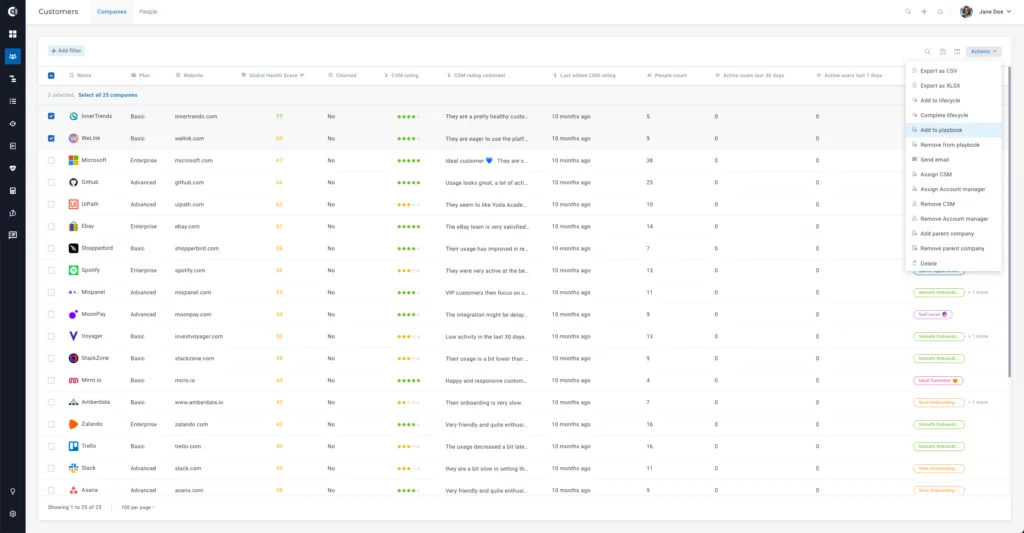
After you define the Playbook, go to Customer List View, select the customers that you want to add to the playbook, and, from the top-right side of the screen, click on Actions, then Add to Playbook.
If there is another way to identify churn (E.g., Through an attribute that is updated by the integrations), you can define a Segment that captures those companies (e.g. Churned customer is true) and use that Segment as the trigger for the Playbook. The other steps are the same.