Tracking Customer Activity with Time in Product
The amount of time users spend in your product is an important indicator of their health, especially if there are areas of your platform that don’t require action from your customers (such as dashboards, reports, etc.).
How to Send Time in Product
The technical documentation for tracking the Time in Product can be found here.
Active Time in Product is recorded when a user performs one of the following actions:
- Mouse movement
- Click
- Scroll
- Keyboard input.
If no action is detected in the preset idle time of 60 seconds, time capture stops.
You can choose if you want to track the Time in Product only on one or more pages of your product.
How to See Time in Product in Custify
Once you start tracking the Time in Product, you can access this information in several modules within Custify.
Default Metrics
Two default metrics will be available on the metrics list (within Customer List View or Customer 360° Profile):
- Time in product past 30 days
- Time in product yesterday
Both values are displayed in seconds.
Usage Tab
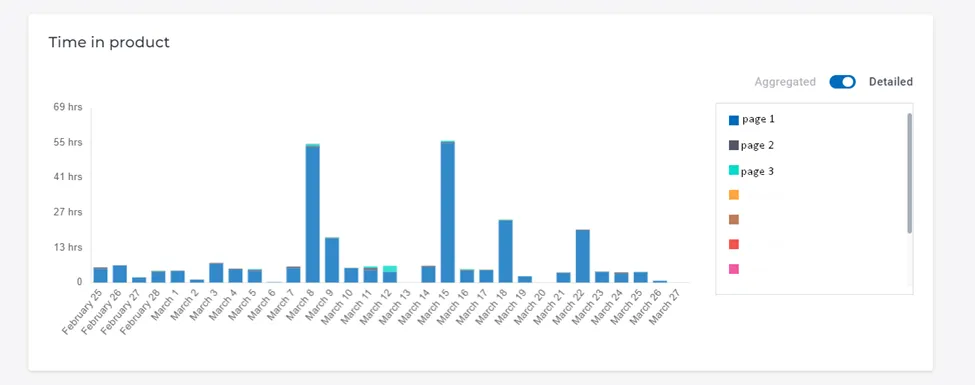
You have a detailed graph with the time spent in product by the users in the last 30 days in the Customer 360° Profile — Usage Tab.
You can check the time spent every day, detailed per module.
Calculated Metrics
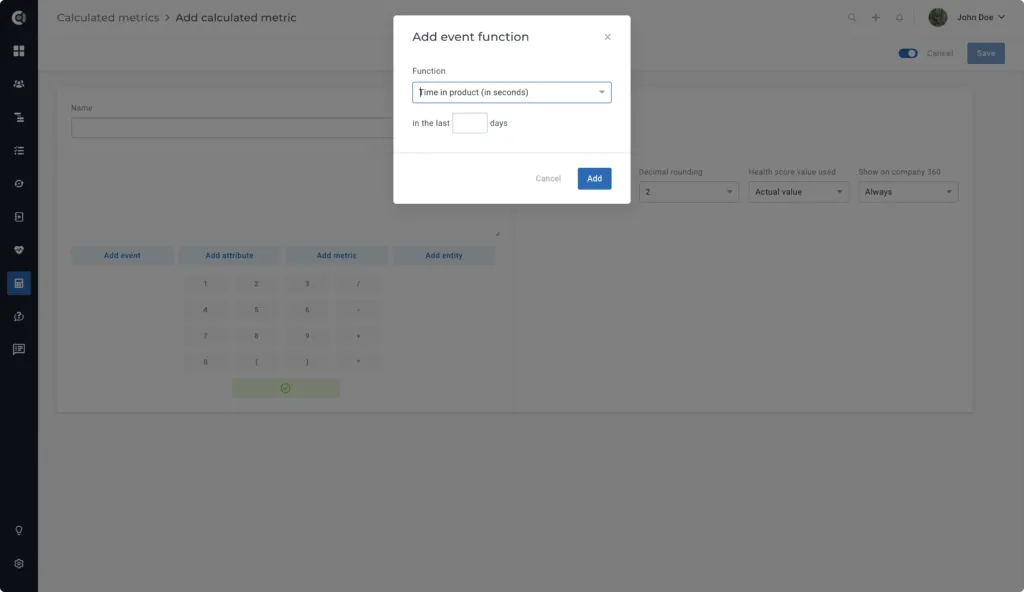
Within the Calculated Metrics feature, you have a variety of operations that help you track the Time in Product.
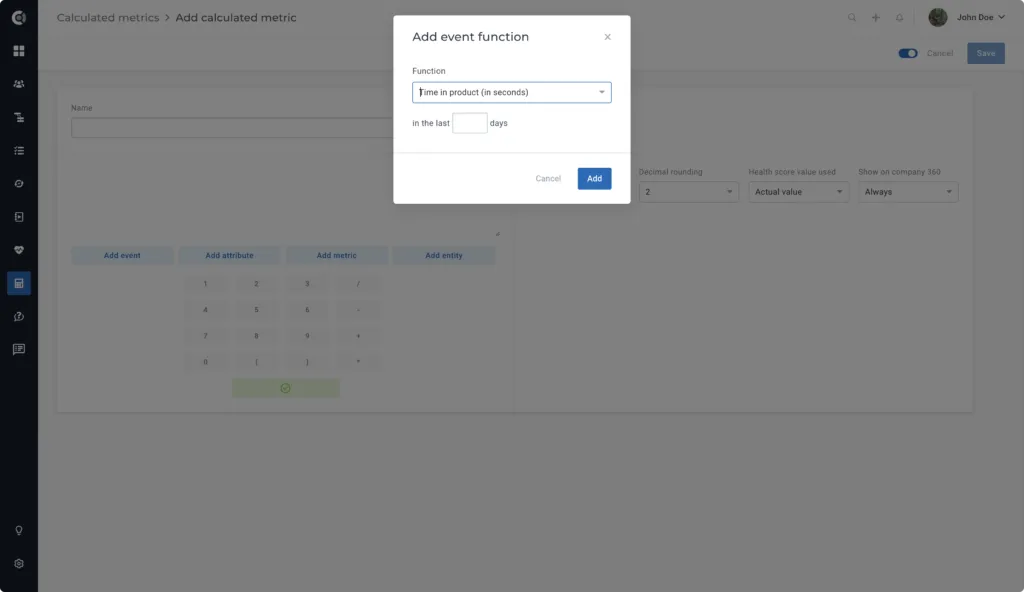
You can choose the number of days you want to track and filter the time by module.
You can also use the data in Combined Metrics to transform the seconds into hours (to make it easier for your team to track the values)
Time in Product Setup Suggestions
Normalize the Time in Product
If you want to use Time in Product metrics for building Health Scores, it is recommended to normalize the values.
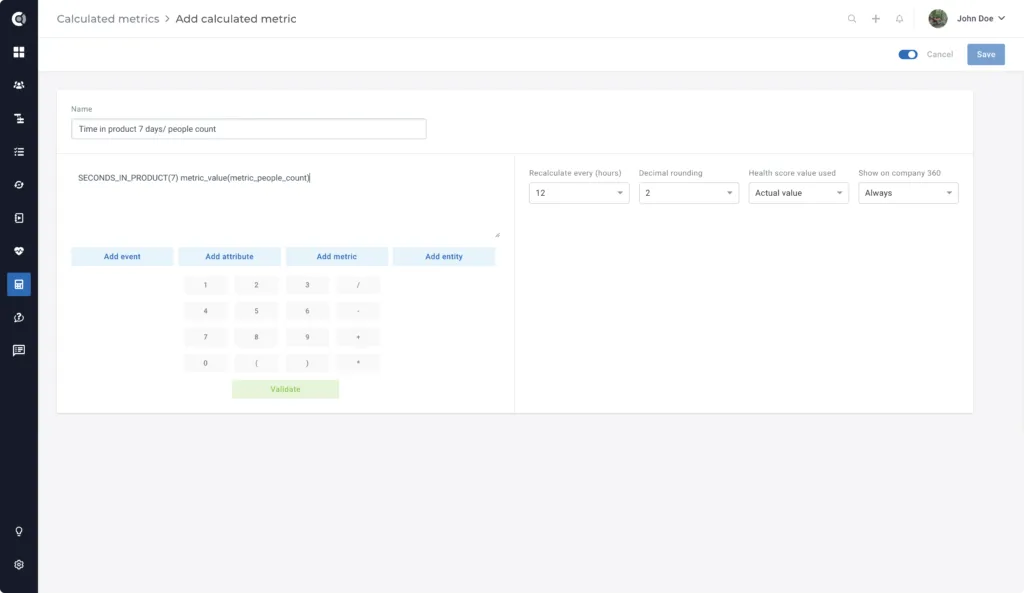
Expected Time in Product depends on different variables, such as the number of users, number of active users in the last X days, number of admins, and so on.
Use this metric to get an average value for the Time in Product as a common denominator for all customers.
You can build this inside the Calculated Metrics:
Create Trends
Another way of normalizing the value of Time in Product is to create Usage Trends based on it.
This will reflect if the usage is constant week after week/month after month, allowing you to easily track decreases. Subsequently, you can turn these insights into Playbooks that alert your CS team, send emails to your clients, and so on.
Track the Time in Product per Module
If there are pages within your product that carry a critical importance health-wise, you can create a separate Calculated Metric for them.
You can use Playbooks to send alerts to your CS team when the time in product per specific page drops to or close to 0.