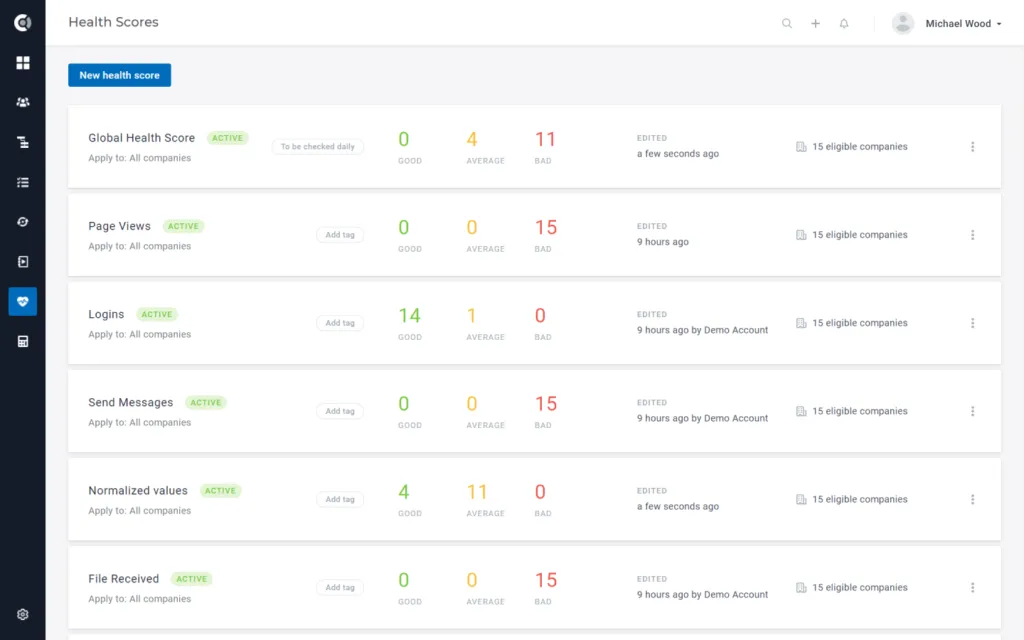
Custify Overview
A customer Software designed specifically for SaaS Businesses. Stop wasting time in spreadsheets – see product usage, product adoption, and customer lifecycles in seconds.
Custify helps you gather all customer success data in one place. Get started with Custify and you will:
- See all the relevant data from various systems and platforms in one place.
- Customize the view to your needs with custom inputs and your own metrics.
- See when a customer has decreased usage or if they haven’t integrated your product yet.
- Track your customers’ journeys and get a global view of their progress.
- Avoid customer churn by identifying opportunities and risks early.
- Use an easy rating system to share your insights and expertise with other members of your team.
- See the performance and health of your customer portfolio at a glance.
- Create automations and free up time to work on what really matters.
- Build your dashboards with the customer success metrics that matter to you.
Customers
People
People are the individual users within your application. They usually have a name and attributes like “email address,” “phone,” etc. If you operate in the People Only mode, depending on your business model, the people might also represent accounts or companies for your organization, such as “Joe’s Pizzeria” or “Jane’s Repair Shop.” In Custify, you can create, update, and delete people and add or update custom attributes describing them. Customers can be viewed individually or as a list.
If you already have an e-commerce website or are using a different e-commerce platform for your business, it’s important to make sure that your product information and other content make it to Custify.
Companies
Companies represent commercial entities using your product, and they bundle people together within one organization. Companies typically have names like “ACME Ltd” or “Big Cooperation ABC,” and have attributes like “plan,” “monthly revenue,” “website” etc. You can create and update companies and add custom attributes describing them. Besides the pre-defined (mostly optional) attributes, Custify offers you the option to add any kind of custom attributes to companies. These will all be visible within the application later on. Examples would be “generated revenue,” “payment plan,” “address,” or “primary contact.”
Two-tier model
Instances running in People and Companies mode are called in Custify two-tier customer model. In this scenario, each customer (company) can include several sub-users (people). Accounts/companies in your database will be imported as Companies in Custify and people/users/contacts in your database will be imported as People in Custify. More technical information here.
Three-tier model (Parent-child Relationship)
Another possible situation is the three-tier customer model, which runs also in People and Companies mode. For example, when you have a hotel chain with hotels all around the world, you may want to send in Custify a parent account that keeps the name of the hotel chain, then send the hotels’ locations as Children (e.g. Hilton chain as a parent and Hilton Hawaii, Hilton California as children). This could be useful when you want to track specific metrics per child, but also to measure the overall activity at the parent level. More details about how to assign a company to another company here.
Observations: ▶ Events will roll-up from child to parents (e.g. if there are 3 child companies assigned to a parent and each child company will login twice, the number of logins displayed on the parent company will be 6). ▶ Attributes will not roll-up to parent companies (e.g. if you want to track the total revenue for a parent company and also for the children, you need to send it via API for each child (A, B, C) and also the overall revenue for the parent company).
Data types
Attributes
Attributes are values that can be mapped to both people and companies to describe different, returning different information about the account (e.g. revenue data, subscription plan, website, industry, etc.). In Custify we keep a list of default attributes, the most common account information, and we also allow you to import as many custom attributes as needed.
- String
- Numerical
- Date
- Boolean
Custify Default Company Attributes:
- Name: company name
- Company ID: company unique id
- CSM: the name of the CSM assigned to an account
- Account Manager: the name of the Account Manager assigned to an account
- Plan: the name of the subscription plan
- Website: the URL of the company's website
- Signed up at: the date when the account was created in your database
- Parent company: the name of the parent company
- CSM rating: manual rating you give to a customer in Custify
- Company level: the position in the parent-child relationship; e.g. parent-level will be 1 and child level will be 0
- Size: total number of customers a company has
- Industry: industry field a company is part of
- Churned: default Custify attribute that can be populated either through API or Custify automations
- Monthly Revenue: monthly recurring revenue value
- Created at: the date when the account was created in Custify
- Last request at: the last date when an event was sent
- Last updated at: the last date when an attribute value was changed
Custify Default People Attributes:
- Name: user’s name
- Email: user’s email address
- Phone: user’s phone number
- User ID: unique user id
- Signed up at: the date when the user account was created in your database
- Created at: the date when the account was created in Custify
- Last updated at: the last date when an attribute value was changed
- Last request at: the last date when an event was sent
- Company: name of the company the user is assigned to
- Tags: name and number of tags assigned to a user
- Unsubscribed from emails: can be true or false; if you send it as true, those people will not receive the emails that you send from Custify;
- Unsubscribe from calls: can be true or false and returns the person’s preferences in terms of direct calls.
Custom Attributes:
- Custom values sent through API
- Attributes coming from integrations
Attributes only reflect the current values in your database, the values cannot be sent historically (e.g. sending in Custify the attributes’ values for a specific date in time). You can check the technical documentation for more details about sending attributes.
Events
Events are generated by your users (“people” within Custify) while they use your application. You can also send “company-only” events, which are not related to a particular person. Events can be things like “printed an invoice,” or “logged into the platform,” and represent an activity that a user is performing within your application.
You can track as many events as you wish, although we recommend focusing on the relevant ones for your business. Events are an essential part of the logic within Custify, and only if you track all relevant events will you be able to create proper segments, monitor customer lifecycles, and automate your customer success workflows properly. If there’s an event for your user and the user is part of one or more companies you can link the event also to a specific company.
While attributes only keep the current values in your database, events can be sent historically, using past dates. You can find more details about sending events in our technical documentation.
Event Attributes
The term event attribute refers to all the metadata attached to an event which give us more details about the event context.
Event attribute types:
- String
- Numerical
- Date
- Boolean
Metrics
Very similar to the attributes, metrics are built based on the data you send in Custify and the tools you use. They only apply to companies, not to people.
Default metrics (embedded in Custify, get automatically calculated based on the platform usage):
- People count: total number of people assigned to a company
- People count global: calculated only when there is a parent-child assignment; this is mapped on the parent company and represents the total number of people assigned to all the parent’s children + the ones assigned to the parent directly
- Nr of notes: total number of notes posted on the account
- Last completed task: the date when the last task was completed
- Open tasks: total number of open tasks for that account
- Overdue tasks: total number of overdue tasks for that account
- Snoozed tasks: total number of snoozed tasks for that account
- Last added note at: the date when the last note was posted to the account
- Active users last 30 days: total number of unique people assigned to an account who generated at least one event in the last 30 days
- Active users last 7 days: total number of unique people assigned to an account who generated at least one event in the last 7 days
- Active users yesterday: total number of unique people assigned to an account who generated at least one event yesterday
- Last added CSM rating: the date when the last CSM rating was added to the account
- Last touchpoint: the date of the last incoming communication OR last outgoing communication
- Last outgoing communication: the date of the last email sent TO a Person (people record) in Custify (direct or CC)
- Last incoming communication: the date of the last email received FROM a Person (people record) in Custify TO a Custify user (direct or CC)
- Child companies count: total number of child companies associated with a parent company
- Time in product last 30 days: total number of seconds spent in product by all the people assigned to an account in the last 30 days
- Time in product yesterday: total number of seconds spent in product by all the people assigned to an account yesterday.
Other custom metrics based on events, attributes, and other existing metrics and health scores can be built using Calculated Metrics.
Get started with Custify
Custify’s main menu allows you to quickly access our features and define new customer success tools or check the results for the existing ones. Main menu quick links:
- Dashboard
- Customers’ list view
- Segments
- Lifecycles
- Playbooks
- Health Scores
- Calculated Metrics.
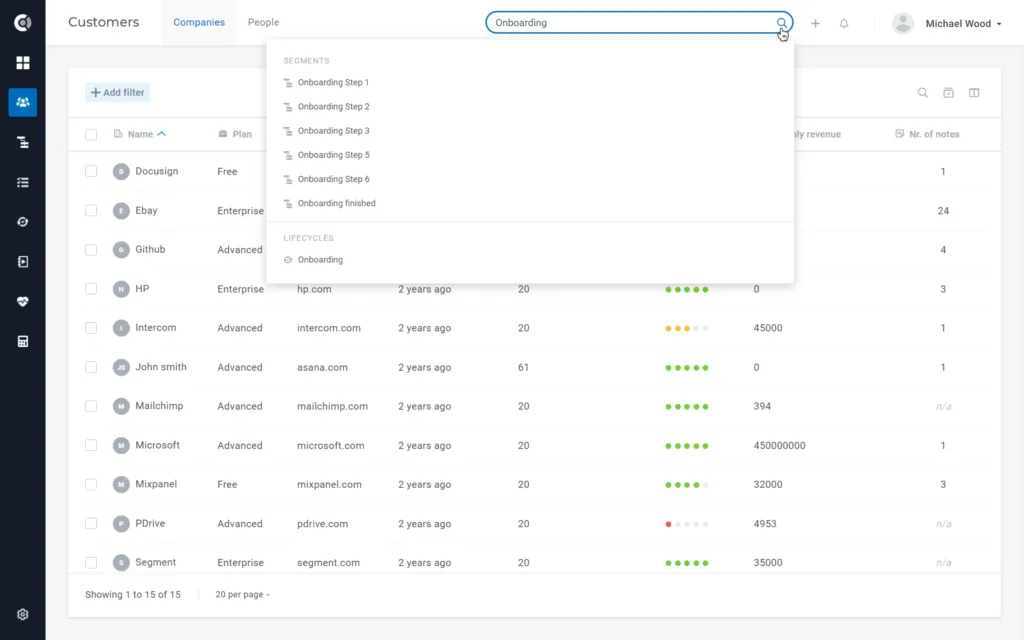
Global Search
Use the Global Search to easily find the information you need. Whether you’re looking for companies, people, or Custify tools (Segments, Lifecycles, Playbooks, Health Scores), just enter your search terms and review the results.
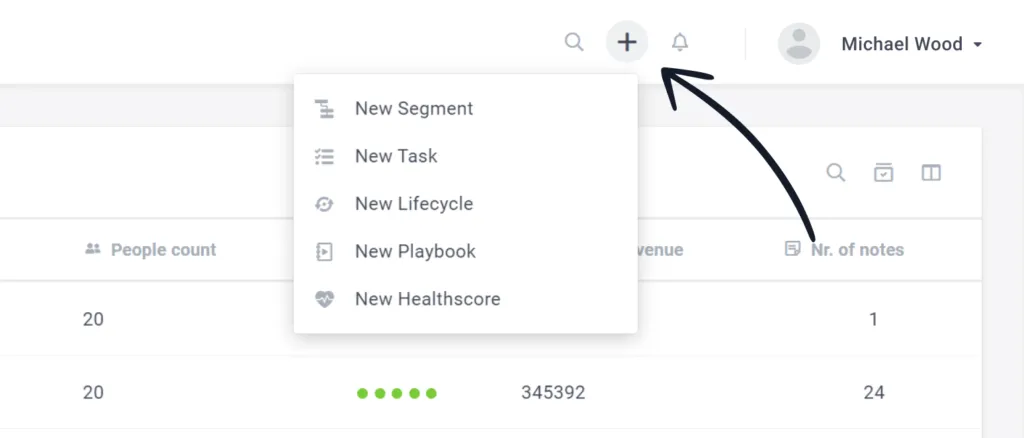
Tools’ shortcut
Wherever you are in the application, you can quickly define Segments, Tasks, Lifecycles, Playbooks and Health Scores.
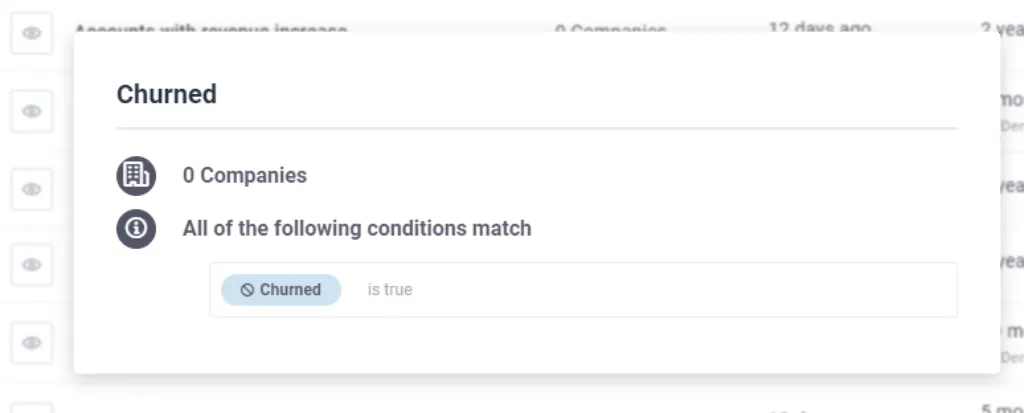
Churn Patterns
Custify helps you observe churned customers’ behavior and prevent other customers from leaving following a churn pattern. For this, the “churned” attribute is a special attribute used to indicate that a customer left you and can later be used within Custify to build segments and learn specific behaviors of such customers. Although optional, it can be a good addition to your set of data.
Your Custify account will be prepopulated with a Churn segment containing the condition “Churn attribute is true”, that can be edited as per your needs.
Overall Health Score
The Global Health Score is a Custify embedded health score that represents the weighted average of the other health scores you define, an aggregated score that will show you the overall health of a customer. For each health score you define, you have the option to set the “Impact on Global Health Score”, so you can choose how much a health score weighs in the Global Health Score calculation.