What is the difference between Lifecycles and Playbooks?
Both Lifecycles and Playbooks allow you to automate task creation and mark the milestones your clients reach. As a result, it can be confusing when to use each feature.
To provide a short definition of the two features:
- Lifecycles are designed to help you track your customer’s journey from signing up. They reflect the completion of customers’ goals and provide you with an overview of all the customers in progress.
- Playbooks help you build automation processes with very specific trigger points, both positive and negative. Through playbooks, you can trigger a very large number of actions: creating tasks, adding notes, notifying your team, sending emails, changing attribute values, etc.
Lifecycles vs. Playbooks Comparison
| Lifecycle | Playbooks |
|---|---|---|
Tracking multiple goals | ✓ | 🗴 |
Track clients by status: on track, behind, stuck | ✓ | 🗴 |
Tracking churn | ✓ | 🗴 |
Sending emails | 🗴 | ✓ |
Adding notes | 🗴 | ✓ |
Sending Slack message | 🗴 | ✓ |
Sending Teams message | 🗴 | ✓ |
Assigning CSM | 🗴 | ✓ |
Creating tasks | ✓ | ✓ |
Sending in-app notifications | ✓ | ✓ |
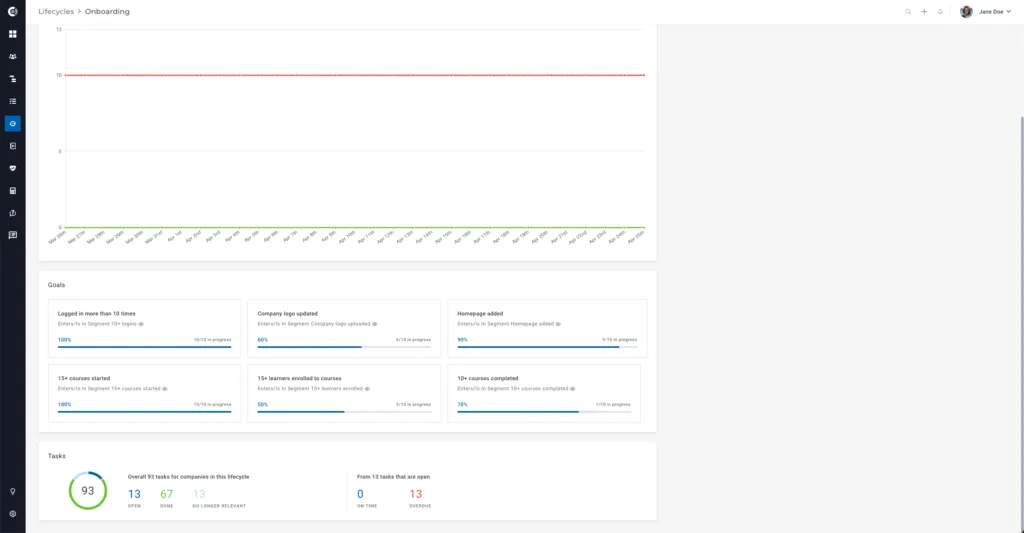
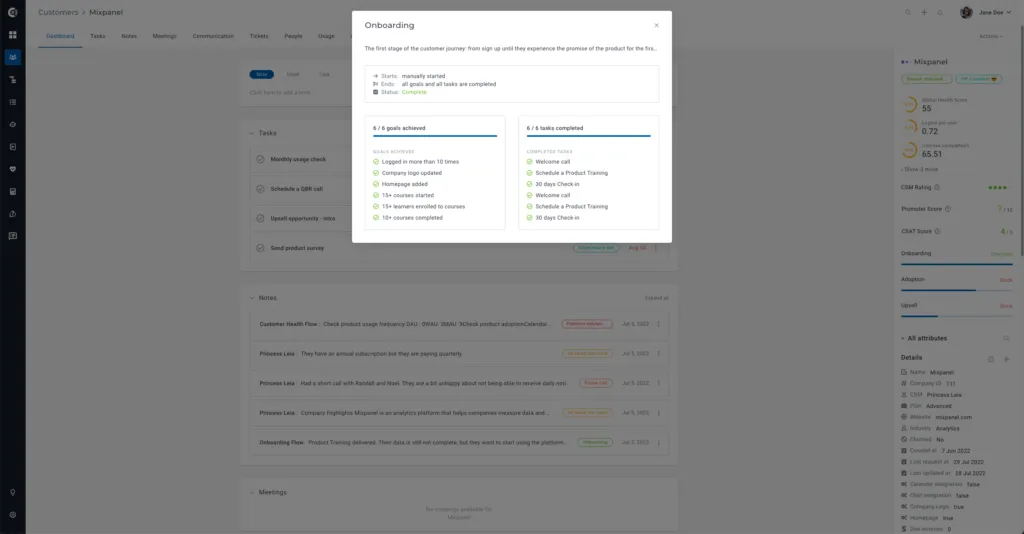
Tracking multiple goals: Lifecycles give you an overview of the goals you set up – you can see which ones the customers reached and where they are behind. Meanwhile, tracking multiple goals through Playbooks is not possible. You can track the completion of the goals both at an individual level with the Company 360° Profile and globally for all the companies in progress in the Lifecycle.
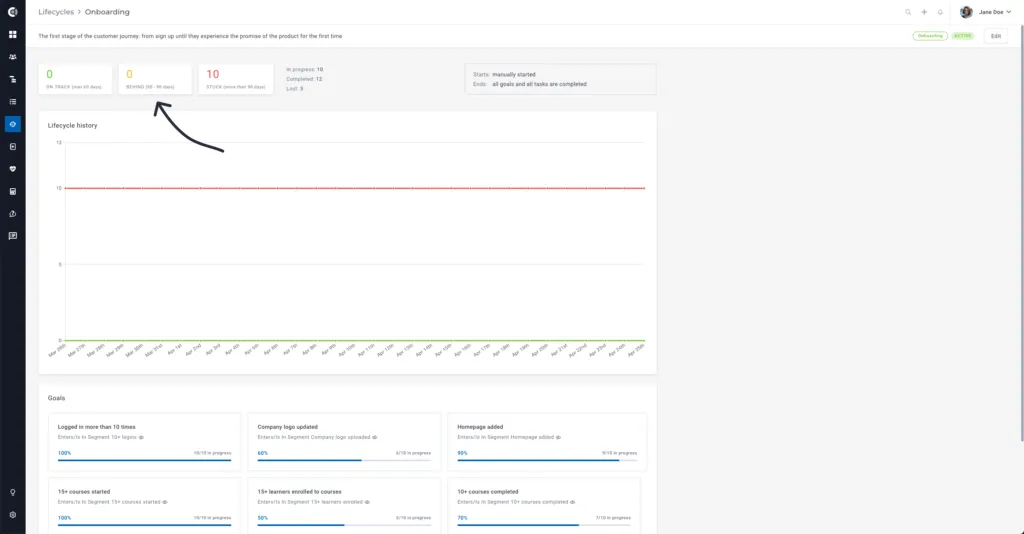
Tracking clients by status: Inside the Lifecycle configuration, you can add the expected duration of that Lifecycle, as well as a threshold after which the clients will be considered stuck. In the Lifecycle, you can always track how many of your clients are on track (within the time limits), behind, and stuck (past the threshold).
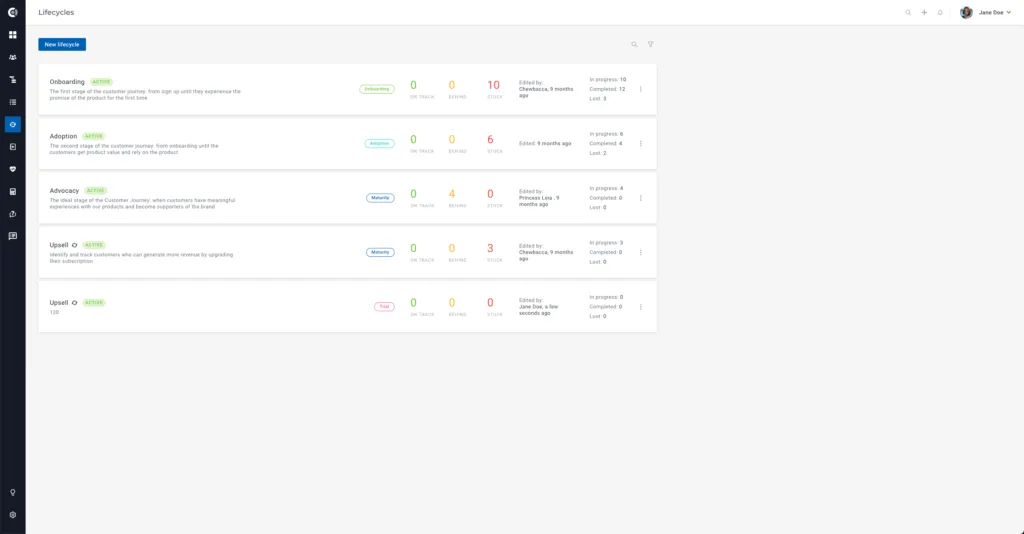
Tracking churn: If a company churns while being in a Lifecycle, it will automatically be considered lost. This feature helps you track the churn rate per Lifecycle and identify the areas where your CS team should improve their processes.
Sending emails/Adding notes/Sending Slack messages/Sending Teams messages/Assigning the CSM: These are all options available in Playbooks, but not in Lifecycles. To set them up, you need to create a Playbook and select the desired flow by adding actions.
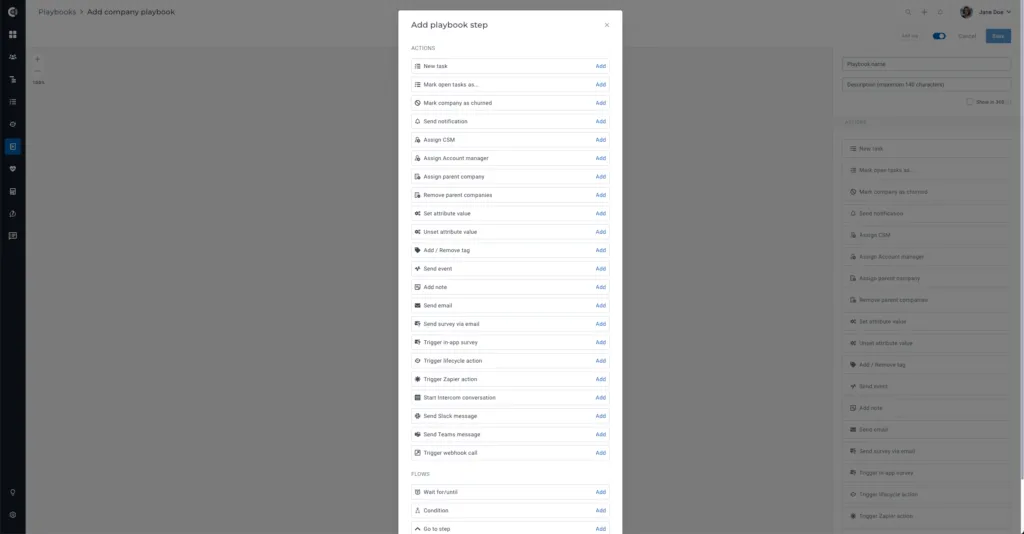
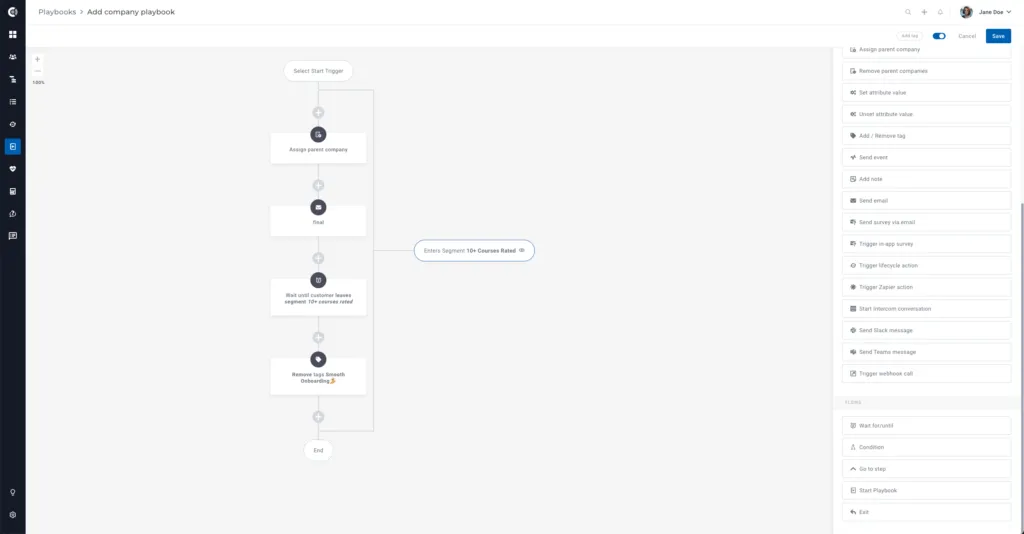
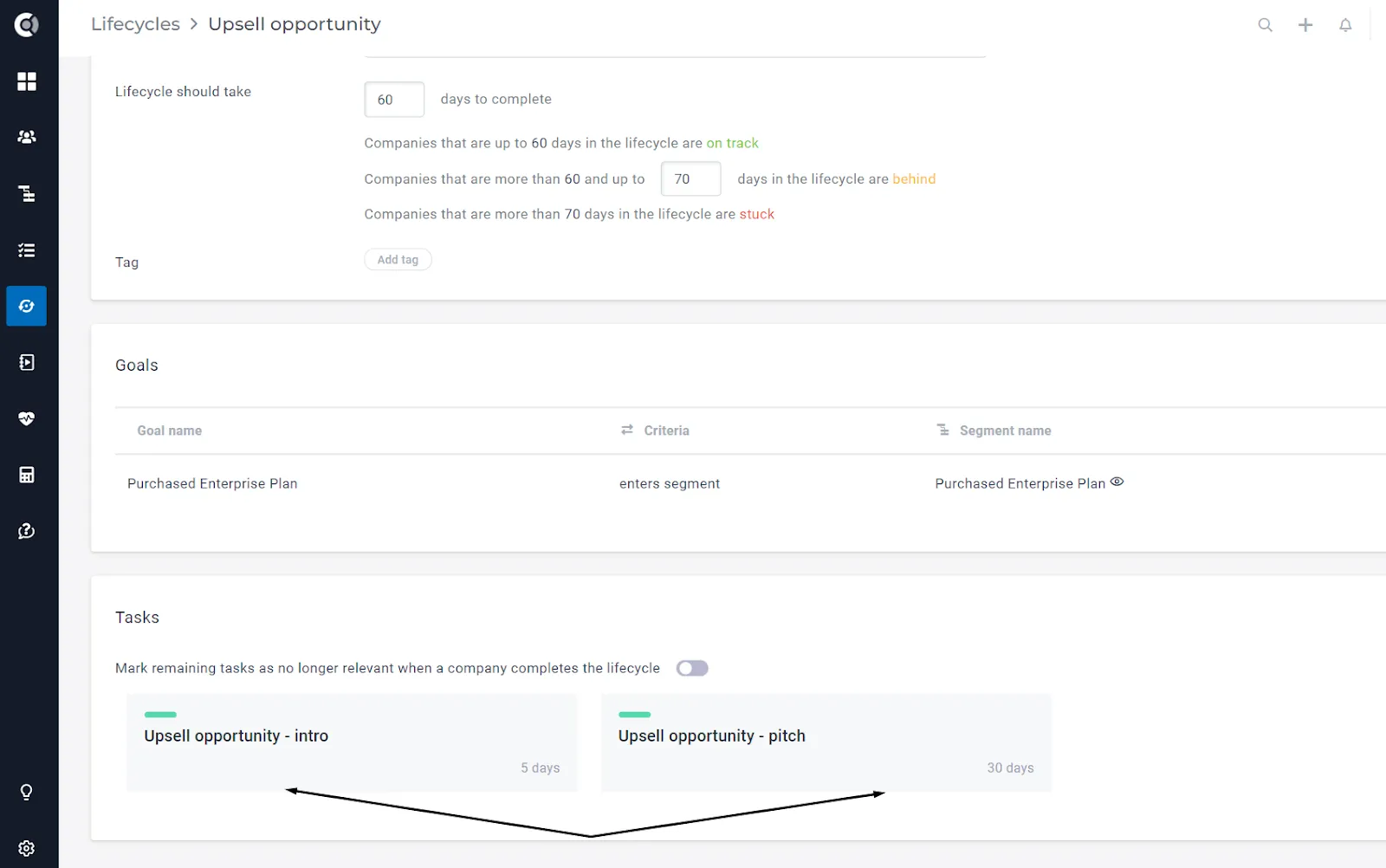
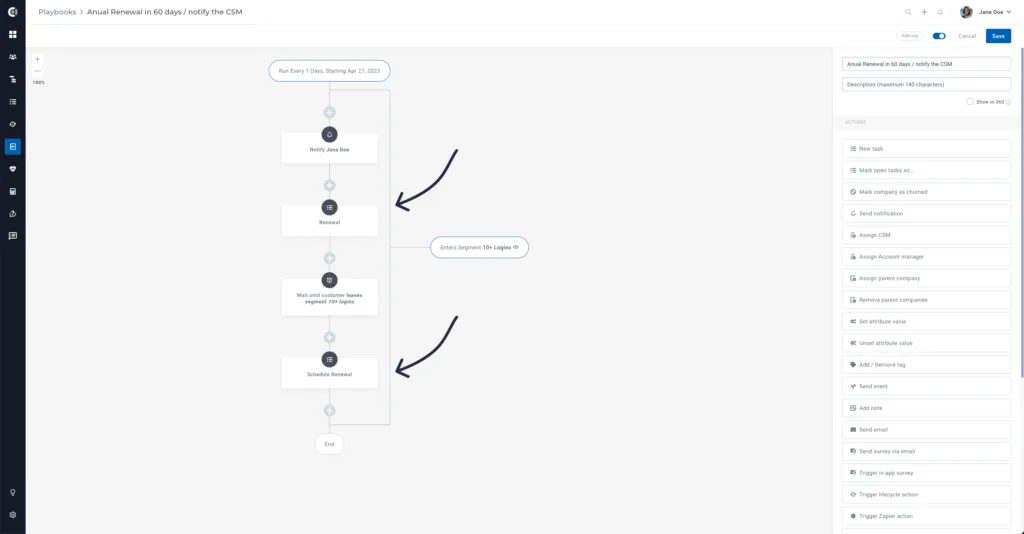
Creating tasks: This feature is available in both Lifecycles and Playbooks. The tasks will reflect the actions your CS members should take in a particular situation:
- Lifecycles – Tasks will be created when a customer enters the lifecycle (e.g. For an Onboarding lifecycle, the tasks could be:
- Playbooks – Tasks will be created based on the trigger you add in the Playbook (e.g. If the Health Score has decreased, the task could be: Set a call with the client)
Sending in-app notifications: Both Lifecycles and Playbooks allow you to send in-app notifications with the following differences:
- With Lifecycles, you will receive notifications when a customer is behind or stuck
- With Playbooks, you can set up notifications for any triggers (e.g. Sending a notification when the Health Score decreases)
Popular Lifecycles
- Onboarding
- Adoption
- Maturity
- Advocacy
- Renewal
Popular Playbooks
- Welcome email to new customers | Send email
- Feature awareness emails | Send email
- Low Activity | Slack message the CS team
- Accounts with no logins in 30 days | Slack message the CSM
- Due invoices | Email the client | Notify the CSM
- Annual renewal in less than 30 days | Notify the CSM
- Bad NPS rating | Notify the CSM
- Global Health Score turned red | Create a task for the CSM
Custify Tip: Even though Lifecycles and Playbooks are different, you can use them together and leverage the benefits of both. Here are a few examples: • If a client is stuck in onboarding, use Playbooks to create a task for the CSM to email the client for help • If a client performs a specific action, complete the Lifecycle through the Playbooks • Use Playbooks to set values for the start of Onboarding/the end of Onboarding based on the Lifecycle statuses