Customer Objectives
Feature Overview
The Customer Objectives feature helps customer-facing teams define, track, and manage strategic goals within individual customer accounts. By aligning internal efforts with the customer’s desired outcomes, teams can better measure success, reduce churn, and proactively address risks.
This tool provides a structured way to capture progress toward goals such as product adoption, ROI targets, onboarding milestones, or renewal readiness.
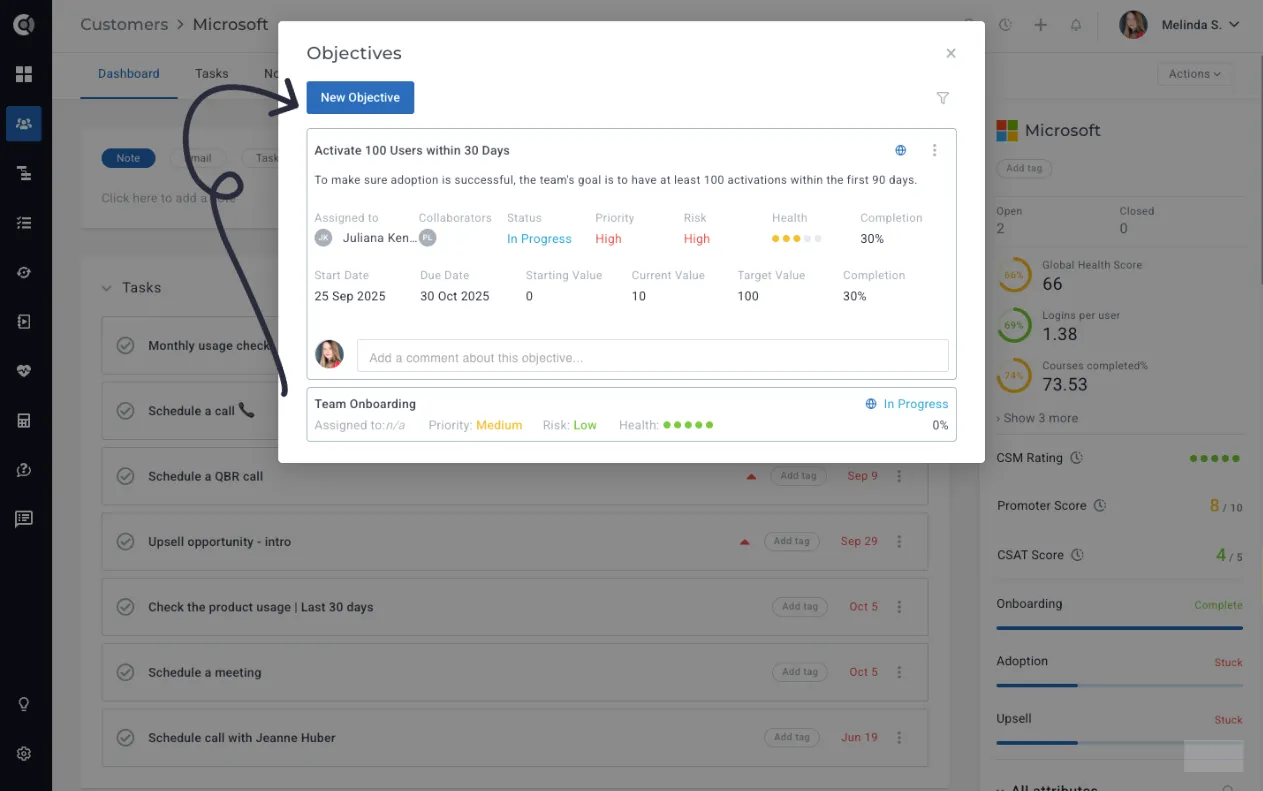
Why Use Objectives?
Using Objectives offers several benefits:
- Align your efforts with customer outcomes: Ensure every interaction, playbook, and activity supports the results your customer cares about most.
- Track meaningful progress: Monitor key milestones such as product adoption, ROI targets, onboarding completion, or renewal readiness in one place.
- Reduce churn and address risks early: Spot when objectives are off track and proactively engage before it impacts retention.
- Strengthen customer relationships: Show clear, measurable progress toward agreed outcomes, building trust and credibility with stakeholders.
Key Features
Objective Creation and Customization
To create a new Customer Objective, go to the Company 360 Page and click on Actions -> Add objective.
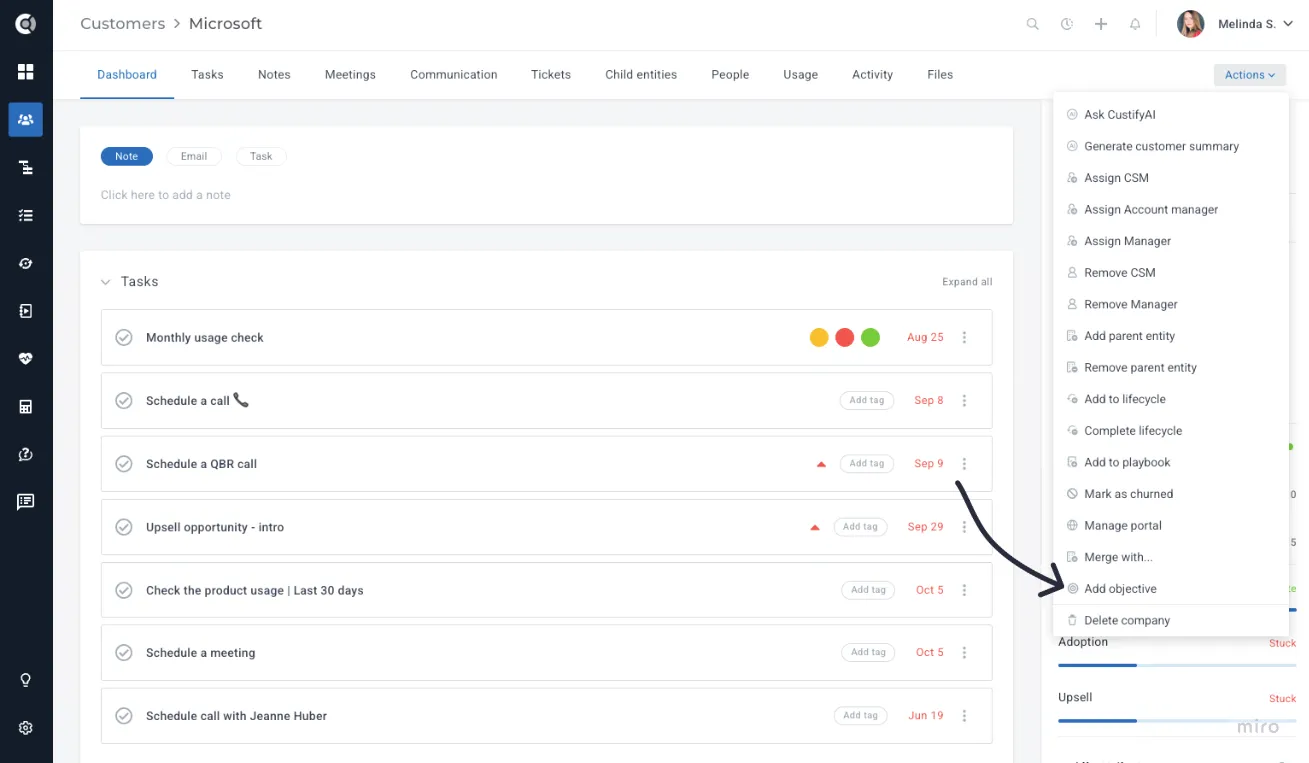
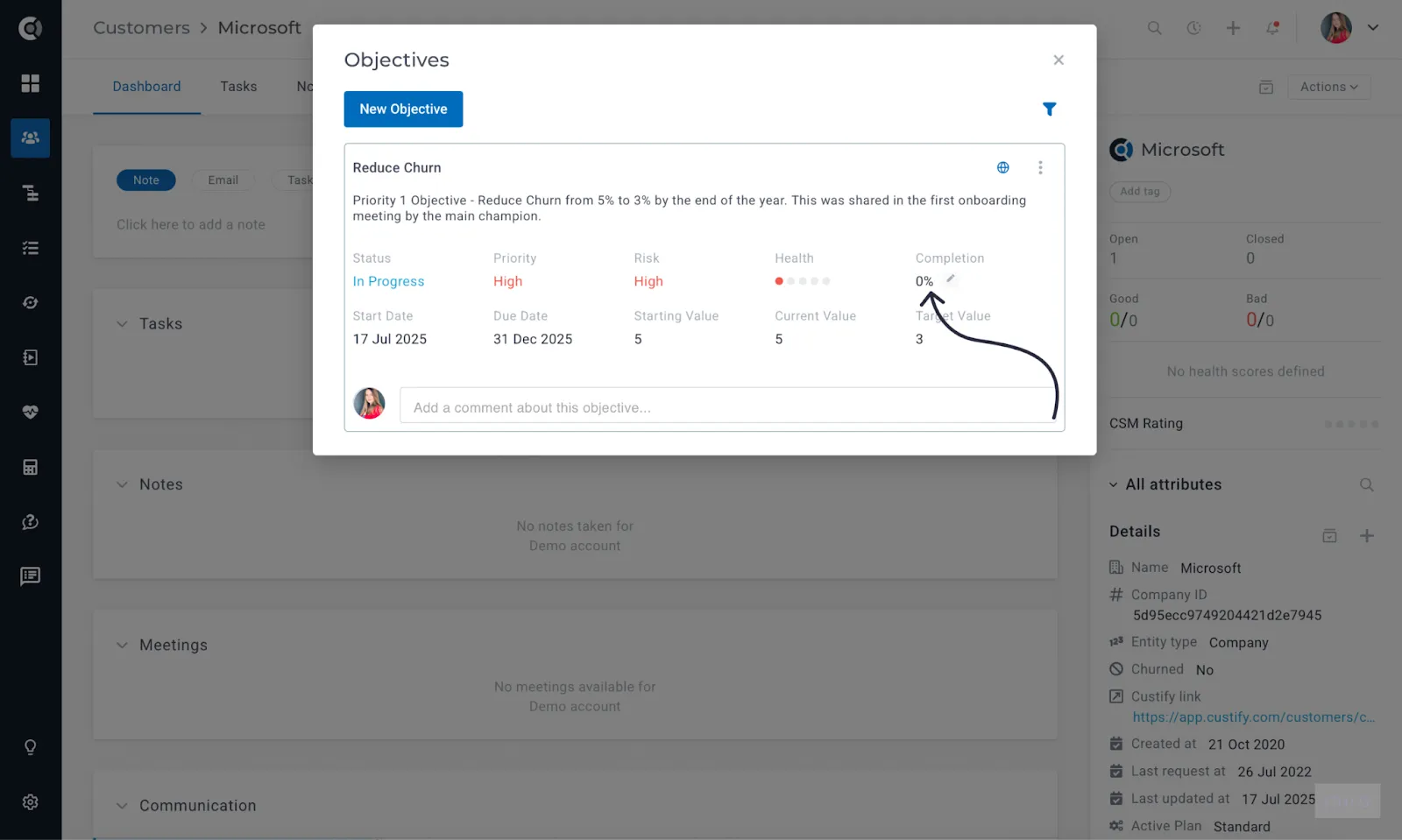
The objective creation page will open, and you’ll be able to define a new customer goal. Each objective includes:
- Title: Clearly define the goal (e.g., “Reduce churn rate by 15%”).
- Description: Provide an objective description of the goal, outlining the expected business impact (e.g., “Lowering churn will increase customer retention, leading to higher recurring revenue and stronger customer lifetime value.”).
- Assigned To: Person in charge, can be either the customer or an internal team member.
- Collaborators:Team members or external contacts (any email address, even non-Custify users) who should be notified about the objective’s progress.
- Priority: Indicate the importance of the objective (High / Medium / Low).
- Risk Level: Highlight the associated risk if the objective is not achieved (e.g., High – revenue loss risk; Medium – delayed growth; Low – minimal impact).
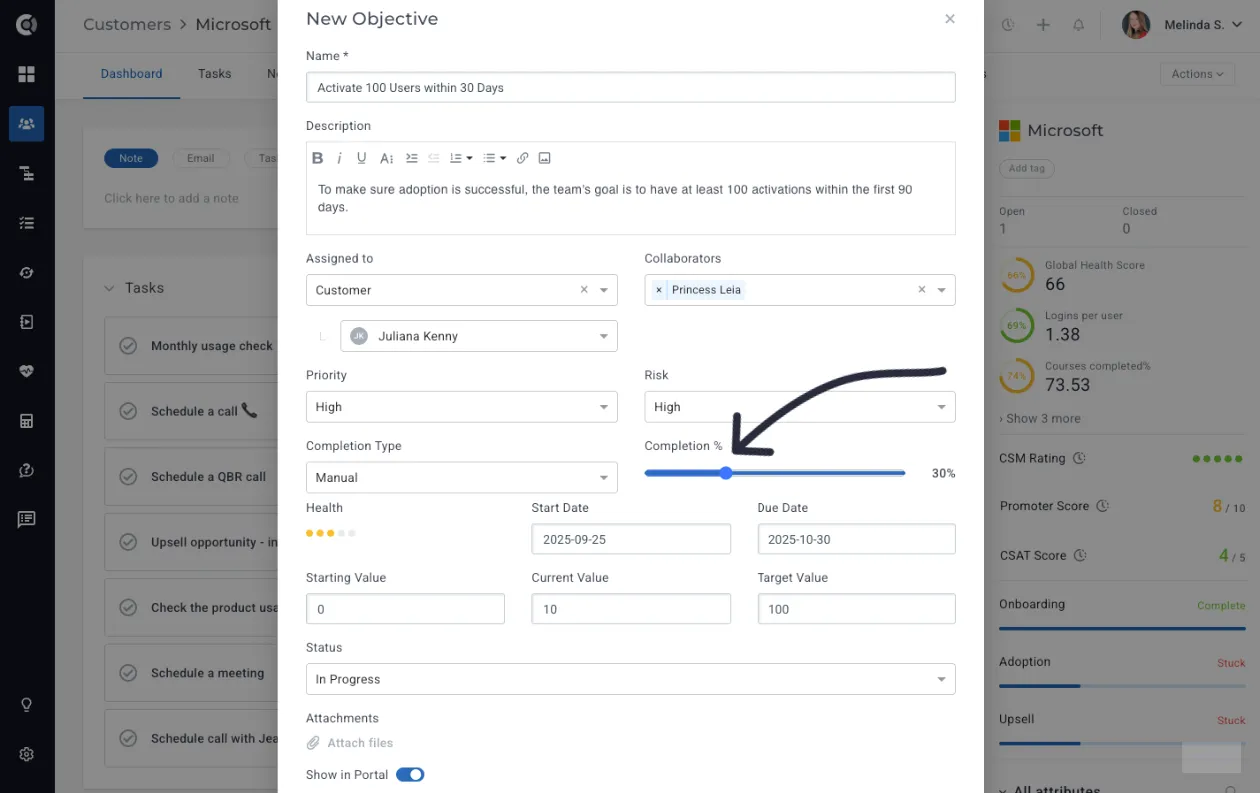
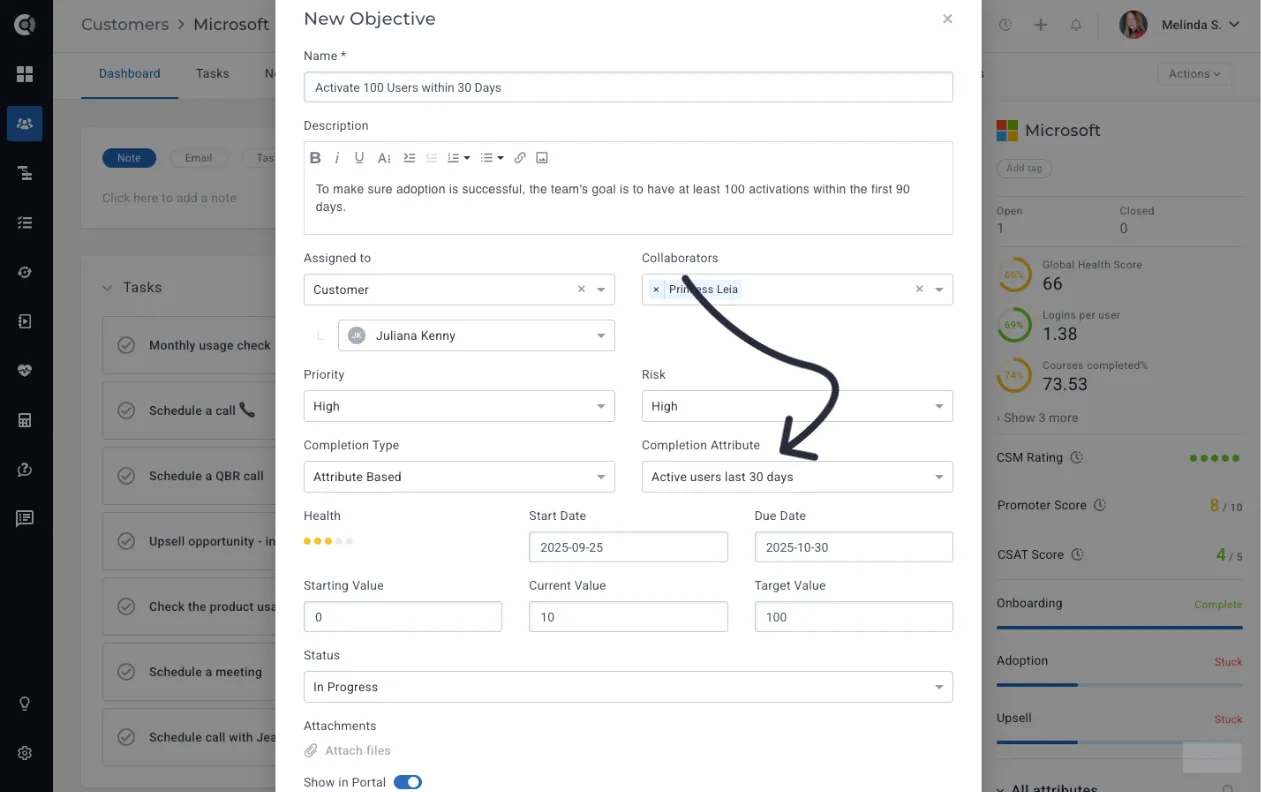
- Completion Type: Select either Manual (checked off when done) or Attribute-Based (driven by a measurable metric).
- Health Score: Rate the objective’s health on a scale of 1 to 5, where 1 = off track and 5 = fully on track. This indicates the likelihood of achieving the goal.
- Start and Due Dates: Define the timeline for the objective, indicating the start date and the target completion date.
- Starting Value: [Baseline metric at the beginning]
- Current Value: [Latest metric reflecting progress]
- Target Value: [Desired end metric to achieve]
- Status: Choose from Not Started, In Progress, Paused, Completed, or Abandoned to clearly reflect progress.
Progress Tracking
Monitor progress using three key performance metrics:
- Baseline Value: The starting point (e.g., current churn = 8%).
- Current Value: The most recent value as work progresses.
- Target Value: The desired result (e.g., reduce churn to 3%).
The behaviour of an objective depends on the Completion Type you select:
- Manual tracking: Progress and completion must be updated manually by the user.
- Attribute-based: Completion is updated automatically once the target value matches the value of the selected attribute.
Editing and Management
All objectives can be viewed and managed directly in the Objectives list, on the Company 360 (no need to open each Objective separately; you can edit them directly on the list page).
There you can:
- Update statuses and objective health scores on the fly.
- Adjust priority as needed.
- Leave comments or tag team members for collaboration.
- Mark objectives as completed or paused from the same interface.
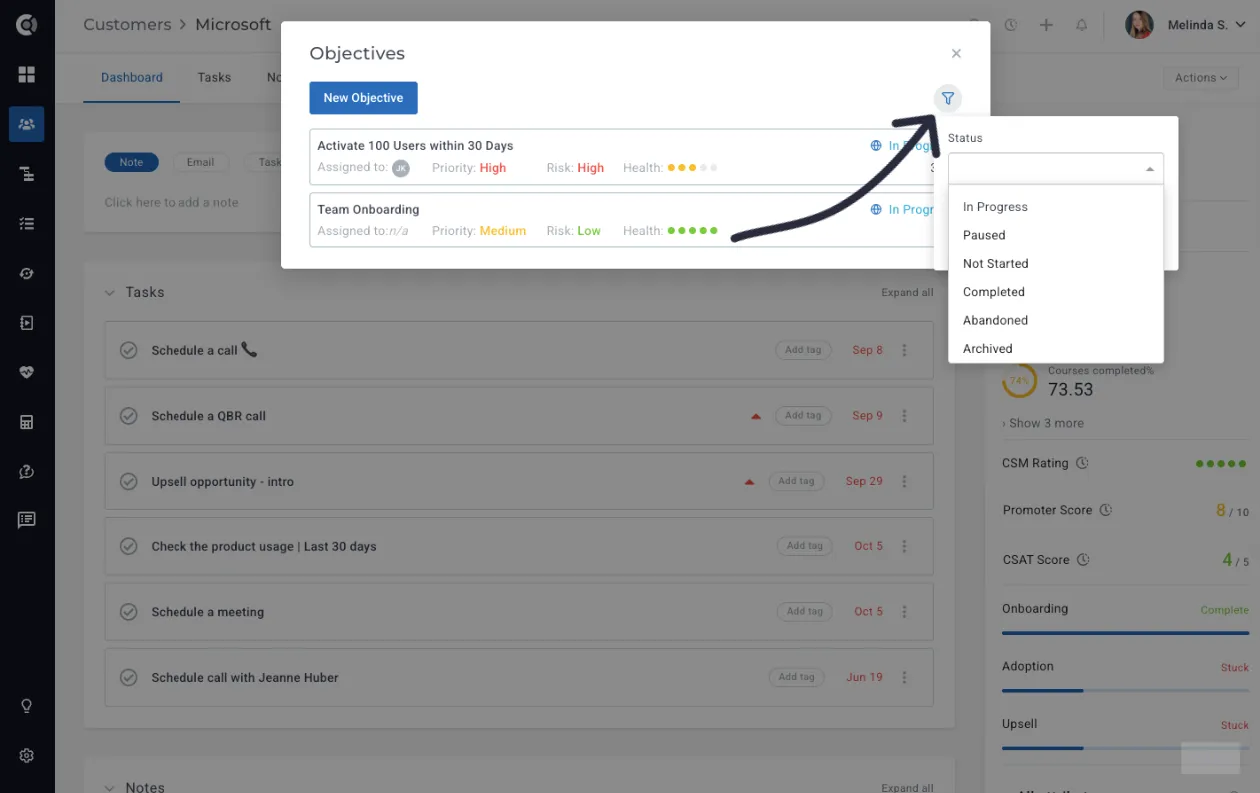
Filtering and Sorting
Objectives can be sorted by Status (In Progress, Paused, Not Started, Completed, Abandoned, Archived) and Tags (Objective Tags, which can be created under Settings - Tags - Objectives).
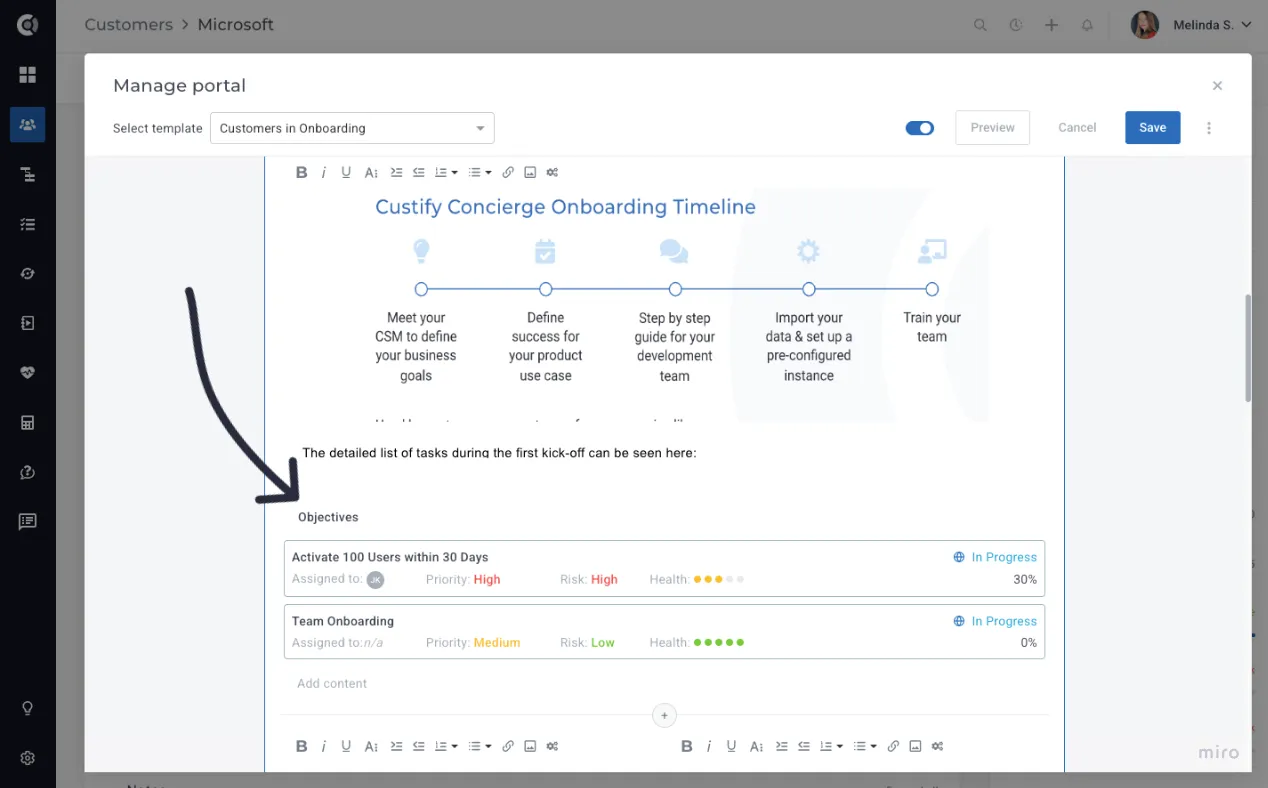
Share Objectives with your customers
Objectives can be shared directly in the Customer PortalCustomer Portal, giving your customers full visibility into the goals you’ve set together. By showing them all active objectives and their progress, you create transparency, help customers visualize the value being delivered, and encourage shared accountability. This makes it easier to align on priorities, celebrate milestones as they’re achieved, and have constructive conversations if progress falls behind.
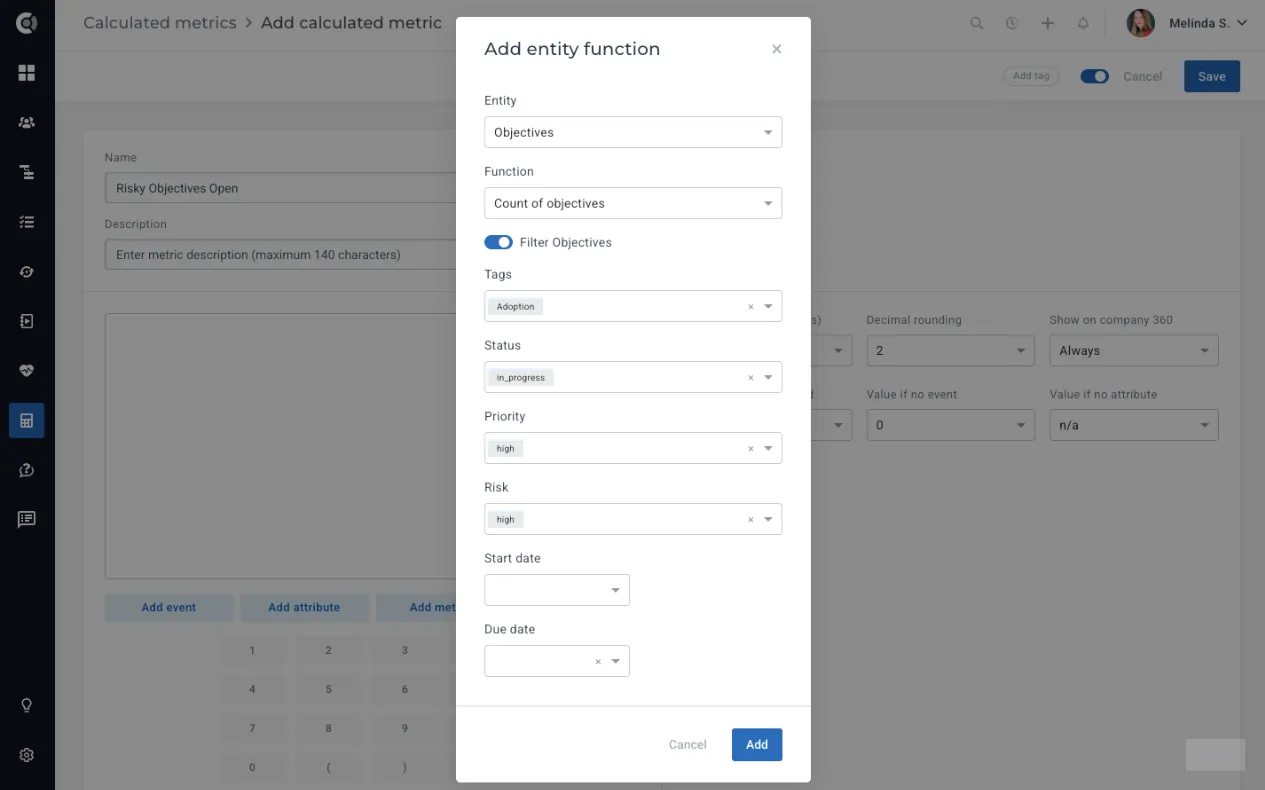
Create Health Metrics
You can use Calculated MetricsCalculated Metrics to build health scores that reflect how well customers are progressing toward their objectives. By counting objectives, calculating the average health of all objectives, or measuring their average completion rate, you can translate customer progress into actionable health signals. This gives your team a more accurate view of customer value, highlights accounts at risk, and helps prioritize outreach.
The Customer Objectives feature gives you a clear, measurable framework to align your efforts with customer outcomes. By defining objectives, tracking progress, and sharing them directly in the Customer Portal, you not only demonstrate the value your team delivers but also build stronger, more accountable relationships with your customers. Combined with health metrics and automation, Objectives become a powerful tool to drive adoption, reduce churn, and ensure every customer is on track to achieve success.