Time Tracking
Overview
Custify's Time Tracking feature allows you to efficiently manage and log the time you spend on special projects, meeting preparation, implementation tasks, and other customer-related activities. By keeping track of the time spent on individual client accounts, you can gain valuable insights into resource allocation and improve overall project management.
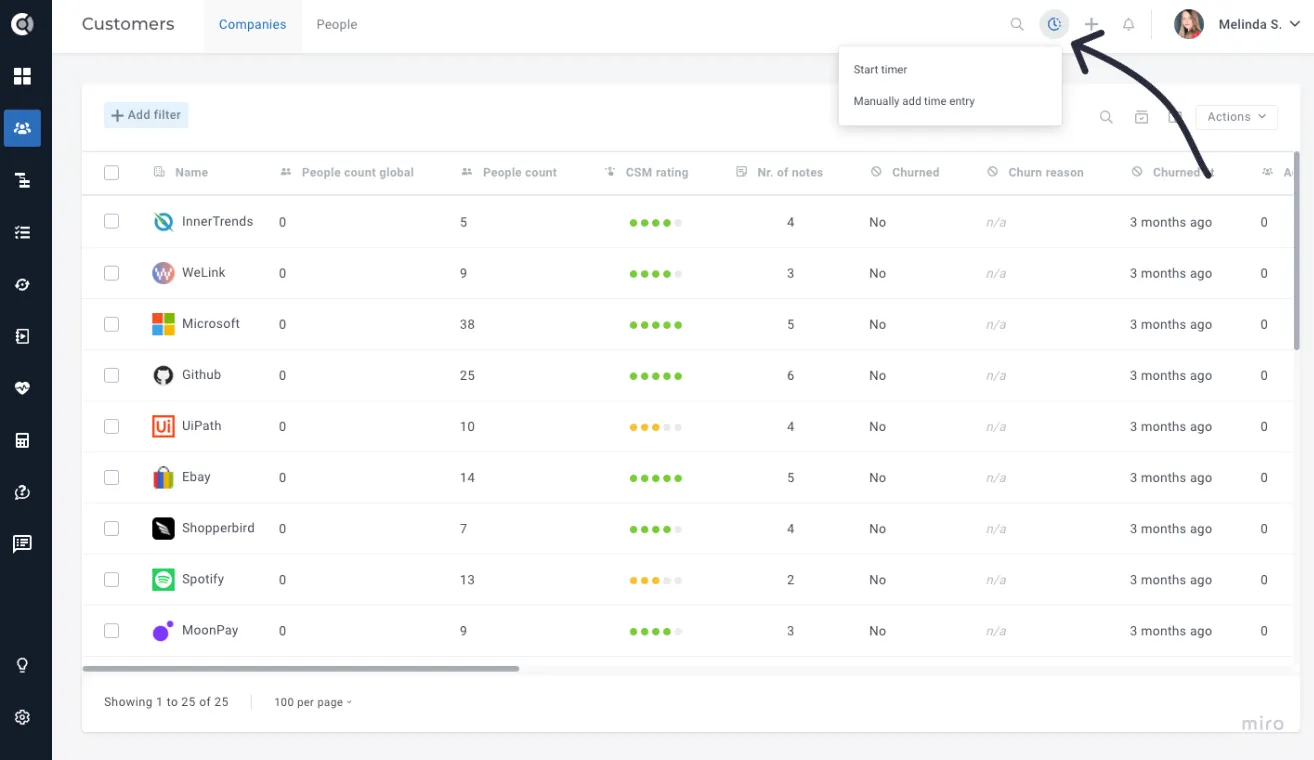
This feature provides both an immediate and long-term benefit. You can track your current work and leverage historical data to refine your processes and optimize your team's time management. By understanding where time is spent, you can make more informed decisions, increase productivity, and better serve your customers.
Key benefits of using this feature include:
- Optimize resource allocation: Understand how much time is invested in each client and project, helping you balance workloads and resources more effectively.
- Improve customer service: By knowing where your team's efforts are concentrated, you can ensure that important projects receive the attention they deserve.
How to Use Time Tracking in Custify
- Access the Time Tracking Tab No matter where you are on the page, you can easily access the Time Tracking tab to begin logging time. Simply click the tab to get started.
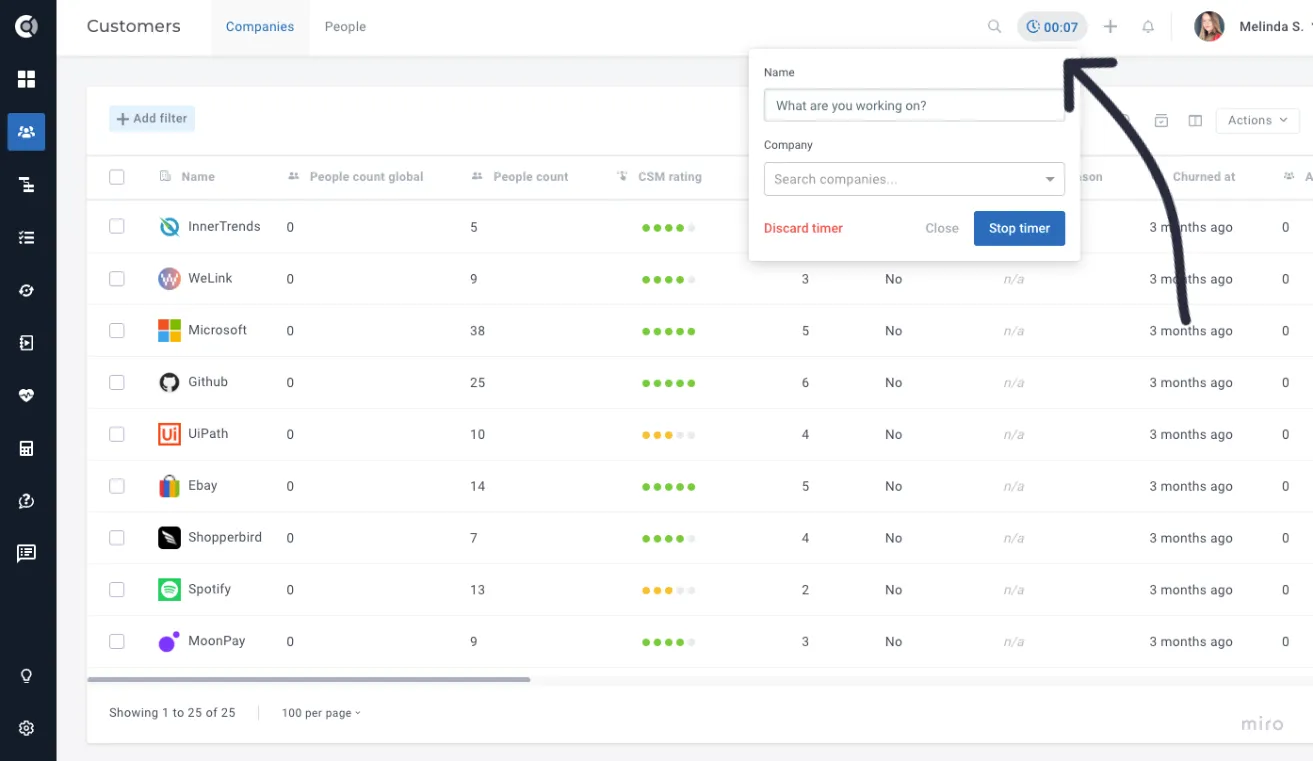
- Start Tracking Time
- Select the company or client you're working with (if you are already on a company page, the field will be automatically populated with the company name).
- Fill in the activity name (e.g. BR Meeting Preparation).
- Click Start Tracking, and the time will be automatically associated with that specific company.
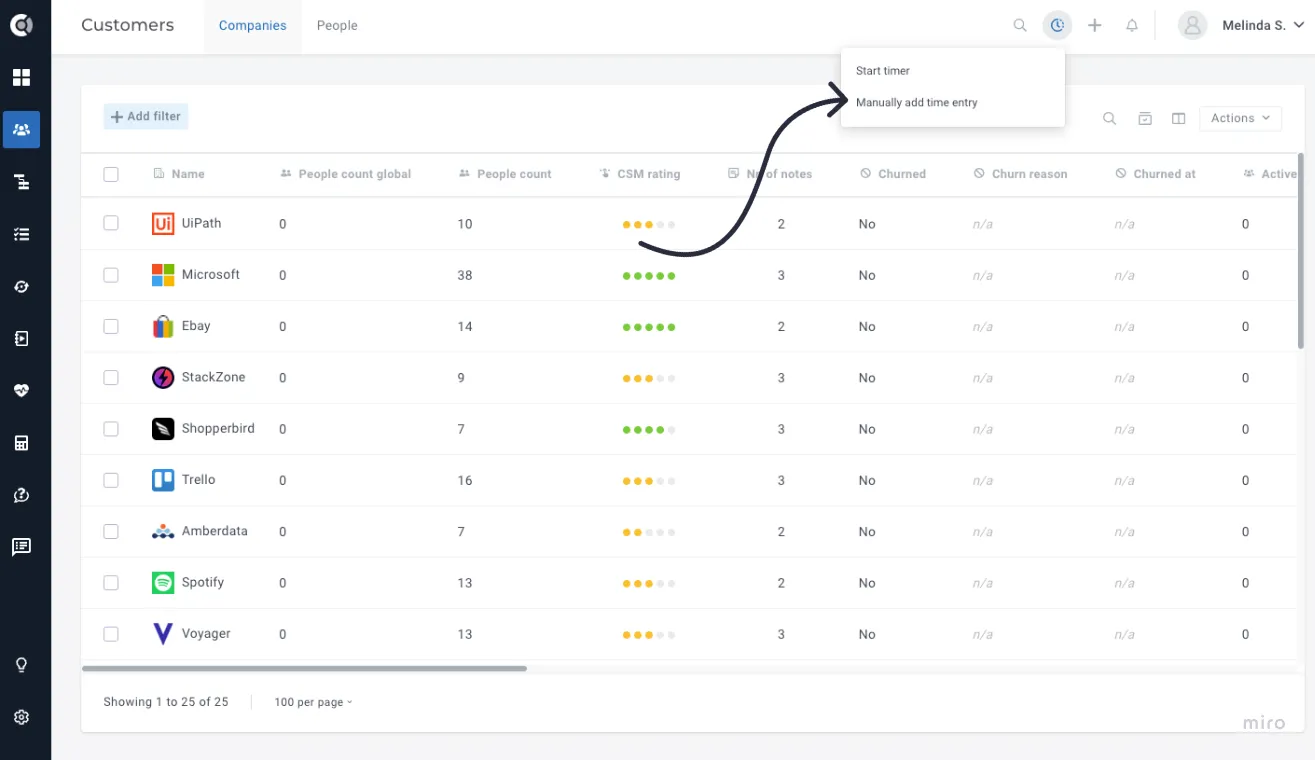
You can also retroactively track the time spent on customers if you forgot to start the timer. Simply click on Track Time Manually and select the company where the time should be assigned.
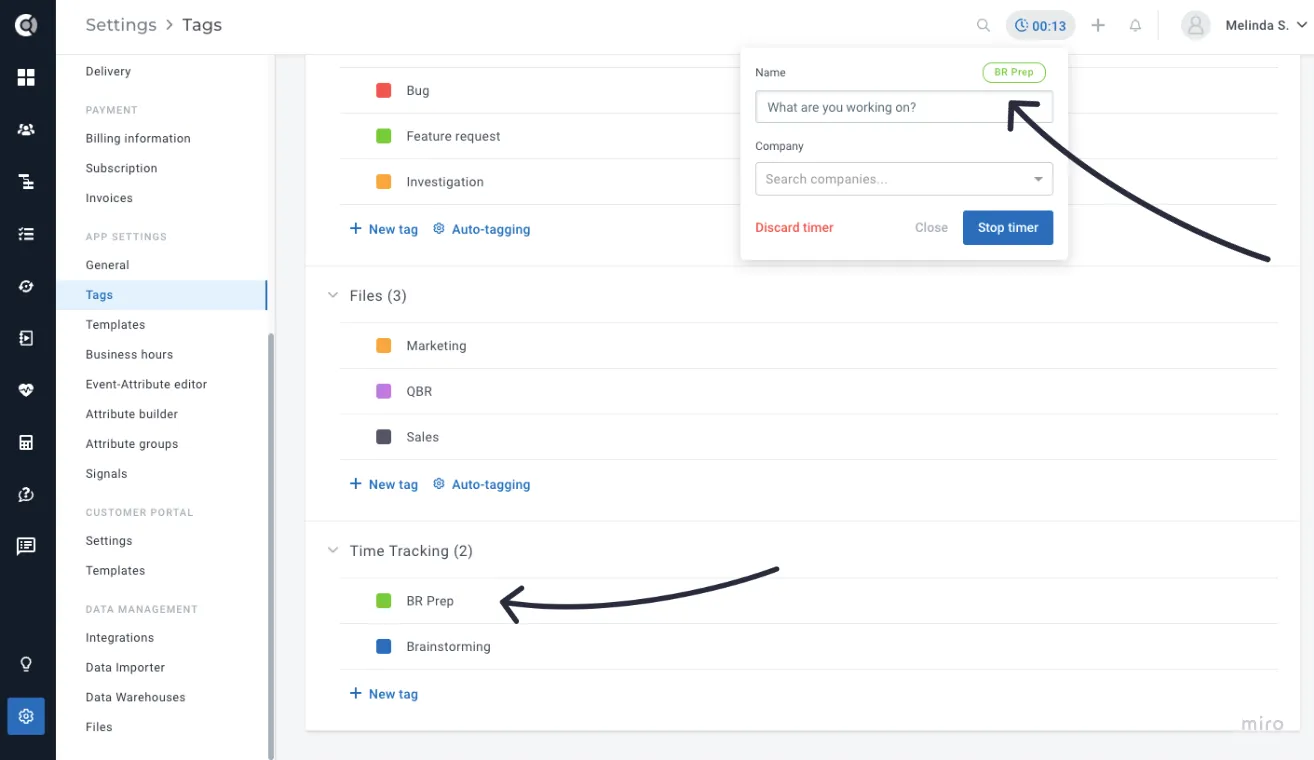
To keep your Time Tracking activities well-organized, you can use tags. Before tagging any tracked time, make sure to create the necessary tags in Settings - Tags - Time Tracking.
Leveraging Time Tracking for Business Insights
Once you've started tracking time, Custify enables you to derive value from this data:
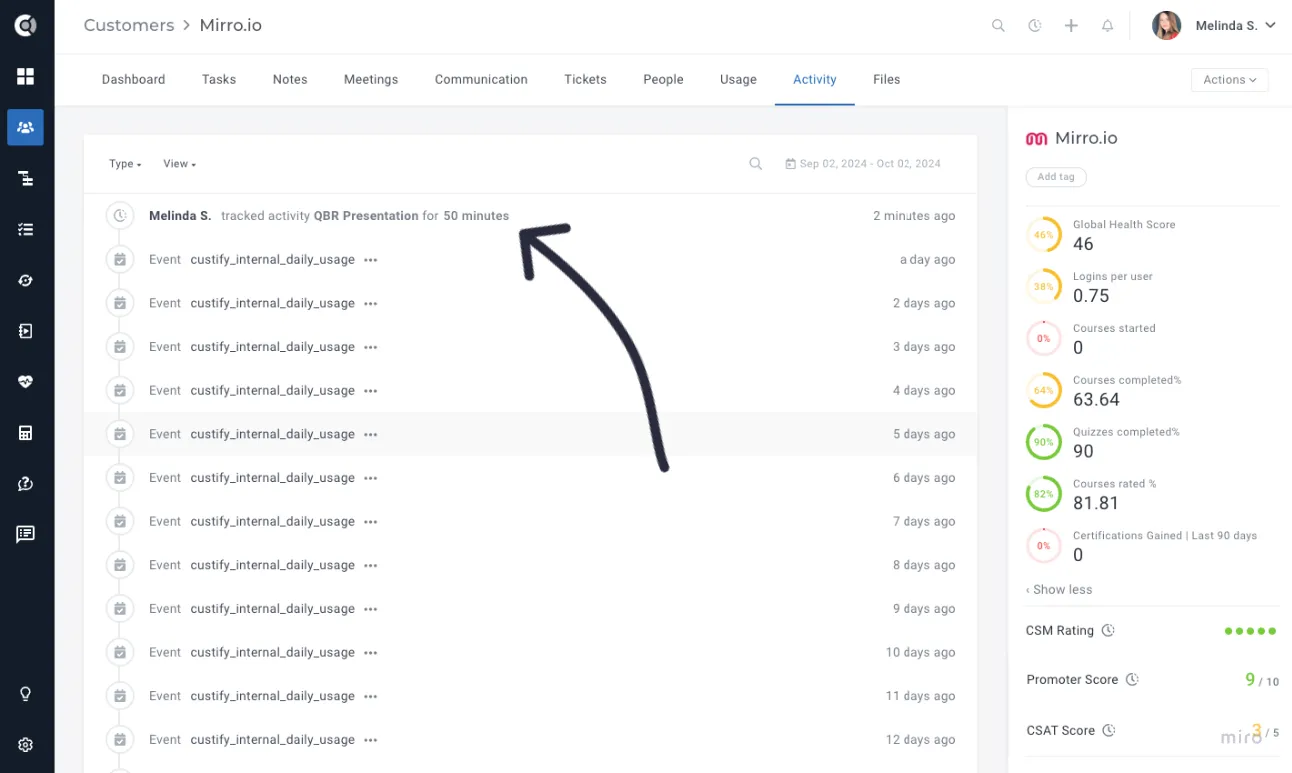
- Review Time Logs Under the Activity tab, you can review all time-tracking entries for each client account. This provides a clear view of the time invested in each customer, making it easier to report on client projects, billing, and resource usage.
2.Calculate the Total Time Spent The total time spent for every company can be retrieved using Calculated Metrics. These calculated metrics can help identify how much effort has been allocated to each customer, making it easier to assess the return on time investment (ROTI) for various projects.
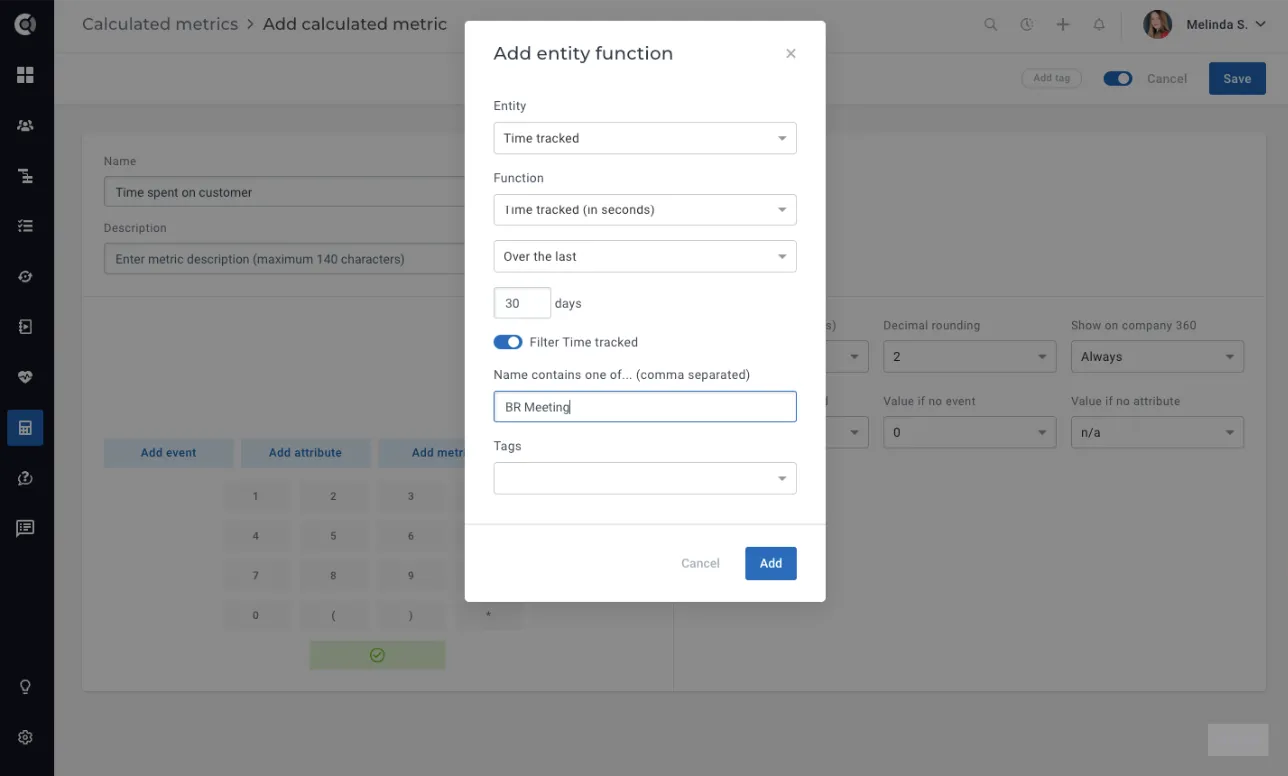
Build the metric using the entity Time Tracked. Select the timeframe for the total amount of time spent with the customer and filter it accordingly (e.g. calculate the hours spent on custom implementation, BR meeting preparation, etc.). The filter can be based on name keywords and tags.
Future Enhancements
Several exciting enhancements are in the pipeline to further improve the value of the Time Tracking feature:
- Dashboard Widgets for Time Visualization Soon, you'll be able to visualize your time-tracking data directly on dashboard widgets. This will give you an at-a-glance view of where your team's time is being spent, making it easier to manage resources effectively.
- Automated Time Entries Time tracking will become even more streamlined with automated time entries. The system will automatically account for time spent on meetings or other touchpoints within Custify, increasing accuracy.