Product Updates | July 12th, 2023
Customer 360
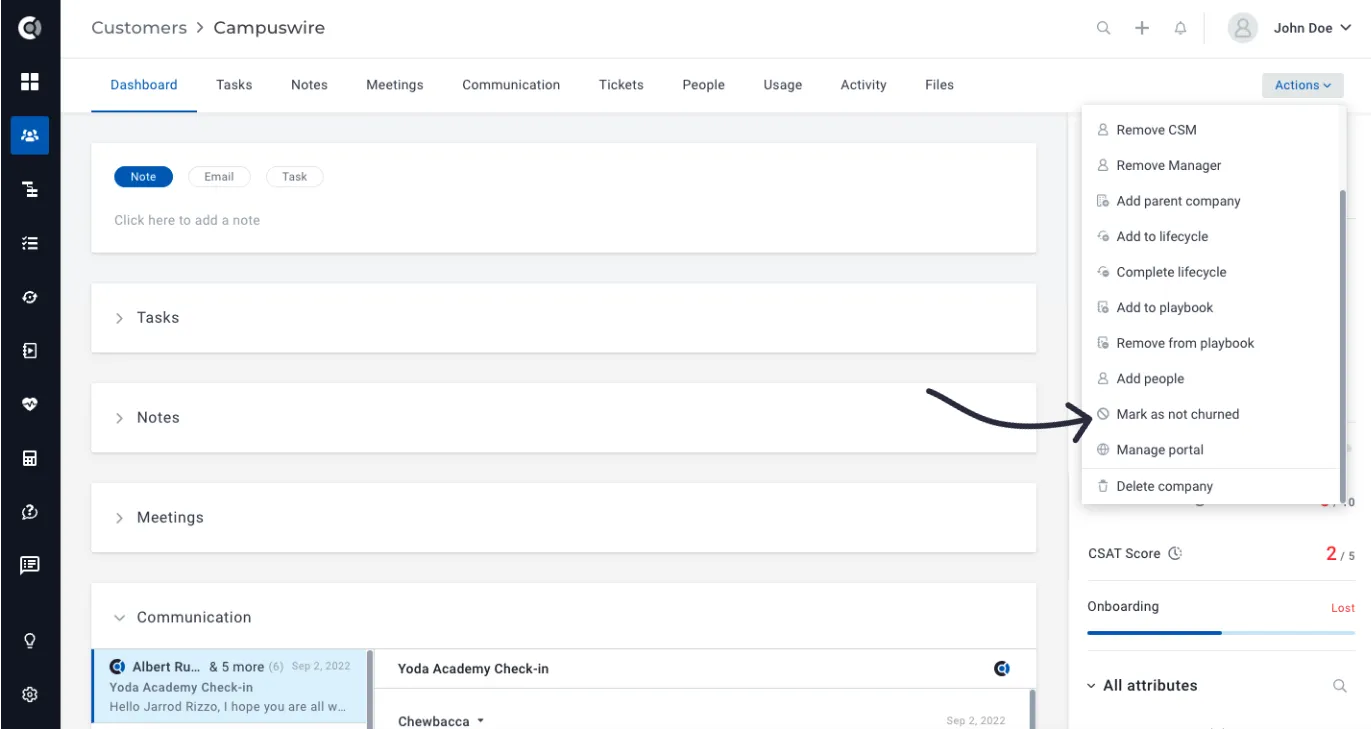
Mark a customer as not churned: Opposed to the Mark as churned feature, this new feature automatically marks as Not churned those customers who were previously marked as churned. It will automatically change the value of the default Churned attribute to No and will unset the values of the Churned At and Churn Reason attributes.
Health Scores
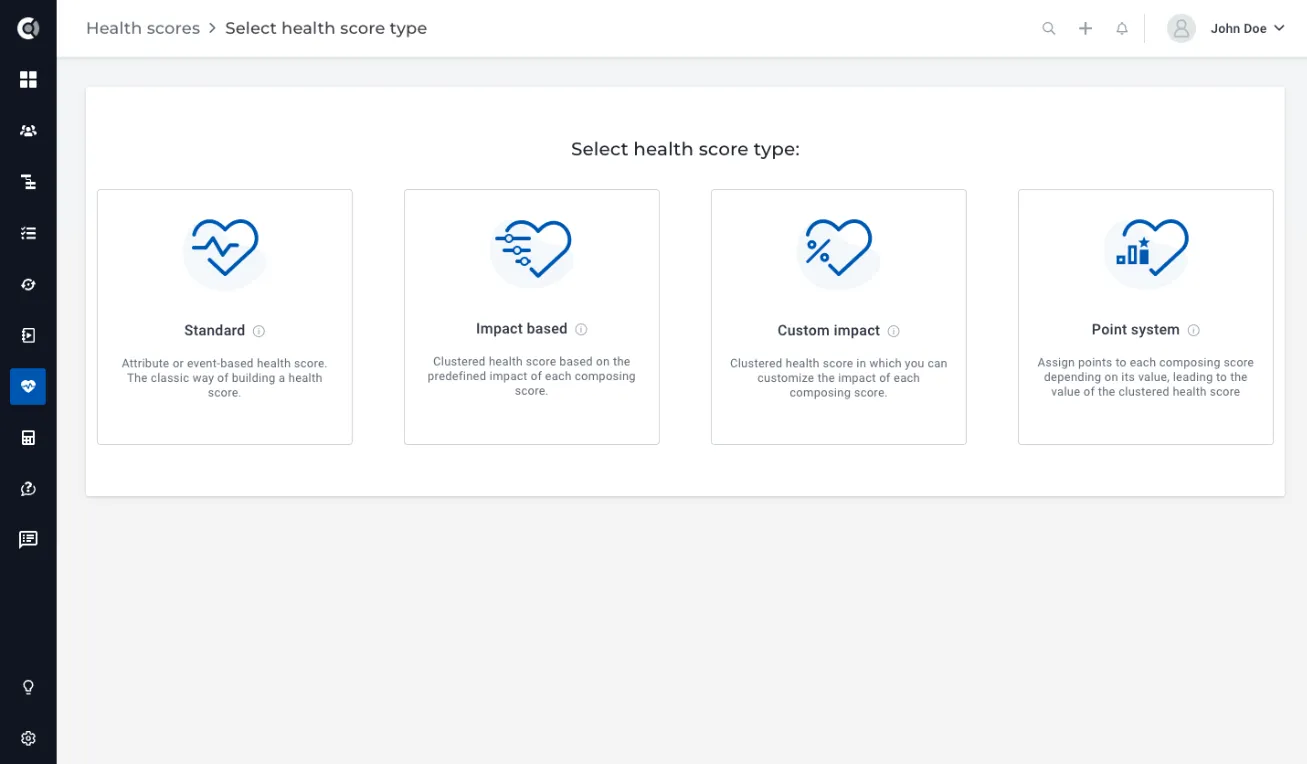
Clustered Health Scores: Powerful solution that helps you combine multiple health indicators into a single, comprehensive score. Learn more about Clustered Health Scores here.
Playbooks
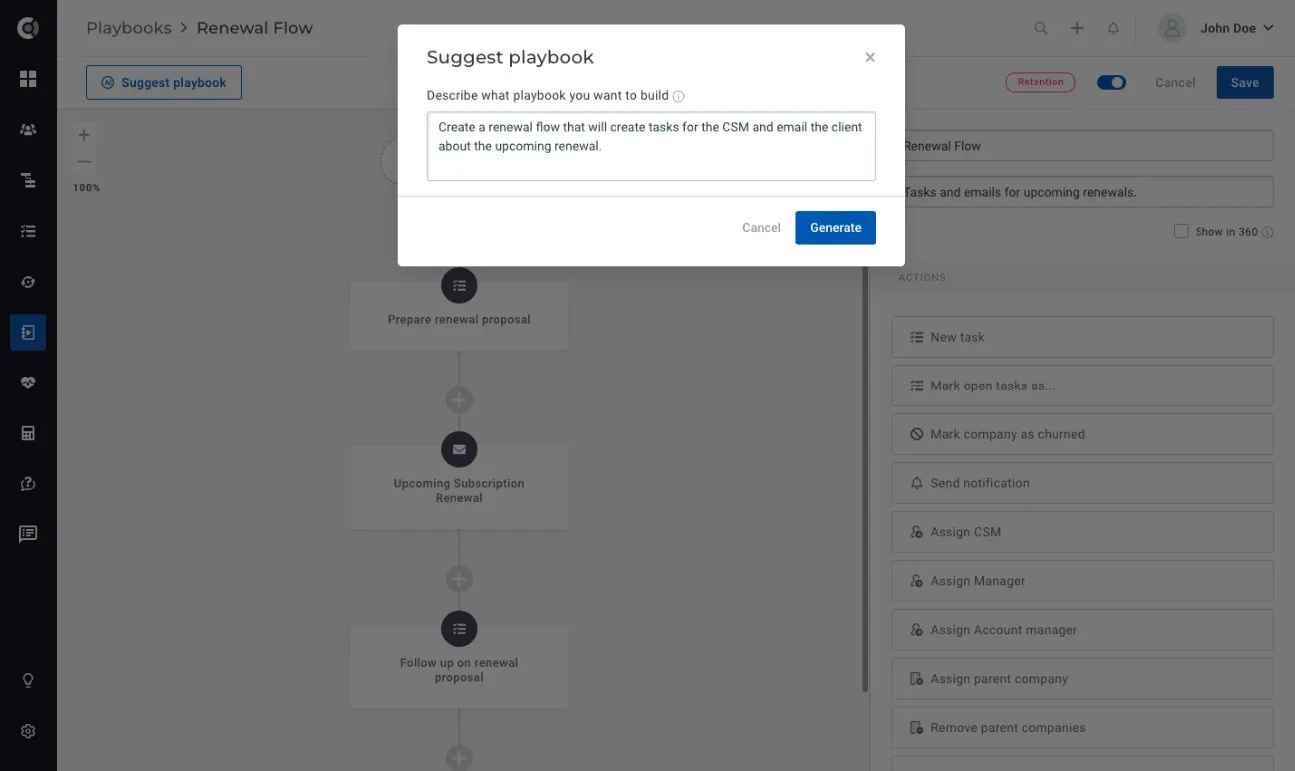
AI-generated Playbooks: A new tool that empowers you to transform your ideas into actionable strategies.
In certain situations, you may find yourself needing to create a process flow using playbooks, but feel unsure about where to begin. With AI-generated Playbooks, simply input your desired process suggestions and provide hints about the steps you want to incorporate, then sit back and let the AI work its magic.
Read more about AI-generated Playbooks here.
Calculated metrics
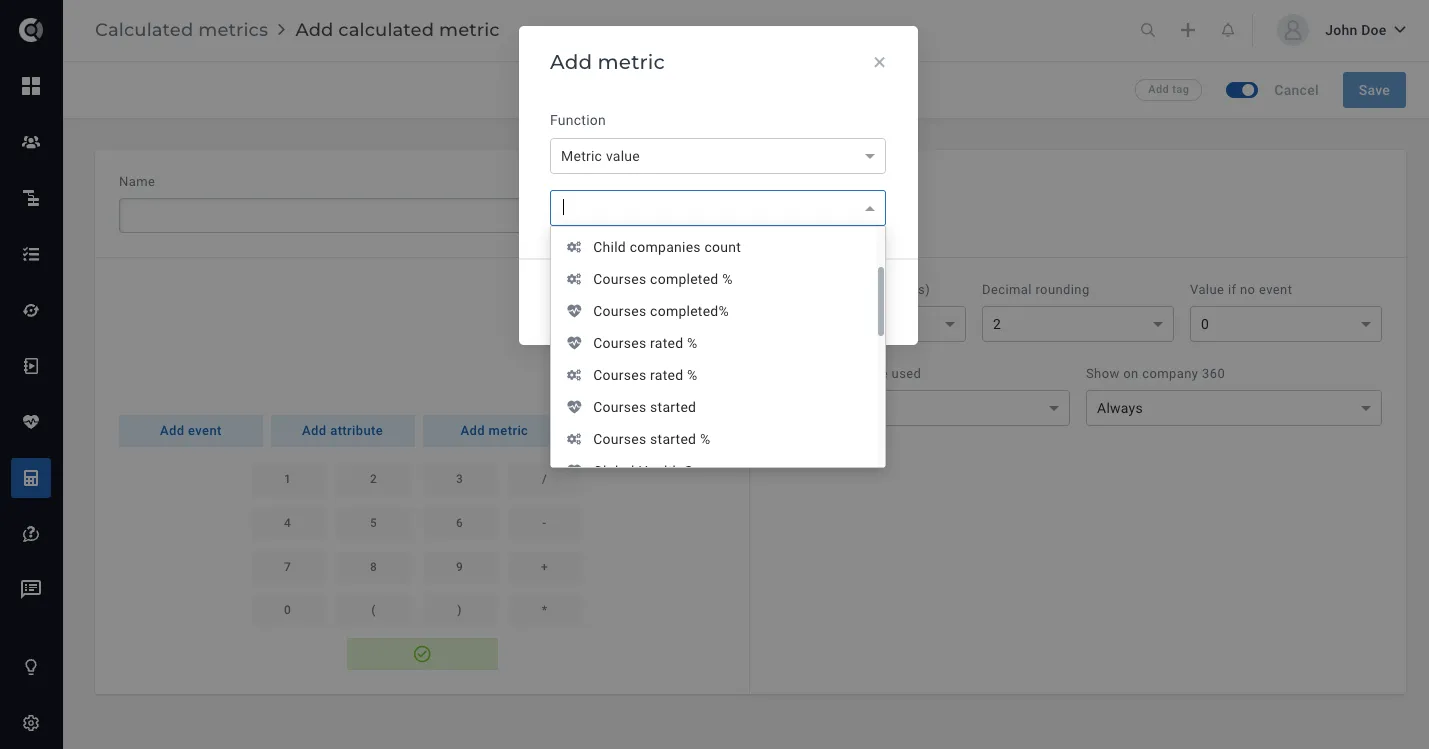
Using metrics in other metrics: You can now utilize existing calculated metrics in other calculated metrics. This makes the calculation of complex metrics more intuitive, and it also allows you to access historical values of calculated metrics or build other complex formulas based on existing metrics.
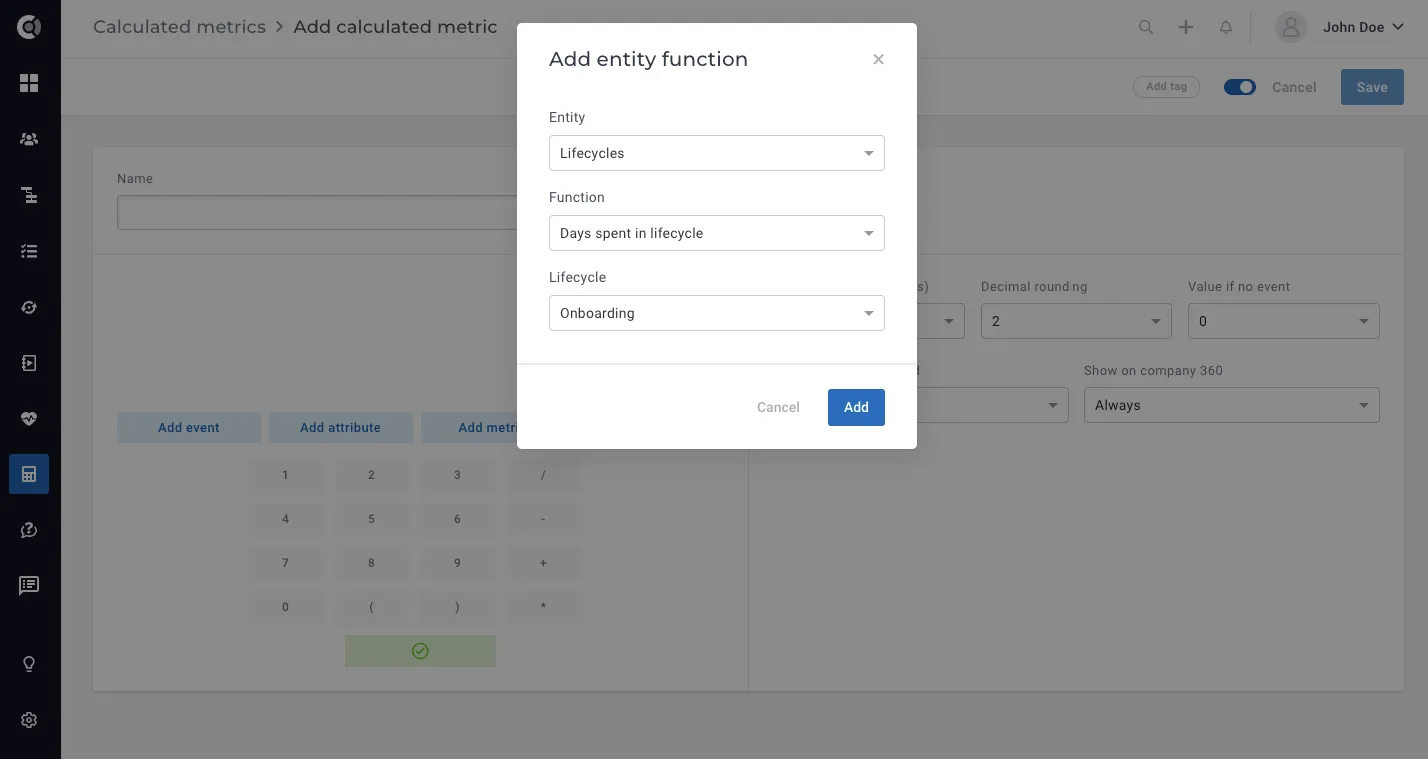
Lifecycle duration metric: New function for lifecycles that helps you easily return metrics for the days a customer stayed in a lifecycle (e.g. how much time they spent in onboarding).
Insights
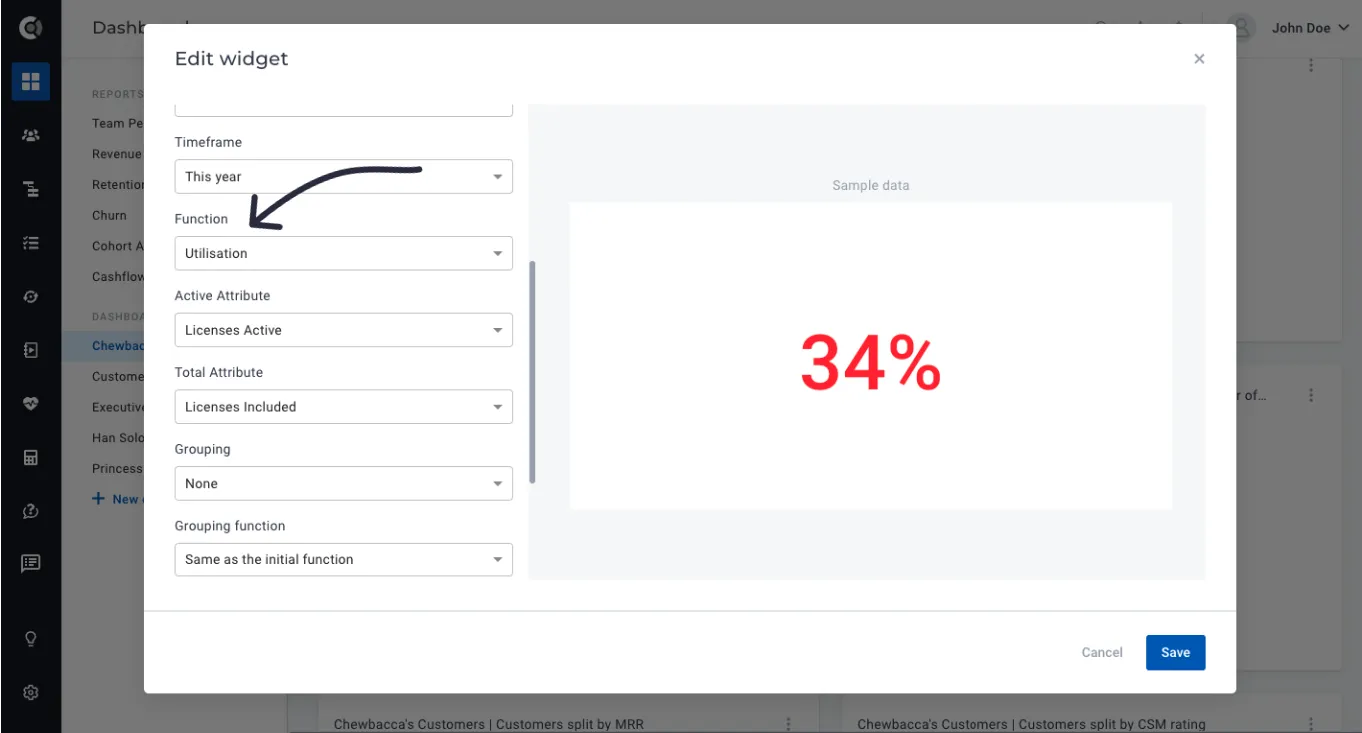
Utilization widget: New dashboard widget function, Utilisation, available under the Company/data evolution widget. This will automatically return a utilisation percentage after indicating the attributes that should be considered.
Use case example: you want to see the overall percentage of licenses’ utilisation, so you will compare the number of active licenses with the total licenses acquired and understand if customers are actually using the licenses they paid for.
Touchpoints
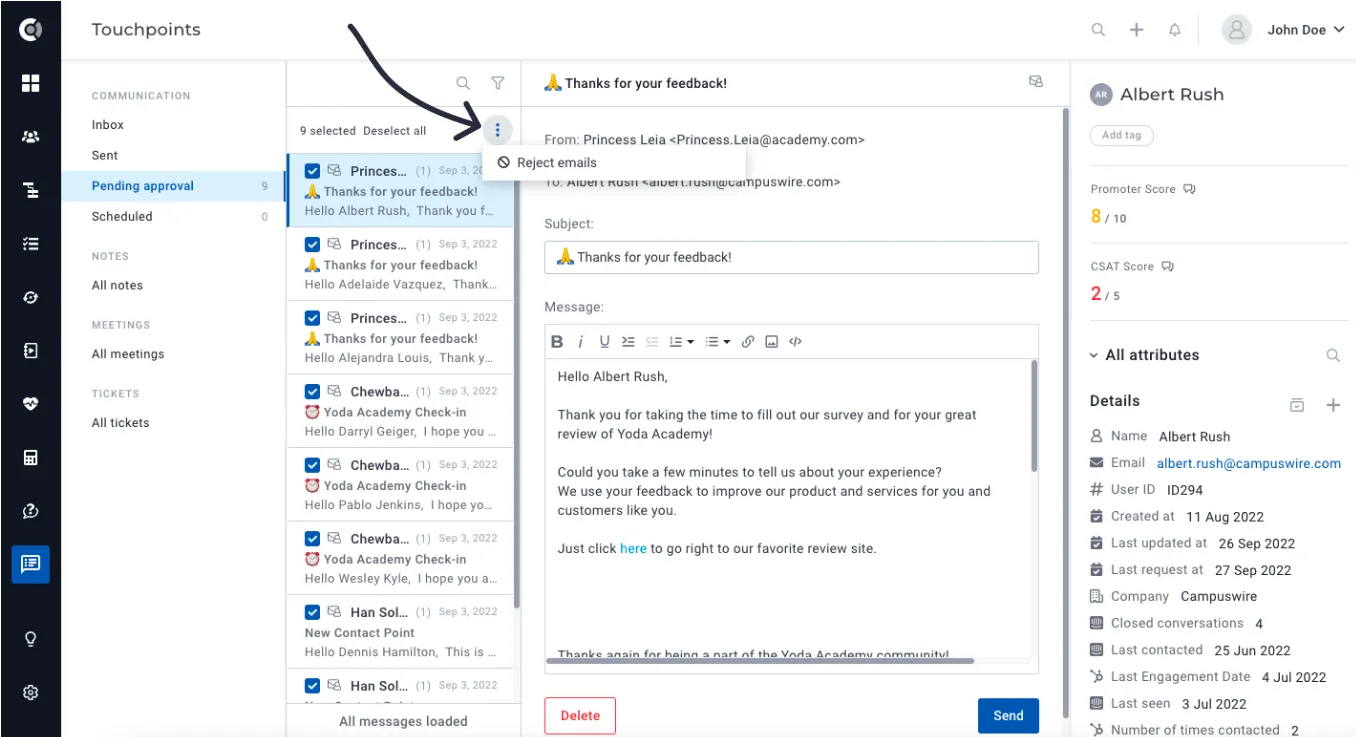
Mass deletion of pending approval emails: You can now easily delete emails that are pending approval under Touchpoints – Pending Approval box.
General
Editing default attributes: You now have the ability to edit default Custify attributes (check the full list of Custify Default Attributes here). To do that, Go to Settings – Event-Attribute Editor. Search for the attribute you want to edit and choose to hide it from the app or enable the manual editing of the attribute. You will then be able to manually insert the desired attribute value either on the customer profile or the customer list view.
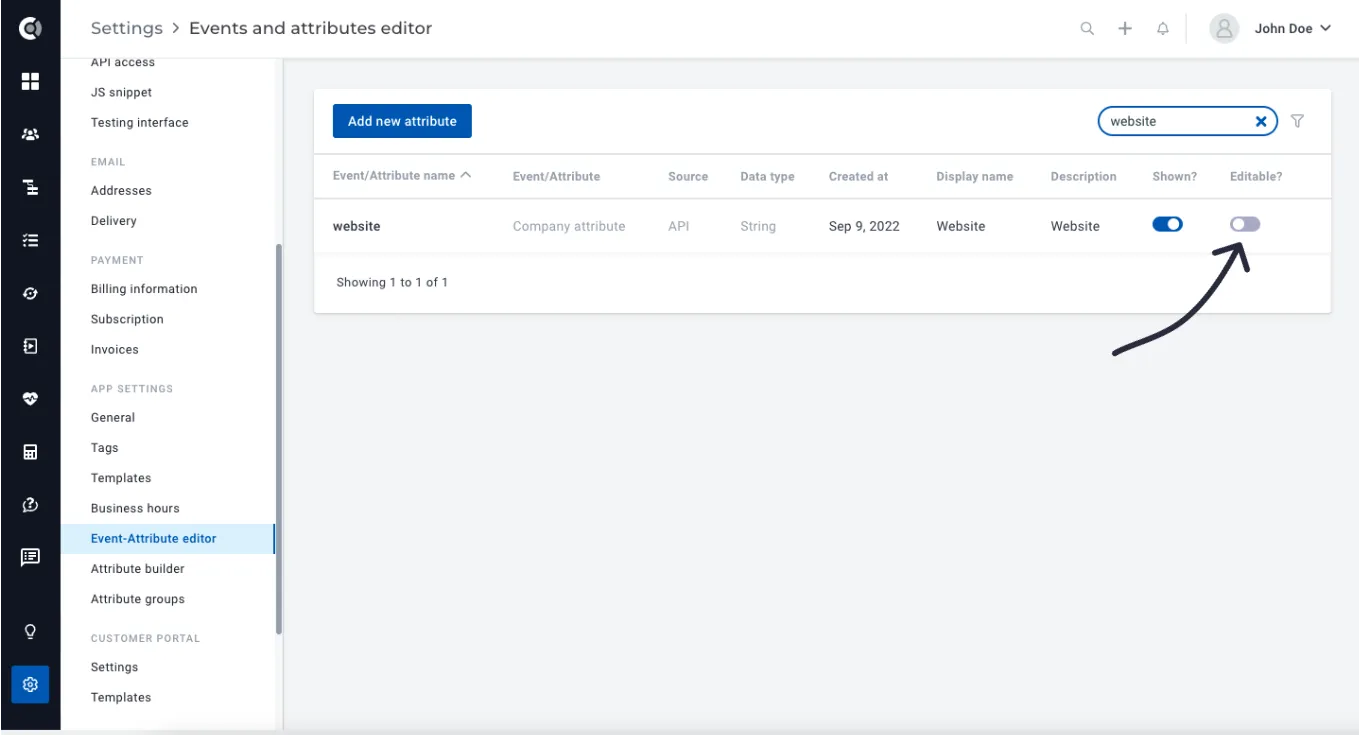
Observation! Please note that there are certain default Custify attributes that cannot be hidden/edited. These attributes are mandatory fields in different parts of the app. Modifying or hiding them can result in human errors, data alteration, and difficulties in troubleshooting.
To ensure data integrity and maintain system functionality, these are some attributes that have a special behavior:
- name, user_id, email
- last_updated_at, created_at, last_request_at, owners_csm, owners_account, csm_rating, csm_rating_comment, company_level and parent_companies
- the
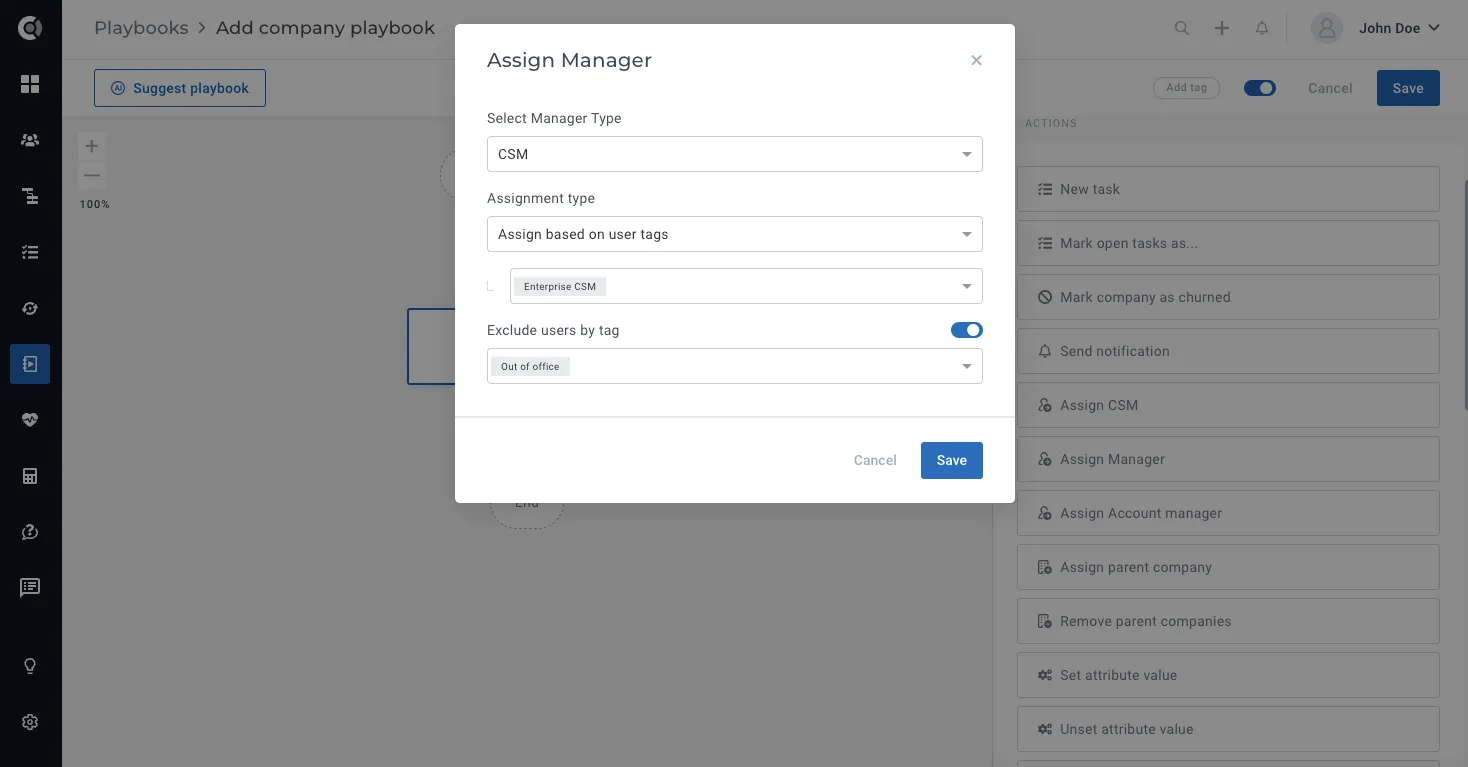
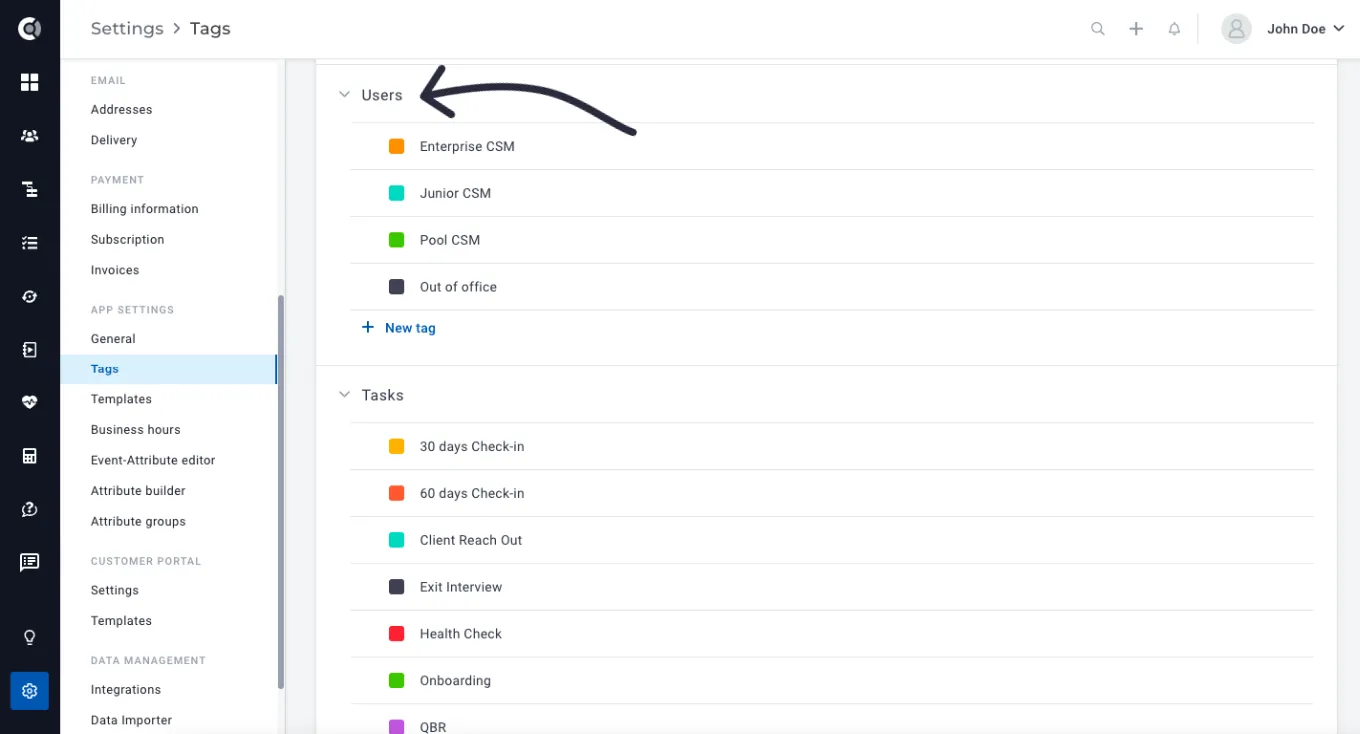
User tagging: Custify internal users can now be tagged, so you can use the tagging system in the company round-robin assignment. You can now assign companies to their CSMs/Account Managers taking into consideration the user role, expertise, and also making sure to exclude users who are out of office from the dynamic assignment.
All you have to do is to build first the user tags (Settings – Tags – Users).
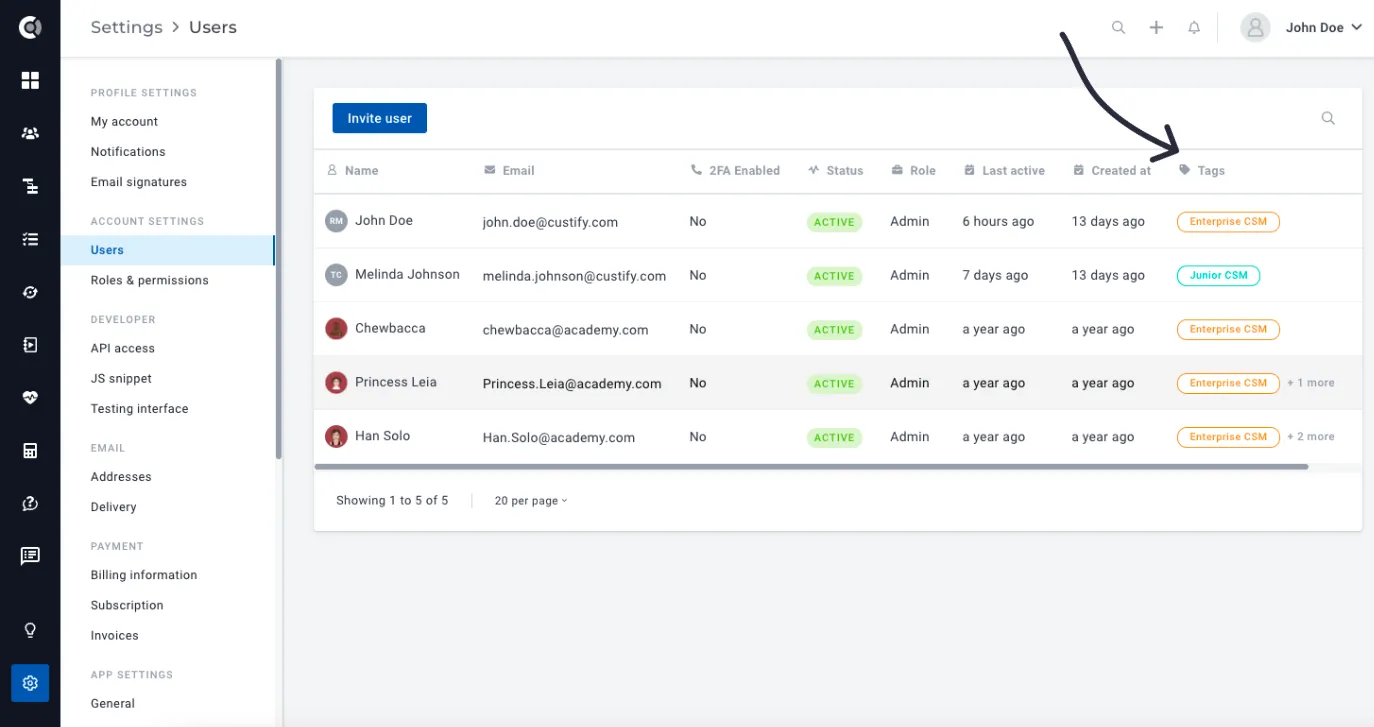
Tag your users (Settings – Users – Add tag – a user can have multiple tags).
In Company Playbooks, when adding the Assign CSM, Manager or Account Manager steps, you will now have the option to assign customers to users with specific tags.
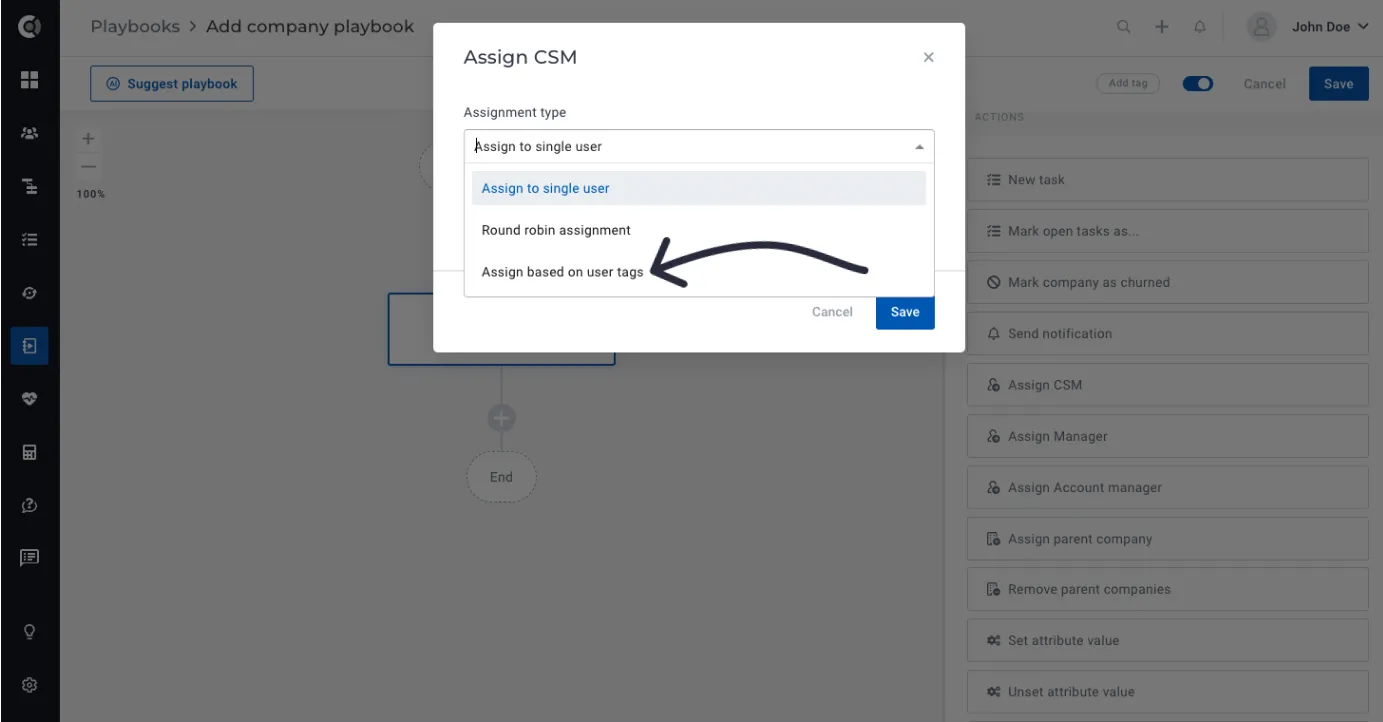
Use case examples:
- Utilize round-robin assignments for Enterprise customers, restricting the assignment only to users who have the Enterprise CSM tag. This ensures that only senior team members, specifically trained to assist Enterprise customers, are automatically assigned to them.
- Ensure that customers are not assigned to CSMs who are currently unavailable. To accomplish this, apply the “Out of Office” tag to CSMs on vacation, and configure the playbooks to consistently exclude them from the assignment process.