Product Updates | June 14th, 2023
Customer Portal
This new feature empowers Customer Success Managers and Account Managers to effectively engage with their clients, facilitate seamless collaboration, and deliver invaluable insights. Using the Customer Portal, CSMs can now conveniently share their tasks and notes with customers via external links, allowing them to gain visibility into the efforts invested by the CSM in their accounts, as well as the necessary actions required on their part. Find more details about it here.
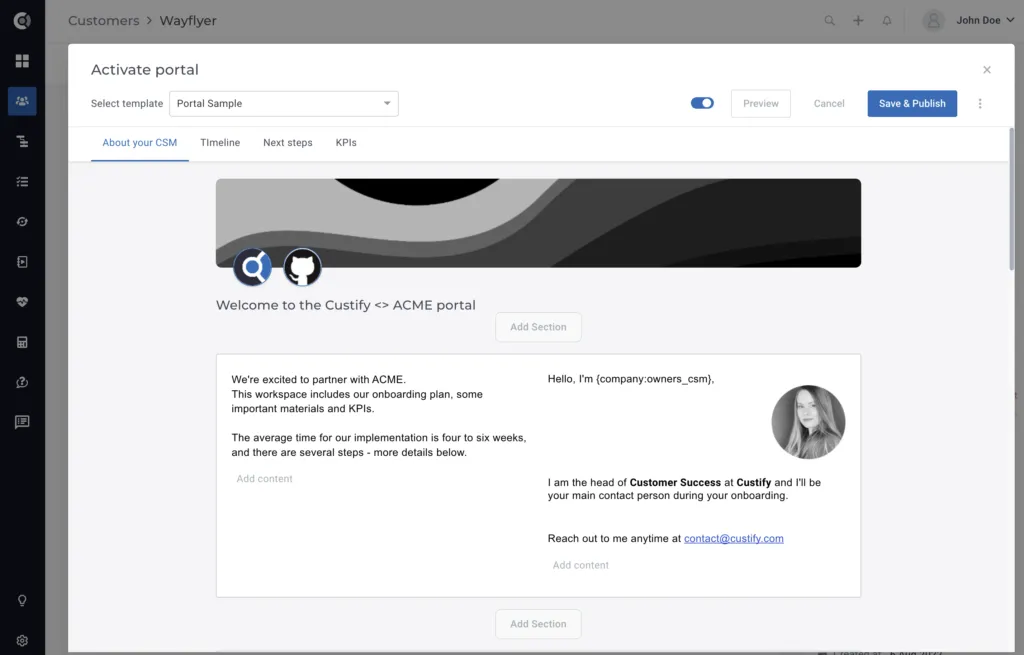
Observation! The Customer Portal is a subscription add-on, so this will be inactive by default. If you’re interested in using this feature, reach out to your CSM.
Customer 360
Change log for attributes: For each attribute you can now check the changelog, to understand when it changed, what were the previous values and what was the source that dictated the change. This will help you better understand the changes that occur and troubleshoot the situation when it’s the case.
For numerical attributes, you will be able to switch between the two views – Evolution and Changelog.
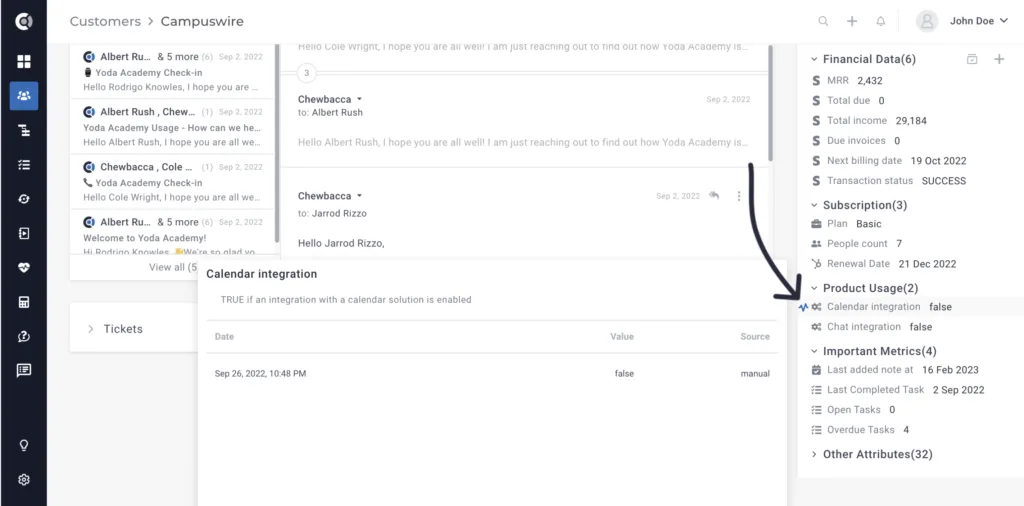
Observation! This feature is only available for attributes, not for metrics.
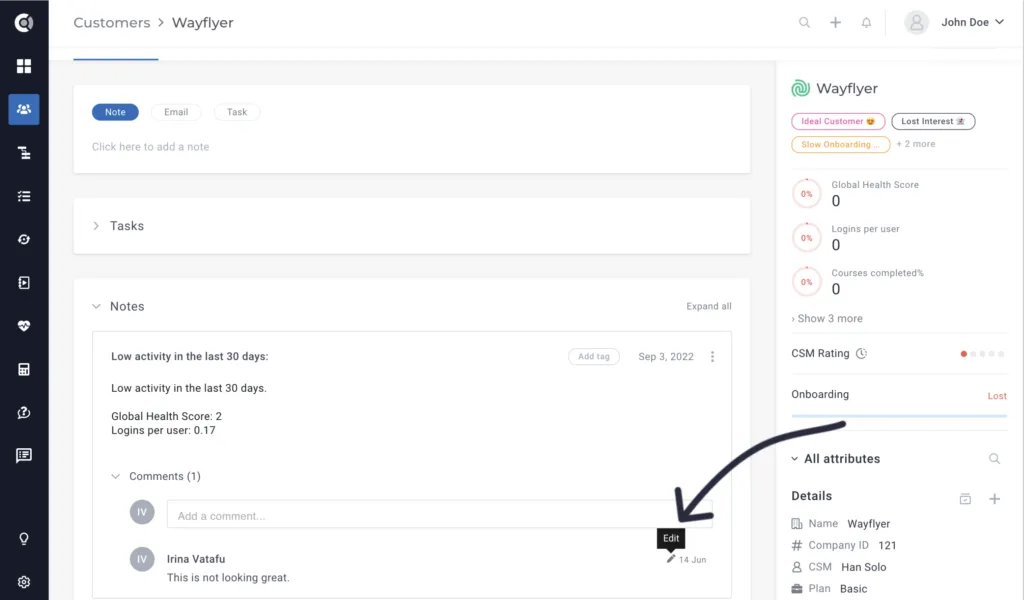
Edit comments on notes/tasks: You can now edit the comments that you post on notes and tasks. You will be able to edit only your own comments, not the ones posted by your teammates.
Customer list view
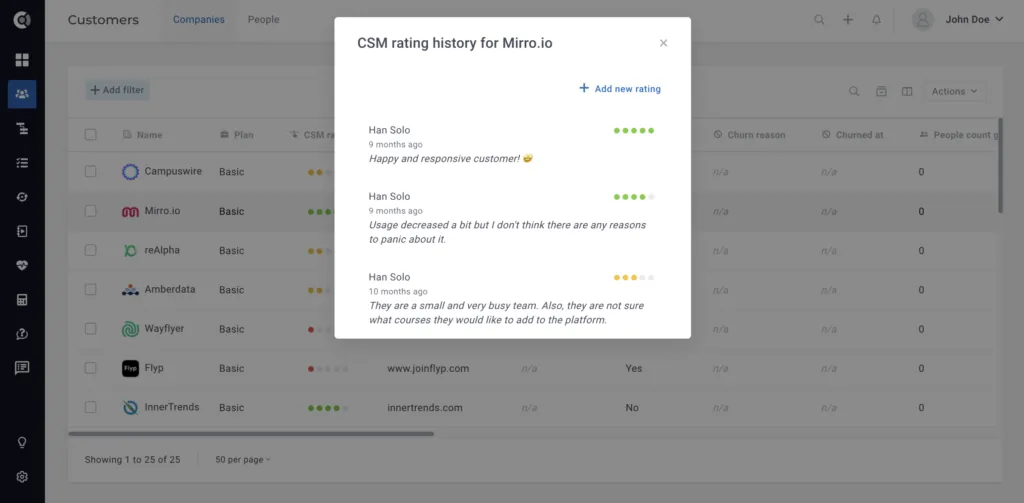
Display the CSM rating history & comments: You can now edit the CSM rating and display the history of the ratings and comments directly on the Customer List View. Simply add the CSM rating column to the view and click on a rating – a new window will pop up, and the full details will be displayed.
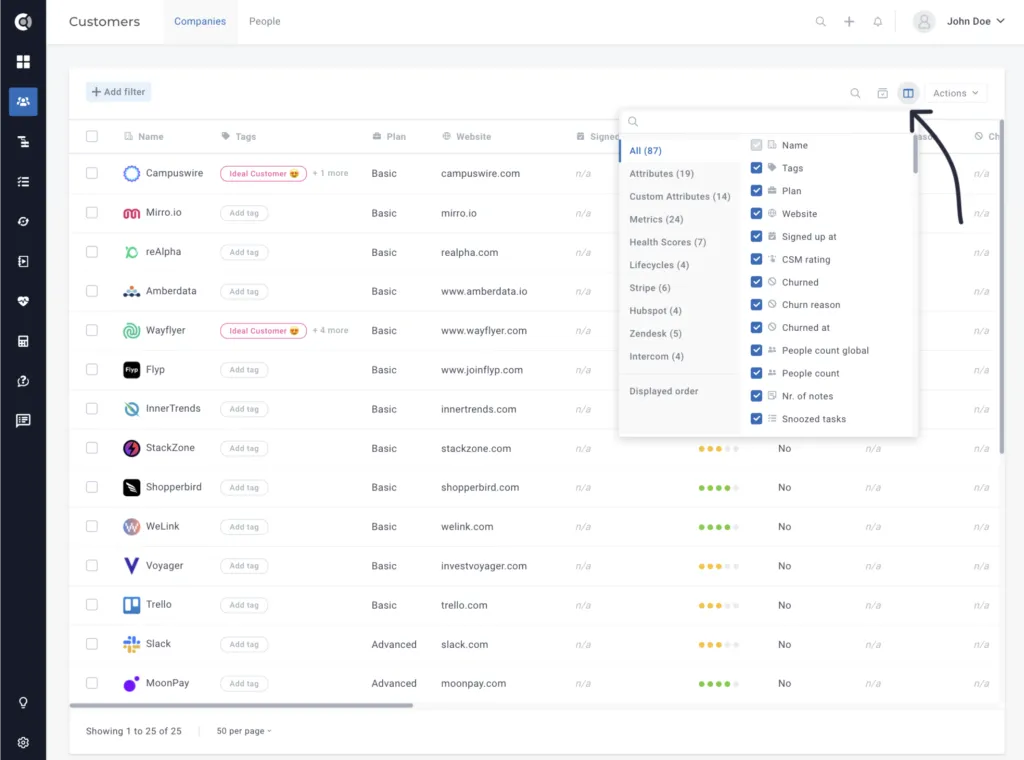
Toggle columns – Show selected attributes on top: Easily manage your attributes list by having all the selected attributes displayed on top of the list.
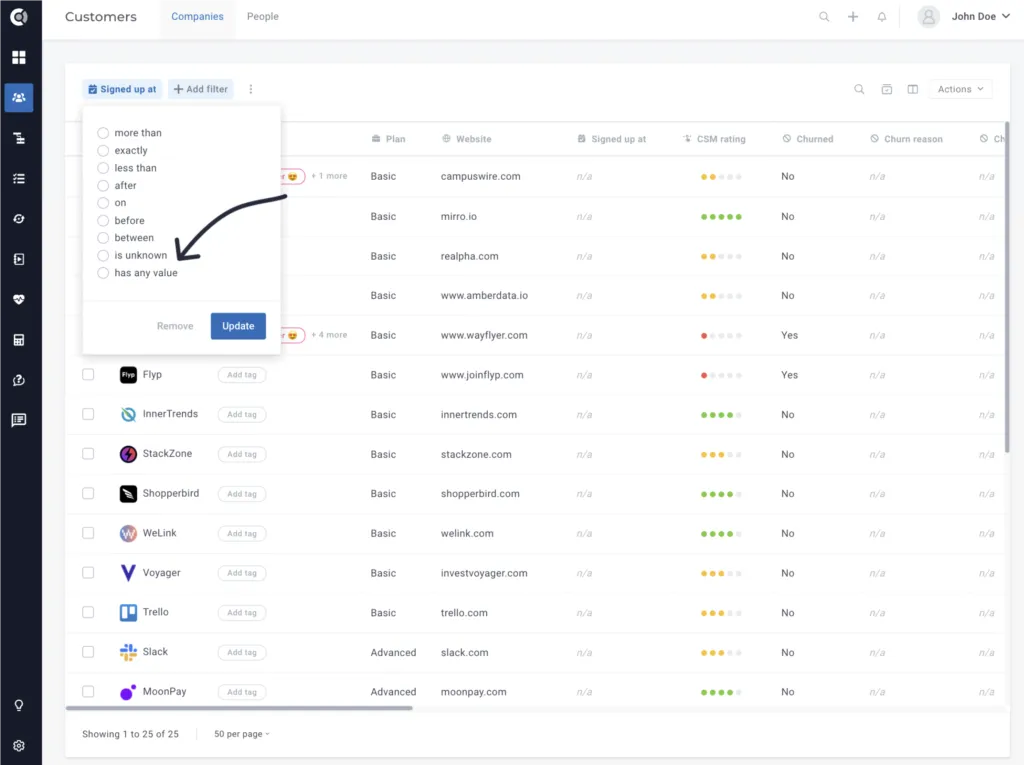
Customer List view date filters: When adding date attribute filters, you now have the option to filter by ‘attribute has any value’ or ‘attribute is unknown’.
Calculated metrics
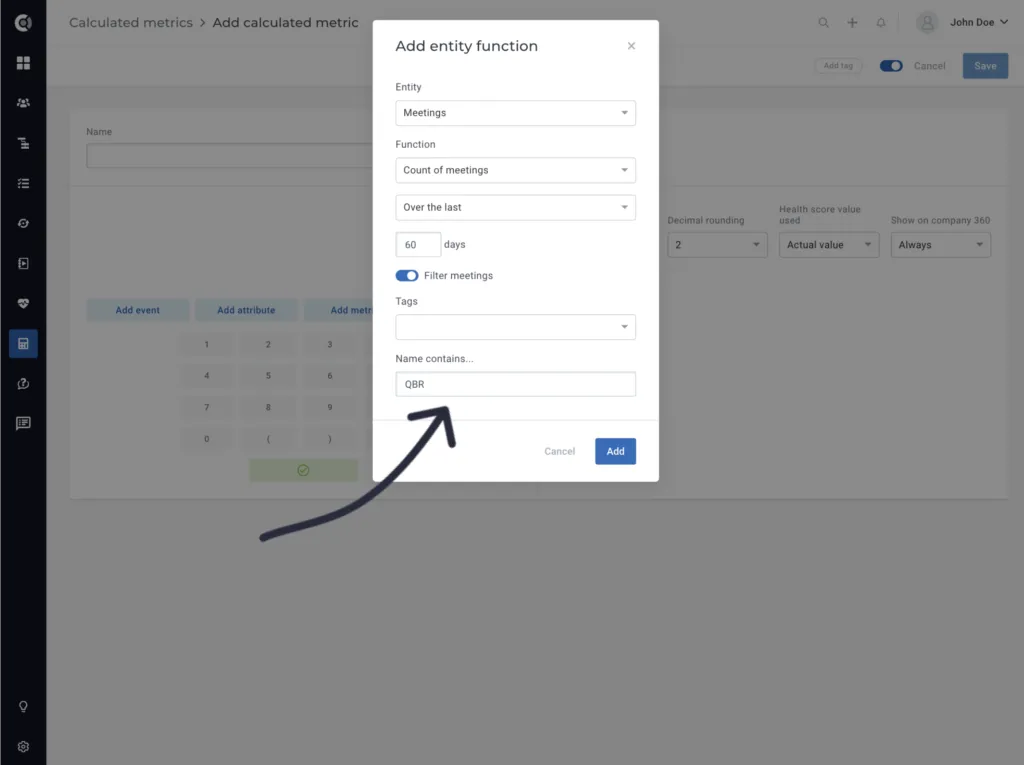
Count meetings with a specific name: You can now build metrics that will return the number of meetings for a given period of time that contained a specific name (e.g. count meetings with title “QBR” for the last year, count meetings with the title “Support incident”, etc.).
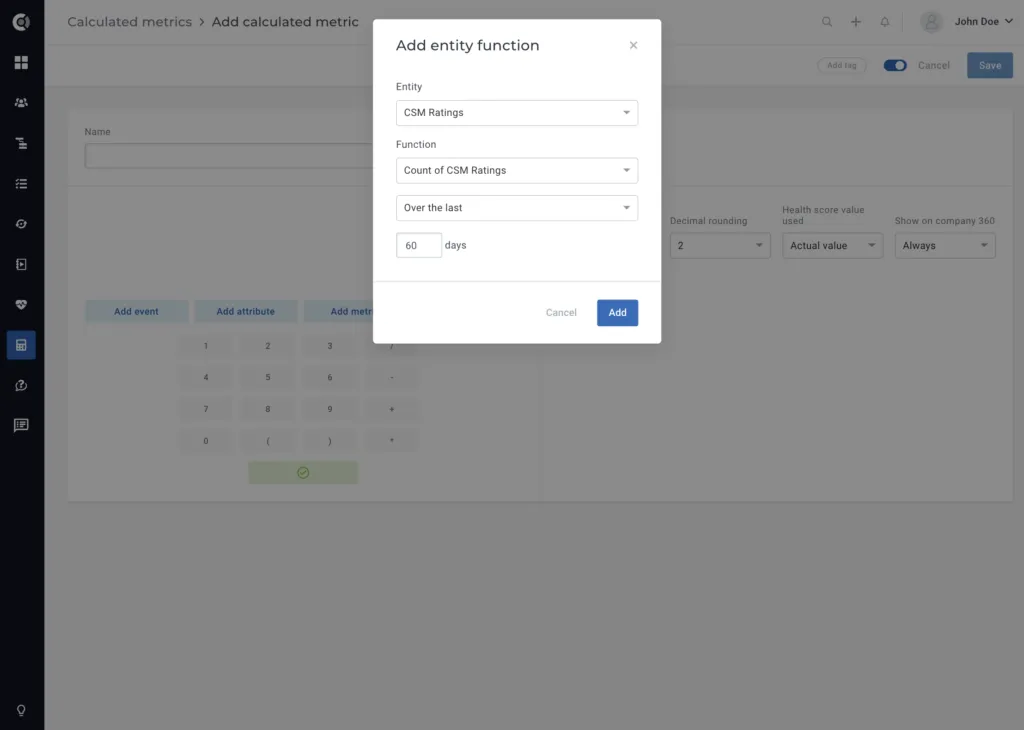
Count the number of CSM ratings last X days: To ensure that all your customers got a CSM rating in a given period of time, count the number of CSM ratings given in the last X days.
Touchpoints
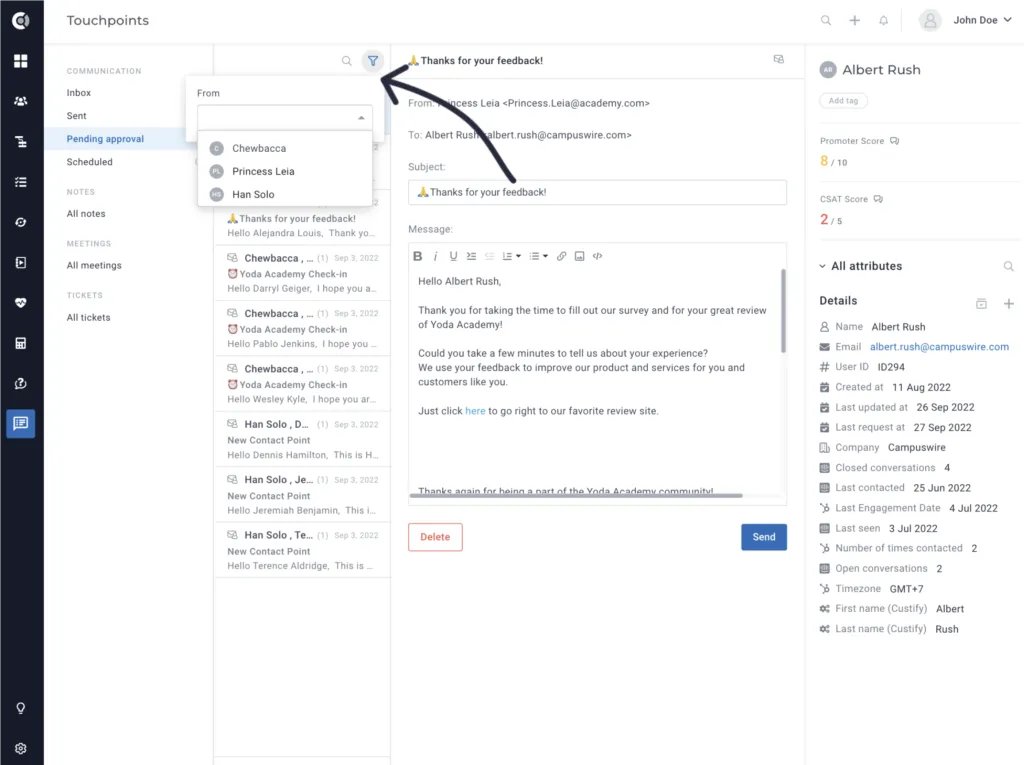
Filter pending approval emails by From field: New filtering option that enables the filtering of emails in the pending approval section based on the FROM email address. With this enhancement, each Customer Success Manager now can filter emails specifically related to their own inbox. This allows CSMs to conveniently approve or delete emails without the need to scroll through emails from other team members.
Insights
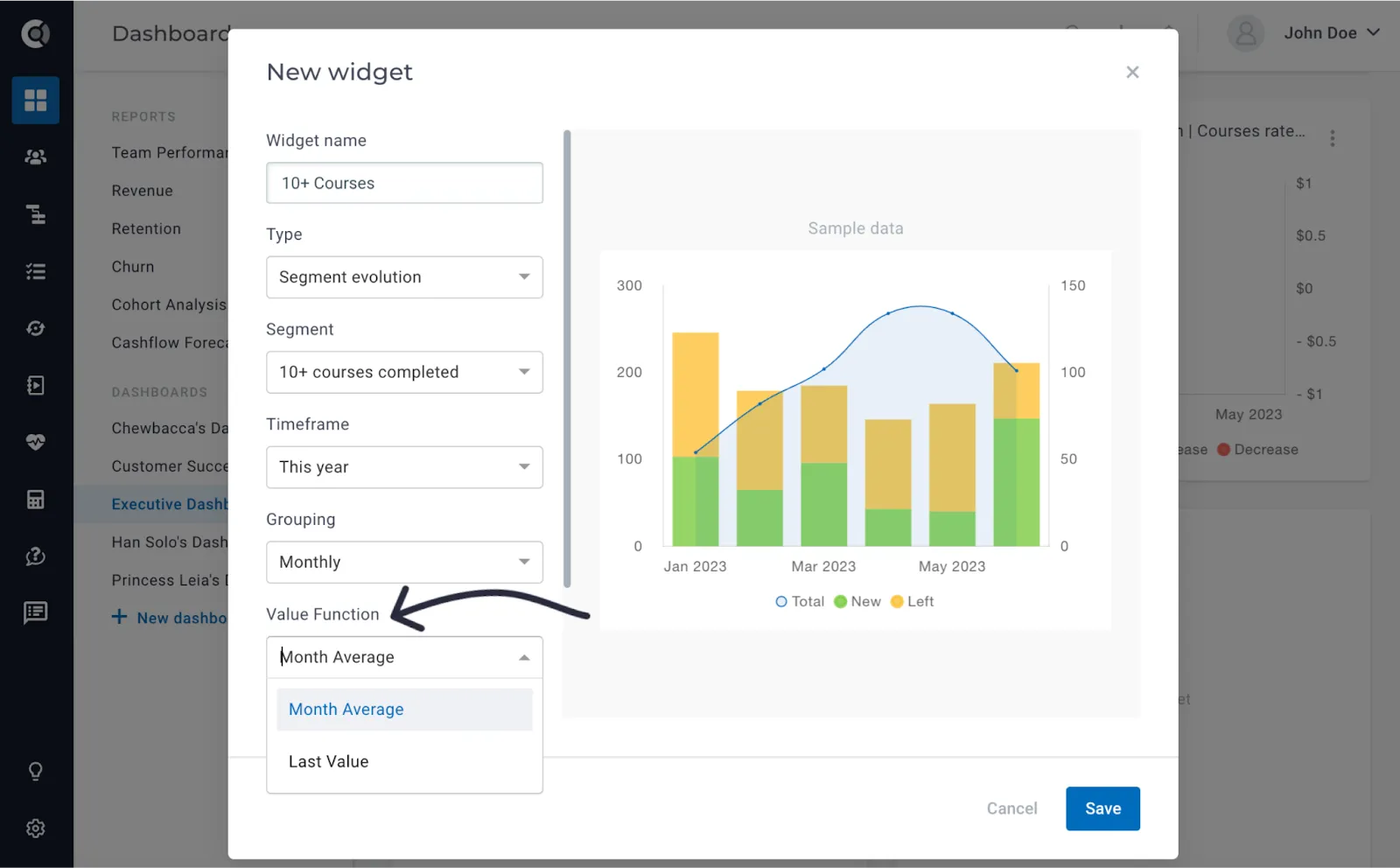
Enhancement for evolution widgets, monthly grouping: For some of the widgets that display evolution (segment evolution, lifecycle evolution, playbook evolution), we added a new value aggregation option for the monthly grouping. By default, the widget was returning the average value for each month. You can opt now to display the last value of the month instead of calculating the average value. For example, for the Total Paying Customers segment, you may want to see how many customers were in that segment at the end of a month, not the average value for that month.
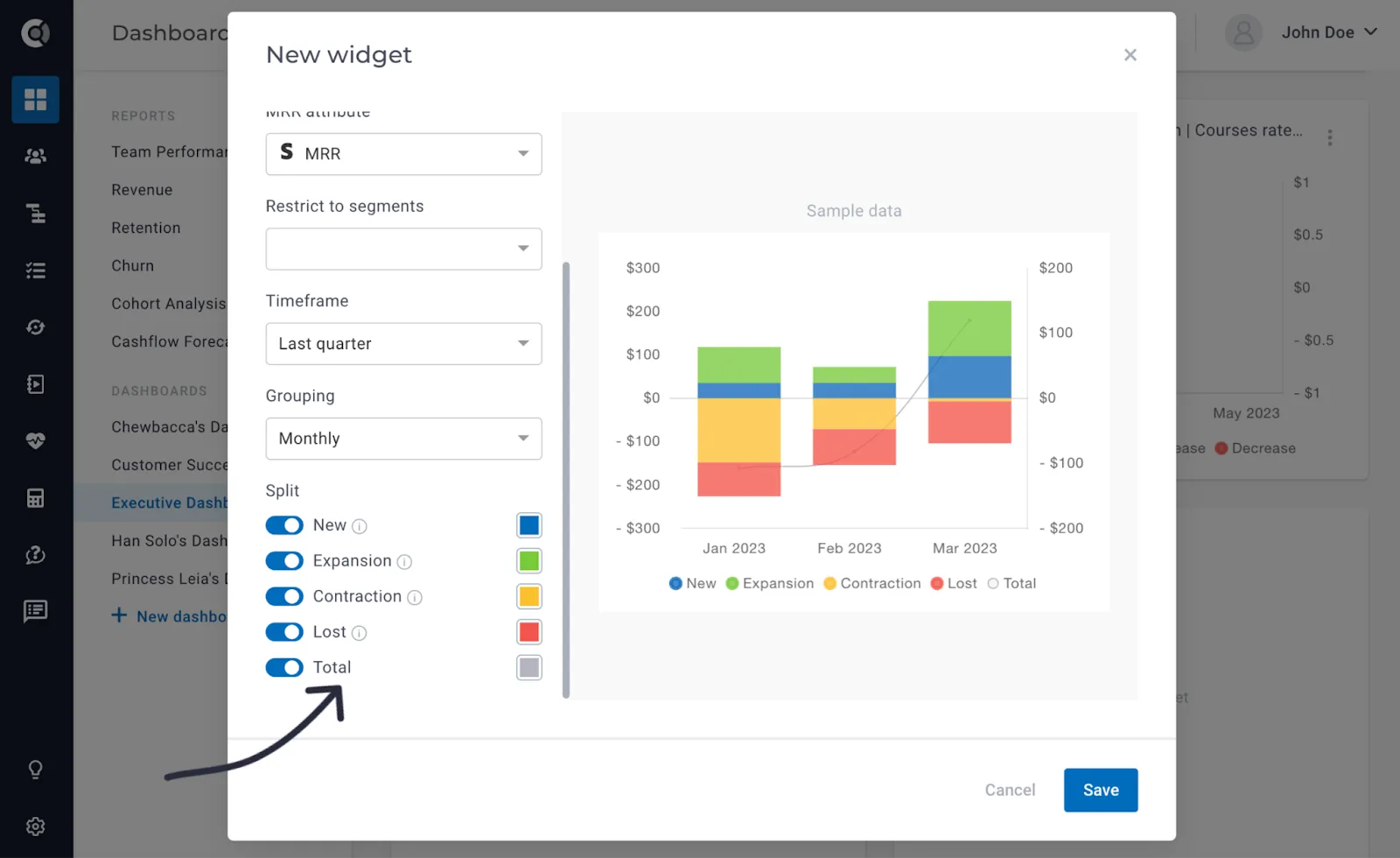
Total revenue value added to the NRR widget: For the NRR widget, besides the new MRR, the expansions, the contractions, and the lost MRR for each month, you will now be able to observe the evolution of the total MRR.
Export functionality for default reports: The data behind the standard financial reports that display tables can now be exported to Excel files. This applies to all standard reports, except the Cohort Analysis report.
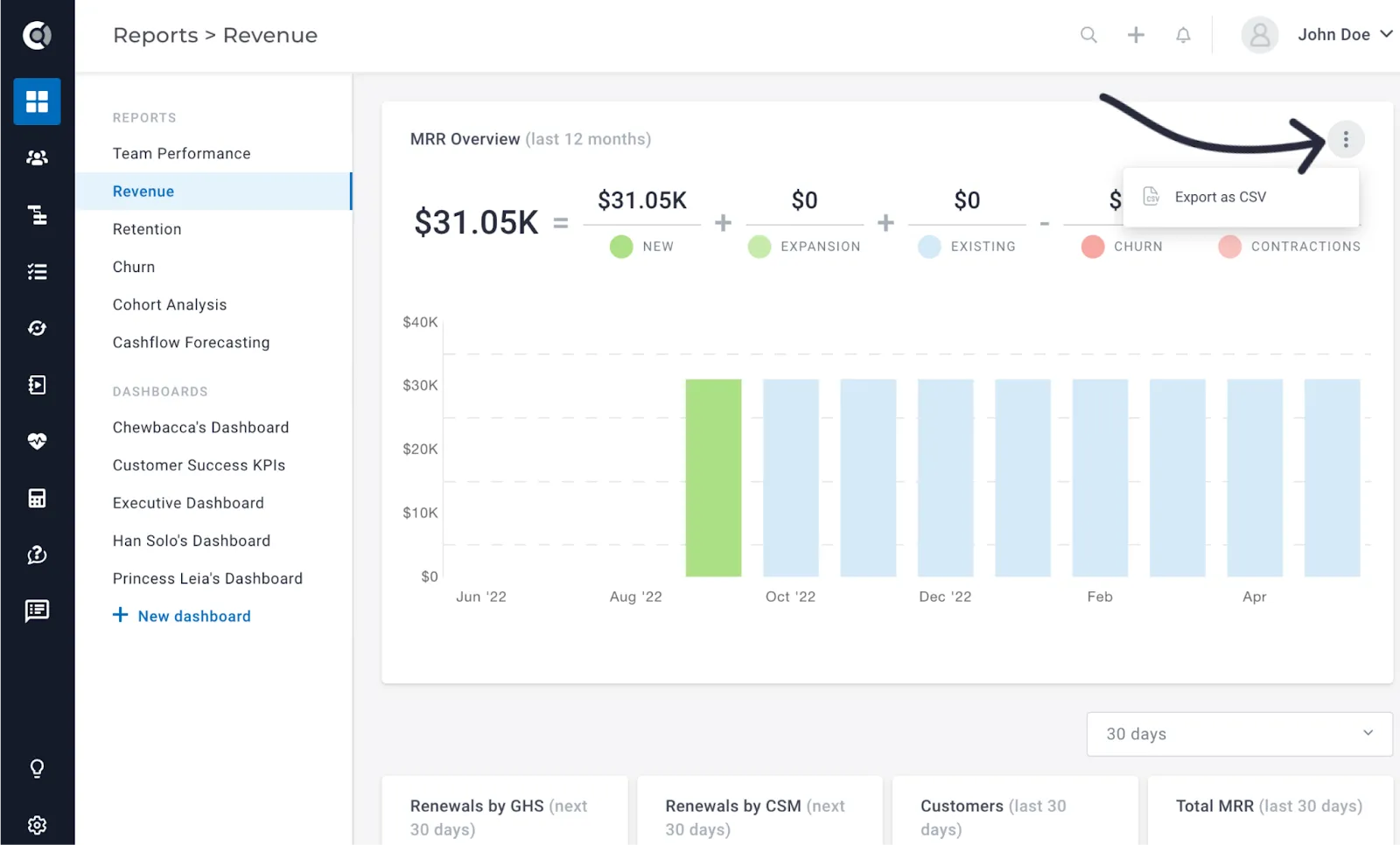
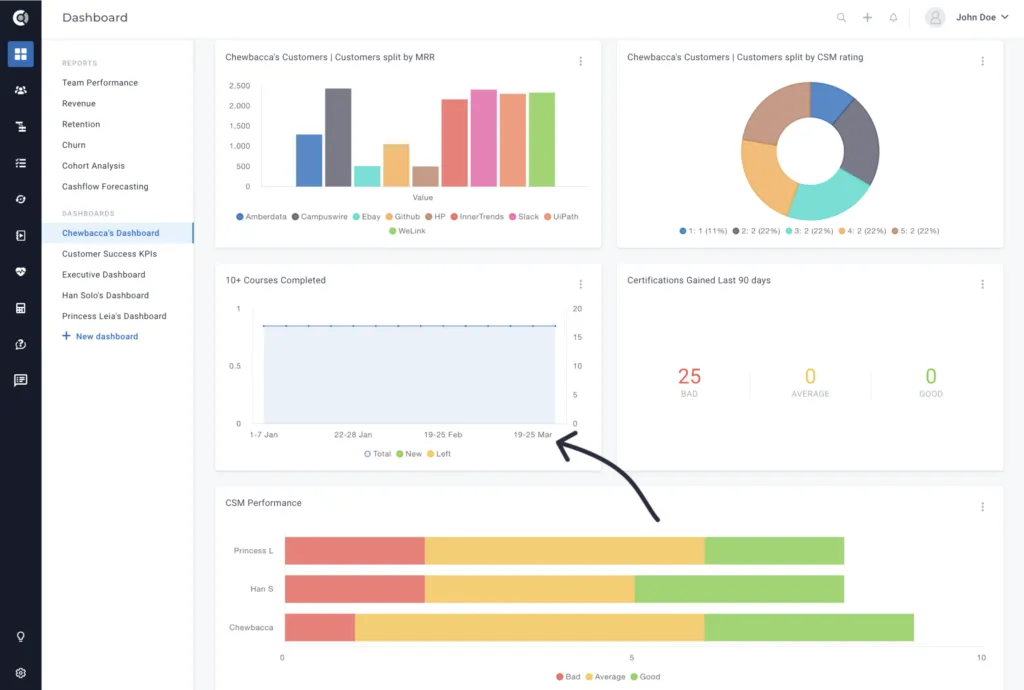
Improved UI for widgets with weekly grouping: For the widgets that are displaying weekly values, we improved the UI to contain the exact dates (not only the number of the week within that year).
Settings
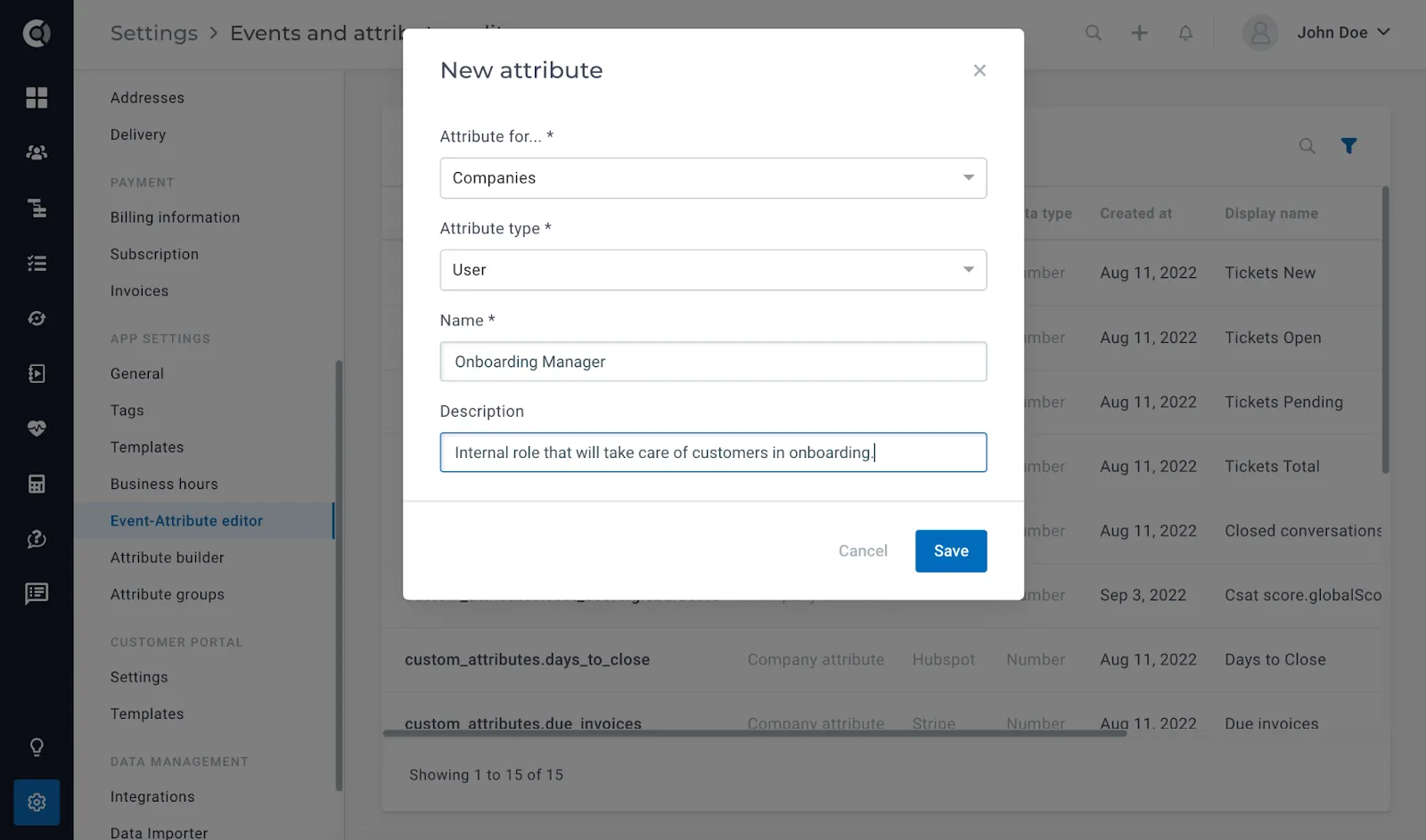
New attribute type – internal user: You can now define a new internal user role, similar to the CSM and the Account Manager role.
To achieve that, you will go to Settings – Event-Attribute Editor – New company attribute – Attribute type: User.
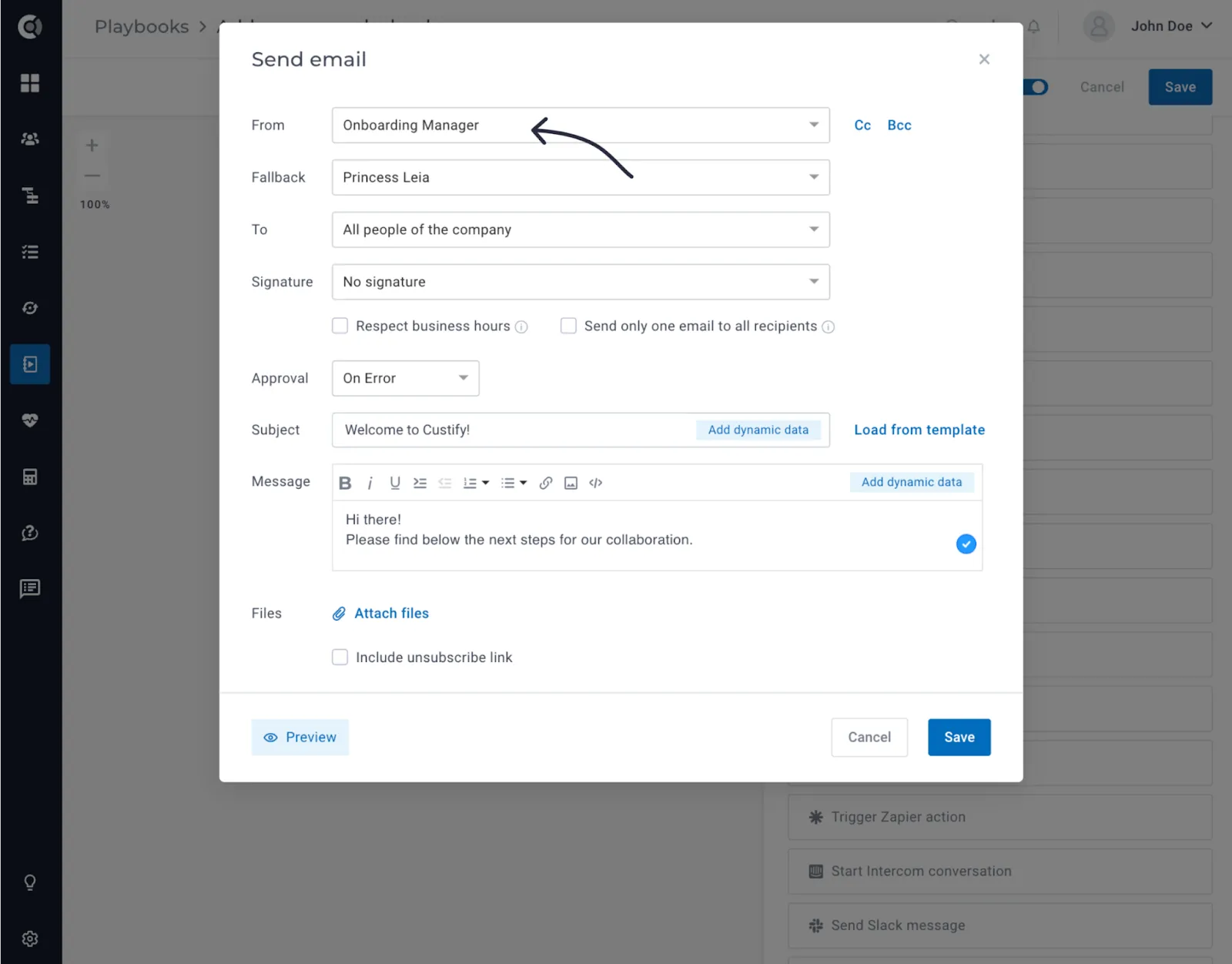
This new role behaves similarly to the other two standard roles (CSM and Account Manager): You can assign customers, automate tasks that are dynamically created for them, or send emails where the sender field is dynamically filled in.
Limit attribute grouping views to specific user roles: Depending on the role they have, users should be able to see different default attribute views when navigating to the Customer 360 Profile. After creating the attribute groups (Settings – Attribute groups), you can go to Settings – Roles & Permissions – Edit Role – Select the default view for People and Company Profiles.
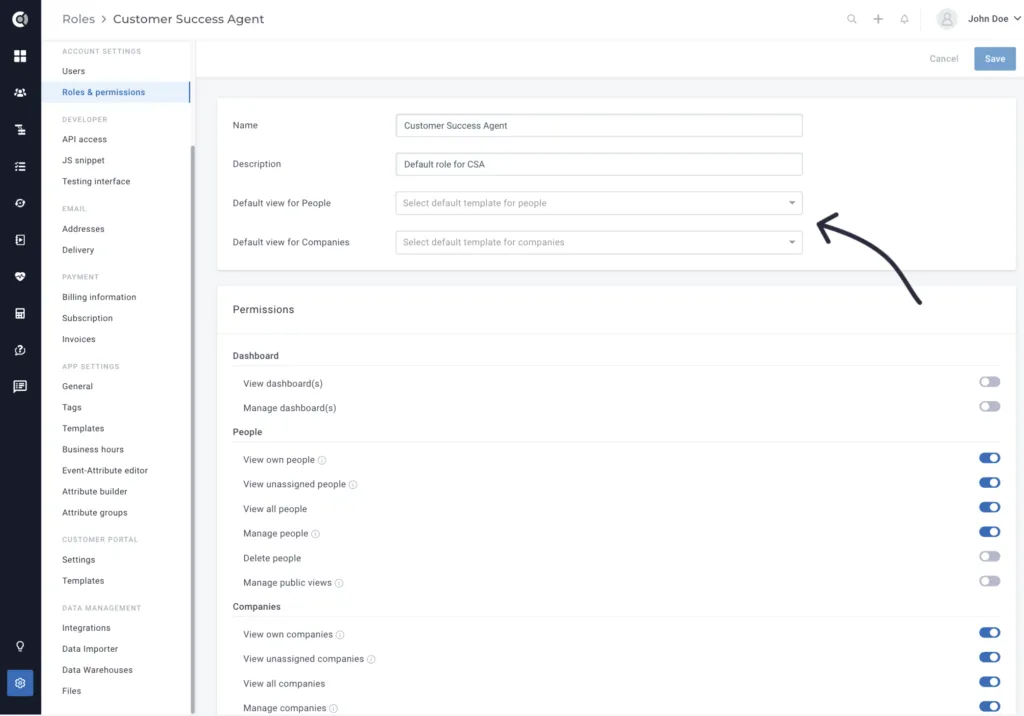
Observation! This does not limit the user’s access to the full list of attributes, it only creates a default view for those roles, so they see those attributes’ groups by default when they navigate to their customers. If an existing user already selected a view in the Customer 360 Profile, the changes that you apply to the default view per role might not be reflected on their accounts (as they already have a default view that they manually selected).
CSV imports – Automatically recognize and map fields: When you import data into Custify using the Data Importer tool, you may have fields that have the same name as the existing fields in Custify. In such cases, when assigning the fields in the Map Attributes step, the system will automatically suggest the corresponding field in Custify if the name in the .csv file matches an existing attribute name in Custify (so you don’t have to search the list of attributes anymore).
Integrations
Mixpanel integration: You can now automatically import events from Mixpanel by simply connecting Mixpanel to Custify.
Steps to enable it:
- Go to
- Select the
- Fill-in the Mixpanel information (Service Account User, Service Account Secret and Mixpanel Project ID).
- Select the
- Select which data should be imported from Mixpanel. You can choose to only import events and map them on the existing users, or you can choose to also create people (if an event occurred for a person who doesn’t exist in Custify). The option to create people is turned off by default.
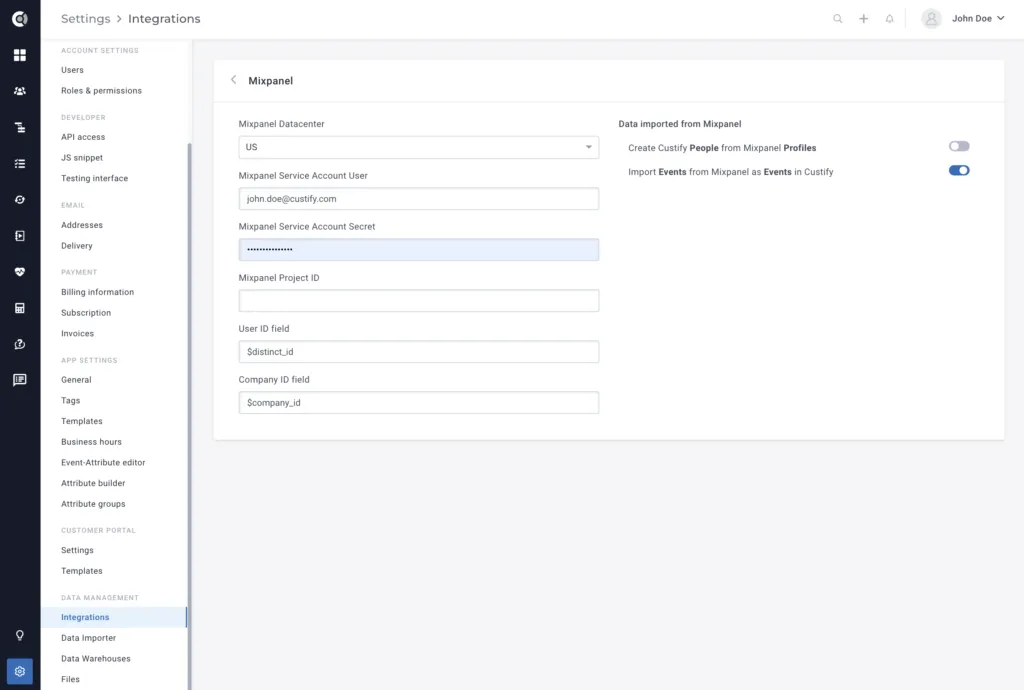
Observation! Once the integration is correctly set, the events will start flowing in. The integration will import all the events from the past 10 days (and then all moving forward) that can be matched to an existing person. If there is an event that cannot be matched to an existing User ID (so the person doesn’t exist in Custify) and the creation of people is not enabled, the event will not be imported. The Company ID field is a user profile field that is used to link people to companies when enabling the create people option.
Data warehouse integrations: Import companies, people, and events from a data warehouse by using our new built-in data warehouse integration.
The available integrations are:
- Snowflake
- Bigquery
- Redshift
- MongoDB
- Azure Synapse
- Postgres
- MySQL
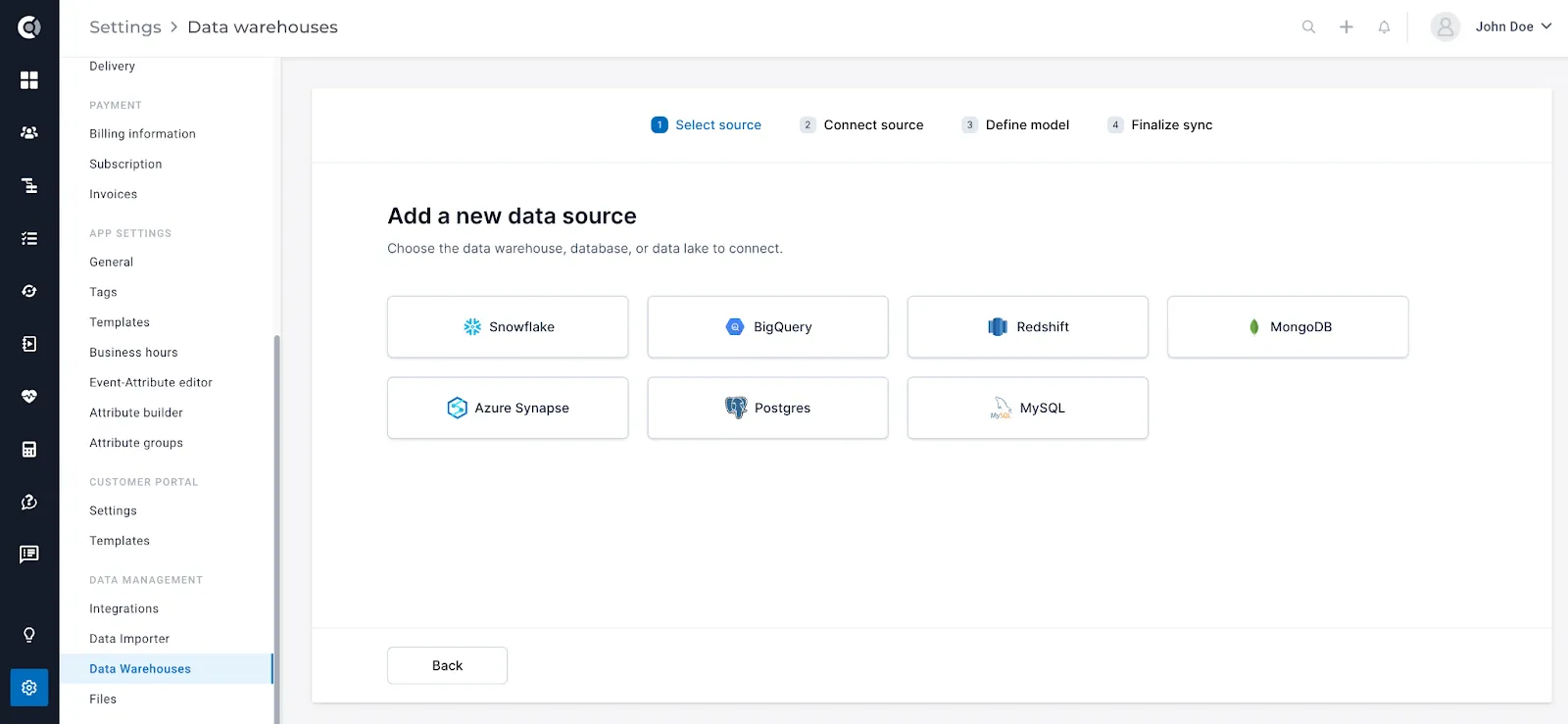
Steps to enable the syncs:
- Talk to your CSM and have the data-warehouse integrations enabled for your account.
- Once the integration is enabled, you will be able to select the sources you want to connect to.
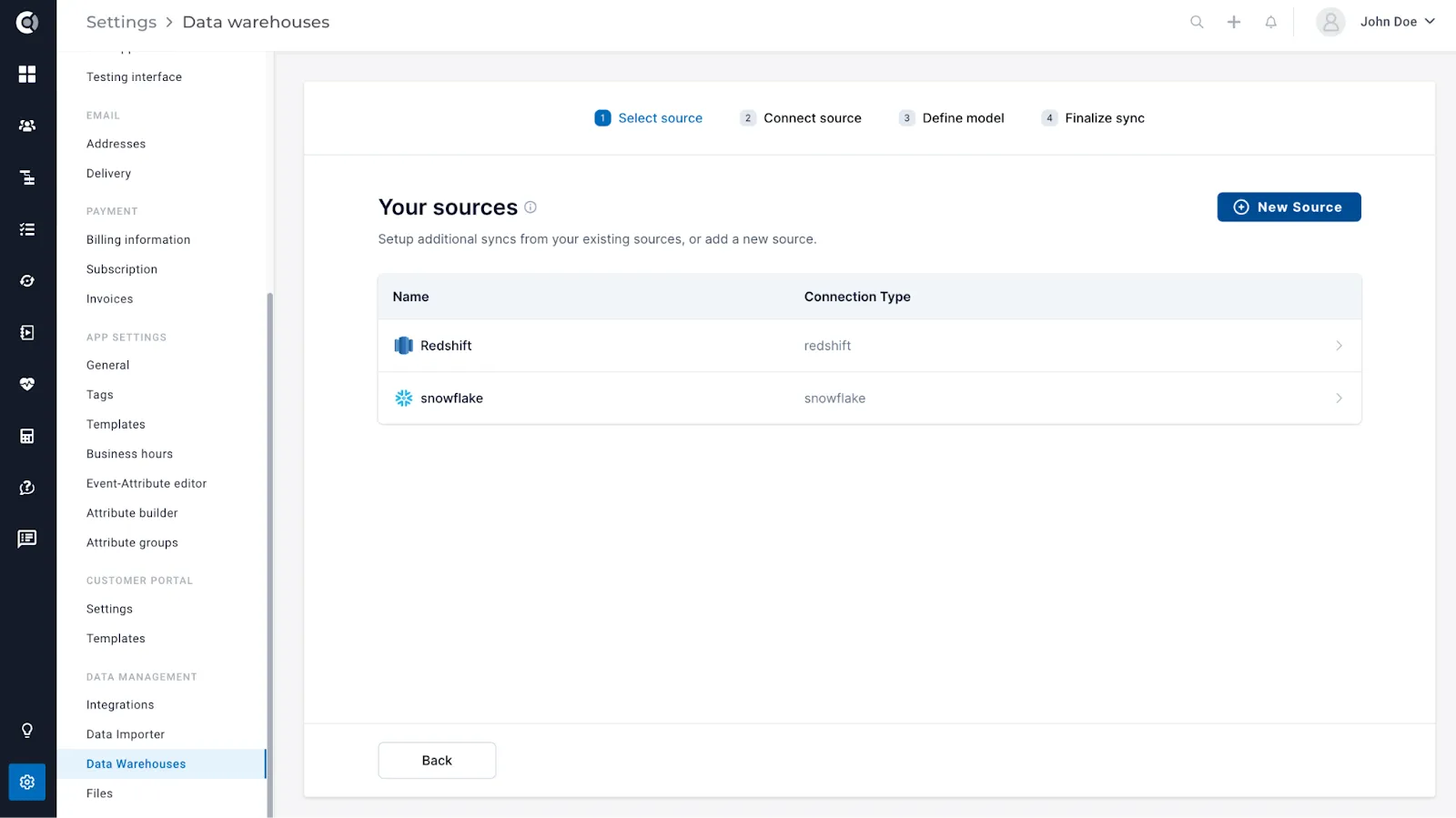
3. Connect the source (fill in the data-warehouse details).
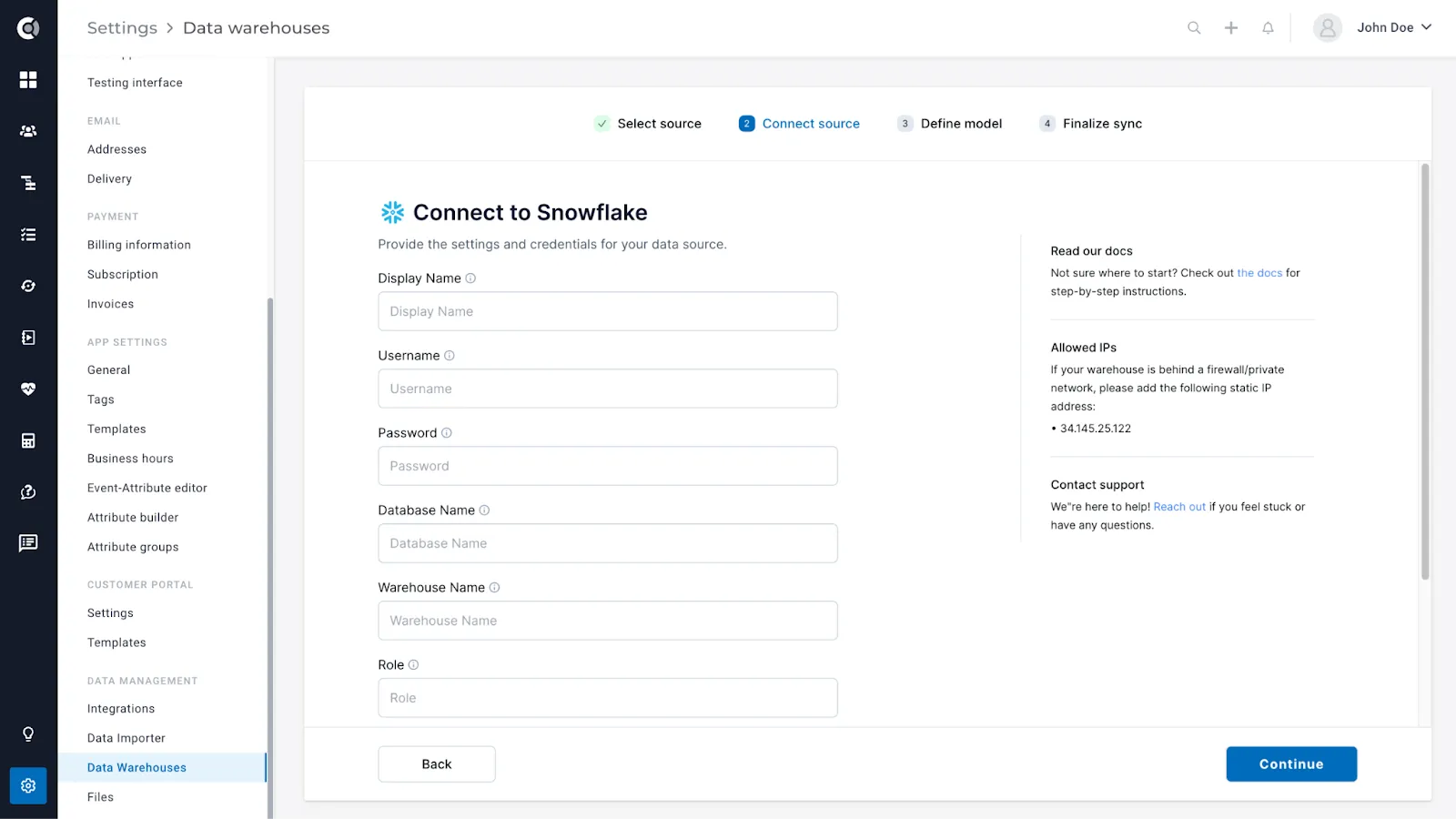
4. Define the data model to sync (events, people or companies) and define the table to sync from (from your data warehouse).
5. Finalize the sync. At this step, depending on the data that you want to import, you will have to map the corresponding fields from the data warehouse to Custify (e.g. for an event, select which Snowflake field should populate the Custify
6. Run the sync. You will see the details of each sync in a sync status table.
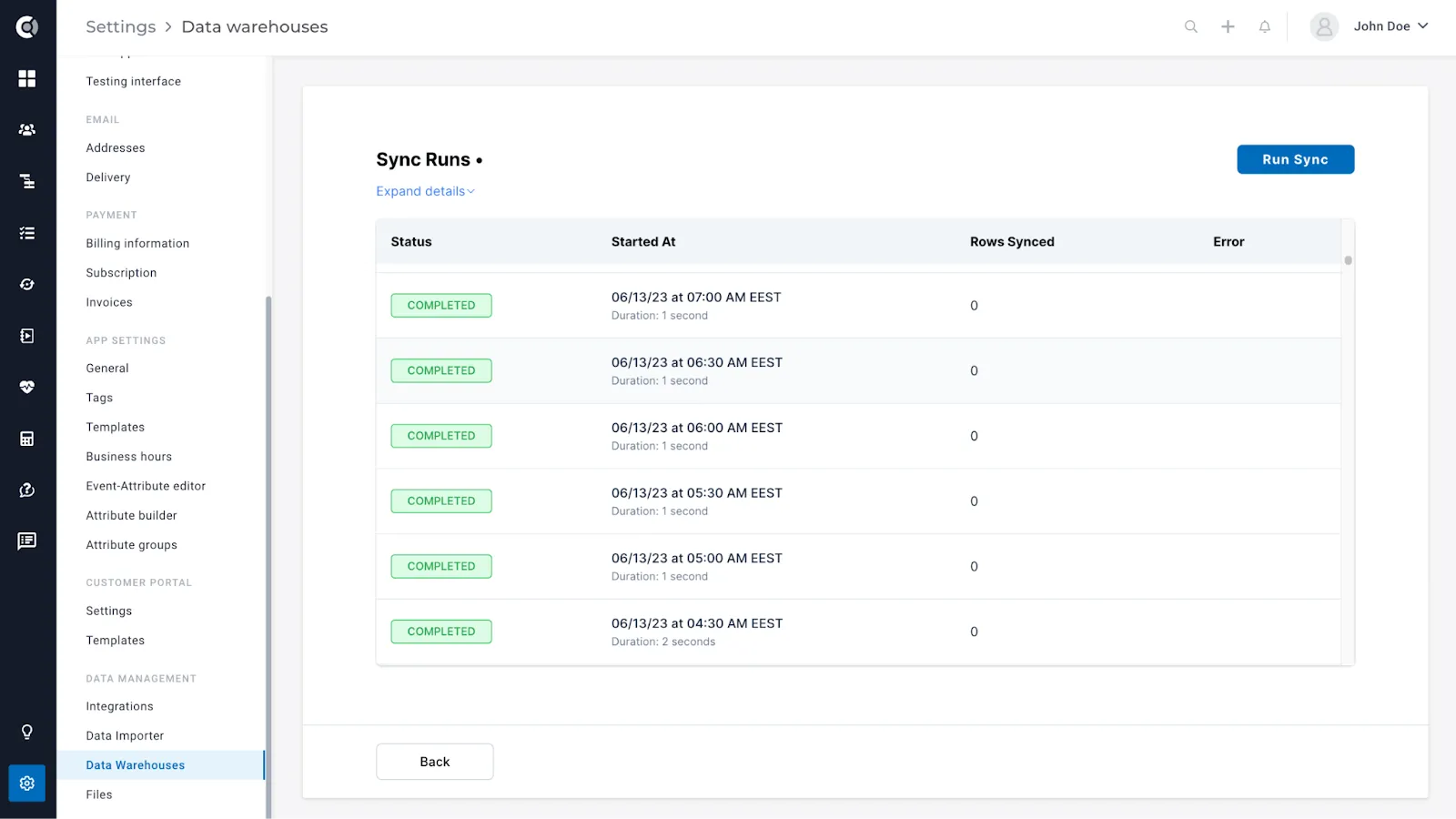
Check this link for more information about the existing data warehouse integrations and more details on what can be imported.
Observation! Accessing the data warehouse integration is a subscription add-on that is by default disabled for each account. For more details about it, contact your assigned CSM.
General
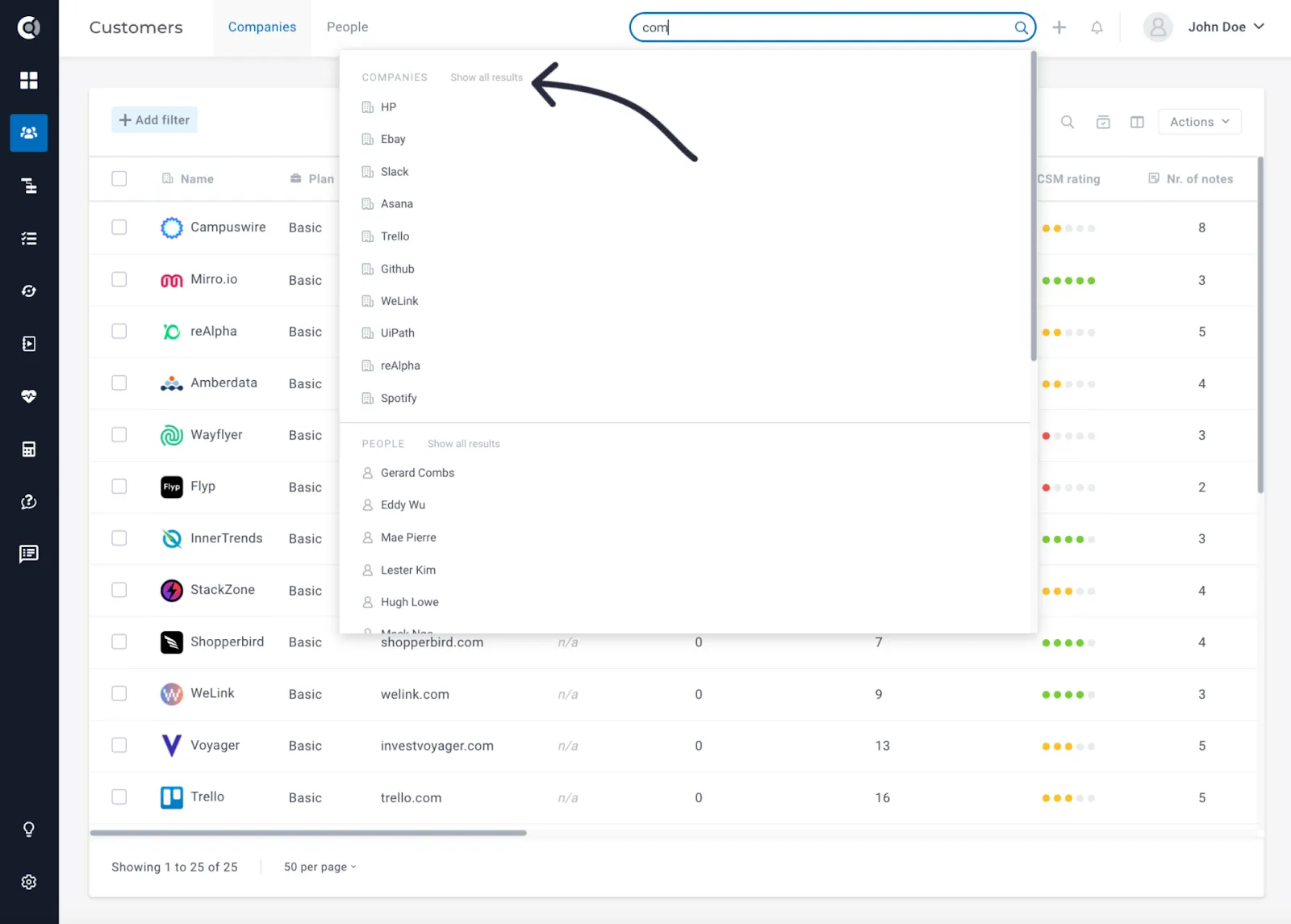
Enhanced behavior for the general search: To enhance the general search experience, we have introduced the option to Show all results for a more efficient and comprehensive search. This improvement allows users to access a broader range of search results, ensuring they find the information they need effectively.
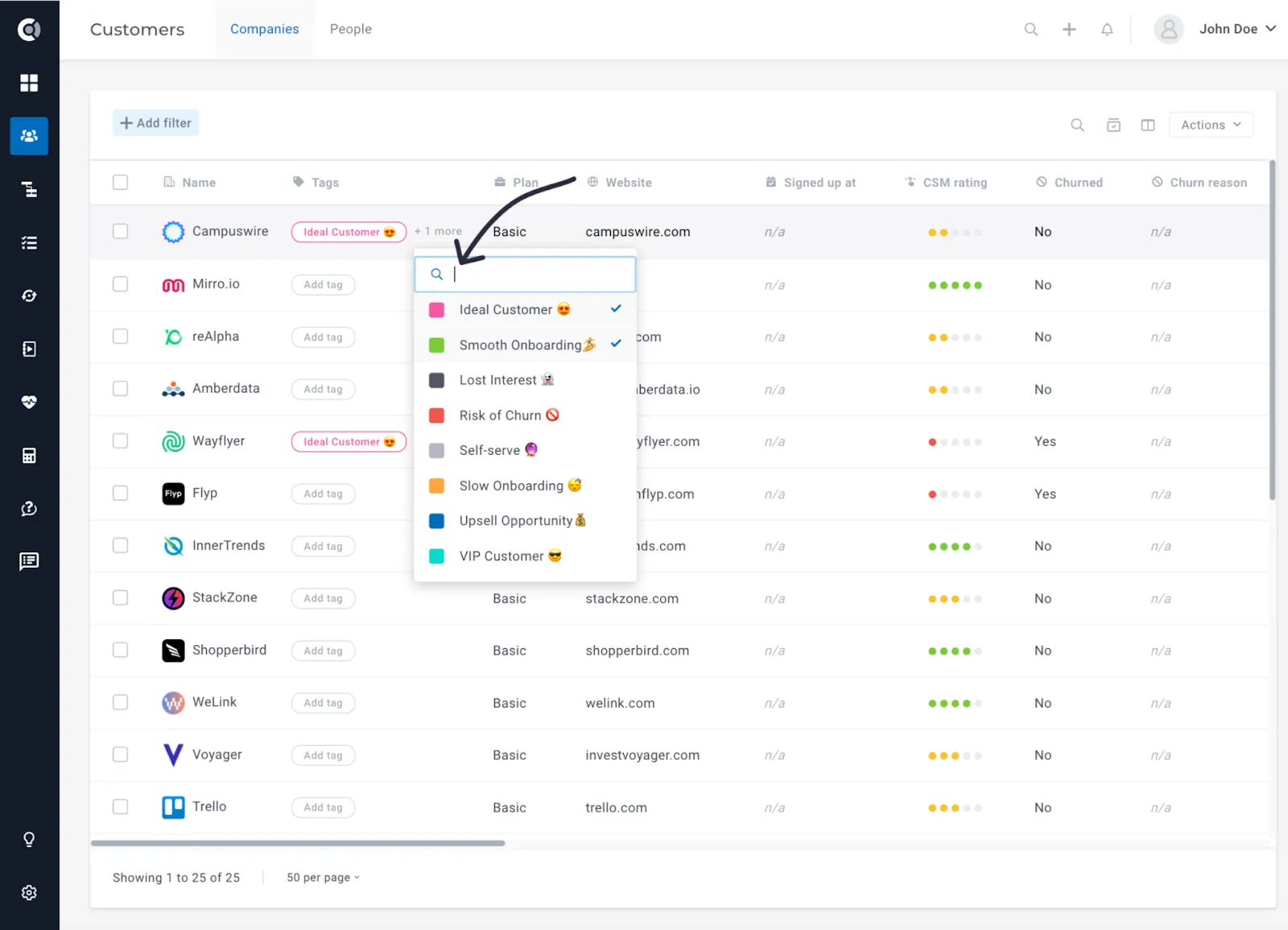
Search through tags: When tagging companies, people, or any entity in Custify, you can now search through the list of tags available.