Product Updates | April 27th, 2023
Insights
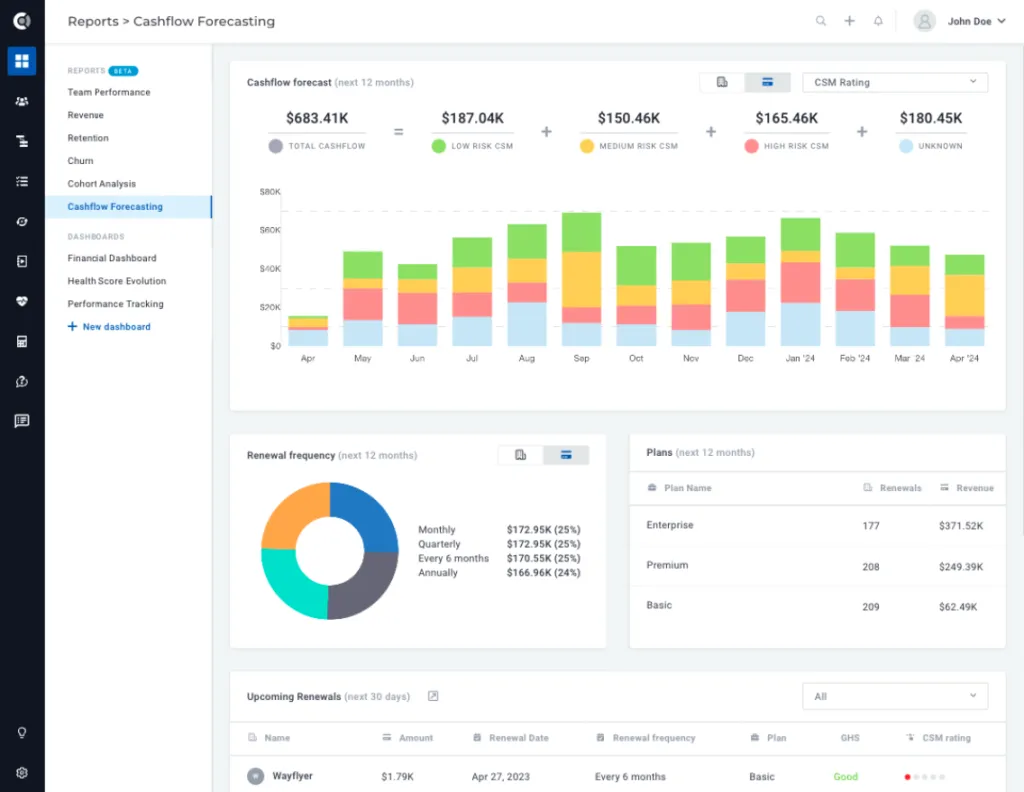
Cashflow Forecasting: New standard report that provides you with detailed insights into your cashflow projections. With this report, you’ll clearly understand your financial outlook and can make informed decisions to manage your cashflow effectively. For more information about how the report is calculated, check out our detailed documentation.
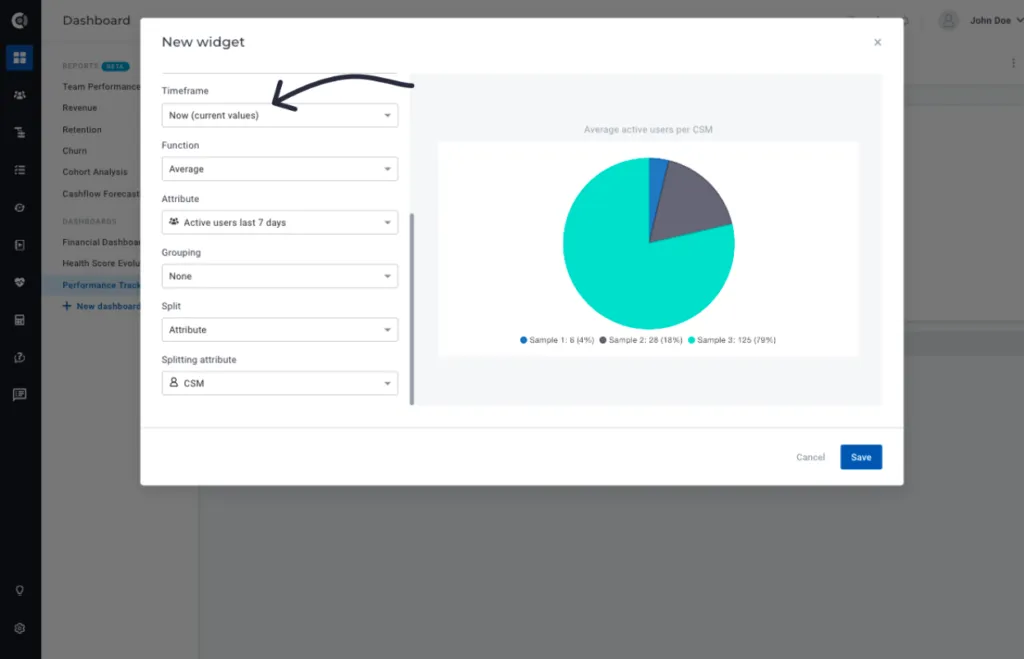
Clickable Dashboards: Actionable dashboards for timeframe Now. With this new feature, you can now click on any widget on your dashboard that’s using the Timeframe Now setting and be automatically redirected to the filtered data behind that dashboard.
Communication
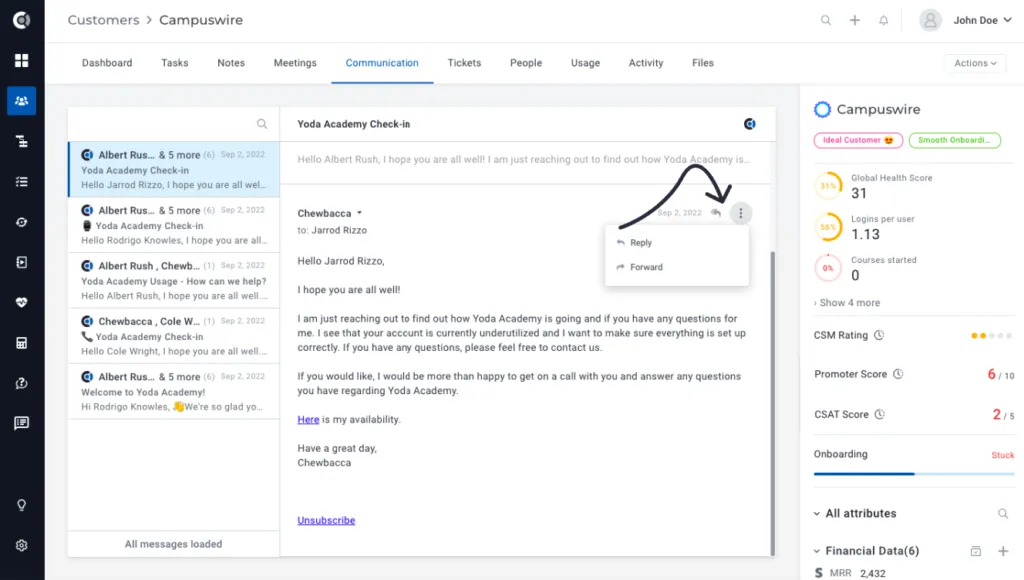
Reply to emails: You now can reply, reply to all, or forward emails directly from within the app. With this new feature, you can easily manage your email communications without ever having to leave the app. Simply navigate to the Communication area (either in the Customer 360° Profile or in Touchpoints) and click on the Reply button to respond to any message. The emailing functionality will be the same as for new emails, except for dynamic data usage – dynamic data is not available for replies.
Skip meeting invites in Gmail import: Moving forward, we will exclude meeting invites and replies to meeting invites from the imported communication list to ensure that you only see relevant touchpoints in your email list. If you need to access your meeting invites, you can find them separately under the Meeting tab. Please note that this feature is currently only available for Gmail imports.
Tasks
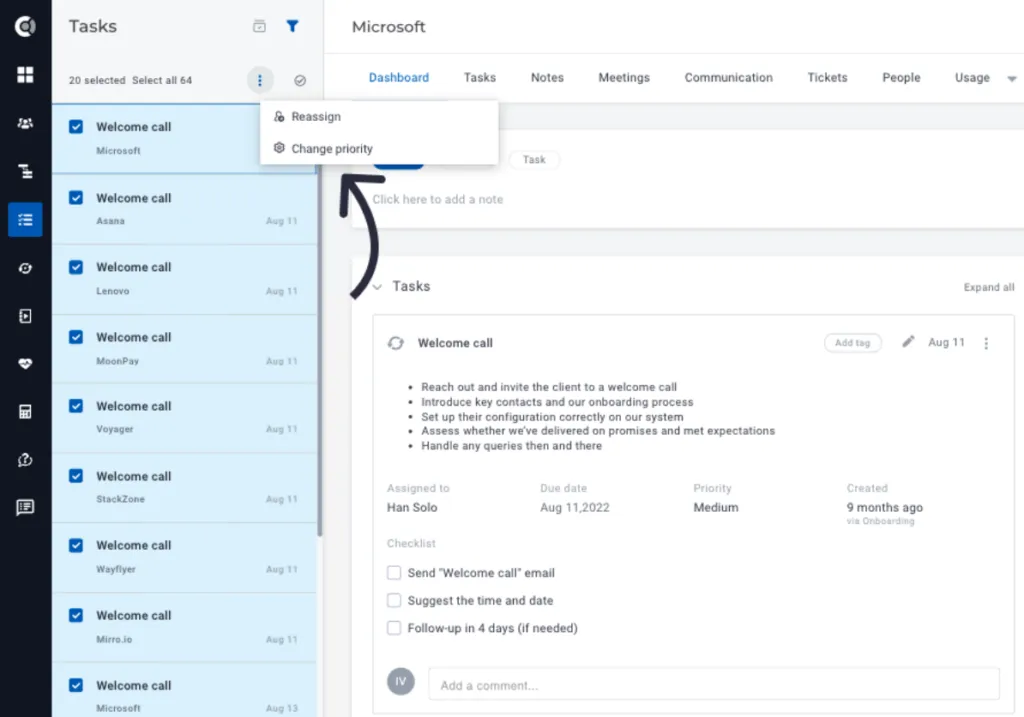
Mass tasks actions: You can now select all of your tasks with a single button click and apply multiple bulk actions such as marking all as done, marking all as no longer relevant, reassigning them to a different CSM, or changing their priority.
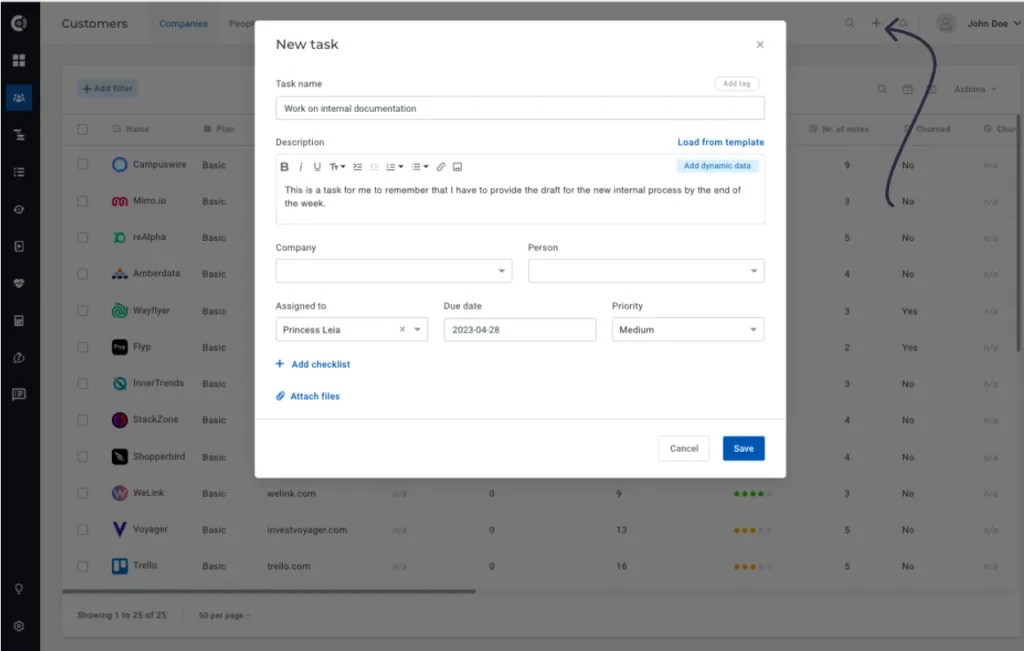
Generic tasks: You can now build generic tasks that are not tied to any company accounts. This means that you can keep all of your to-dos in one place, even if the task you have on your list isn’t related to a specific customer. This new functionality offers you greater flexibility in managing your tasks, allowing you to prioritize and track all of your to-dos in Custify. Create a new generic task by simply clicking on the “+” icon located at the top right of any page within the app. This means that no matter where you are in the app, you can quickly and easily add a new task to your list.
Playbooks
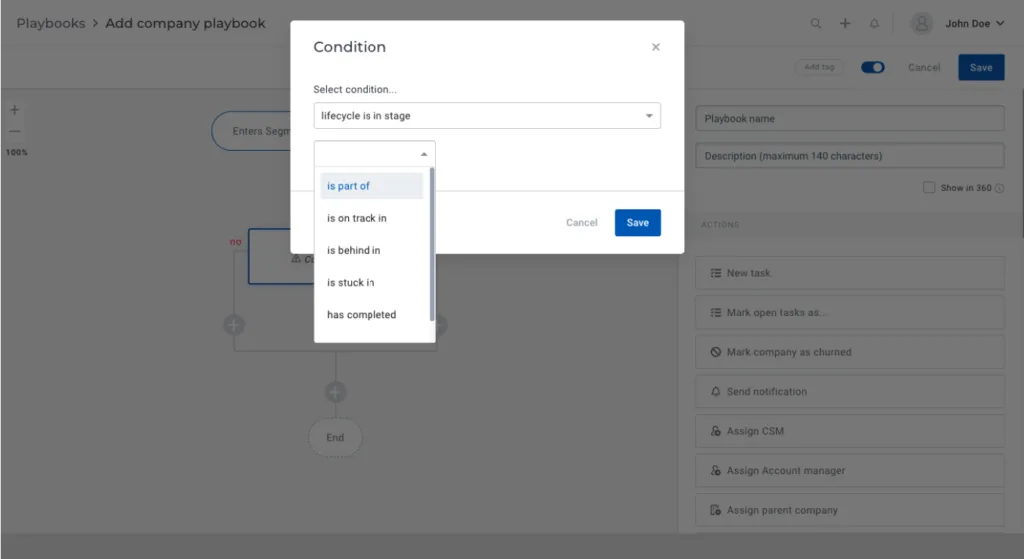
Lifecycle stage as condition step: You can now set playbook conditions based on the lifecycle stage of a customer. You can now create different branches for stuck customers versus those who are on track without having to create segments first, providing more targeted support and guidance.
Calculated metrics
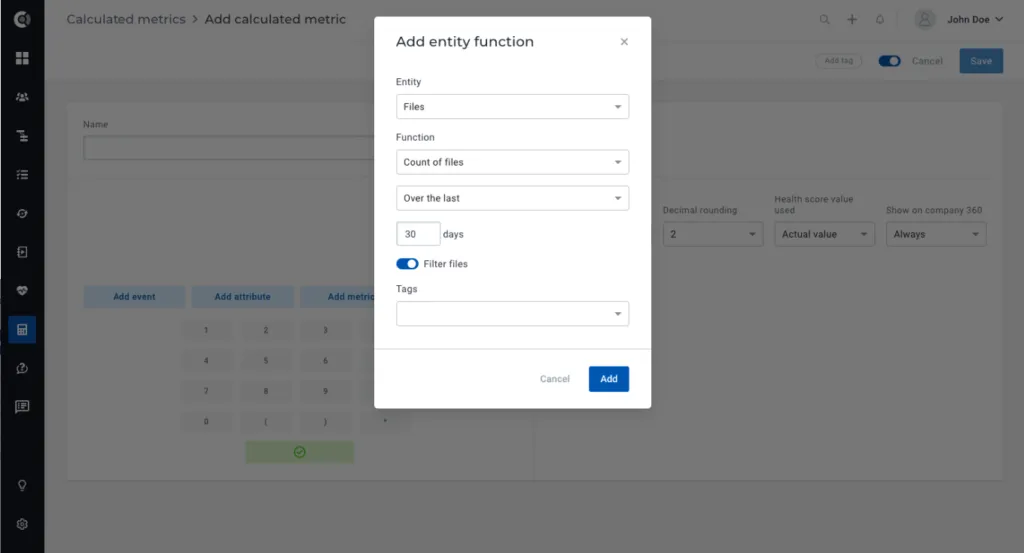
Count of files: You can now transform the number of files you add to a customer account into a metric. Using calculated metrics, you can easily count the number of files associated with each customer and gain valuable insights into your overall file management activities.
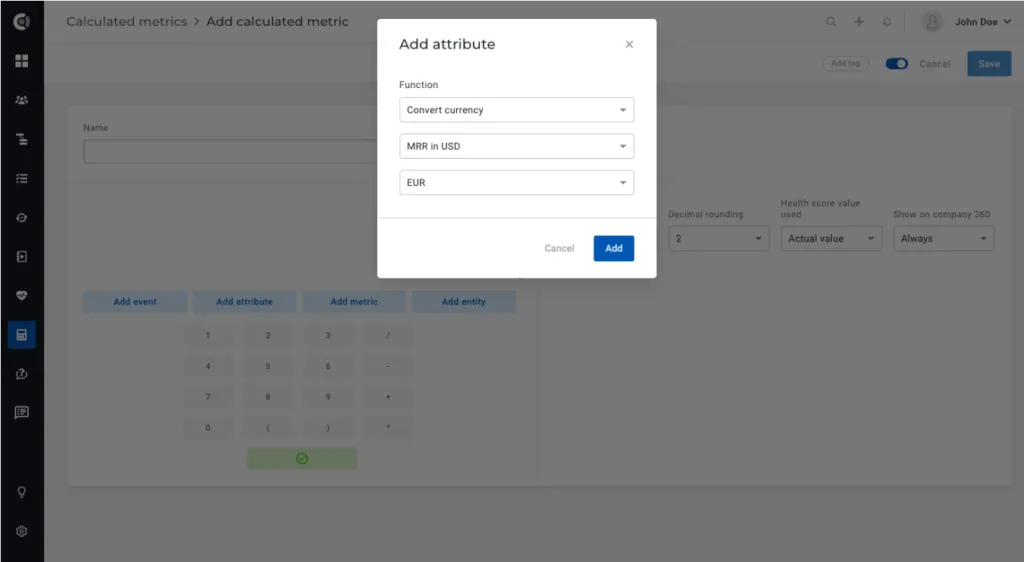
Currency conversion (for the new Currency fields): Use our new currency conversion function to quickly and easily convert currencies using currency fields in Custify. Simply select the currency field you want to convert and the exchange currency, and our tool will automatically return the exchanged value. Our exchange rates are taken from publicly announced official currencies and are updated daily. You can read more about currency fields in the Settings section below.
Integrations
Intercom events: With our latest update, you can now import events from Intercom directly into Custify, starting from “now” onwards. This is optional, so you can choose either to import them or not (from the integration menu). No full import is required, once the option is selected, the events will start being imported.
Revenue integrations: New attribute imported from the Financial Subscriptions (from Stripe, Chargebee and Recurly), Next billing amount. This new attribute allows you to gain valuable insights into upcoming billing amounts for your customers, helping you better manage your revenue and forecasting. As there may be multiple financial subscriptions for a single customer, the Next Billing Amount displayed will be the one that is due closest to the present.
Observation: A full sync of the revenue integration will be needed to start importing this new attribute to Custify.
Settings
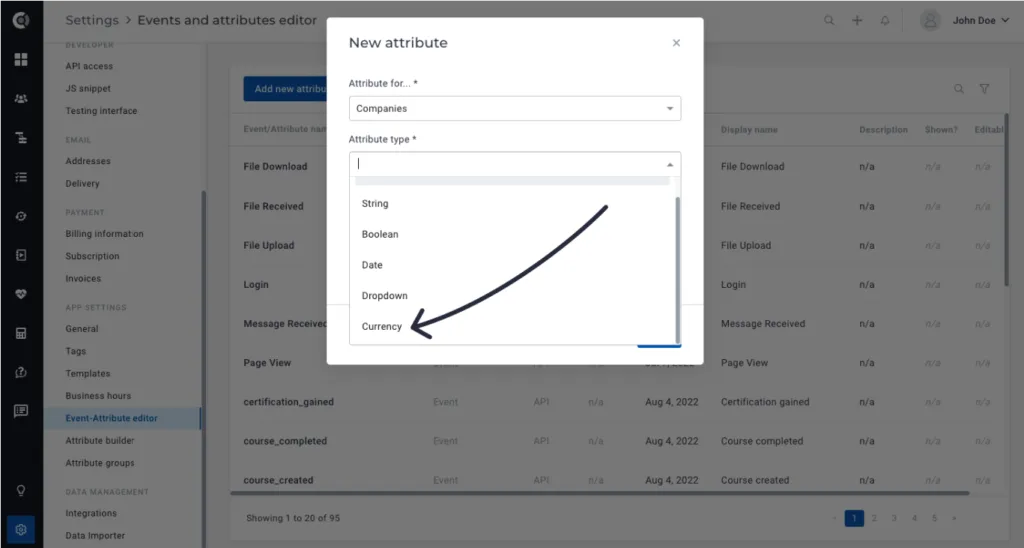
New field type – Currency field: Introducing a new field type that combines numerical fields with currency symbols. This feature allows you to easily view and analyze currency-related data on customer lists, profiles, and dashboards, and incorporate it into calculated metrics. You can use the numerical value of the field in formulas, or convert it into a specific currency using the “convert currency” function.
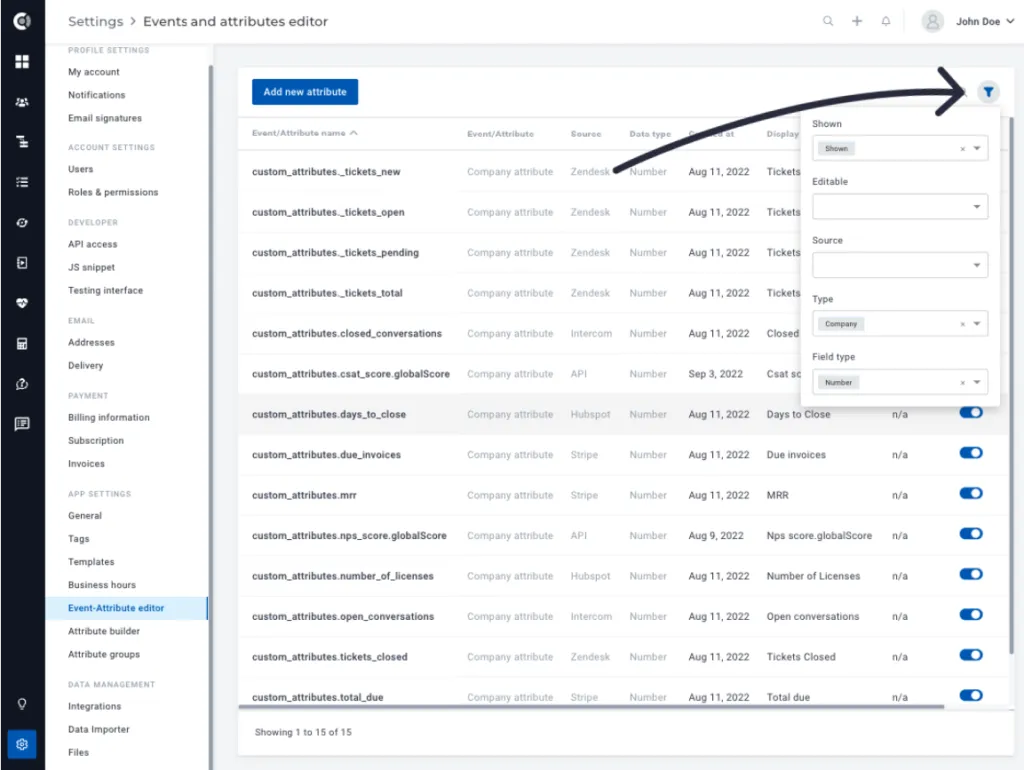
Event-Attribute Editor Filtering: New filtering options for the Event-Attribute Editor information. With these new options, you can easily find the data points you need by filtering based on different criteria, including shown/not shown, editable/not editable, source, data point type, and field type.
Attribute Groups enhancements: With our latest update, you can now select multiple attributes to add at a time, and you can also drag and drop attributes from one group to another.
General
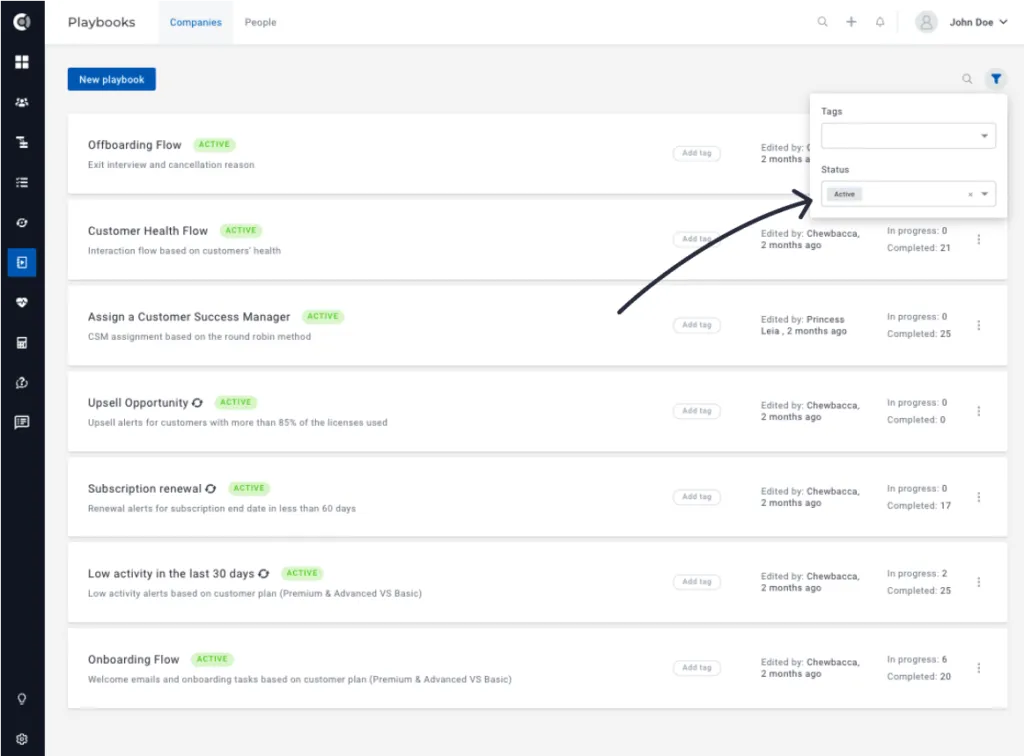
New filtering option: Filter Lifecycles, Playbooks and Health Scores by status (active/inactive).
Numerical fields formatting: For improved readability, numerical fields will be formatted with a comma separator for numbers exceeding three digits.
Multiple other bug fixes and UI/UX enhancements.