Product Updates | December 5th, 2023
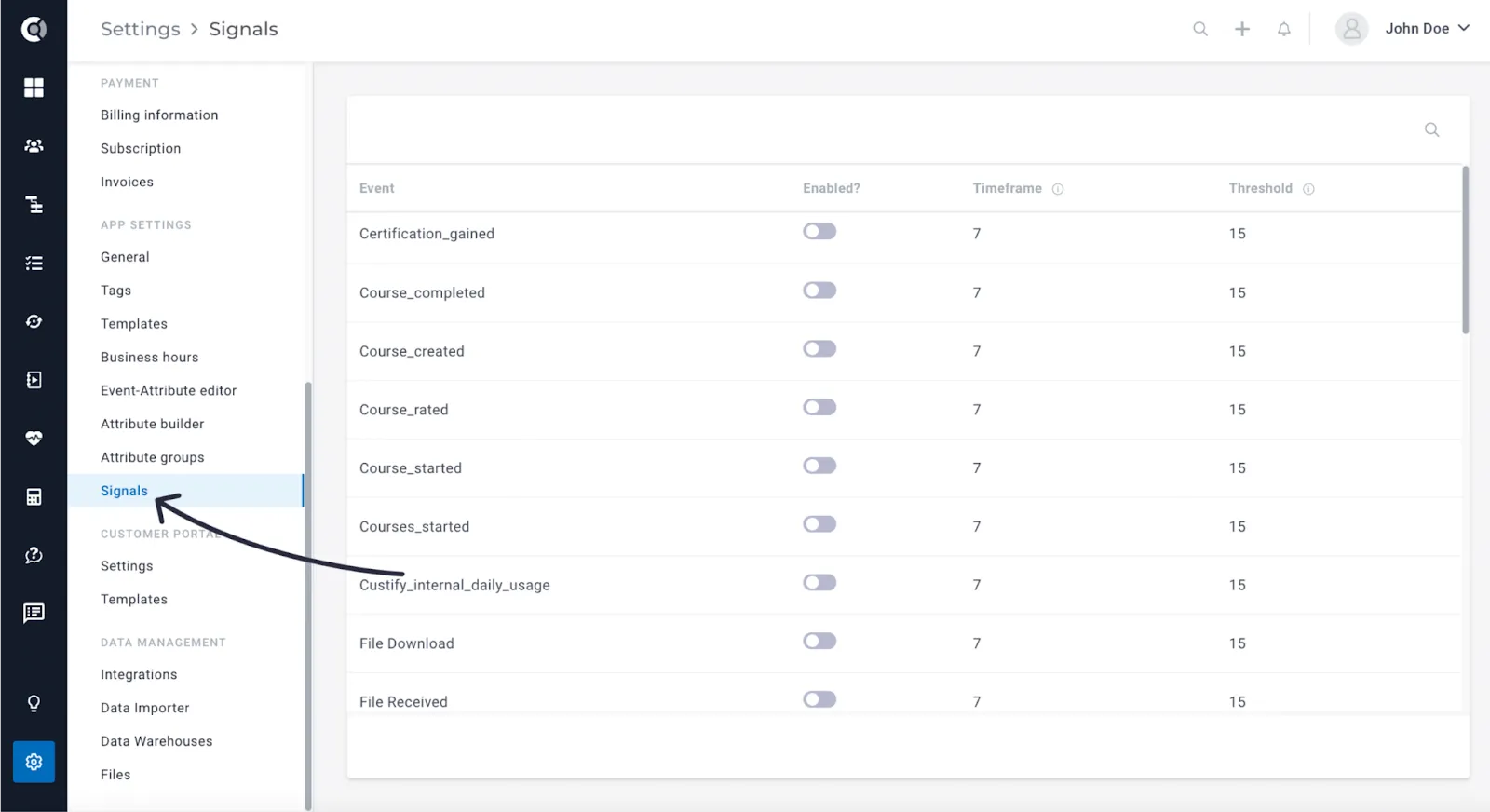
Signals
A new feature that empowers you to create notifications driven by product usage, enabling you to proactively monitor shifts in customer behaviour and gain insights into trends and behavioural patterns. Select the critical events that should trigger notifications and ensure that your CSMs stay informed of any changes without the need for manual checks on metrics or health scores. Read more about Signals here.
Customer Portal
Company-Level Events generated by Portal activities: Empower your customer engagement with company-level events triggered by specific actions in the portal. By sharing the customer portal with your customers, you gain access to valuable product usage insights effortlessly. Custify will generate company-level events with metadata that can be used in different other flows in order to track customer engagement. These events are custify_internal_portal_view (generated when customers access the portal), custify_internal_portal_task_completed (generated when customers complete a task; contains the task ID in the metadata), custify_internal_portal_task_reopened (generated when customers reopen a task; contains the task ID in the metadata), custify_internal_portal_comment (generated when customers leave a comment for a note or a task; contains the entity_type, note or task, and the entity ID in the metadata).
Notifications for CSMs on Customer Portal Activities: Enhance your CS workflow by enabling notifications when customers perform key actions in the portal. CSMs will be alerted when tasks are closed or comments are left, providing real-time awareness of customer interactions. This feature ensures proactive and responsive customer engagement.
Observation! By default, these notifications are activated for all accounts.
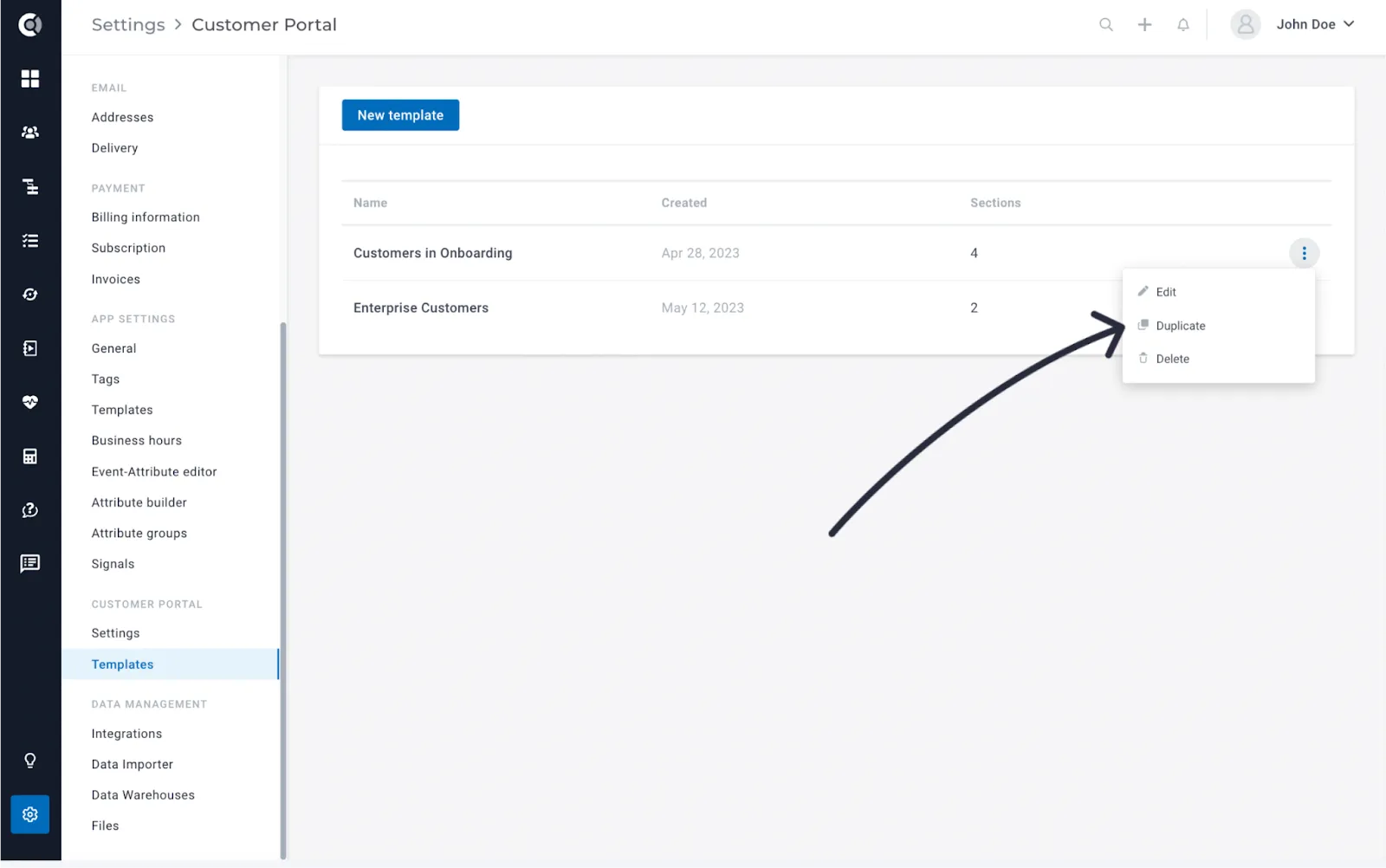
Duplicate Templates: Easily replicate templates to streamline your processes and save time. This functionality allows you to create copies of existing templates, ensuring consistency and efficiency in your customer engagement strategies.
Tasks
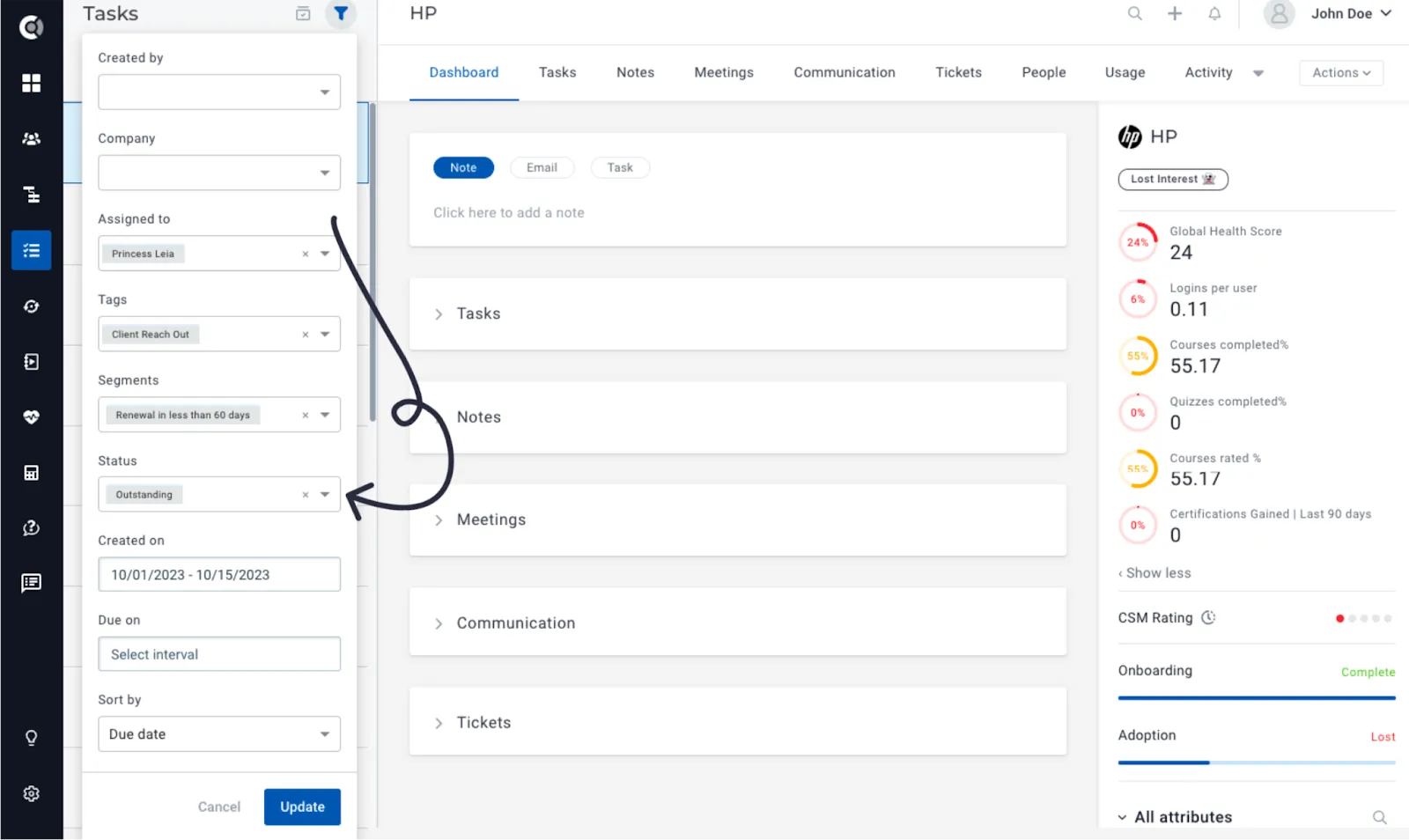
New task filters: Easily retrieve tasks by using the new filters. You can now filter by company segments (e.g. retrieve all overdue tasks for customers on the Enterprise plan), by the new Outstanding status (helps you return all the overdue tasks + tasks due today), by Created on or by Due on (date ranges).
Calculated metrics
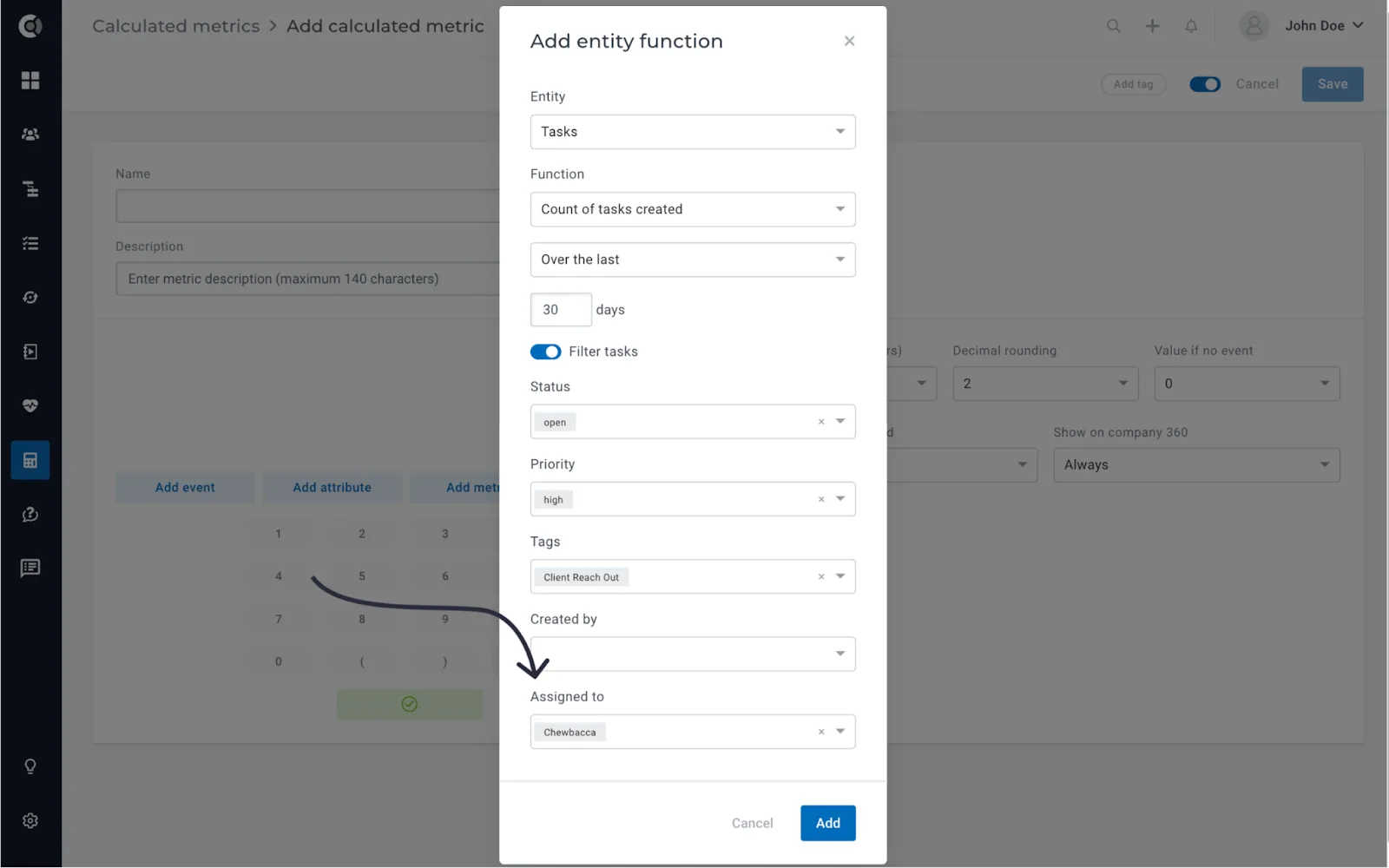
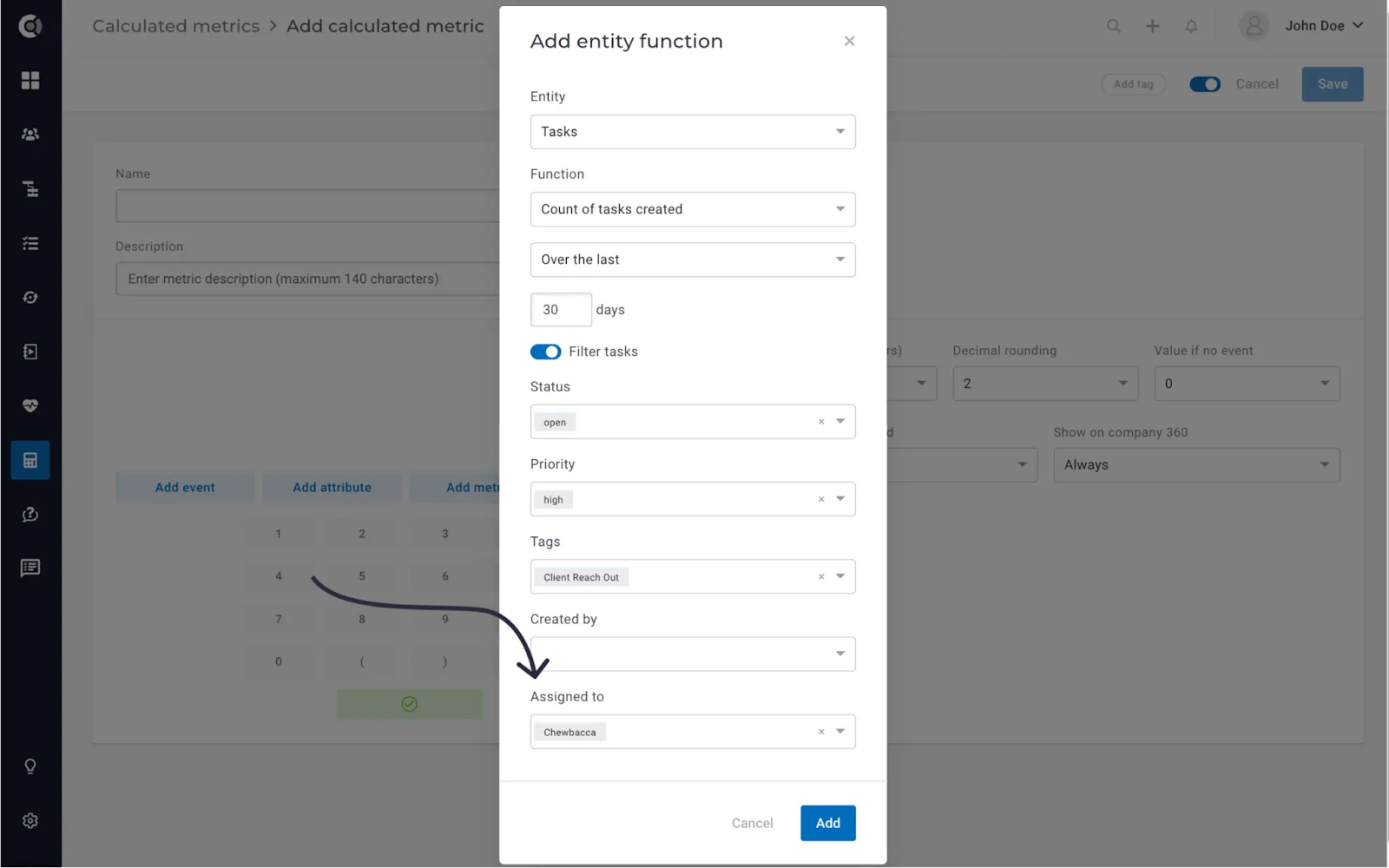
New ‘Assigned to’ filter for Tasks: When building metrics for the Tasks entity, you now have the capability to filter tasks based on their assignees. This feature enables you to, for instance, quantify the number of open tasks assigned to a CSM compared to those assigned directly to the customer.
New function for Tickets, ‘Days since last ticket received’: This feature allows you to monitor and analyse the time elapsed since the last ticket was received, providing valuable insights into customer communication patterns.
Advanced filtering for Custom Data: Filter by any field type and apply multiple filters simultaneously. This enhancement offers a more refined and tailored approach to managing and organizing your data.
Events – option to filter by boolean metadata fields: Enhance your event tracking capabilities with the new option to filter by boolean metadata fields. This feature empowers you to focus precisely on events based on specific conditions, providing a more granular and targeted analysis of your data.
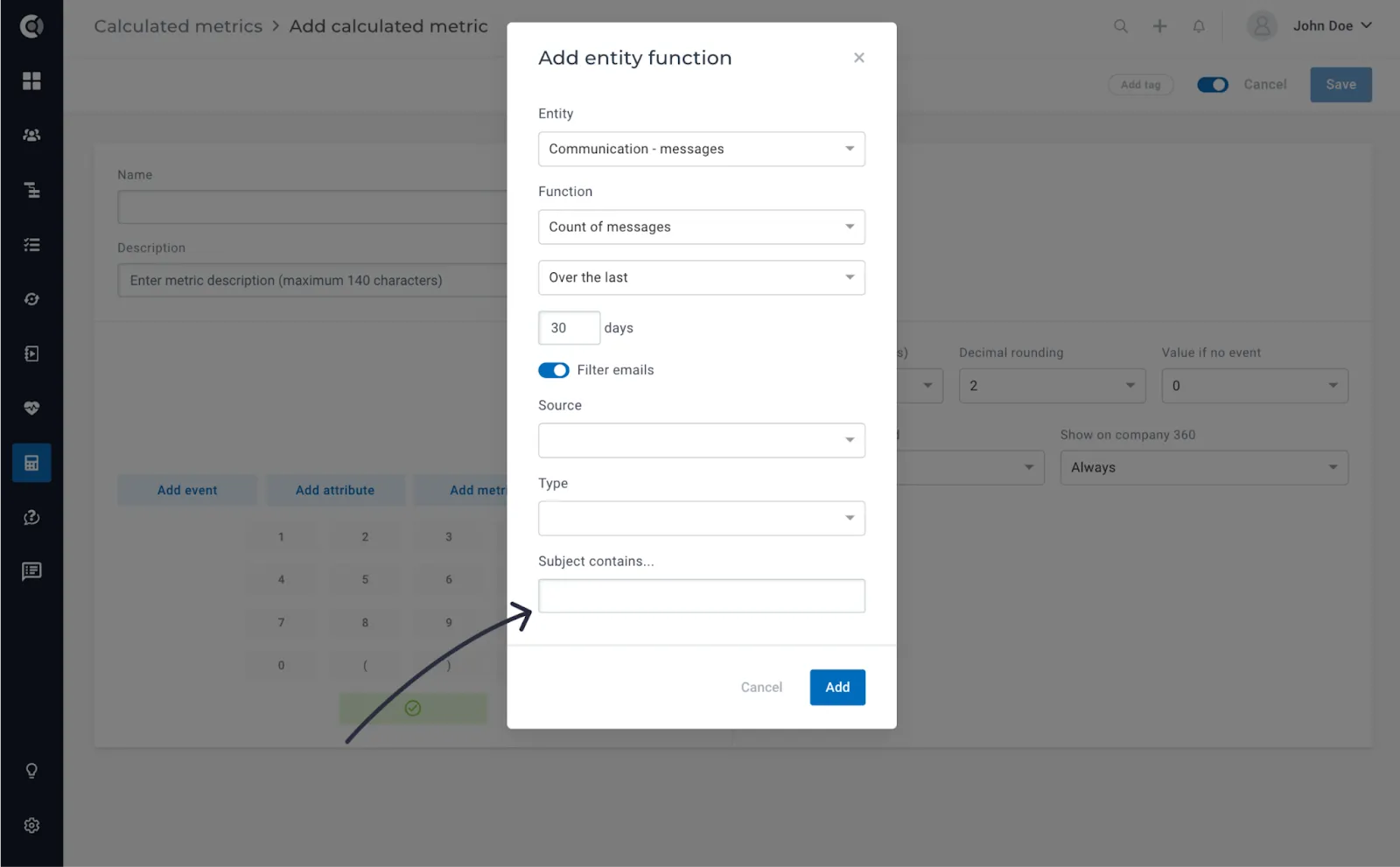
Communication – filter by ‘Subject Contains’: Optimize your communication management by filtering messages based on the subject line. With the ‘Subject Contains’ filter in the Communication module, you can quickly locate and organize messages, streamlining your workflow and improving efficiency.
Playbooks
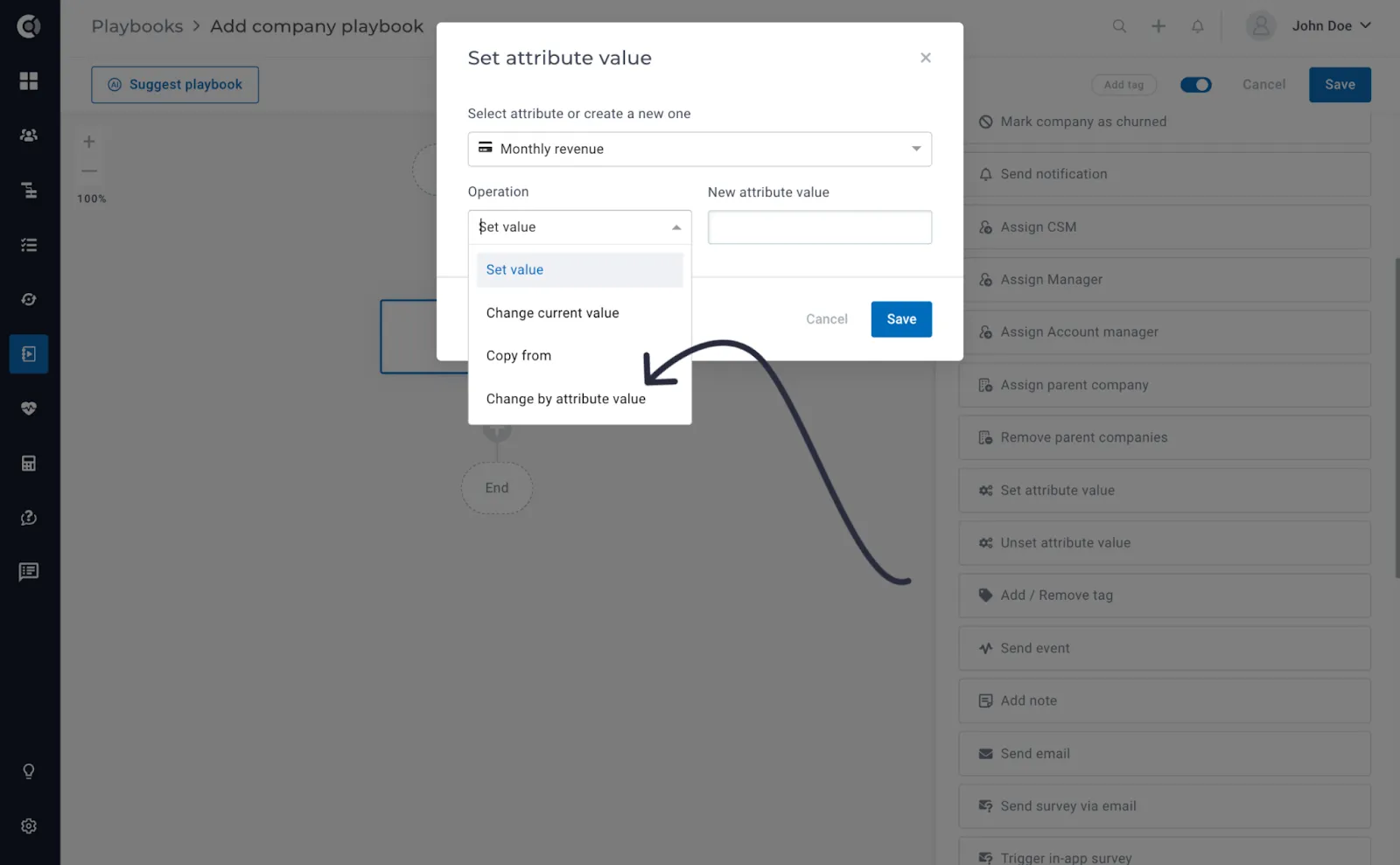
Set Attribute Value step – option to ‘Change by Attribute Value’: This feature allows you to dynamically update attribute values by adding the value of one attribute to another.
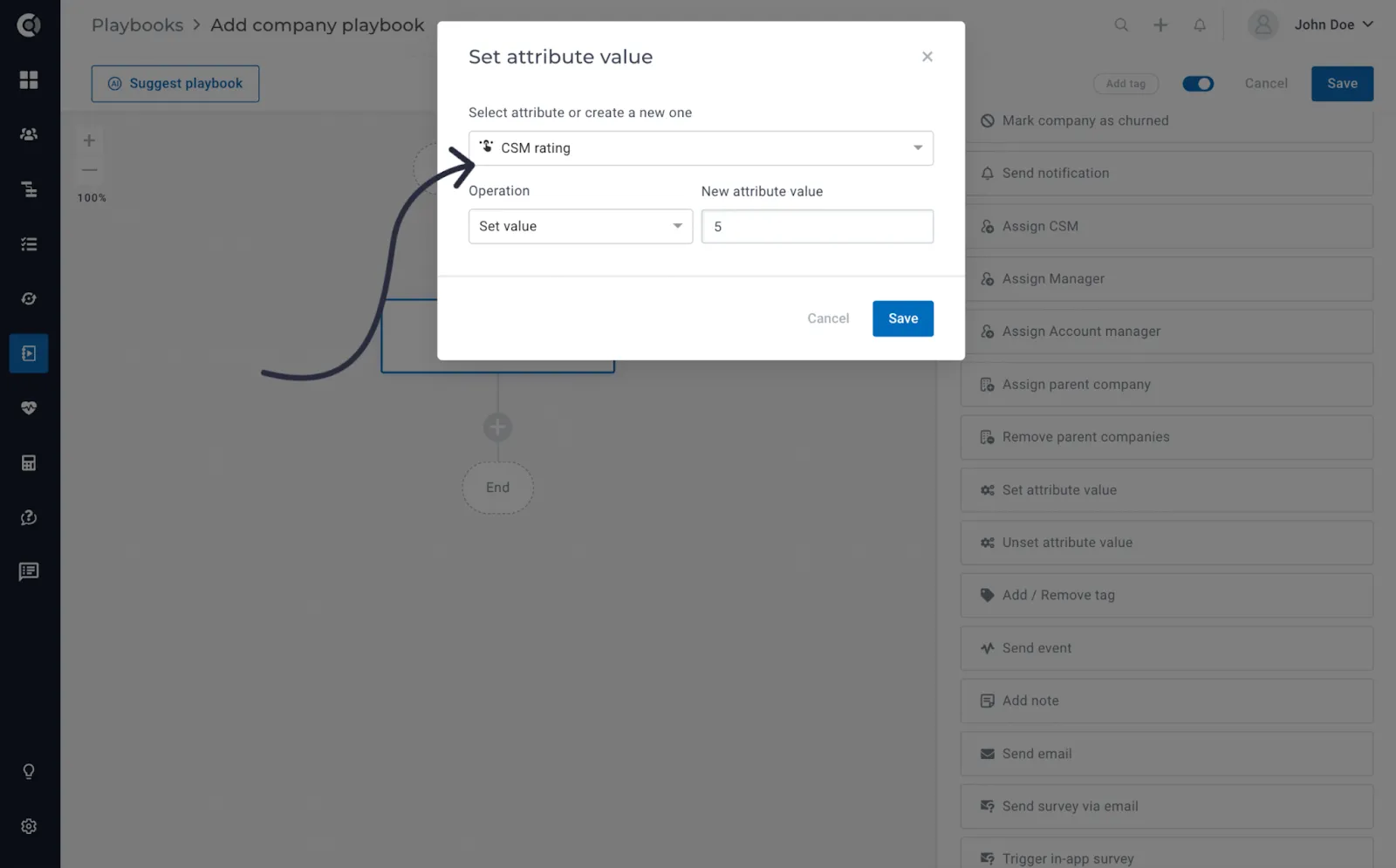
Set Attribute Value – the ability to ‘Set CSM Rating’: You can now define and modify CSM ratings in bulk through playbooks. This enhancement provides a straightforward method to manage and update CSM ratings within your system, ensuring accurate and up-to-date customer assessments.
Customer 360
Custom Data Sorting: Easily sort your custom data entries, allowing for a more intuitive and streamlined data management experience. Tailor the view of your information to suit your specific needs.
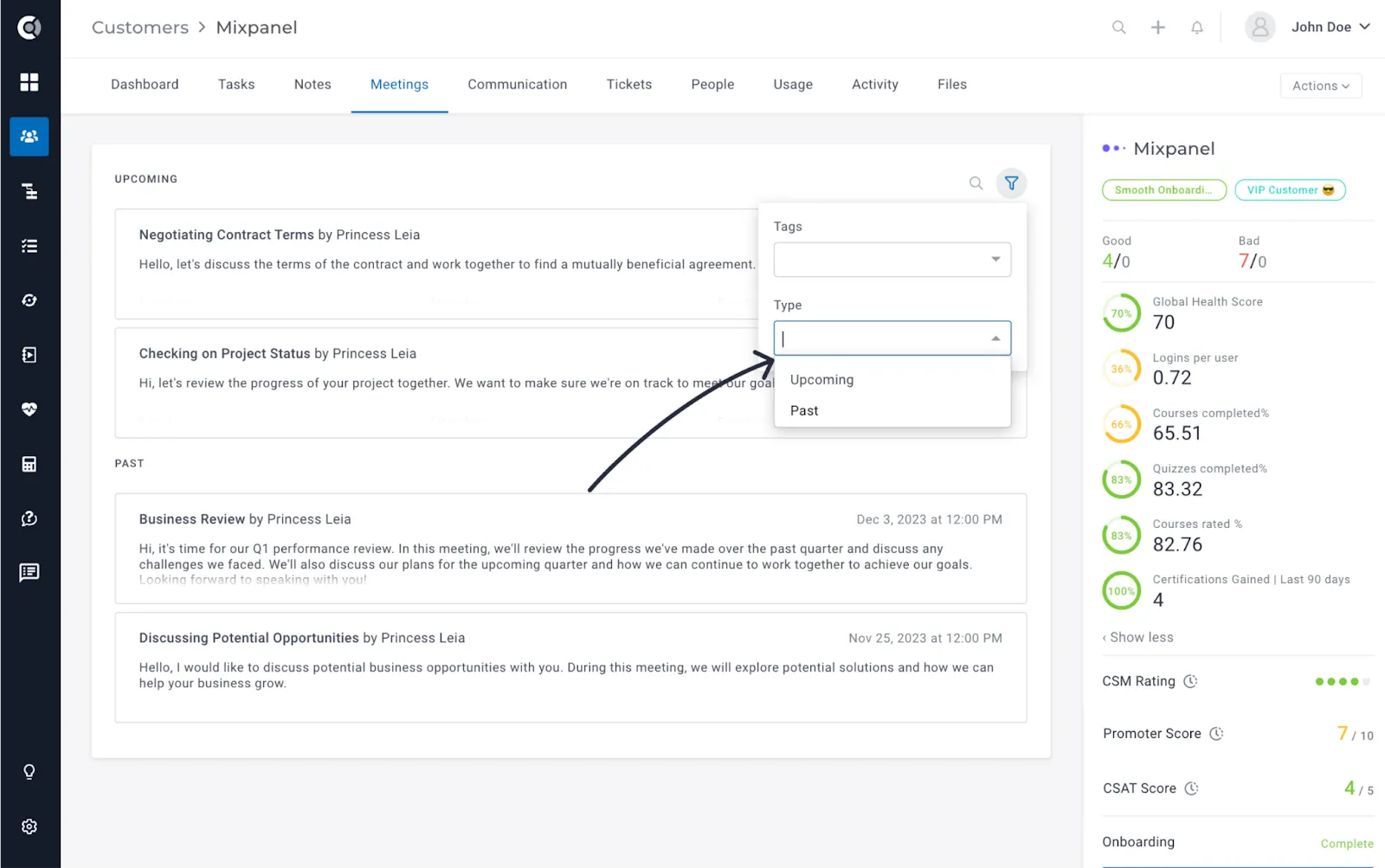
Meetings – Filtering by Type (Upcoming/Past): Enhance your meeting management with the new filtering by type in the Meetings module. Easily differentiate and manage your meetings by sorting them into ‘Upcoming’ or ‘Past’ categories. This feature provides a quick and efficient way to navigate through your meeting schedule, ensuring better organization and planning.
Lifecycles
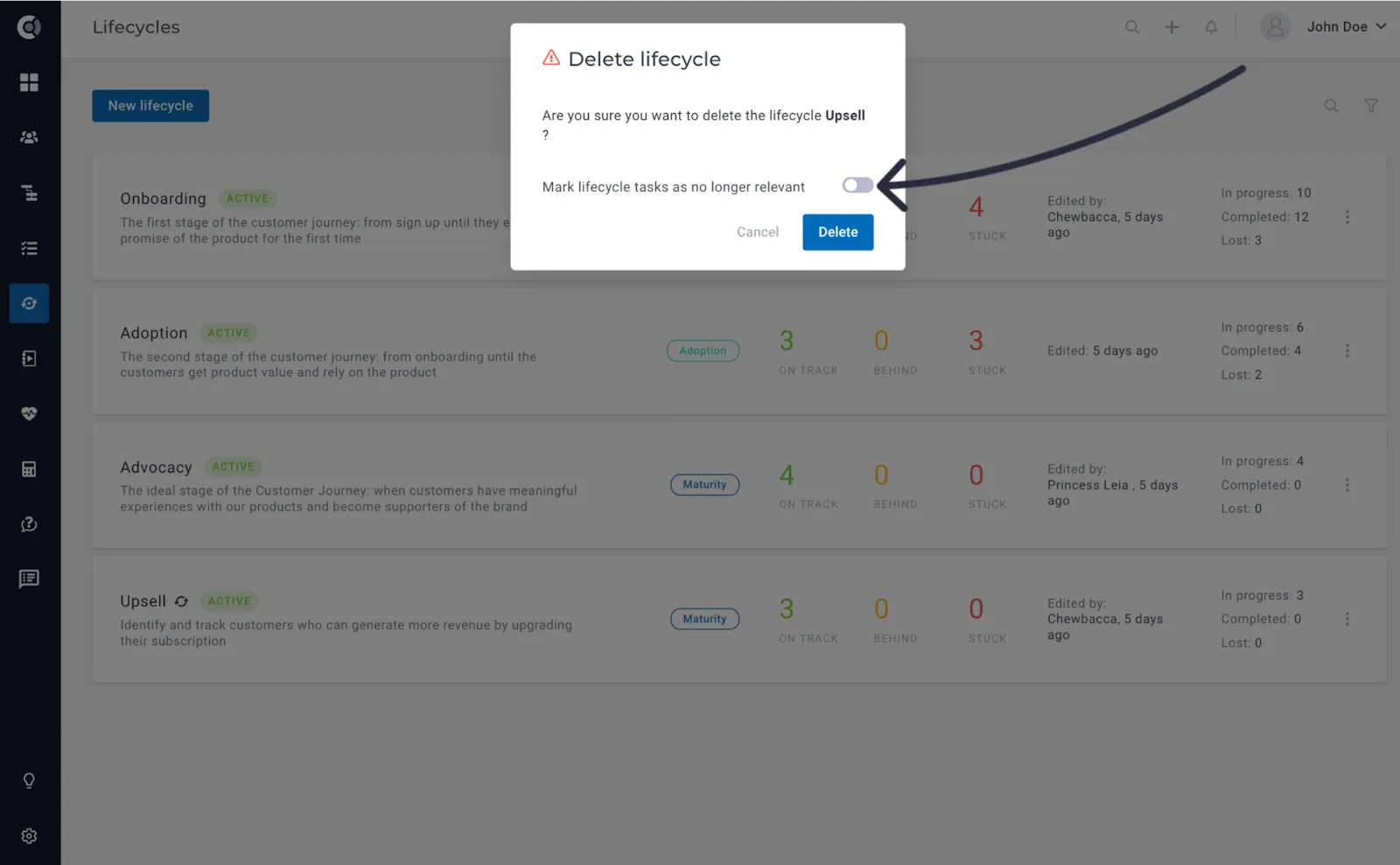
Tasks behavior when deleting a Lifecycle: When deleting a lifecycle, the system will prompt you to confirm whether still-open tasks associated with that lifecycle should be marked as ‘Not Relevant.’ This ensures a thoughtful and seamless transition, allowing users to manage tasks with precision even when lifecycles are removed.
Insights
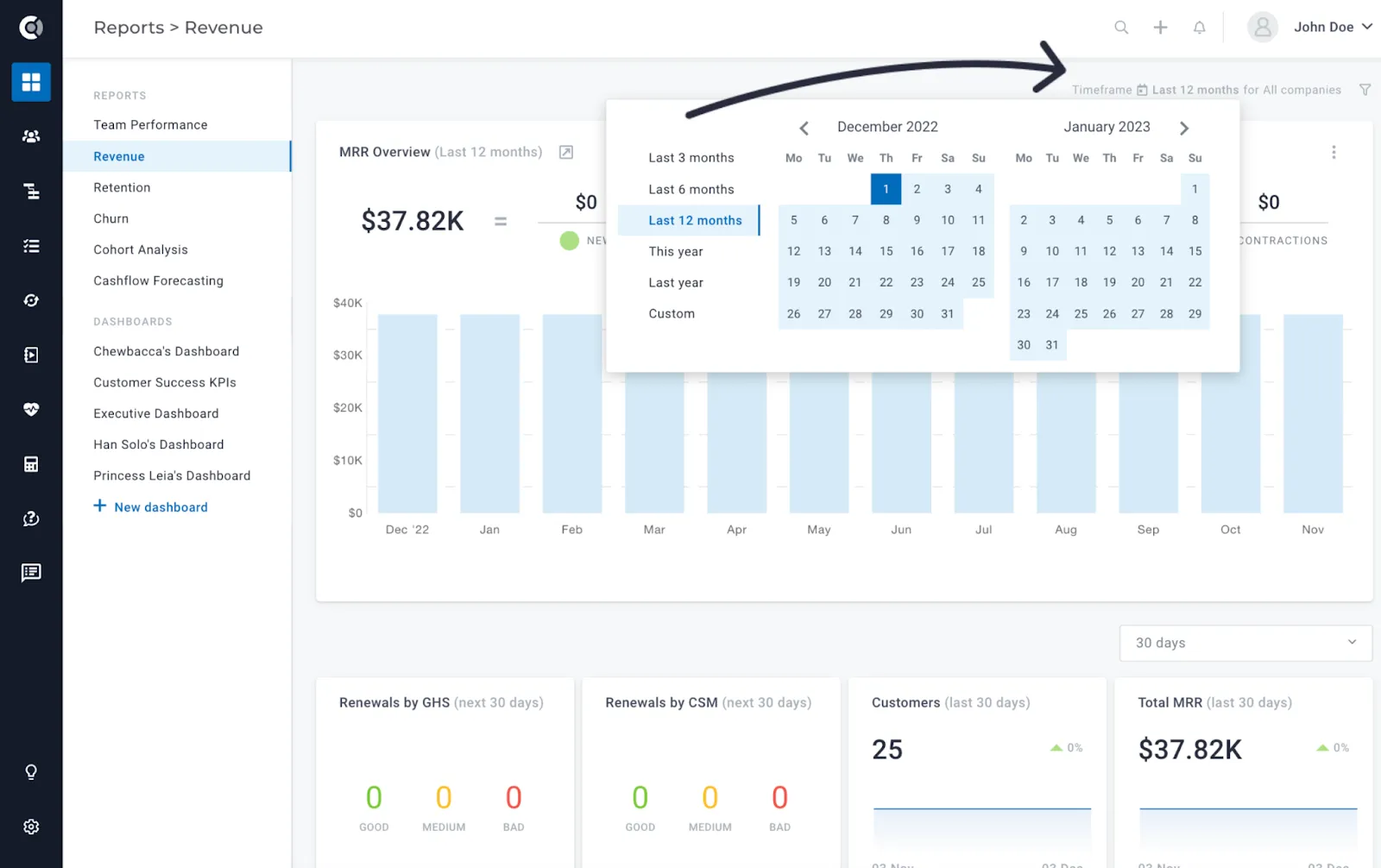
Custom date range filtering for Financial Reports: Unlock precise financial insights by introducing custom date range filtering to financial reports. Choose from predefined ranges or create a completely custom date range, providing flexibility and accuracy in analysing financial data.
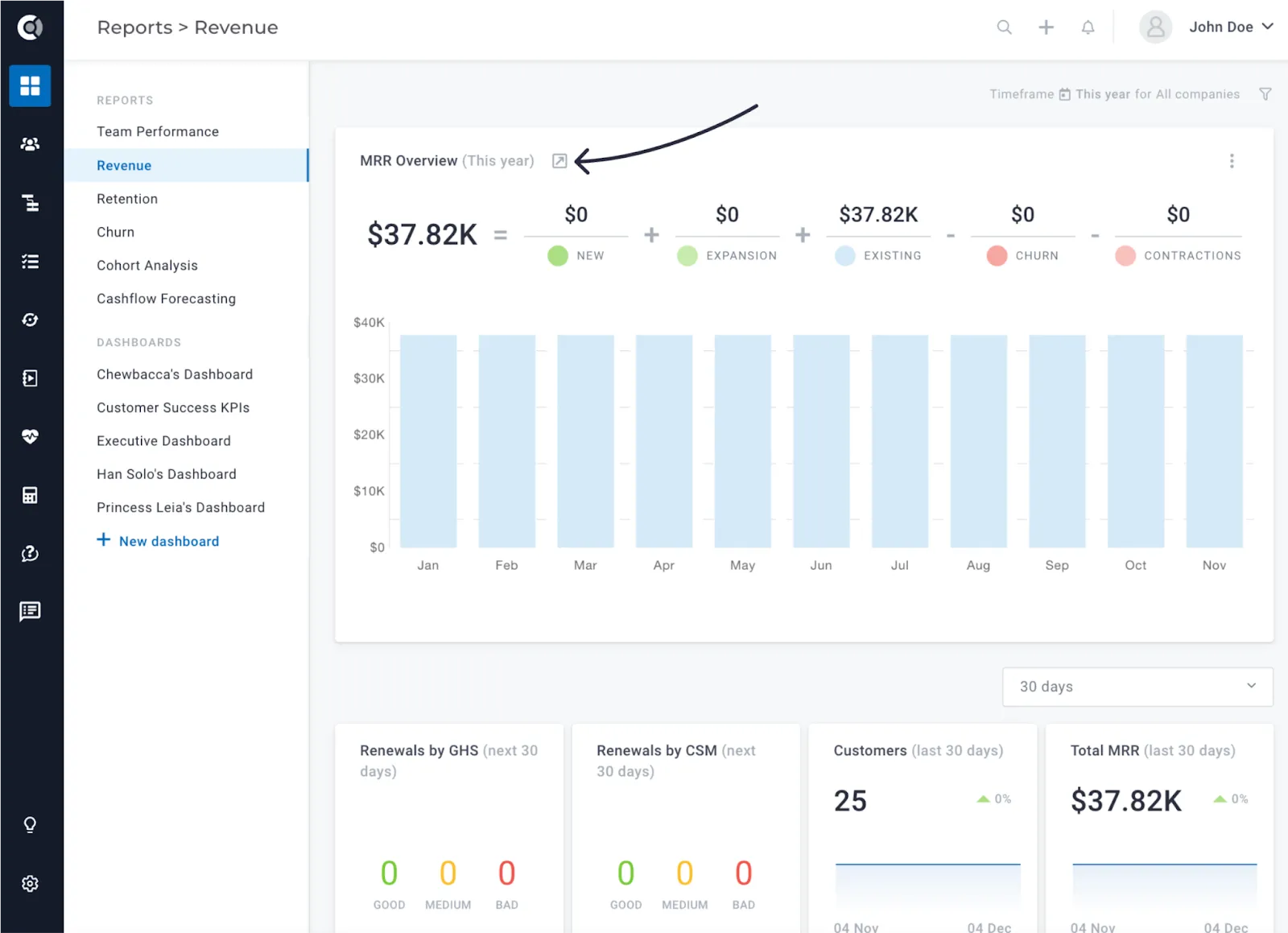
Revenue Report – view all Movements in any time range: Experience enhanced flexibility in revenue reporting with the ability to view all movements within any time range. Simply adjust the time range and click ‘View All Movements’ in the Revenue Report, empowering users to analyze revenue dynamics with ease.”
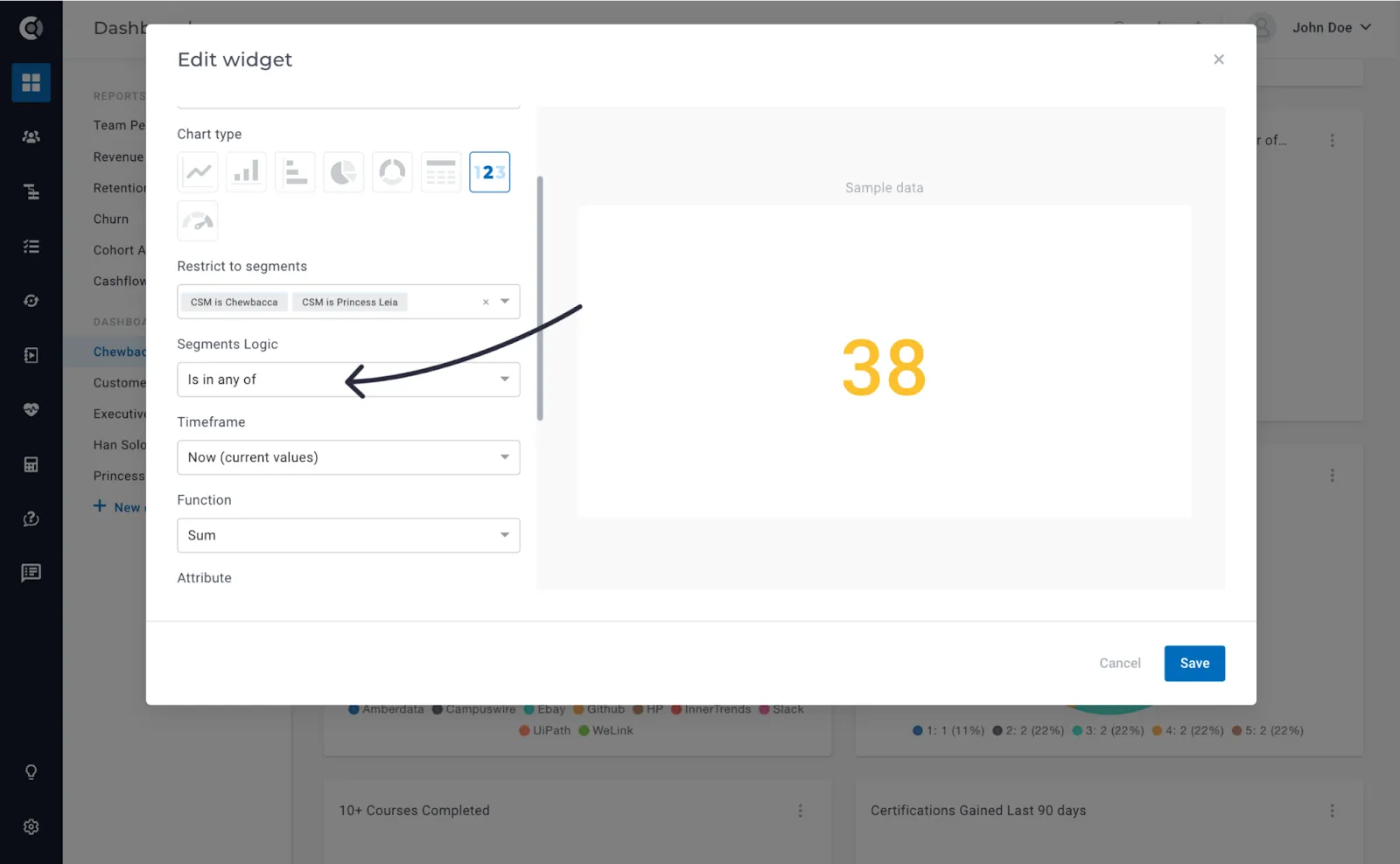
Dashboards – select “AND” or “OR” for Segment Restrictions: Refine your dashboard insights by specifying segment restrictions. Choose between ‘AND’ (company is in all segments) or ‘OR’ (company is in any segment) when restricting dashboard views. This customizable option provides enhanced control over segment-based insights.
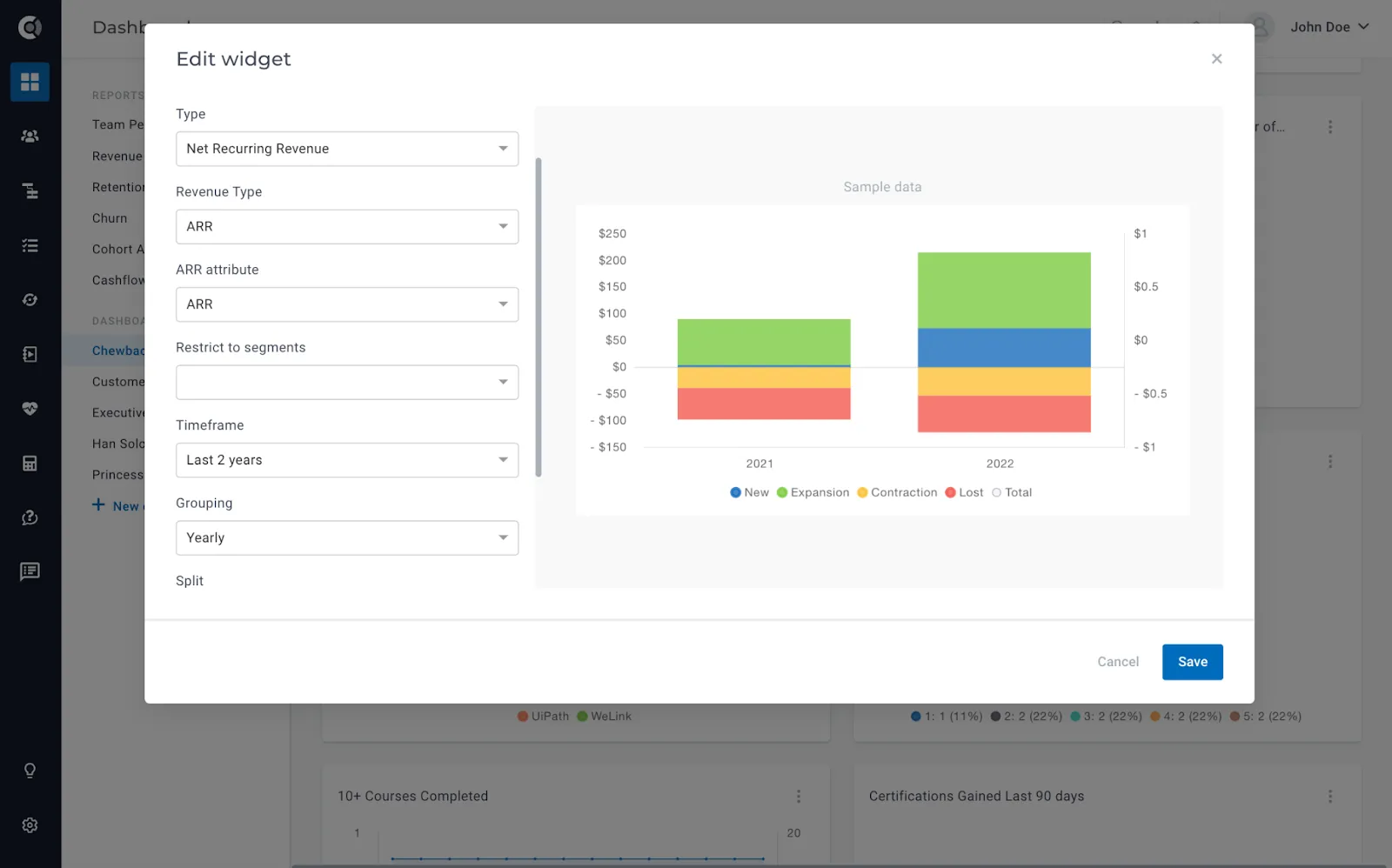
Dashboards – NRR Widget Enhancements (ARR Mode, Quarterly, Yearly Groupings): Elevate your dashboard analytics with NRR widget enhancements. You can now define the NRR widget in ARR mode (return the revenue evolution per year using an ARR attribute) and benefit from two additional groupings – quarterly and yearly.
Dashboards – Promoter Score Widget: Introducing the new Promoter Score widget, a powerful addition to your dashboards. This widget enables you to showcase promoter scores, creating comprehensive dashboards that encompass all CS KPIs. Aligned with the computation method in the Surveys module (%promoter – %detractors), it seamlessly integrates survey-based insights into your dashboards, providing a holistic approach to performance monitoring.
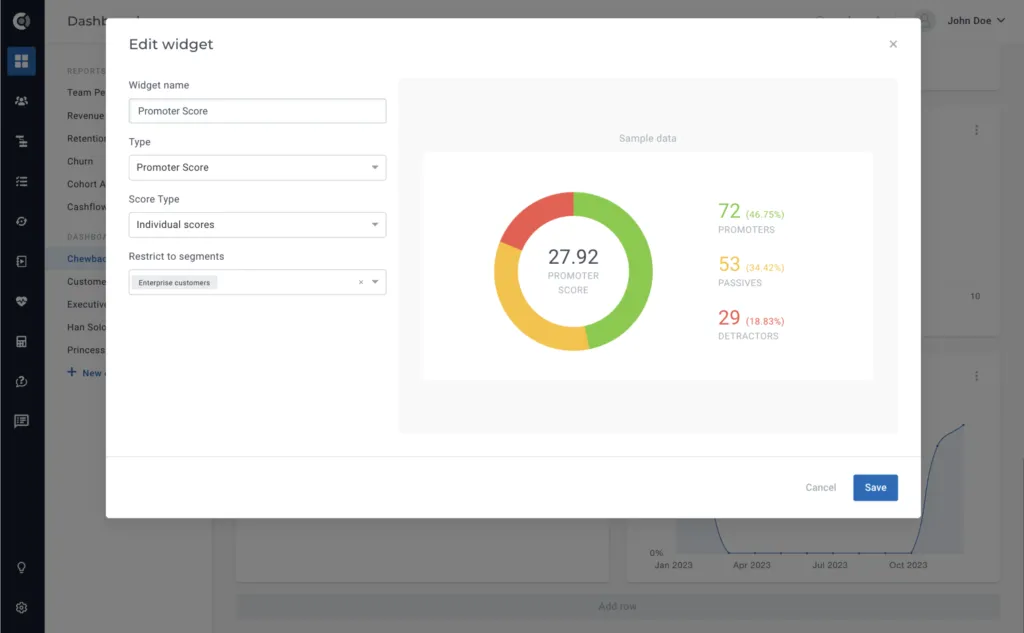
- Individual – the computation is done based on the individual score of all the people assigned to the companies in the selected segment. The calculation will be % of promoters from all the people – % of detractors from all the people (regardless of the company scores).
- Aggregated – the computation is done based on the aggregated Promoter Score at the company level. The Promoter Score at the company level represents the average of all the scores received from people inside that company. The widget will calculate % of promoter companies (companies with an average score of 9 or 10) – % of detractor companies (companies with an average score of 6 and below).
Touchpoints
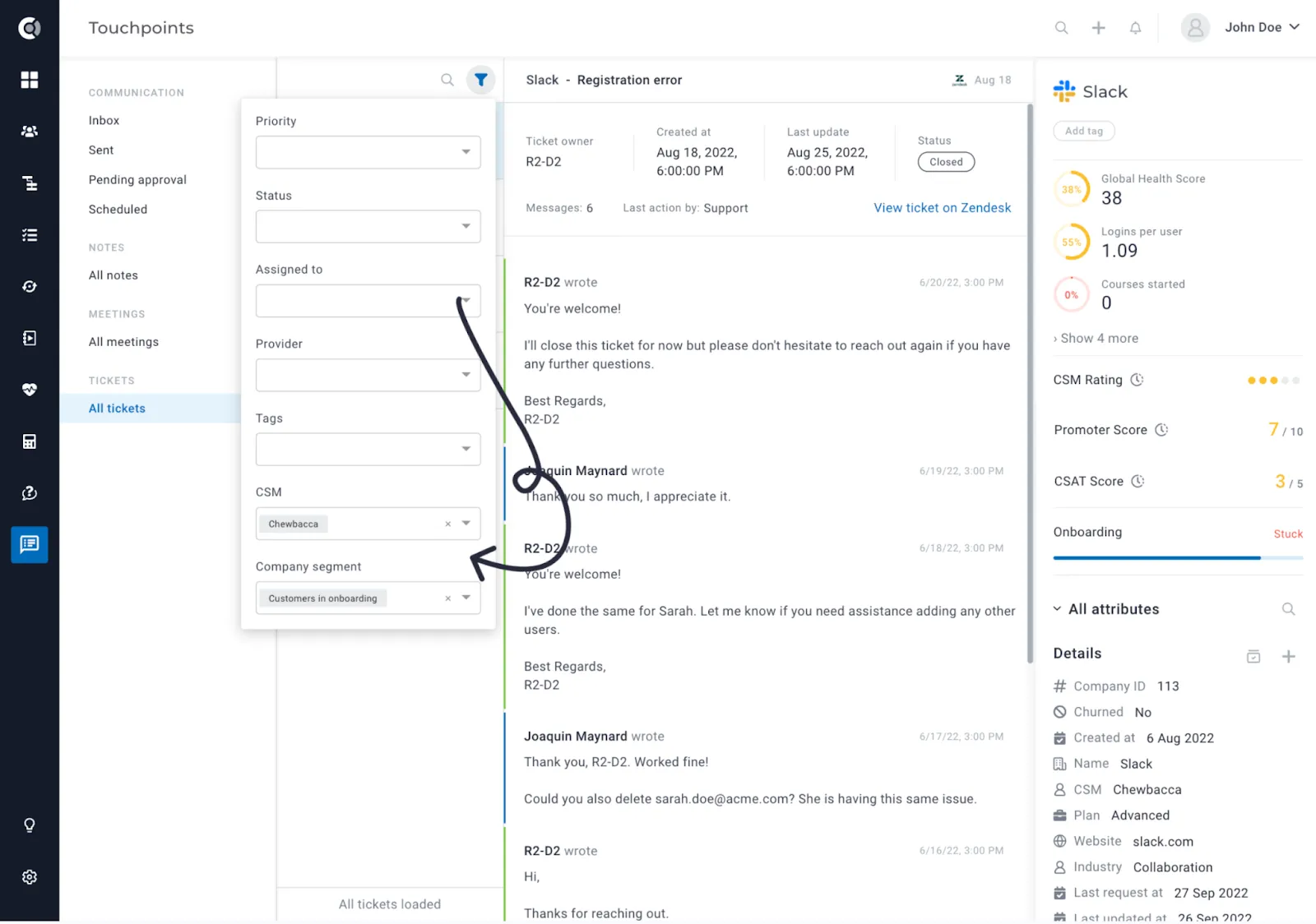
Filter tickets by Company CSM or Company Segment: A new filter is now available, allowing you to filter tickets based on the CSM assigned to the company or the segment the company is part of. This feature enables a CSM to conveniently review all tickets open for their assigned customers or those open for customers on specific plans, MRR, etc.
General
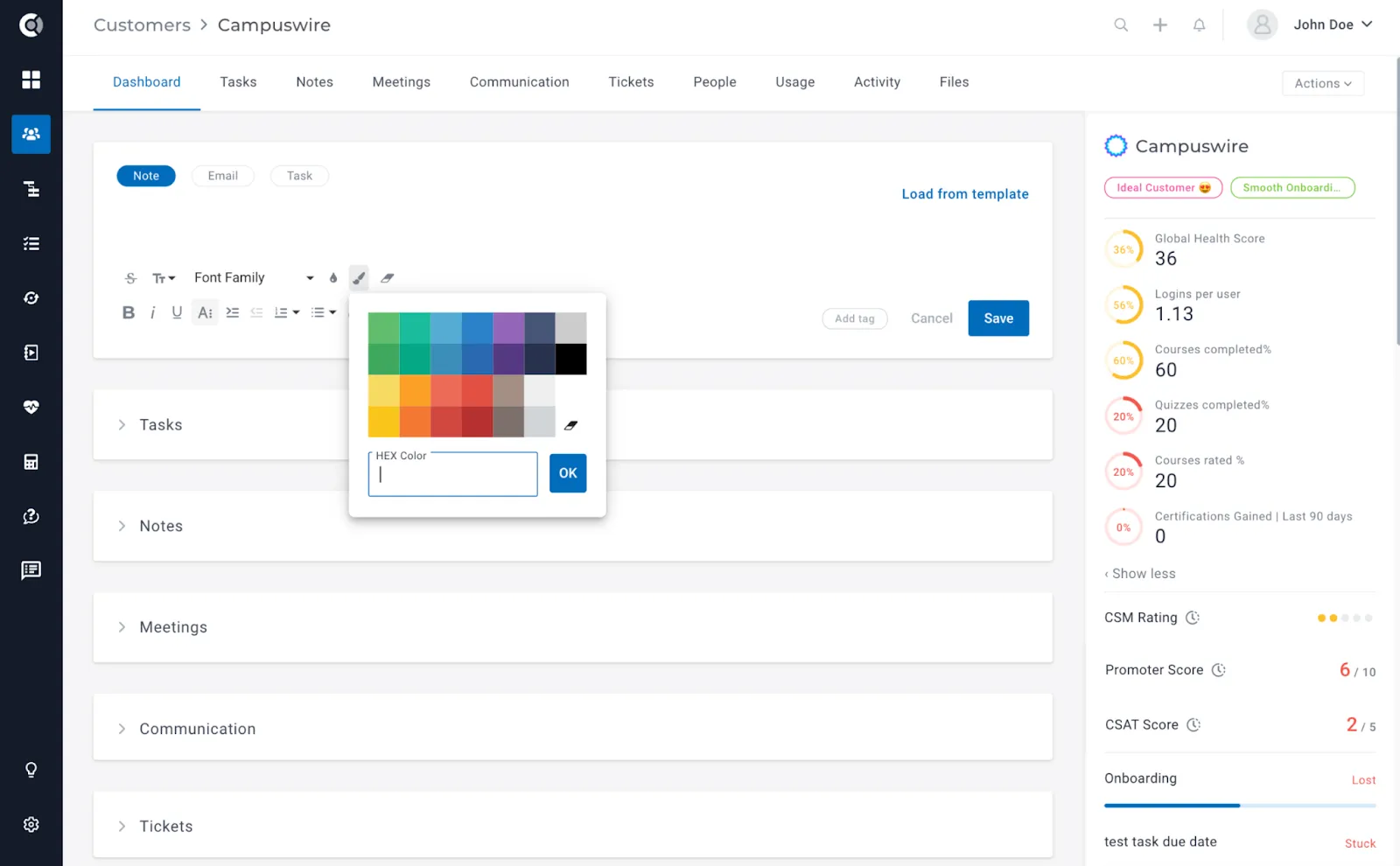
WYSIWYG editor enhancements: For notes, tasks, emails, and text editing in the Customer Portal, the text editor has received significant enhancements. Now, users can customize their content even more with the ability to select text color, background color, and change text font. Additionally, the editor allows you to clear all formatting applied to selected text and add links on images, transforming the image into an anchor for the link. These enhancements provide users with greater flexibility and creative control over their written content.
Settings
Roles & Permissions – ‘View own companies’ / ‘View own people’ permissions for custom assignments: Starting now, the ‘View own companies’ and ‘View own people’ permissions will be extended to users assigned as custom User-type fields to companies. Previously exclusive to CSMs and Account Managers, these permissions are broadening their application. For example, by creating a custom role like Implementation Manager, users assigned to this role for specific companies will now have ‘View own companies’ permissions, allowing them to see only the companies they are designated to oversee as Implementation Managers.
Roles & Permissions – enhanced granularity for Tasks and Dashboards management, and View-Only Roles: Experience enhanced control with new, more granular permissions for Tasks and Dashboards within the Roles & Permissions feature. You can now allow Custify users to Manage own tasks and Manage own dashboards (to be able to edit and delete only the tasks and dashboards that they are assigned to/they created). Additionally, enjoy expanded granular permissions tailored for View-only roles, providing increased flexibility and precision in managing user access.
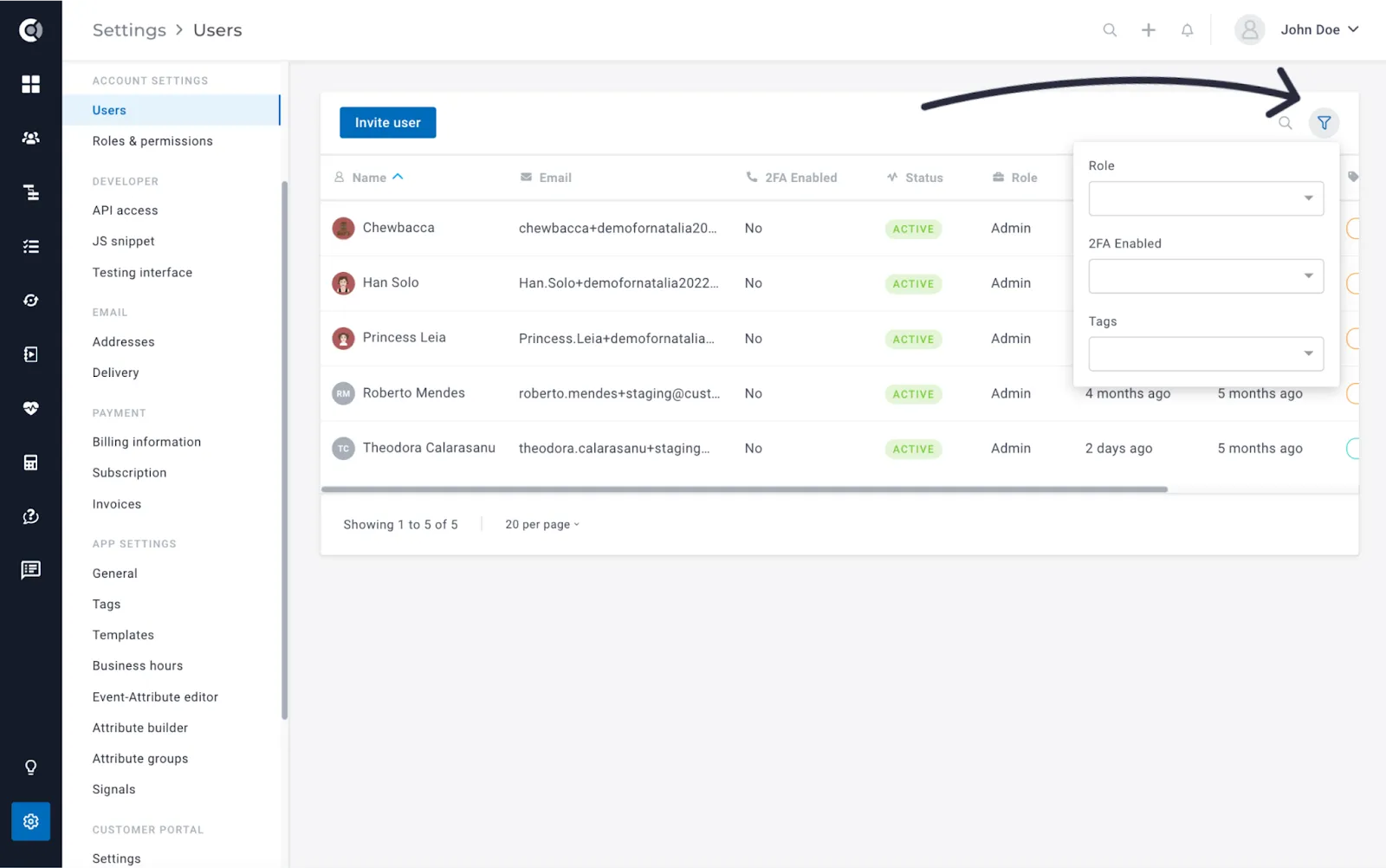
Users – sorting and filtering options: Navigate user management seamlessly with the introduction of new filtering options and sorting capabilities. Users can now be filtered by Role, Two-Factor Authentication (2FA) status, and Tags, ensuring a more efficient and organized user management experience. Additionally, sorting options have been enhanced for improved accessibility and clarity.
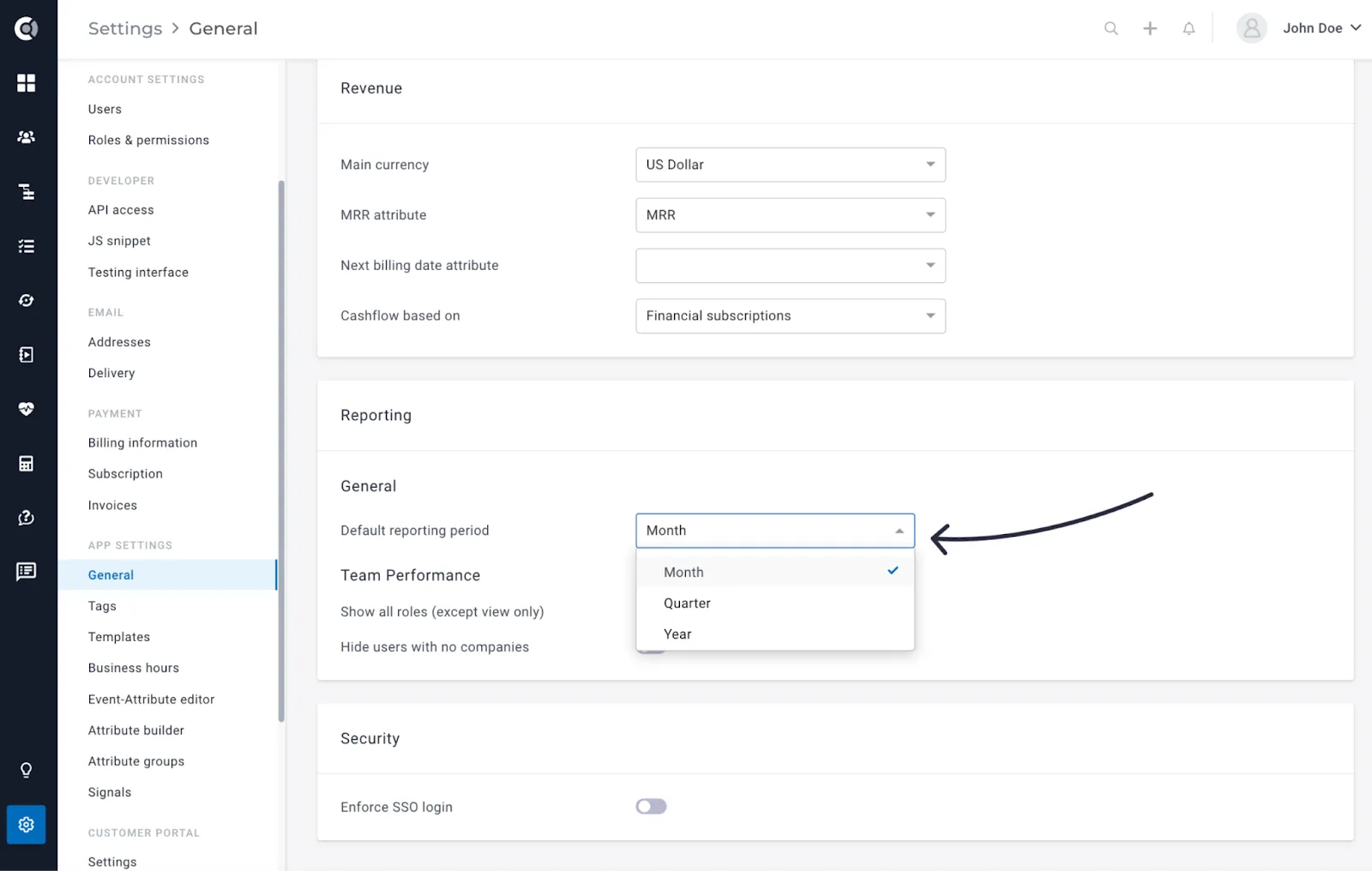
General – Change Default Reporting Period in Insights > Reports (Monthly to Quarterly or Yearly): Tailor your reporting experience with the new ability to change the default reporting period for Insights > Reports. Now featuring a dropdown option, users can switch from the default monthly reporting to quarterly or yearly intervals (App Settings > General > Default reporting period). This enhancement provides greater flexibility in aligning reporting periods with your specific analytical needs.
Integrations
Zapier – Create Notes and Tasks
Empower your workflow automation with enhanced capabilities in Zapier. Now, you can seamlessly create notes and tasks via Zaps, providing a streamlined and efficient way to integrate Custify with your other applications.
Stripe – New data points imported
We’ve expanded the range of details from Stripe to enable more refined segmentation and support complex workflows based on Stripe data. Additional attributes, such as billing country and billing city, are now effortlessly integrated into the system.
Observation! Moving forward, these data points will be automatically imported to Custify for all the companies that are updated in Stripe. However, a full sync is required to bring the already existing data in Custify.
Salesforce Enhancements
Name and Email imported for User fields: For Salesforce User fields, in addition to the previously imported user ID, we are now bringing in the Name and Email information. This comprehensive data allows you to build workflows and effortlessly automate user assignments within Custify.
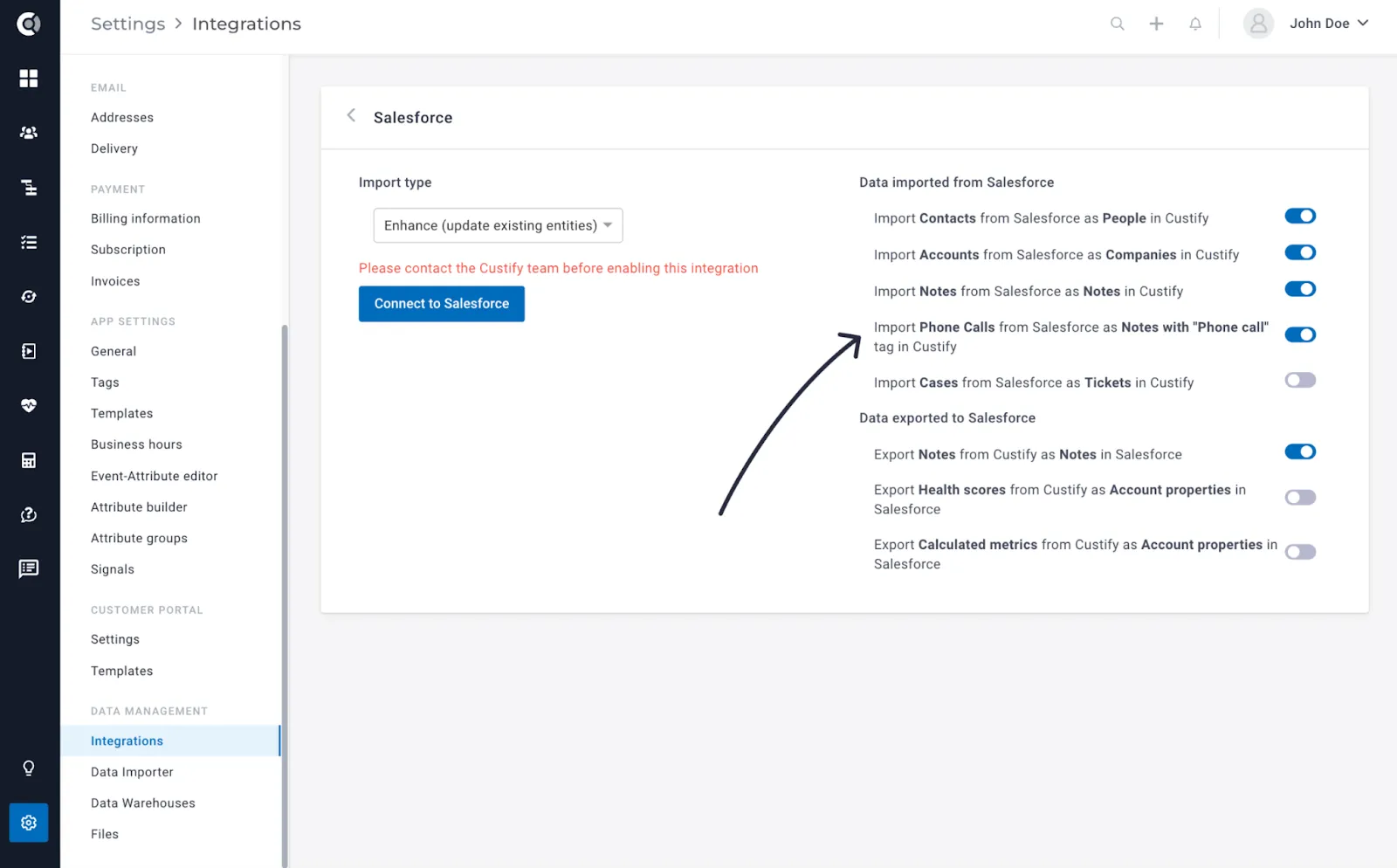
Import calls as notes with the tag ‘Phone call’: Salesforce calls will now be imported as notes with the tag “Phone call”, so you can have all the Salesforce details on the customer page in Custify.
Observation! Moving forward, these data points will be automatically imported to Custify for all the companies that are updated in Salesforce. However, a full sync is required to bring the already existing data in Custify.
Hubspot Enhancements
Import Meetings from Hubspot as Meetings in Custify: You can now opt to import Hubspot meetings to Custify. These meetings will be displayed under the Meetings tab on the Customer 360 Profile, offering the same functionality as meetings imported from Gmail or Outlook.
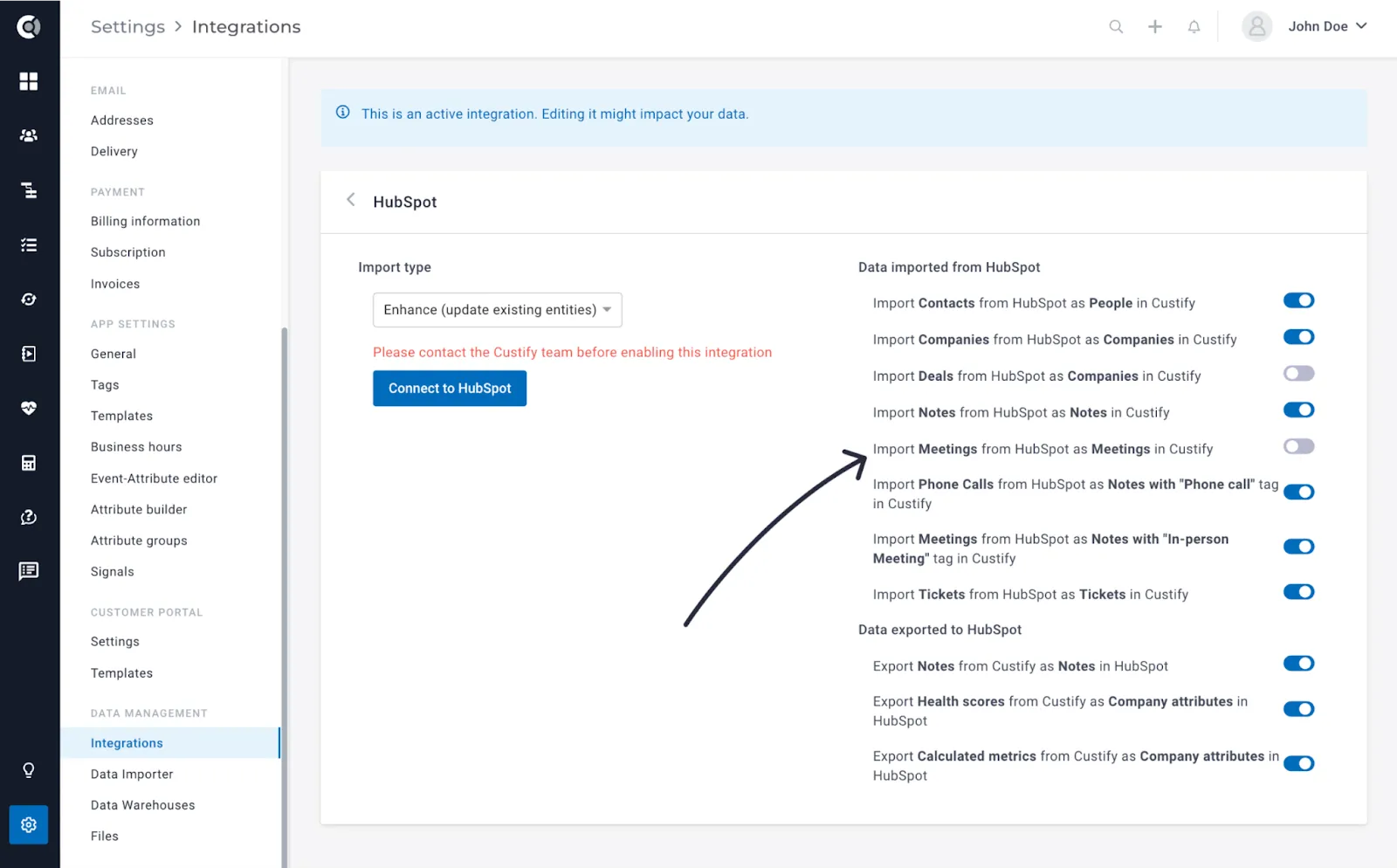
Tickets – more details imported: Enhanced the information imported for Hubspot tickets. We are now bringing ticket replies, ticket notes, and other relevant details, offering a more comprehensive view of customer interactions.
Calls – more details imported: Enhanced the information imported for Hubspot calls. We are now bringing fields like outcome, call duration, phone number, and other relevant details.
Import the Label of Dropdown attributes: To optimize the use of HubSpot dropdown attributes, we now import both the labels and values you define. This ensures that the data in Custify accurately reflects what is displayed in HubSpot, requiring no additional steps for synchronization.
Observation! Moving forward, these data points will be automatically imported to Custify for all the companies that are updated in Hubspot. However, a full sync is required to bring the already existing data in Custify.
Freshdesk – CSAT and Custom Mapping
Tickets’ CSAT ratings available in Custify: The CSAT scores provided by your customers for Freshdesk tickets can now be transformed into metrics in Custify. The CSAT scores are available in Calculated Metrics, so you can do aggregations and generate new Custify metrics based on the Freshdesk CSATs.
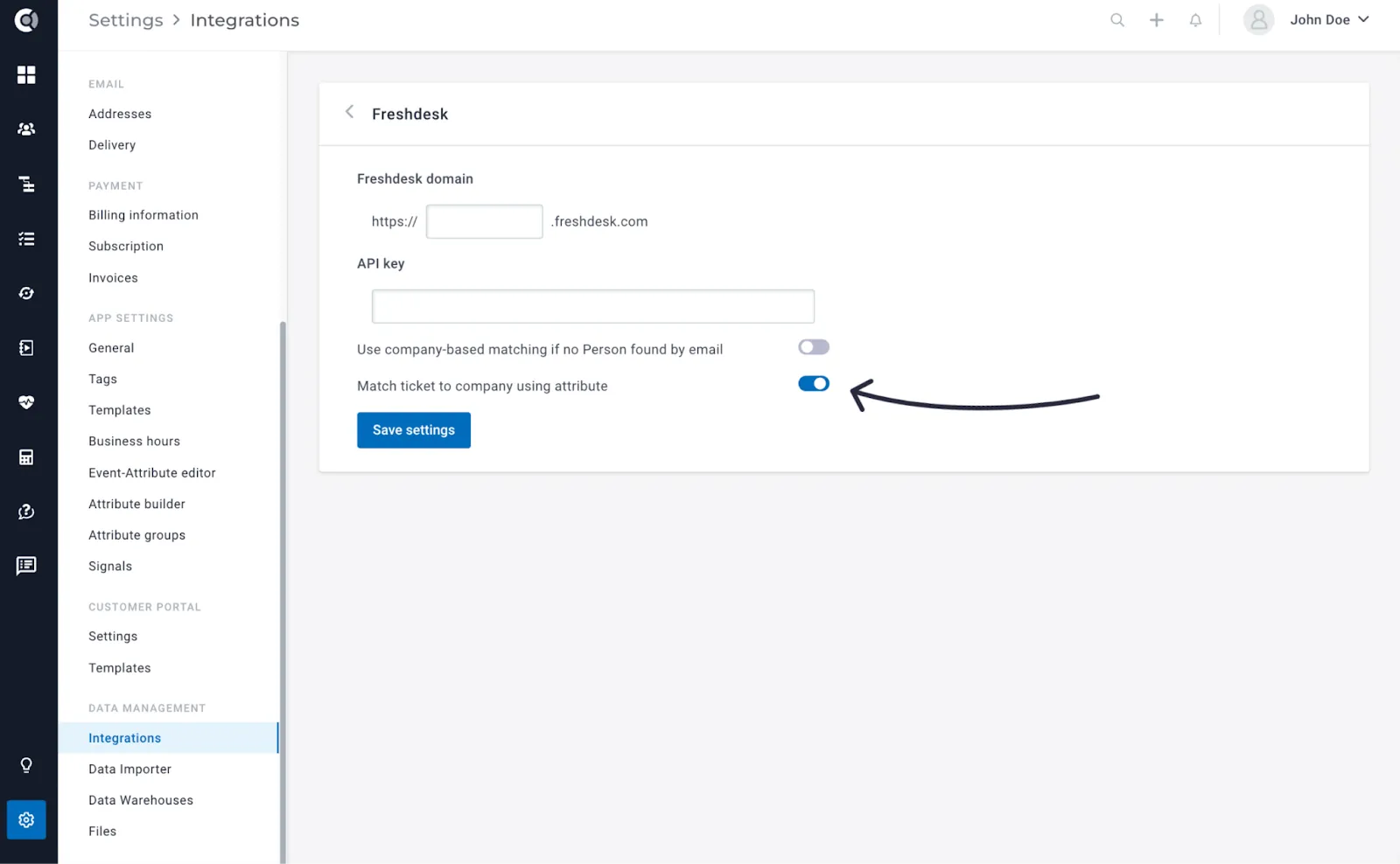
Import and map tickets to companies using custom attributes: Effortlessly import and map tickets to companies using custom attributes. In cases where the email field is not available, you now have the option to perform ticket mapping using an alternative custom attribute that is present in both Freshdesk and Custify.
Gmail – Advanced Blacklisting and Files Import
Blacklist emails based on keywords in the subject and/or body: You can blacklist the importing of emails based on specific keywords found in the subject and/or body. This functionality provides you with more control over the content you wish to exclude, ensuring a more refined and organized email experience.
Import email attachments as files: The attachments you include in your Gmail emails will now be imported into Custify as Files. You can access them both at the email level and in the Files tab on the company profile.
Outlook – Advanced Blacklisting and Files Import
Blacklist emails based on keywords in the subject and/or body: You can blacklist the importing of emails based on specific keywords found in the subject and/or body. This functionality provides you with more control over the content you wish to exclude, ensuring a more refined and organized email experience.
Import email attachments as files: The attachments you include in your Outlook emails will now be imported into Custify as Files. You can access them both at the email level and in the Files tab on the company profile.
Recurly Enhancements
New attribute imported – URL to Recurly Customer Portal: A new Recurly attribute is now available, storing the URL to Recurly Customer Portal. This helps you to easily navigate to the Recurly customer page directly from Custify.
Observation! Moving forward, these data points will be automatically imported to Custify for all the companies that are updated in Recurly. However, a full sync is required to bring the already existing data in Custify.
Chargebee Enhancements
New attributes imported: We have introduced new attributes that are now imported, including Payment Type, Card Type, Card Expiry Date, and Card Last 4 Digits.
Observation! Moving forward, these data points will be automatically imported to Custify for all the companies that are updated in Chargebee. However, a full sync is required to bring the already existing data in Custify.
Intercom Enhancements
Import tickets from Intercom as tickets in Custify: Together with the Intercom Conversations, we are now also importing Intercom Tickets. This enhancement allows for a more comprehensive view of customer interactions, ensuring that both conversations and tickets are seamlessly imported into Custify
Aircall Integration
We’re thrilled to introduce an advanced integration with Aircall, a cloud-based phone system designed for modern businesses. This integration empowers you to streamline your call management process by defining a webhook in Aircall.
Upon completing a call, the integration offers two powerful options within Custify:
- Event with Call Details:
- Note Creation with “Phone Call” Tag: Alternatively, the integration allows for the creation of a note, tagged as “Phone Call,” on both individual and company profiles. This note includes all pertinent details of the call, offering a centralized repository of call-related information for efficient reference.
This integration brings a new level of efficiency to your call management workflows, ensuring that essential call details are captured and easily accessible within Custify.
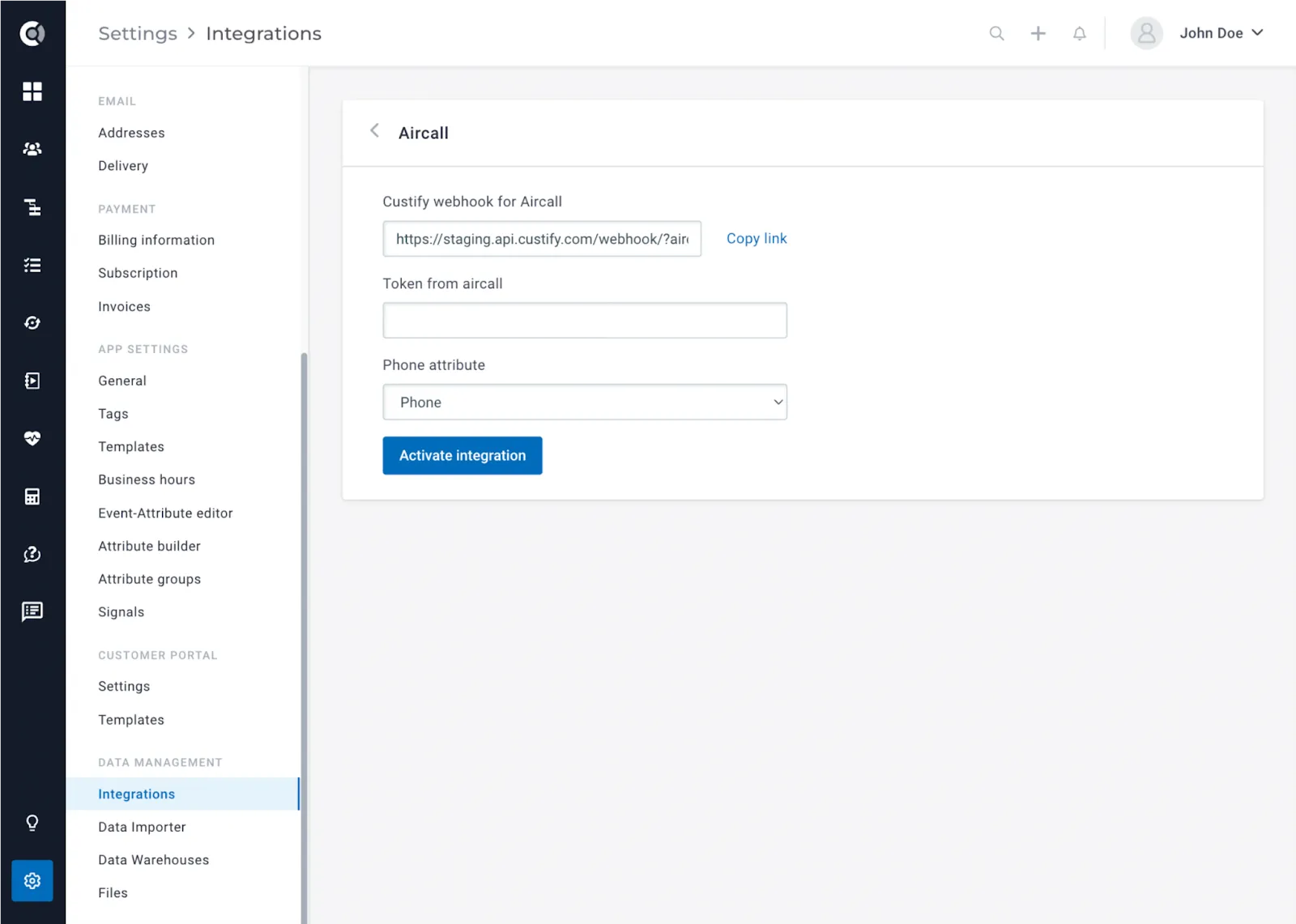
To enable this integration, navigate to Settings > Integrations > Aircall. Copy the displayed webhook from the integration page and add it to your Aircall settings. Next, enter the Aircall token in Custify. Finally, select the phone number attribute for mapping purposes, and you’re all set!
Data warehouse integrations
New Import Type – Custom Data: Now, you have the option to import Custom Data objects directly from your warehouse. This feature enhances your data integration capabilities, providing a seamless way to bring in customized data sets tailored to your specific needs.
(option to import Custom data objects from a warehouse)
Option to edit or delete syncs: We’ve added a user-friendly feature to enhance your syncing experience. With the latest update, you now have the option to edit or delete syncs according to your requirements.