Product Updates | September 28th, 2022
Calculated Metrics Enhancements
- “Days Since” and “Days Until” functions are now available for Custify’s standard attributes. You can now convert the number of days since “Last note added on” or the number of days since “Last touchpoint” and many others into metrics that can be used in health scores, segments and various other workflows.
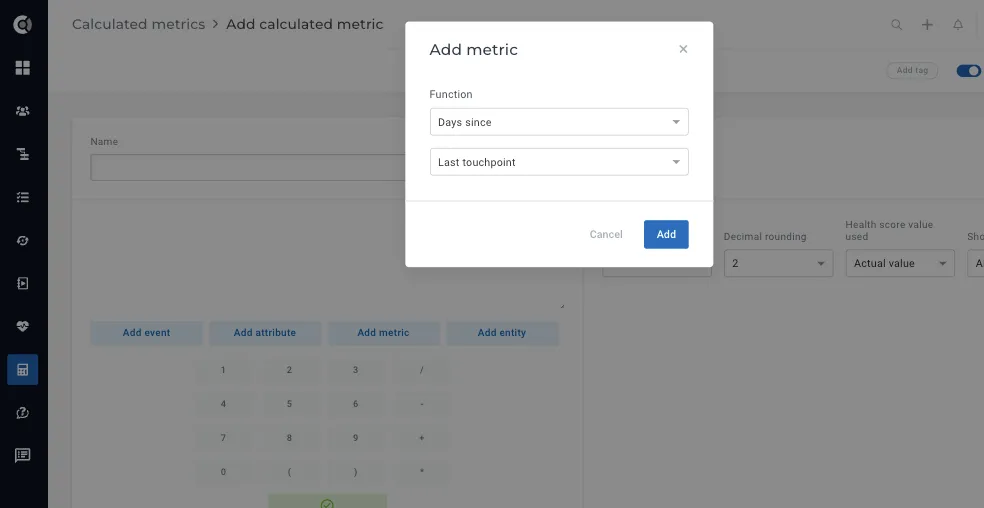
- New category, “Add entity”, that allows you to build metrics based on:
- People attributes
- Child Companies data
- Tasks
- Notes
- Communication
- Tickets
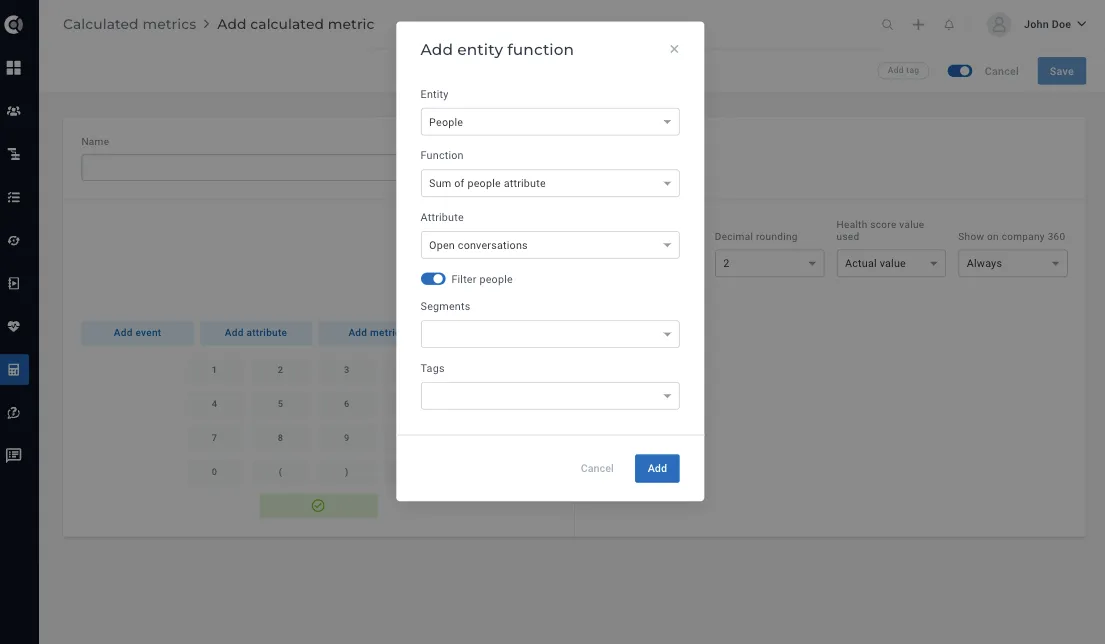
Access people attributes in the company’s calculated metrics: this allows applying a specific function on an attribute of all / a category of the people in the current company.
Functions available:
- SUM / AVG / MIN / MAX of a certain attribute
- COUNT of people
Can be filtered by:
- People segments
- People tags
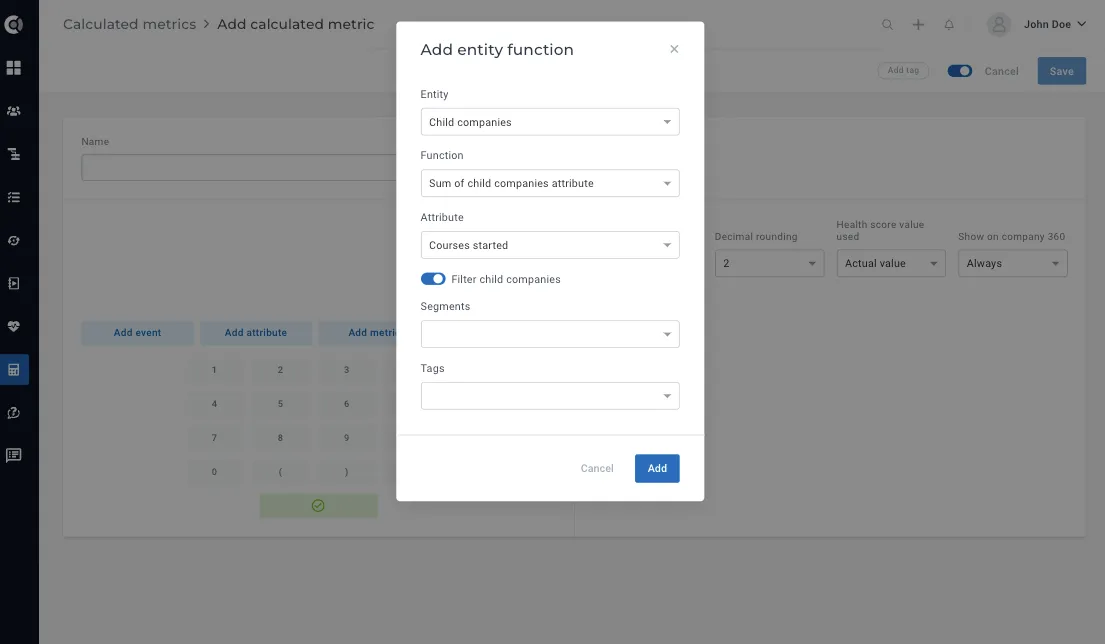
Access Child Company attributes (direct children only) on the parent companies’ calculated metrics: this allows applying a specific function on an attribute of all / a category of the children companies of the current company.
Functions available:
- SUM / AVG / MIN / MAX of a certain attribute
- COUNT of child companies
Can be filtered by:
- Company segments
- Company tags
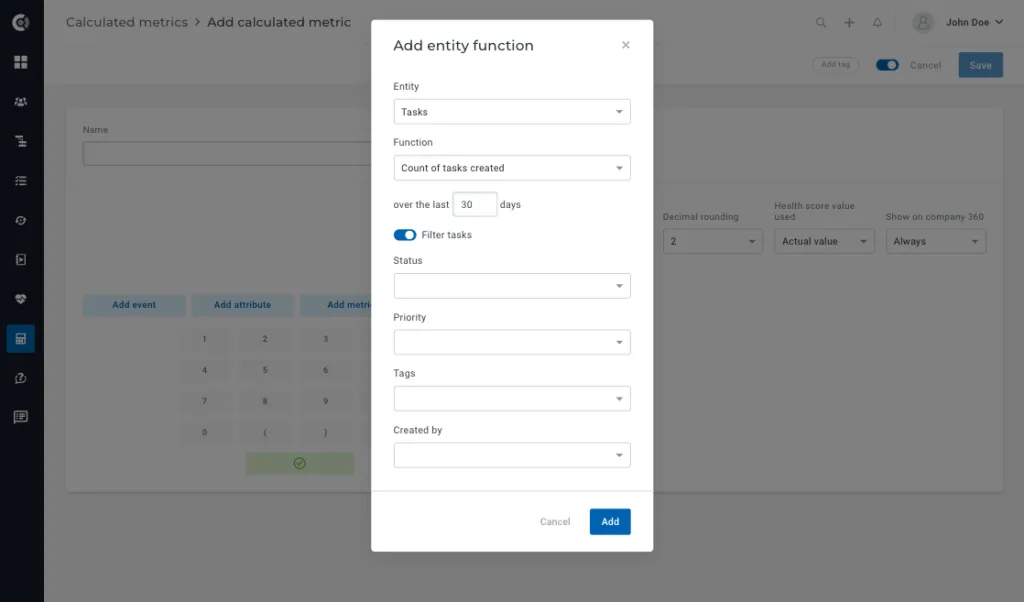
Access and aggregate different entities of the company at the company level. Count the number of entities in the last X days, where the entities can be:
1. Tasks
Can be filtered by:
- Status (open, overdue, done, not relevant)
- Tags
- Created by
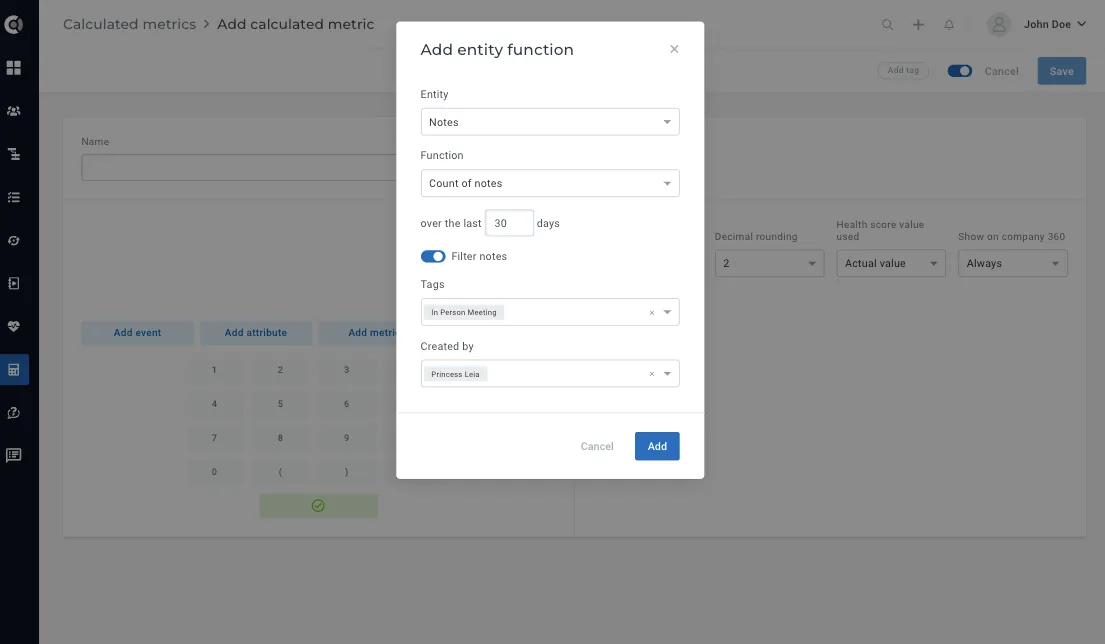
2. Notes
Can be filtered by:
- Tags
- Source (Custify, API, Integrations – list)
- Created by
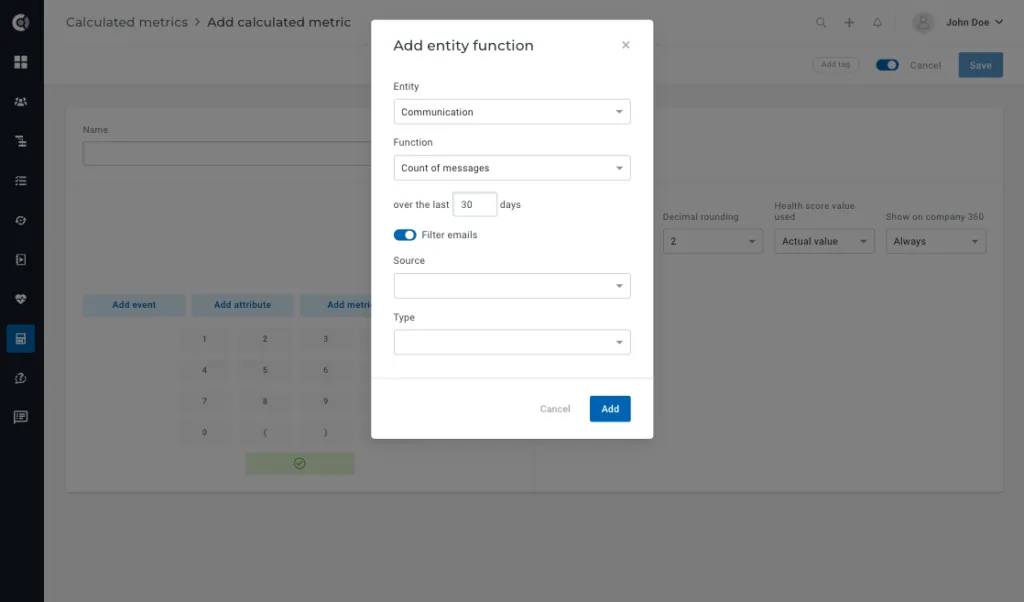
3. Communication
Can be filtered by:
- Source (Custify, Gmail, Outlook, Intercom)
- Type (incoming, outgoing, note)
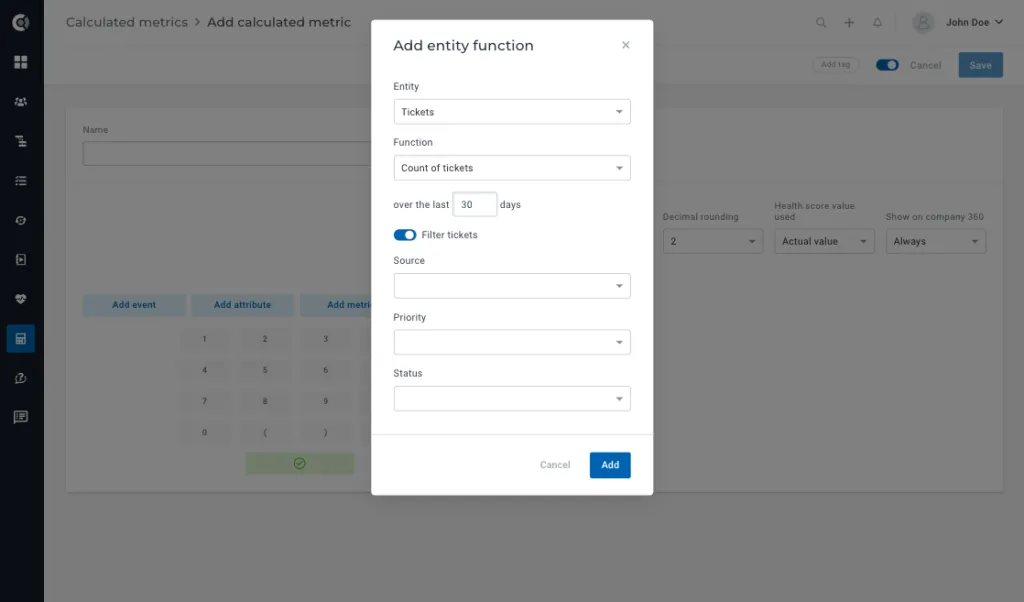
4. Tickets:
Can be filtered by:
- Source (API, Integrations)
- Priority
- Status
Use case example: count the number of notes with the “Customer Meeting” tag and turn it into a metric.
Playbooks
- New playbook step available:
You can now use playbooks to automatically start intercom conversations.
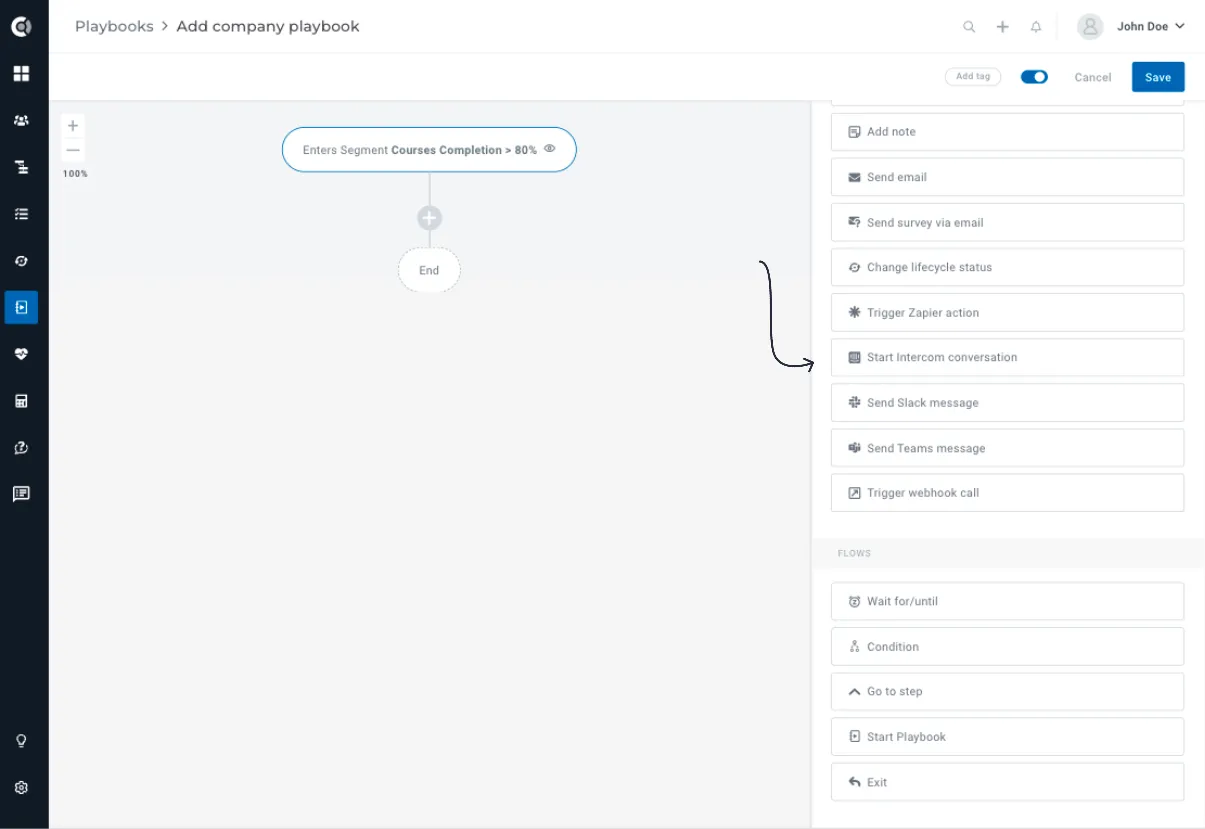
The step is available for both People and Company Playbooks.
For Company Playbooks, as the action is taken at the company level, you can choose to which audience to trigger Intercom conversations:
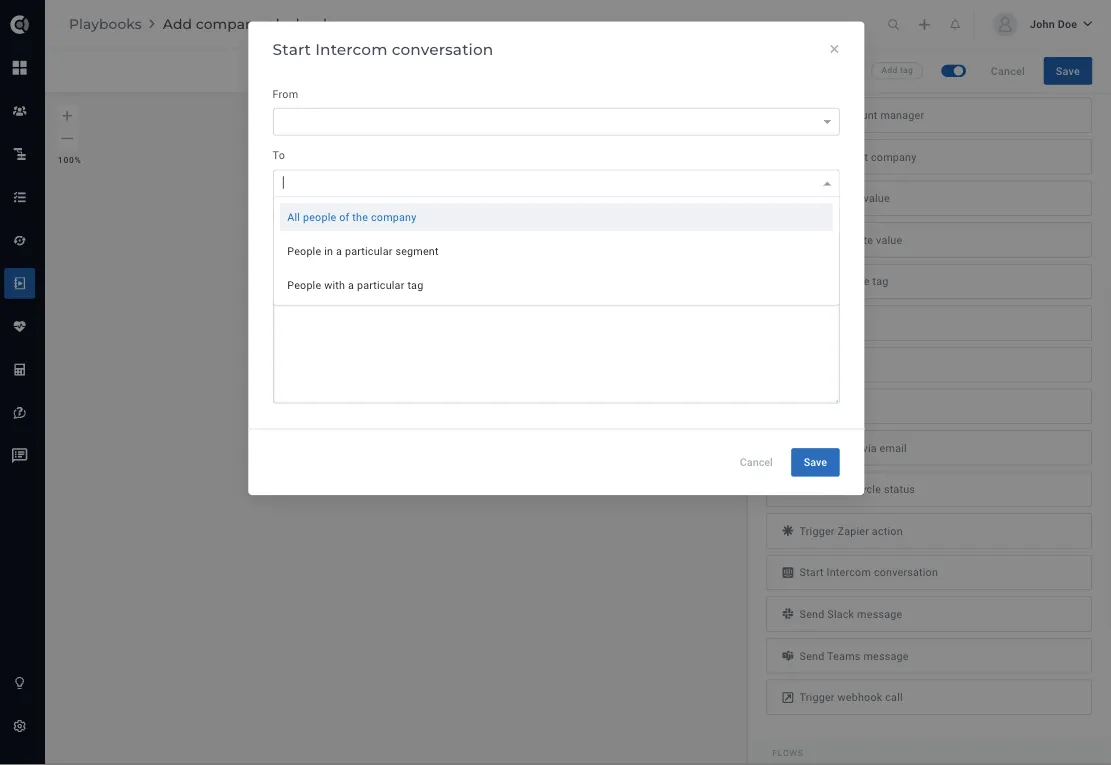
This will start Intercom conversations with all the people that meet the criteria in Custify and exist in Intercom. Dynamic data is also available, so you can customize the message as needed.
For the new step to work, you will have to Reconnect your Intercom accounts (deactivate the integration and reactivate it).
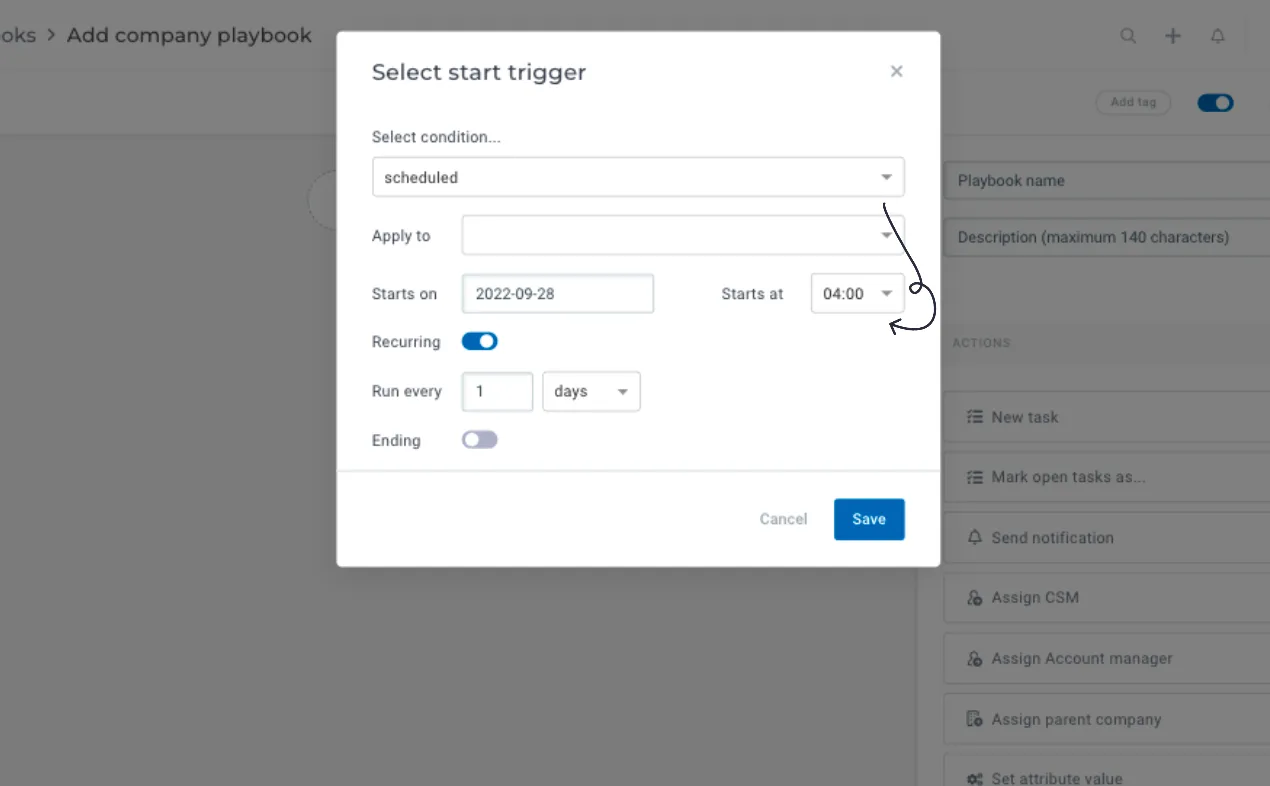
- “Start at” setting for scheduled playbooks: Now you can select a specific time to run the scheduled playbook. This gives you more flexibility to set up flows to run at specific hours, or to run multiple scheduled playbooks in a specific order.
Customer List View
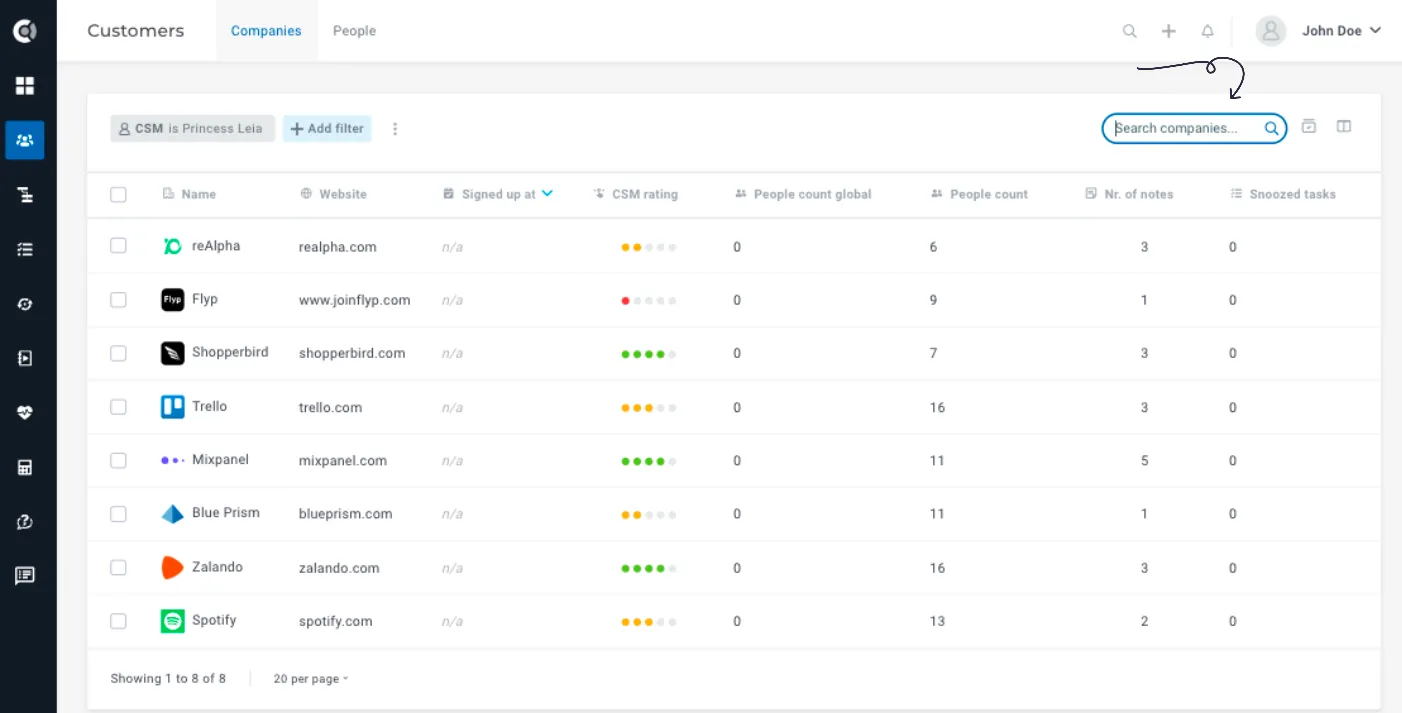
We have improved the behavior when searching in the customer list view when filters are applied.
Old behavior: When searching, the filters were not taken into account and the entire list was searched.
New behavior: The search looks only for entities covered by the applied filters.
Settings
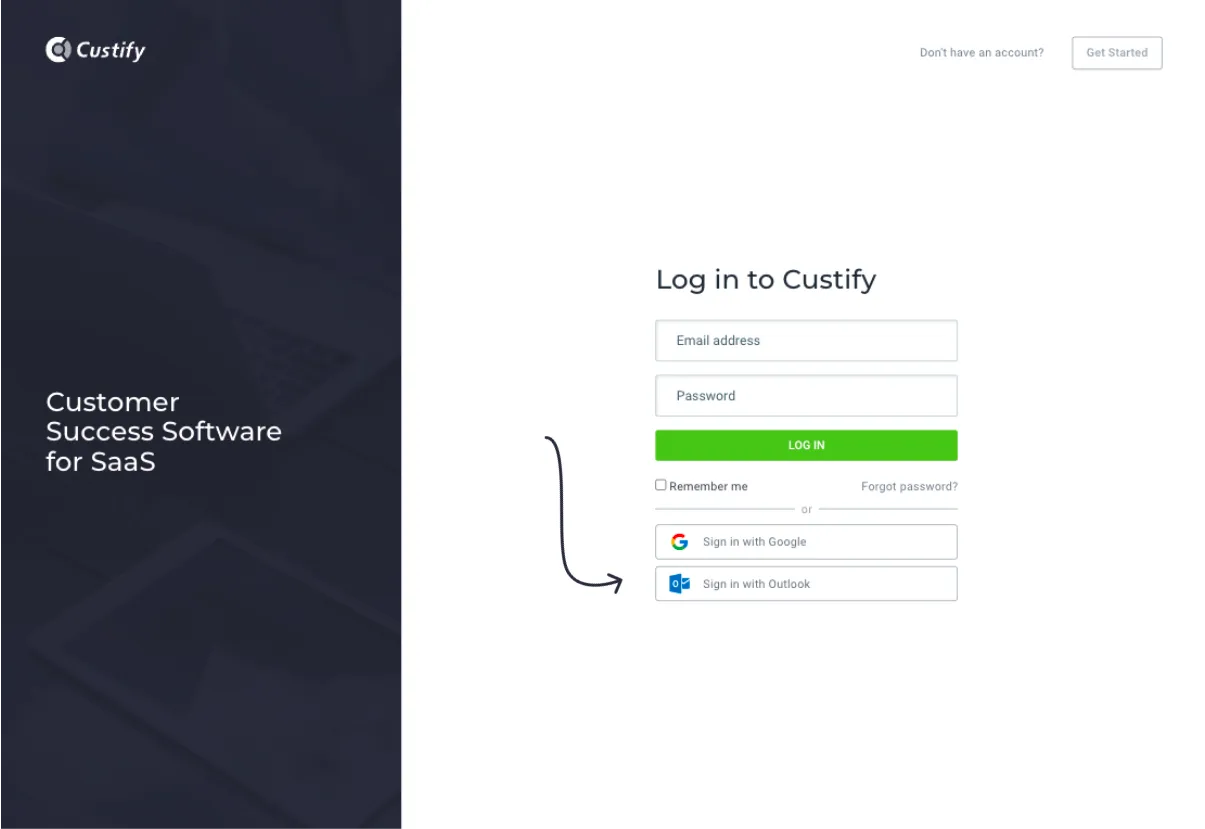
- SSO using Microsoft Azure Authenticator: the option to login using your Microsoft account is now available. On the login page, click on “Sign in with Outlook”, enter your Microsoft credentials and you are successfully logged in.
To successfully authenticate using this method, the user must first be invited to Custify with their Microsoft email address.
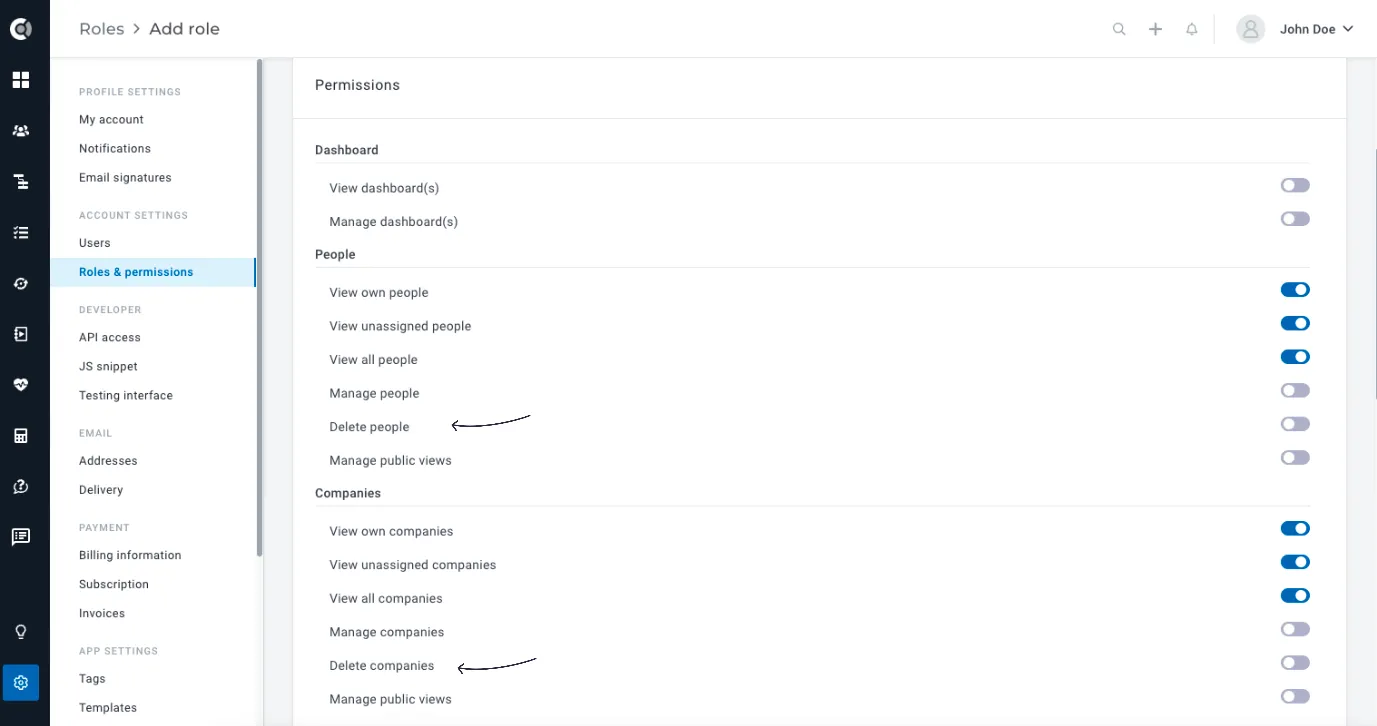
- There are two new role permissions, Delete People and Delete Companies. Admins can now allow Custify users to manage people and companies without being able to delete them. For the existing roles that currently have permissions to manage people/companies permissions, the permission to delete is by default enabled.
And as always, this release brings many other quality of life improvements (bug fixes, performance enhancements, UI/UX improvements).