Product Updates | November 22nd, 2022
General
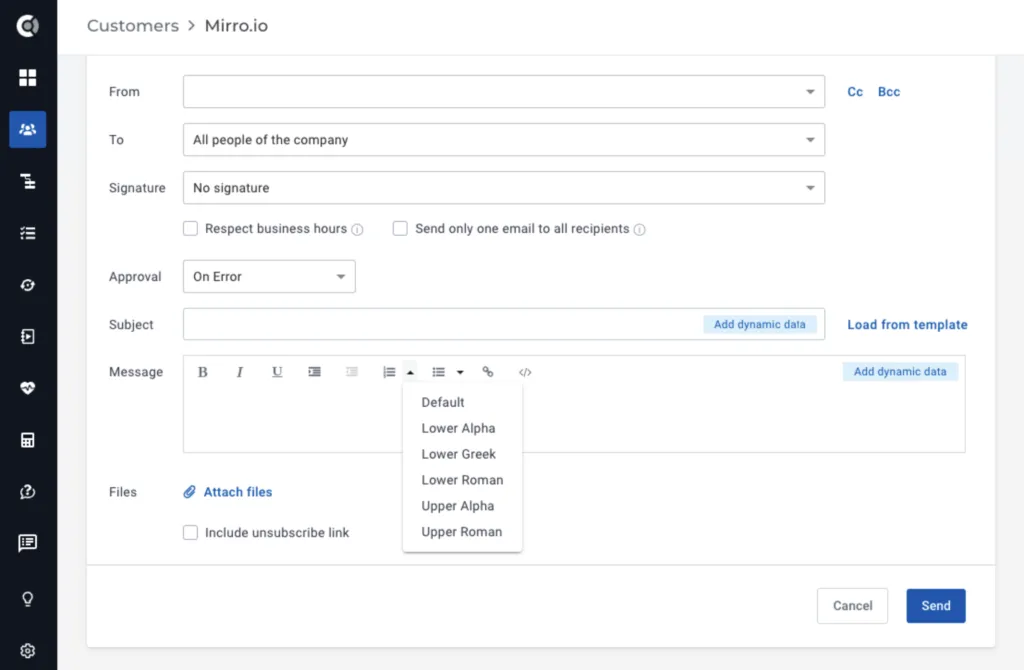
New WYSiWYG editor: New text editor in place (for notes, tasks and emails), that offers improved formatting and editing capabilities, such as keyboard shortcuts, multiple list styles, the ability to insert images into notes and tasks, and other features.
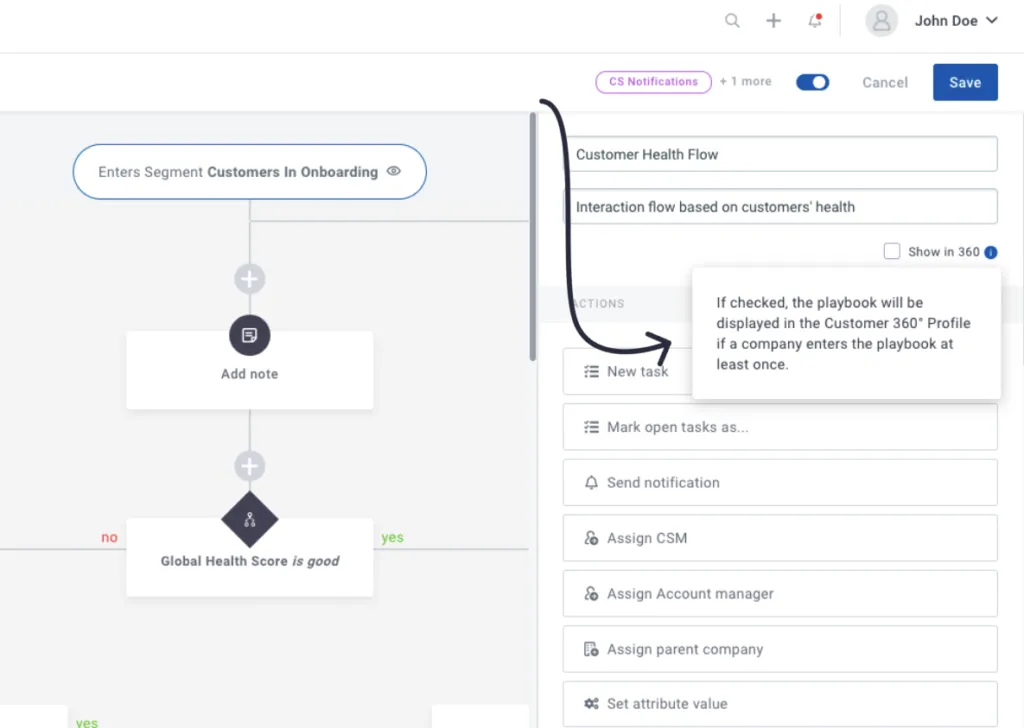
In-app help and tooltips: To raise awareness of the app’s features, we’ve added new in-app help.
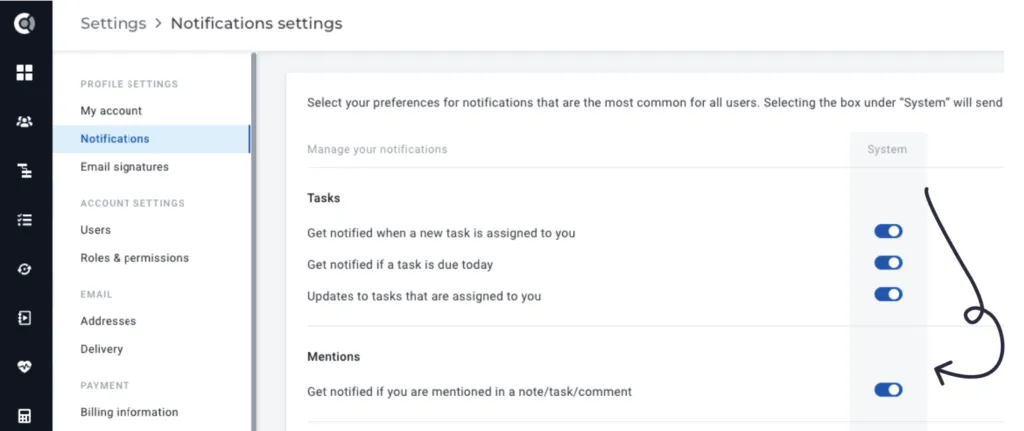
New notification type for Mentions: when you are mentioned in a task or comment, you can choose to receive separate notifications so you can easily navigate to the task you were mentioned in.
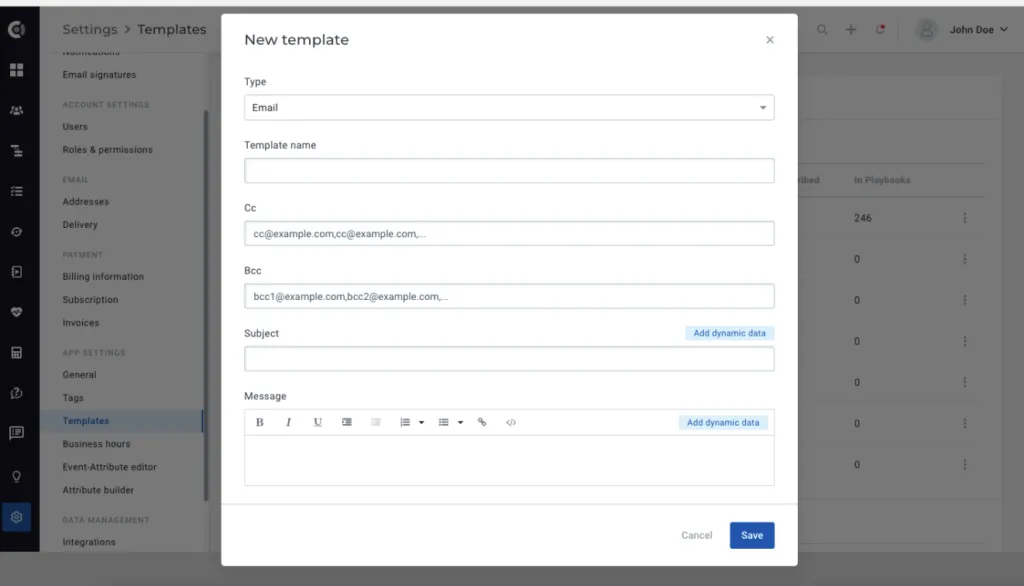
CC and BCC fields in email templates: Email templates have new fields for CC and BCC, so you can add more information and save time when composing emails.
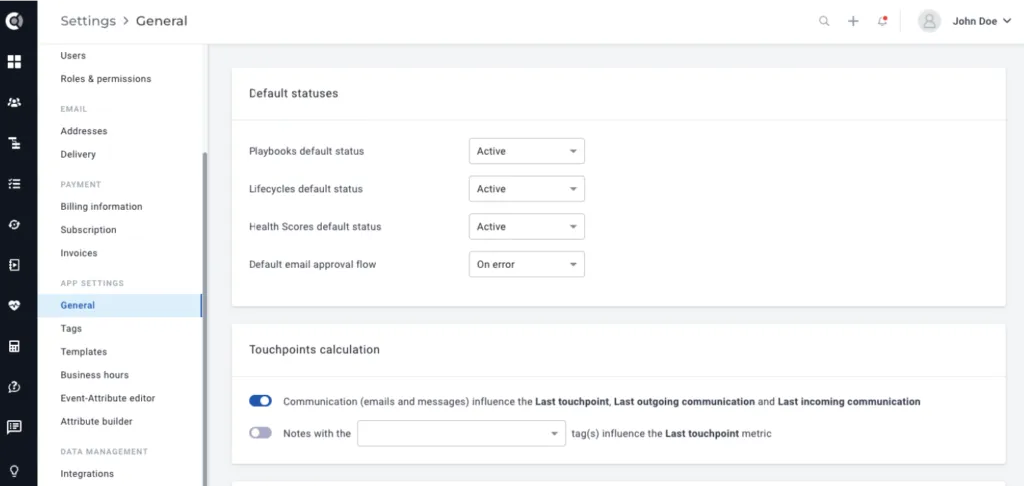
New section in App Settings: New general settings area where users with Manage Settings permissions can better control the default behavior of the app. Settings included:
- Default statuses;
- Default email approval flow;
- Touchpoints Calculation;
- Revenue Settings (impact on the Revenue Report).
Insights
Dashboards are now Insights and contain both the existing dashboards as well as the new Reports, launching now with the following default reports:
- Team Performance Report;
- Revenue Report.
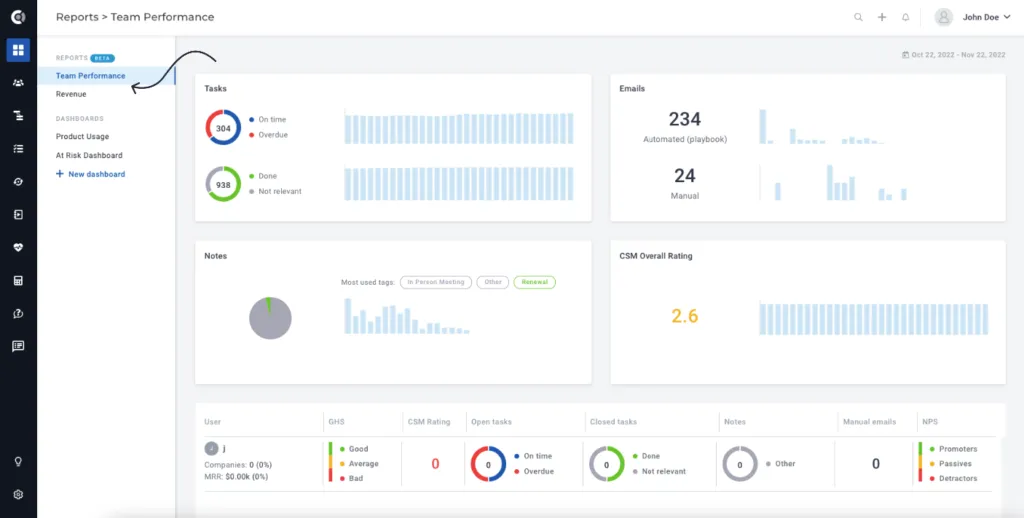
More details about the new Reports can be found here.
Company List View
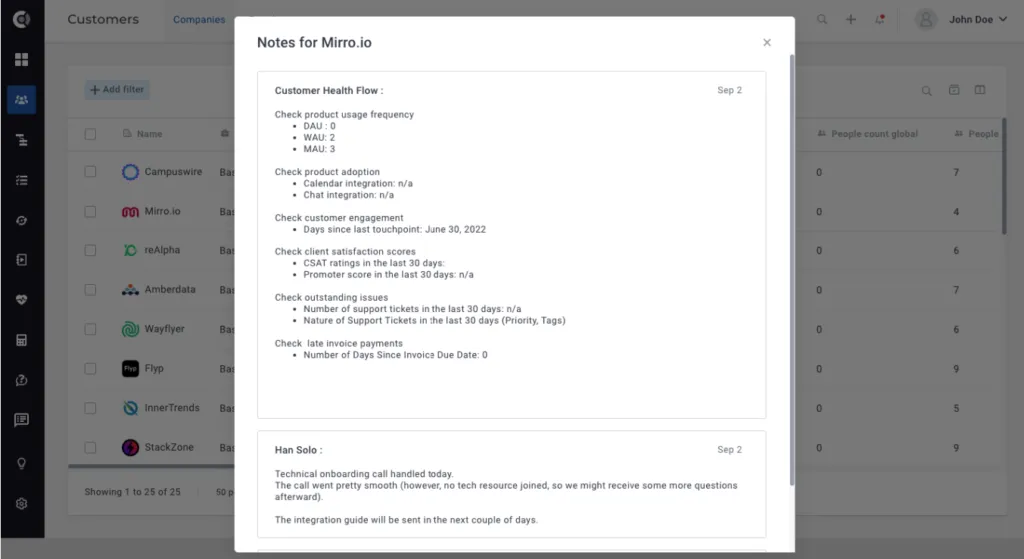
Notes display: new user interface that makes it easier to navigate through notes, so you can quickly review notes from the Customer List view without having to open the Customer 360 Profile.
Company 360 Profile
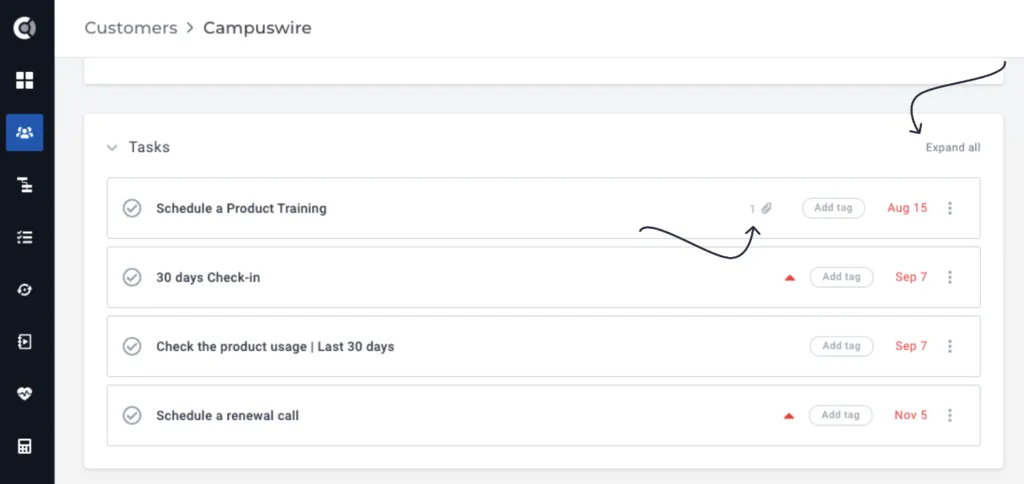
Improved task interface and navigation:
- You can now easily identify tasks that contain attachments. The attachment icon appears directly on the task, regardless of the task’s status (expanded/retracted).
- New Expand All option that lets you check all task details with a single click. Collapse All to hide the details after finishing your checks.
People tab: people profiles can now be opened in a new tab.
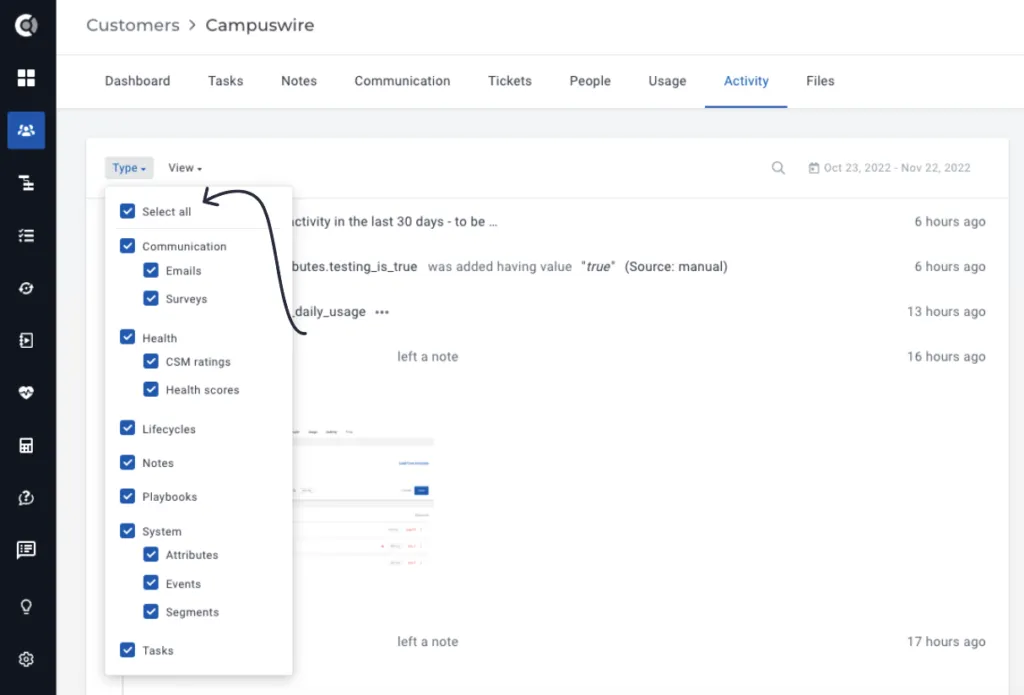
Activity tab: new Select/Deselect All option for Type selector and different other UI improvements.
Tasks
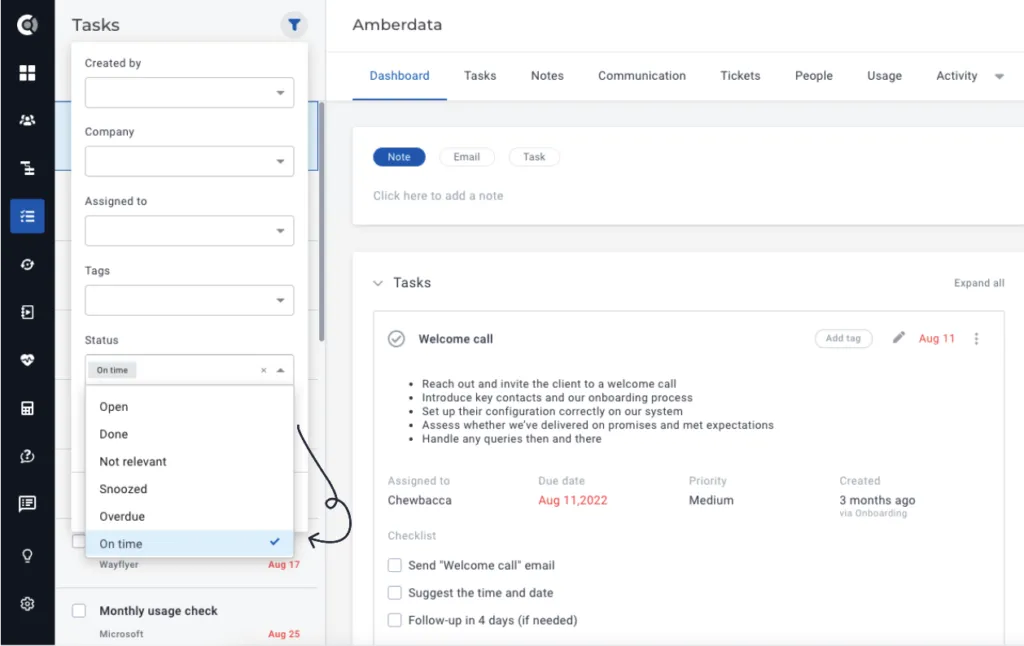
New task status filter: The On time filter returns all tasks that are open and not overdue.
Mentions within tasks: You can now mention people within tasks so that you can alert others about tasks assigned to them or other updates that are happening.
Playbooks
Reordering playbooks: Drag and drop playbooks to reorder them.
Send Intercom message action step: You now have the option to format your message and insert links.
Lifecycles
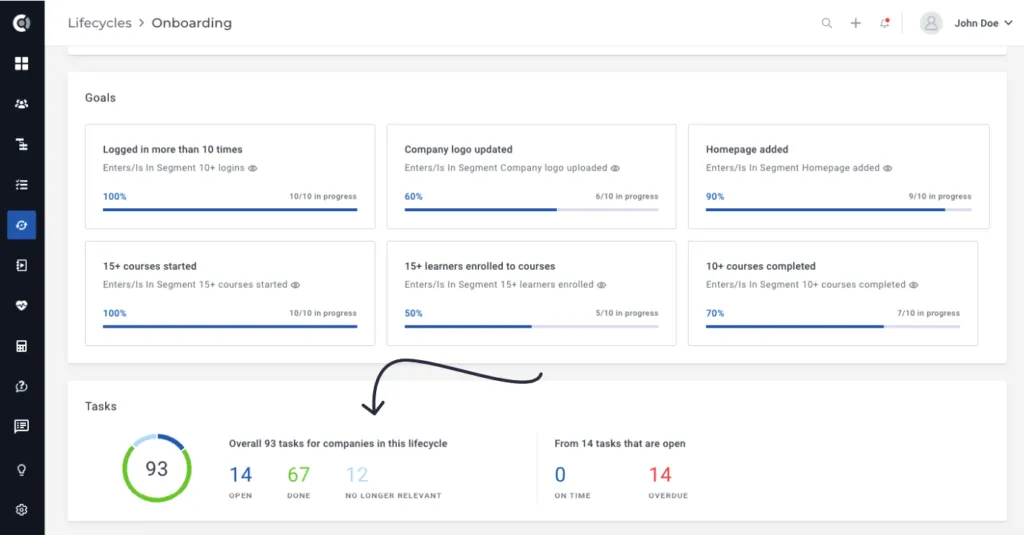
Lifecycle Tasks Overview: Click the lifecycle tasks in the Lifecycle Details section and see the list of tasks created by this lifecycle, together with their statuses.
Surveys
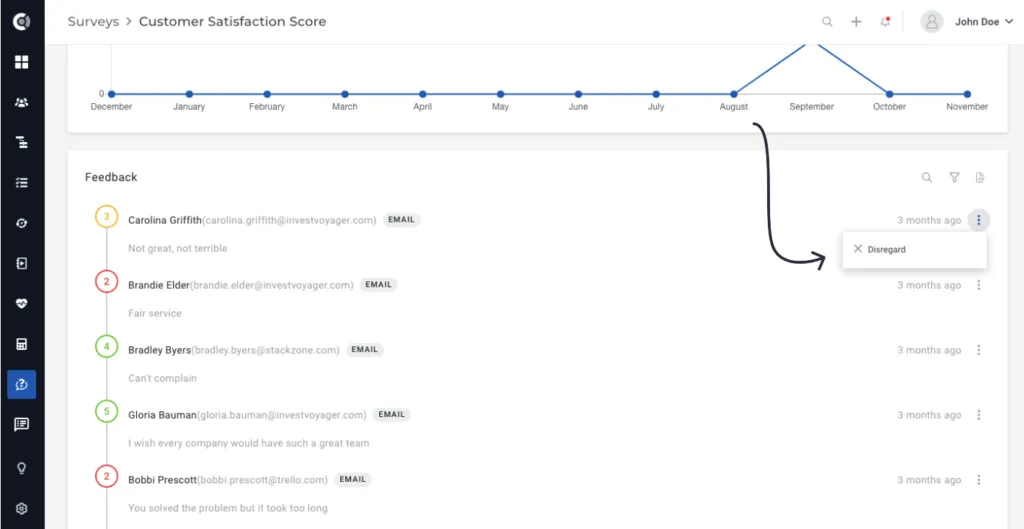
Disregard scores: You can now manually remove scores for people/companies. The score will be removed from all the calculations, but the feedback will remain in the list for historical tracking of customers’ feedback.
Touchpoints
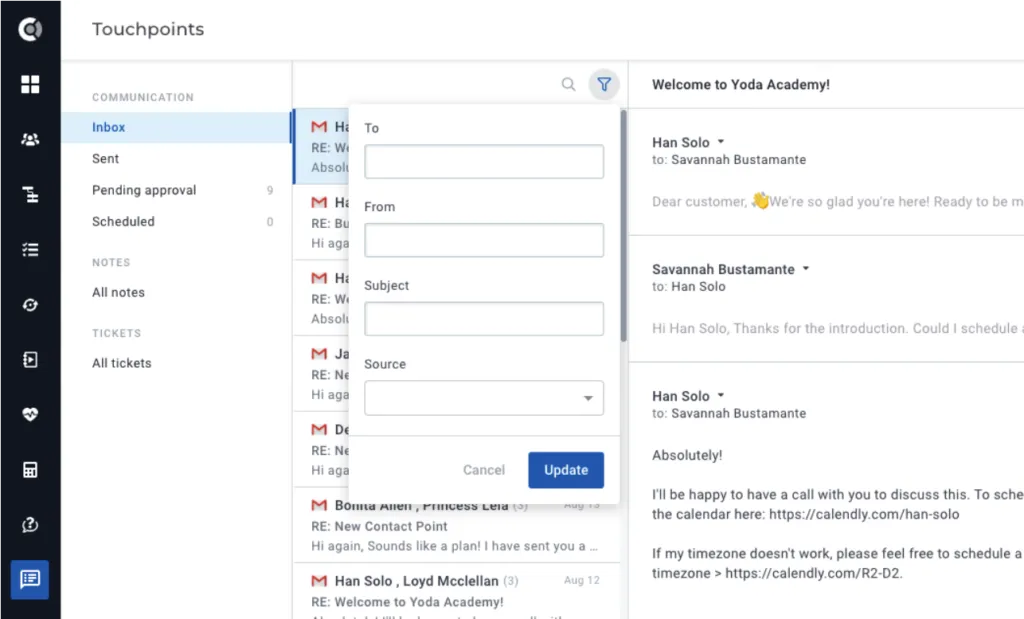
Improved Touchpoints UI and functionality:
- Updated UI/design;
- Improved details added when viewing Pending Approval emails;
- New “Filtering” options for communication, allowing targeted searches.
Integrations
Freshdesk integration improvements: For Domain-based matching, tickets will now mapped on multiple companies. If a domain matches multiple companies, tickets will be stored on all the matching companies.
Previous behavior: if multiple companies had the same domain, the tickets would get mapped under the first company that matched the criteria.
Many other smaller improvements and bug fixes.