Product Updates | September 25th
We’ve introduced several enhancements to help you better manage customers, streamline collaboration, and get more value out of Custify. Below is an overview of new features, improvements, and integrations.
Customer Objectives
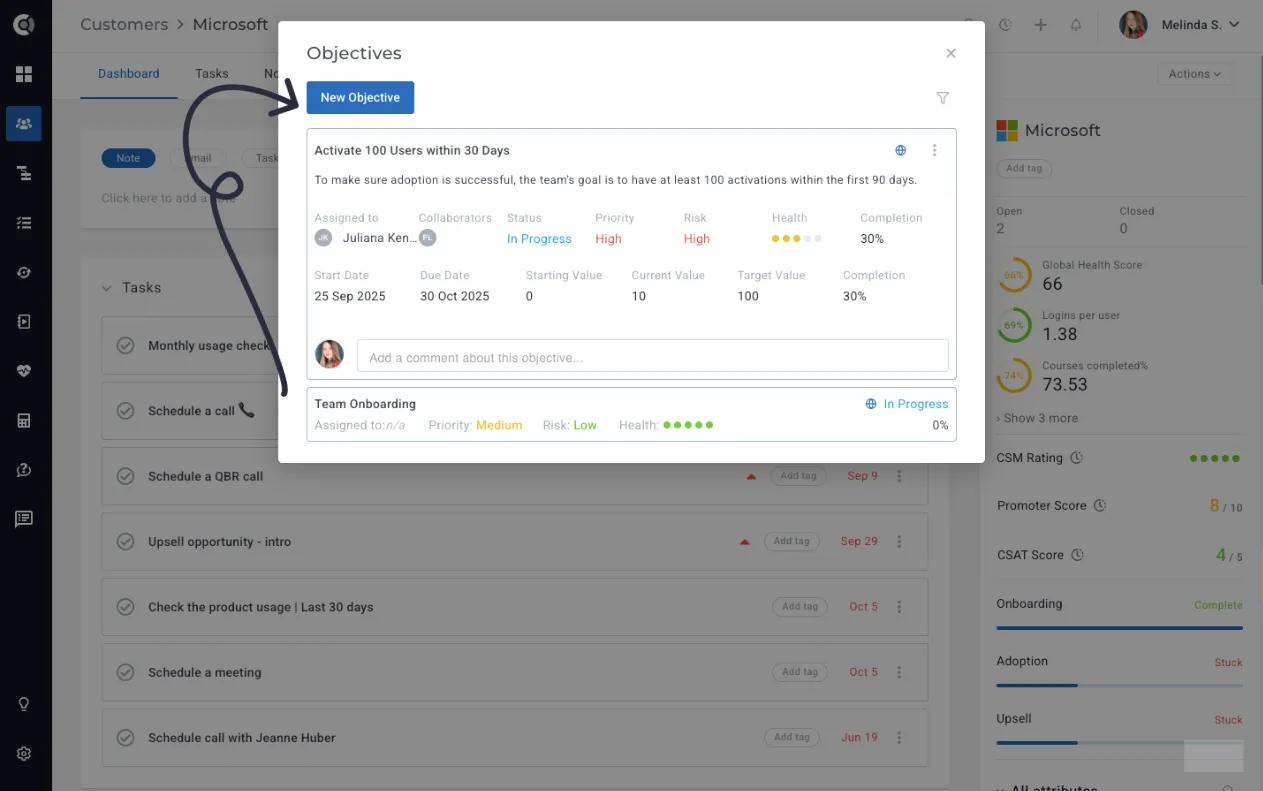
The Customer Objectives feature gives your team a structured way to define, track, and achieve the strategic goals that matter most to each customer. Instead of tracking success criteria across different modules or in less structured ways, you can now manage objectives in a dedicated space within Custify - directly connected to measurable progress and health scores.
Impact:
- Align your efforts with customer outcomes: Ensure every interaction, playbook, and activity supports the results your customer cares about most.
- Track meaningful progress: Monitor key milestones such as product adoption, ROI targets, onboarding completion, or renewal readiness in one place.
- Reduce churn and address risks early: Spot when objectives are off track and proactively engage before it impacts retention.
- Strengthen customer relationships: Show clear, measurable progress toward agreed outcomes, building trust and credibility with stakeholders.
Getting started with Customer Objectives
Start defining Customer Objectives by clicking New Objective. From there, you can set goals, assign owners, and track progress over time. Objectives can be shared with customers in the Customer Portal for transparency, or used in Calculated Metrics to feed into health scores and automate follow-ups.
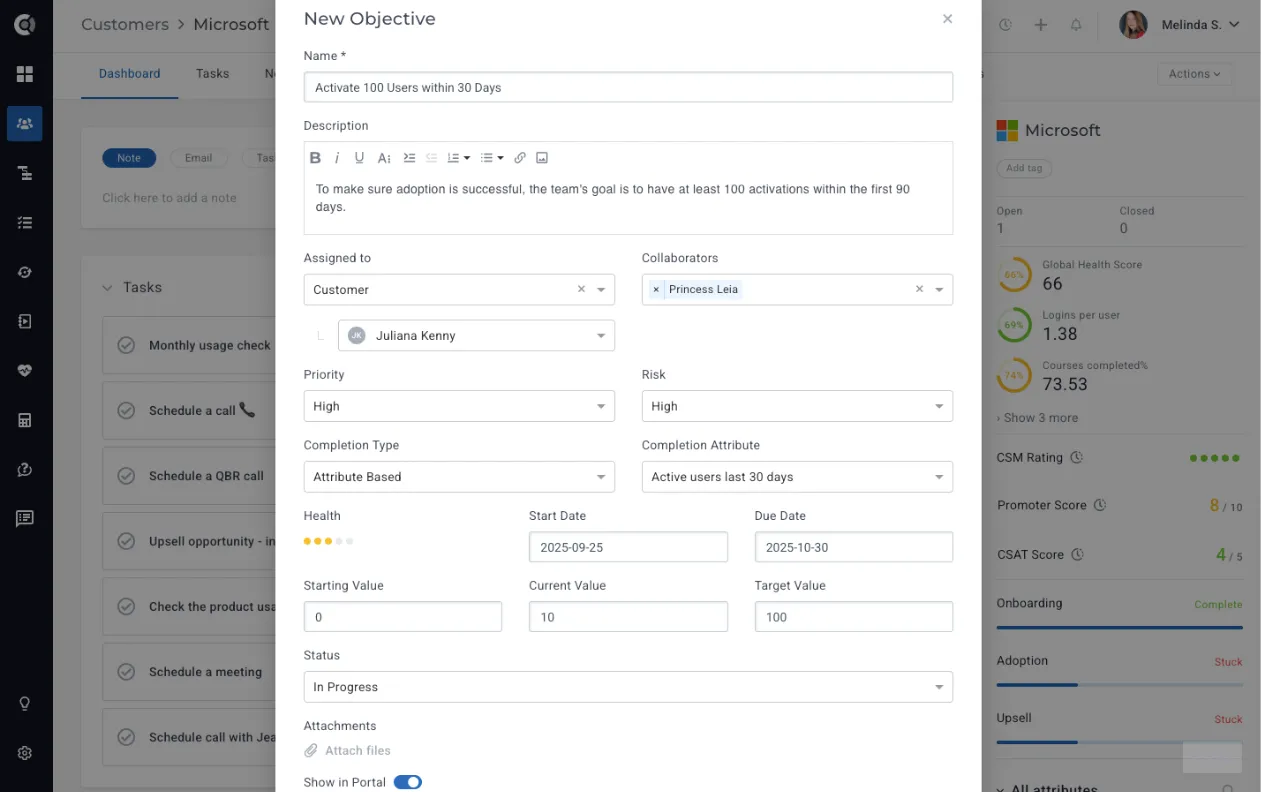
Example scenario: A new customer has an onboarding objective to activate 100 users within 90 days. In Custify, you can set this objective, link it to usage data, and monitor adoption. If the customer is only at 30 activations halfway through the period, Custify can flag the risk, trigger a playbook for proactive outreach, and give your team a chance to intervene before the renewal is at risk.
You can read more about this feature in Customer Objectivesthis dedicated article.
Surveys
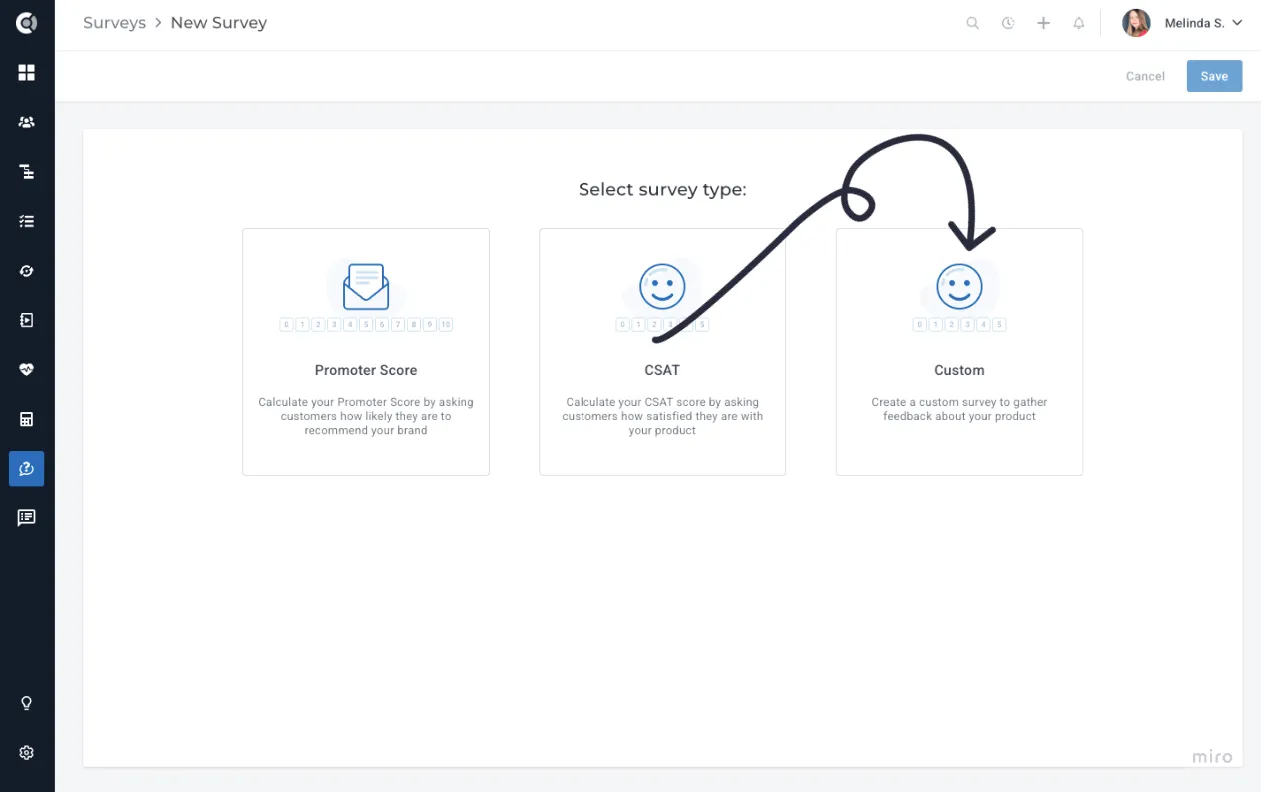
We’ve added a new Custom Survey category to help you collect deeper insights from your customers and tie feedback directly into your success processes. Instead of relying on one-size-fits-all forms, you can now design surveys that reflect your goals.
How it works
- Click New Survey → Custom.
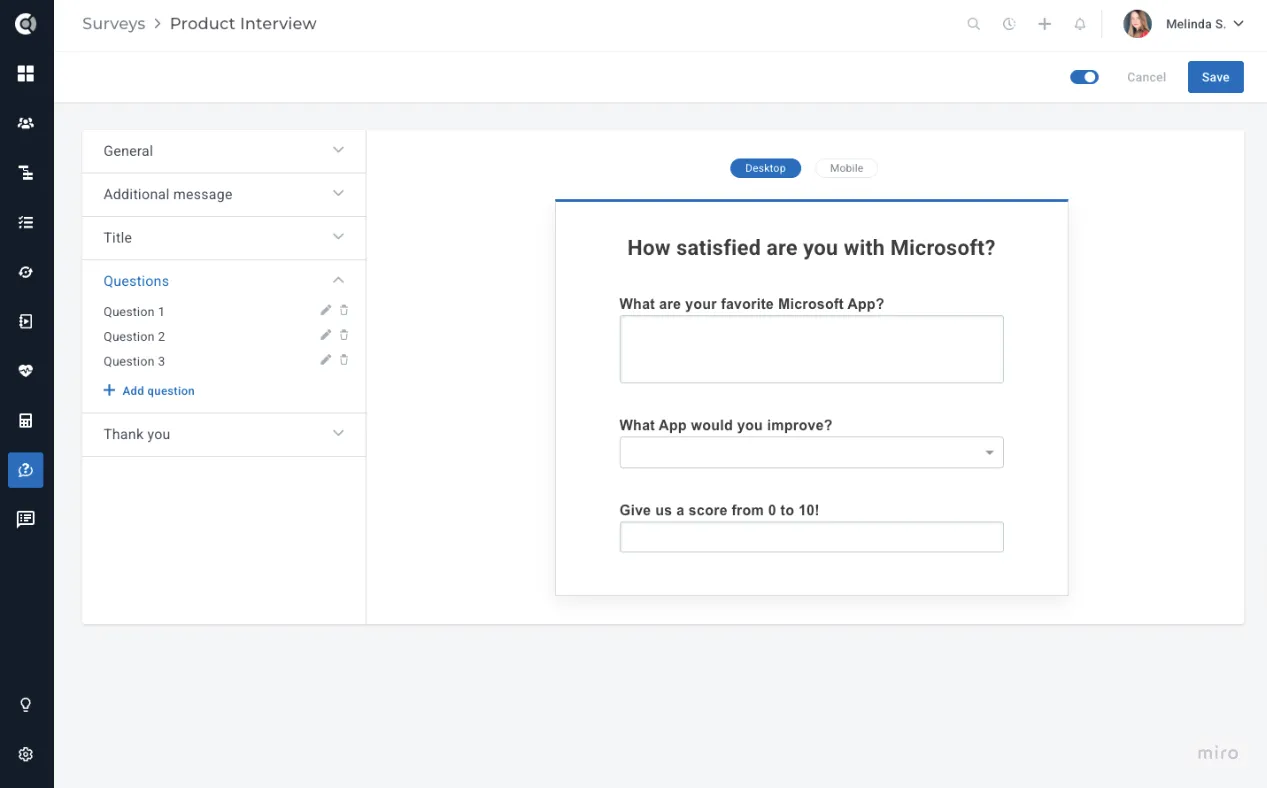
- Add multiple questions and choose the type of answers (text, numerical, dropdown single-select, or multi-select).
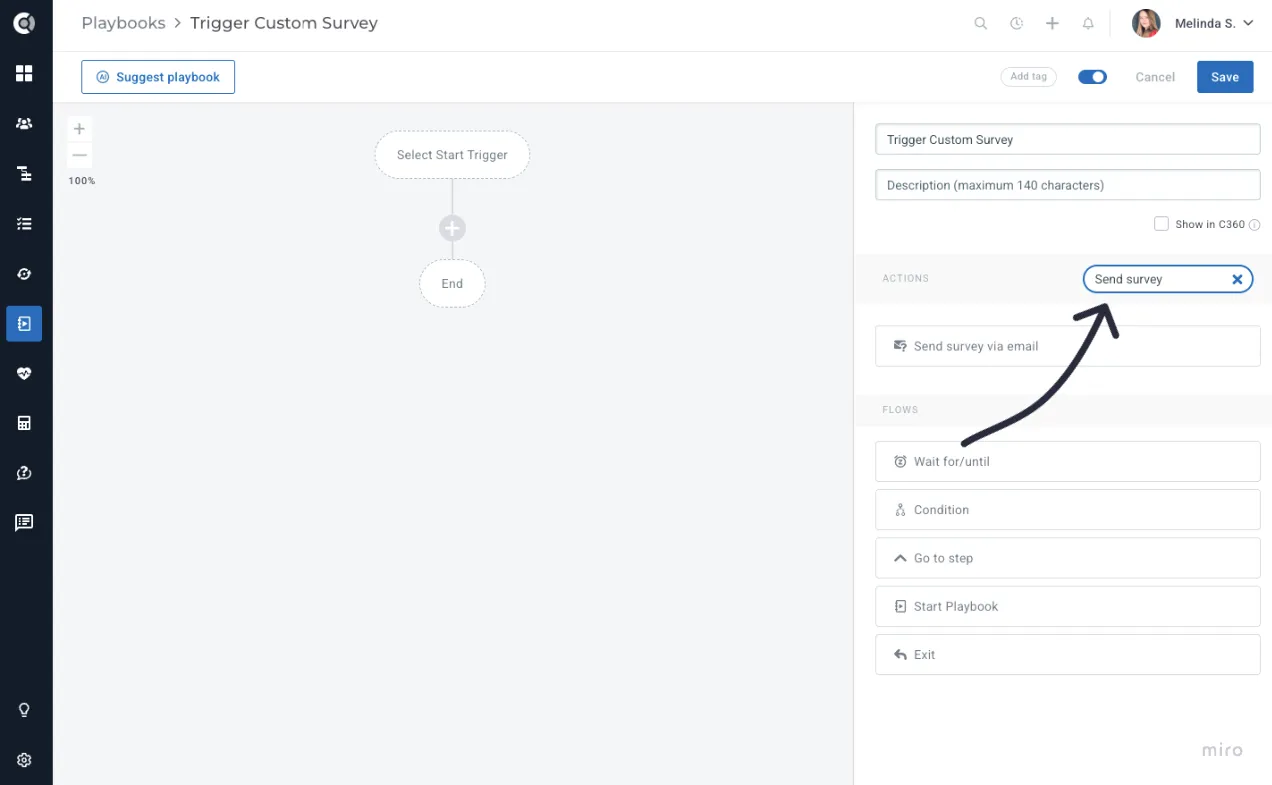
- Distribute surveys through playbooks using the Send Email Survey step.
- Review and export responses directly from the Survey module.
How it helps
- Capture structured feedback: Collect consistent responses that reveal trends and opportunities.
- Customize questions to fit your goals: Use flexible answer types to measure satisfaction, adoption, or product insights.
Customers List View
New Column Management Options: The improved column experience in the Customers List View gives you greater flexibility.
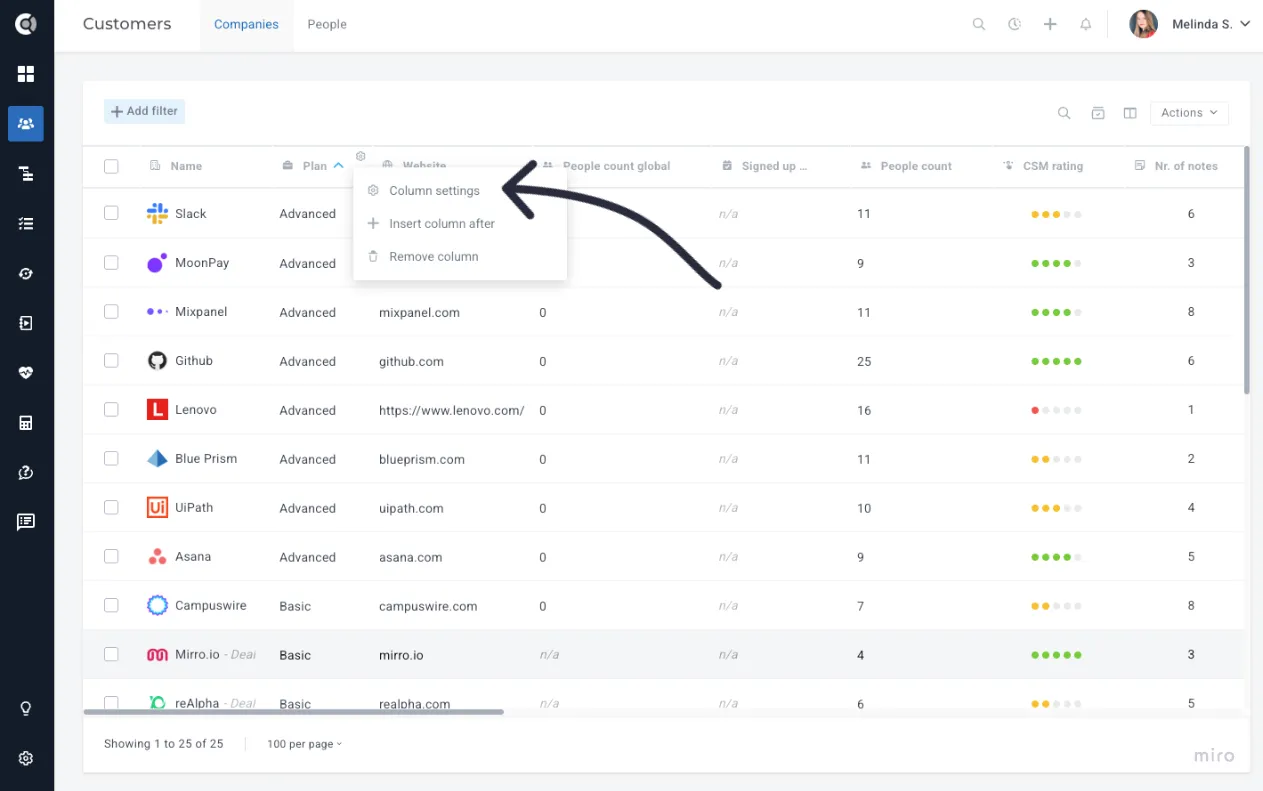
You can now:
- Adjust column widths to match your preferences.
- Enable text wrapping for easier readability.
- Add or remove columns to tailor the view to your workflow.
Calculated Metrics
The enhancements to Calculated Metrics give you more ways to measure customer health and activity, making your reporting more flexible and actionable.
New options include:
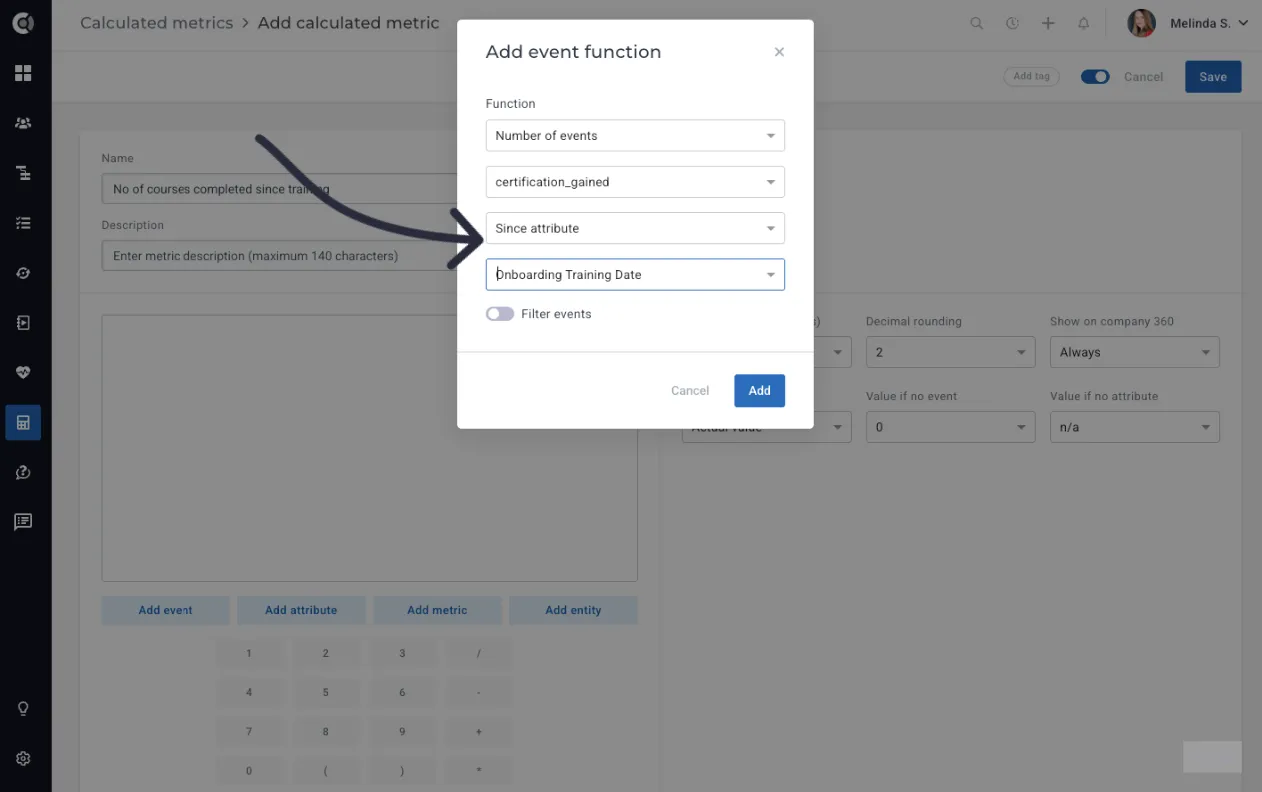
- Since attribute: Build metrics based on events since a specific date (for example, purchases since a campaign launch).
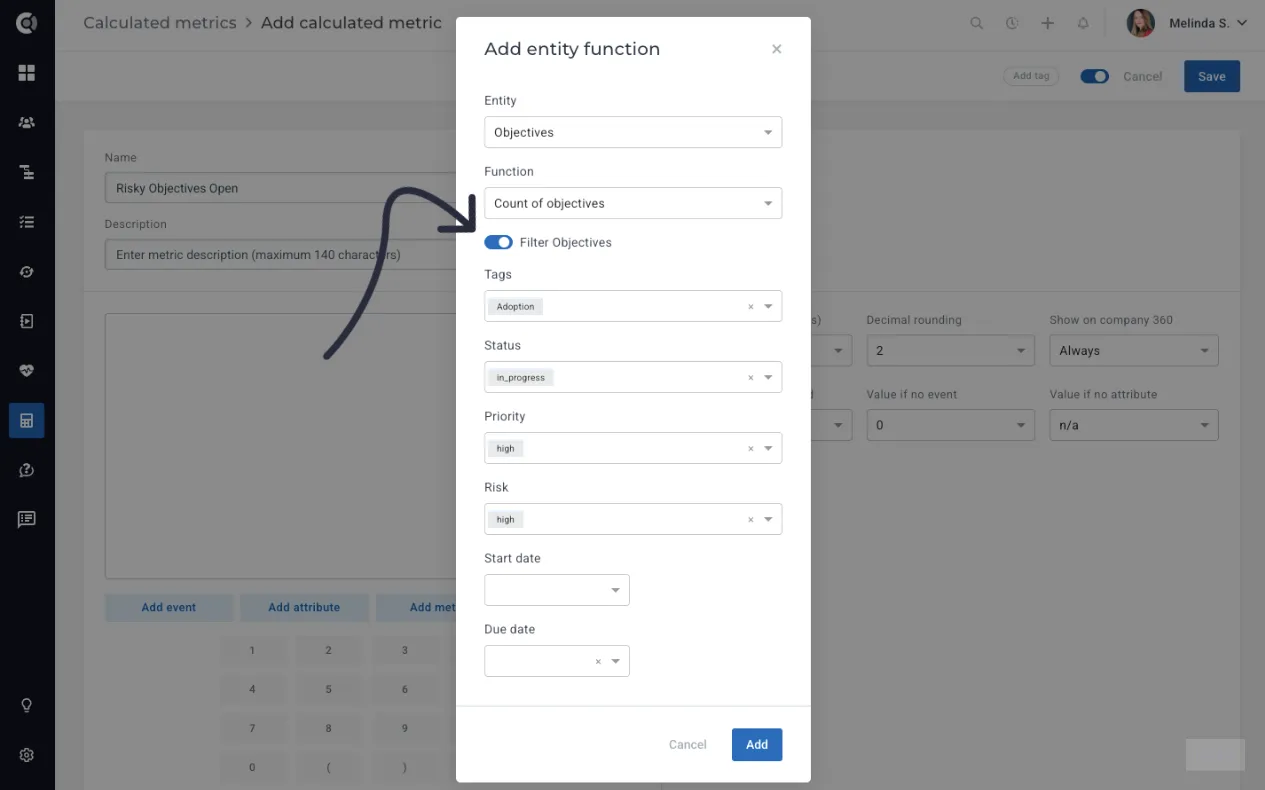
- New Objective functions: You can use Calculated MetricsCalculated Metrics to build health scores that reflect how well customers are progressing toward their objectives. By counting objectives, calculating the average health of all objectives, or measuring their average completion rate, you can translate customer progress into actionable health signals. This gives your team a more accurate view of customer value, highlights accounts at risk, and helps prioritize outreach.
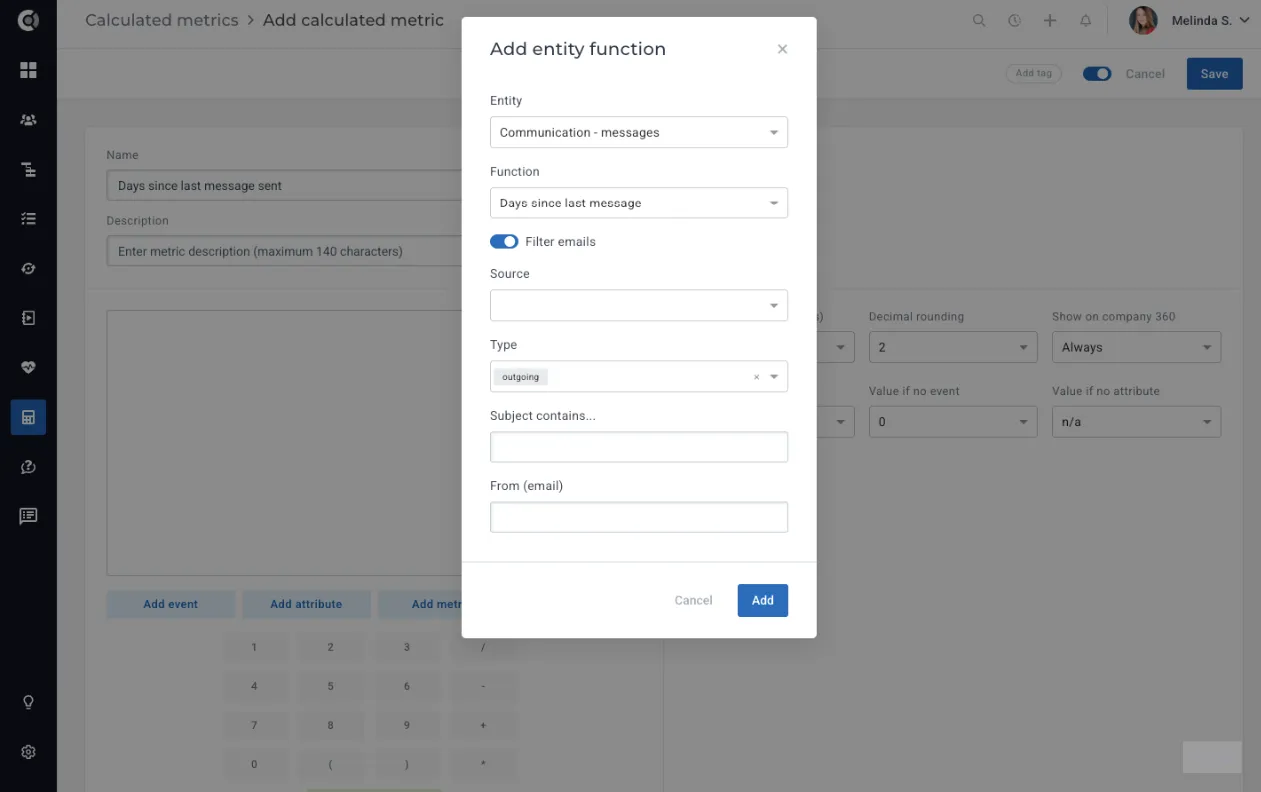
- New function - Days since last message: This new function tracks the number of days since the last inbound or outbound message with a customer. By surfacing this metric, teams can ensure they follow up regularly and no account is left without engagement for too long.
Playbooks
Playbooks are now smarter and more flexible, helping you automate customer communications and workflows with greater precision.
Enhancements include:
- Email Step – Limit to one sending per email address: When multiple people in Custify share the same email address, playbooks used to send separate emails to each entity. This could lead to duplicate messages landing in the customer’s inbox.
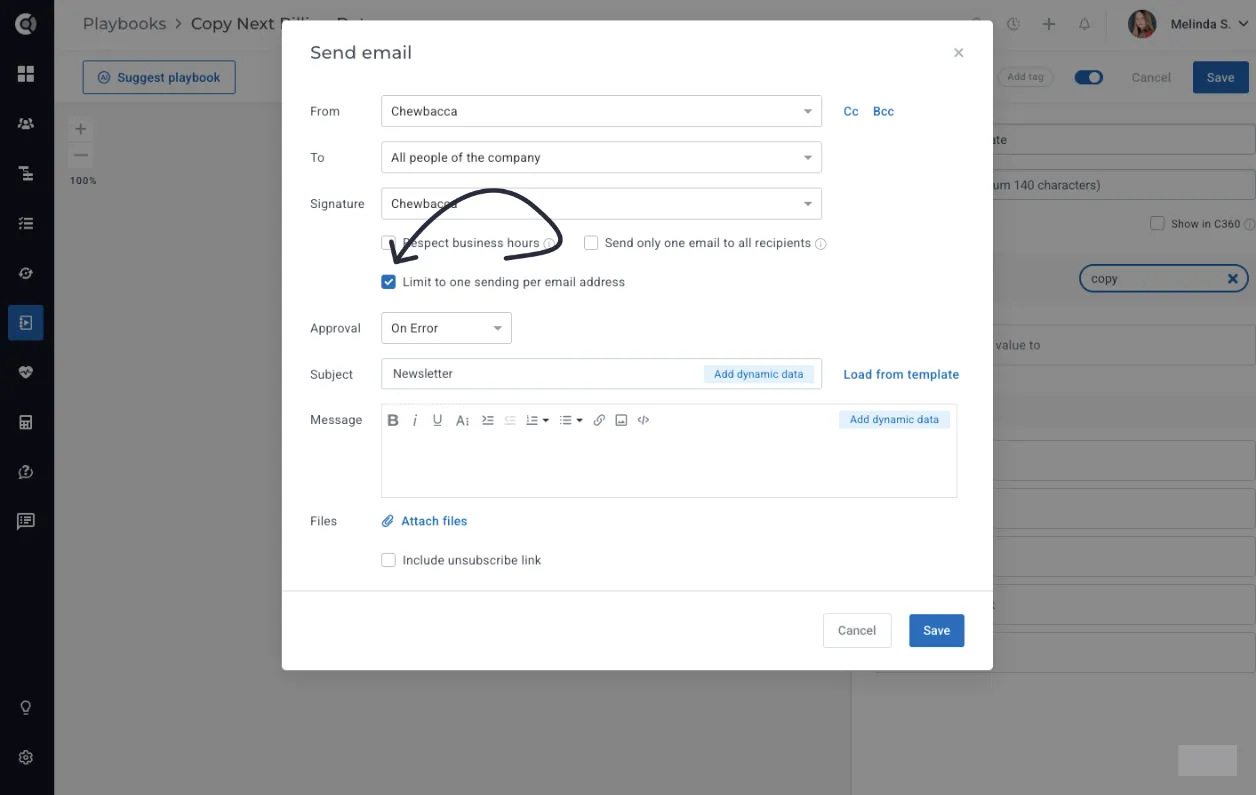
With the new Limit to one sending per email address option, Custify will only send the email once, to the first person entity that enters the playbook. It prevents customer frustration from duplicate communications and ensures cleaner, more professional outreach.
- Condition & Wait Step – Email Was Opened: You can now use Email was opened as a condition in your playbook logic. This allows you to segment follow-up actions based on whether the customer engaged with your message.
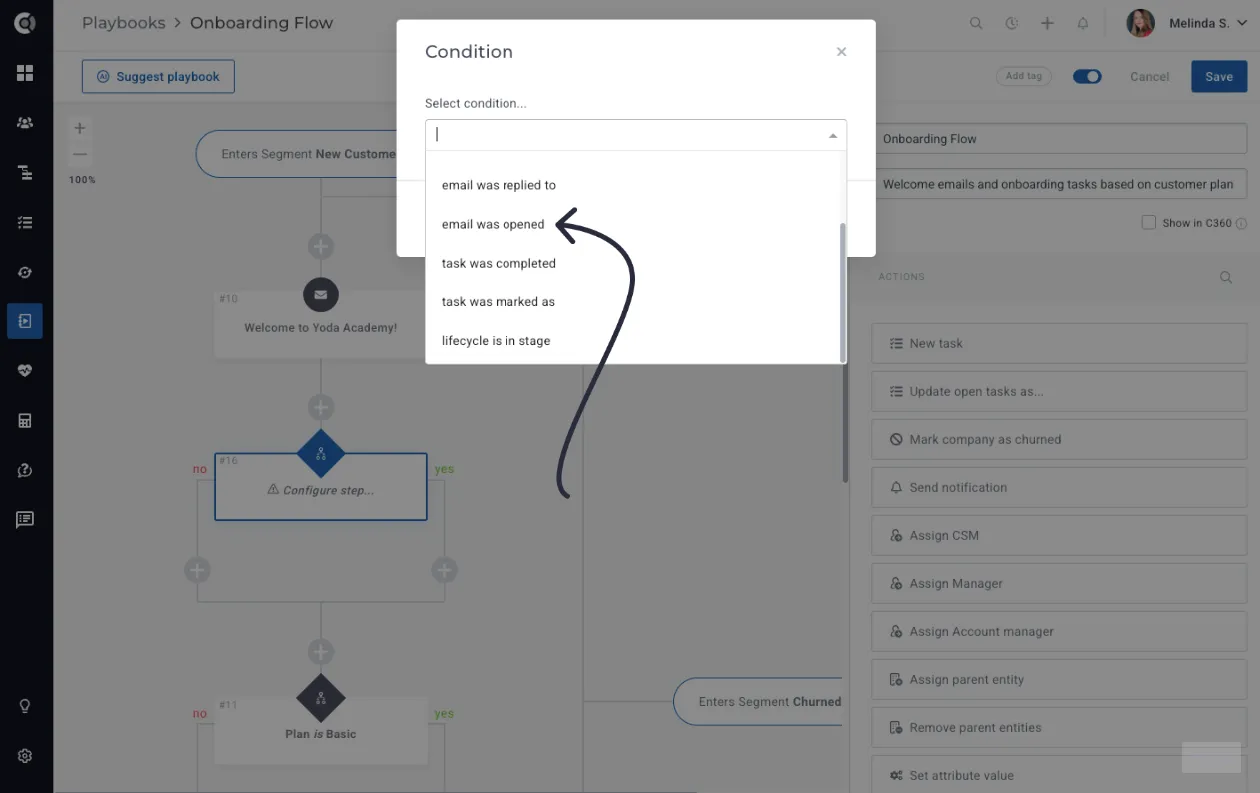
It helps you build smarter, more personalized automations. For example, send a reminder email only to those who didn’t open the first message, while moving engaged customers down a different path.
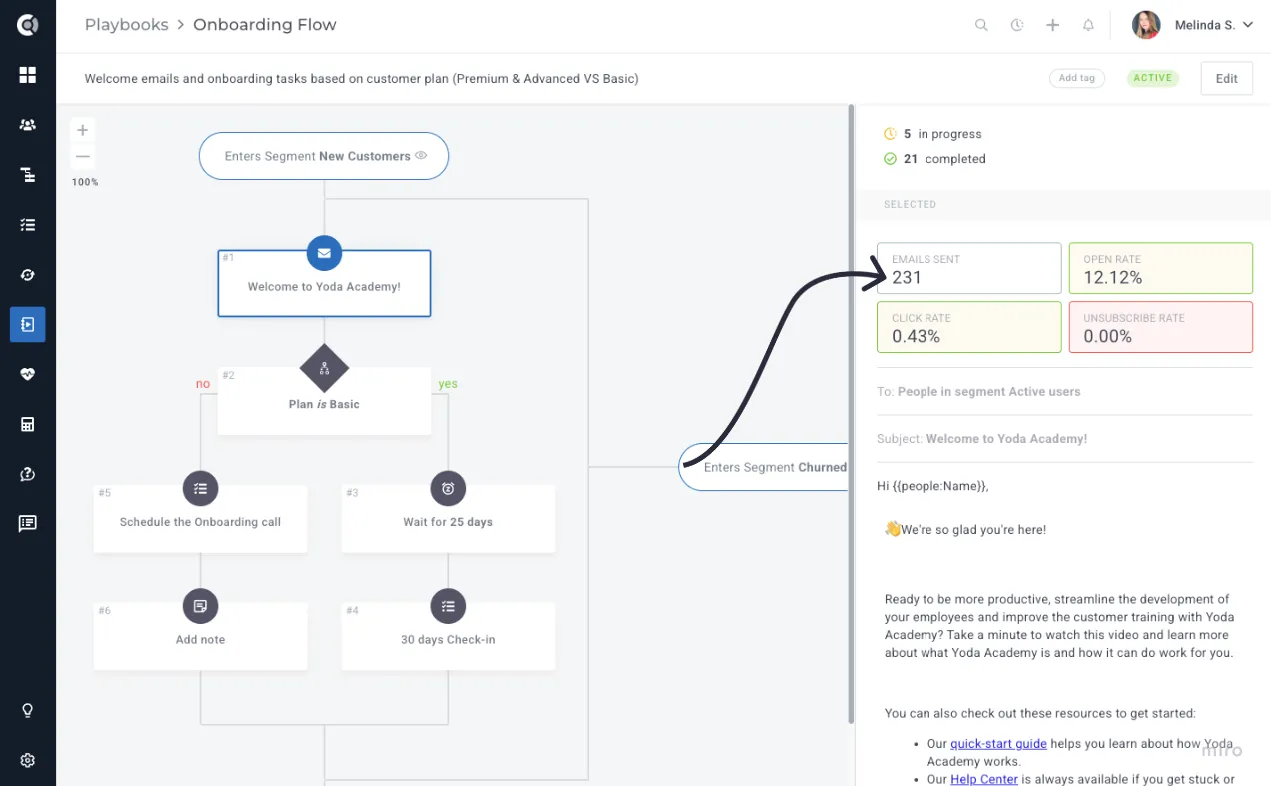
- Clickable Email Stats: Email performance data is now interactive. You can click on the statistics within a playbook (sent, opened, clicked) to see exactly which customers fall into each category. From there, you can jump directly to the customer list for deeper analysis or follow-up.
- Event-Based Triggers: Playbooks can now be triggered every time a specific event occurs. This functionality works for both People and Company playbooks, supports metadata filtering for precise targeting, and allows entities to rejoin the playbook without a timeout.
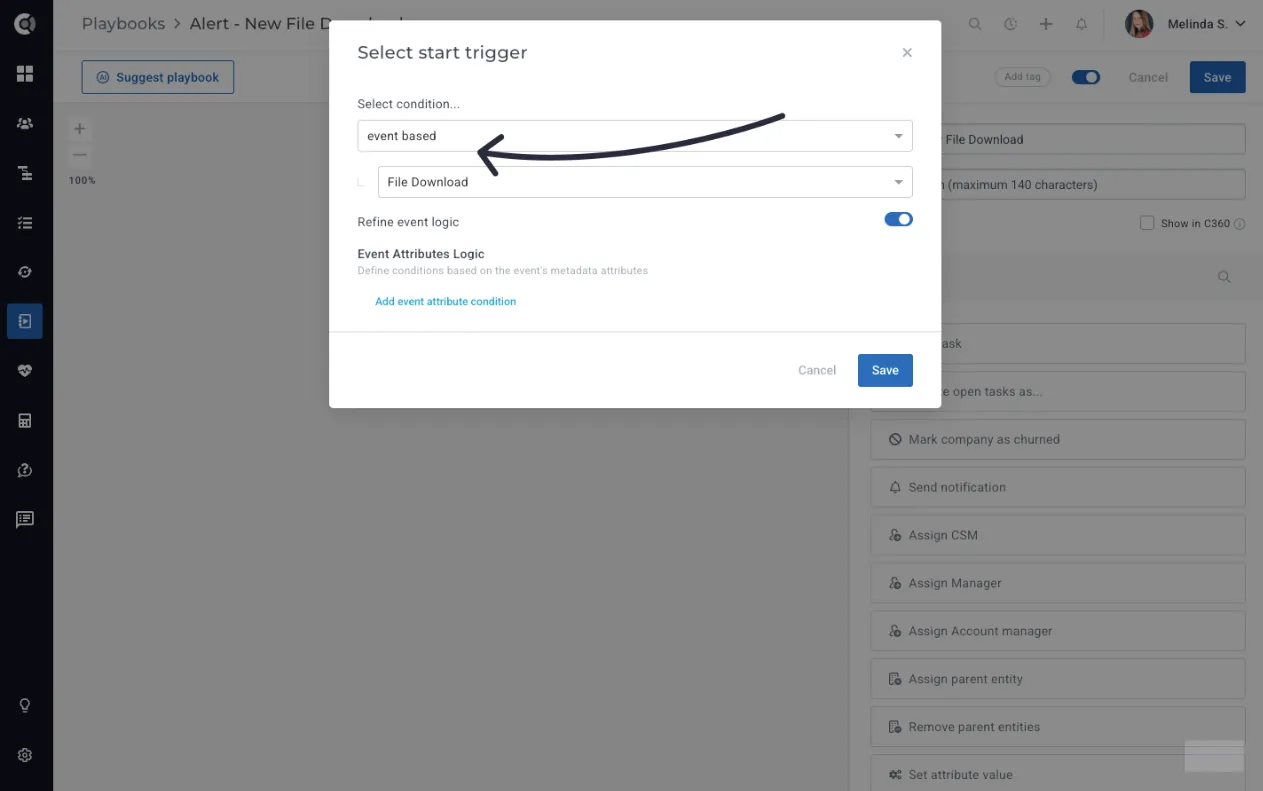
The feature enables highly dynamic automations. For example, when a “Login Failed” or “Sync Error” event occurs, a playbook can immediately notify the CSM and trigger a specific workflow. If a customer experiences multiple failed logins in a short period, Custify can flag this as a potential blocker to adoption and alert the team to intervene quickly.
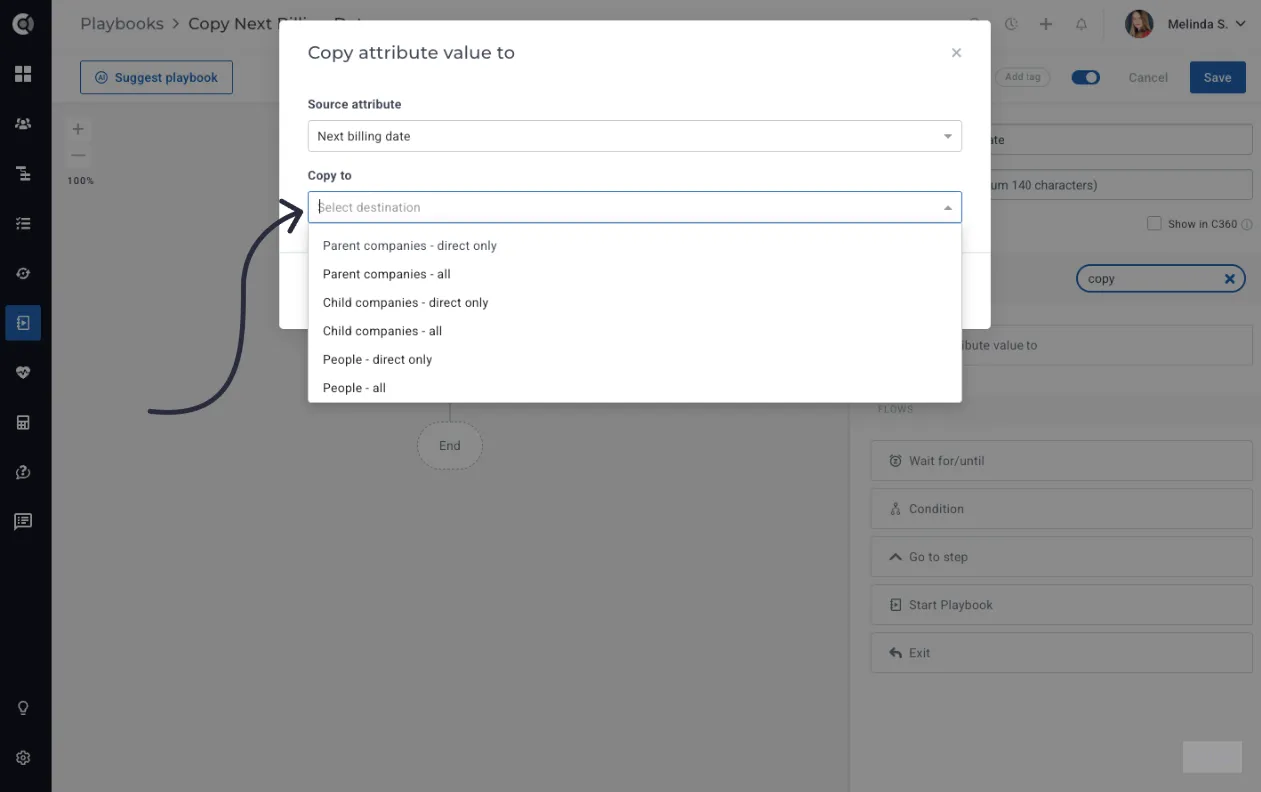
- Copy Values Step: The new Copy attribute value to… step allows you to automatically transfer values between entities. For example, you can copy contract details from a parent company down to its subsidiaries, or sync a champion’s email from a person profile to the company profile.
- Search for Playbook Steps: You can now search for specific playbook steps, making it easier to find the steps for your desired flows.
Integrations
ServiceNow
Integrating ServiceNow with Custify ensures your customer success team has the same visibility and context as your support and operations teams. By bringing data together, you can streamline processes, reduce silos, and respond to customer needs more effectively.
Connect Custify to your ServiceNow instance to:
- Unify customer data.
- Automate workflows.
- Give CS teams full visibility into customer account activities.
More details about this here: ServiceNowcan be read here.
Okta SSO
Custify now supports Single Sign-On with Okta. Team members can log in using their Okta credentials for secure, streamlined access. Instead of managing separate Custify logins, your team can authenticate directly through Okta, reducing password fatigue and improving security.
A setup guide is available for configuration Oktahere.
Outlook & Gmail
Import data based on Secondary Email Address: You can now add secondary email addresses (comma-separated) in a people-level attribute. All emails and meetings sent to these addresses will automatically sync into Custify, eliminating the need to create duplicate contacts.
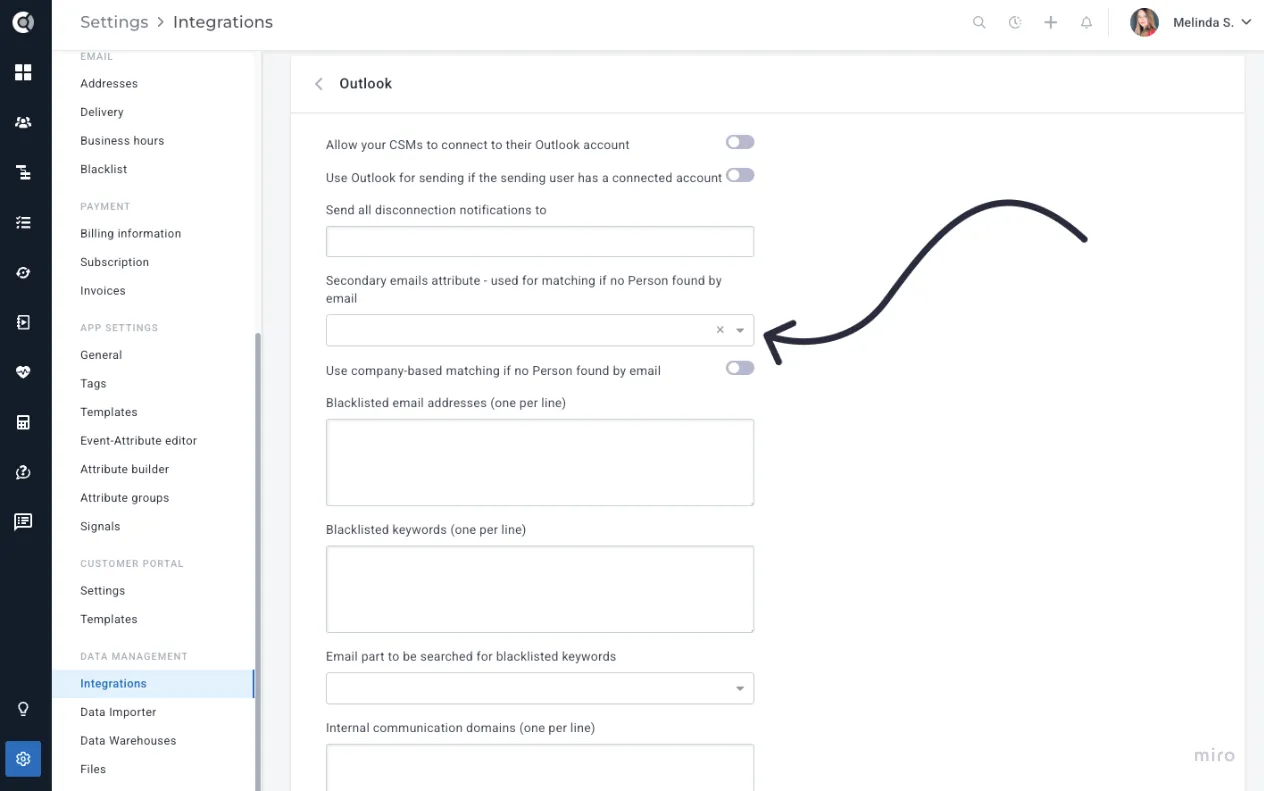
Example: If a customer uses both a work email and a personal email to communicate, you can add both addresses to their profile. Custify will then capture all relevant interactions under the same contact.
Pipedrive
Import activities such as calls, tasks, and notes into Custify as notes. This ensures CSMs have full visibility into Sales activities and can use them as clear “next steps” in customer conversations.
General
We’ve introduced updates that improve usability and context, helping your team work more efficiently:
- Email Rendering: Inline images from Gmail or Outlook are now displayed within imported emails, making it easier to follow the conversation without opening attachments.
- New Attributes: Company information now includes two new attributes: last CSAT comment and last promoter score comment, giving quick access to the latest feedback.
- Permissions for Task Module - View-only users: View-only users can now access the Tasks module. This allows non-CS team members (such as Sales) to follow progress on tasks without editing rights, improving cross-team visibility.
Dynamic C360
The Dynamic C360 view is designed to give your team a single place to see and act on the most important customer information. With the latest enhancements, you can combine more data and take action directly in the view, reducing the need to switch between different tabs or tools.
Enhancements to the Dynamic C360 experience include:
- Communication block: Add and filter communication views directly in C360 to keep track of conversations in context.
- Financial data blocks: Display deals, subscriptions, and invoices alongside other customer information for a complete picture of customer value.
- Lifecycle tracking: Visualize lifecycle progress to better understand where each customer is on their journey.
- Action block: Trigger actions directly from the C360 page body, helping your team move faster.
Customer Portal
Updates to the Customer Portal improve both usability and flexibility, ensuring your customers have a smoother experience.
Enhancements include:
- New Objectives Block
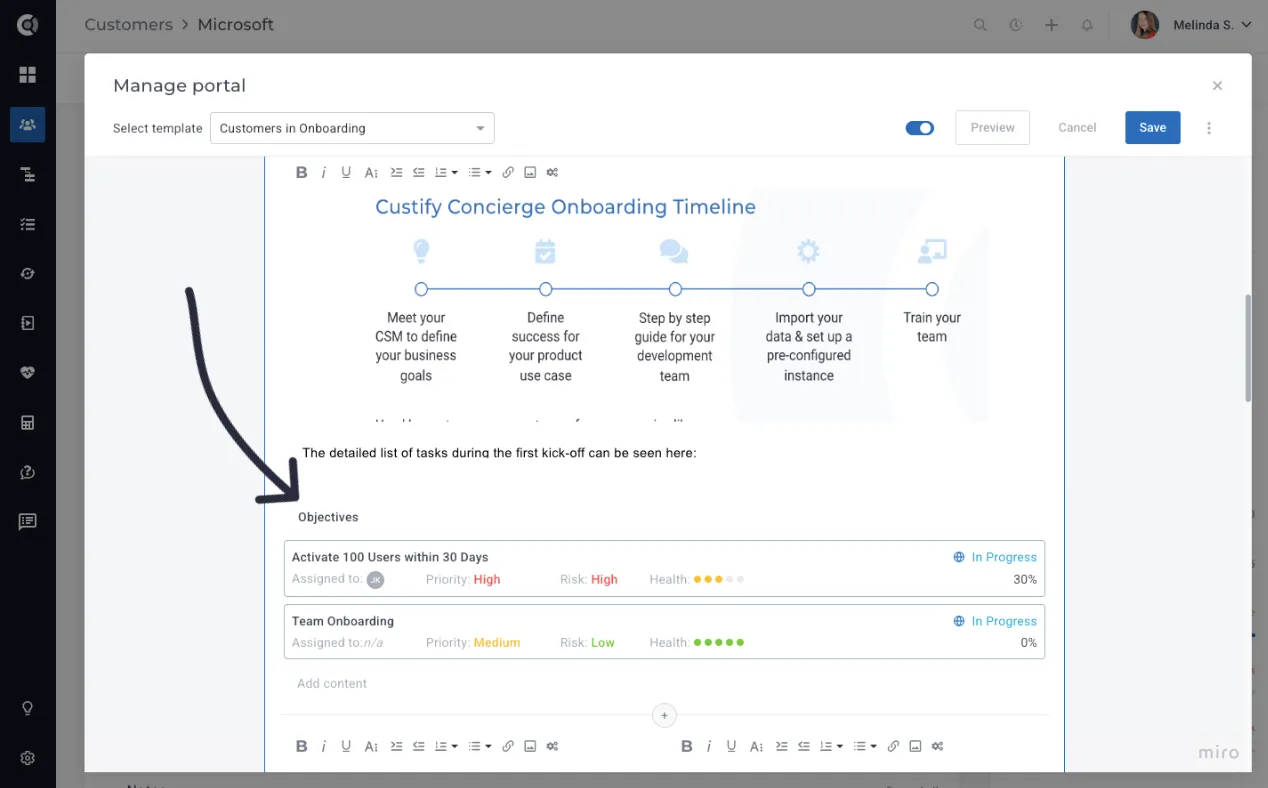
Objectives can be shared directly in the Customer Portal, giving your customers full visibility into the goals you’ve set together. By showing them all active objectives and their progress, you create transparency, help customers visualize the value being delivered, and encourage shared accountability. This makes it easier to align on priorities, celebrate milestones as they’re achieved, and have constructive conversations if progress falls behind.
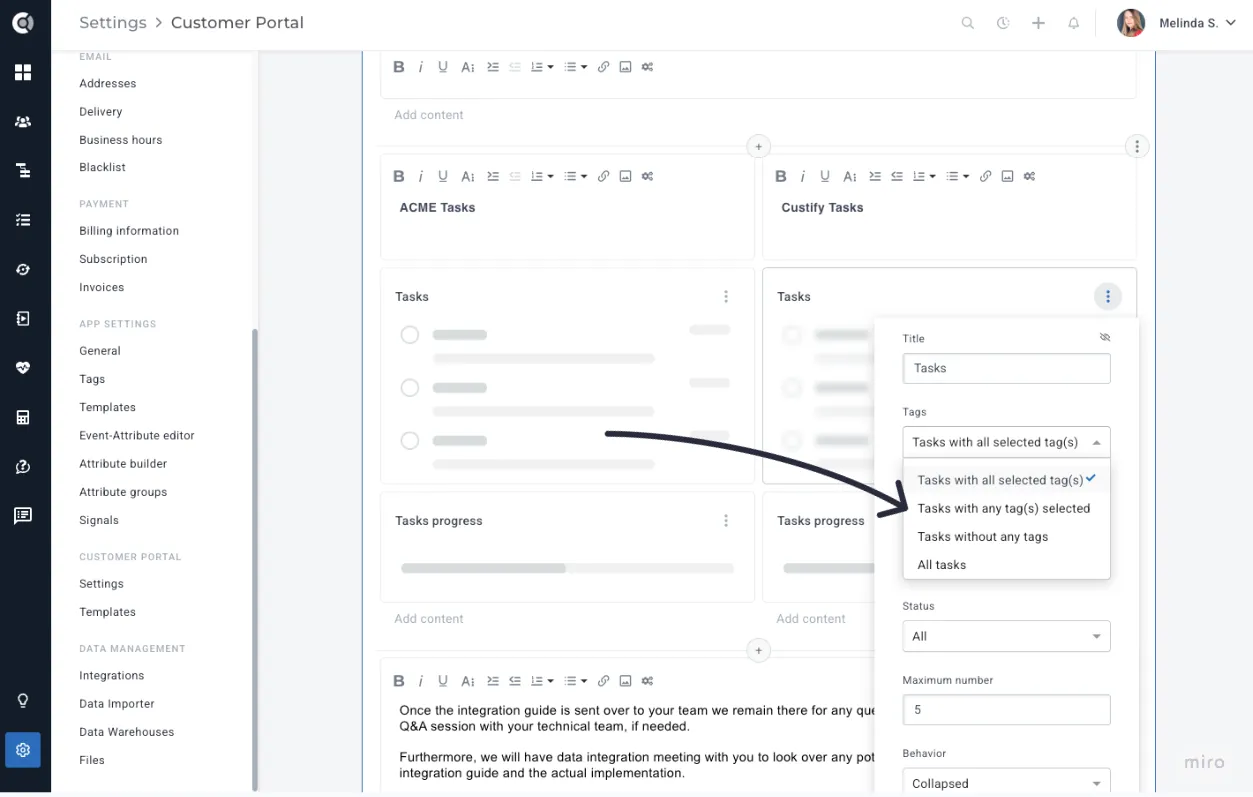
- Enhanced Tag Filtering: Toggle between AND (all tags must match) and OR (any tag can match) logic when filtering tasks or notes.
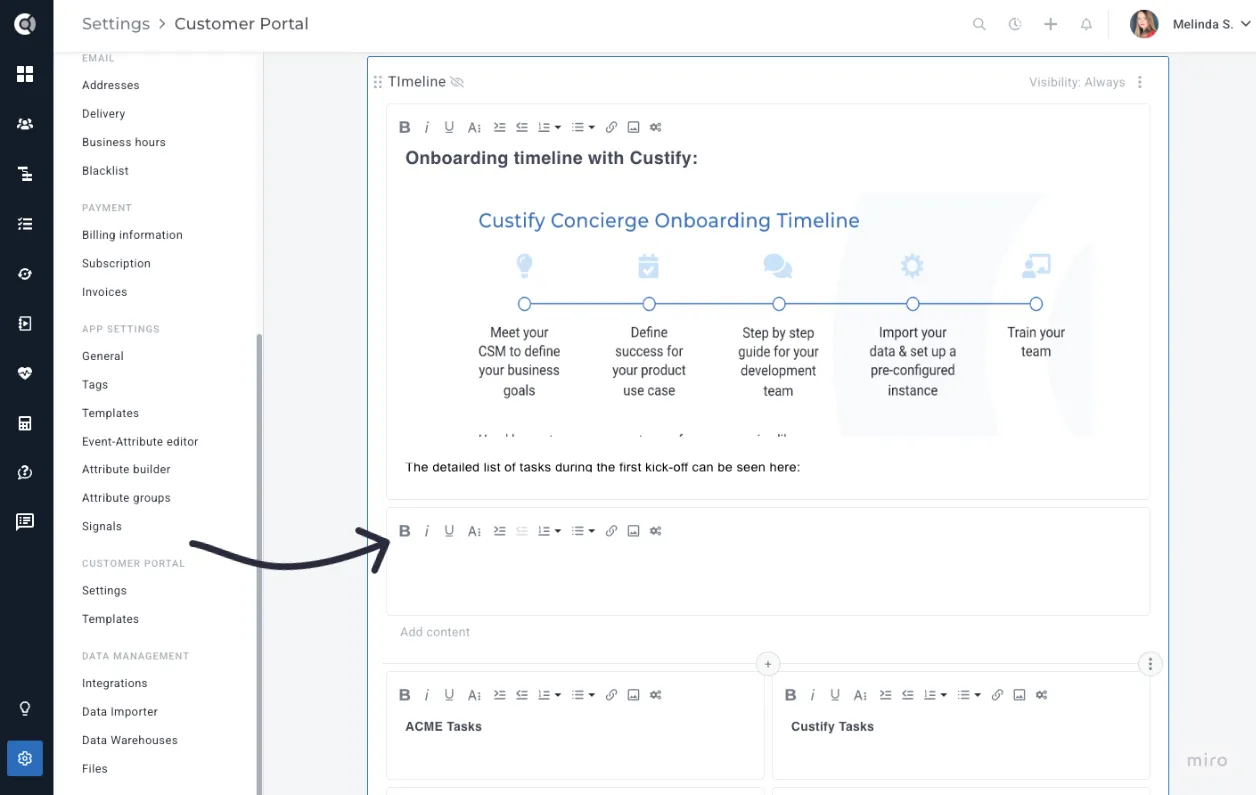
- Edit Mode – Text Blocks: The text formatting toolbar is now embedded at the top of the content box, providing a cleaner editing experience with predictable placement and no overlap.
These updates make Custify more flexible, collaborative, and insightful across every part of your workflow - from Customer Objectives and Surveys, to Integrations, Playbooks, and the Customer Portal.