Product Updates | May 16th, 2024
Tasks
New View Mode for Tasks – Table View
With the new task management view, tasks can be easily tracked, filtered, sorted, and associated with company attributes to correlate them with health scores and other metrics.
To select your preferred view, go to the Tasks menu and use the view selector next to the page title to switch between the two view types.
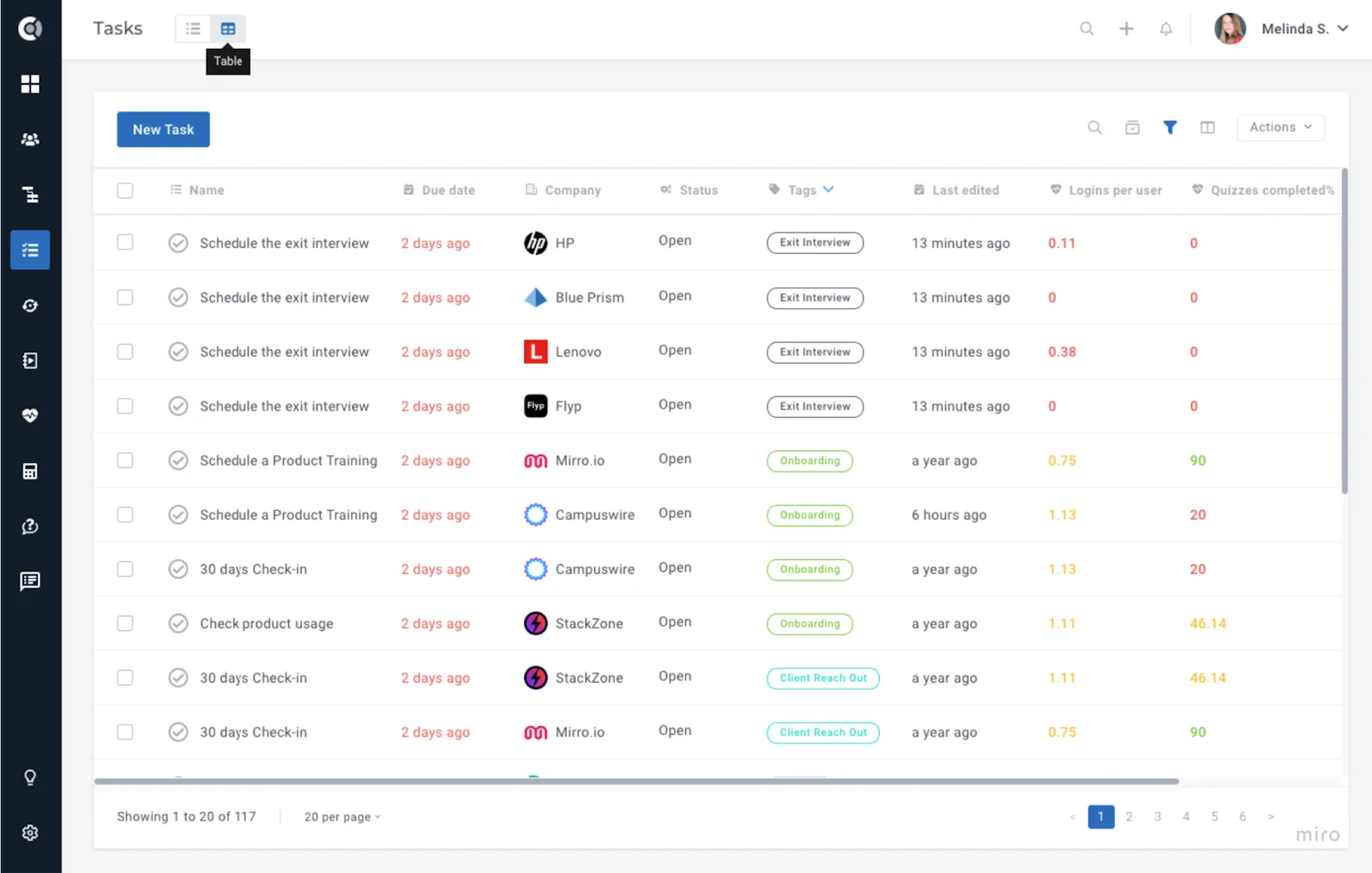
By selecting the Table view, tasks will be displayed in a table format and advanced filtering and sorting options will be available.
The available functions are:
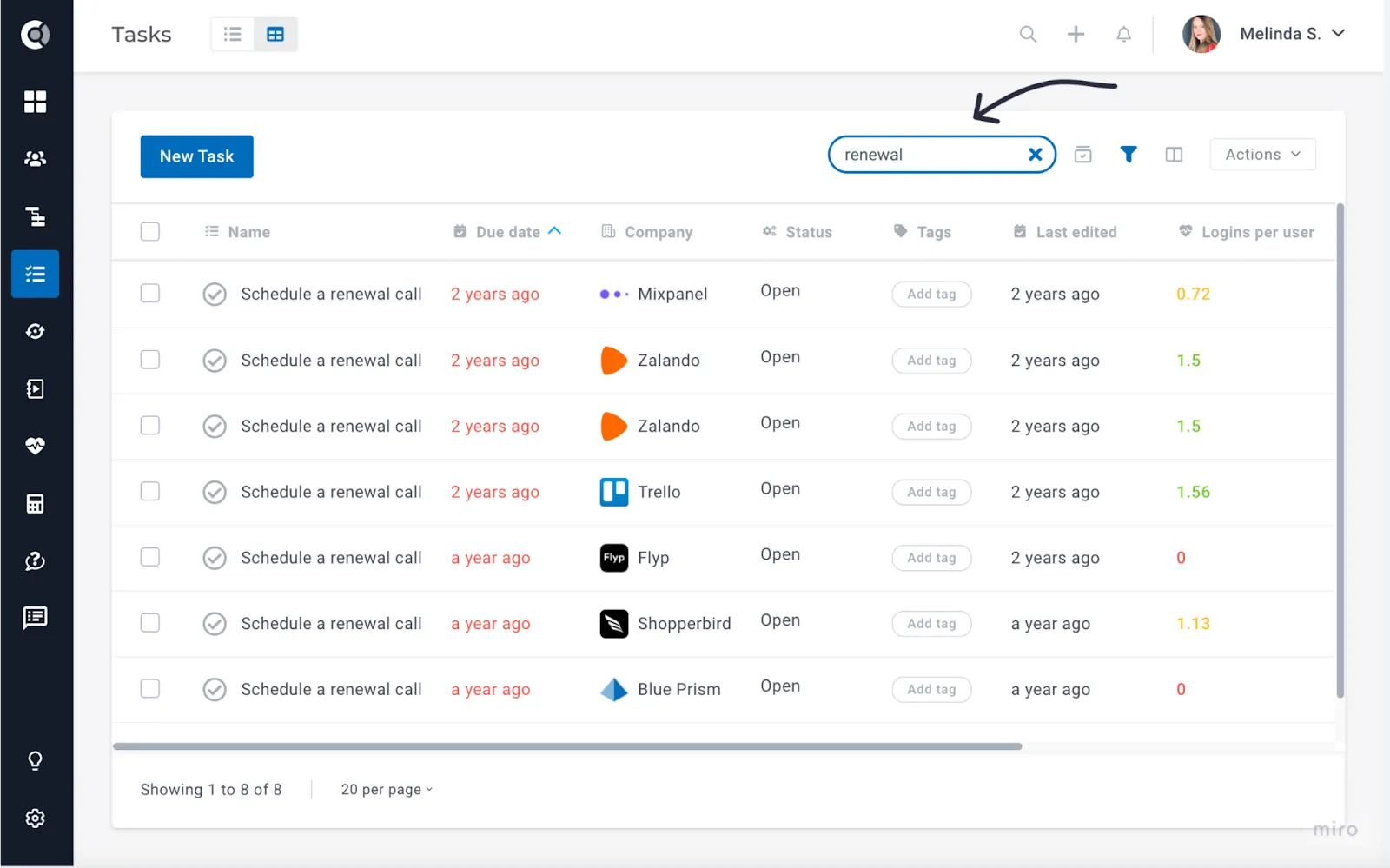
- Search: Enter keywords to search tasks by name and description.
- Manage Views: Like the Customer List Views, you can save filters and sorting options under a Custom View. Views can be private, accessible only to you, or public, allowing your entire team to view them.
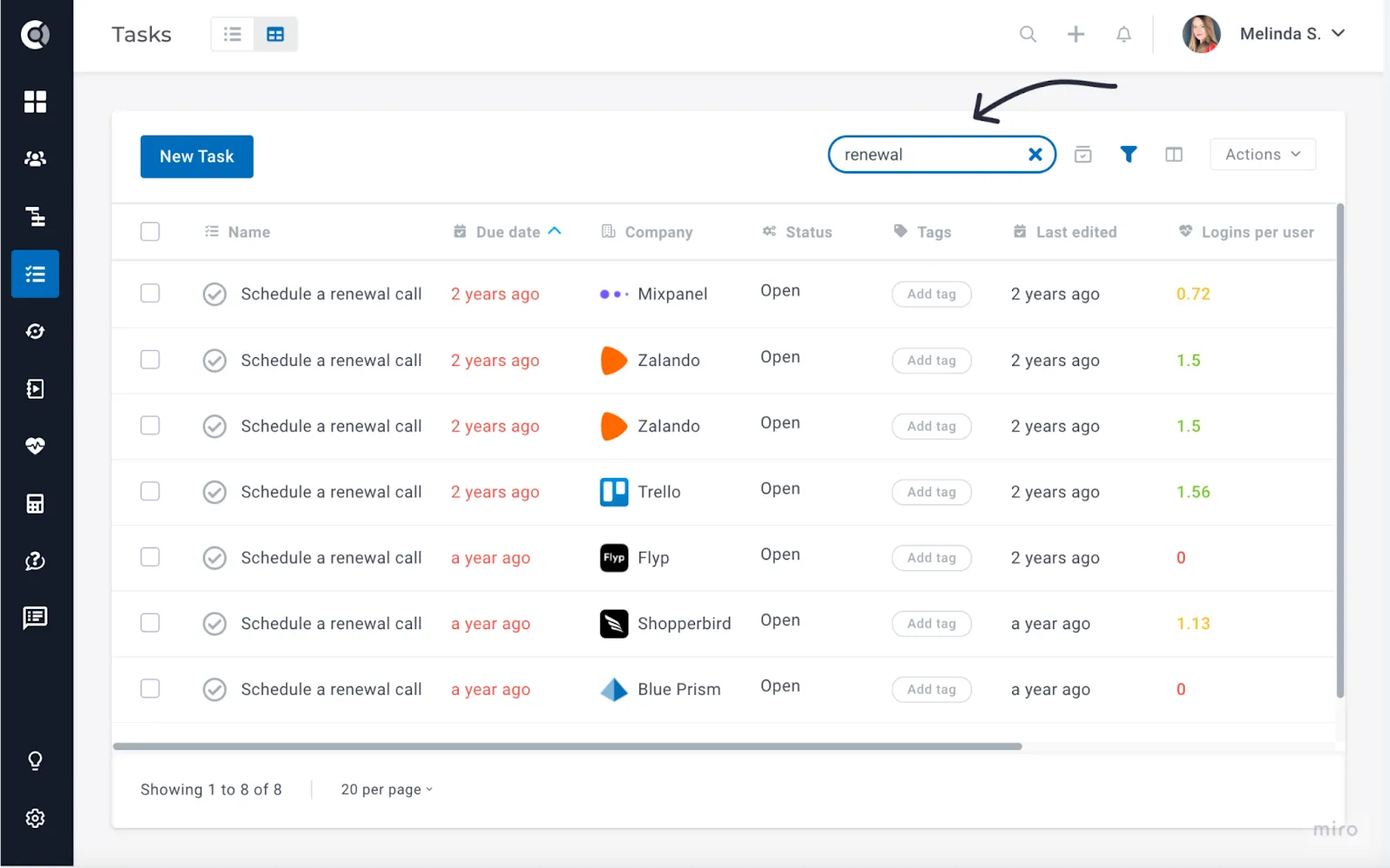
- Filter: Use different task attributes to filter tasks and keep your views organized.
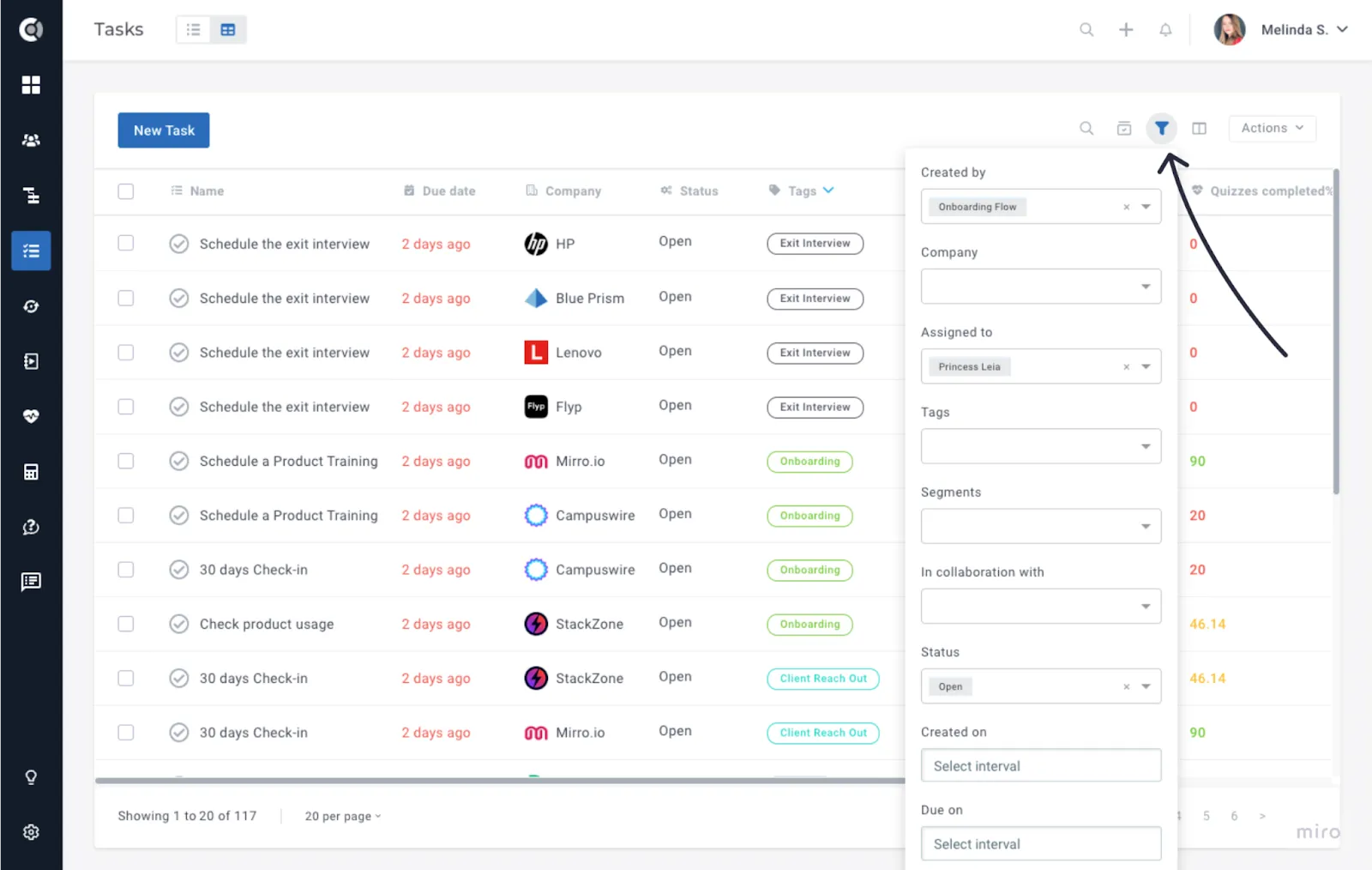
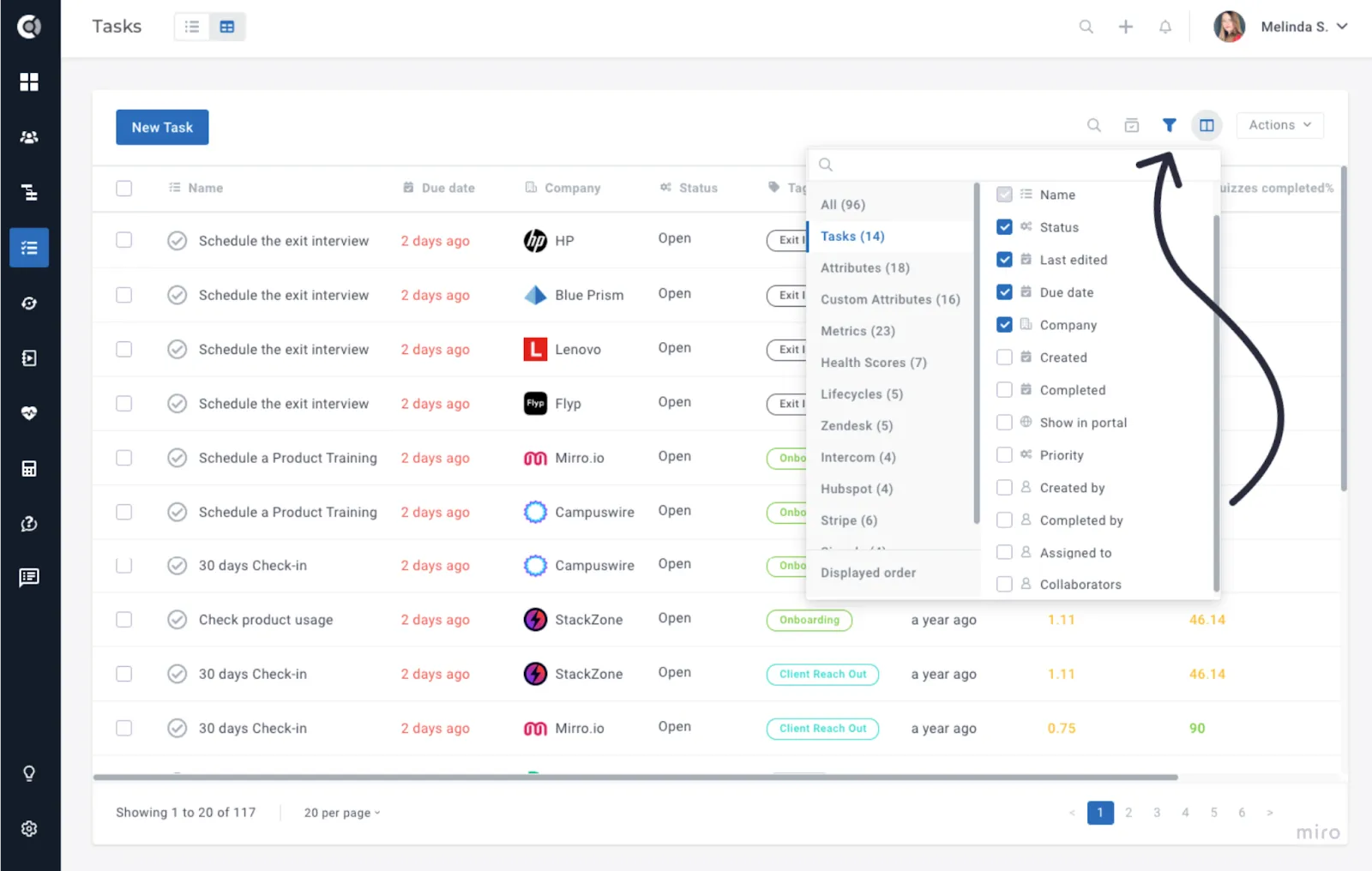
- Toggle Columns: Add task or company attributes to the table, and observe or sort tasks using these attributes. There is an enhanced selection of tasks’ attributes available for sorting, like ‘Creation Date’, ‘Completion date’, ‘Assigned to’, ‘Priority’, ‘Collaborators’, ‘Completed by’, and many others.
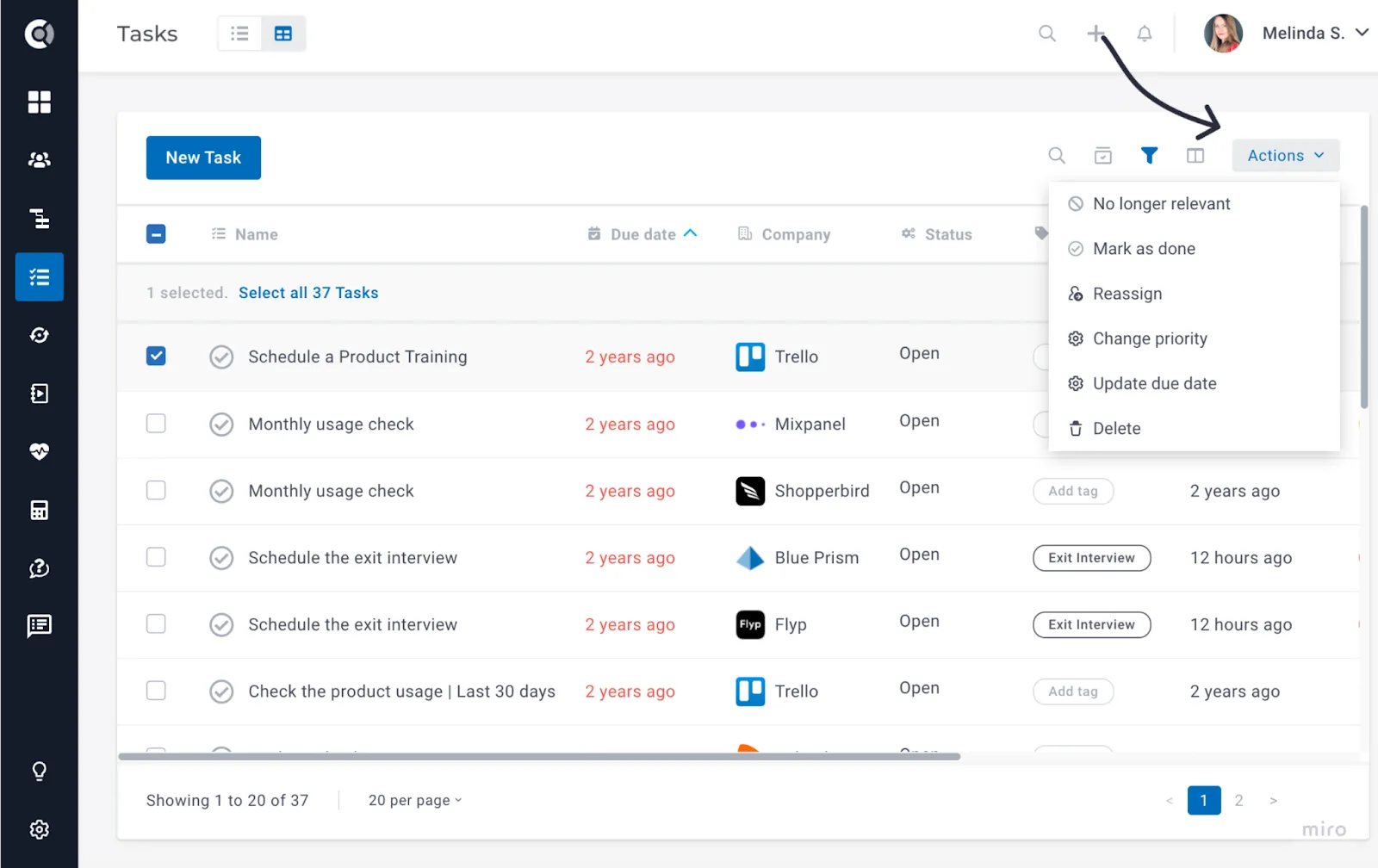
- Actions: Select a task to access multiple actions, allowing you to easily change the task’s status, reassign task owners, or delete unwanted tasks.
Clicking on a task in the table will open the company profile, allowing you to quickly access all account information and understand the context of the task.
When accessing the tasks’ table, the last used view is saved and will be the default when accessing tasks in the future.
New Feature – Collaborators
Do you have multiple people who should work on a task? With Task Collaboration, you can assign multiple users as collaborators to a task for better management and workload distribution.
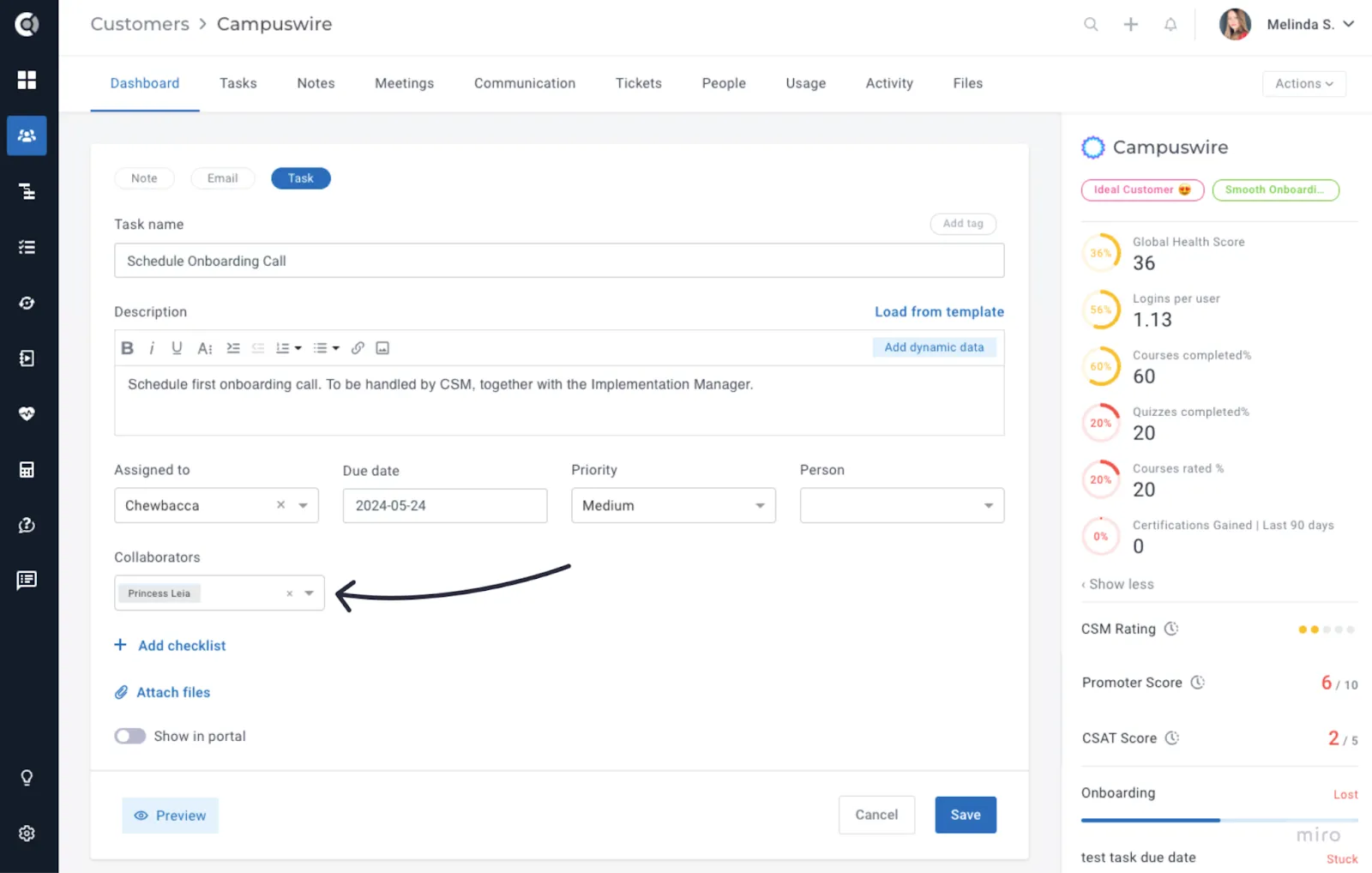
To add collaborators, create or edit a task and include their names in the designated field. Collaborators will receive notifications for task updates, similar to owners.
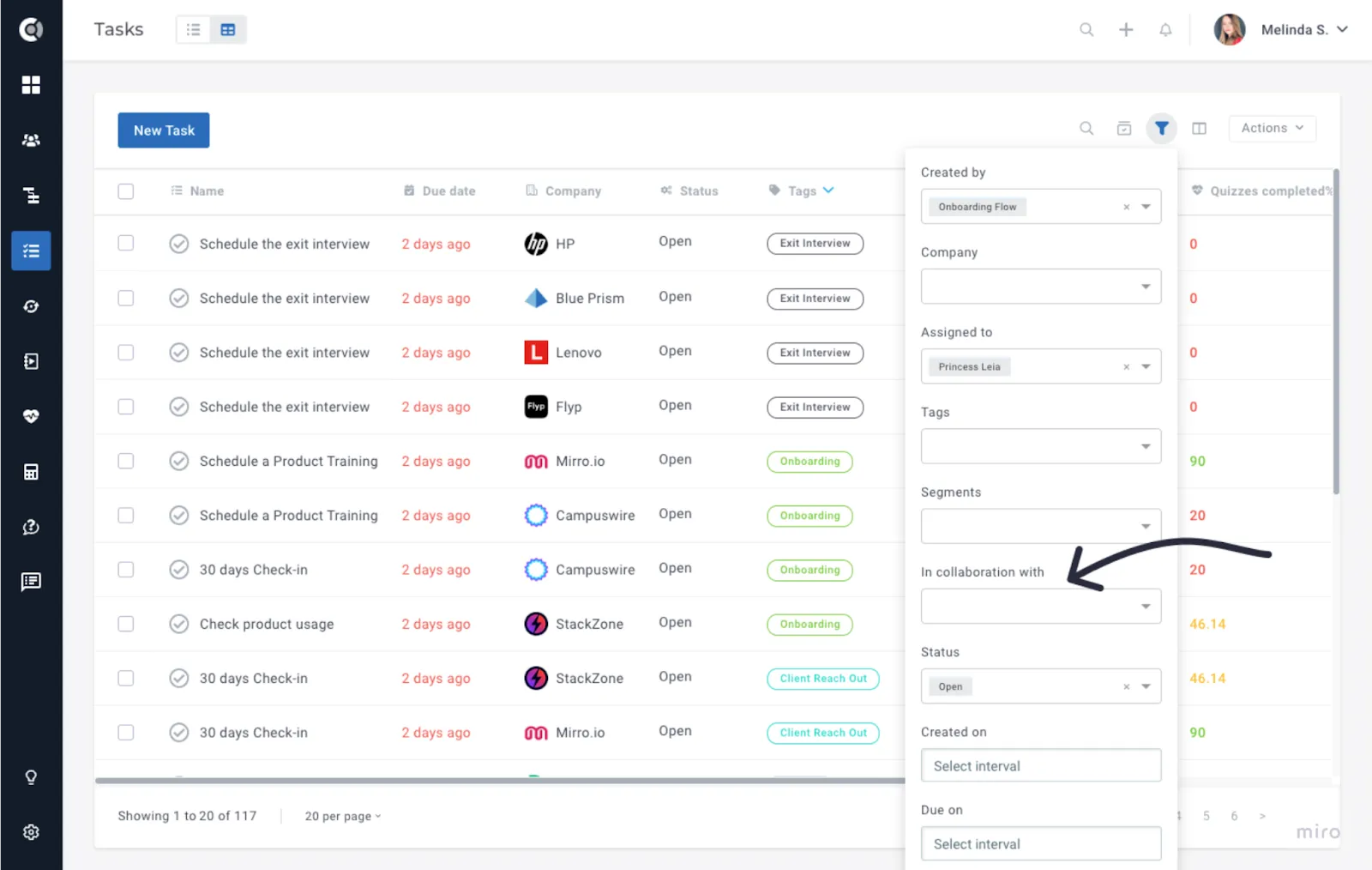
In the tasks’ menu, tasks can be filtered by collaborators.
Checklists’ Enhancements
- Reorder Checklist Items: Checklist items can now be reordered.
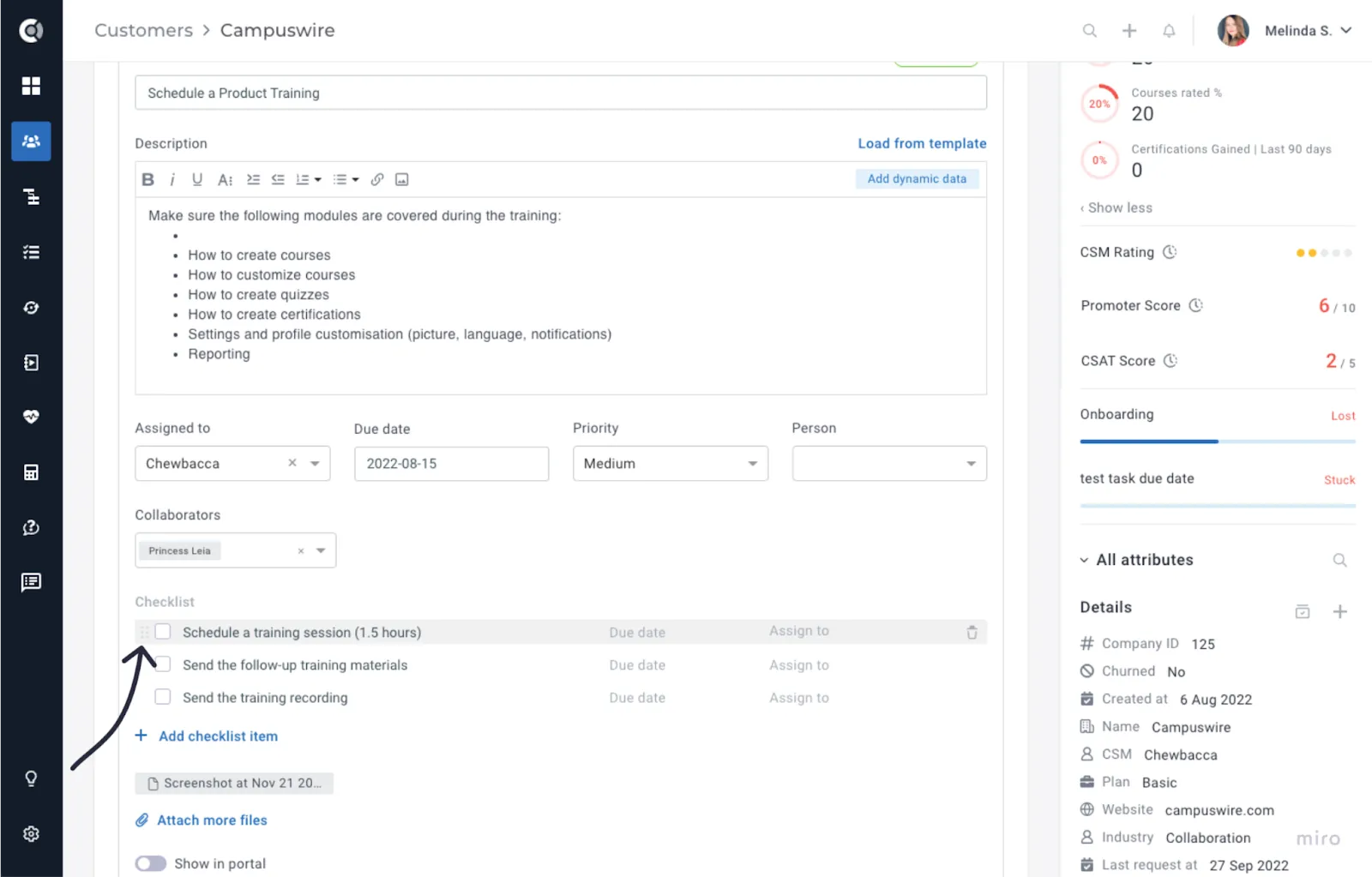
- Assignable Checklist Items: Assign due dates and responsible persons to individual checklist items. New assignees are automatically added as task collaborators.
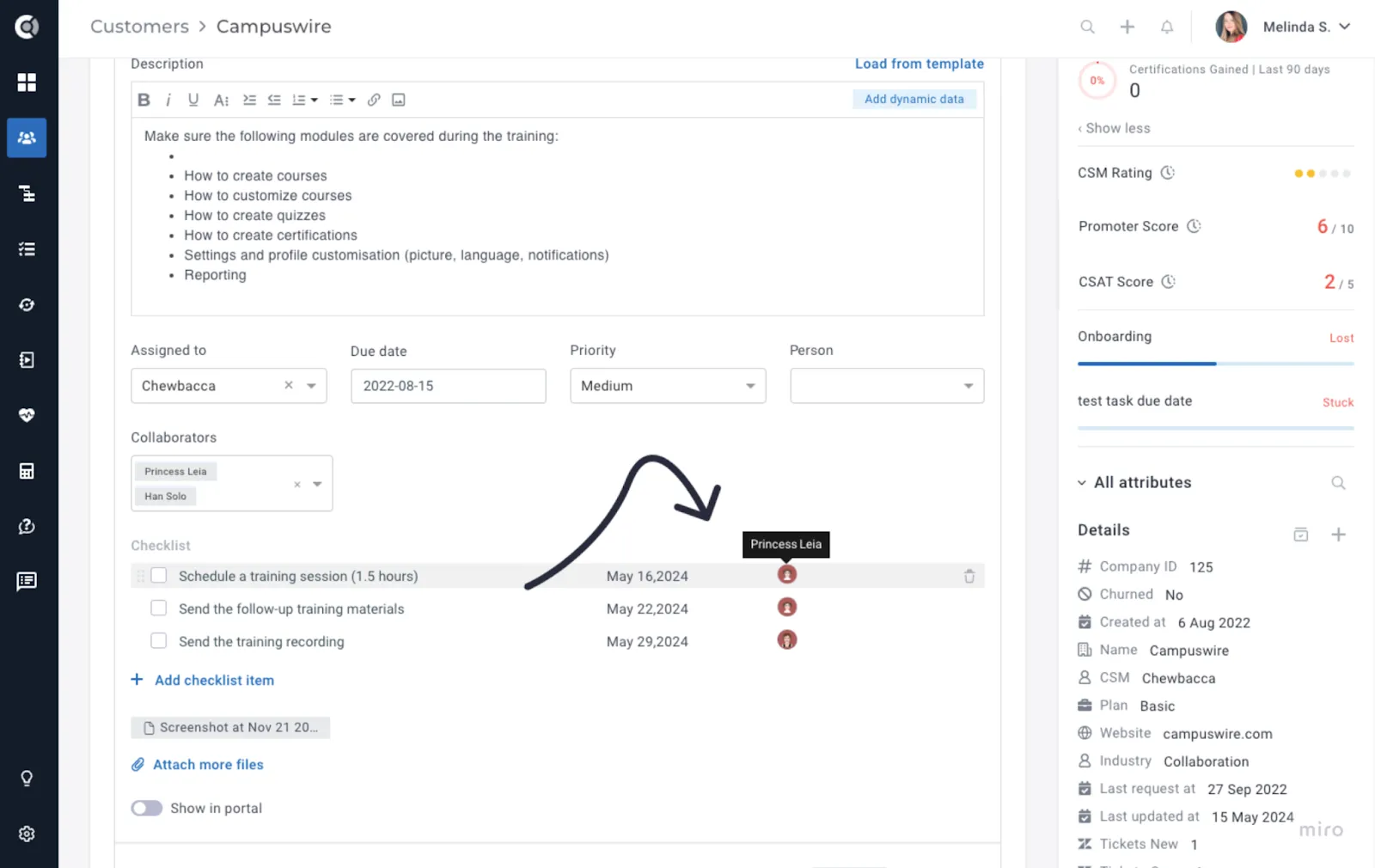
All task members (owner and collaborators) are notified when a checklist item is due, or is marked complete or incomplete.
Customer 360
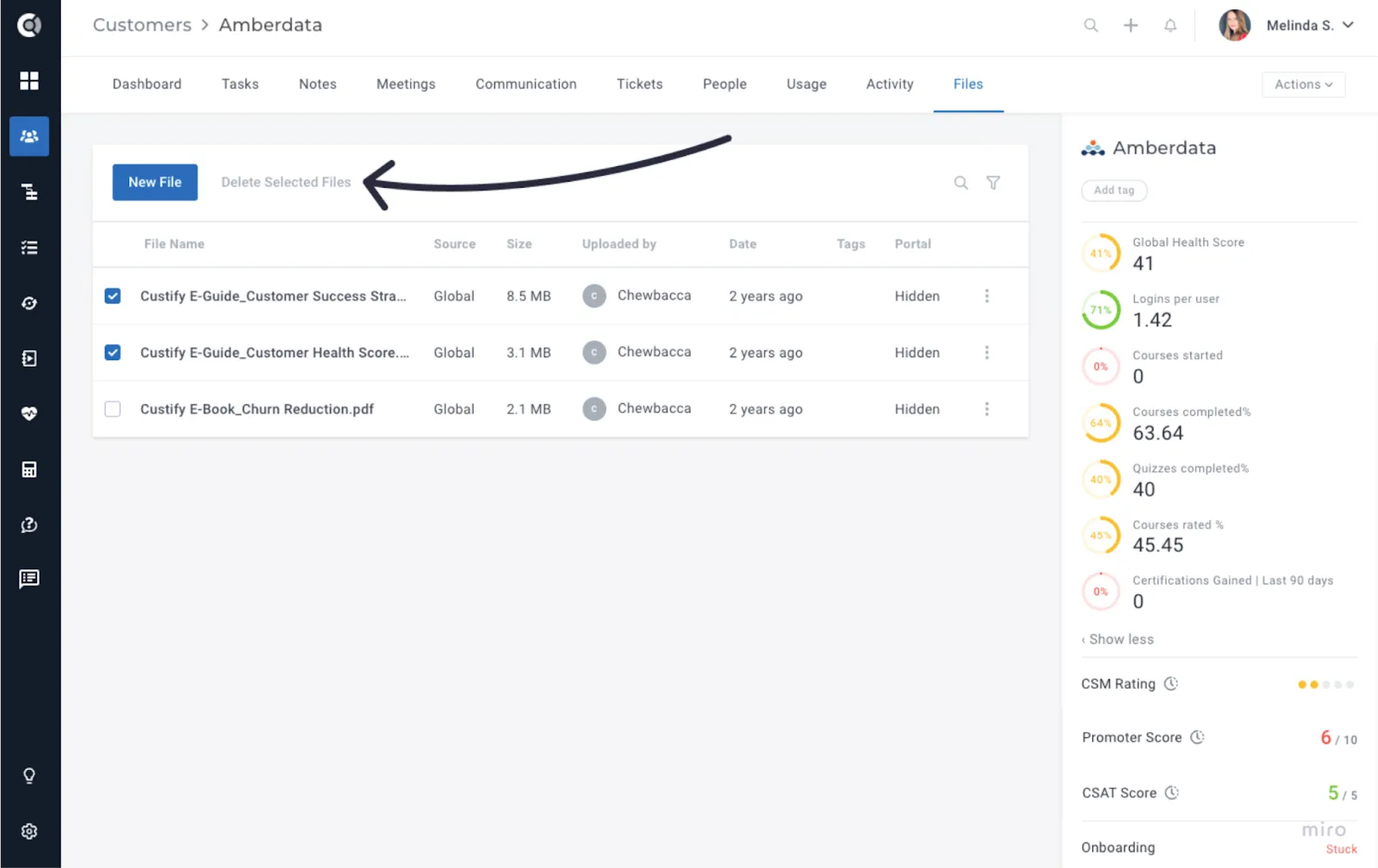
- Files – Bulk Delete: Files can now be deleted in bulk, both from the Customer 360 and from the Global Files director.
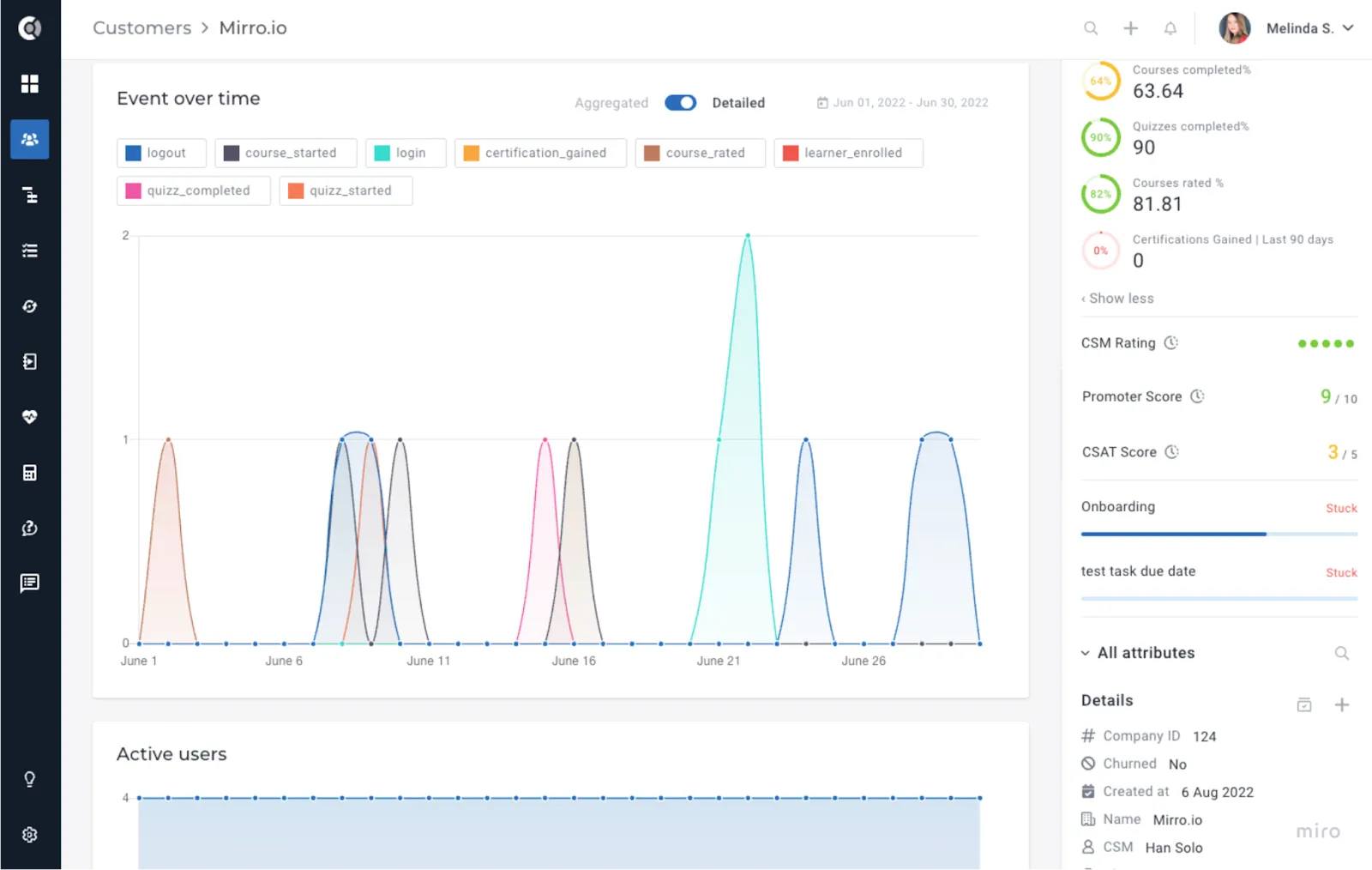
- Usage – Event Colors: For a better understanding of the graph, the colors of the events in the list displayed will correspond to the colors that the events have on the evolution graph.
- Custom Data – Field Filtering and Improved UI: Each custom data item can be filtered by any corresponding attribute. Additionally, for lengthy lists of Custom Data, scrolling is now available, and the table headers remain fixed, facilitating data interpretation.
Customer List View
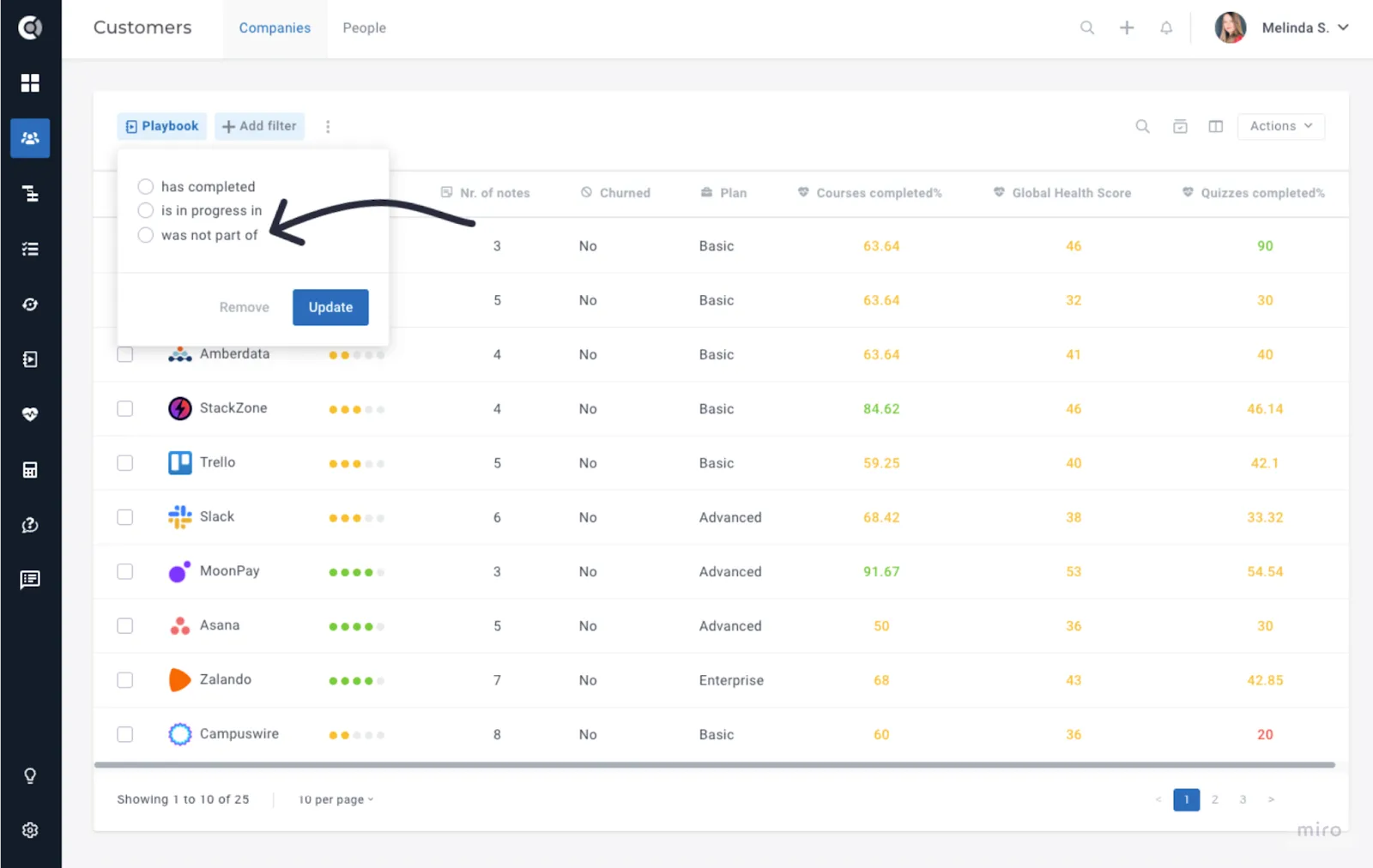
- Filter by Playbook: Filter companies that were never part of a playbook.
- Enhanced User Field Filtering: When filtering by a user field (e.g. CSM, Account Manager, etc.), only Custify users assigned to at least one company will appear in the list. This helps declutter the users’ list by excluding View-only roles or other Custify users who don’t manage customers.
Segments
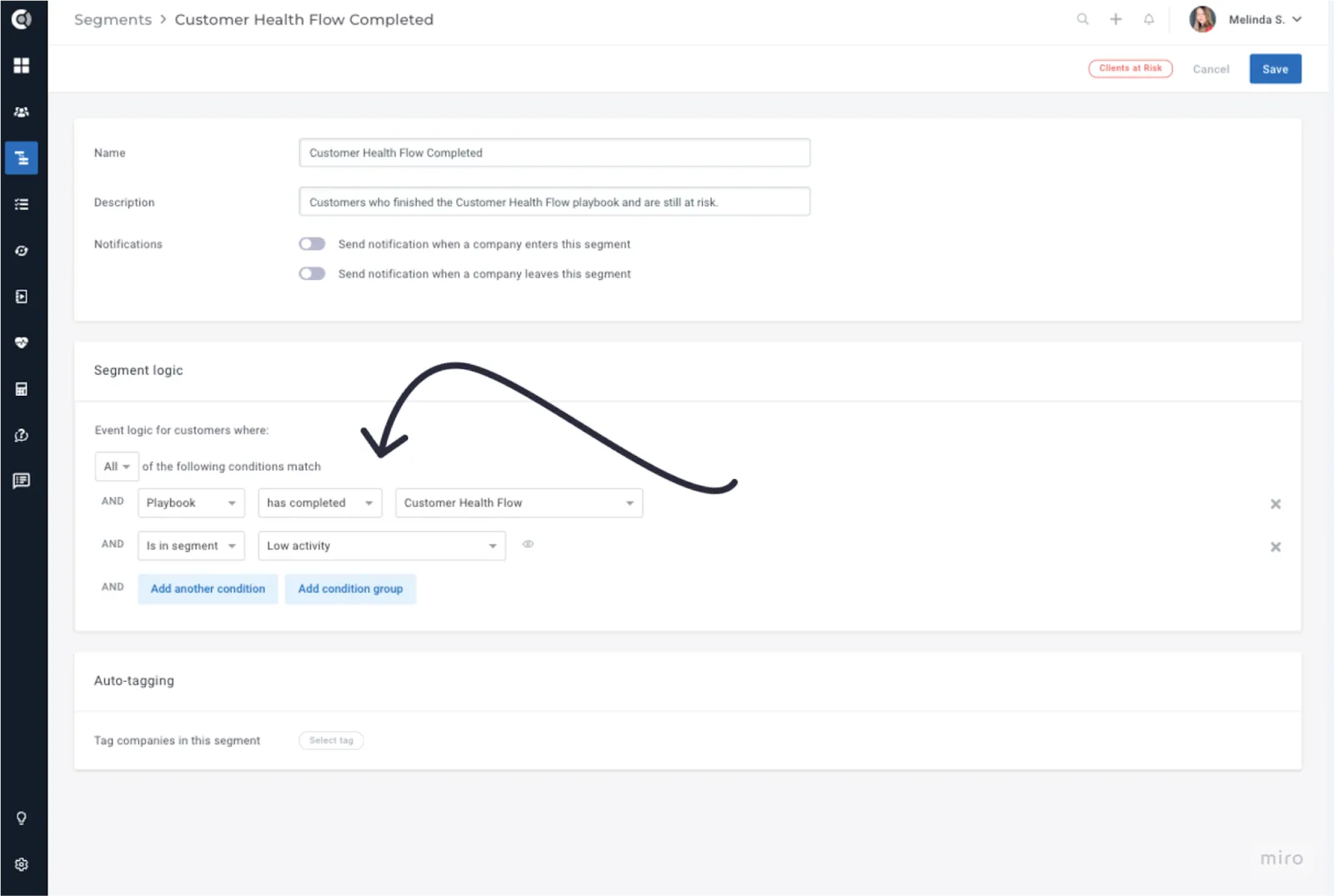
- Segmenting by Playbook Status: New options to segment by playbook status (completed, in progress, and not part of).
Health Scores
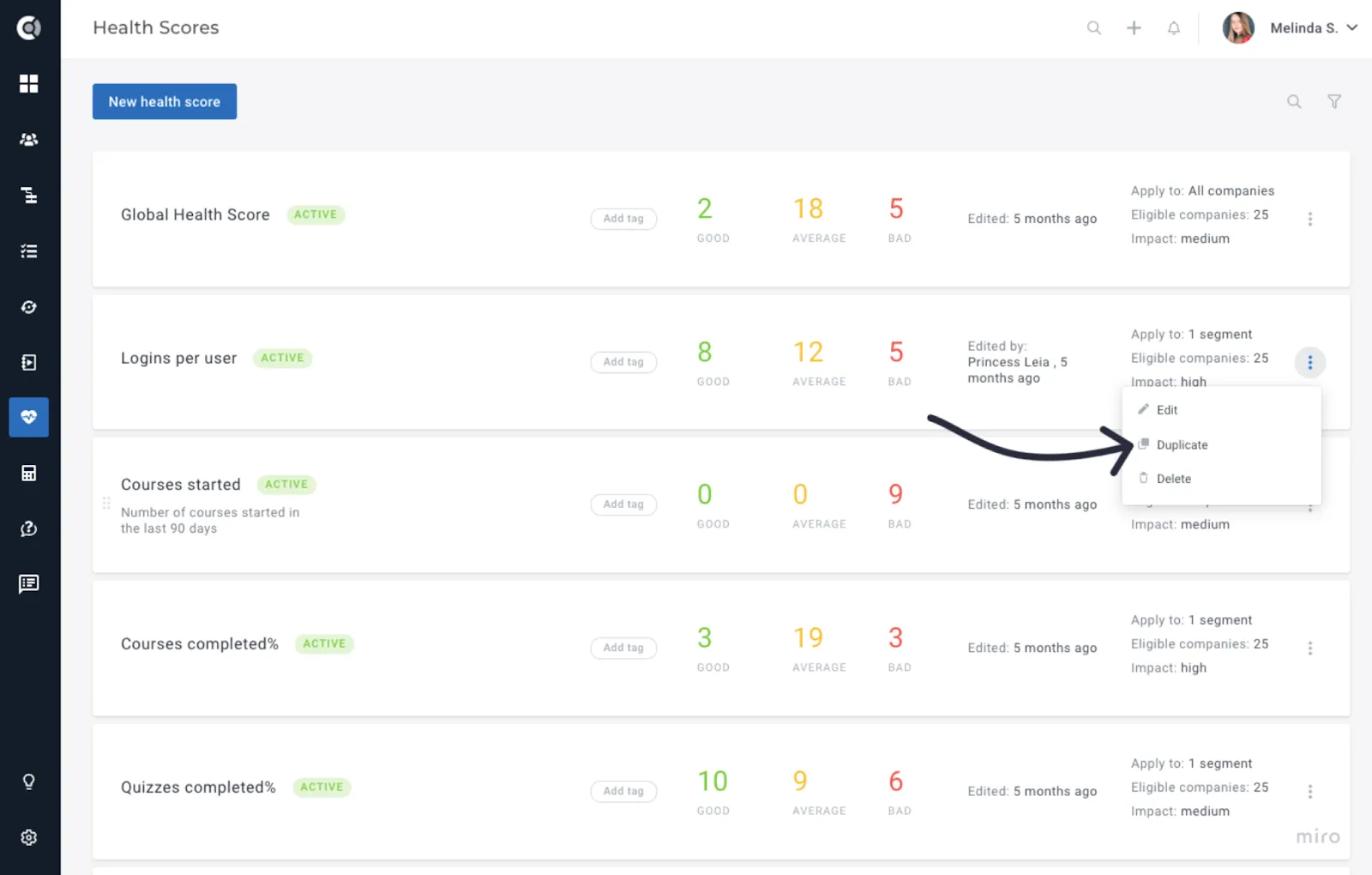
- Duplicate Health Score Function: New option to duplicate existing Health Scores.
- Clustered Health Scores – Impact Based: Customize the impact to allow more flexibility, not limited to the standard Global Health Score impact.

Previous behavior: Impact Based Health Scores inherit the impact they have on the Global Health Score within the Health Score.
New behavior: Health Scores can now be customized to have a custom impact on a Impact Based Clustered Health Score.
Lifecycles
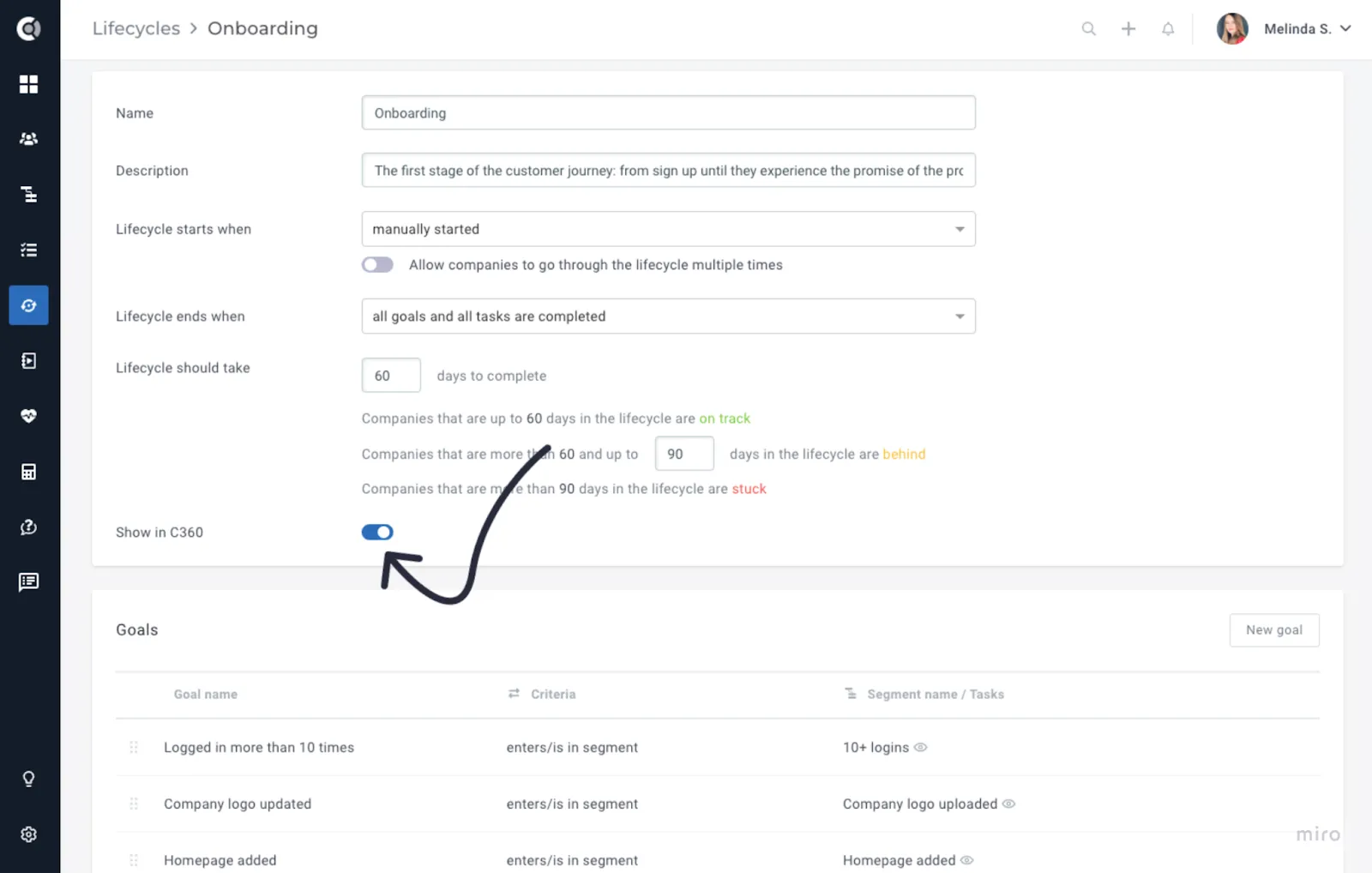
- Hide Lifecycle Option: Lifecycles can now be hidden from the C360 view, so only the ones relevant for your team will be displayed.
Calculated Metrics
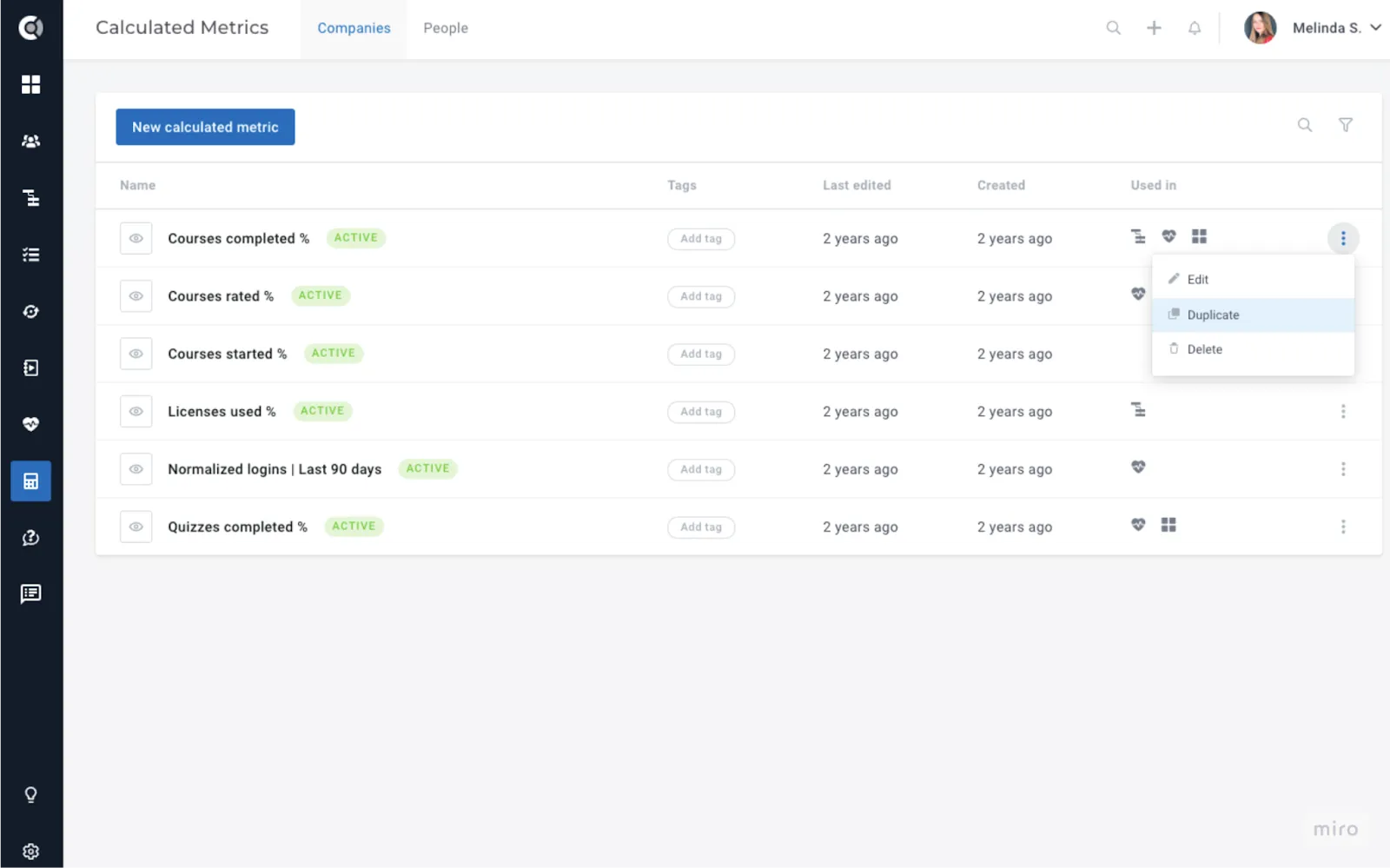
- Duplicate Metric Function: New option to duplicate existing calculated metrics.
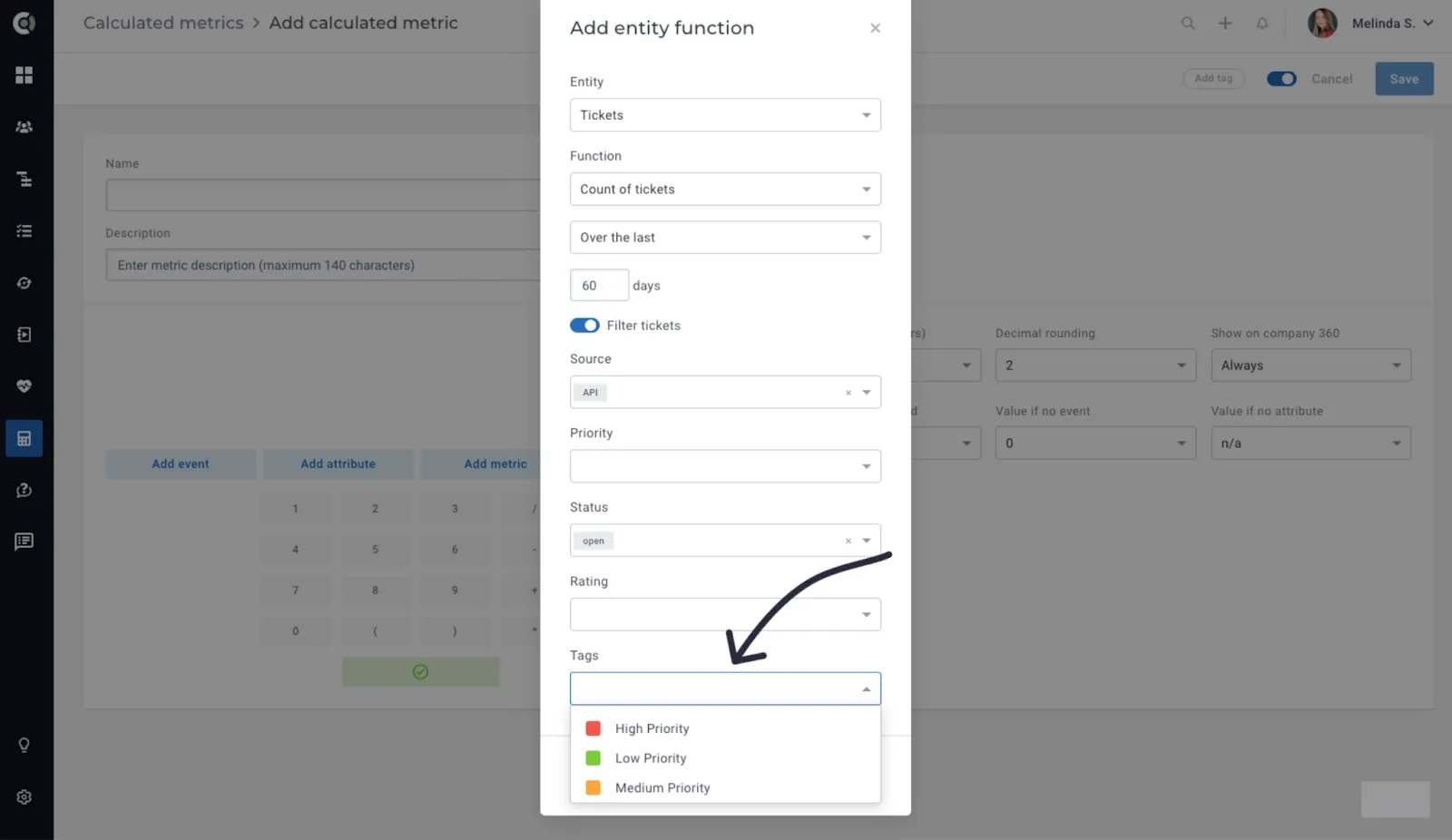
- Tickets – Tag Filtering: New filtering option to filter tickets by tags.
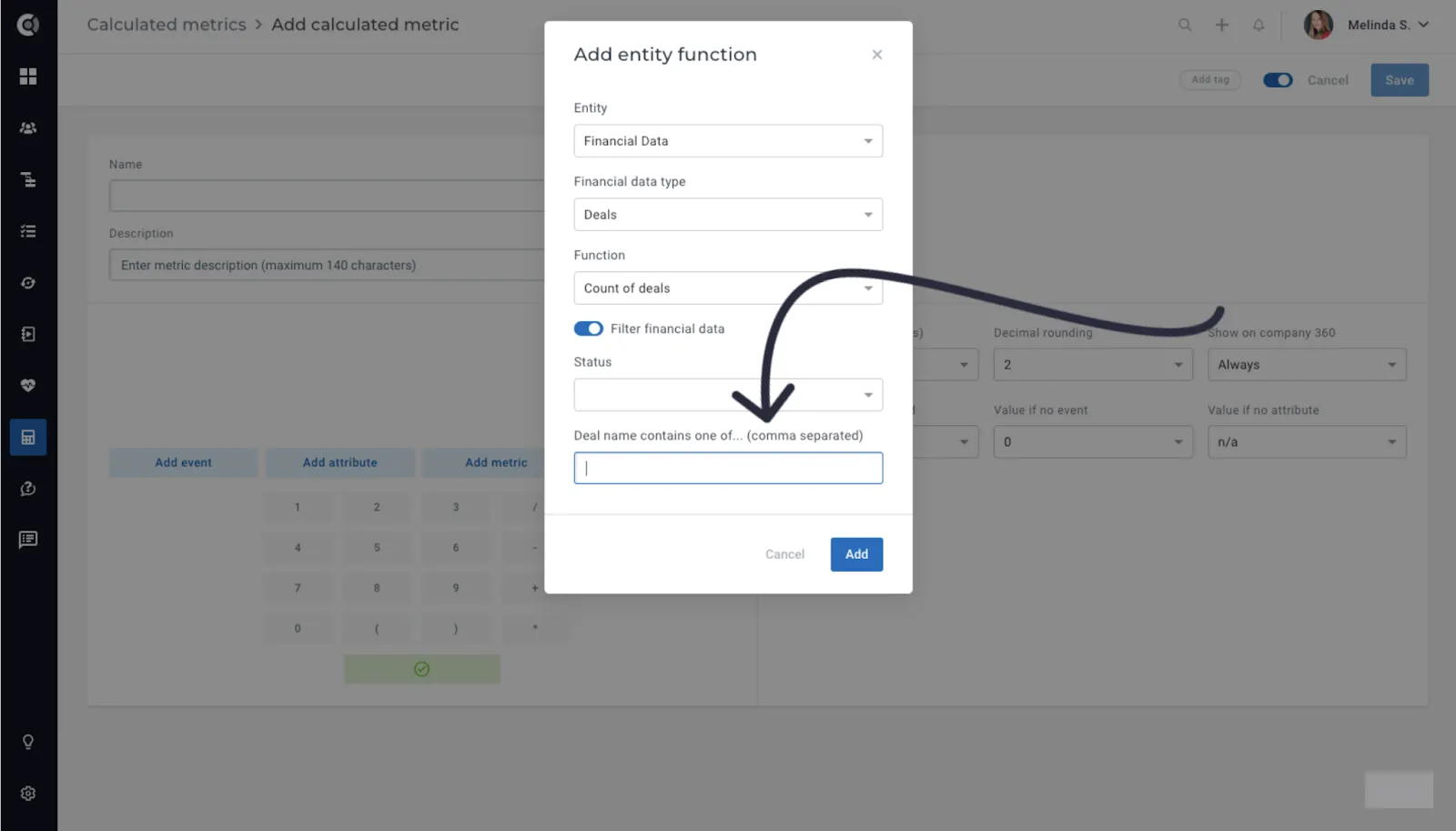
- Deals Enhanced Filtering: Improved filtering by deal name. You can filter by multiple deal values by entering the key words, comma-separated. The logic between the multiple values is ‘OR’.
- Deals – New Functions: Return the sum, min, max, average of deal attributes, and days since/until deal attribute.
- Invoices – New Functions: Return the total of the last invoice, the paid amount of the last invoice.
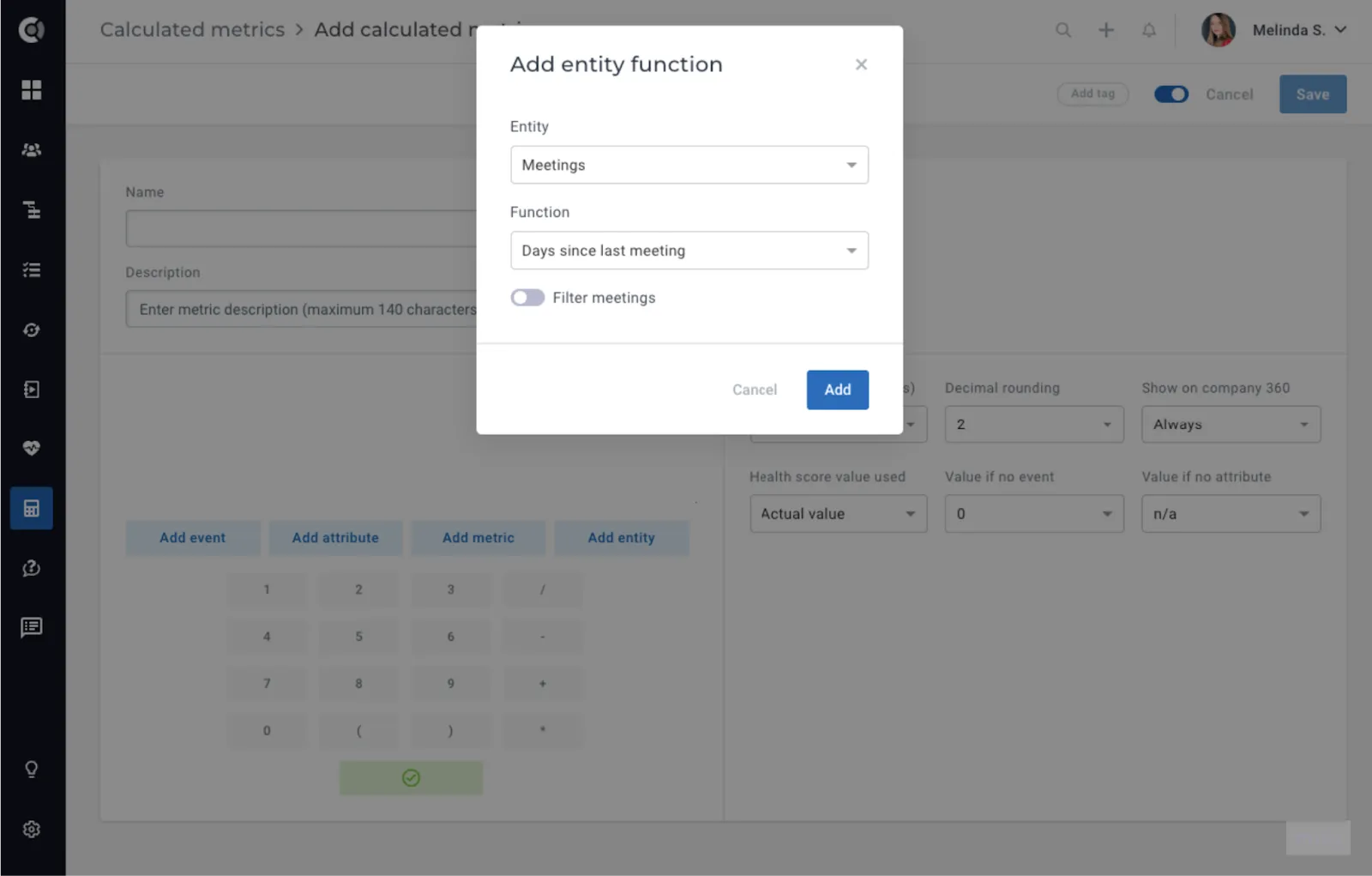
- Meetings – New Functions: Similar filtering options as other metrics, including days since the first/last meeting.
Playbooks
- New Playbook Step - Publish/Unpublish Customer Portal Template: Automate the publishing or unpublishing of Customer Portals for companies.
Example Use Case: Switch the Portal Template for customers who have completed the onboarding process. If an onboarding template was used during the initial lifecycle stage, upon progression to adoption, a different portal template can be automatically published. This ensures continued access through the same link.
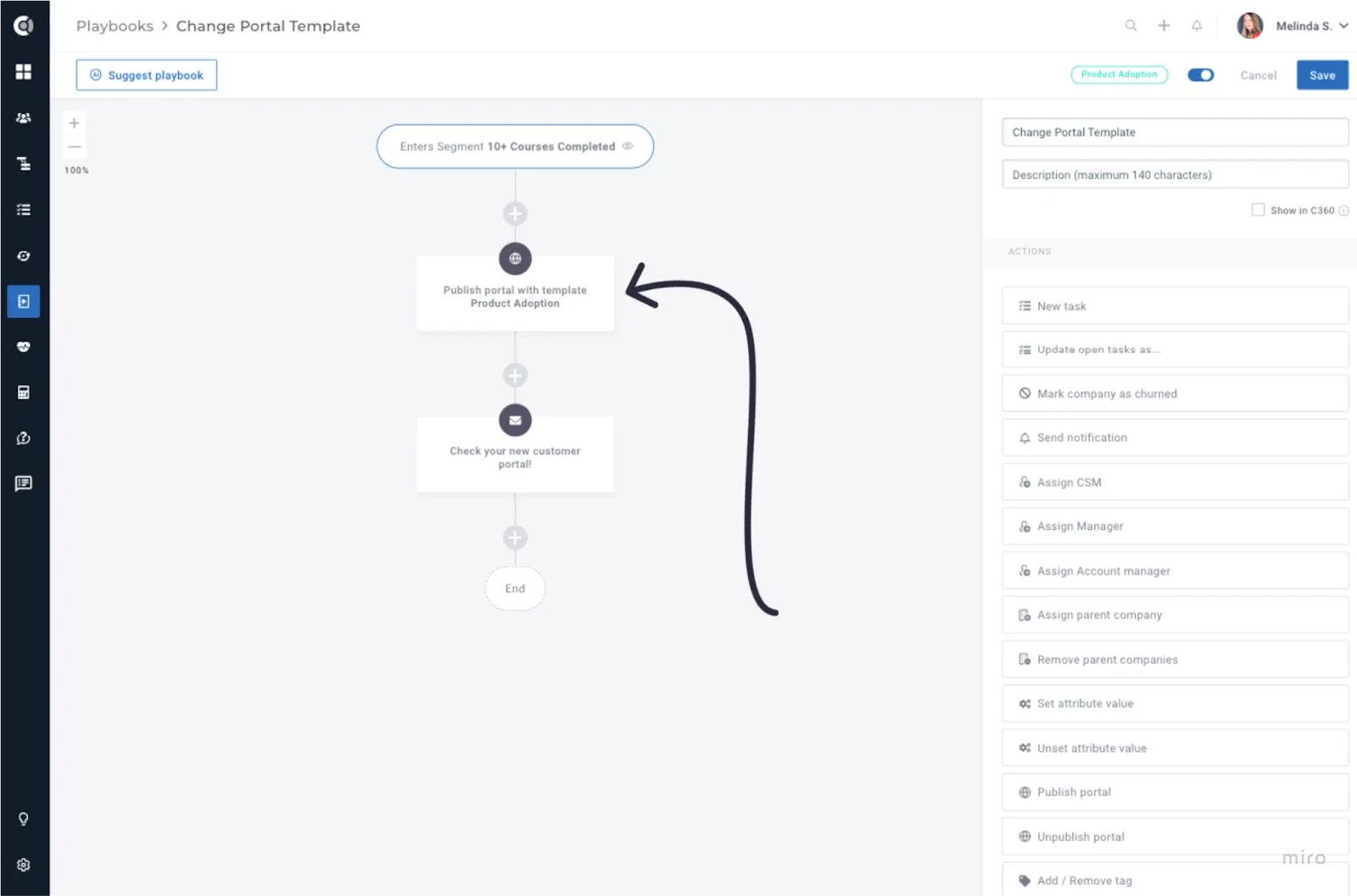
When switching portal templates, any manual changes made to specific customers will be lost upon template replacement.
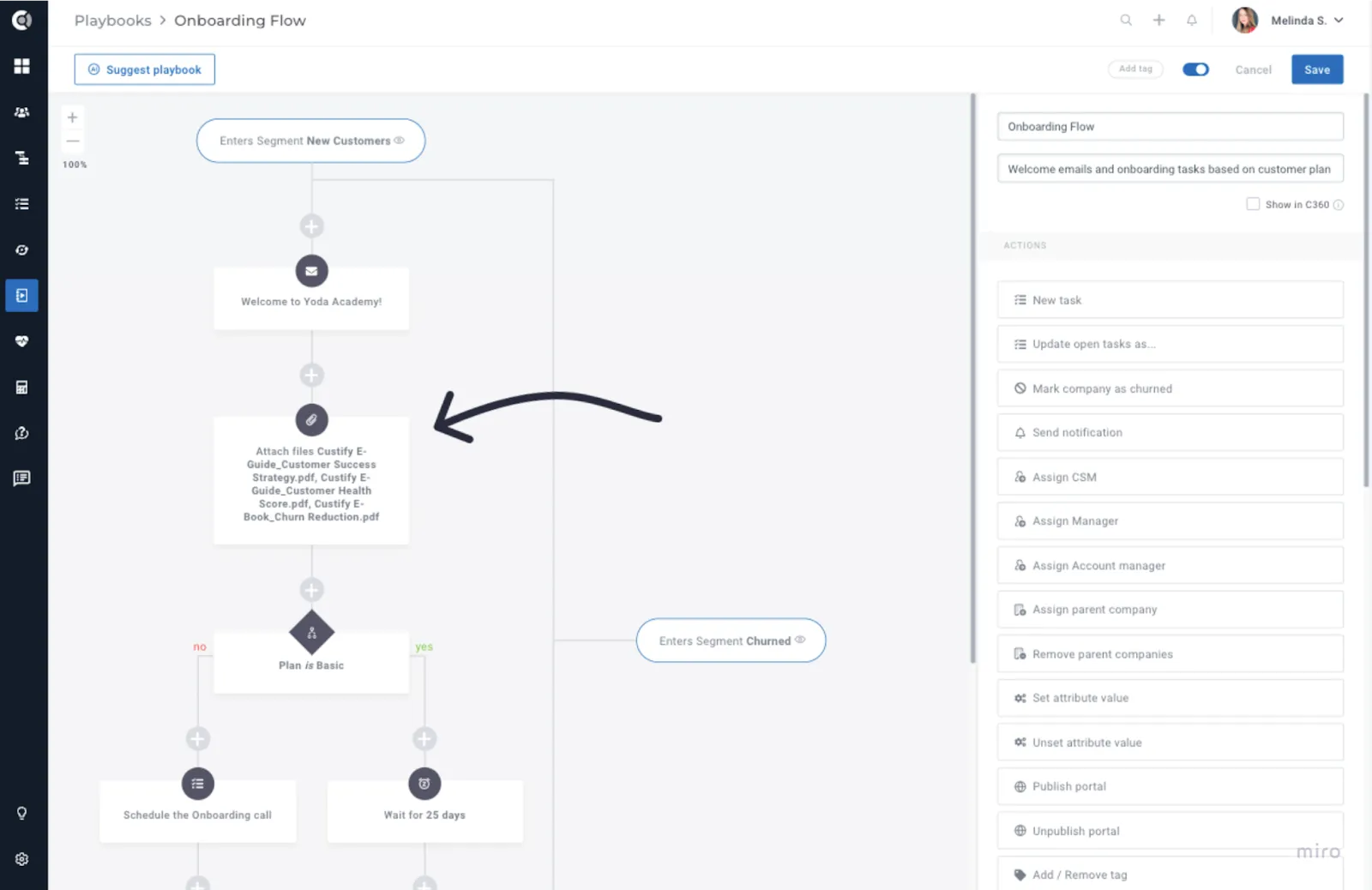
- New Playbook Step - Link files to accounts: Automatically link files to accounts using this new playbook step. Upload your desired files to the Global Files, and they will be available for automation.
Example Use Case: Automatically include onboarding PDFs in your customer accounts from the outset. Share the Customer Portal with them and add the files there, granting them automated access to all onboarding resources.
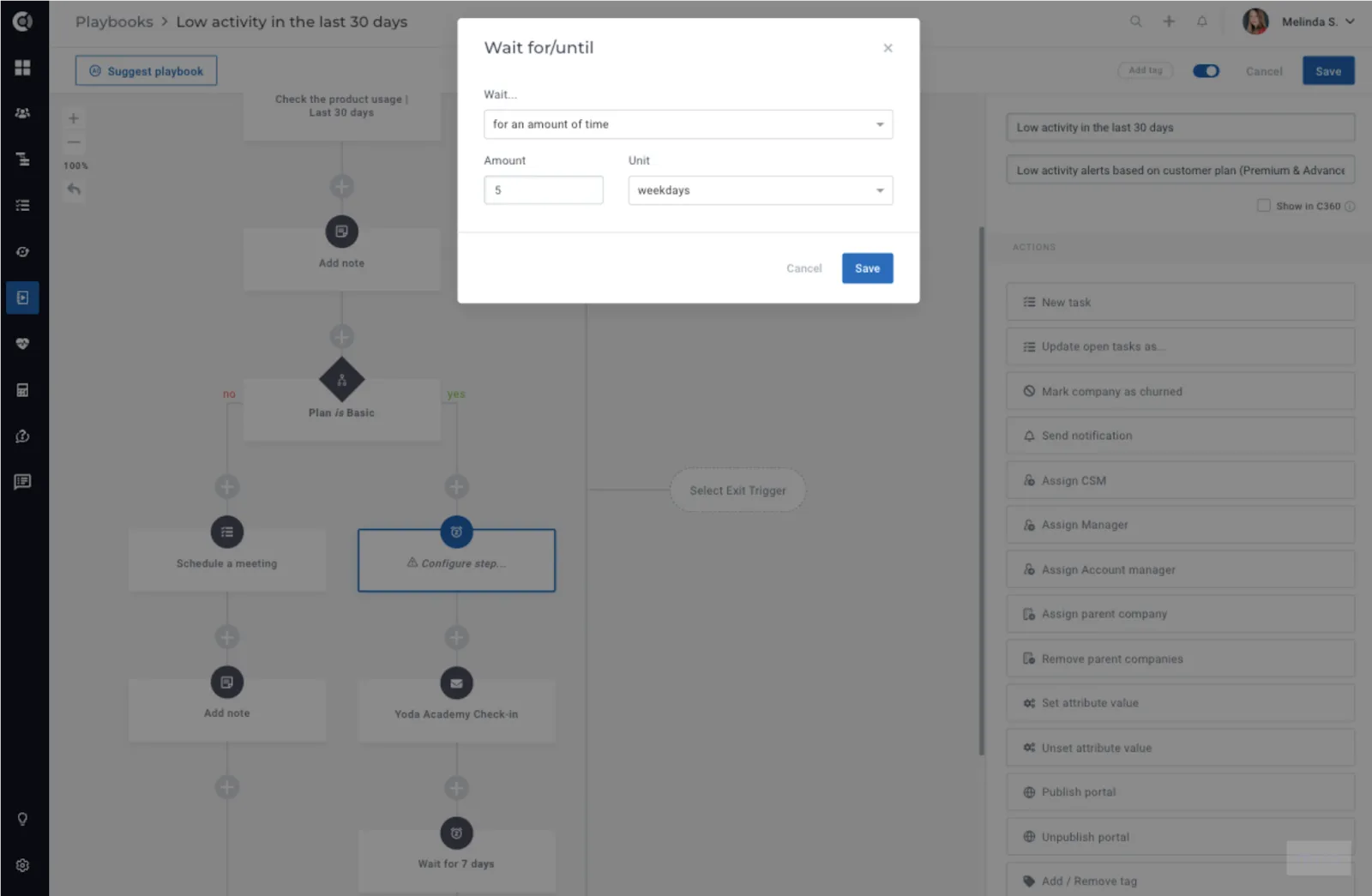
- Enhanced Waiting Step: New option to wait for X business days, excluding weekends.
Customer Portal
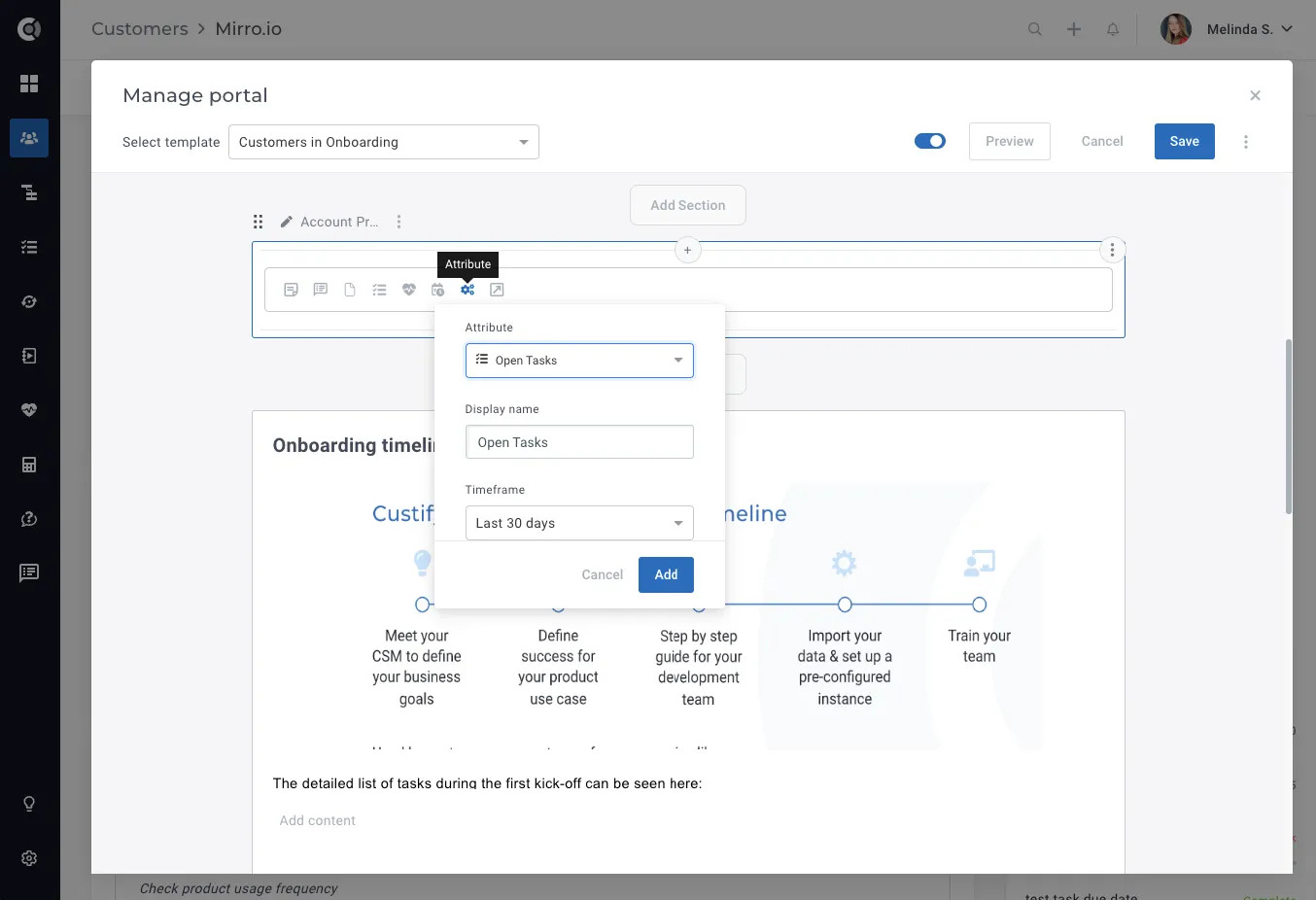
- New Attribute Evolution Block: Display the evolution of any numerical attribute over time. Utilize this feature in QBRs to demonstrate to your customers how they have progressed over time.
- Enhanced Health Score Block: New display option to show history only, enabling you to swiftly demonstrate to your customers how a specific Health Score has evolved without disclosing the current value.
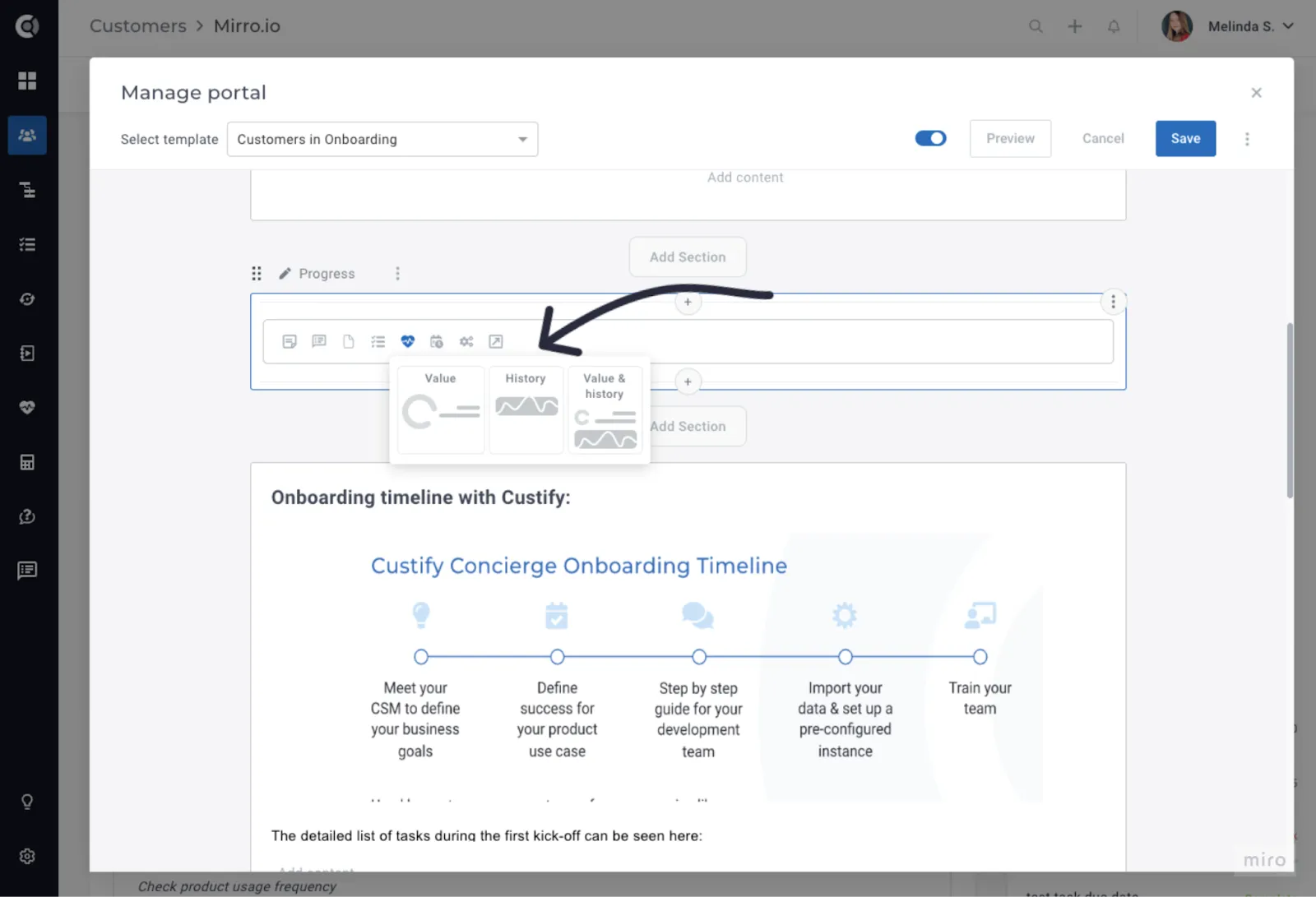
- Drag & Drop Sections: Ability to drag and drop sections within the portal.
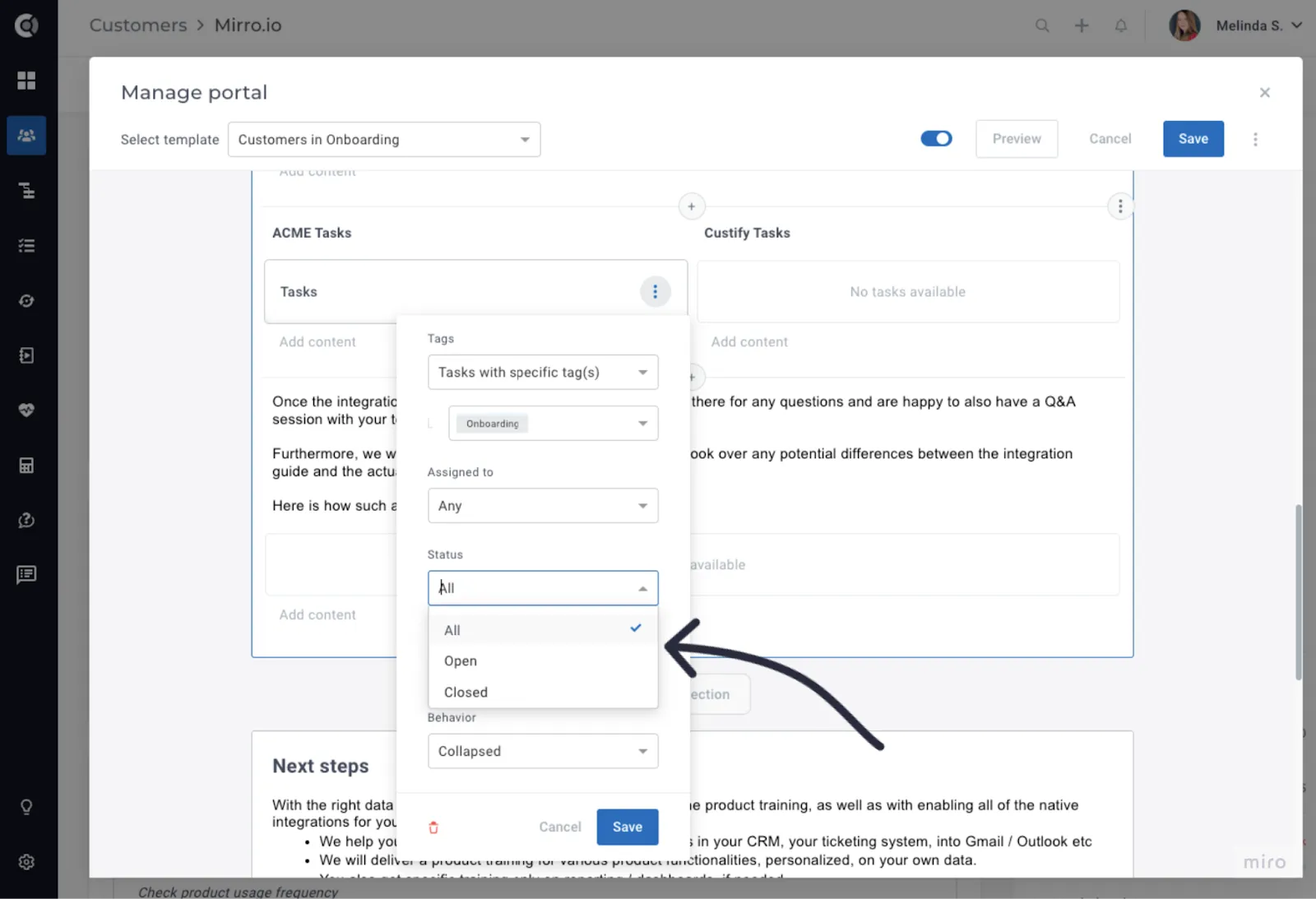
- Enhanced Tasks Block: New filtering option by status (All, Open, Closed).
- Embed External Entities: Enhance your Customer Portal by easily embedding external links.
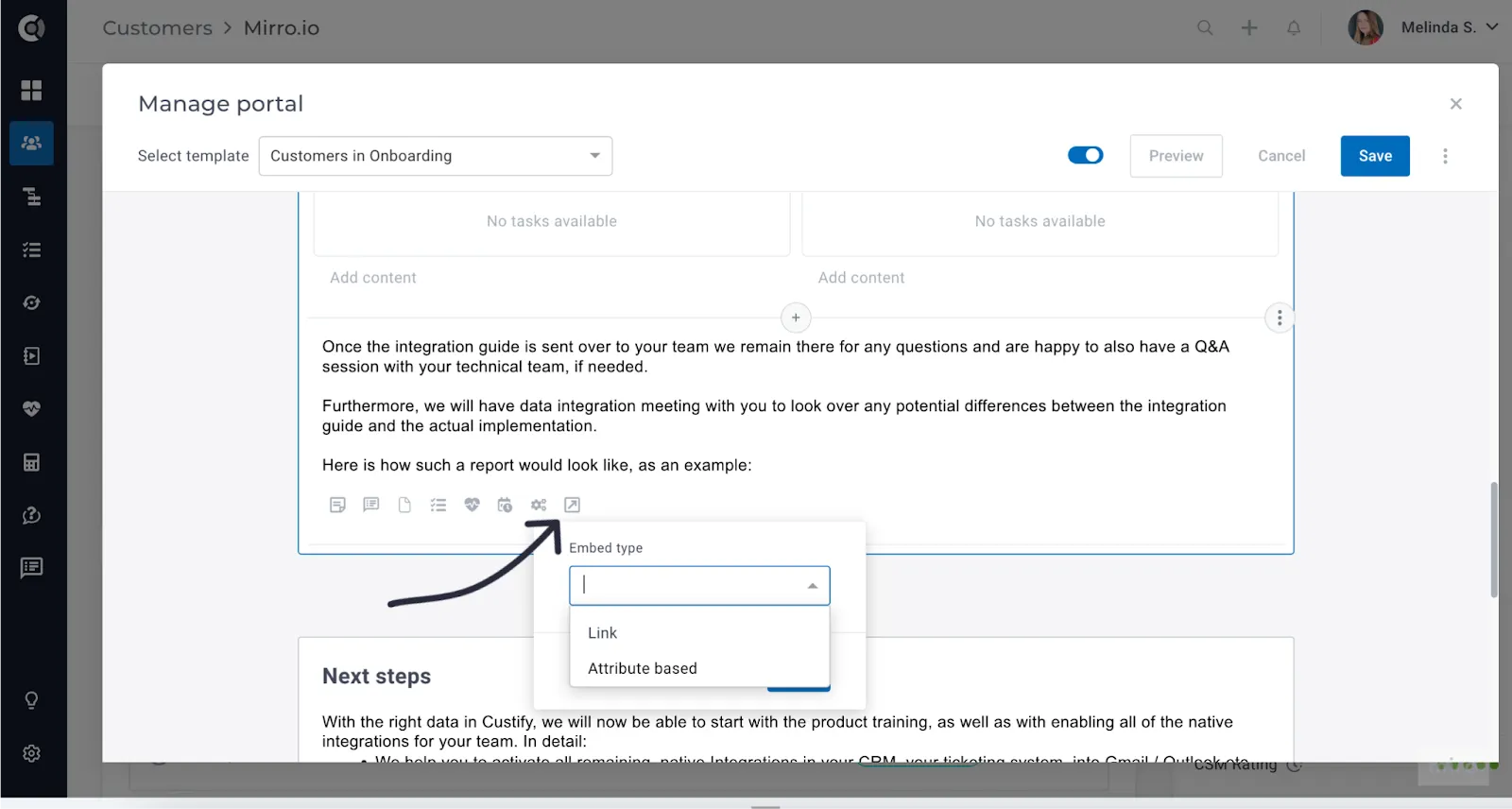
The embed type can be Link or Attribute-Based. For Link type, simply copy and paste the link inside the block, and the widget will populate accordingly. For Attribute-Based, select an existing Custify attribute containing a link to an external tool. Portals will dynamically populate for each customer based on the link mapped to their accounts.
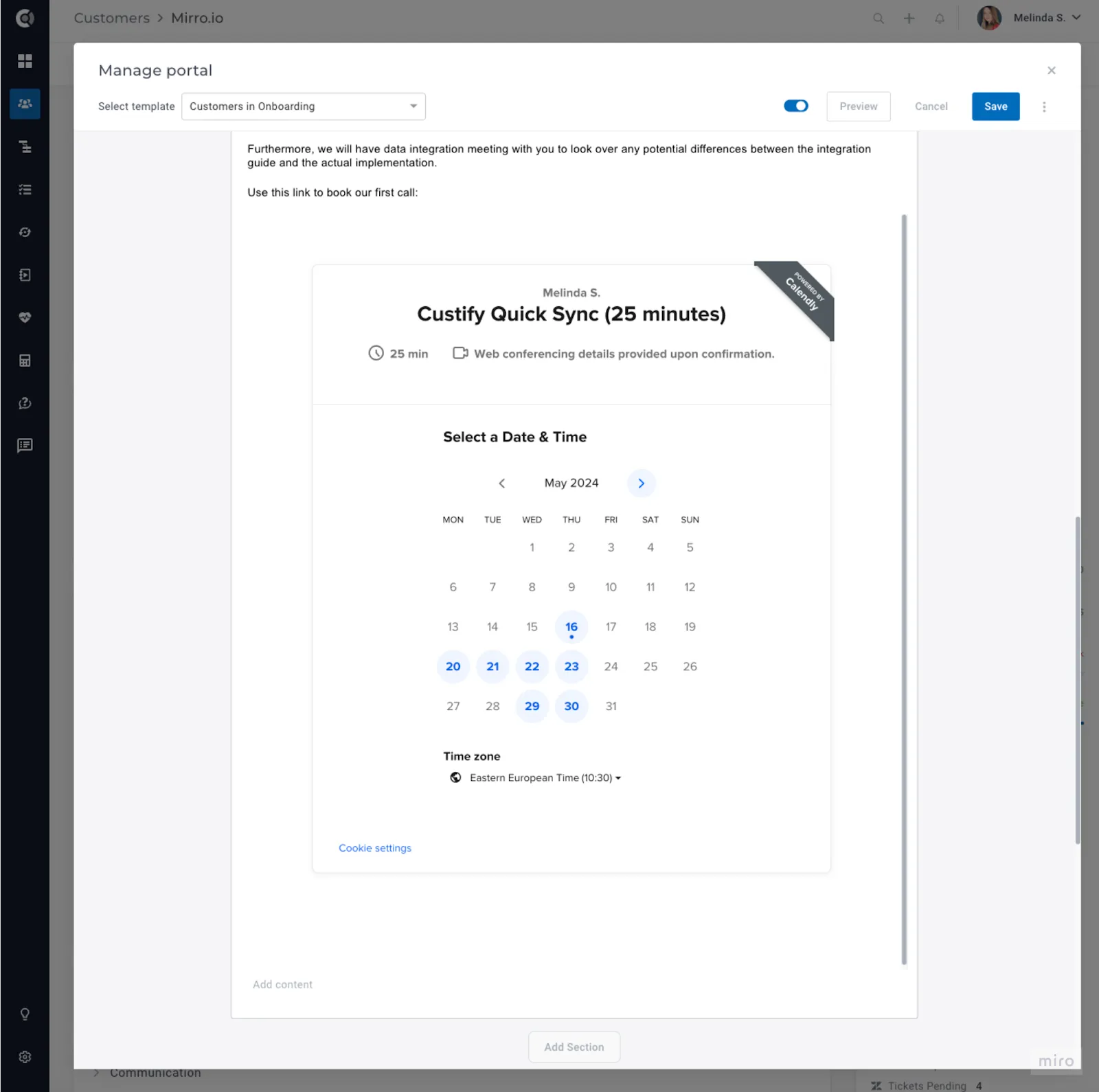
Available integrations:
- Google Docs;
- Google Sheets;
- Google Presentations;
- Google Forms;
- Trello Boards;
- Youtube videos;
- Vimeo videos;
- Loom videos;
- Typeform;
- Jotform;
- Calendly widgets;
- Hubspot meeting widgets;
- Other URLs that allow rendering inside an iframe.
As a subscription add-on, the Customer Portal may not be included in your subscription plan. For further details, please contact your CSM.
Dashboards
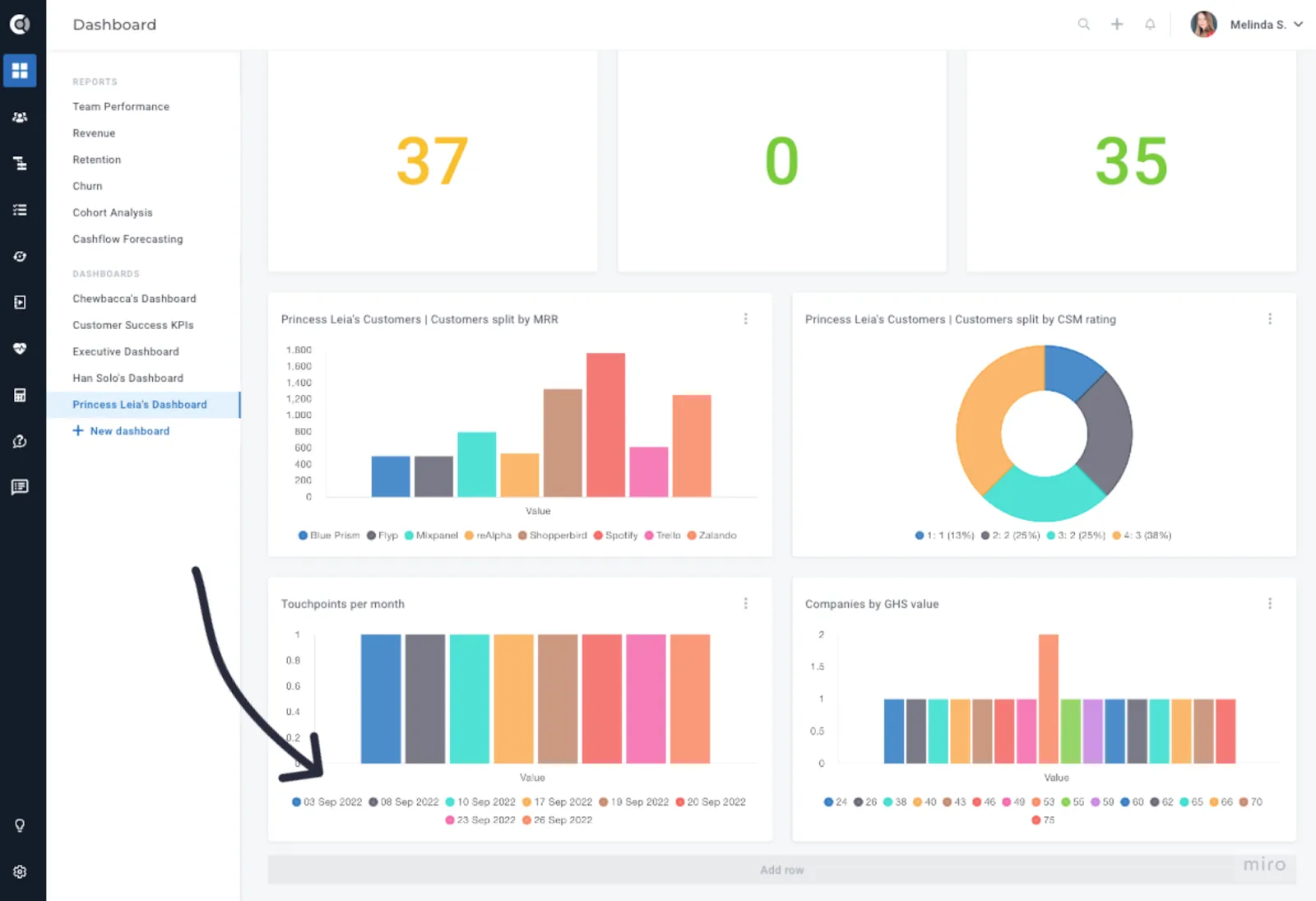
- Company Data/Evolution – Chronological Order: Order labels chronologically when splitting widget data by a date attribute.
Touchpoints
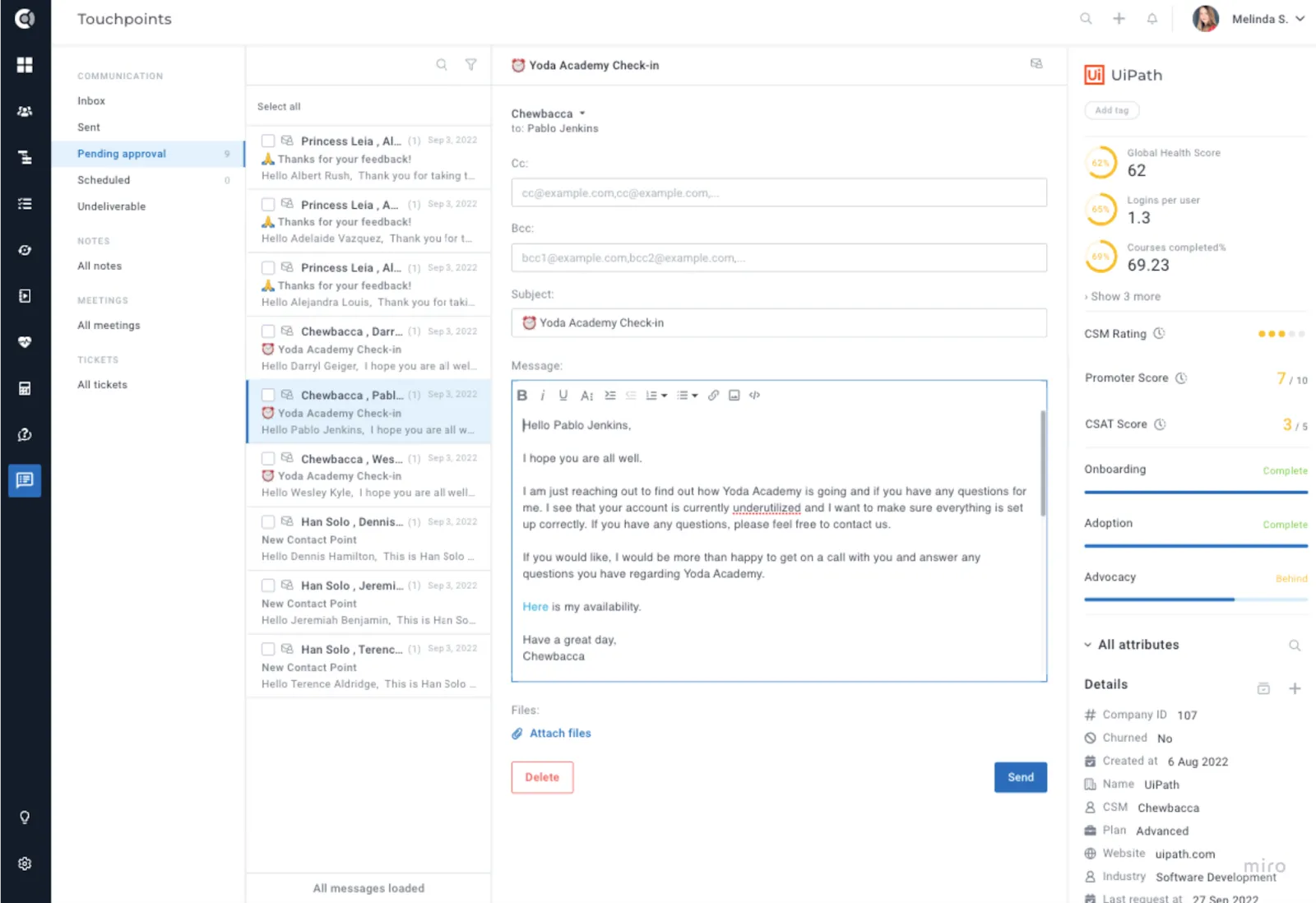
- Pending Approval – Options to edit the CC and BCC addresses: Allow editing the CC and BCC fields in the Pending approval emails and send the new values to the backend so they are updated in the email and then sent to the proper ones.
Settings
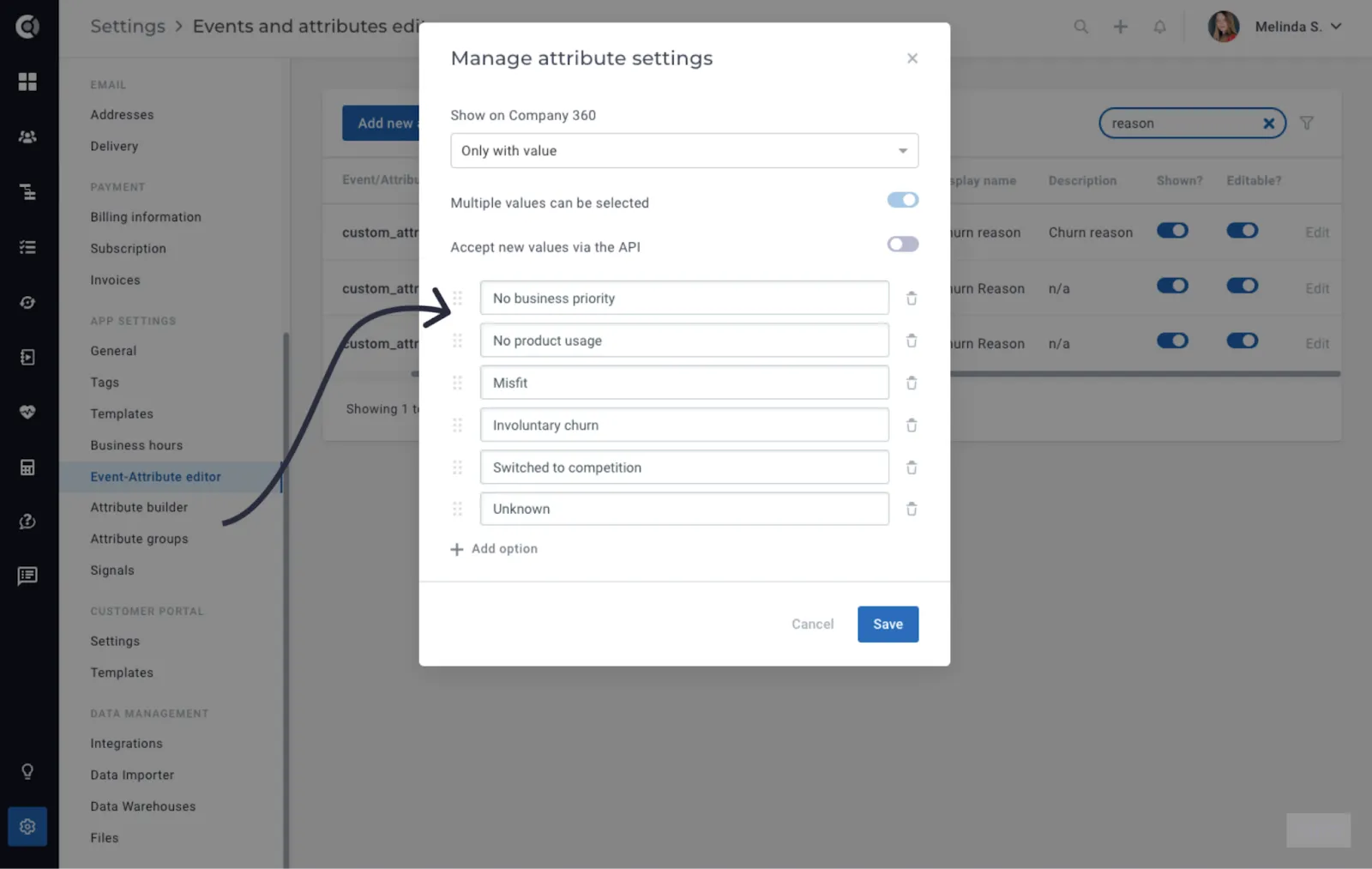
- Event-Attribute Editor – Dropdown attributes: Ability to reorder dropdown options for better customization.
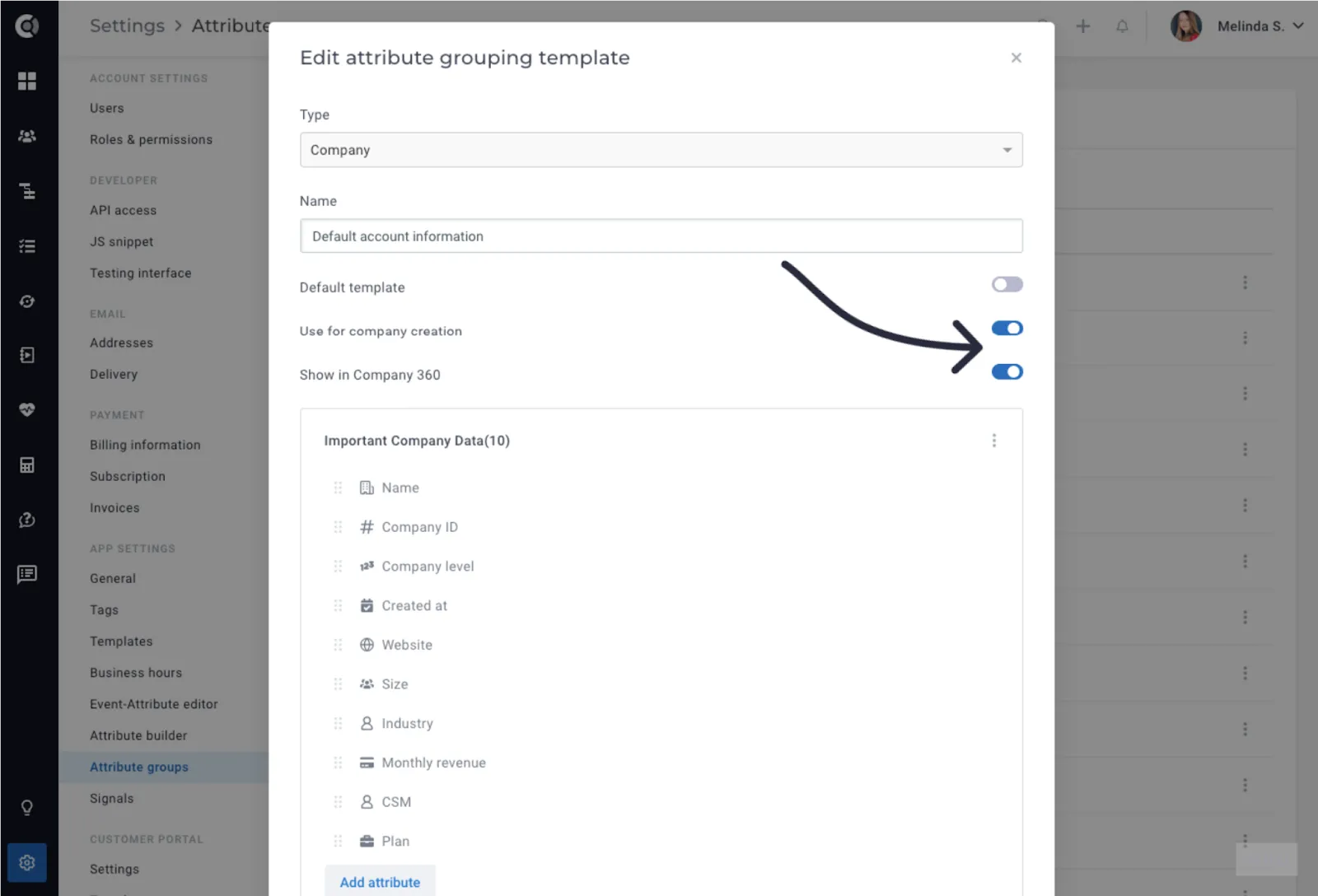
- Attribute Groups – Groups for manual company and people creation: When manually creating companies and people, you can now select which group of attributes to populate in the creation form. Simply mark attribute groups as ‘Used for company and people creation’ during manual creation. Once enabled, you can also choose whether these attributes should appear on the C360 after account creation or remain relevant solely for manual account creation.
When manually creating companies and people, you can now select which group of attributes to populate in the creation form. Simply mark attribute groups as ‘Used for company and people creation’ during manual creation. Once enabled, you can also choose whether these attributes should appear on the C360 after account creation or remain relevant solely for manual account creation.
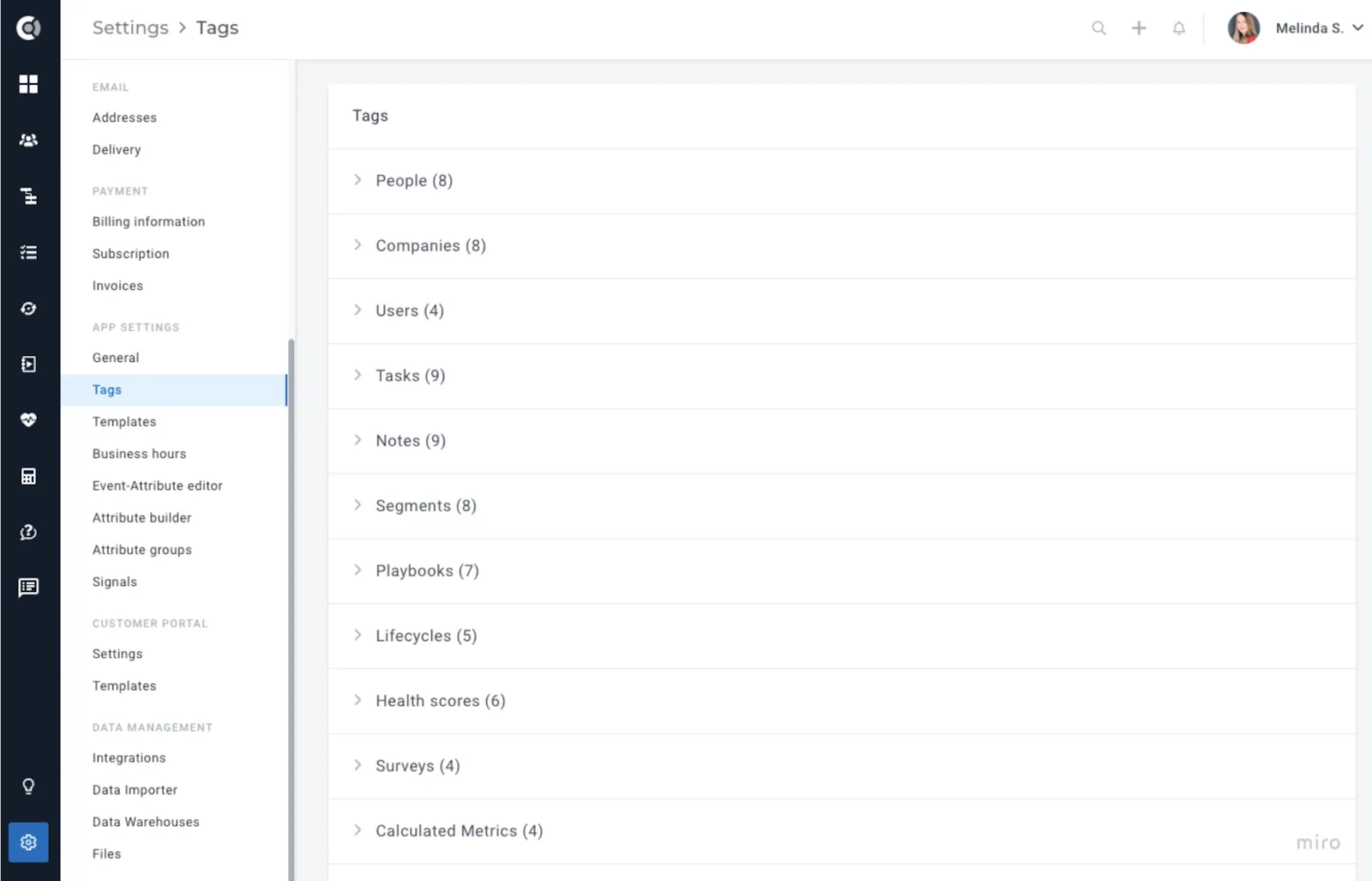
- Tag Management – Tag Status: The display status of tag categories (expanded/collapsed) is now stored for enhanced navigation through long lists of tags. This is stored at the user level, so each user has the option to choose the intended behavior.
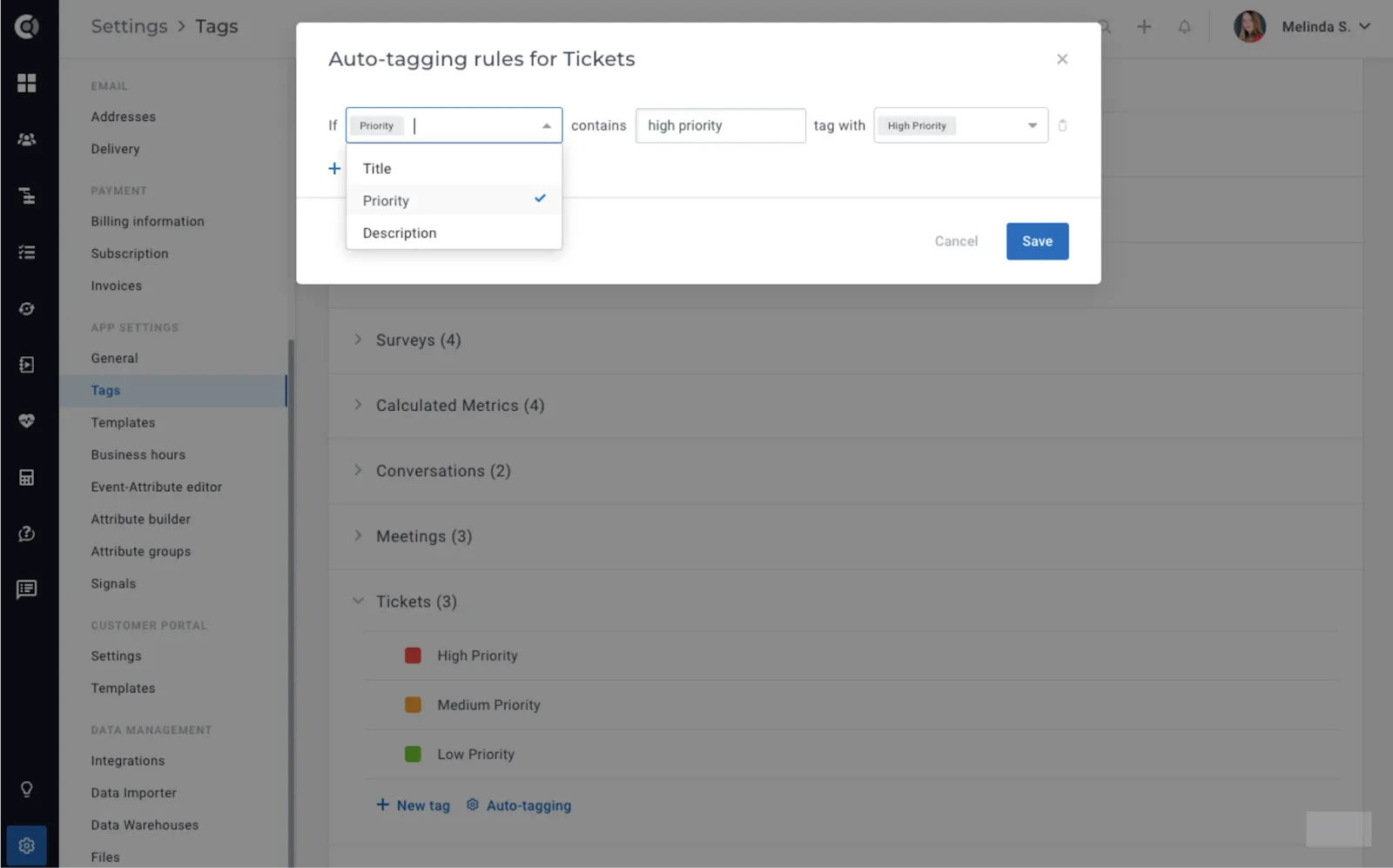
- Improved Auto-Tagging: Enhanced auto-tagging for tickets, matching more fields (Priority, Description).
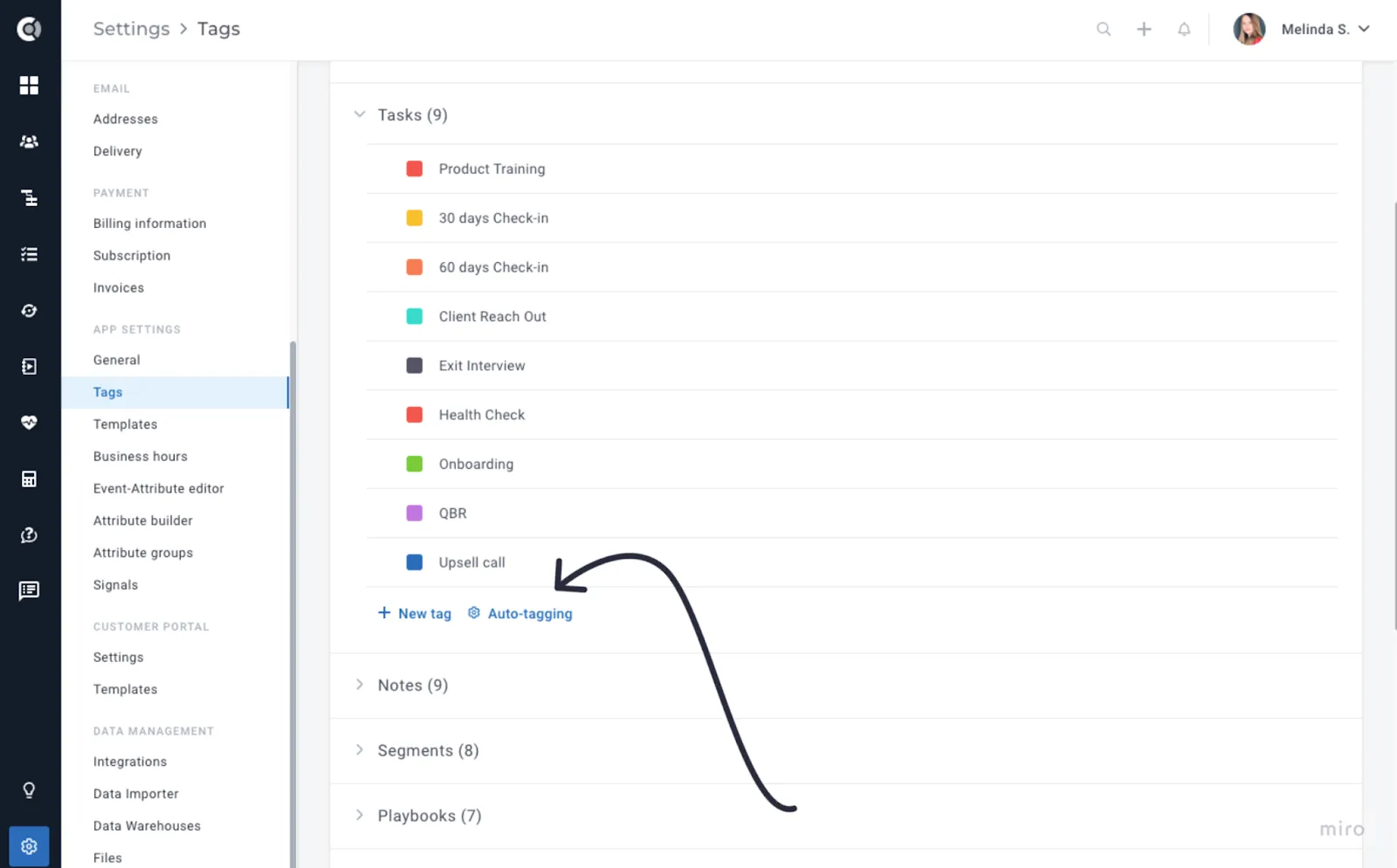
- UI Enhancements for Auto-tagging: Improved user interface for auto-tagging, to make it more visible under tags.
General
- Clickable: Images in notes and tasks are now clickable to view a larger version.
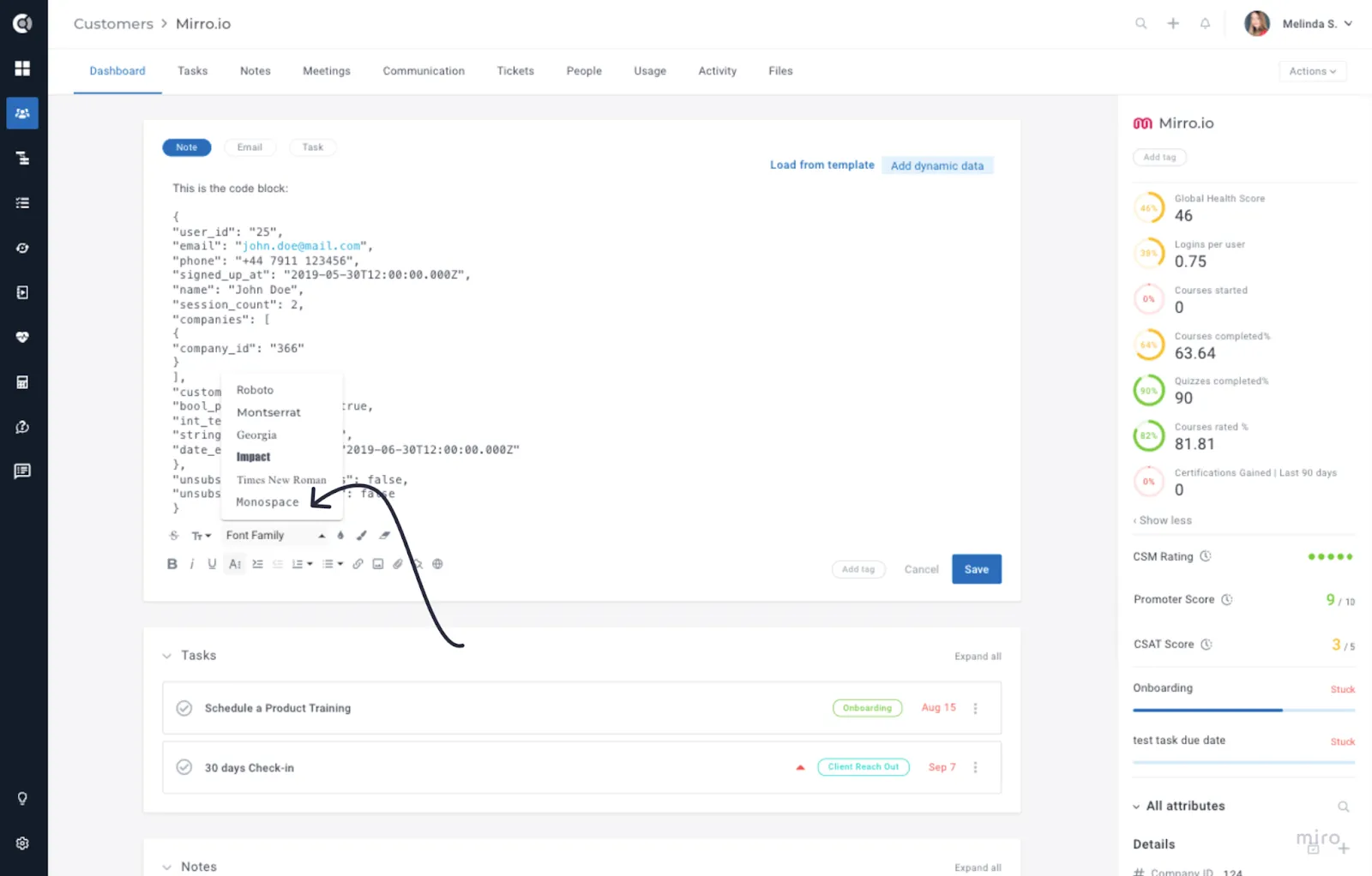
- WYSIWYG Editor - New Formatting Options: Monospace fonts for embedding code or similar structures.
- Comments – Keyboard Shortcut: CTRL+ENTER (CMD+ENTER on Mac) to save comments.
- Comments – Clickable Links: Links pasted in comments will open in a new tab.
These comments’ enhancements apply not only to notes and task comments, but also to the comments for CSM ratings.