Product Updates | July 11th, 2024
CustifyAI
Have you ever been asked by your manager about the progress of a specific account? Do your CSMs need to write comprehensive summaries when handing over an account to another CSM?
We are thrilled to introduce a new AI feature to complement our AI-generated playbooks: AI Customer Summary Generation. This beta feature is designed to help you effortlessly compile and review customer details, providing a comprehensive summary of the entire account. No more scrolling through account histories and manually writing summaries – CustifyAI handles it all for you!
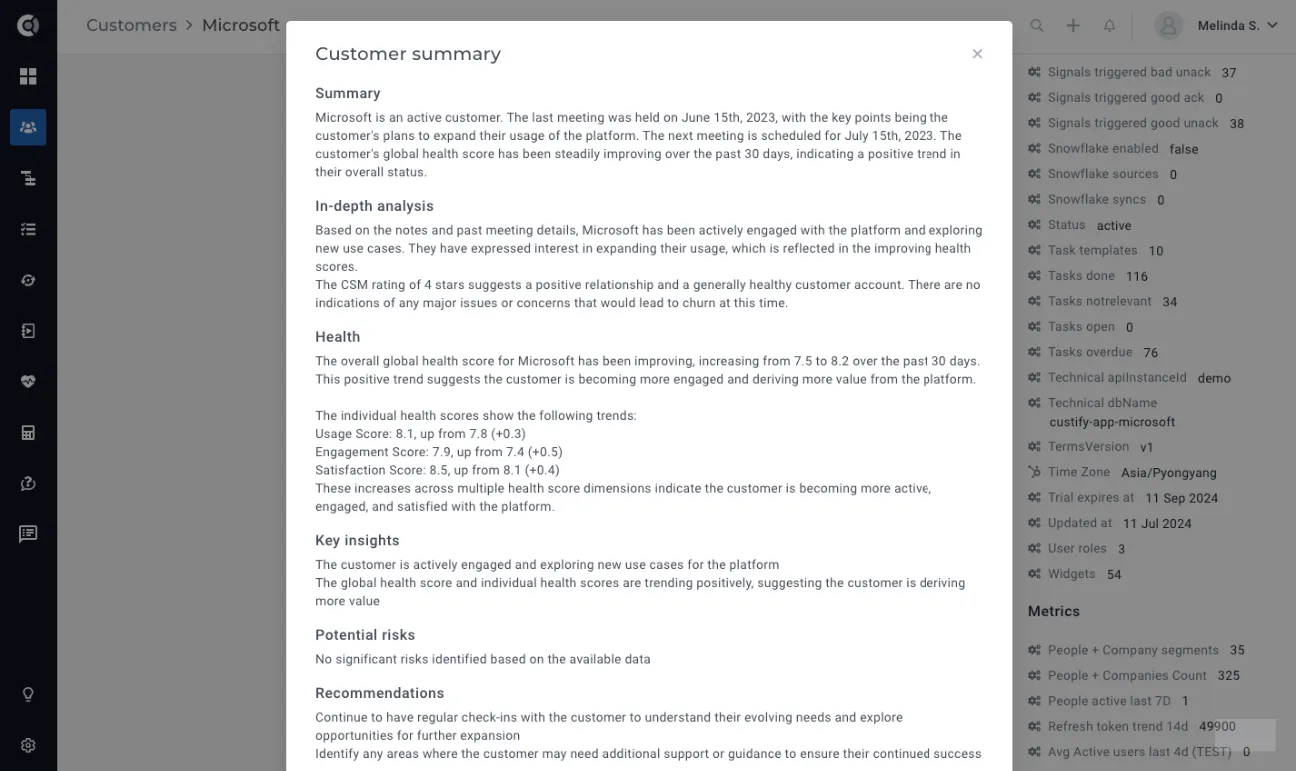
To generate a customer summary, simply:
- Go to a customer account.
- Select
- Wait a few seconds for the summary to be displayed.
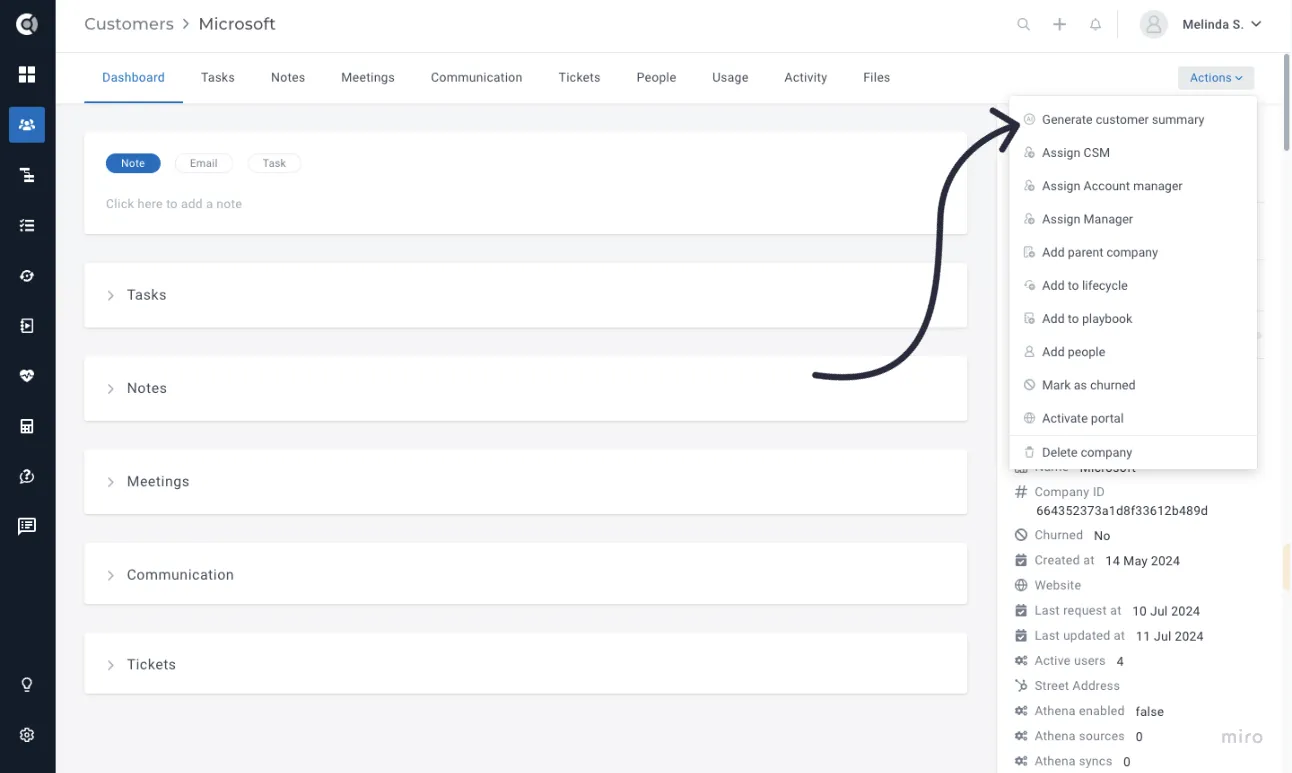
The generated summary consolidates insights from multiple data points across each customer, encompassing the following sections:
- Summary: A quick overview of the account’s evolution.
- In-depth Analysis: Detailed information about the account evolution, key touchpoints, customer feedback, satisfaction levels, progress, and next steps.
- Health: Comprehensive health score analysis.
- Key Insights: Important observations about the account.
- Potential Risks: Identified risks that might affect the account.
- Recommendations: Suggested actions to improve the account.
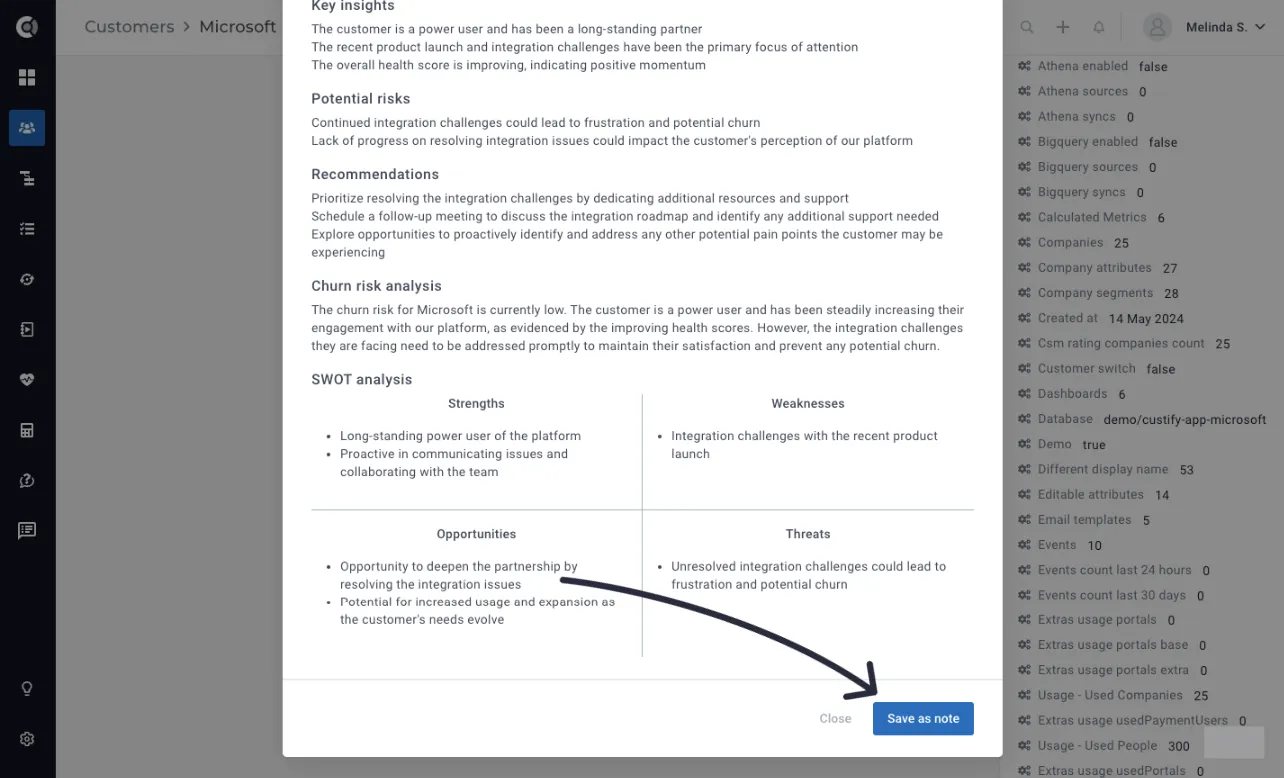
- Churn Risk Analysis: Evaluation of the churn risk.
- SWOT Analysis: Account Strengths, Weaknesses, Opportunities, and Threats analysis.
Once generated, the customer summary can be saved as a note, allowing you to quickly post a comprehensive update on your customers’ accounts.
CustifyAI feature is enabled by default for all the accounts, but can be turned off at the account level by any admin.
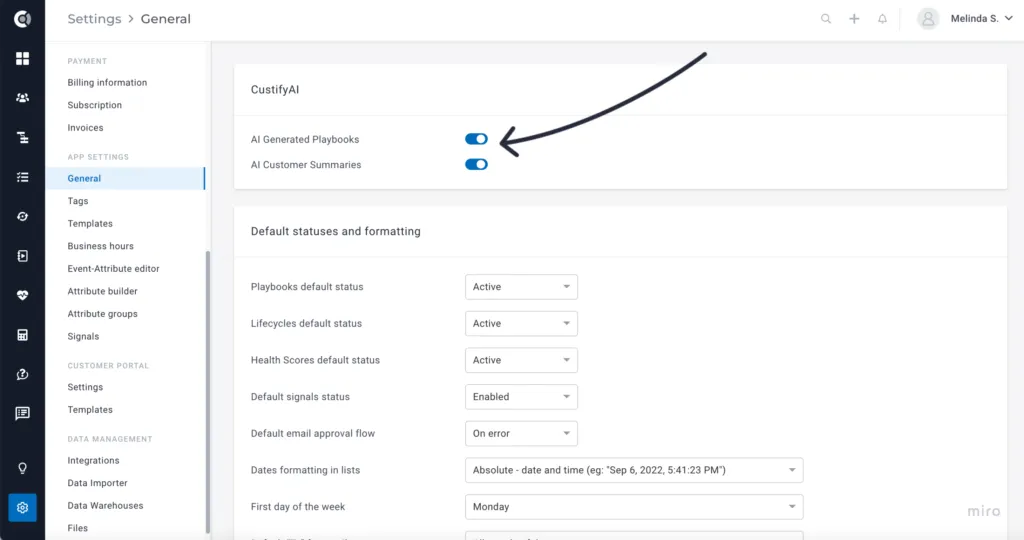
This is the second feature powered by CustifyAI and is currently included in all existing plans. Stay tuned for more exciting features that will be added soon!
Customer Portal
Enhanced UI, new blocks, and more intuitive navigation—these are some of the additions to this customer-facing feature that we are particularly enthusiastic about.
- Section Headings: Easily add section titles with controllable visibility.
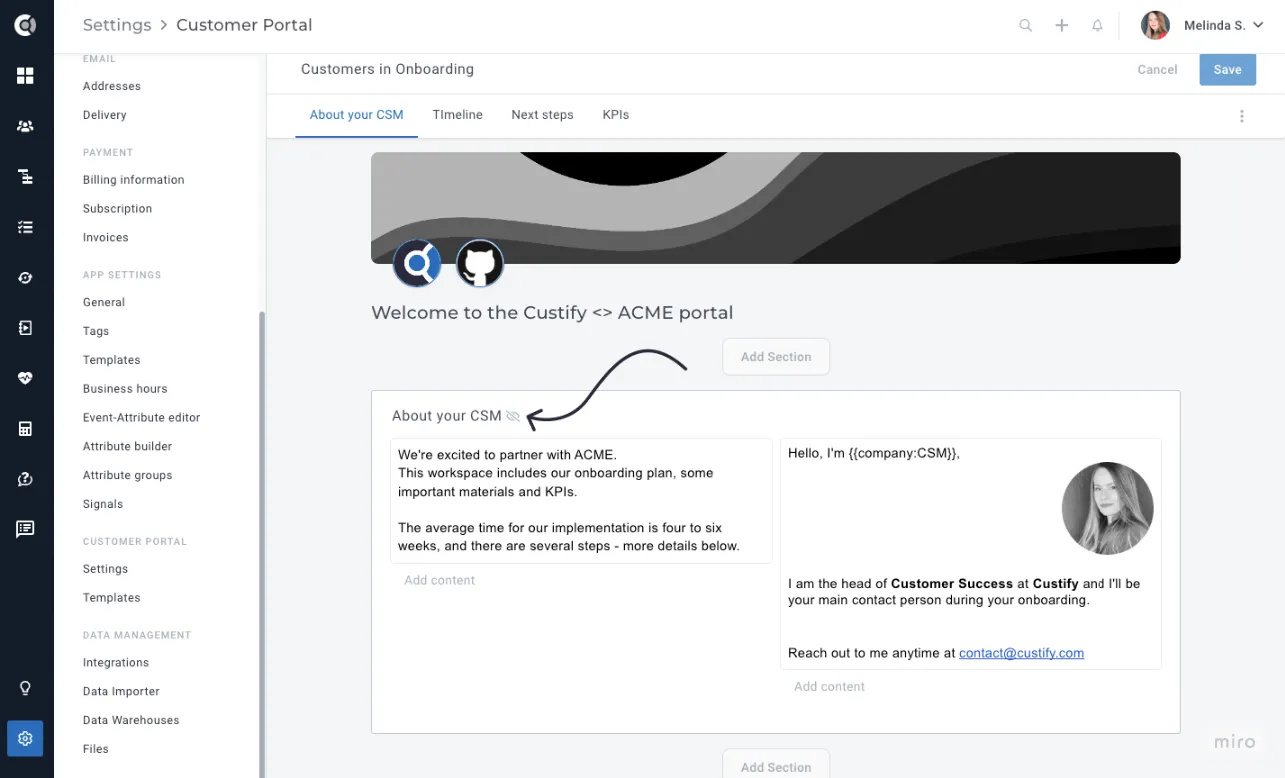
- Updated UI for Tasks, Notes, Meetings, and Files: Improved interface with titles for clear context and customizable visibility.
- New Block – Heading: Add different styled headings to your portal content.
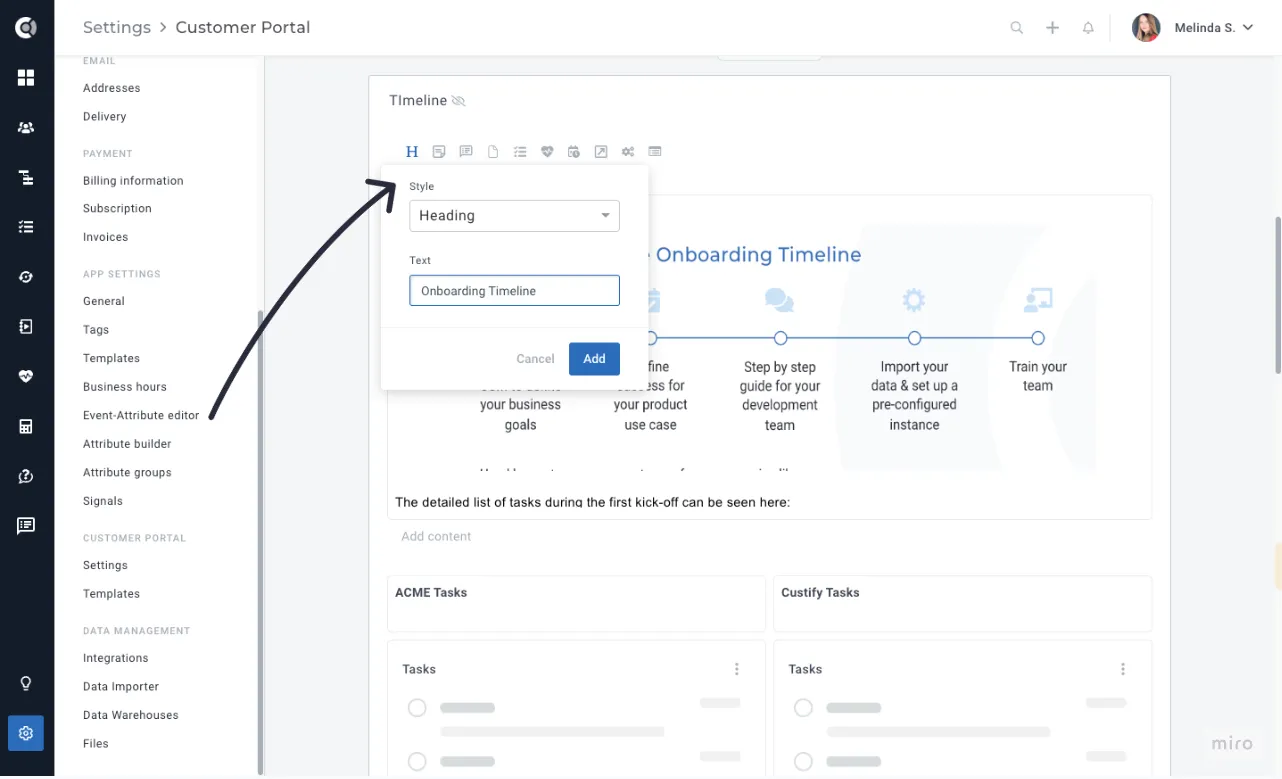
- New Block – Form: Enhance collaboration by allowing customers to change or add values to different attributes, exportable to external destinations via integrations or Playbooks.
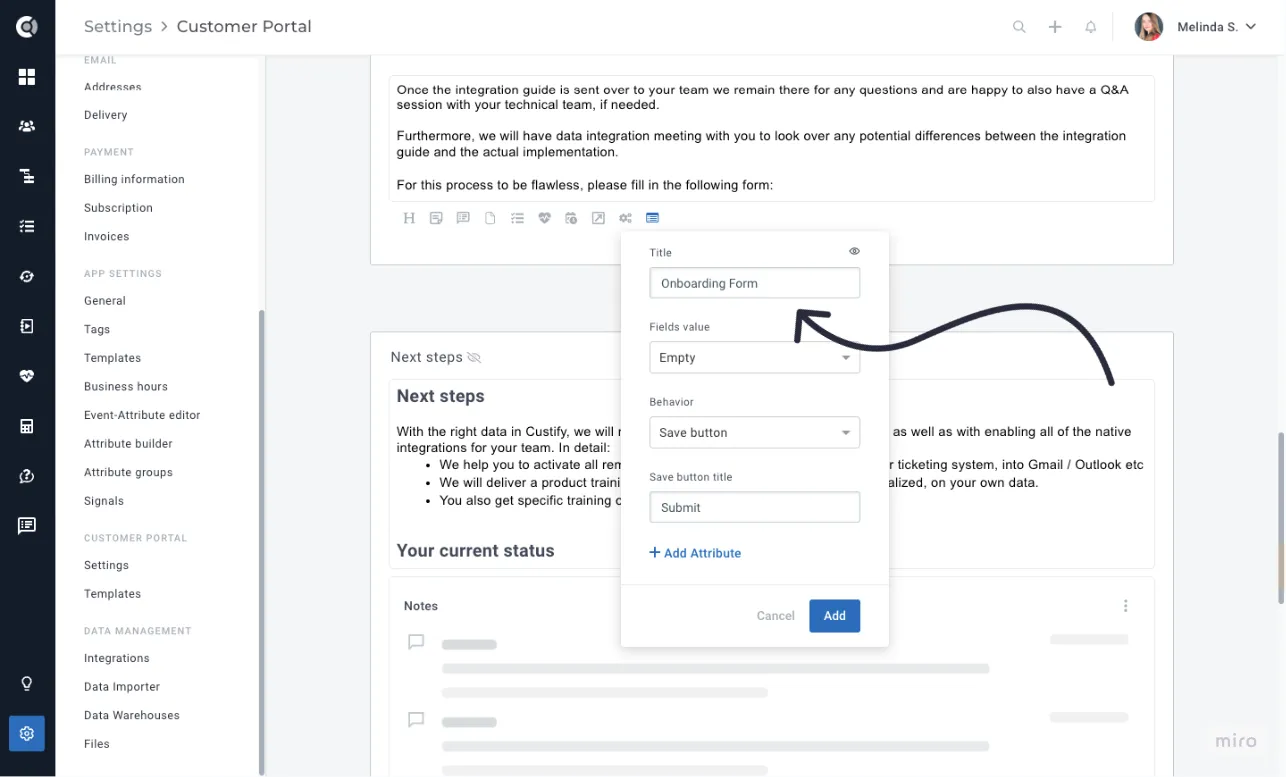
Build your form and have customers fill in information that will be immediately reflected in the attributes list in Custify. Attributes need to be created in Custify first (they cannot be generated through the form), and you can choose if the attributes should be displayed in the form as empty (so customers can input custom values) or with their current values (so they can choose, for example, a value from a dropdown attribute).
- Embed Block – Tally:
- Section Visibility Options: Control section visibility based on attributes or tags associated with the company. Options include:
- Always visible
- If company has tag
- Attribute-based visibility
- Hidden
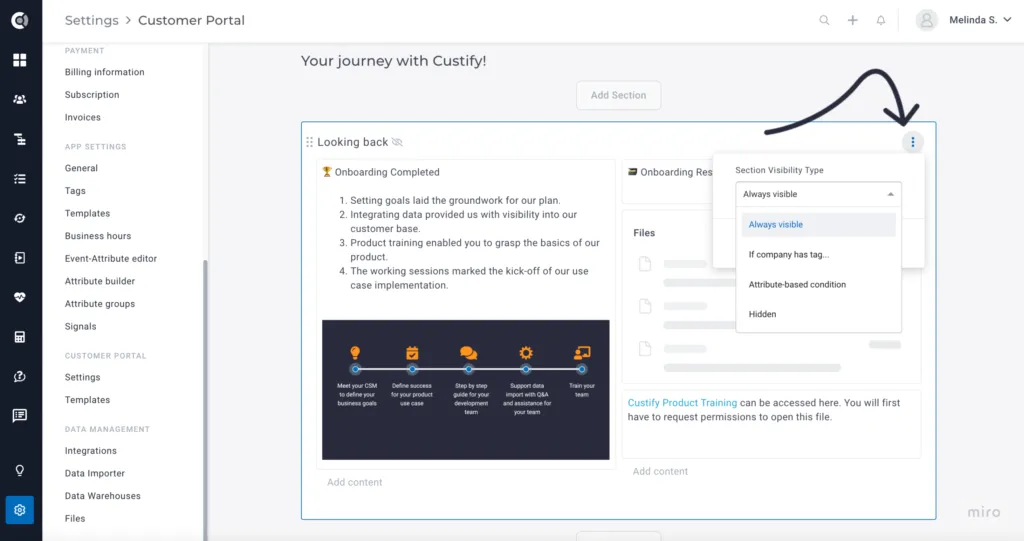
With section visibility, you can benefit from templates that dynamically change based on account information. For example, if a customer buys a specific add-on and that is reflected in an attribute or tag at the company level, a new section in the portal with instructions on how to use that feature can pop up.
Segments
We are excited to introduce new functionality to track attribute changes/movements, available for String, Dropdown, and Boolean attributes. You can now easily return lists of customers who had a plan change recently, or who have updated their contact information. This feature also allows you to identify customers who have switched subscription tiers, providing insights into user behavior and helping you tailor your engagement strategies more effectively.
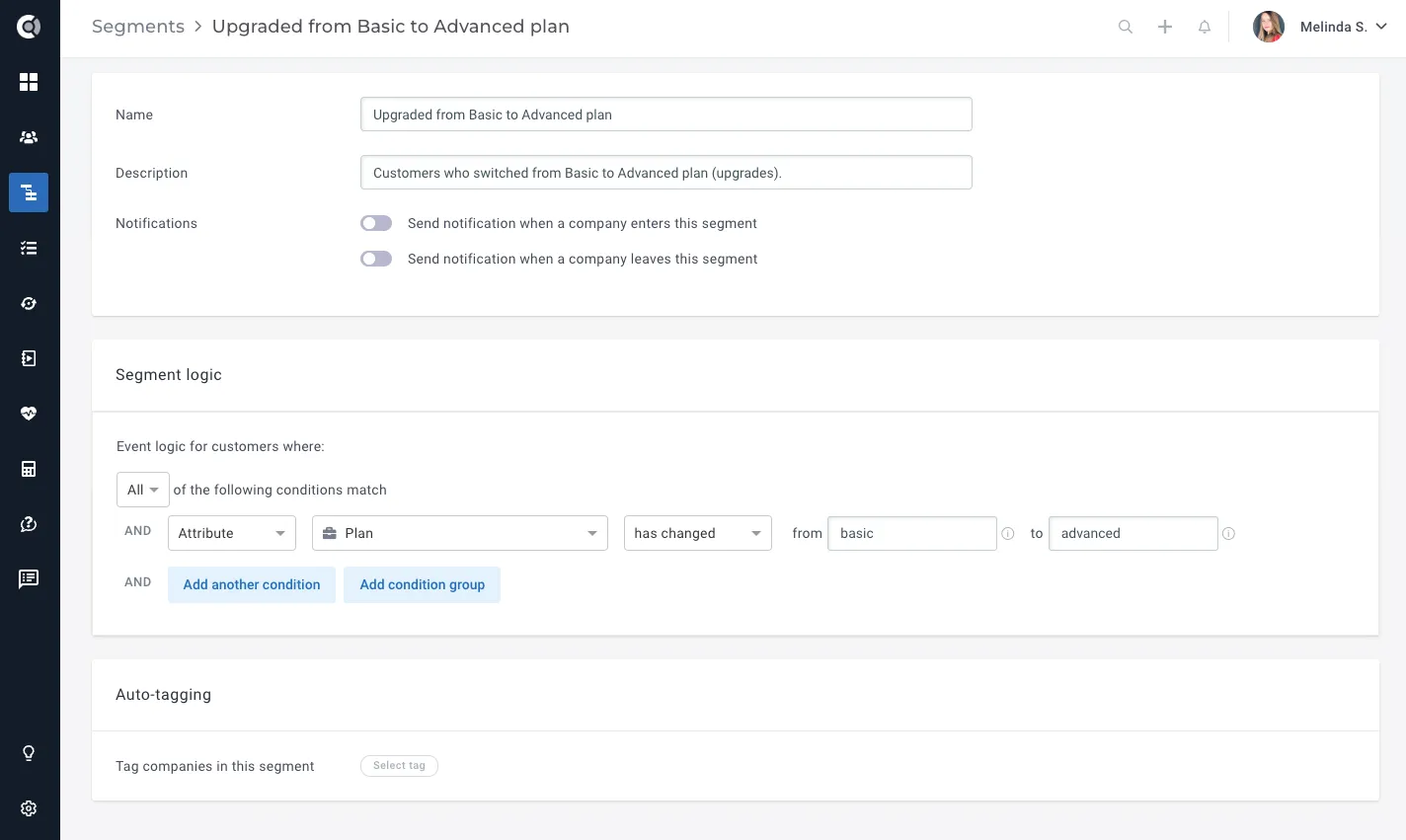
Change Detection Options:
- Attribute X has changed (from any value to any value)
- Attribute X has changed from A (to any value)
- Attribute X has changed to B (from any value)
- Attribute X has changed from A to B
Note: Initial segment calculation for these types of segments might be slightly delayed as it looks back through the entire account history to check for changes. These changes account for all historical modifications. Therefore, if you want to return, for example, all companies that changed from A to B, and B is the current value of the attribute, you will need to add an extra condition: ‘Attribute value is B’. Without this condition, the logic will return all companies that have had that change at any point in time.
For numerical attributes, there is no movement option, as movements can be easily tracked with Calculated Metrics.
Insights
We are pleased to announce new updates to our Dashboards and Reports functionalities, designed to enhance data visualization and improve team performance tracking.
Dashboards
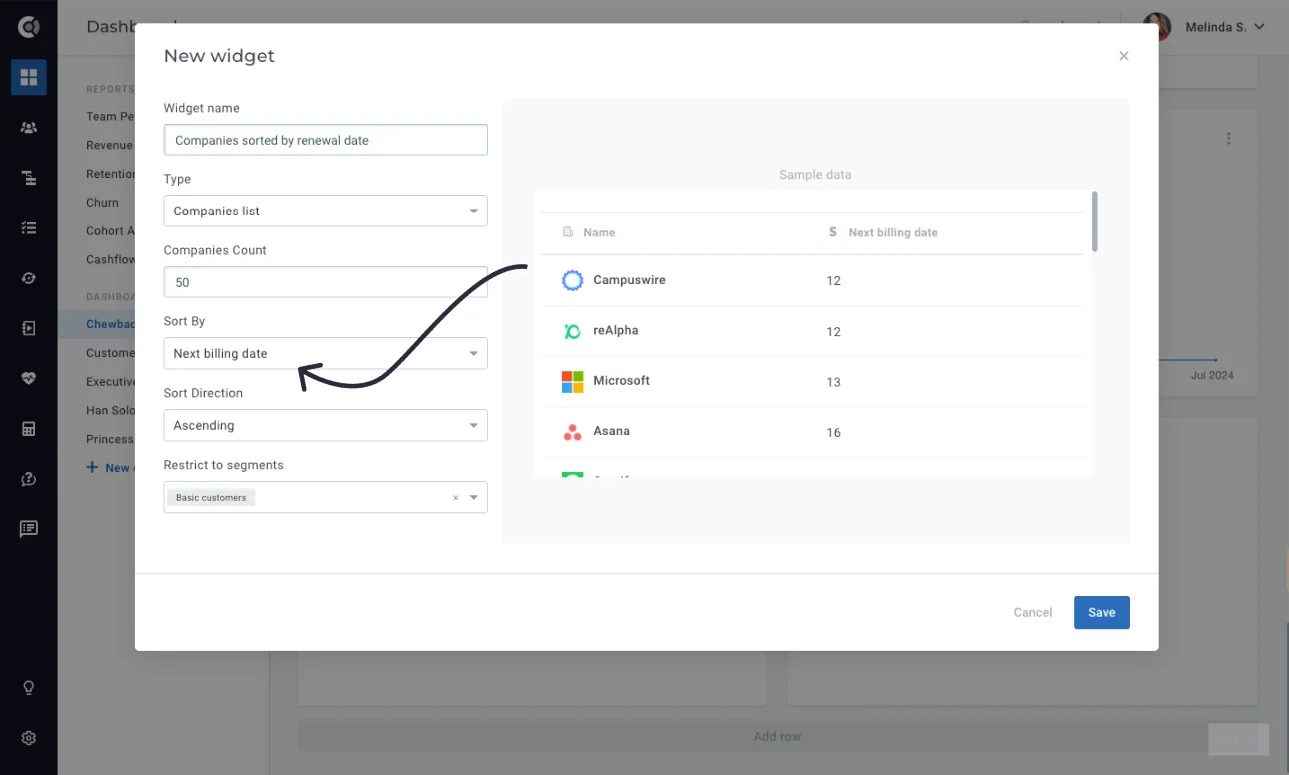
- Company List Widget Enhancements: Allow sorting by date attributes. For example, you can now build tables of customer names together with their renewal dates, sorted chronologically.
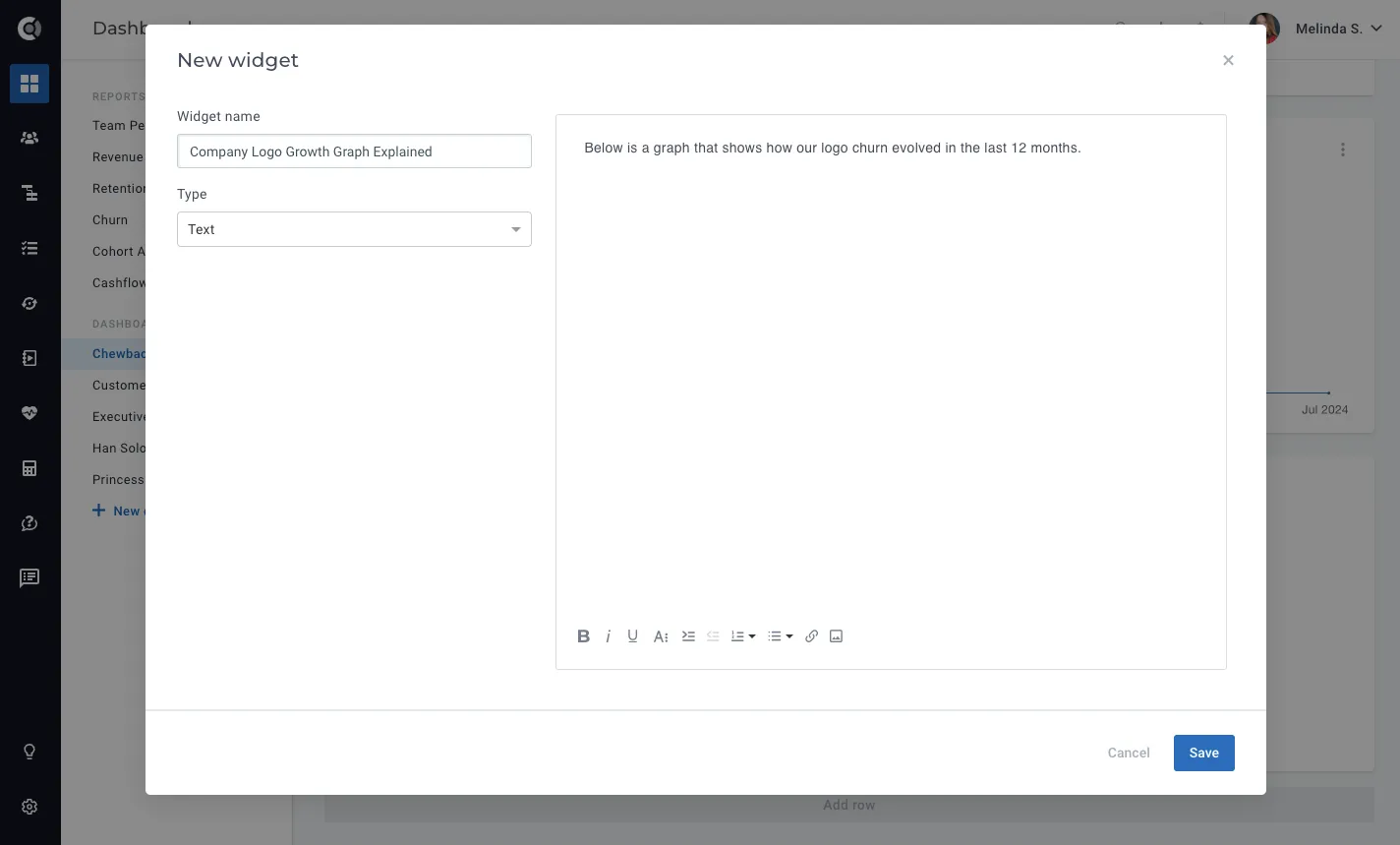
- New Widget Type – Text: Add custom rich text areas to dashboards, including embedding videos. This feature lets you insert descriptive content to your dashboards, making them easy to understand by your team.
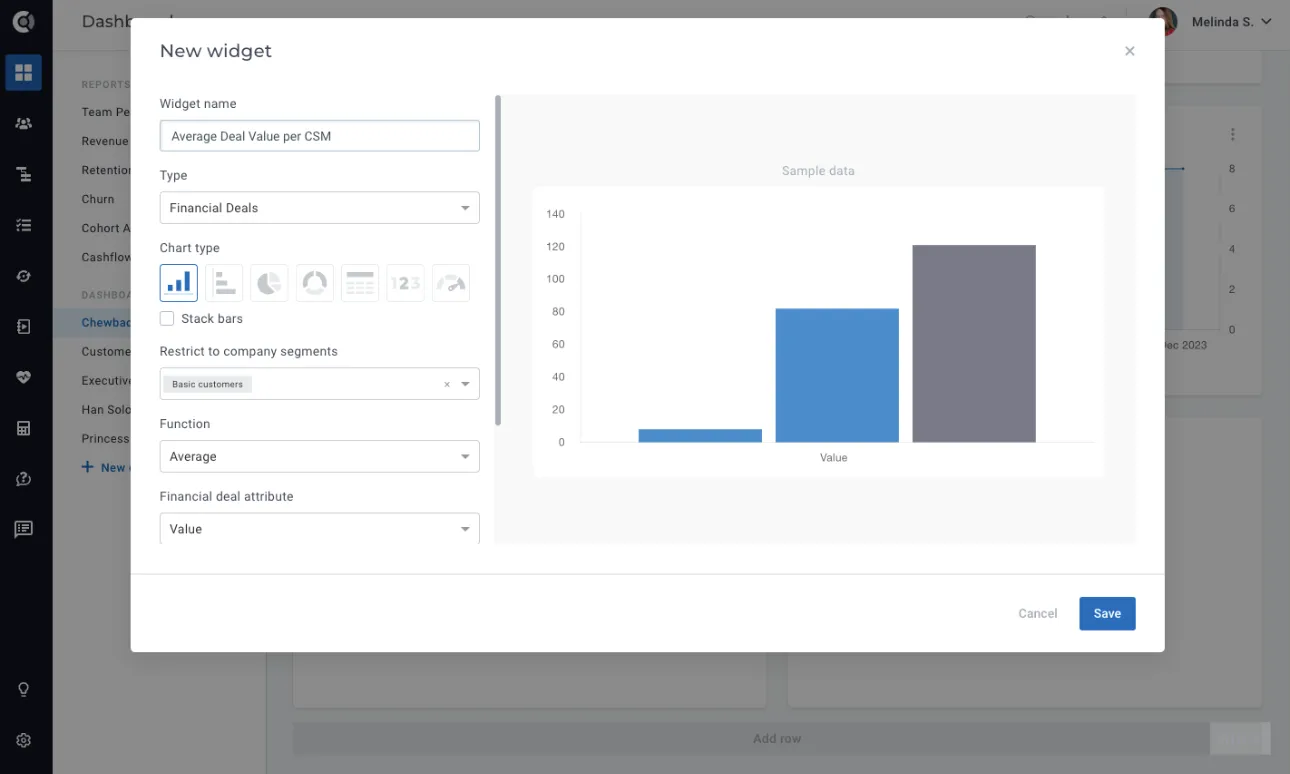
- New Widget Type – Financial Deals: Similar to the Company data/evolution widget, this new widget returns various information about financial deals. Available functions include sum, average, minimum and maximum, count deals, and utilization. The widget works with financial deal attributes, being based on timeframe now. The Restrict to company segments option allows you to filter by the segments that the company the financial deal is assigned to is part of.
Reports
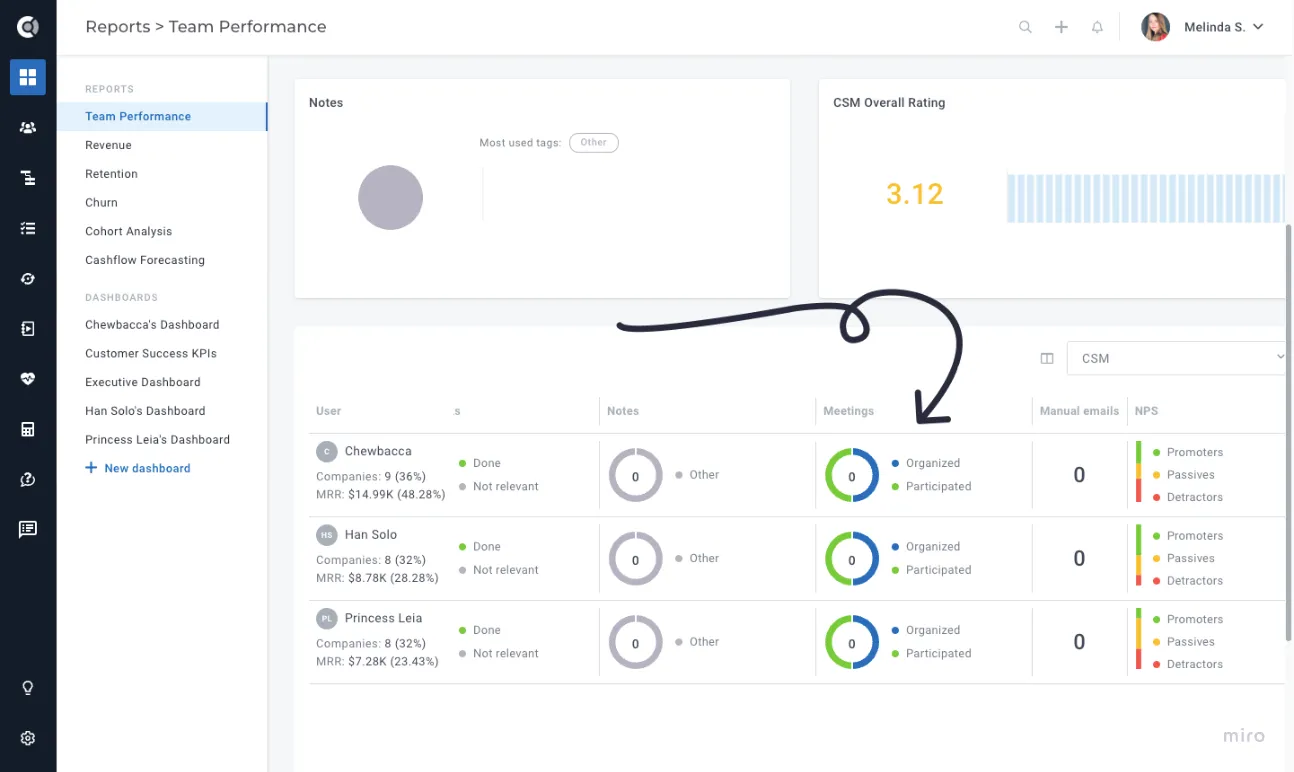
- Team Performance: Added meetings tracking to team performance reports, split between Organized (the user is the meeting organizer) and Participated.
Customer List View
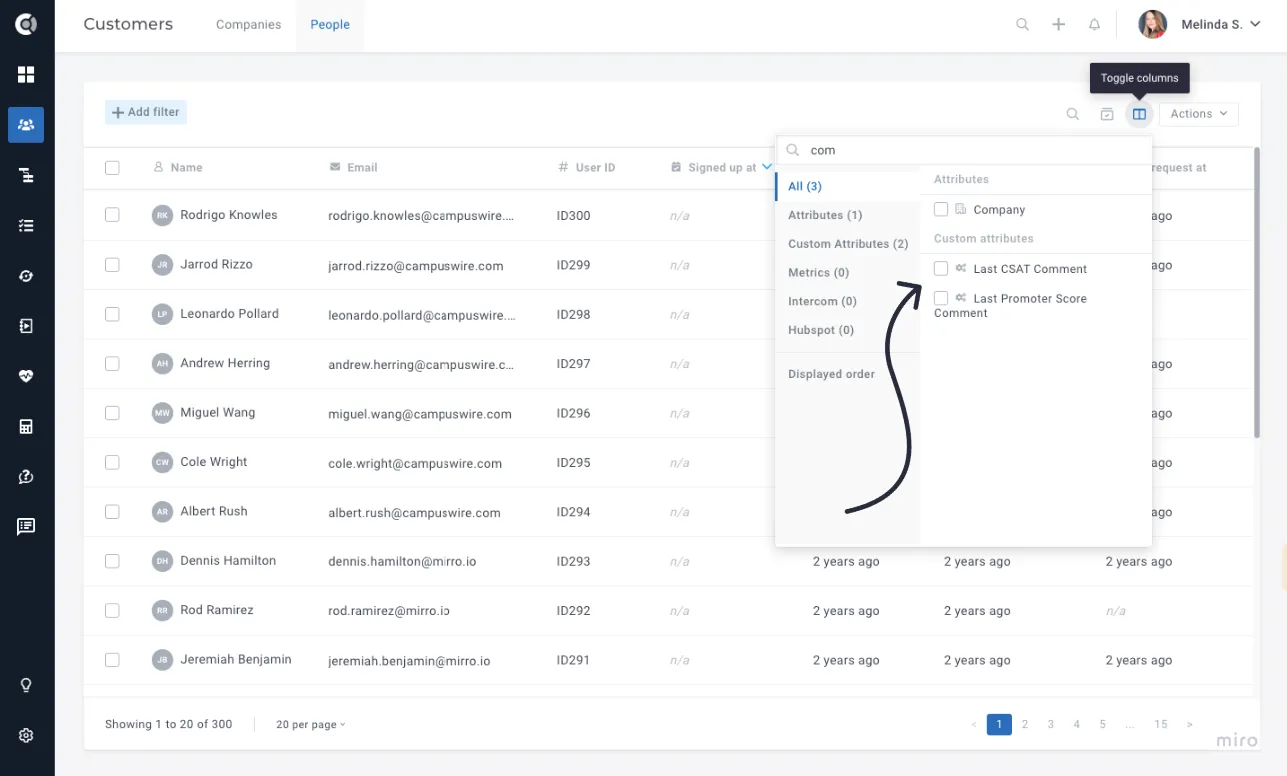
- Retrieve latest NPS/CSAT comment: Access and use the latest NPS/CSAT comment for each person.
- Save entities per page in views: The number of entities (companies or people) you select to display per page will now be retained in the views you save.
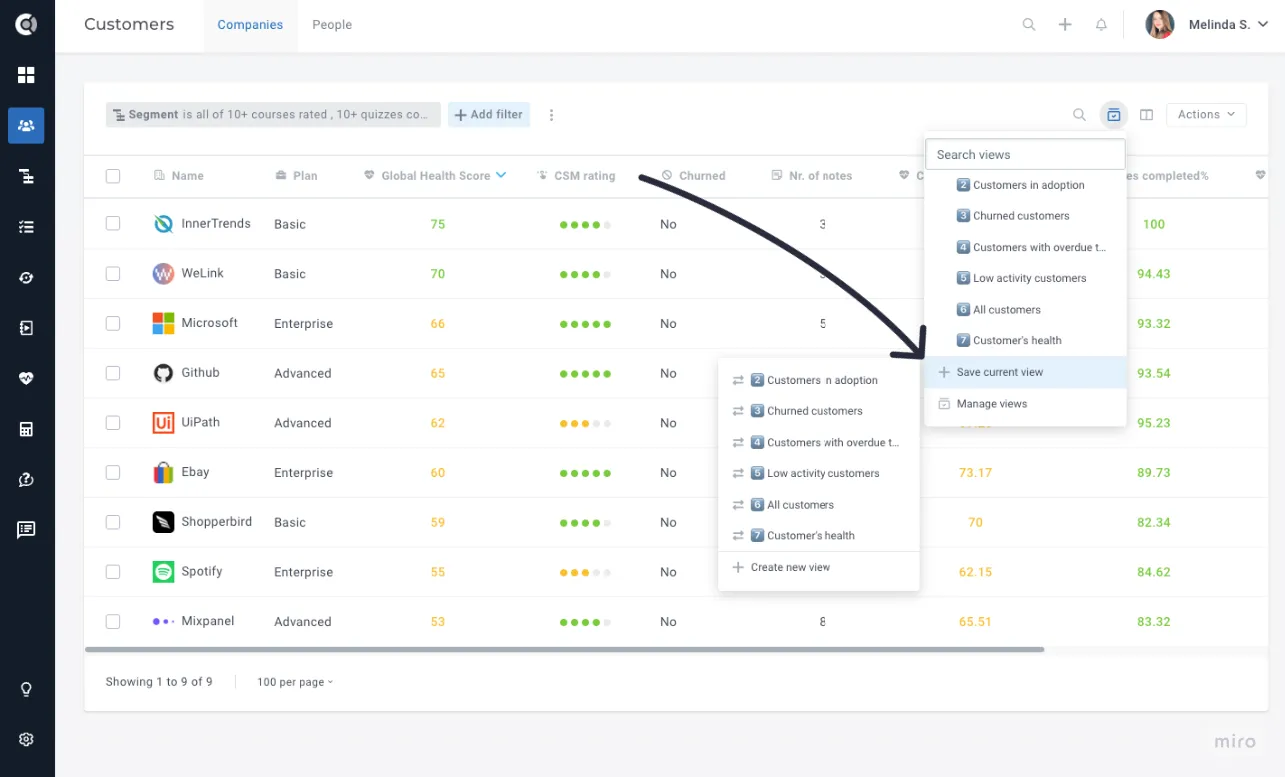
- Search functionality for views: Easily find specific saved views by searching for keywords.
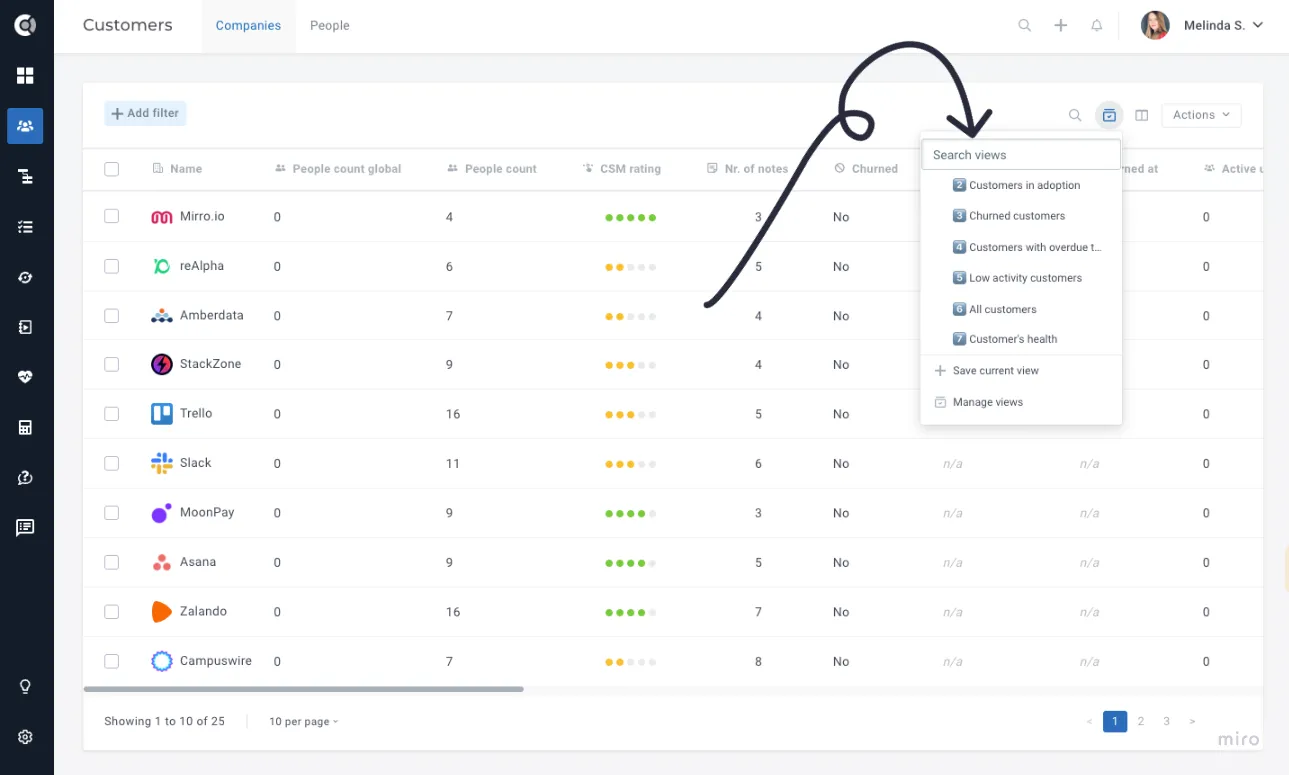
- Enhanced UI for views: Improve the interface for saving and updating views. When saving your views, go to Save current view and choose to update an existing view or create a new one.
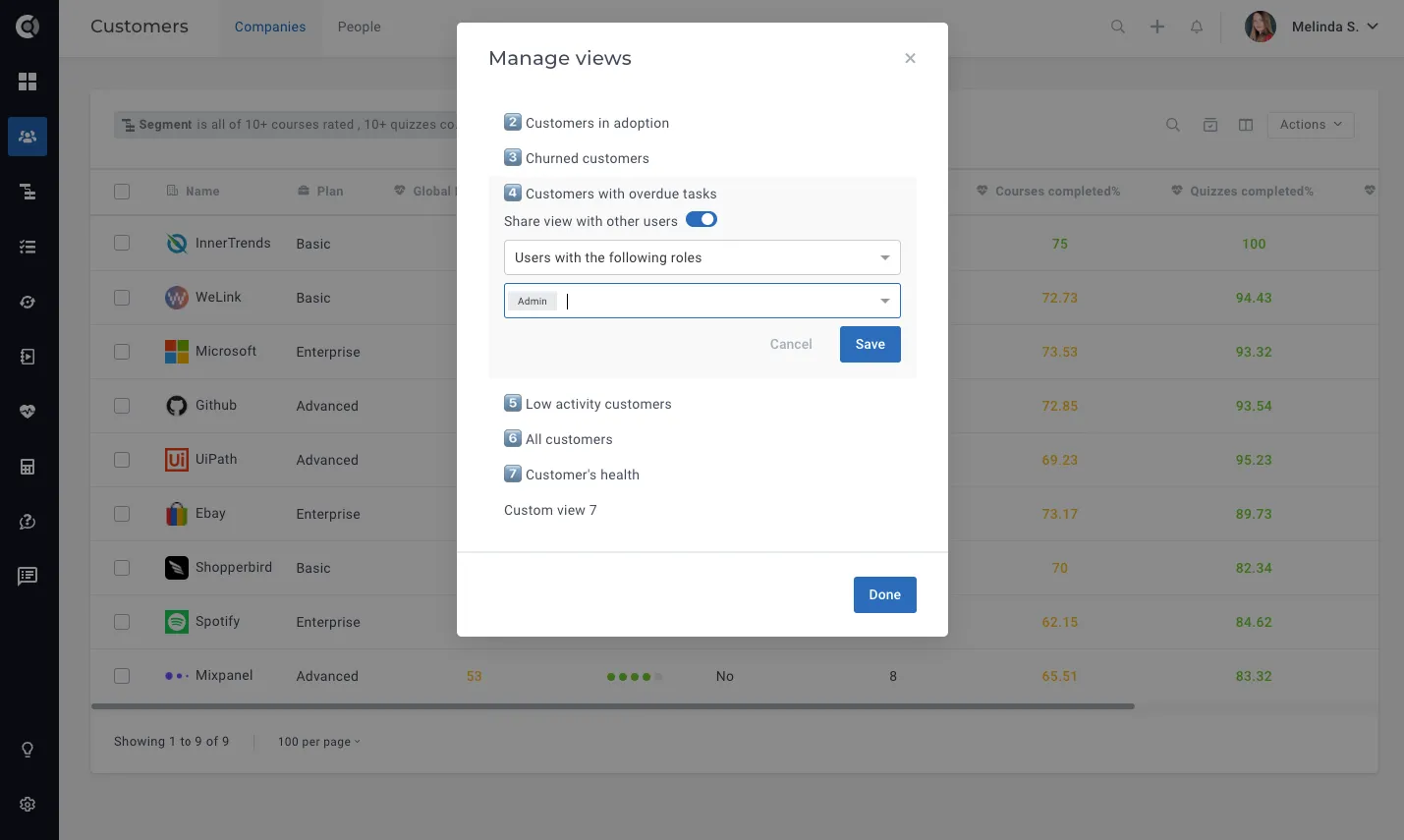
- Share views with specific roles: Control access by sharing views with selected roles or users. Go to Manage Views – Sharing and customize your views’ access. You can choose to share your views with everyone in Custify, or with specific user roles.
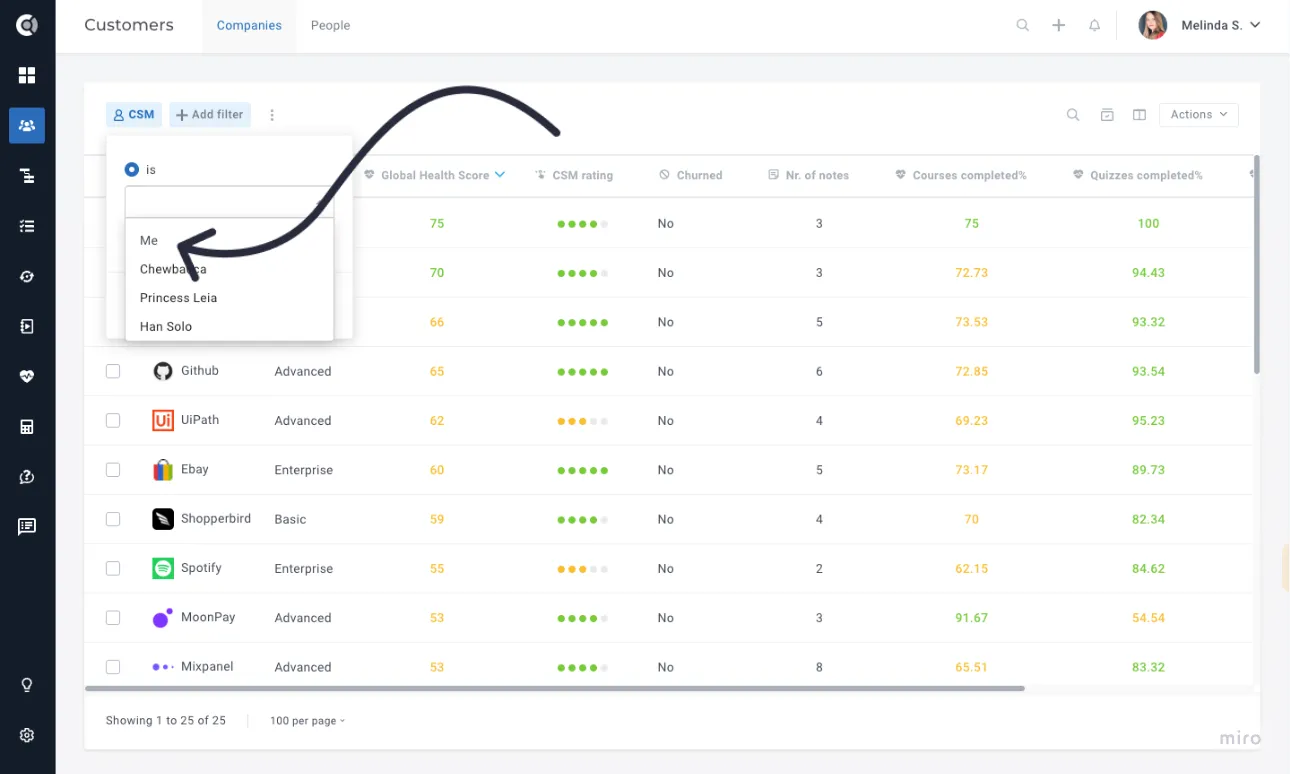
- Filter by Me in User fields: When filtering by a User type attribute (E.g. CSM, Account Manager, etc.), you can now select Me as an option. This will filter data to show only information relevant to the logged-in user.
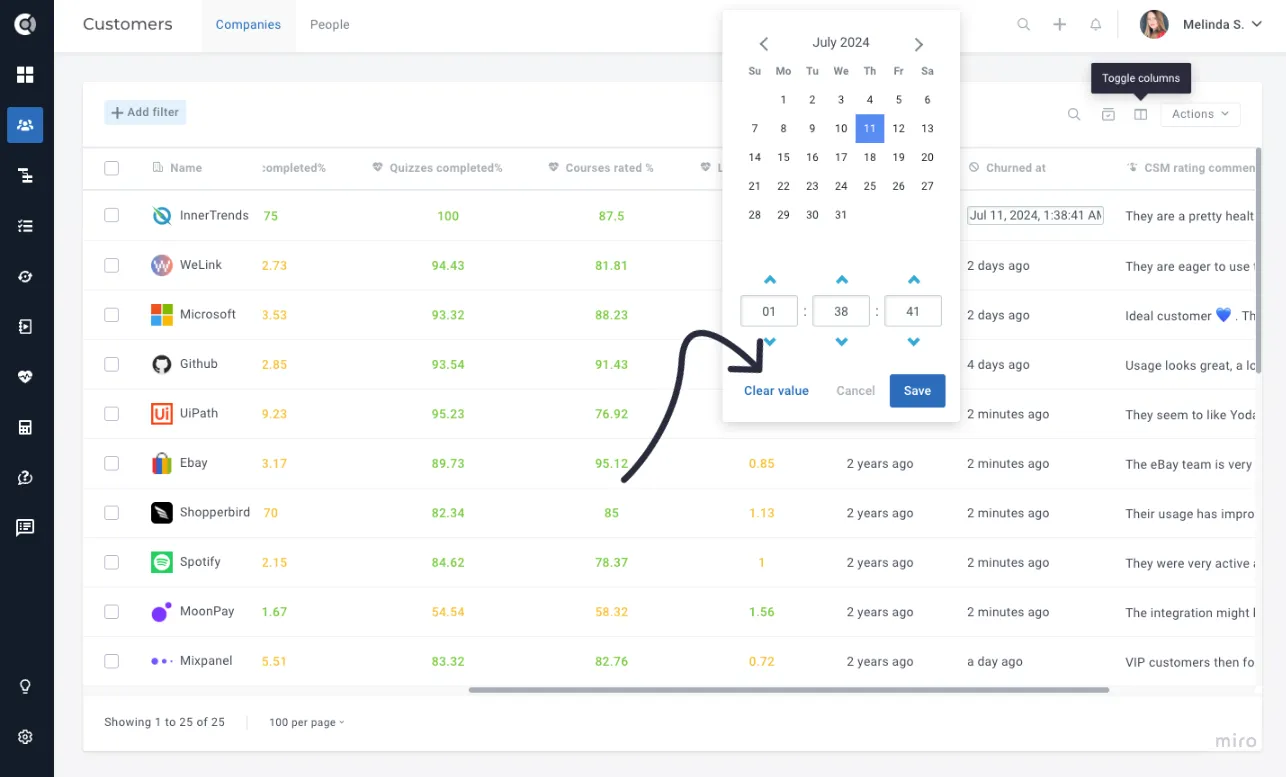
- Clear date attributes: Easily clear the values of a date attribute directly from the customers’ list.
Customer 360
- Show playbooks’ description on hover: Display playbook descriptions when hovering over them in the 360 view for quick insights into each playbook’s purpose.
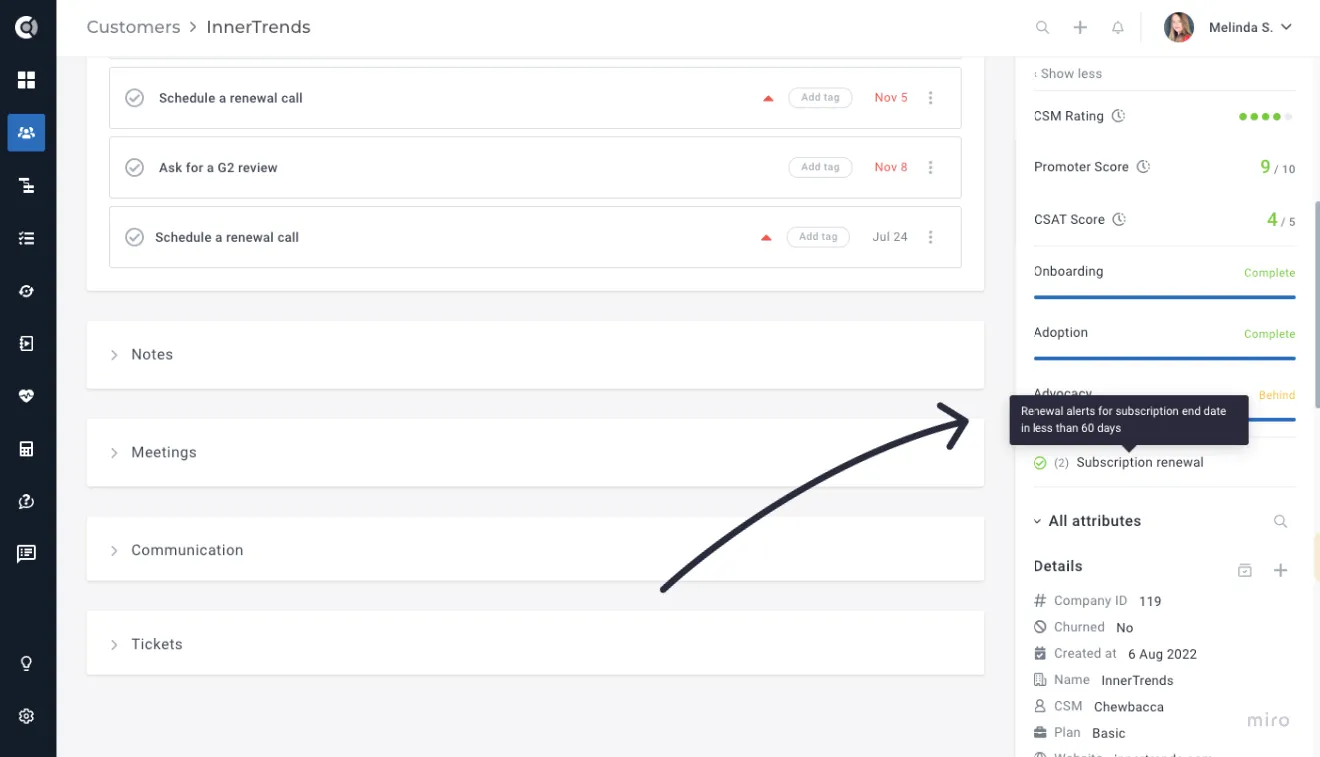
- Activity – Tracking attribute changes: Show the user who made manual attribute changes to enhance transparency and accountability.
-
- Activity tab –Display company name in people events: Include companyName in people events to easily identify the context of each event, especially for users associated with multiple companies.
Tasks
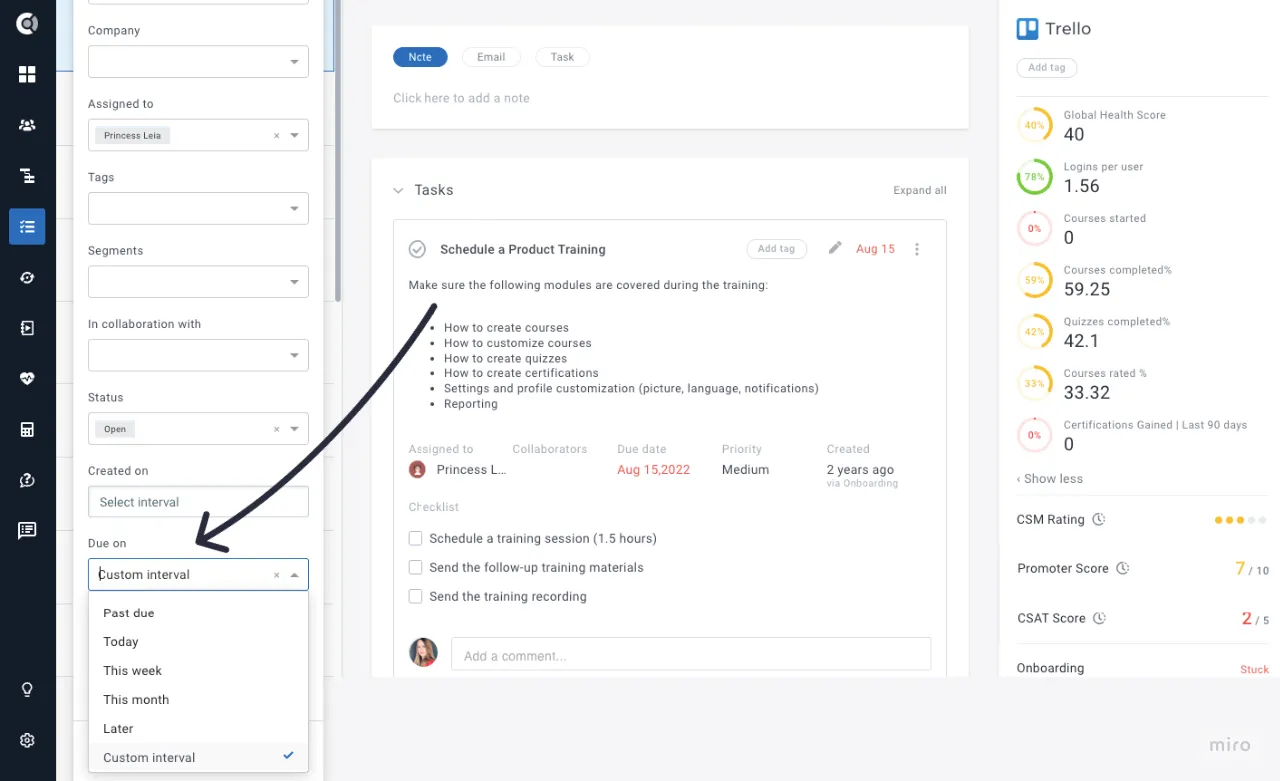
- Due date filtering: Due date filtering has been improved, enabling quick filtering options such as past due, due today, etc., while also retaining filtering by custom intervals.
Playbooks
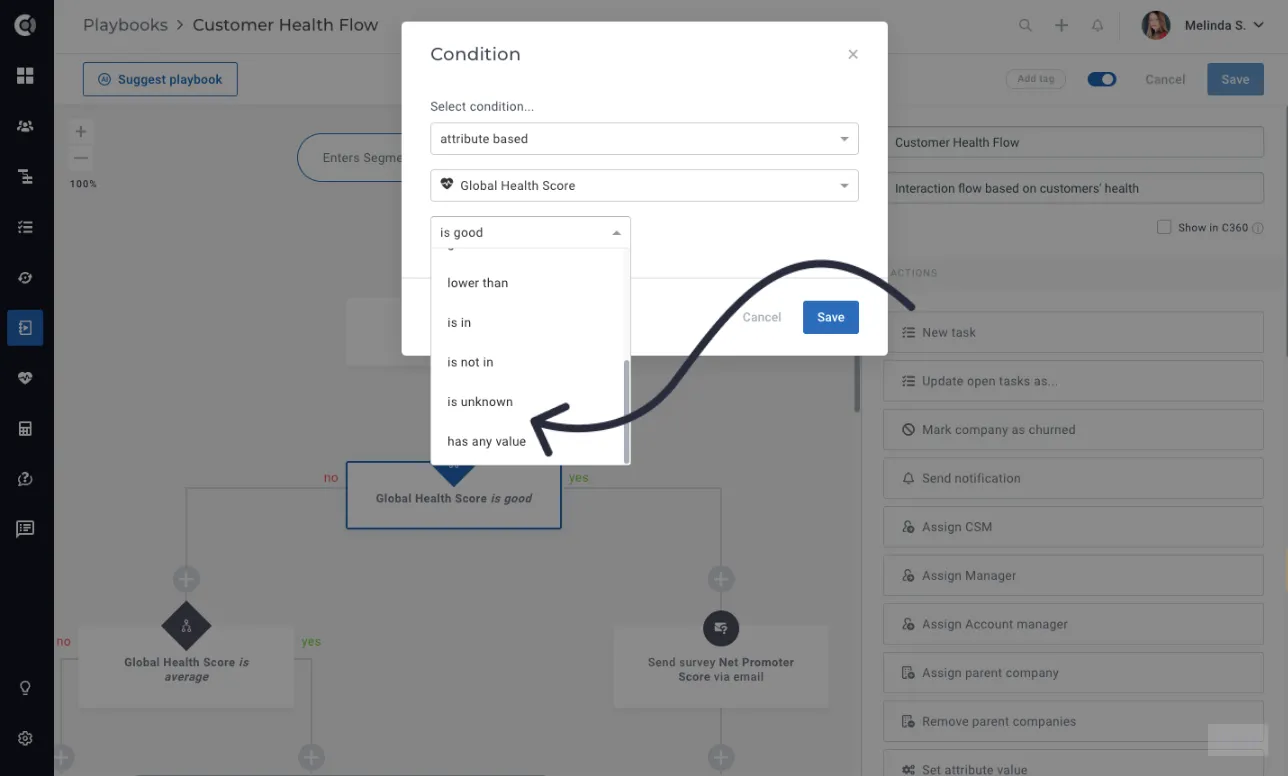
- Enhancement for Attribute-based conditions: Introducing is unknown and has any value conditions specifically for Dropdown attributes, allowing for more precise automation rules.
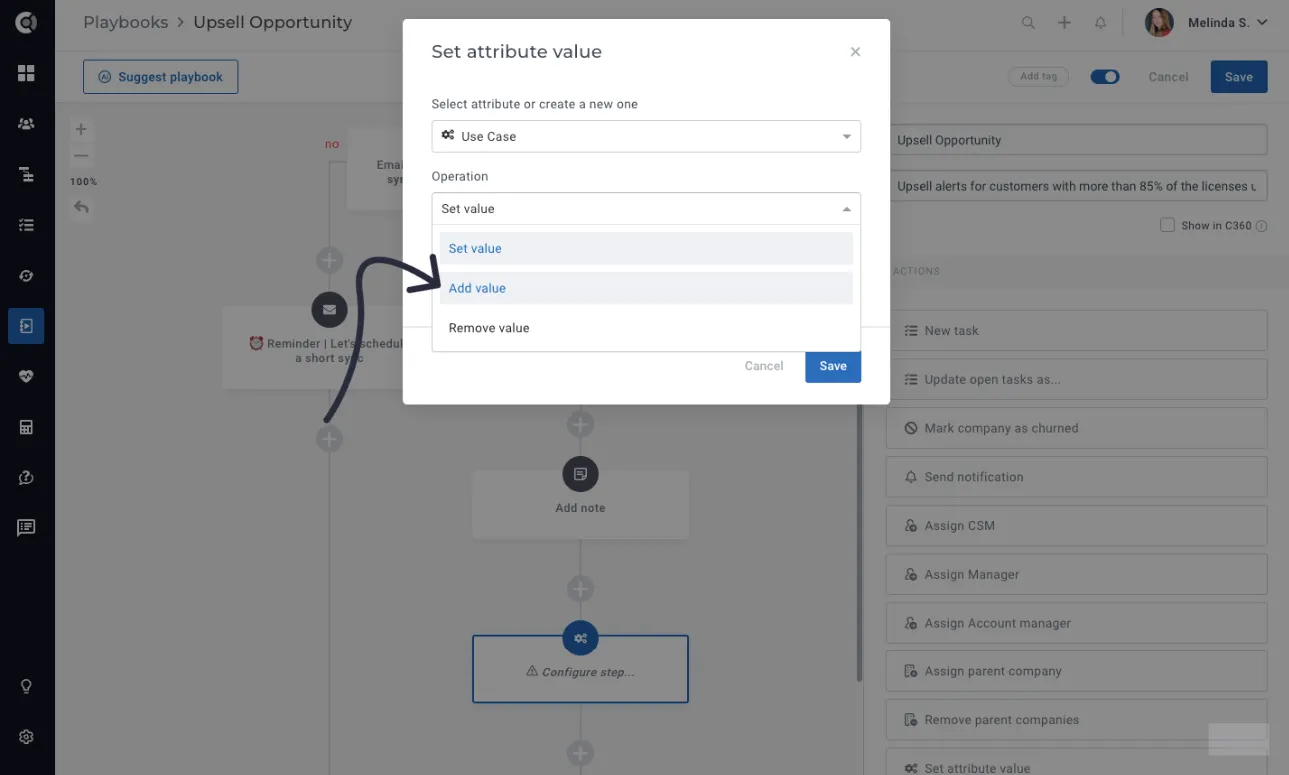
- Set attribute step – Multiselect Dropdown Attributes: New function, Add value, which seamlessly adds selected values to existing ones. This is also available for integration-imported attributes.
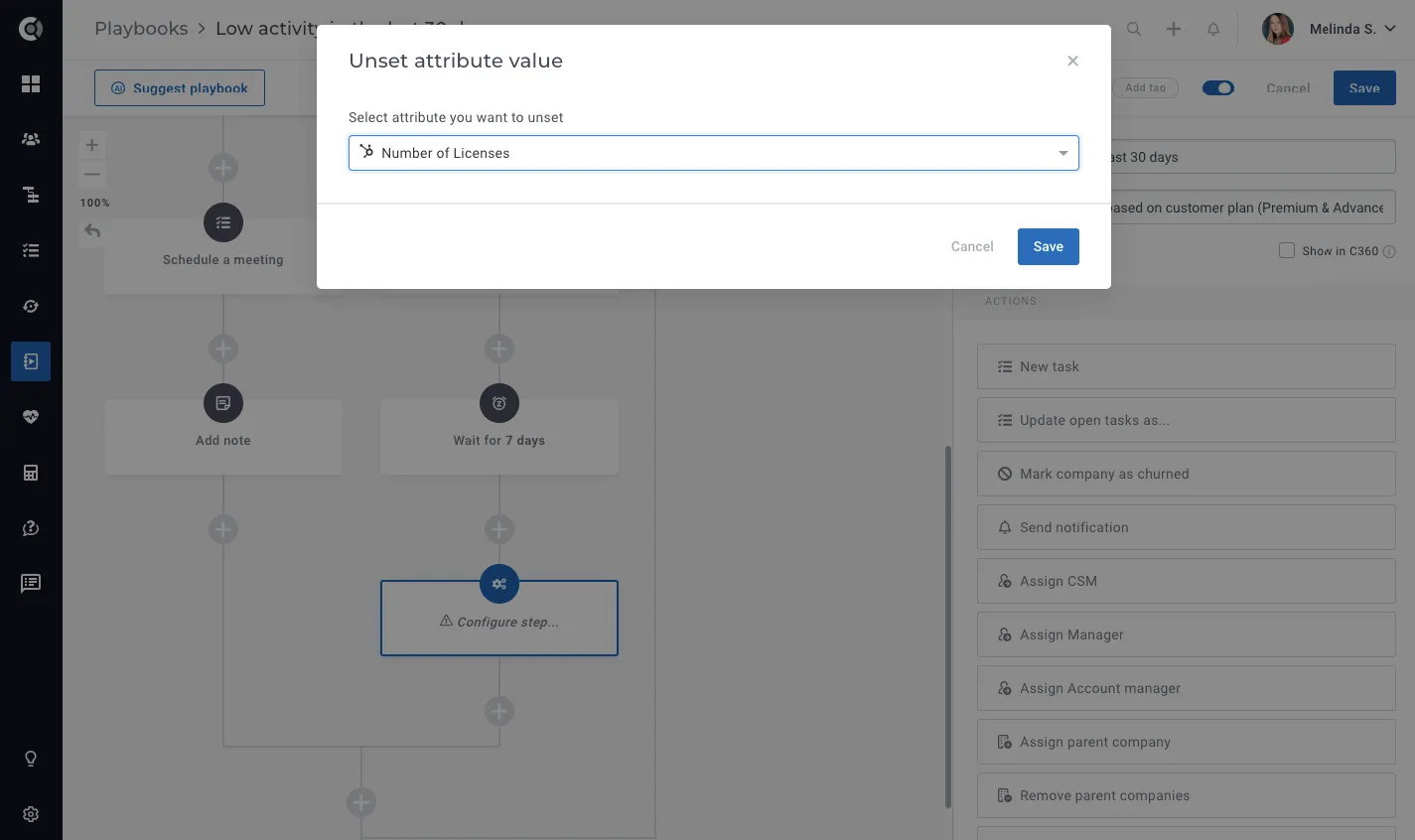
- Unset attribute step: Improved the ability to unset attributes by including the option to unset values for data points coming from integrations (e.g., HubSpot attributes).
Health Scores
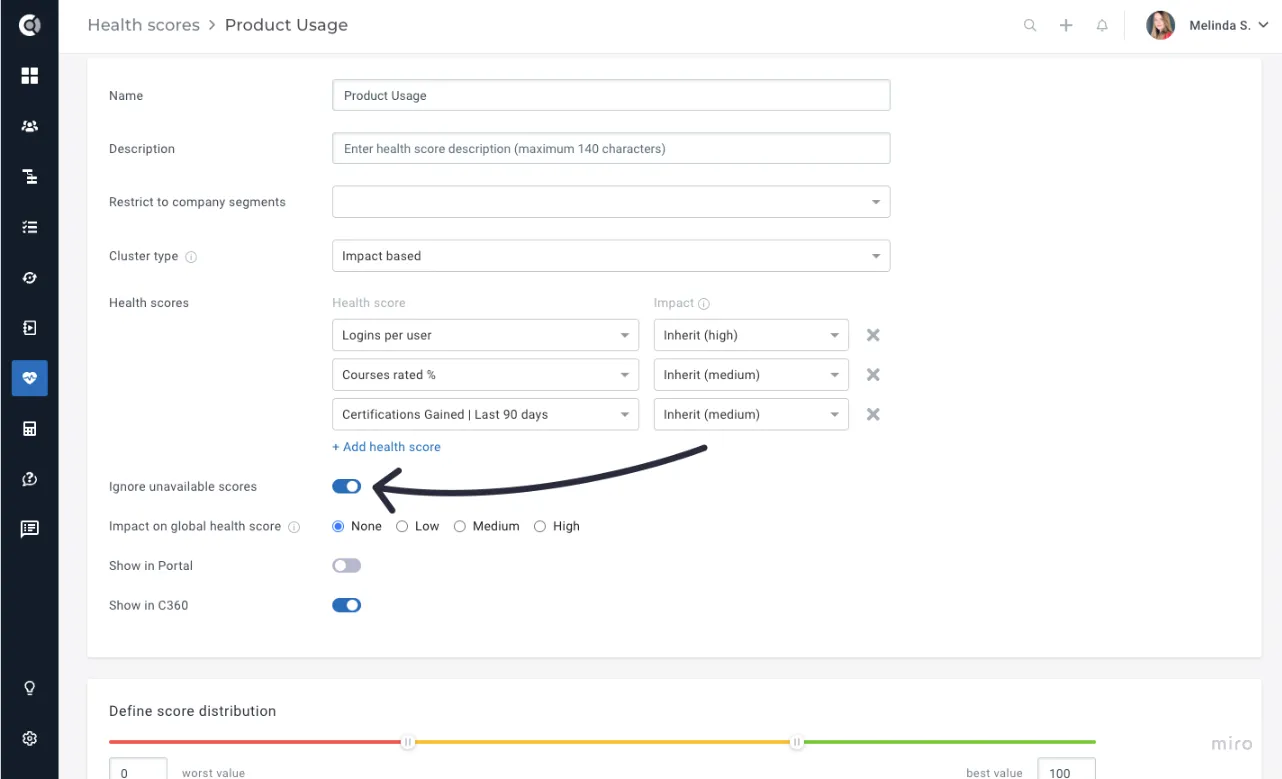
- Impact Based HS – Ignore nulls option: With this enhancement, null values in Health Scores that influence an Impact Based Health Score will be disregarded. This ensures that calculations accurately reflect available data, providing more reliable insights into your organization’s health metrics.
Calculated Metrics
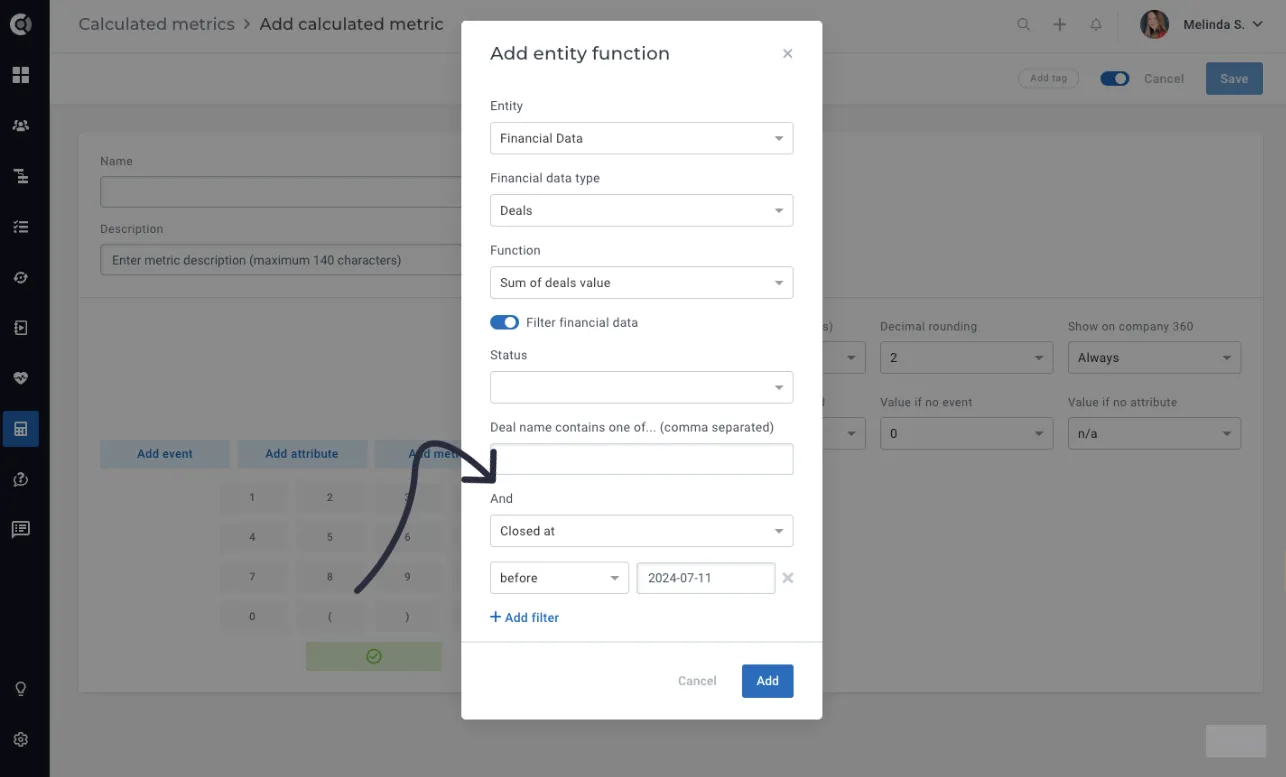
- Financial Deals: Improved filtering capabilities for functions applied to financial deals. You can now apply multiple filters by any financial deal attribute, with conditions tailored to the attribute type.
Communication
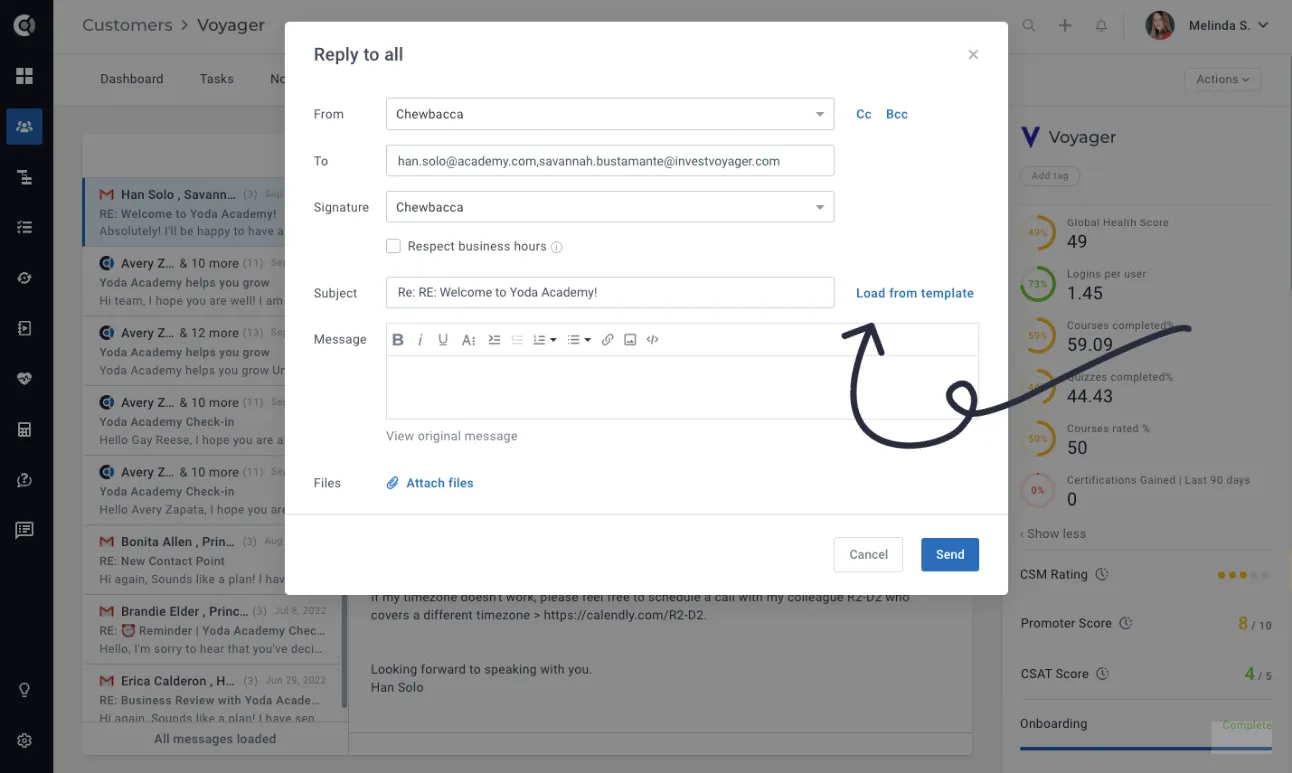
- Email replies/forwarding: Ability to use templates when replying or forwarding an email, enhancing efficiency by allowing you to quickly access and apply predefined templates.
Settings
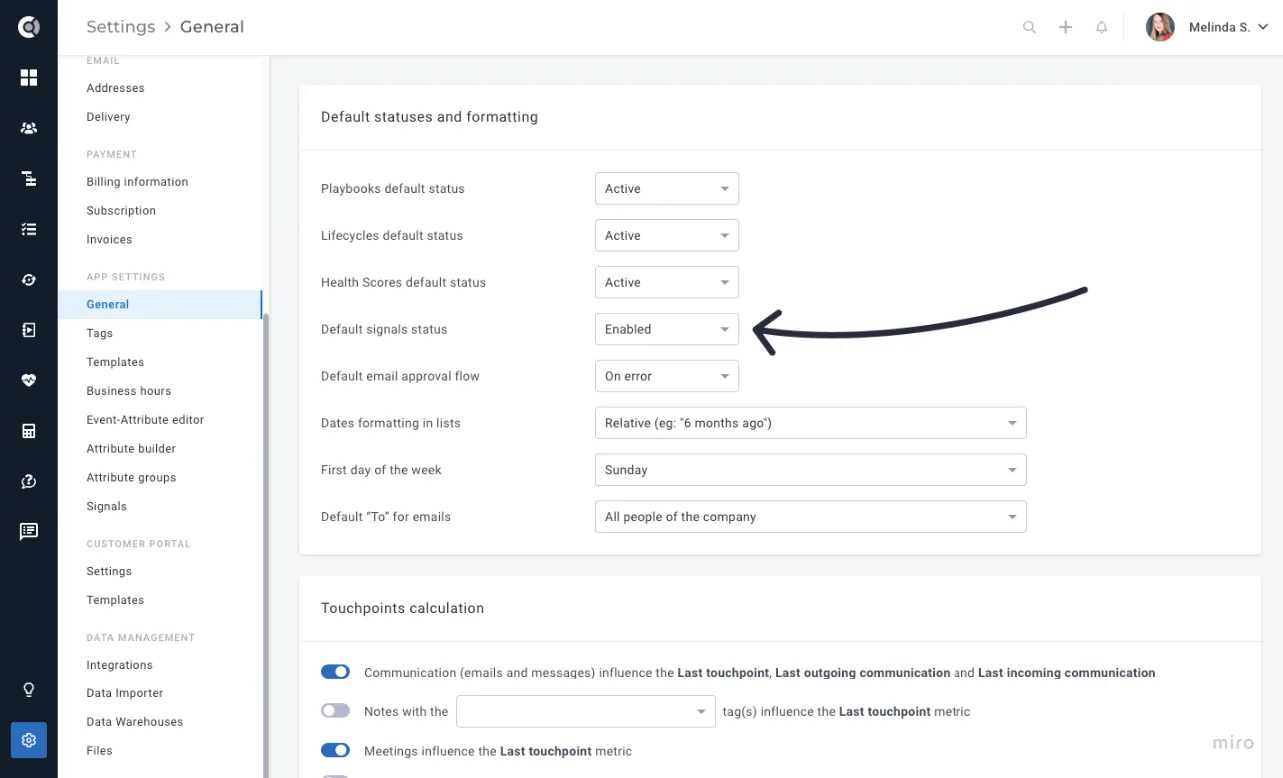
- Manage default Signals status: Control whether Signals for newly detected events are created as enabled or disabled by default. By default, they are set to enabled.
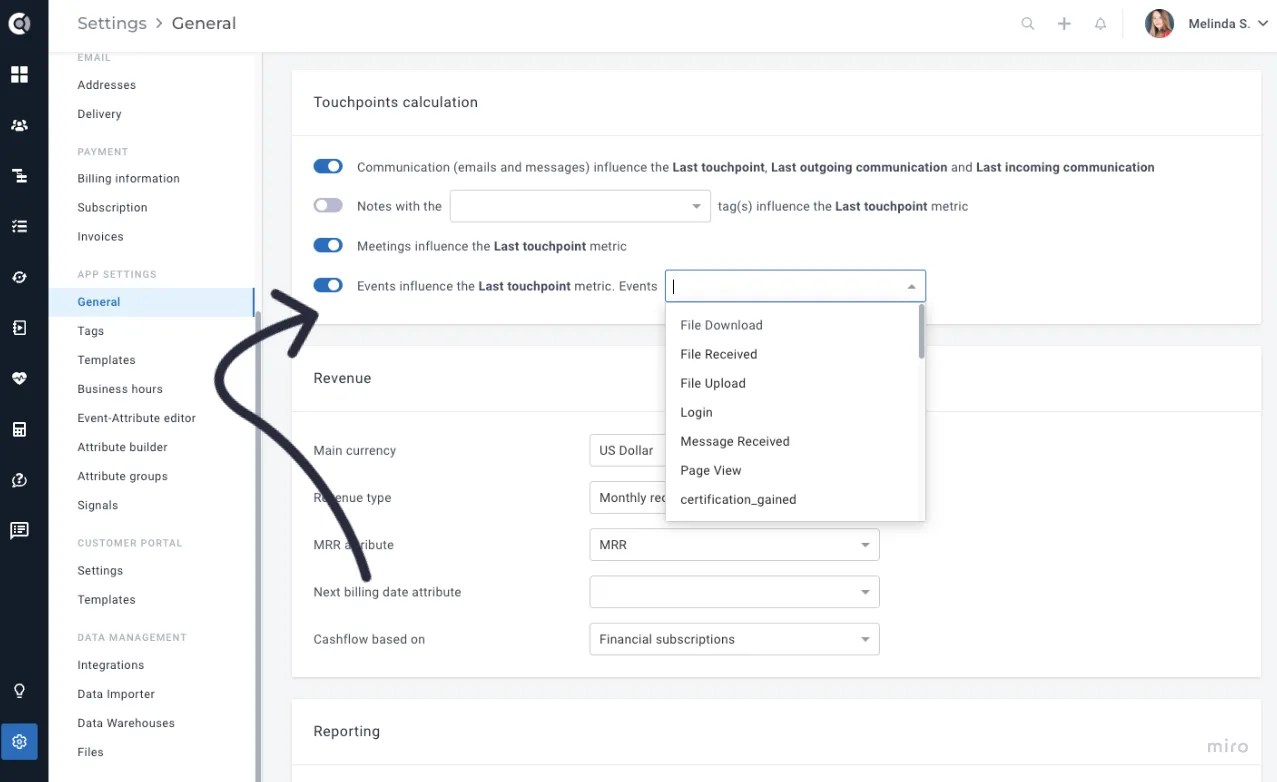
- Touchpoints calculation: Customize how the Last touchpoint attribute is calculated by allowing Events to influence it. You can select which events should impact the Last touchpoint metric.
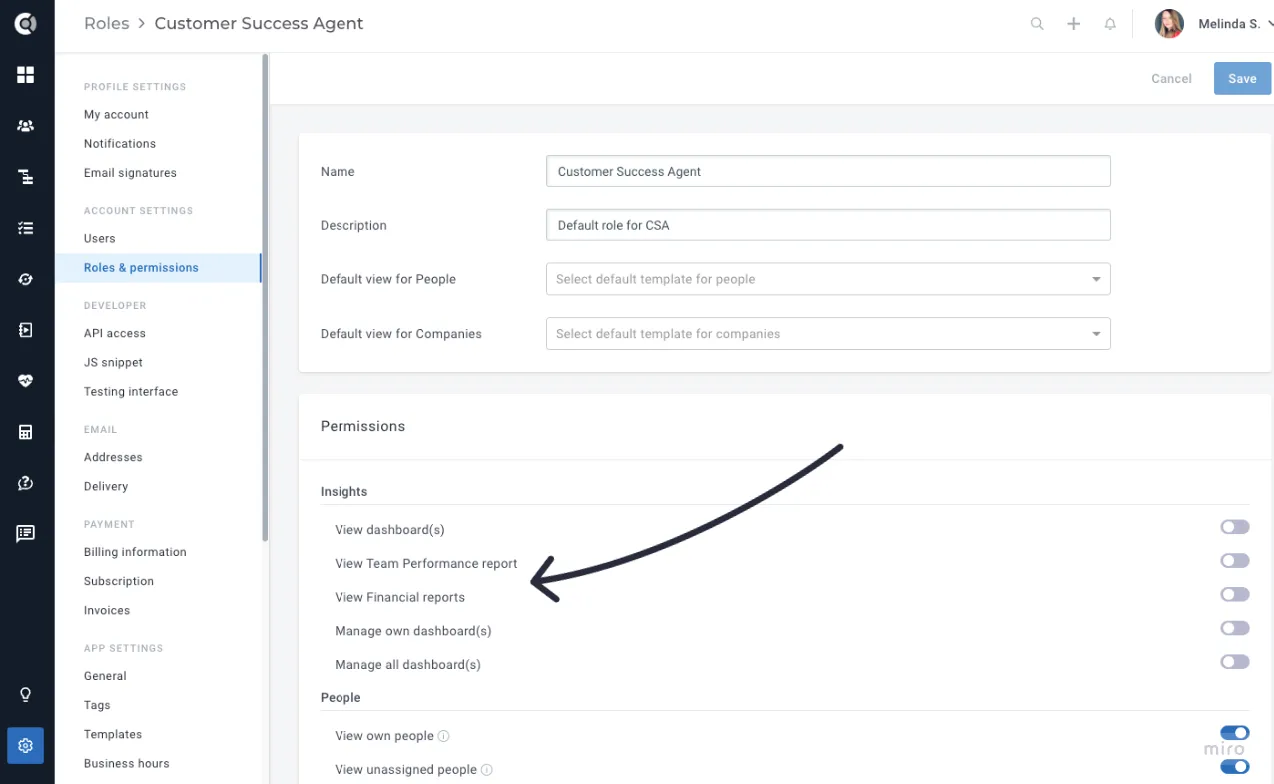
- Permissions:
- Manage settings: Split into multiple sub-permissions for more granular access control.
-
- View Default Reports: Grant or restrict permissions to view Default Reports.
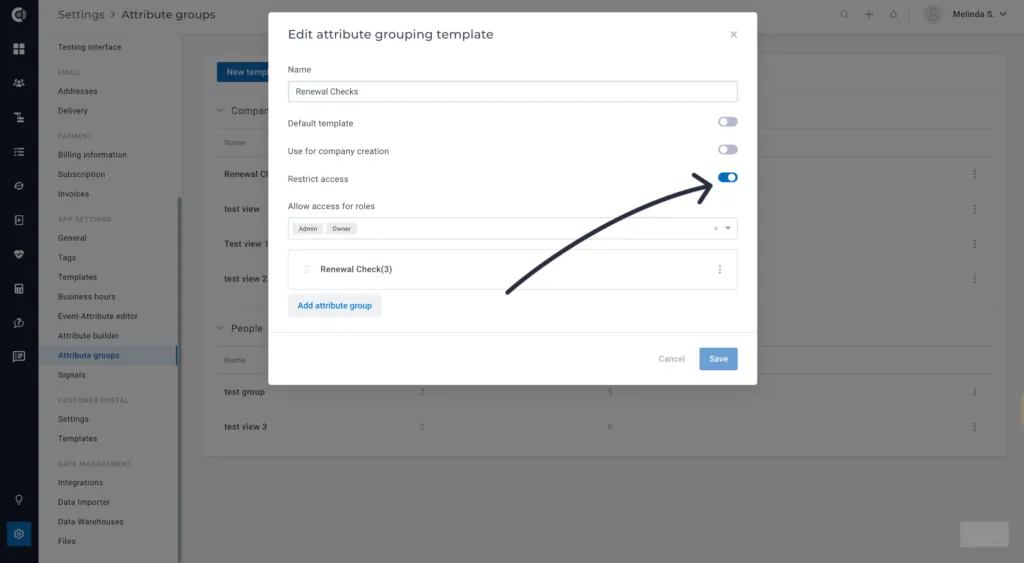
- Attribute groups- Access restriction: Restrict access to specific attribute groups based on user roles.
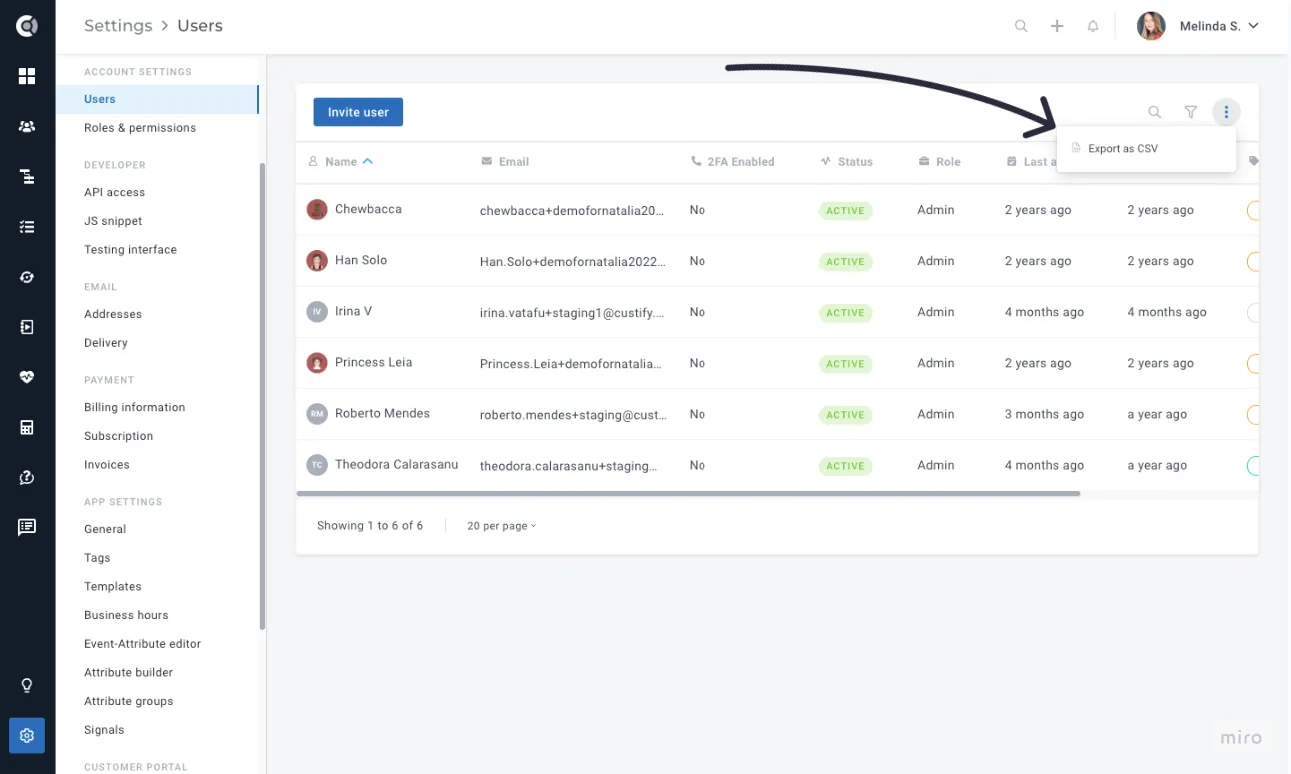
- Users list: Enable functionality to export the Users list for reporting and management purposes.
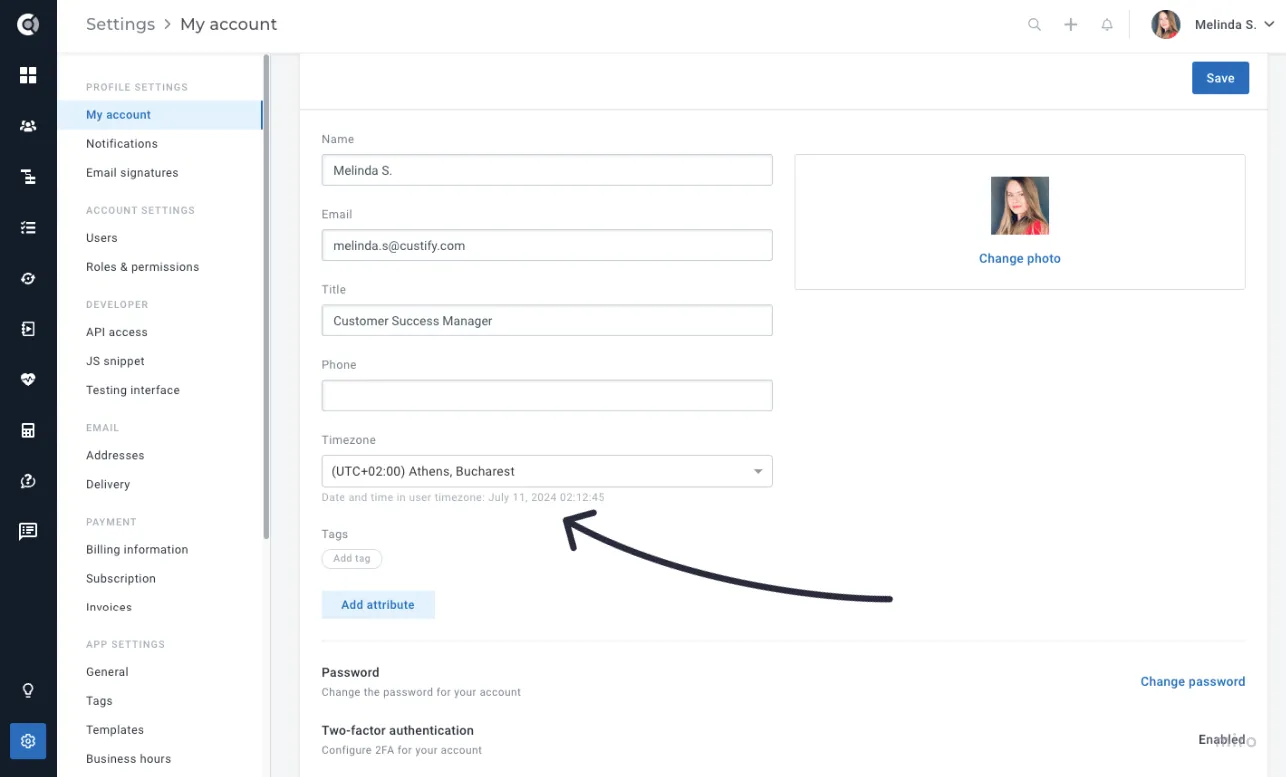
- User details: Display the actual time in the User’s timezone, aiding in selecting the correct timezone, especially during daylight savings.
- API keys: New option to disable API keys for enhanced security and access control.
-
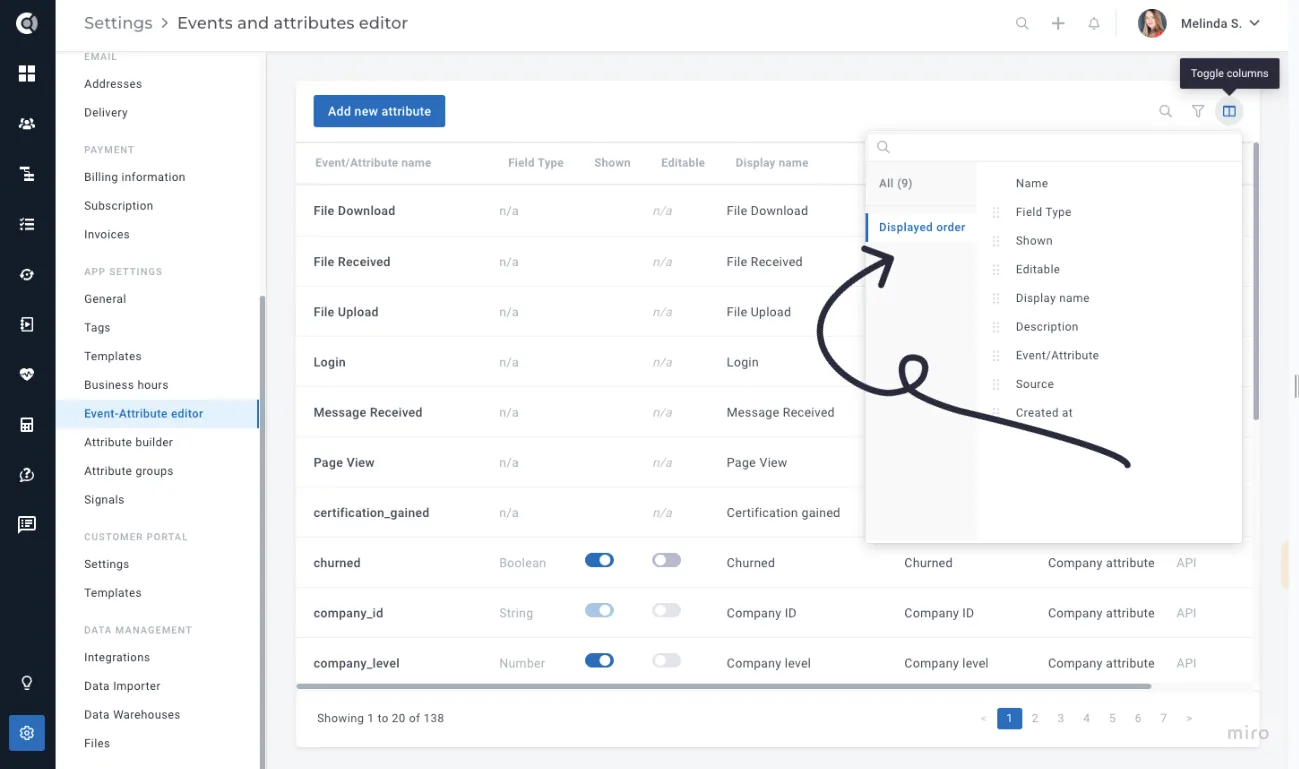
- Event-Attribute editor:
- Ability to show/hide columns and change their order for better customization.
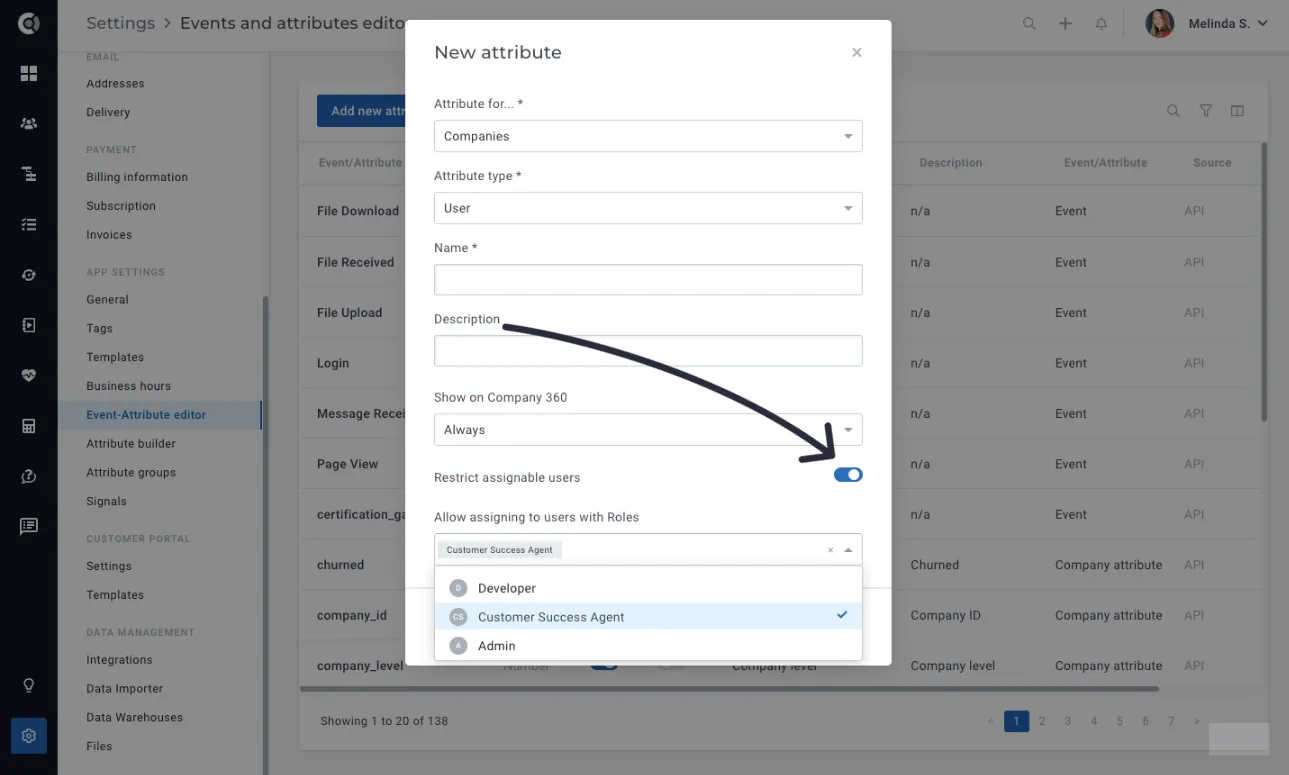
- User Type Attributes: Restrict assignable users within the editor for more controlled data management. This feature allows you to control which users can be assigned to specific user types (e.g., who can be assigned as an Implementation Manager). By doing so, you can maintain a clean list of candidates when assigning roles. For example, when assigning an Implementation Manager in Company 360, you will only see people with the appropriate roles listed in the settings.
- Templates: Ability to reorder task checklists within templates for improved workflow management.
-
General
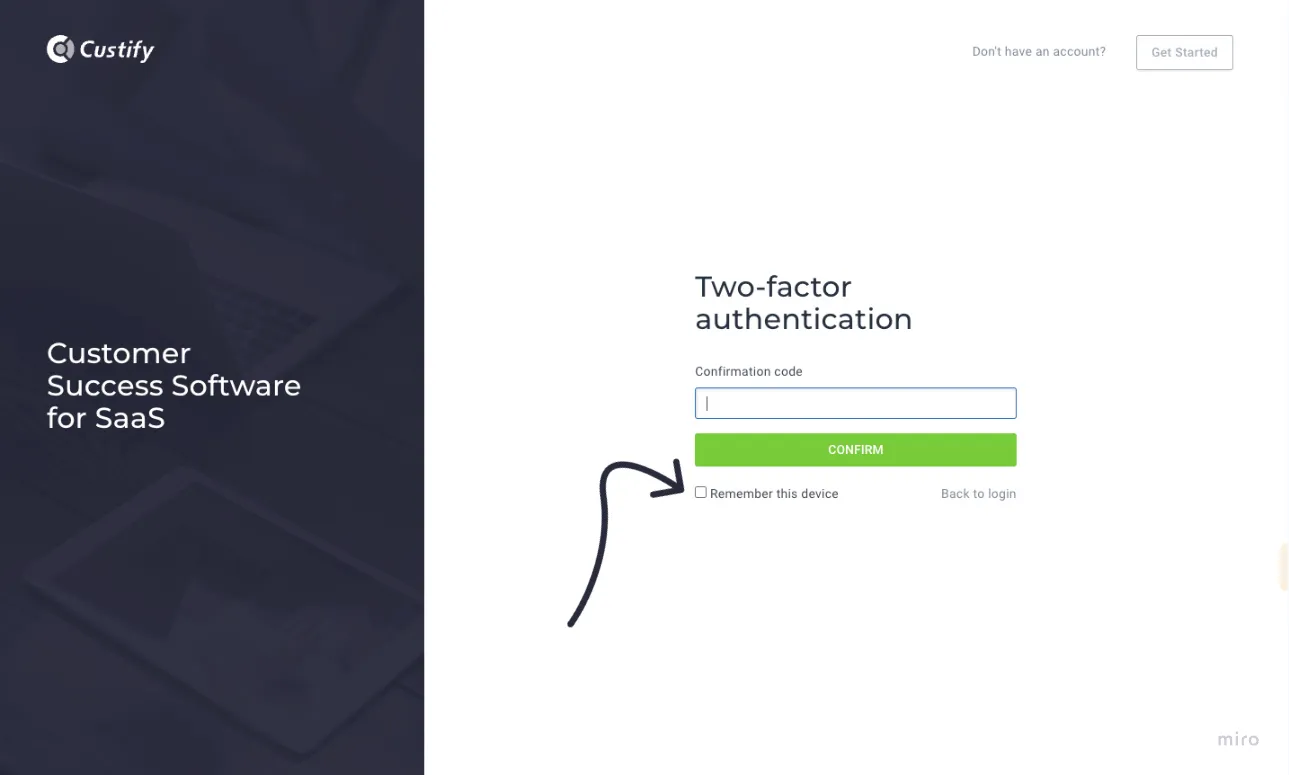
- TFA – Remember this device: Our latest release introduces a convenient Remember this device feature designed to streamline your two-factor authentication experience. This functionality allows you to securely authenticate your device once, reducing the need for repeated verification steps in future login attempts.