Product Updates | October 3rd, 2024
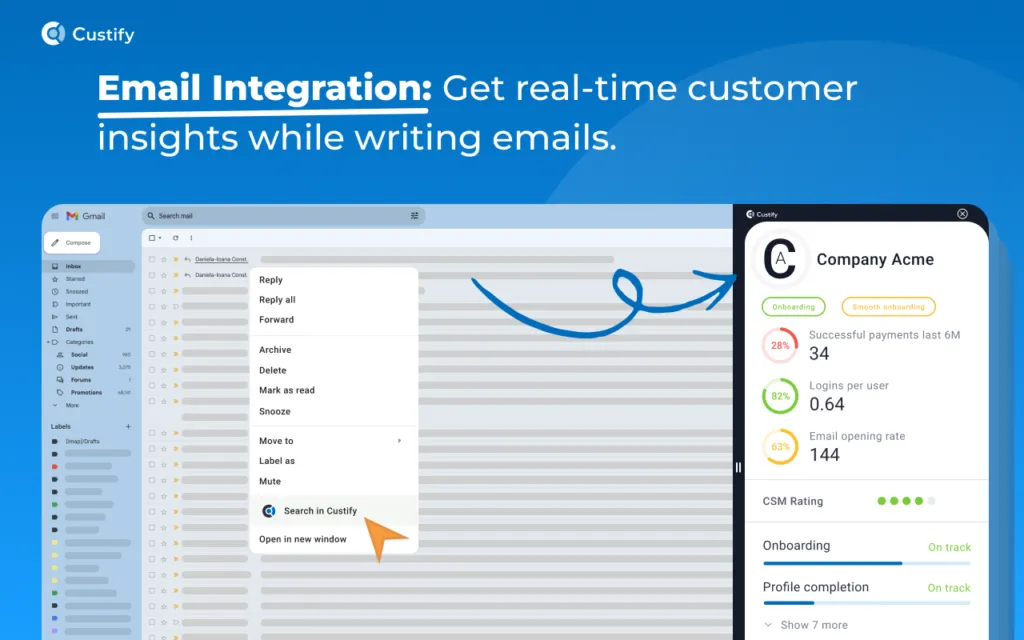
Custify Chrome Plugin
The Custify Sidekick Chrome Extension serves as a dedicated hub for Customer Success Managers, simplifying account management, increasing efficiency, and fostering stronger customer retention. Explore more on how to make the most of this extension in this article.
The Chrome Extension can be downloaded from here.
Time Tracking
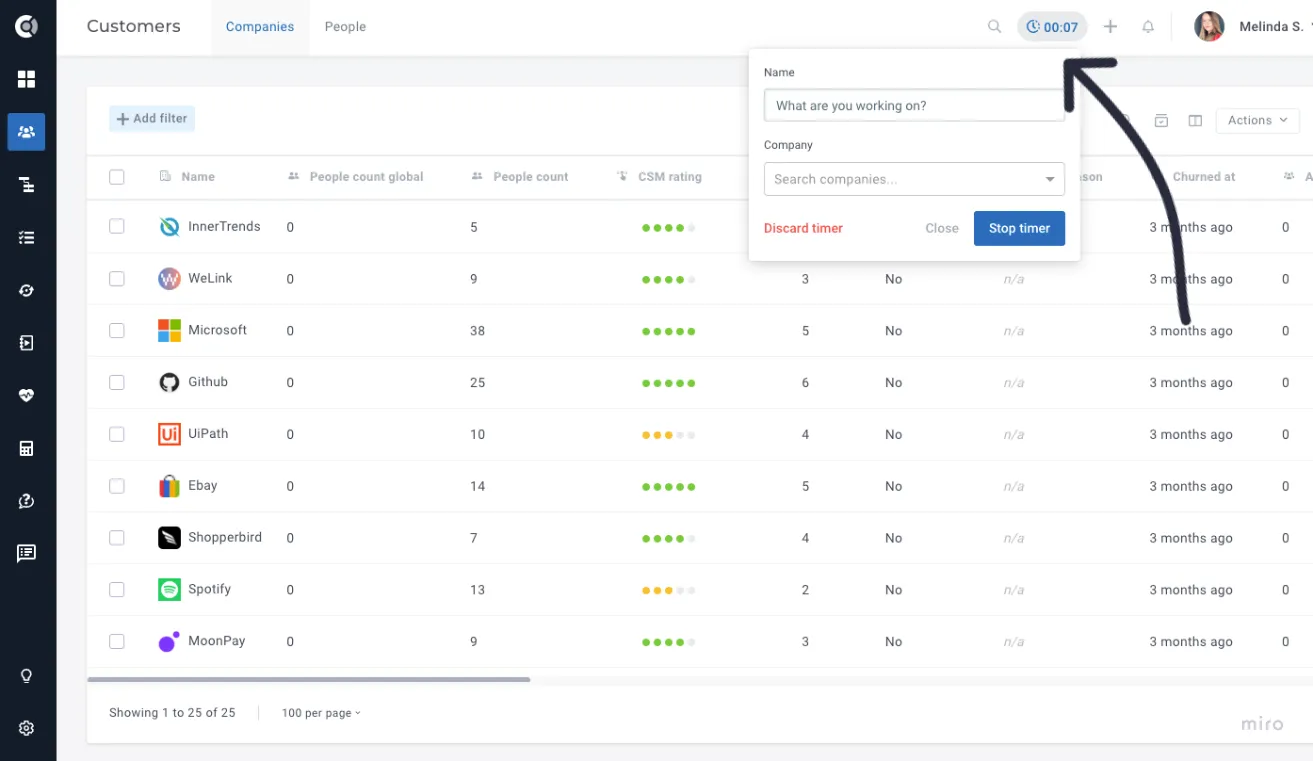
Custify's new Time Tracking feature enables efficient monitoring and logging of time spent on key activities such as special projects, meeting preparation, implementation tasks, and other customer-related work. By tracking time on individual client accounts, it provides valuable insights into resource allocation and helps optimize overall project management. Learn more about this feature here.
Tasks - Focus Session
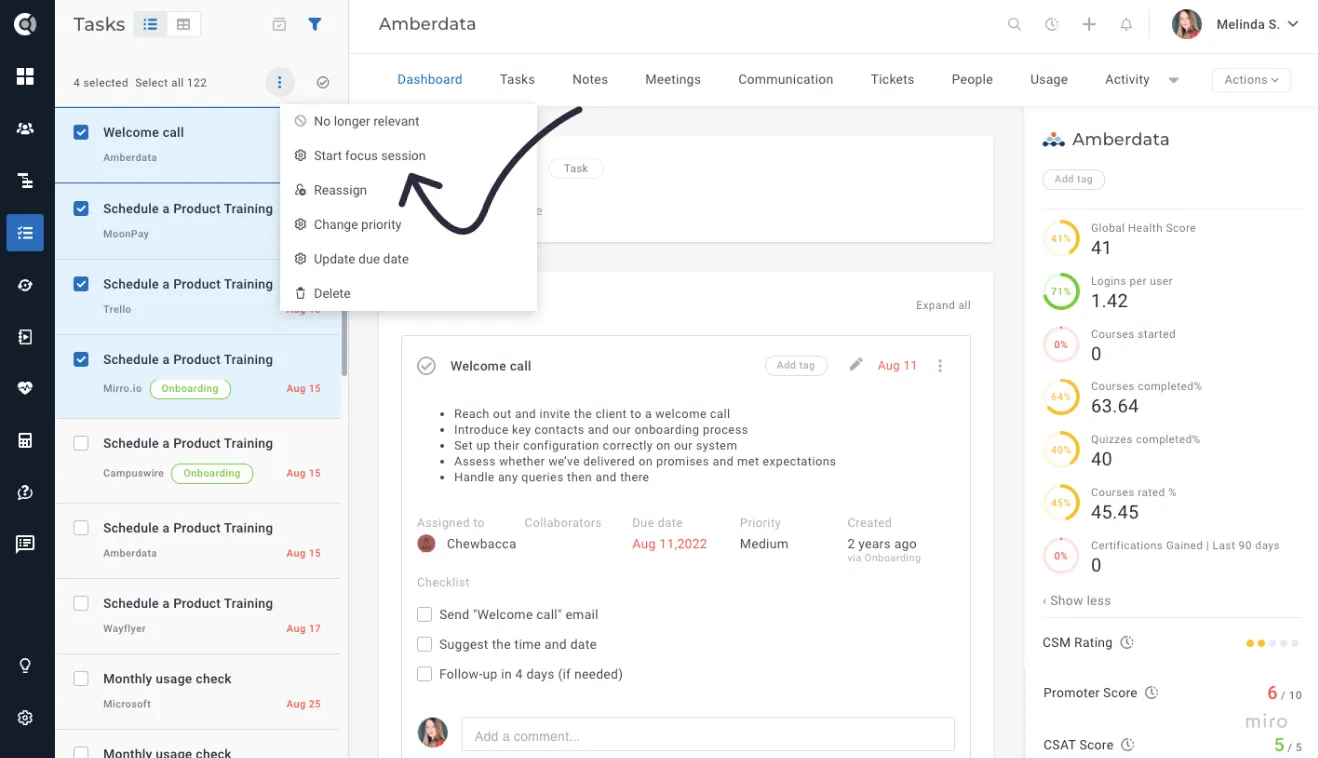
The Focus Session feature in Custify is designed to streamline task management, allowing users to concentrate on completing tasks quickly and efficiently. By organizing selected tasks into a continuous workflow, it eliminates distractions and provides a clear sense of progress. Whether you're handling daily to-dos or tackling a large batch of tasks, the Focus Session helps you stay on track and work through tasks with minimal effort, making it an ideal solution for users who want to dedicate time to specific tasks and then move on to other activities.
CustifyAI
AI-Generated Follow-up Tasks
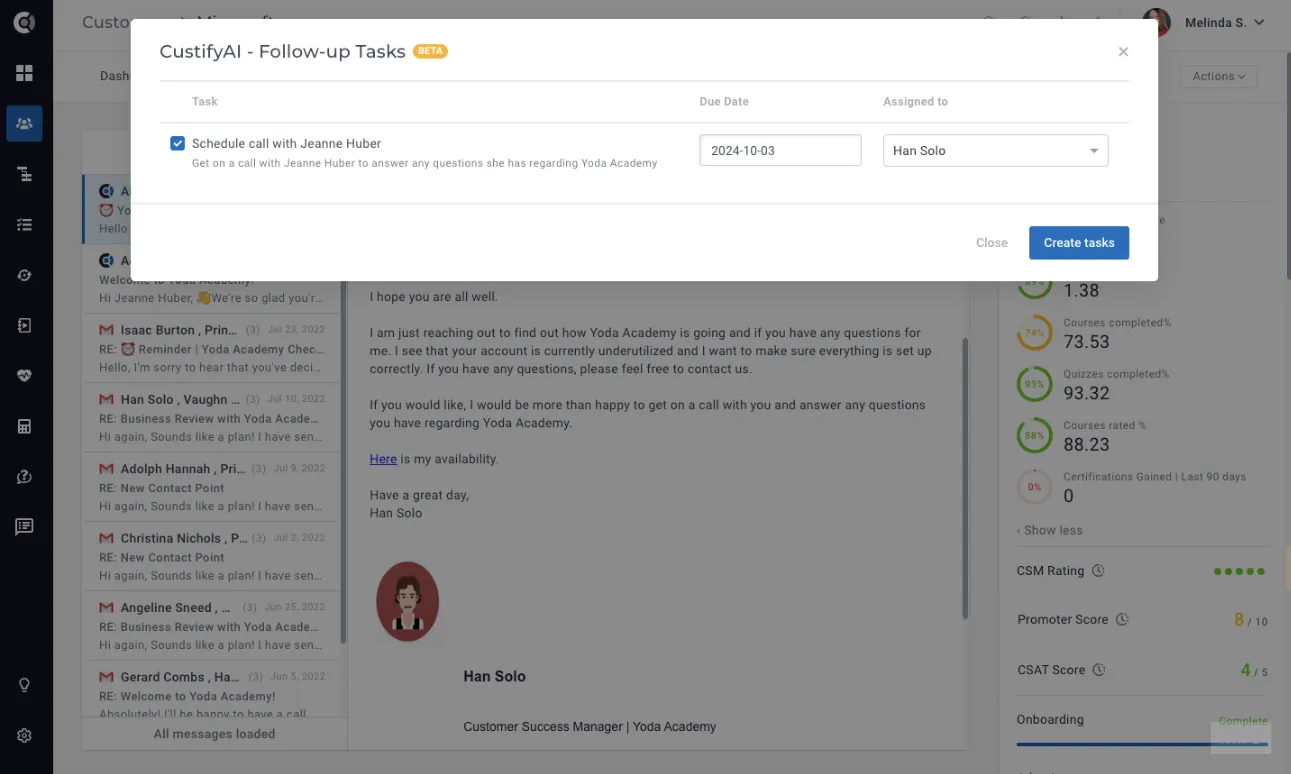
Managing follow-ups has never been easier! After sending a detailed email outlining next steps and actions, simply click Create Follow-up Tasks. CustifyAI will automatically generate tasks based on the email content, streamlining your workflow.
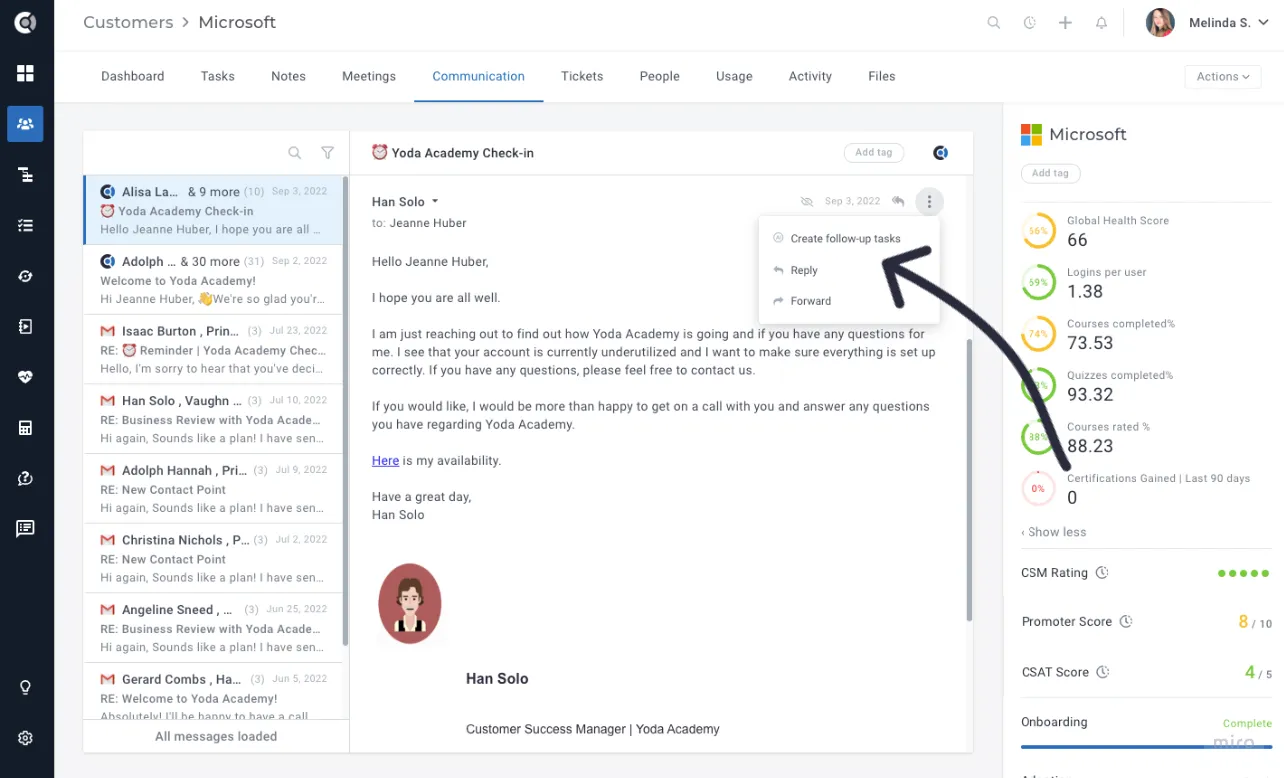
You can quickly refine, add details, and save these tasks, ensuring you stay organized and on top of every customer interaction without missing a beat. It's a faster, smarter way to manage your follow-ups and keep your workflow seamless and efficient.
AI-Generated Conversation Summary
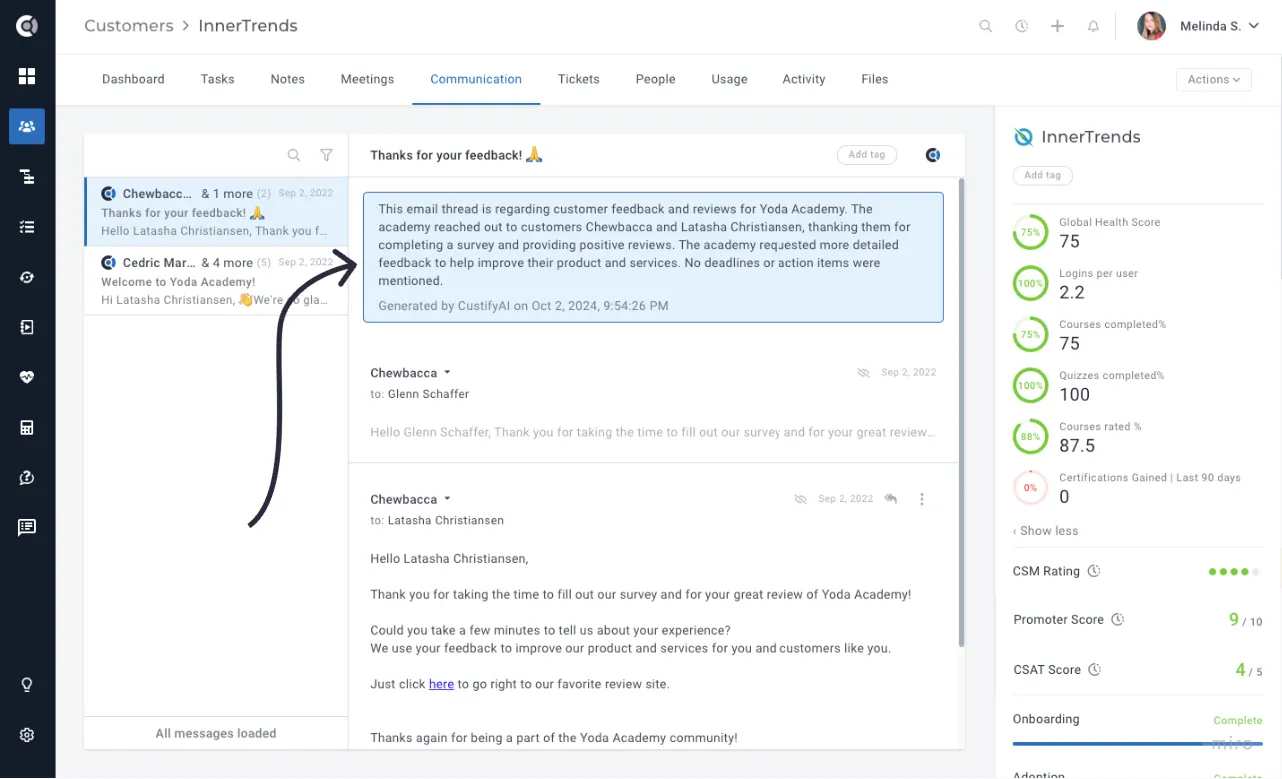
Are you tired of sifting through long email chains or trying to pinpoint key points from customer conversations? With CustifyAI's Conversation Summary feature, you can now generate an instant overview of any discussion. This AI-powered tool automatically captures the essence of your conversations, allowing you to quickly review key insights without the need to scroll through lengthy threads.
Save valuable time and stay focused on what matters most—driving results and improving customer relationships.
Playbooks
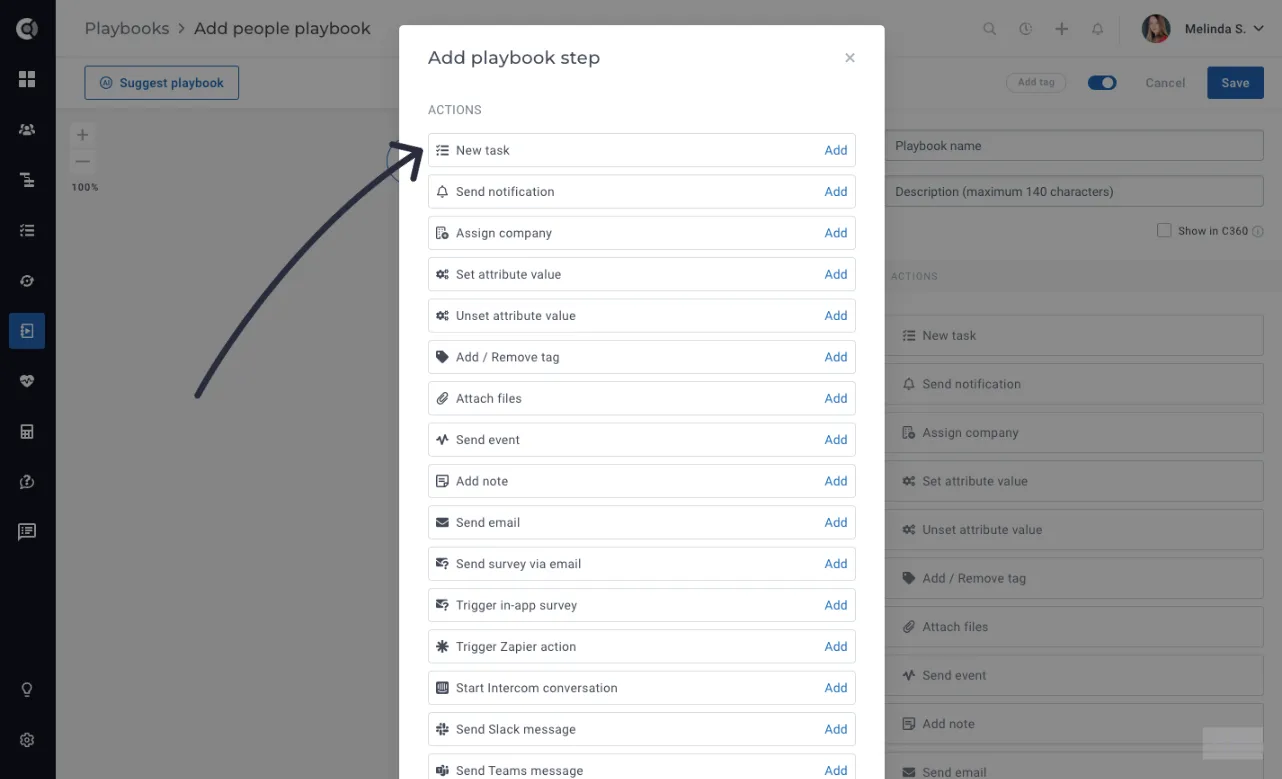
Tasks can now be created through People Playbooks, bringing more automation and flexibility to customer workflows. Here's what to keep in mind:
- Tasks created via People Playbooks are automatically assigned to the first company associated with the person.
- If a person has no company, the task creation is skipped to avoid errors (currently, tasks require a company).
- Tasks created for a company and assign to a specific person will also be displayed on the person account.
Customer Portal
Mobile-Responsive Customer Portal
Customer Portal link is now accessible on mobile devices. This enhancement allows you to easily view and interact with the portal from your smartphone or tablet, giving you greater flexibility and convenience while managing your accounts on the go.
Translatable Customer Portal
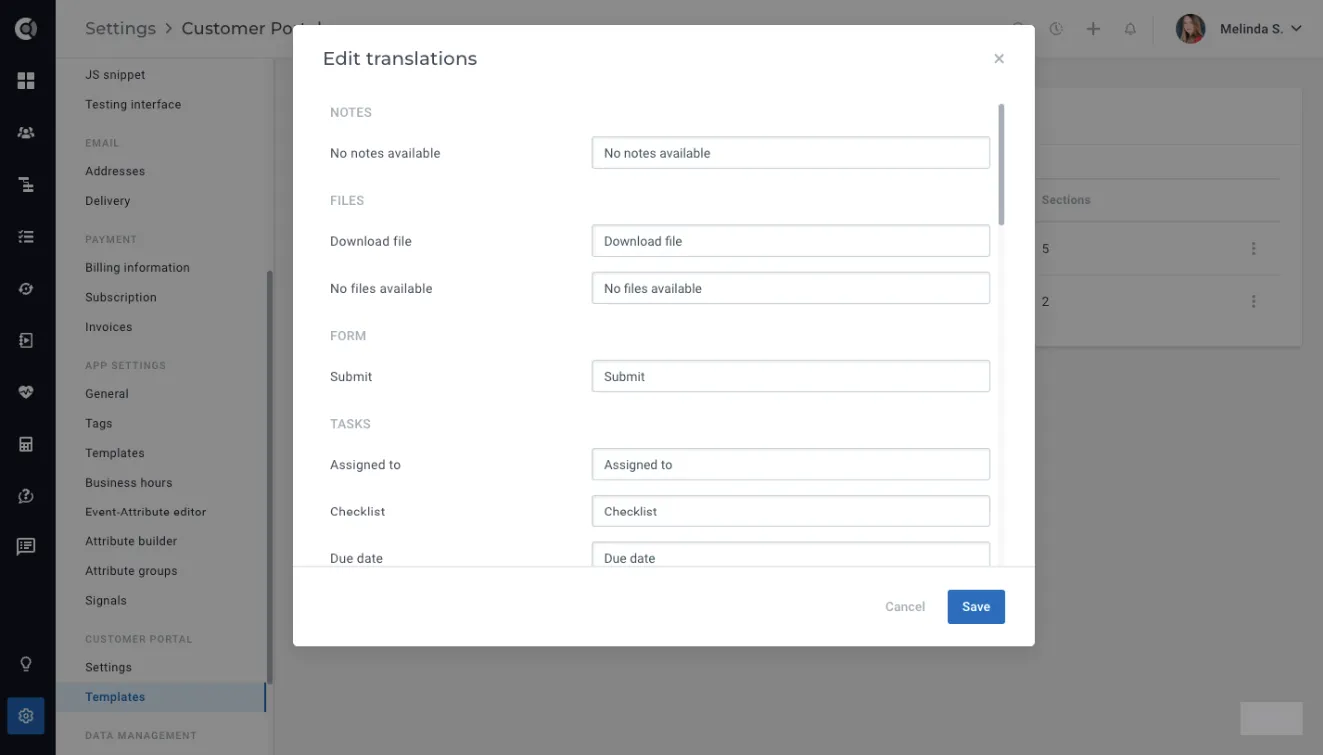
Managing portals in multiple languages is now more efficient with the Translations feature that allows you to define and manage translatable texts within portal blocks. Any hardcoded English text, such as Mark as Done, Due Date, or Download, can now be fully customized and translated to suit your needs.
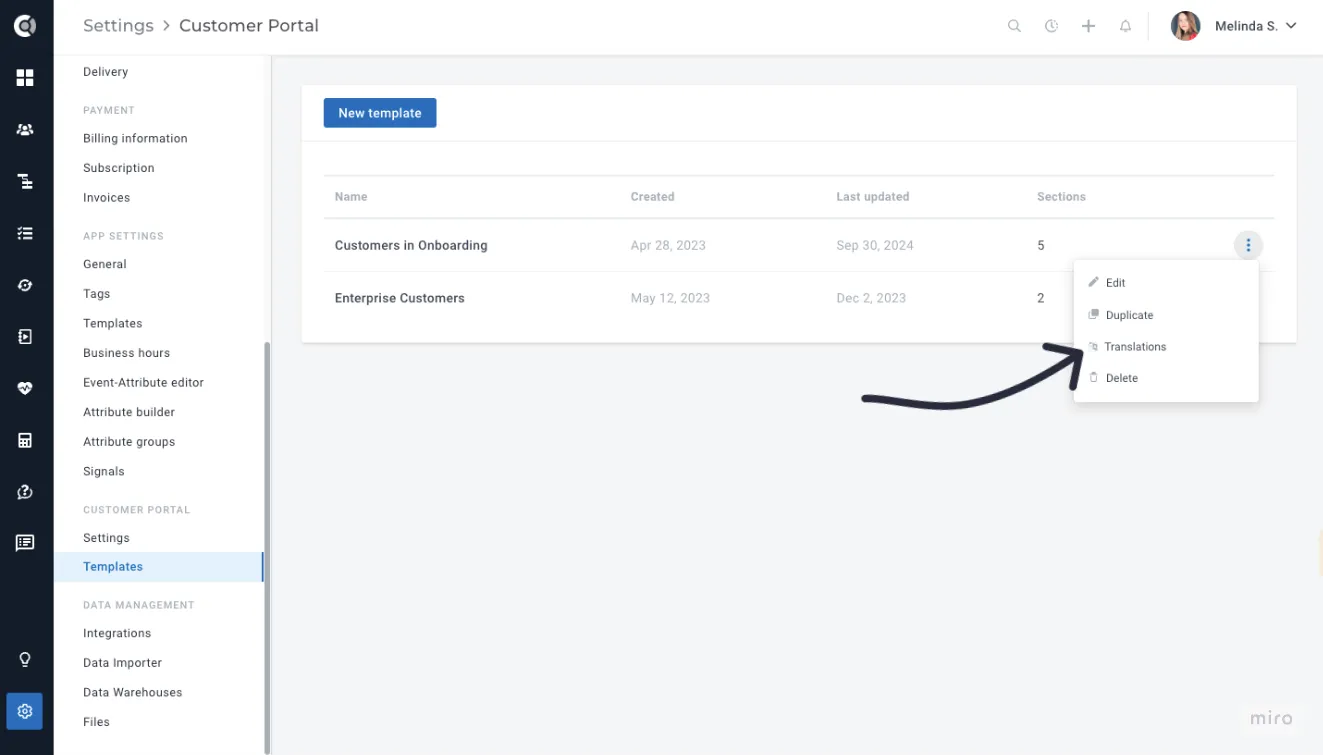
To use this feature, navigate to the Translations option in the Actions menu of each template. A modal will appear, displaying a list of texts for each block, allowing you to input translations easily. Once saved, these translations will automatically reflect in your portal, ensuring localized content for your audience. If a translation isn't provided, the default English text will be used.
Task block - Progress display mode
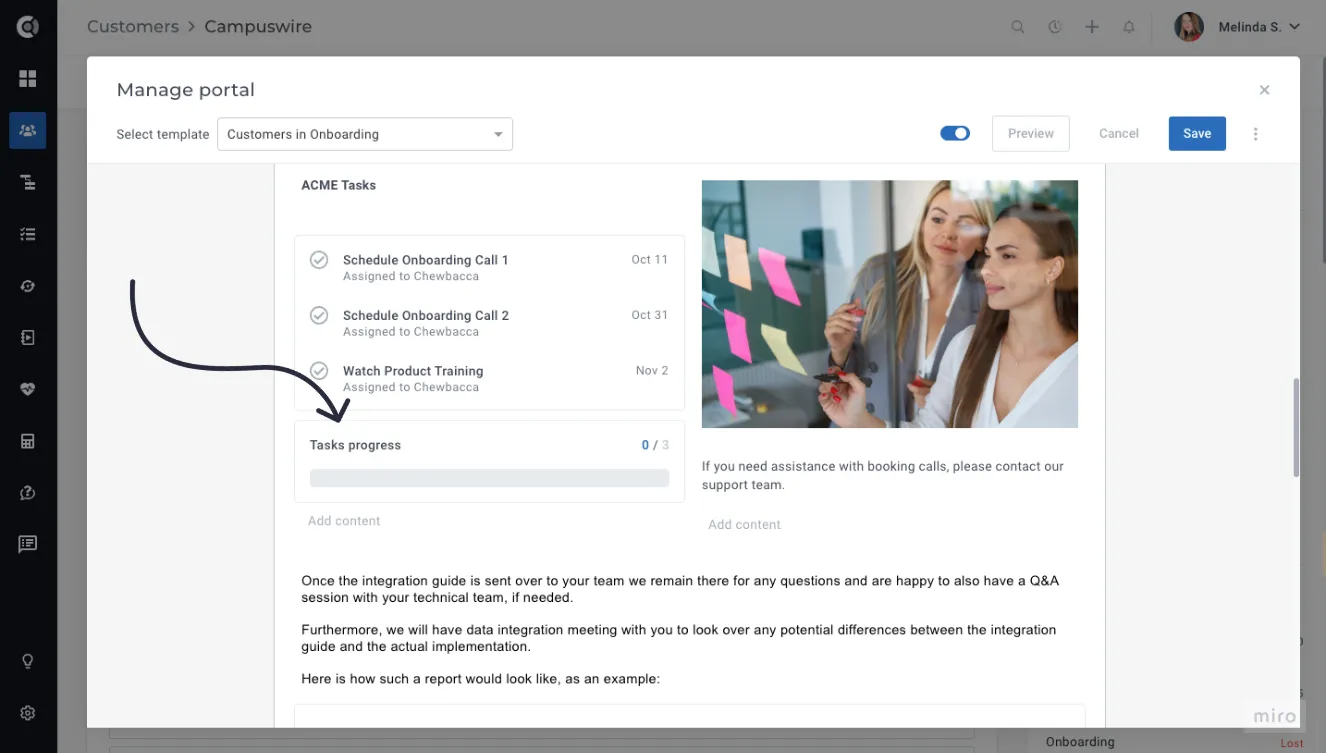
A new block type for tasks is now available, enabling the display of task progress.
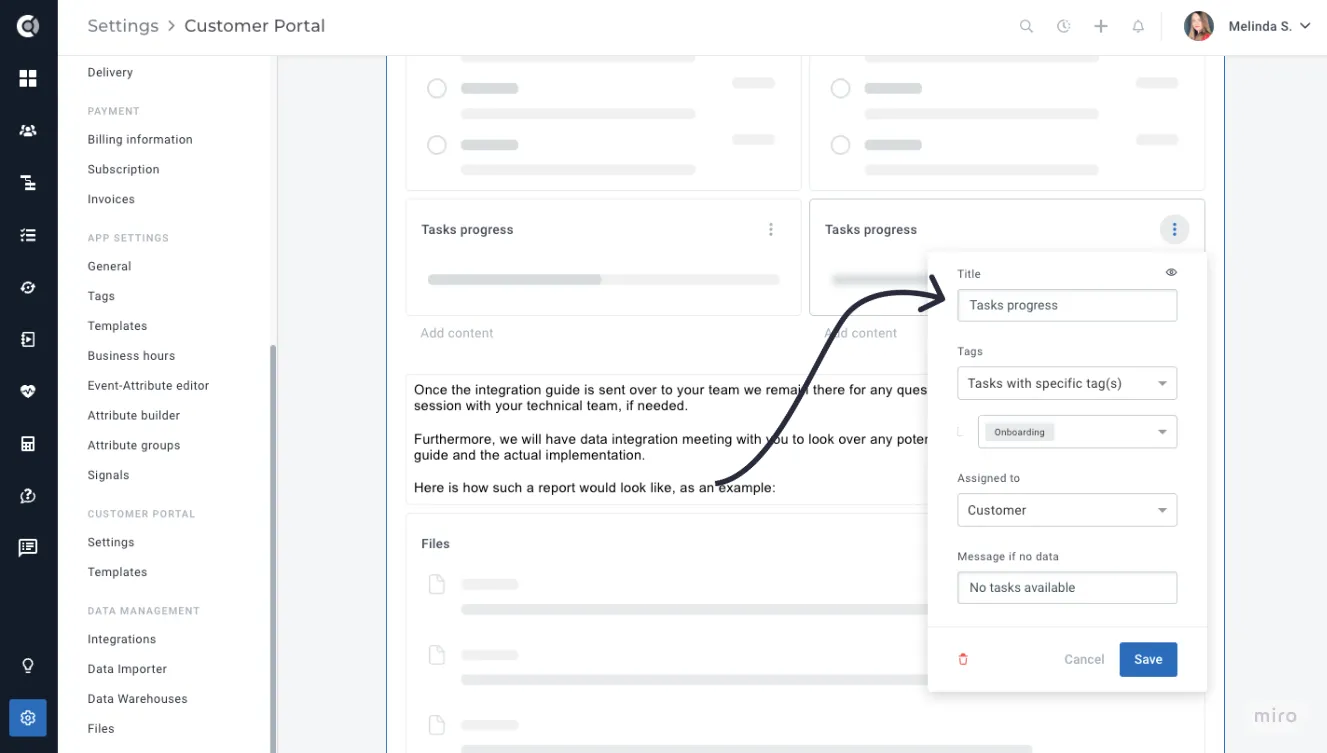
Simply select the tasks you want to track (e.g., all open tasks tagged as Onboarding), and the progress bar will automatically update to reflect the completion status.
Insights
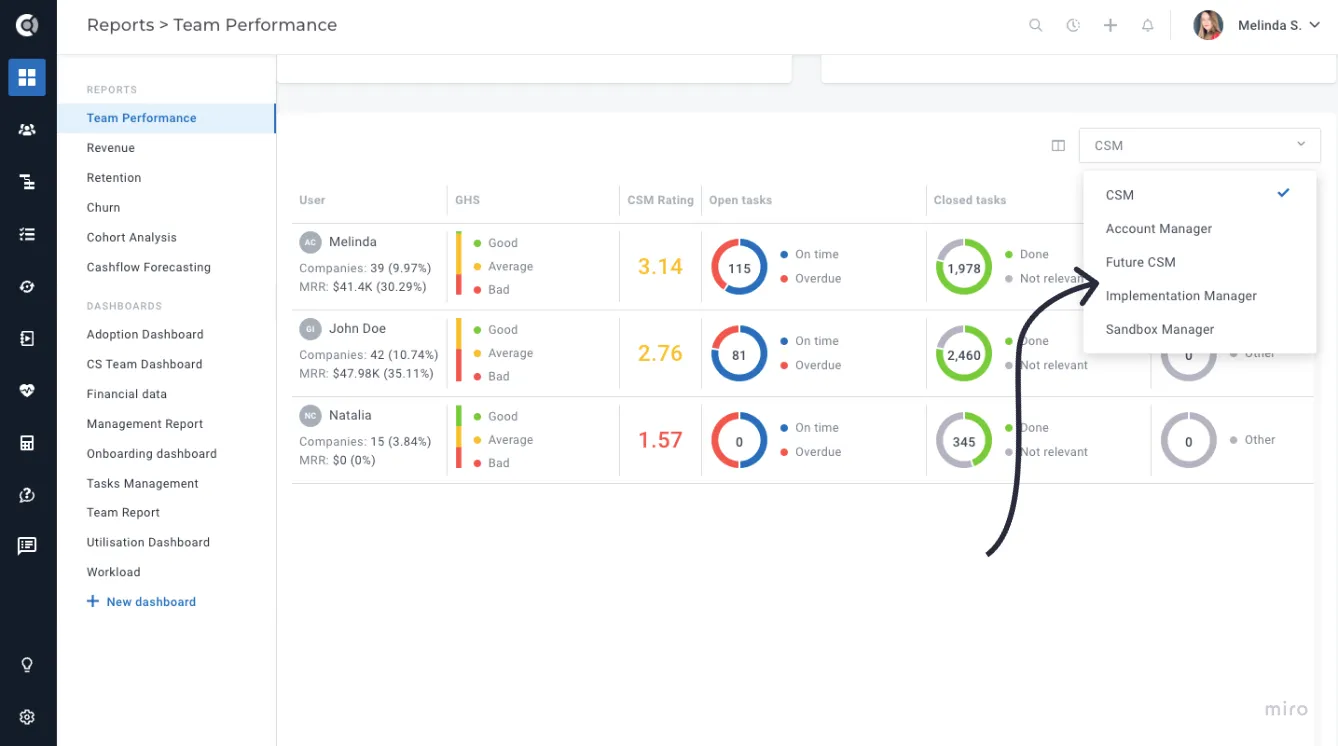
Team performance - Custom roles
Team Performance details can now be displayed for Custom Roles as well. This provides comprehensive insights into team workload and customer health for each role, including Onboarding Managers, Enterprise CSMs, Implementation Specialists and others.
Custom dashboards - Tasks, Notes and Meetings widgets
With the new ability to report on Tasks, Meetings, and Notes in Custify’s custom dashboards, you now have actionable insights into task management, customer meetings, and notes, helping customer success teams make data-driven decisions and stay on top of their workflows.
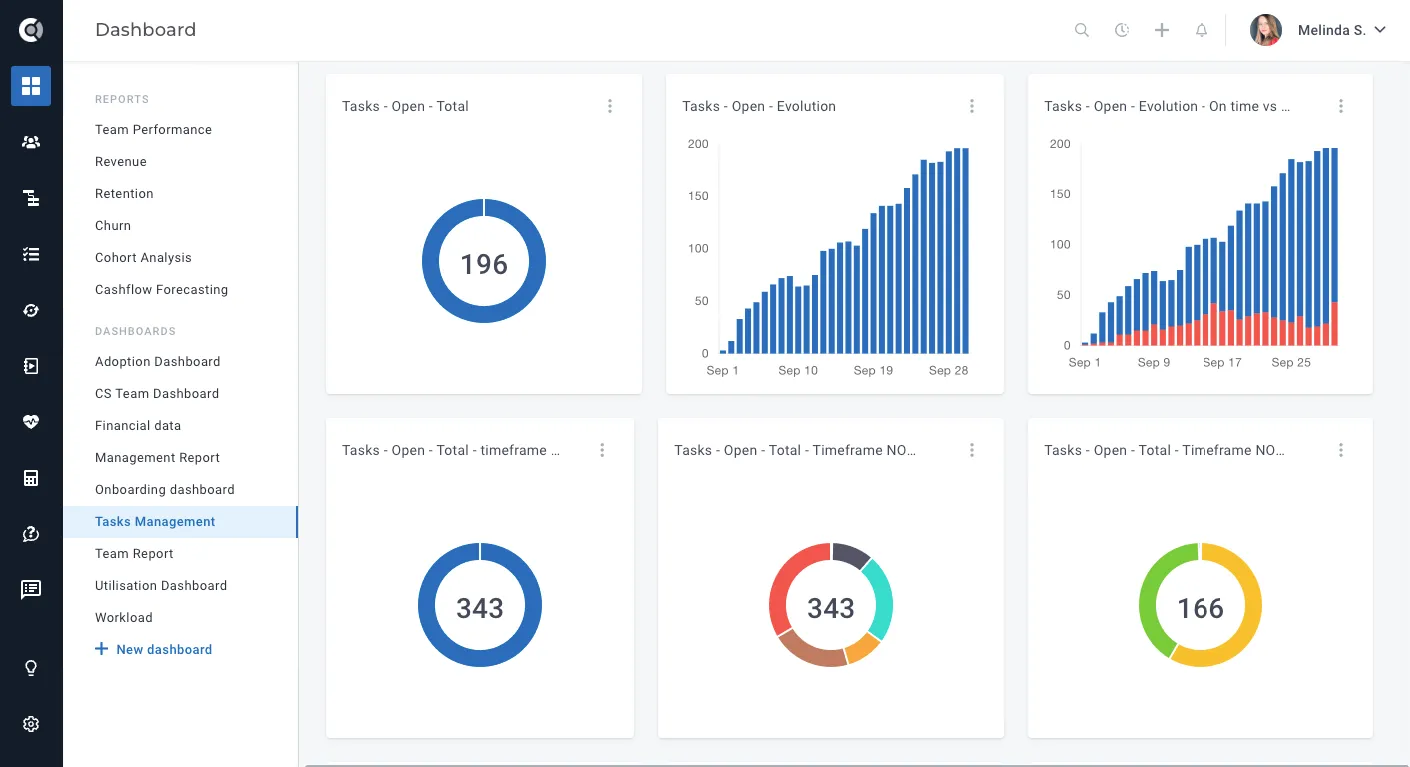
Available functions are:
- Tasks: Count of tasks, with status filters like Open, Completed, or Overdue.
- Meetings: Count of meetings or total meeting duration (displayed in HH format).
- Notes: Count of notes, with the option to include only manual notes.
Find more about the new widgets in this article.
Customer 360
Custom data - Column selector
Custom Data column management has been enhanced, allowing the selection of which fields are displayed. This improvement provides greater flexibility, ensuring a focus on the most relevant data and enhancing overall efficiency and clarity in workflows.
Enhanced ‘Mark as churned’ functionality
Mark as Churned action in the Company 360 view provides now more flexibility and control over the Churned at attribute. This enhancement allows for more accurate tracking of churn dates, helping you better manage customer lifecycles. Here’s what’s new:
- Specific date (default): Displays the current input with a date picker, allowing you to manually select a specific churn date.
- Attribute based: Adds a dropdown with all available date-type attributes for the company, allowing you to select an existing attribute as the churn date.
- Not set: No additional input is required, and the churn date is sent as null to the backend.
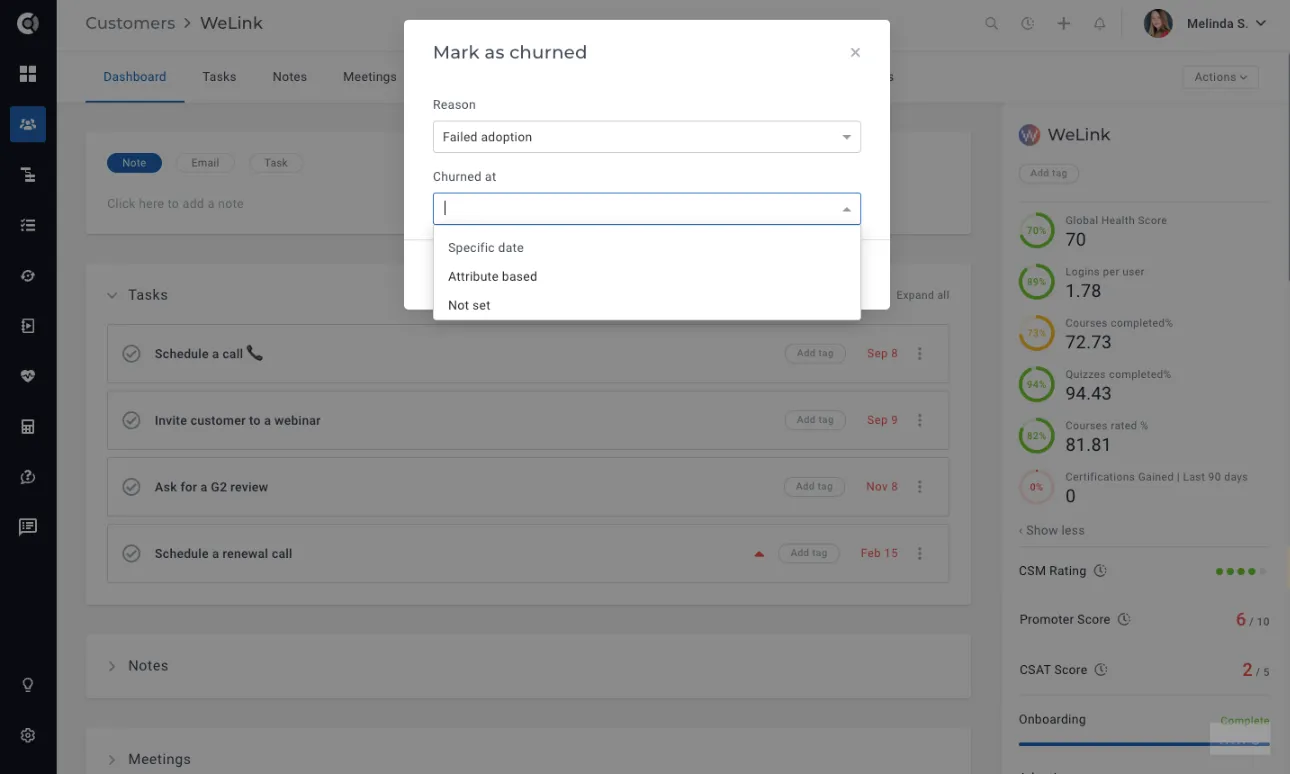
This update ensures more precise churn tracking and reduces the risk of errors, providing a more customizable and efficient workflow for customer churn management.
Touchpoints
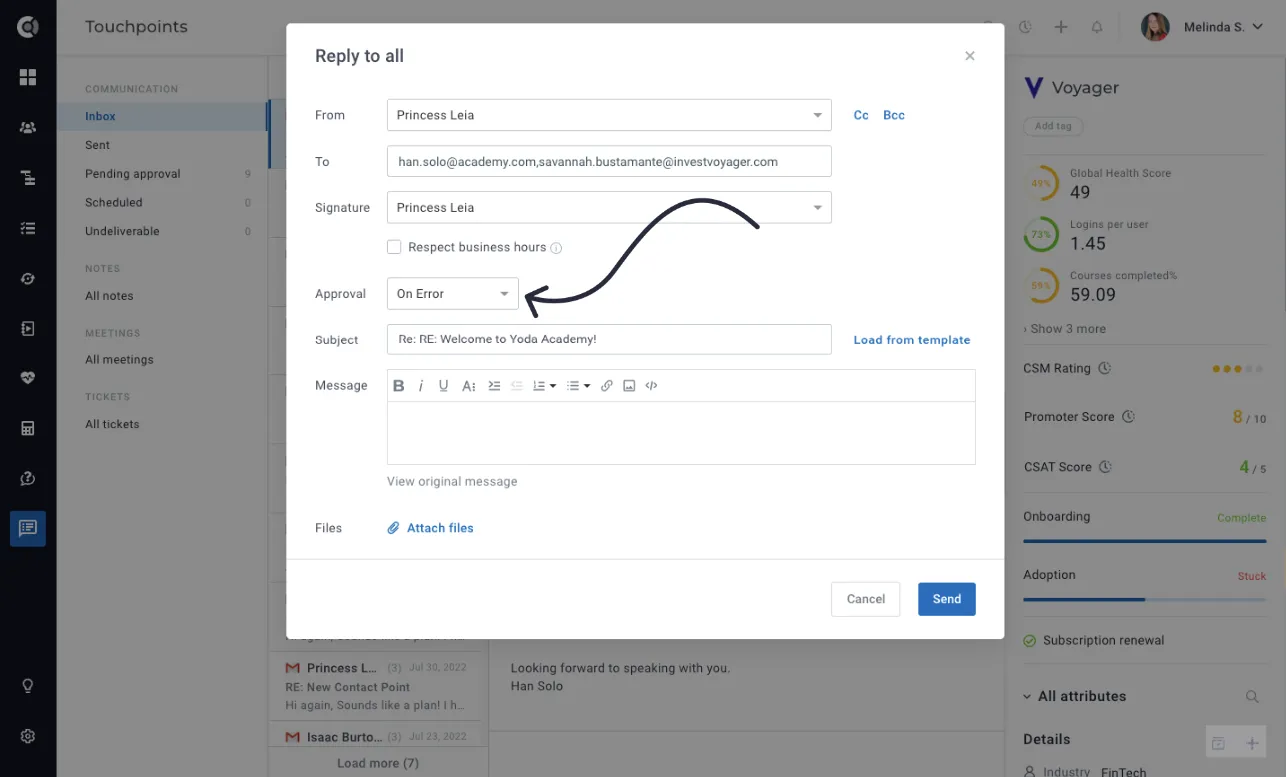
Email replies - Approval flow
The Approval Flow is now available for email replies in Custify, allowing you to double-check and approve emails before they are sent. This ensures greater accuracy and reduces the risk of sending error-prone messages, providing an extra layer of quality control for your customer communications.
Integrations
Opportunities management enhancements
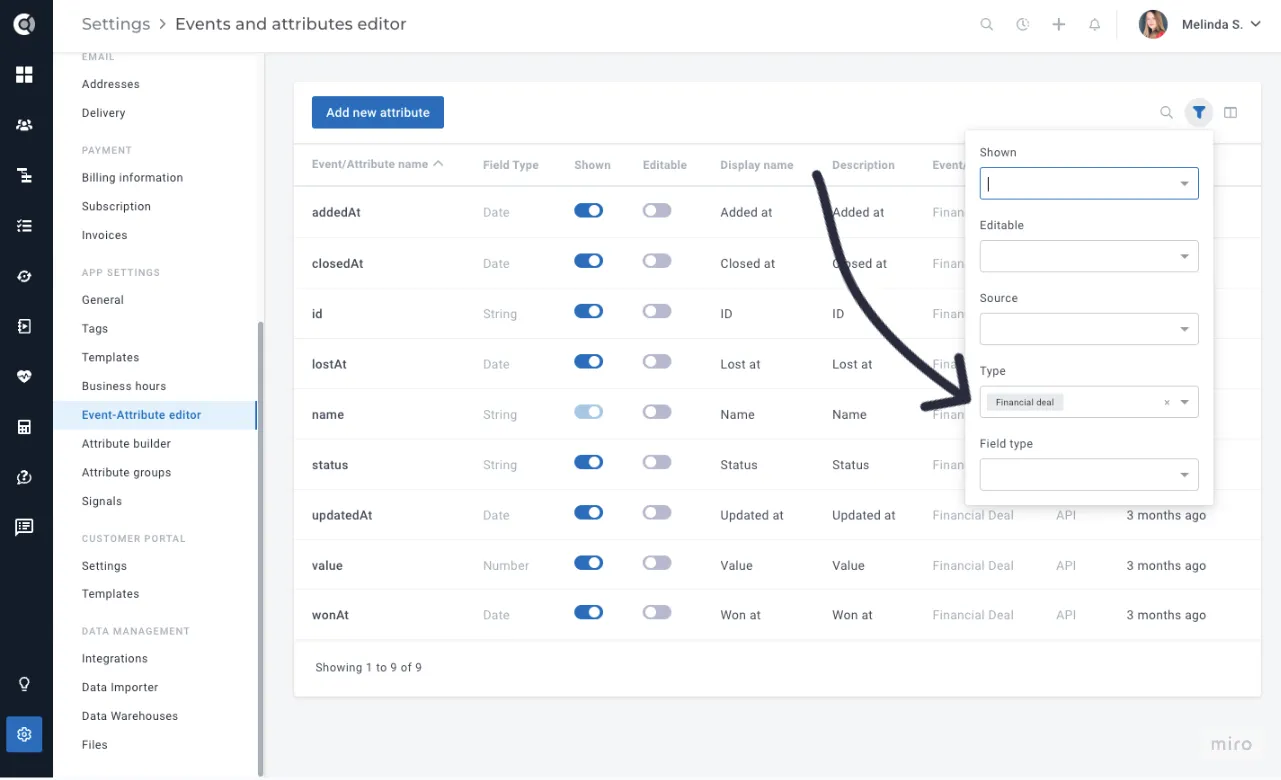
Opportunities management has been improved by enabling the selection of which attributes are displayed when creating or editing a deal, allowing you to hide unnecessary deal attributes. These attributes can be found under Settings > Event-Attributes Editor and can be managed in the same way as company and people attributes.
App Settings
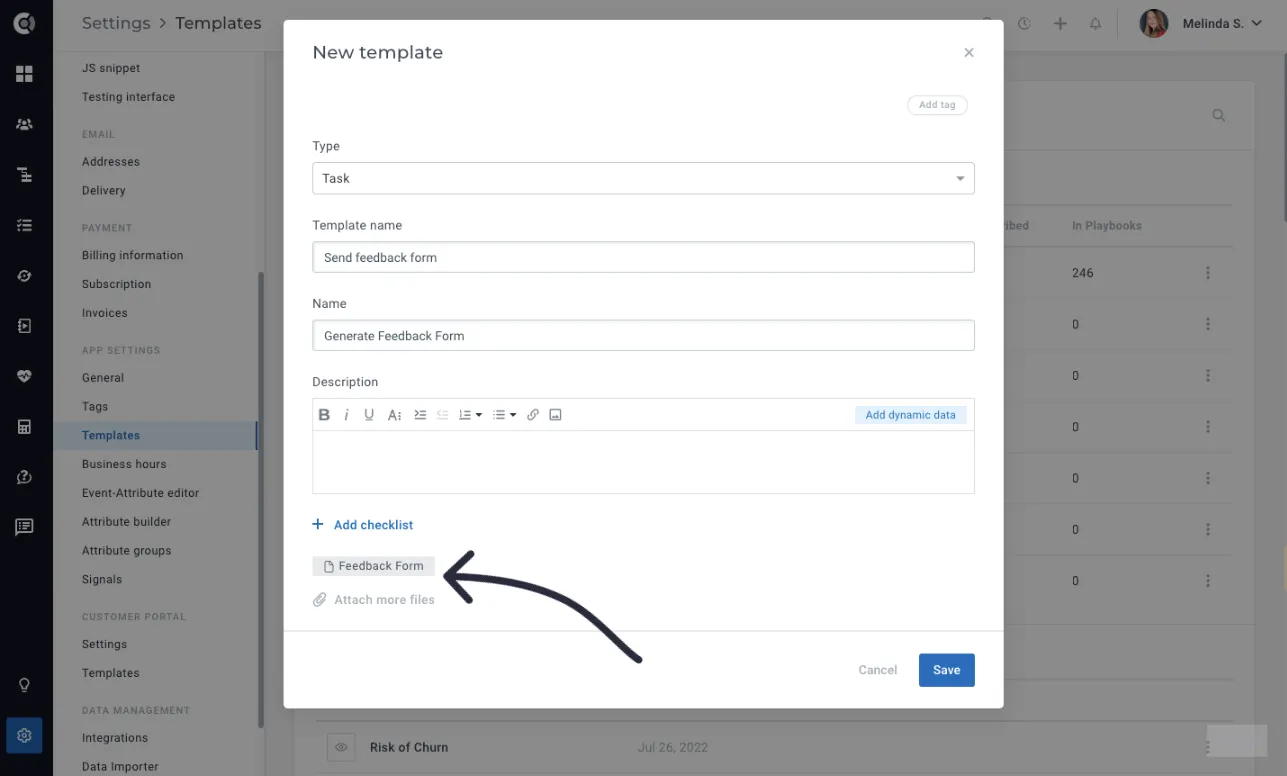
Attach files to tasks directly from templates
You can now attach files directly to Task Templates in Custify, ensuring that when a task is created from a template, the associated files are automatically included. This enhancement streamlines your workflow by eliminating the need to manually upload files for each task, ensuring that critical documents, guides, or resources are consistently attached to tasks. Whether you're managing onboarding tasks, customer success activities, or compliance documentation, this feature helps save time and maintain consistency across your tasks.