Product Updates | March 7th, 2024
User Management
Custom Attributes for Users: Custify users can now populate personal attributes such as Calendly links, phone numbers, and email addresses. These attributes can be leveraged in dynamic data for automated communications or various other sections of the application.
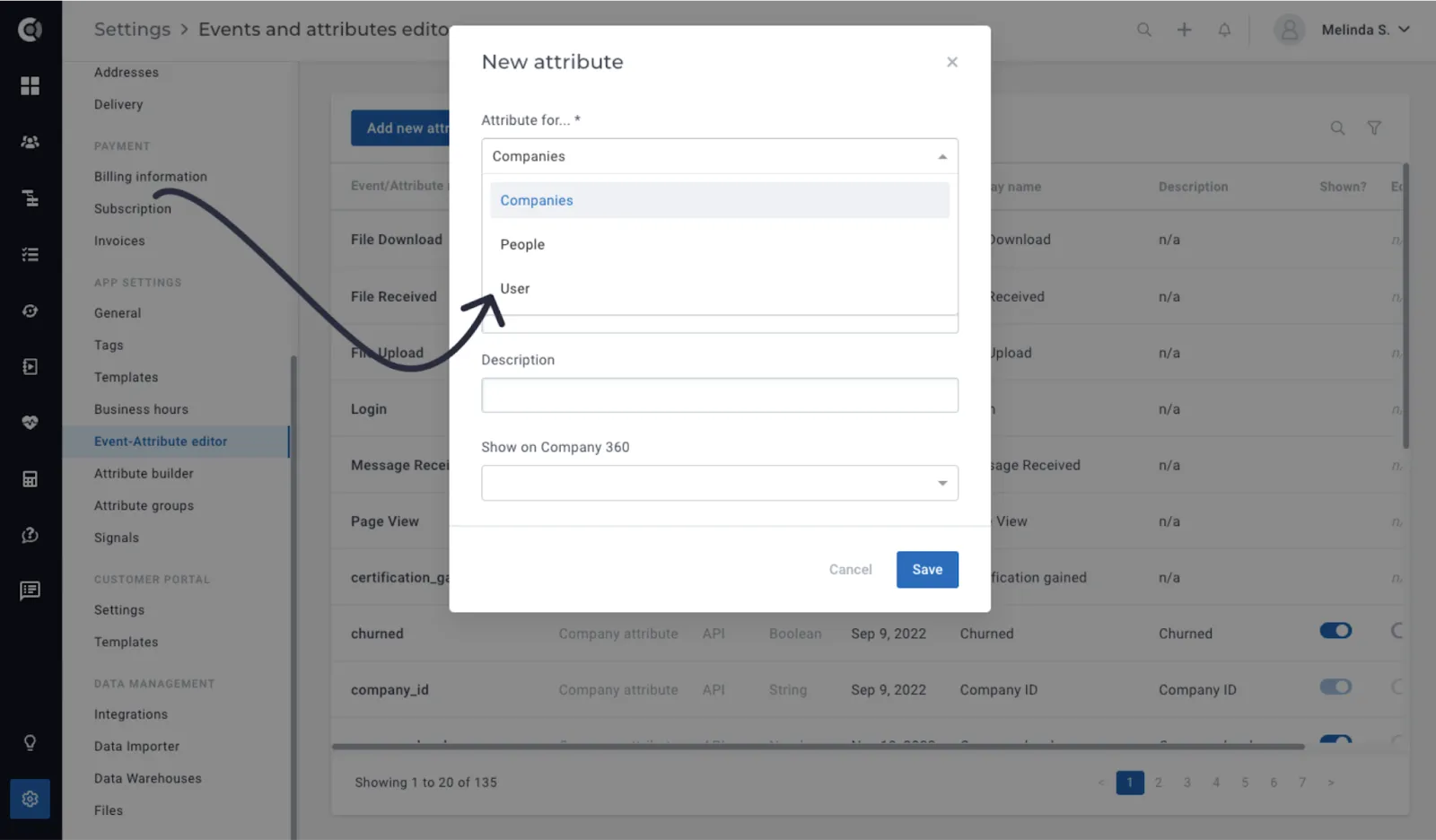
In order to allow Custify users to populate personal custom attributes, they have to be first defined by an admin. Go to Settings > Event-Attribute Editor > New attribute for Users, and create the list of attributes that users should populate.
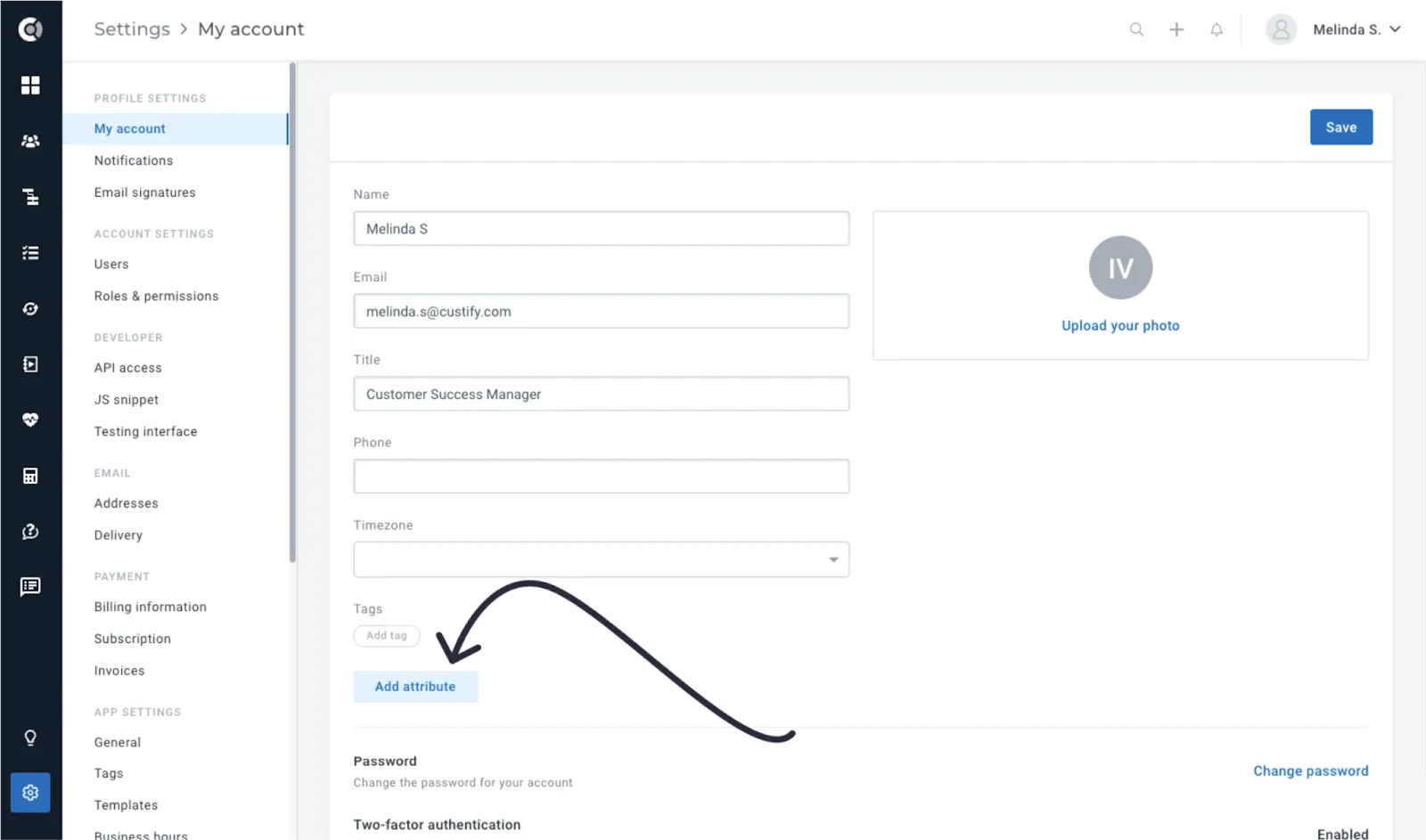
Each user can then populate the attribute within their own profile settings.
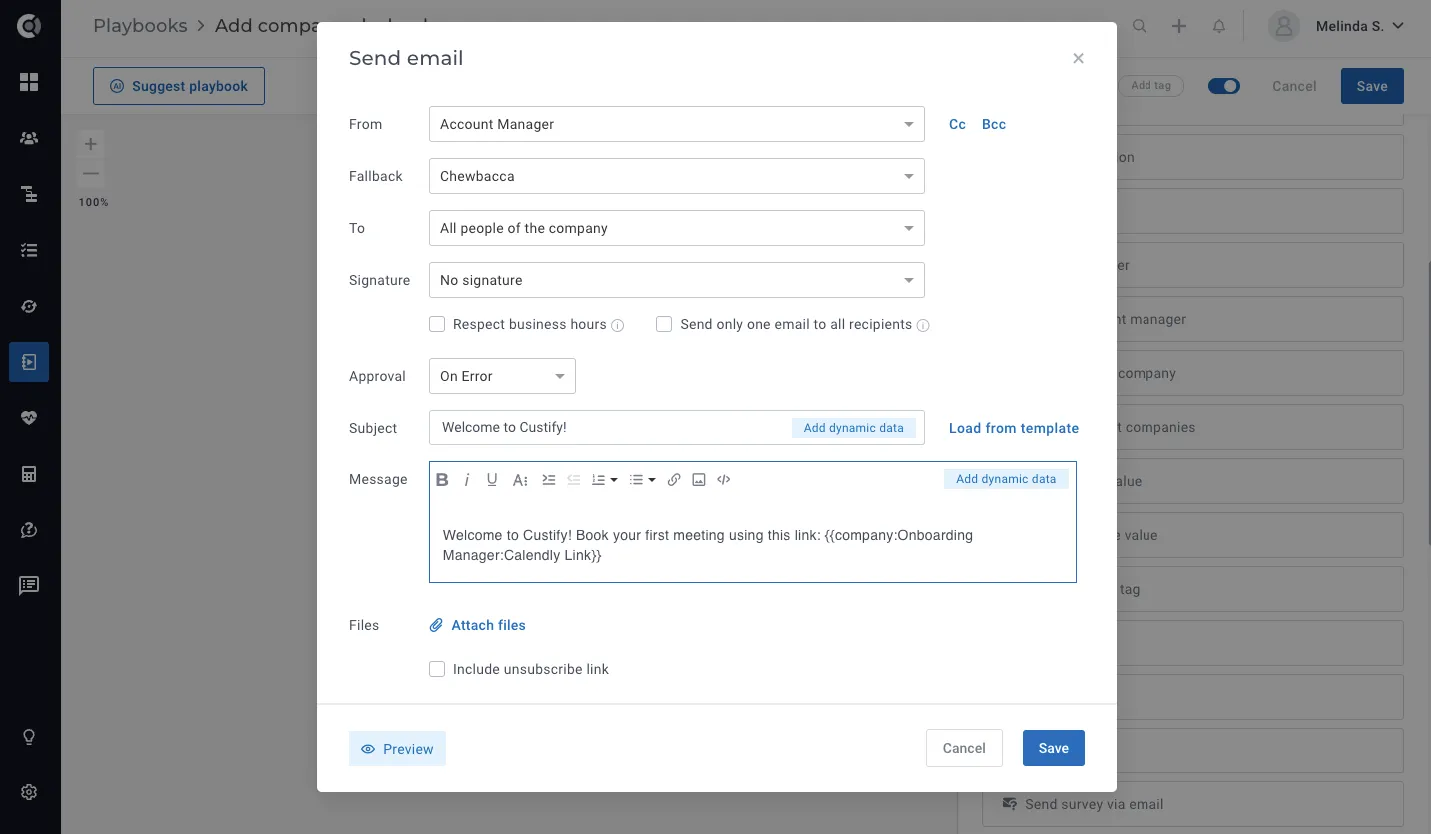
Once populated, the attribute becomes accessible in dynamic data and within the Users’ list view, allowing for seamless integration into various communication and organizational workflows.
Customer 360
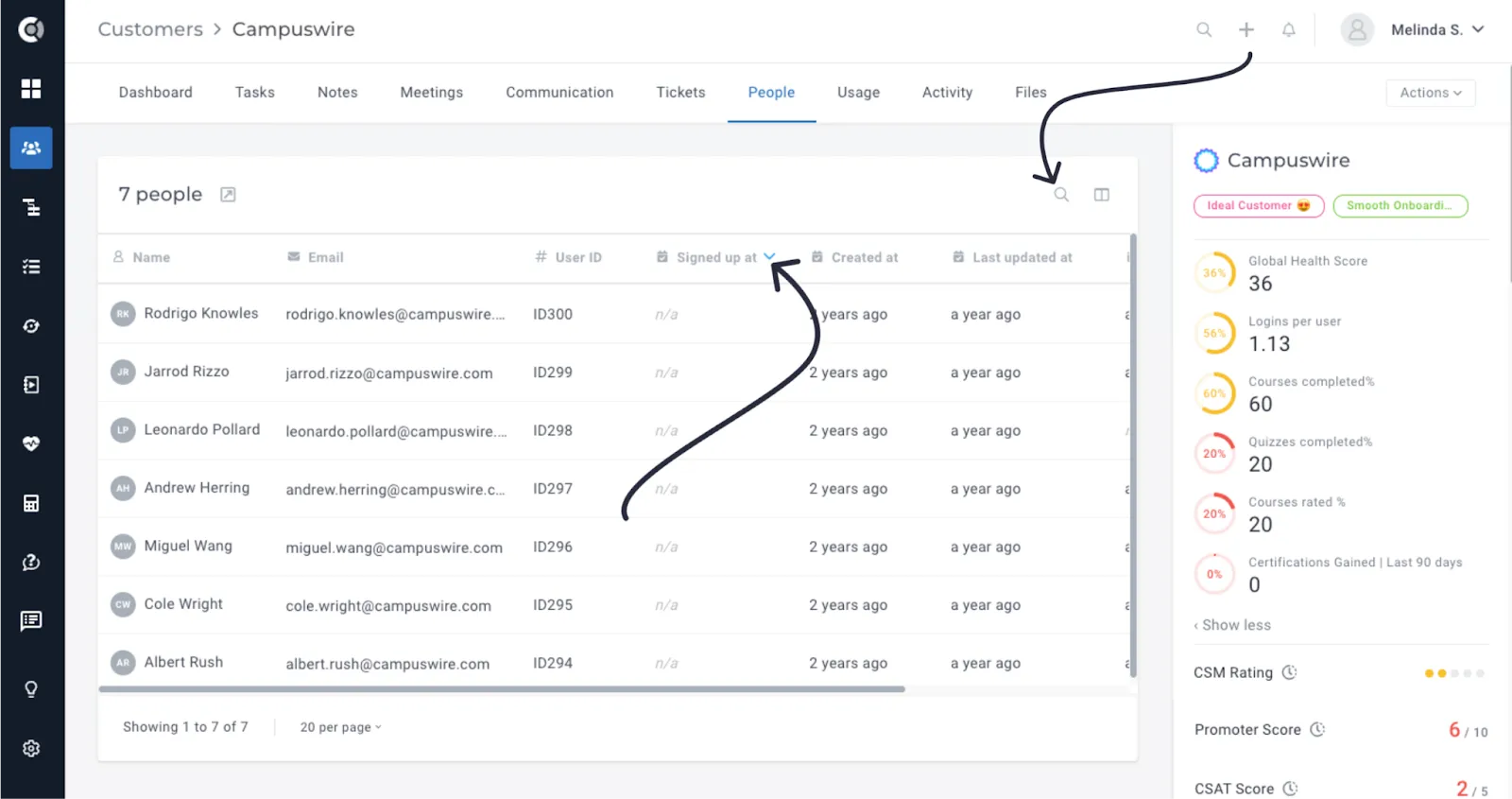
Company 360 – People Tab – Sorting and Search: Sorting and search functions are now available under the People Tab on the Company 360. People fields can be sorted when clicking on the table headers. The search facilitates quick checks among people of that company, by name, email address and user id.
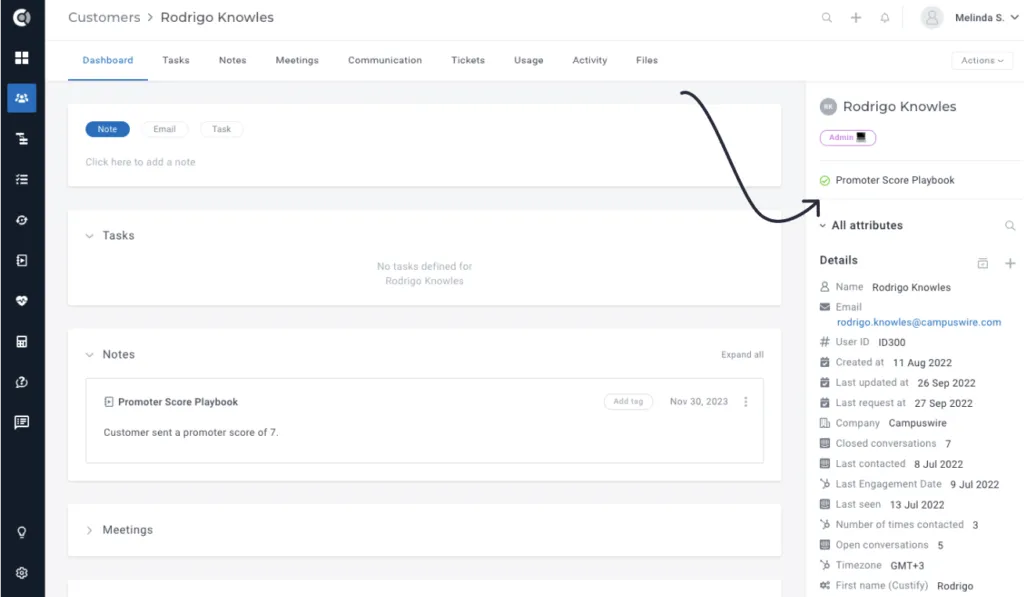
People Playbooks displayed on People 360: Enhances people profiles by providing visibility into associated playbooks, facilitating better understanding and management of customer interactions and workflows.
Segments
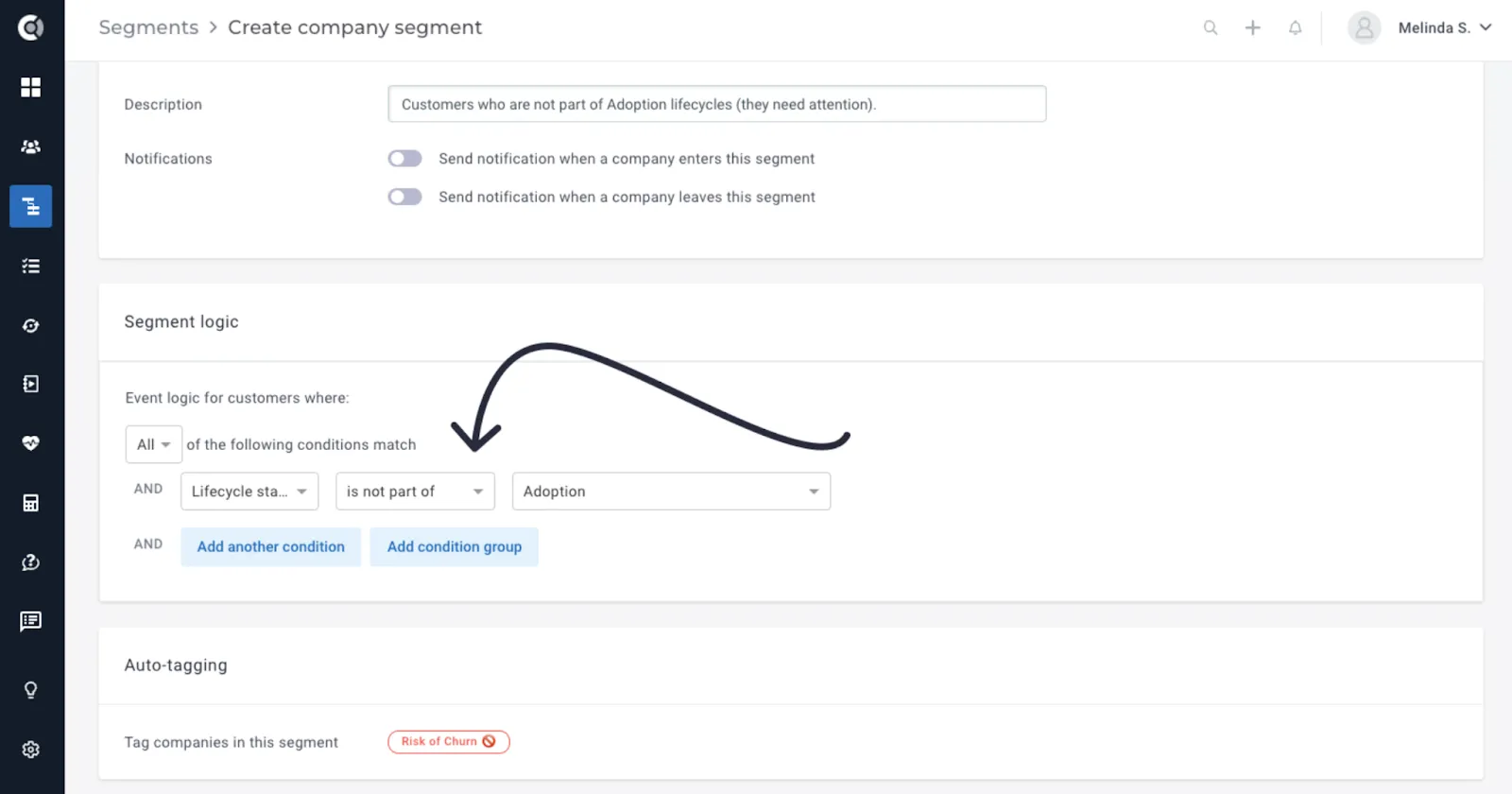
New condition – ‘Is not part of Lifecycle: This feature enhances segmentation capabilities by enabling users to identify customers who are not associated with specific lifecycle stages.
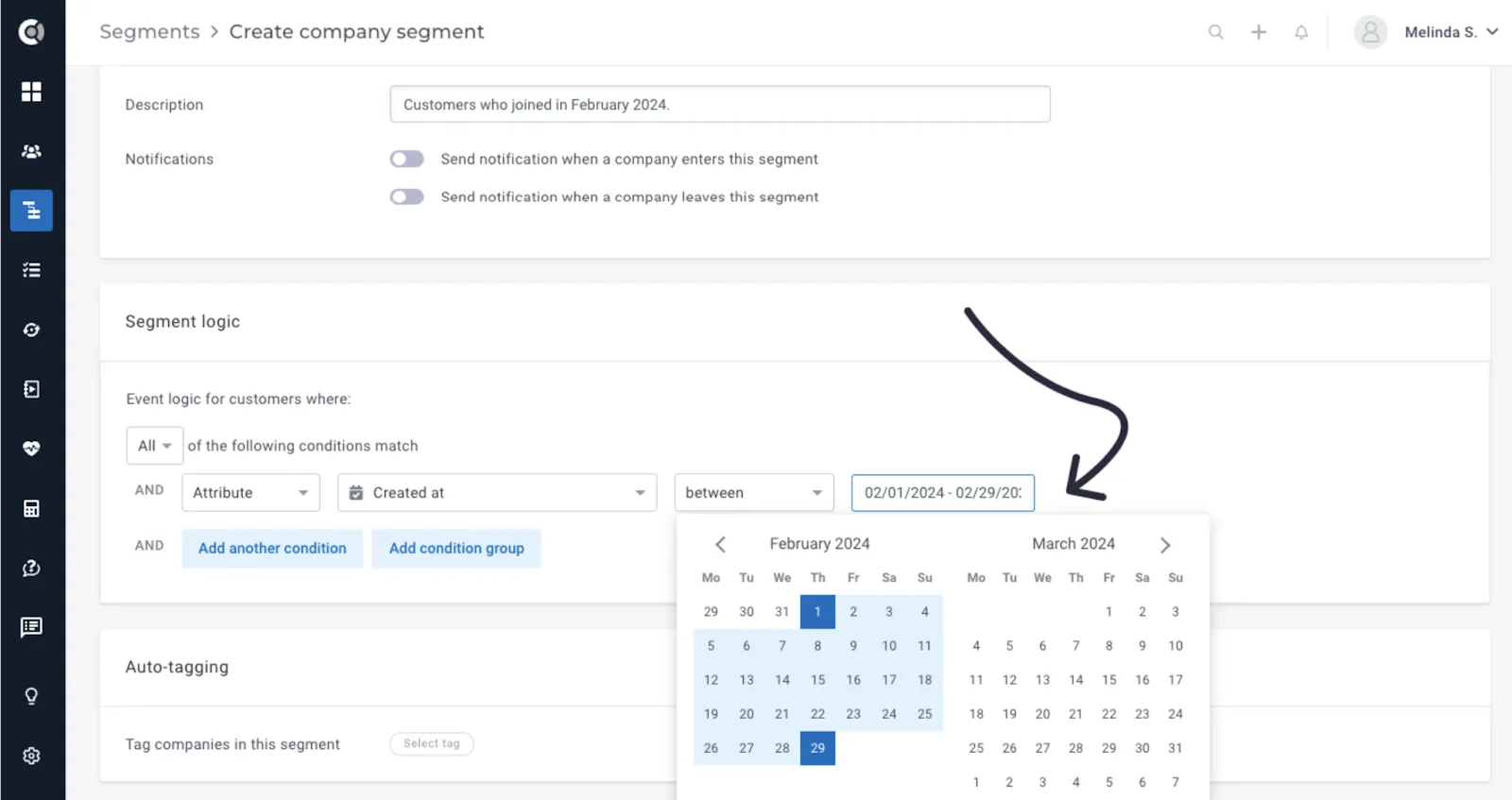
New date condition – Between: Enhances segmentation flexibility with the ability to define date ranges, enabling more precise targeting and analysis of customer behaviour over time.
Tasks
Push Custify Tasks as Calendar Appointments: This feature makes Custify tasks more visible by integrating them directly into users’ calendars, showing them as calendar appointments. It is available for both Outlook and Gmail calendars.
Users can send tasks to their Gmail and Outlook calendars by enabling Gmail/Outlook integration, connecting their mailboxes to Custify, and selecting Push tasks to calendar. They can then choose the desired calendar from their list of the calendars that they have access to.
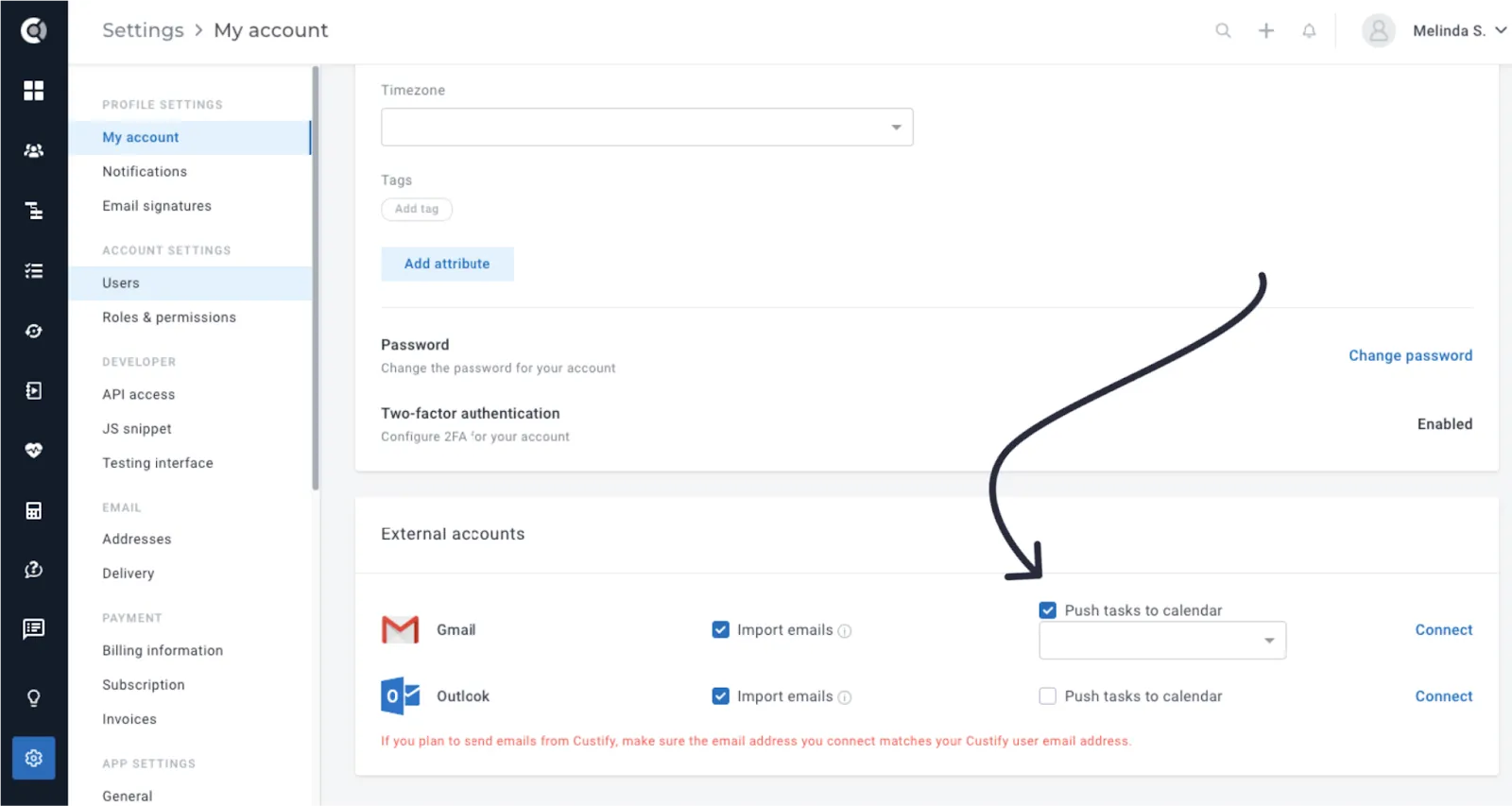
Tasks will appear in the calendar when the task status is Open, both Assigned to and Due date fields have values and the user connected their mailbox and allowed the export of tasks to the calendar (as shown above).
When changes occur to a task’s Assigned to or Due date fields, the following actions take place:
- If the task is reassigned to another user, a new event is created in the new user’s calendar (if the user connected Gmail to Custify and allowed tasks export to the calendar), and the event in the old user’s calendar is deleted.
- If the due date is modified, the previous event disappears from the calendar, and a new event is generated with the updated date.
Tasks are removed from the calendar when closed or deleted in Custify, or when changes are made to the Assigned to or Due date field.
Observation! Tasks scheduled for a specific day appear in the calendar at 9 AM by default, marked as Free to avoid blocking other appointments.
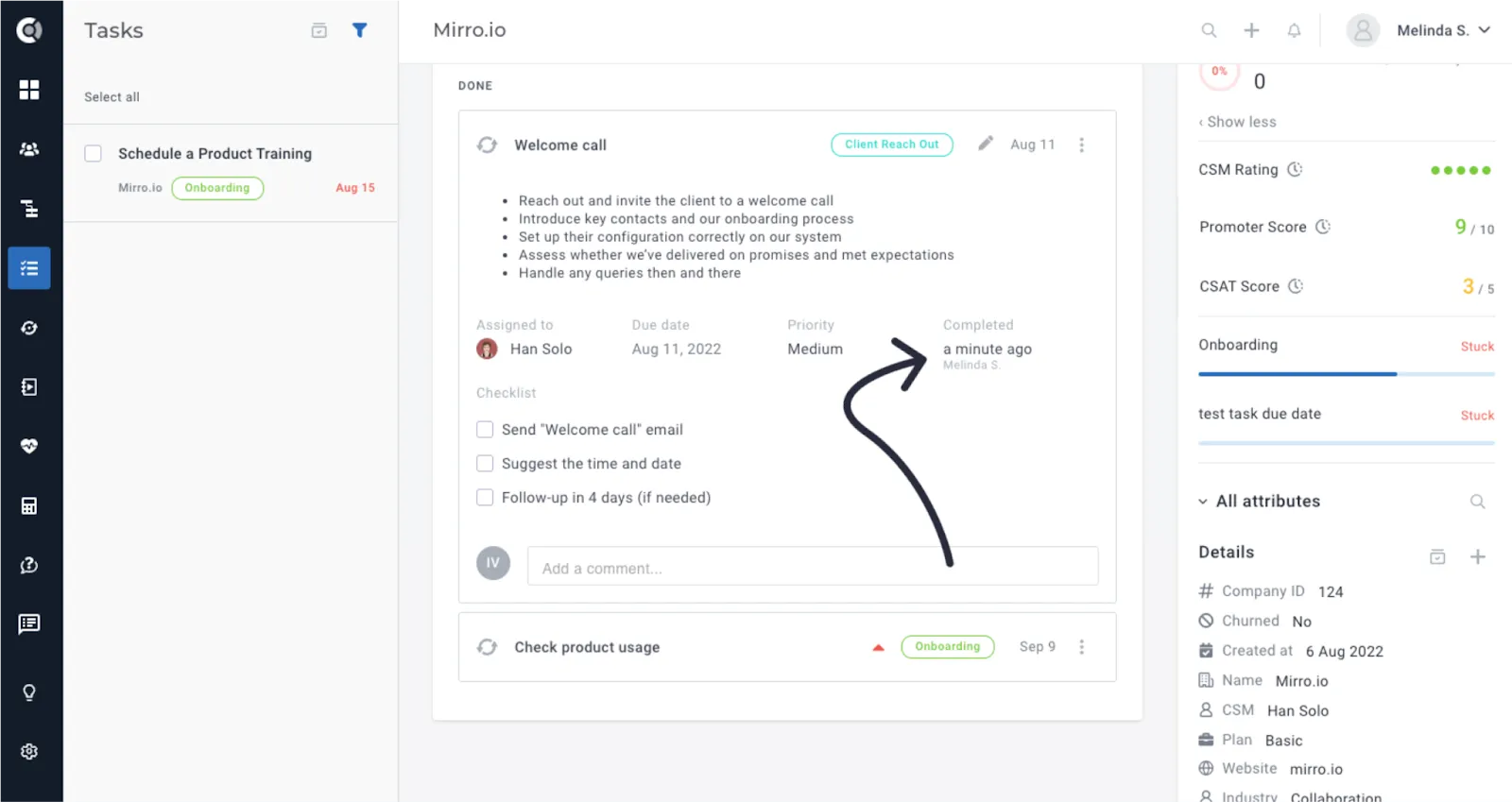
Completion Date Displayed on Tasks: Provides clearer task tracking by displaying the completion date and completed by fields for tasks that are marked as done or not relevant.
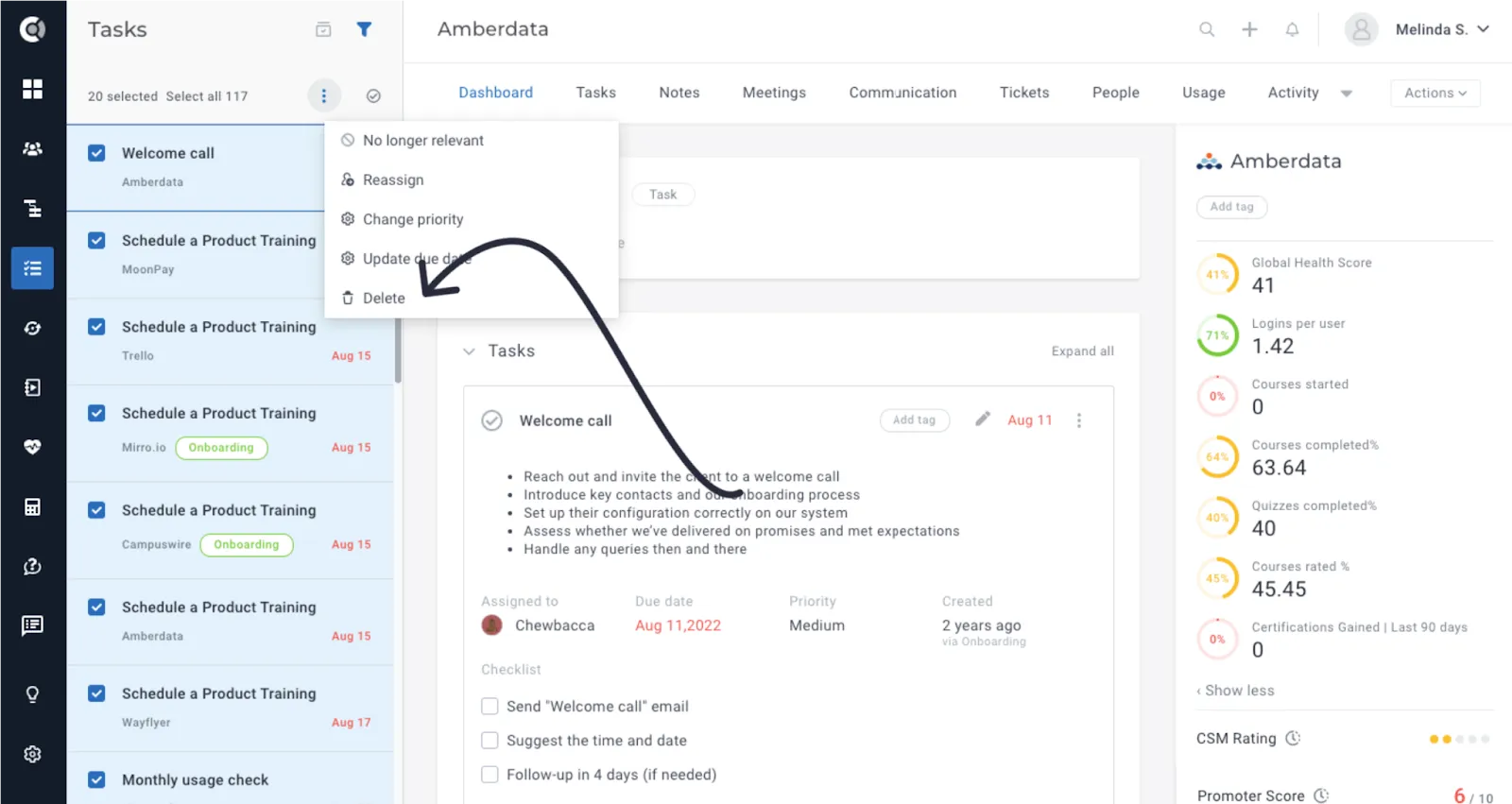
Delete Option for Tasks: We added greater flexibility in task management by allowing users to permanently remove irrelevant or completed tasks, reducing clutter and improving focus on active responsibilities. In the activity of each company, even if the task was deleted and does not exist anymore, you will be able to find who deleted it, when, and what was the title of the task.
Tasks can be deleted one by one, by going to each specific task and selecting Delete, or bulk, by selecting the tasks in the task menu and clicking Delete.
Bulk Change Tasks’ due dates: You can now bulk change tasks’ due dates. You can go to Tasks Menu – Actions – Change due date, and select the desired option (change the due date to a specific date, or by an amount of time).
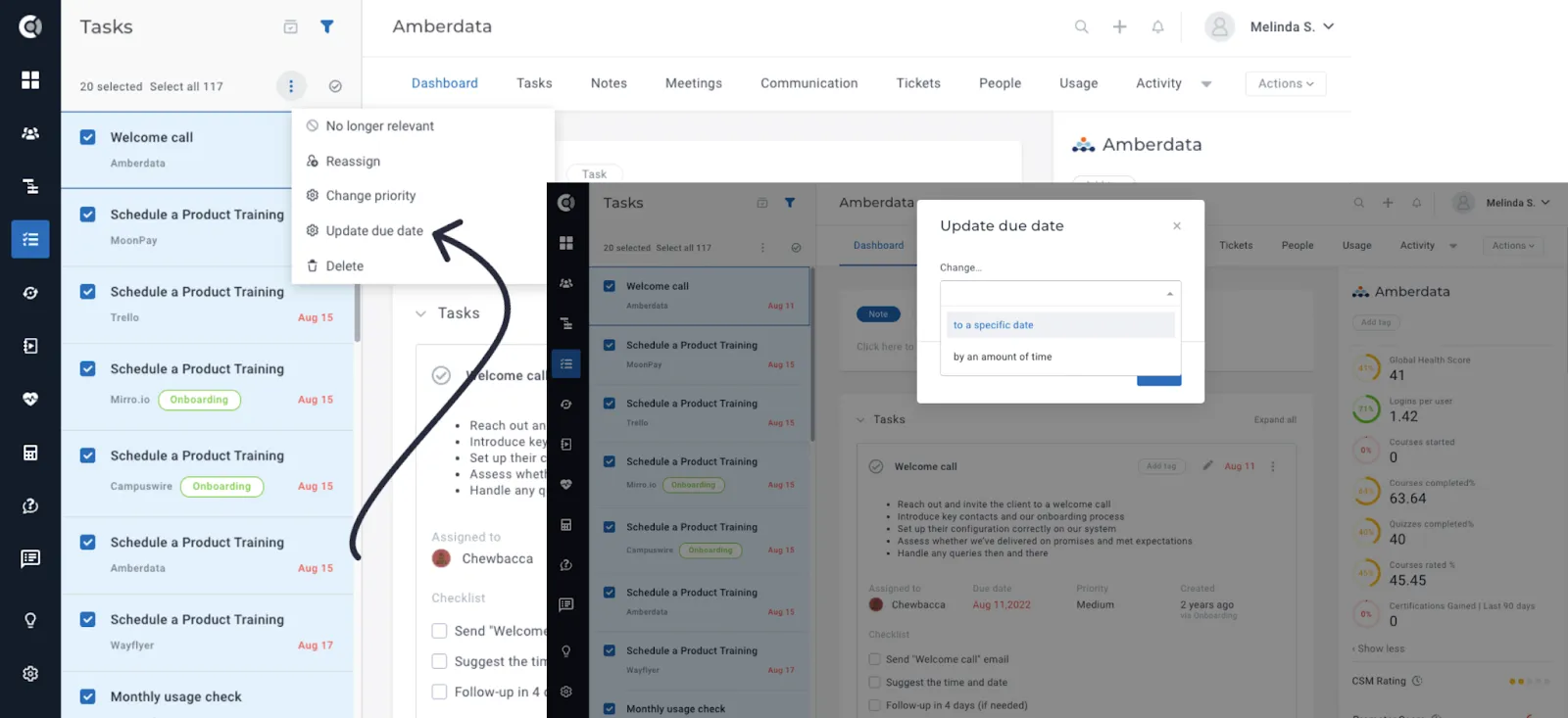
Observation! When selecting multiple tasks and some of them do not currently have due dates, and you opt to change the due dates by a specified amount of time, the tasks without due dates will be automatically assigned due dates X days/weeks/months from today.
Calculated Metrics
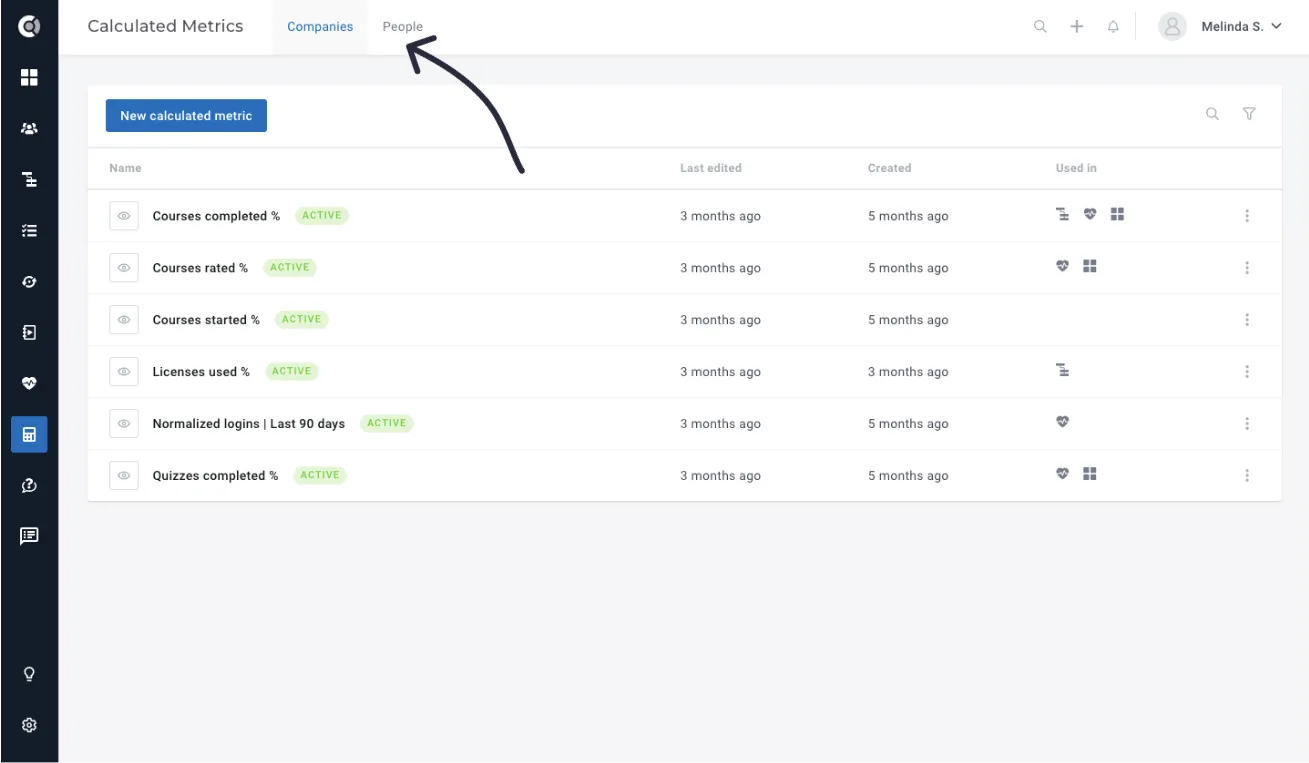
Calculated Metrics at People Level: Empowers users to derive personalized insights by generating calculated metrics at the individual level, facilitating more targeted analysis and decision-making.
Much like Company Metrics, People Metrics offer the capability to enrich existing data with additional attributes. Common use cases include calculating metrics such as days since last training, days since last login, total number of specific events in the last X days. For further information on Calculated Metrics at the People Level and the full list of available functions, you can explore more details here.
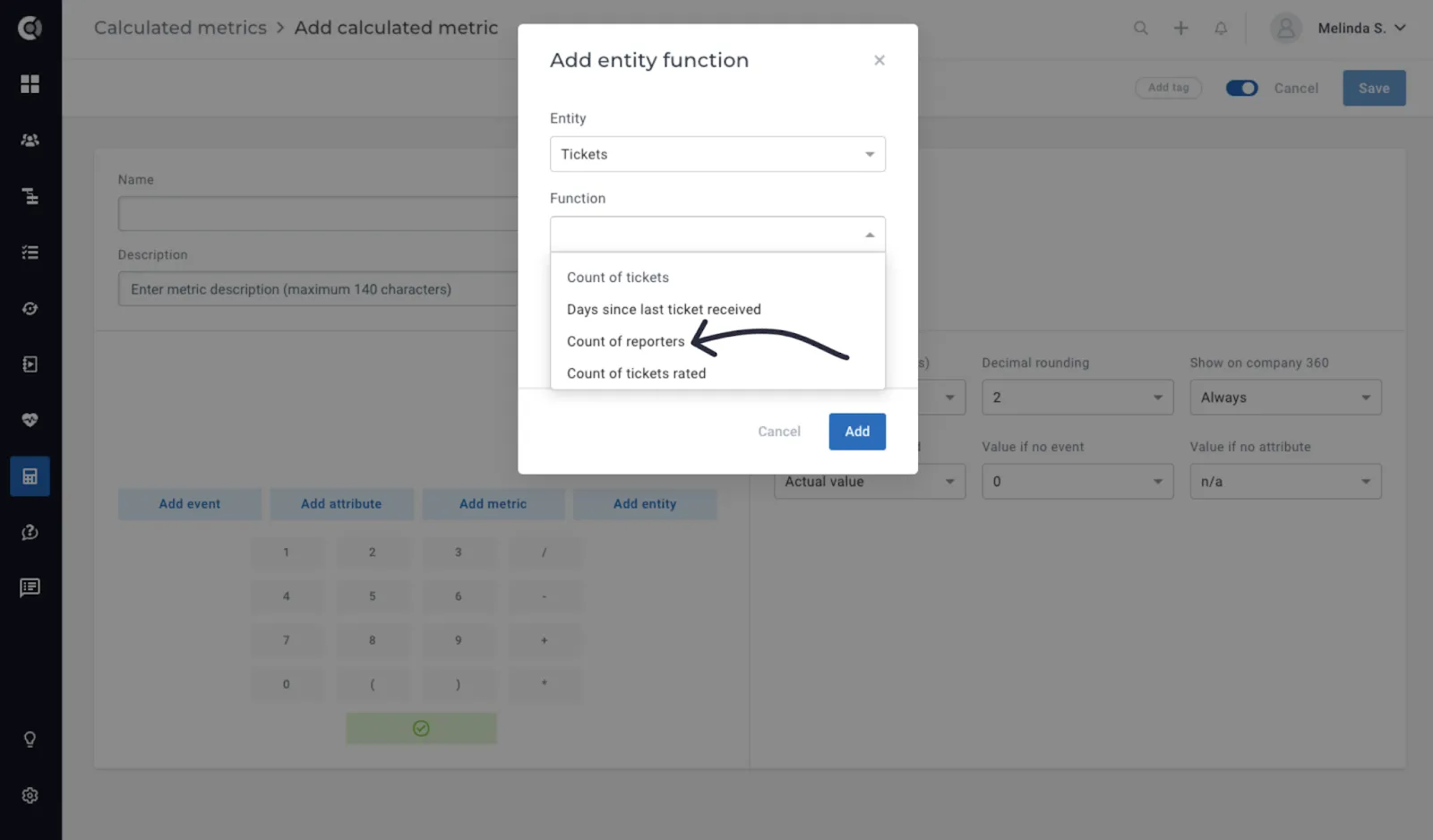
Add Entity – Tickets – Count of Reporters Function: This new function allows you to return the count of unique people who have raised tickets in a given period of time, for a particular company. It provides a valuable metric for assessing internal ticket distribution and workload allocation, aiding in optimizing support resources and enhancing service efficiency.
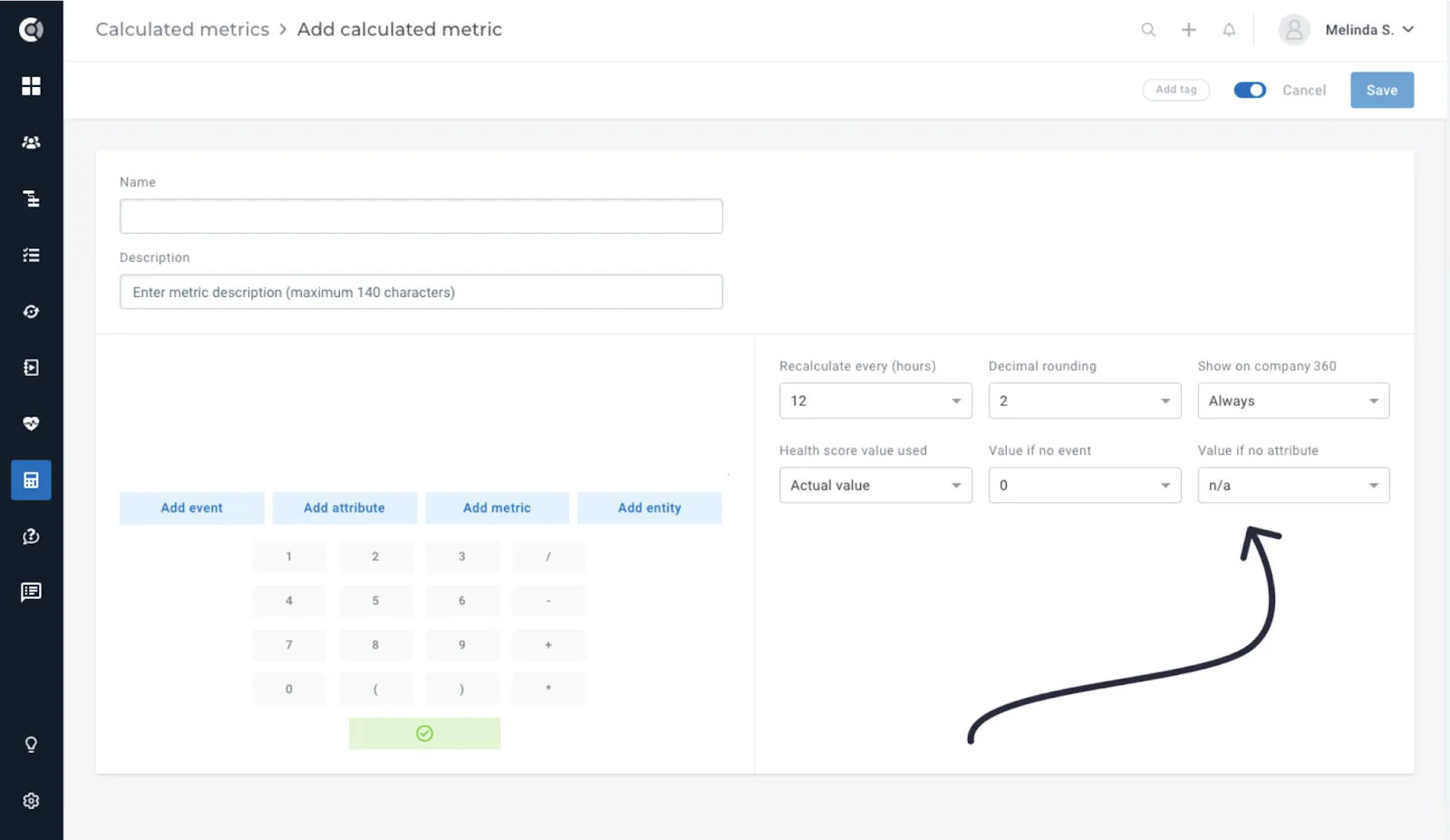
‘Value if No Attribute’ Setting: When using attribute values in formulas, you can choose the desired behaviour for the situations when the attribute value is missing. This allows flexibility in handling metric creation when the data is unavailable, ensuring accurate reporting and analysis even in scenarios where attributes are incomplete or undefined.
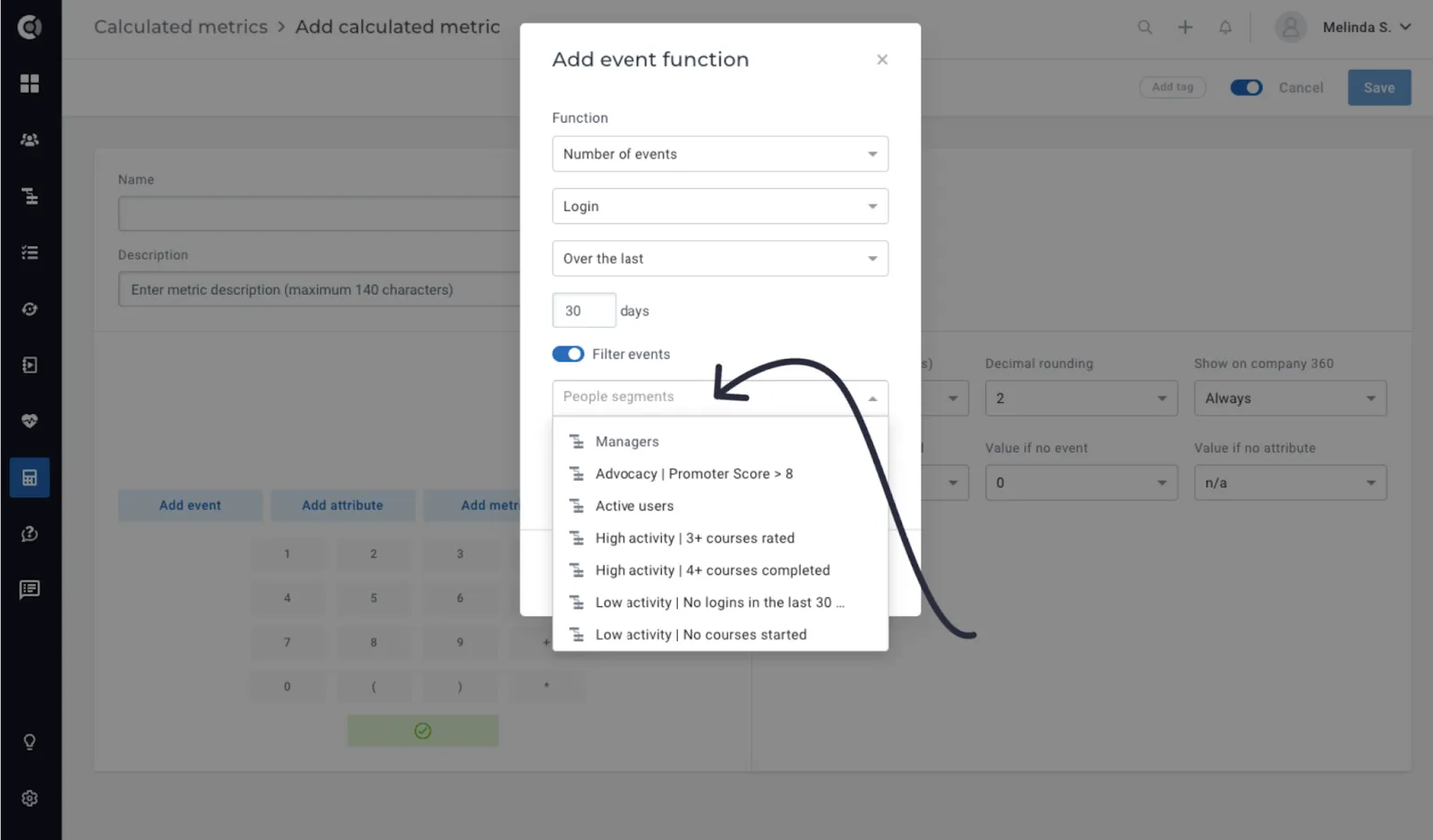
Add event – Filter by people segment: In the context of filtering by people segments on event functions, only events initiated by people that are part of those segments are considered. For instance, this logic enables users to query login activity by company, specifically focusing on logins executed by individuals with the role of Manager.
Health Scores
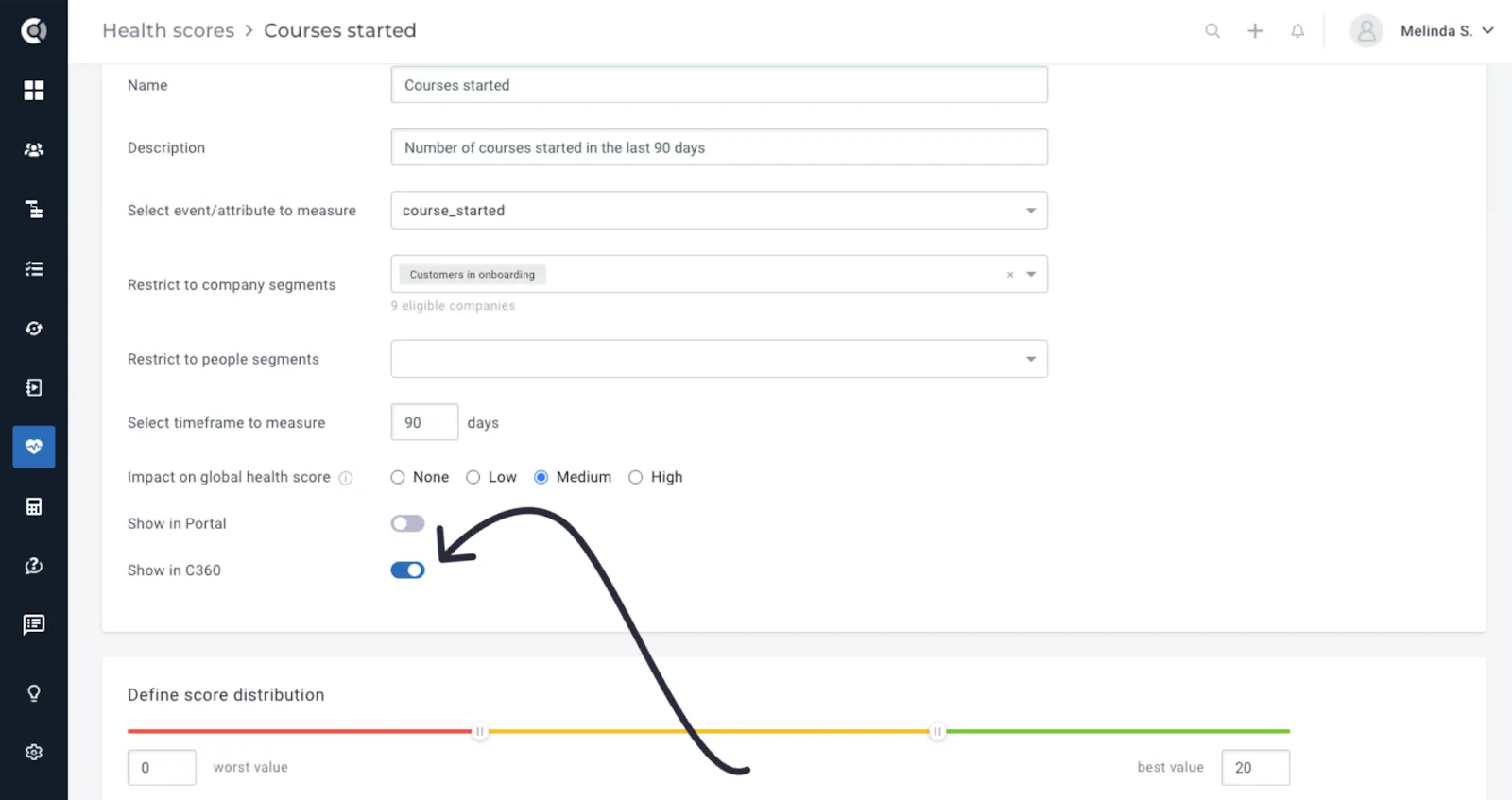
- Hide Health Scores from Customer 360: To keep a clean Customer 360 Page, you can now choose which Health Scores to display. Go to the Health Score editing page, and toggle on or off the Show in C360 option.
Playbooks
Playbook Step – Reassign Tasks in Bulk: The playbook step ‘Mark task as…’ becomes ‘Update open tasks as…’ and comes with a useful enhancement that streamlines task delegation processes within playbooks, the bulk reassignment of tasks.
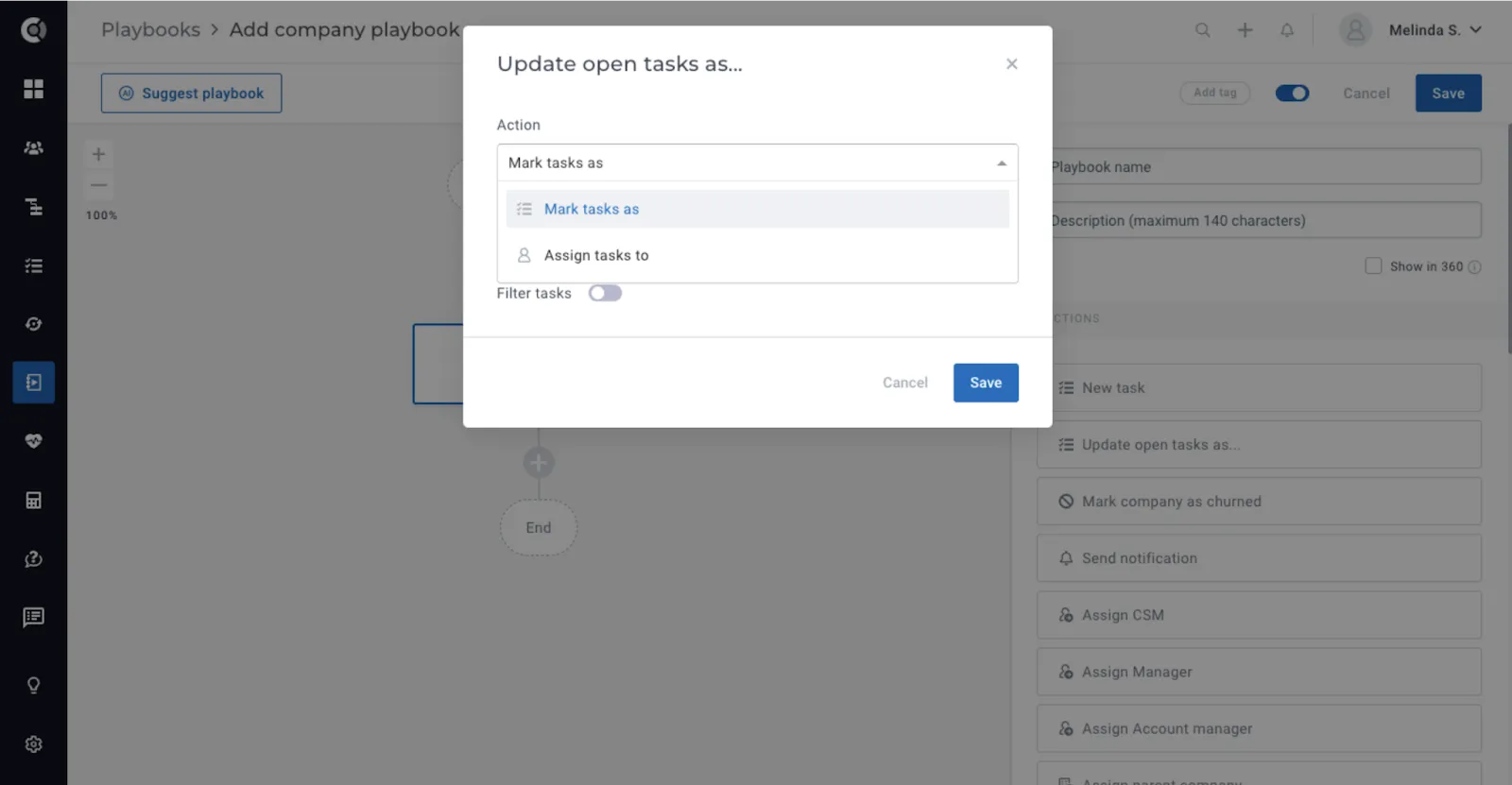
For instance, users can create playbooks where tasks generated by a specific lifecycle are automatically reassigned to a new CSM when an account is transferred. This capability ensures seamless task management during CSM transitions, facilitating smooth handovers and minimizing disruptions in customer service.
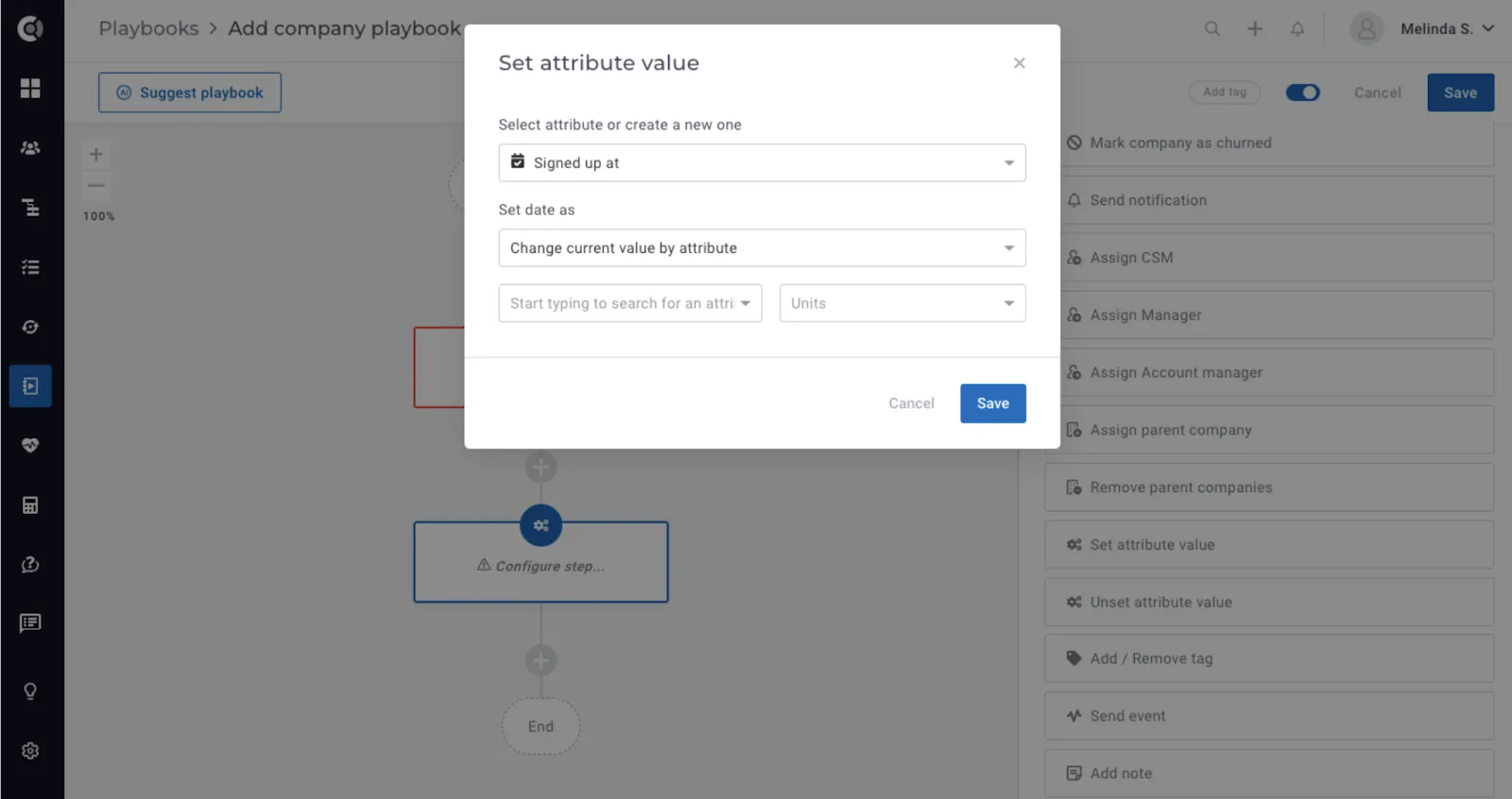
Playbook Step – Change Attribute Date Value by another attribute: This feature enables dynamic attribute updates based on other attribute values, streamlining automated and contextual data management within playbooks.
For example, consider a scenario where customers have the contract start date and the contract duration as attributes in Custify, but no renewal date. With this functionality, users can simply add the number of months to the start date, and the renewal date is automatically calculated.
Touchpoints
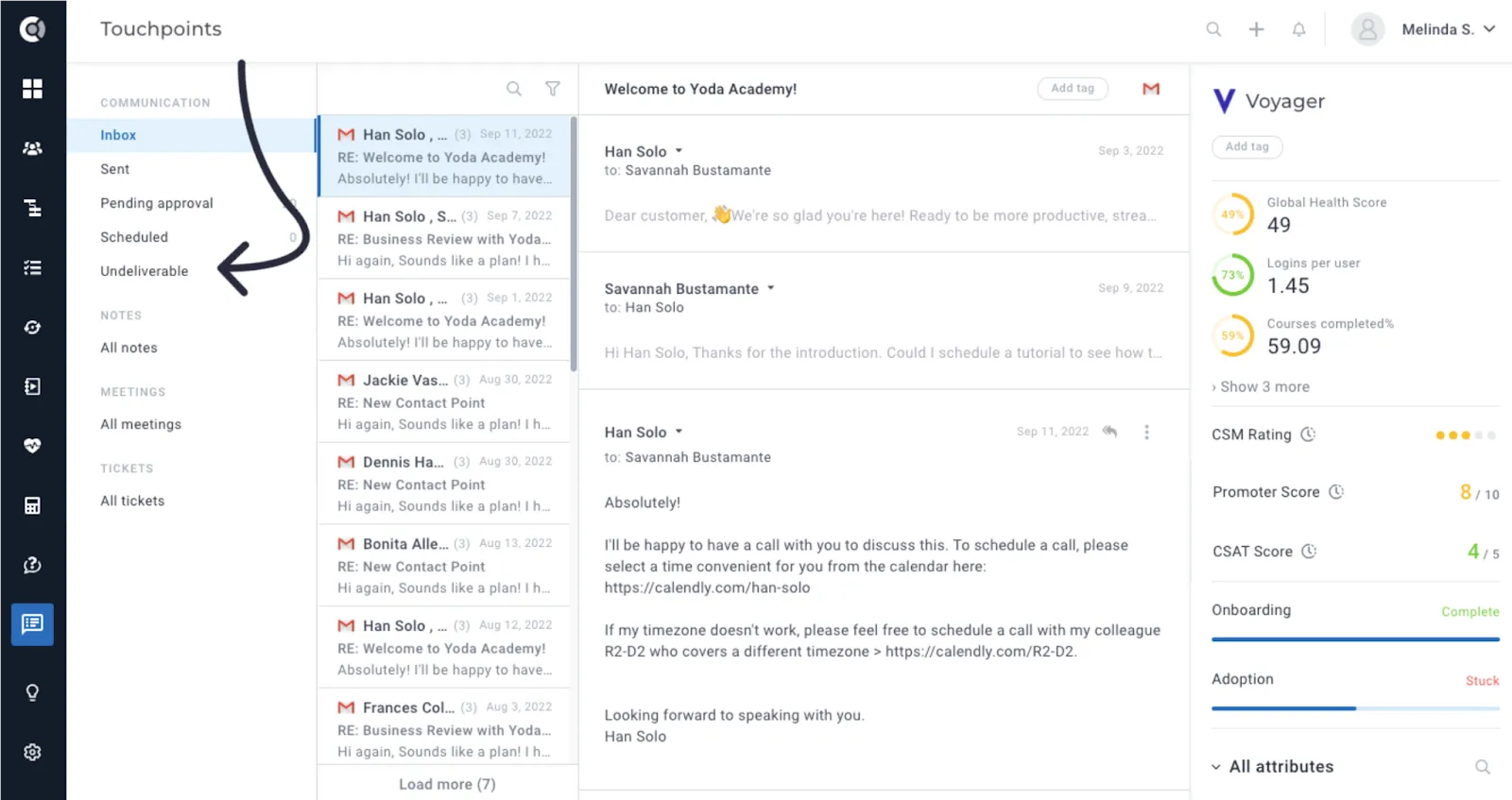
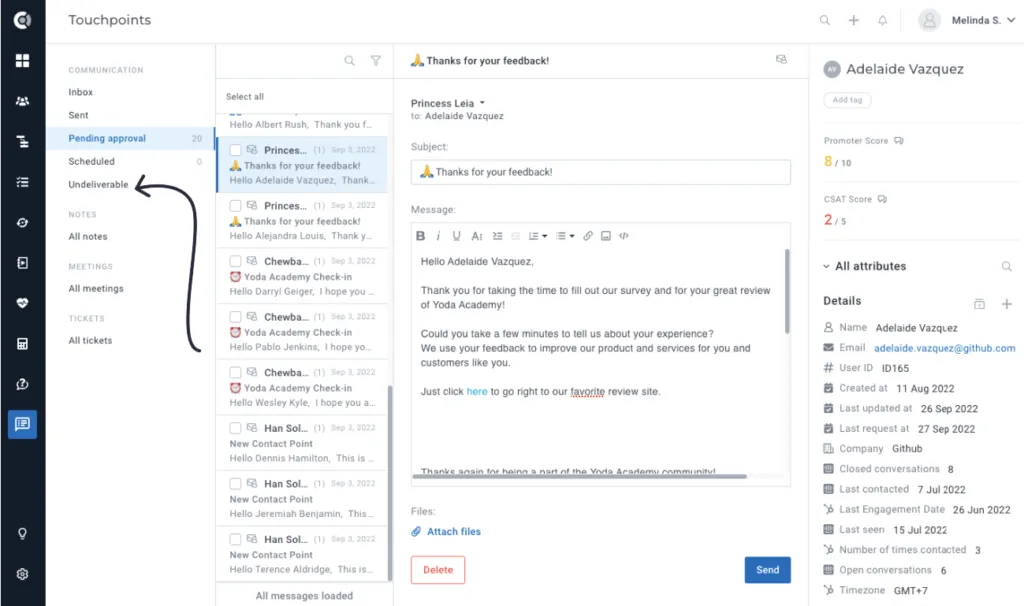
Undeliverable Section: This feature enhances email management by introducing a dedicated space for handling undelivered emails, facilitating quick resolution and minimizing disruptions in communication with customers.
Similar to the Scheduled emails section, this space displays emails with a status of ‘undeliverable‘ in the database. Users have two available actions:
- Delete: Removes the email from the queue, similar to the delete action for pending approvals.
- Retry Sending: Marks the email as pending again and re-queues it for sending, providing an opportunity to rectify any delivery issues and resend the message.
Insights
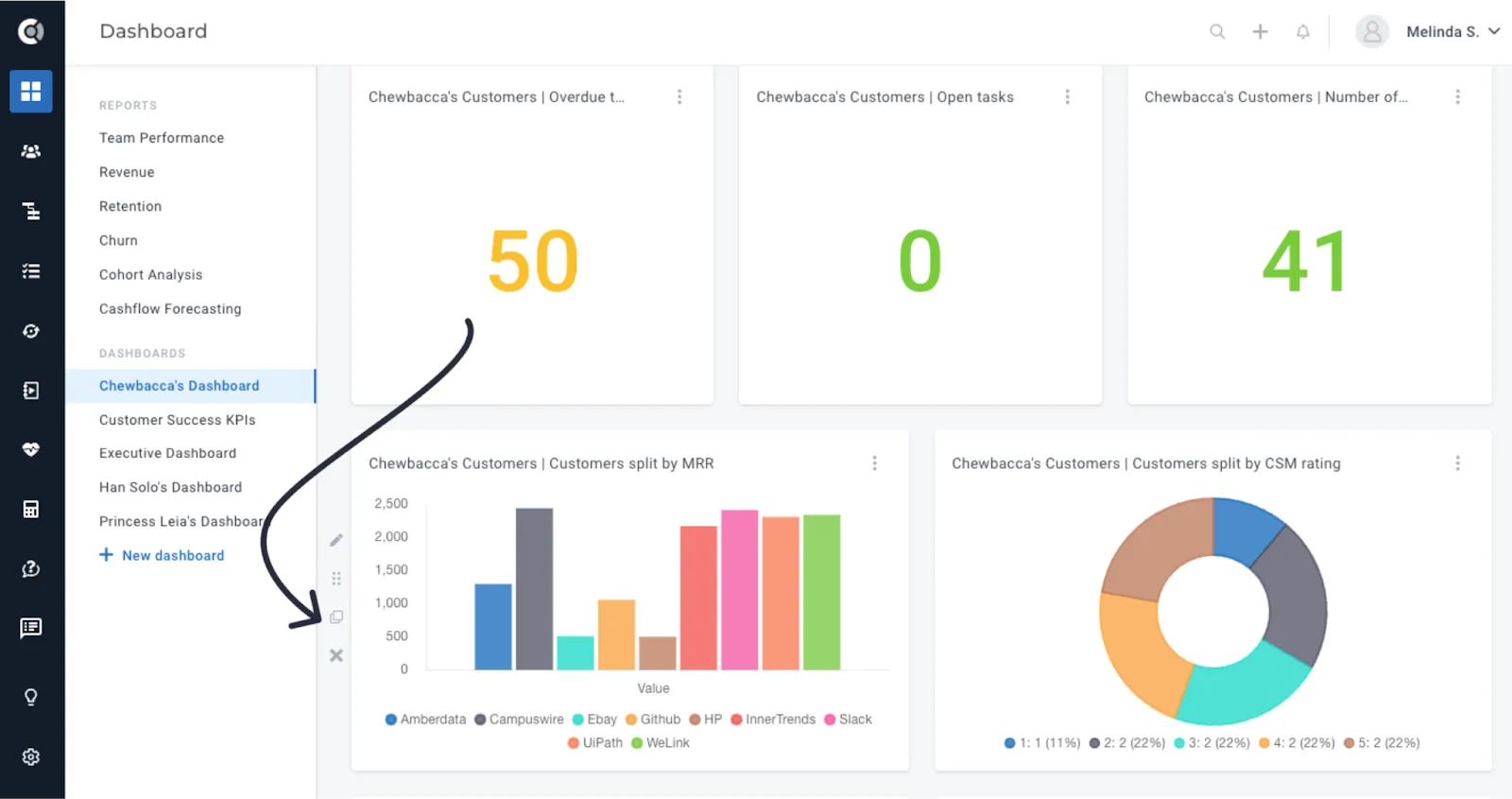
Duplicate Row Functionality: Enables users to replicate dashboard rows, facilitating customization and comparison of multiple data sets for deeper insights and analysis.
WYSIWYG
Automatic Embedding of External Links: Enhances communication and collaboration by seamlessly integrating external resources such as instructional videos, presentations, and project boards directly into Custify notes, tasks and emails, streamlining workflows and improving accessibility. We are now embedding links for Youtube, Vimeo, Loom, Google Sheets, Google Docs, Google Presentations, Google Forms, Trello Boards.
Tags
Auto-tagging: Now, you can automate the tagging process for various entities based on name, content, and other criteria. This feature saves time and enhances organization by automatically categorizing different types of content using predefined keywords, thereby facilitating the retrieval and analysis of relevant information.
Auto-tagging is applicable to the following entities:
- Tasks (based on task name)
- Notes (based on note content)
- Conversations (based on subject)
- Meetings (based on title)
- Tickets (based on subject/title)
- Files (based on file name)
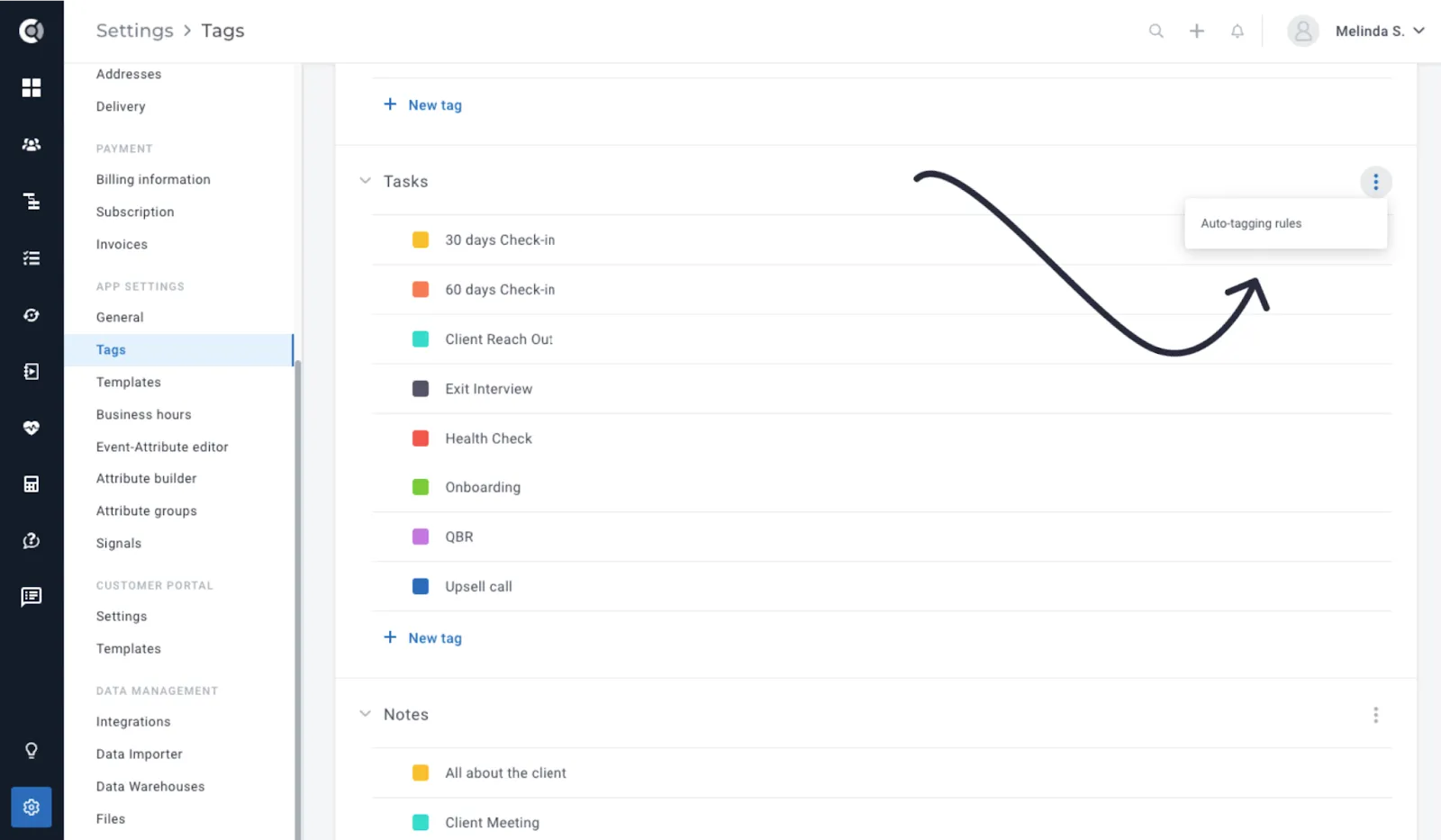
To define auto-tagging rules, navigate to the Settings > Tags page, where you manage the actual tags. For each entity eligible for tagging, click on the three-dots icon and select Auto-tagging rules.
Within the Auto-tagging rules section, you’ll find a section where you can enter the criteria and select the tag that will be automatically applied when the criteria is met. Once you entered the rule, you will have the option to add another one (the Add new rule button will be greyed out until you populate the first rule).
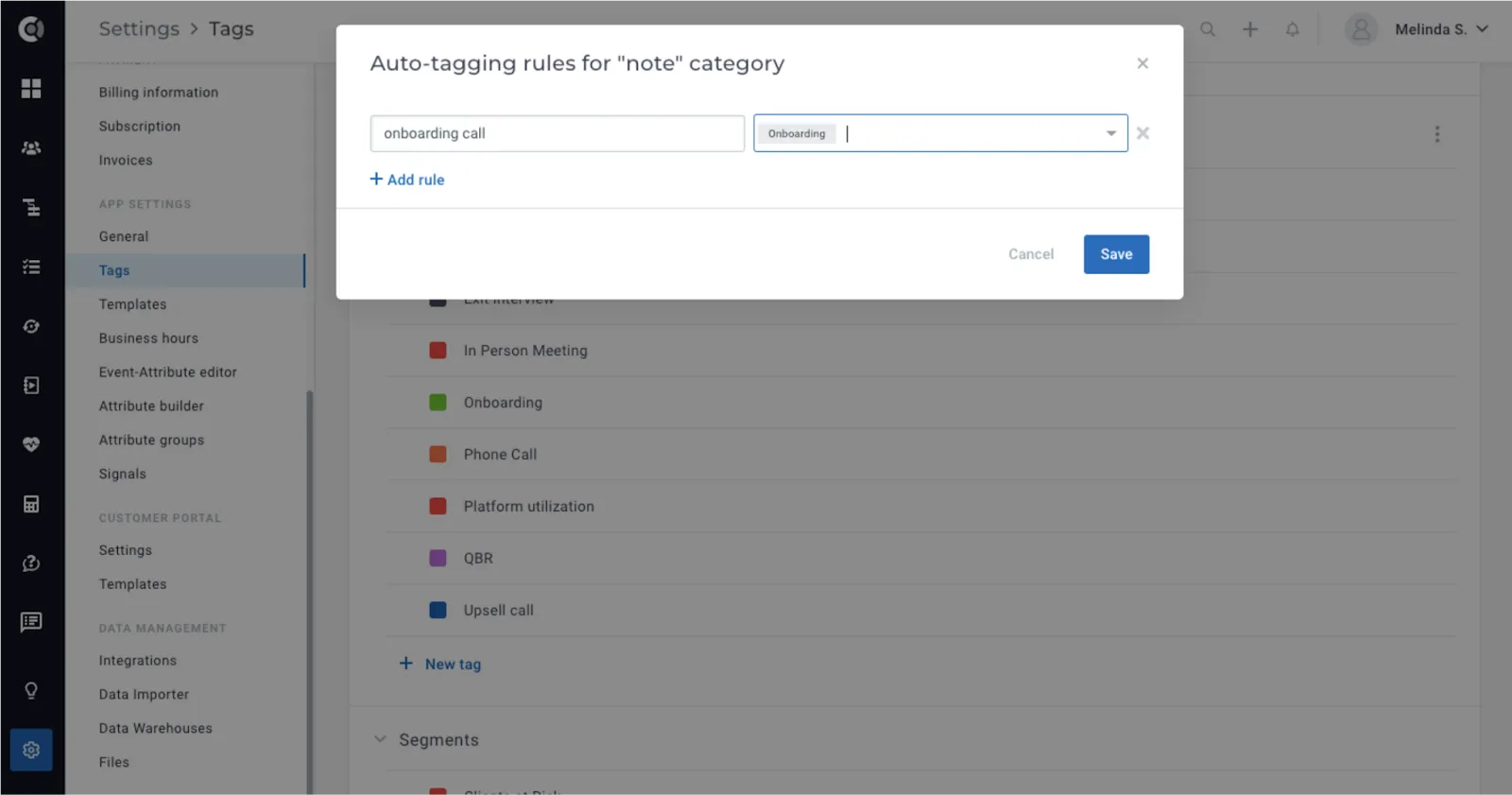
Add new notes, tasks and files and the tag will be automatically applied (it will not be applied retroactively for existing tasks).
Templates
Attachments in Email Templates: Streamlines communication by allowing users to include relevant attachments directly within email templates, reducing the need for manual file handling and improving workflow efficiency.
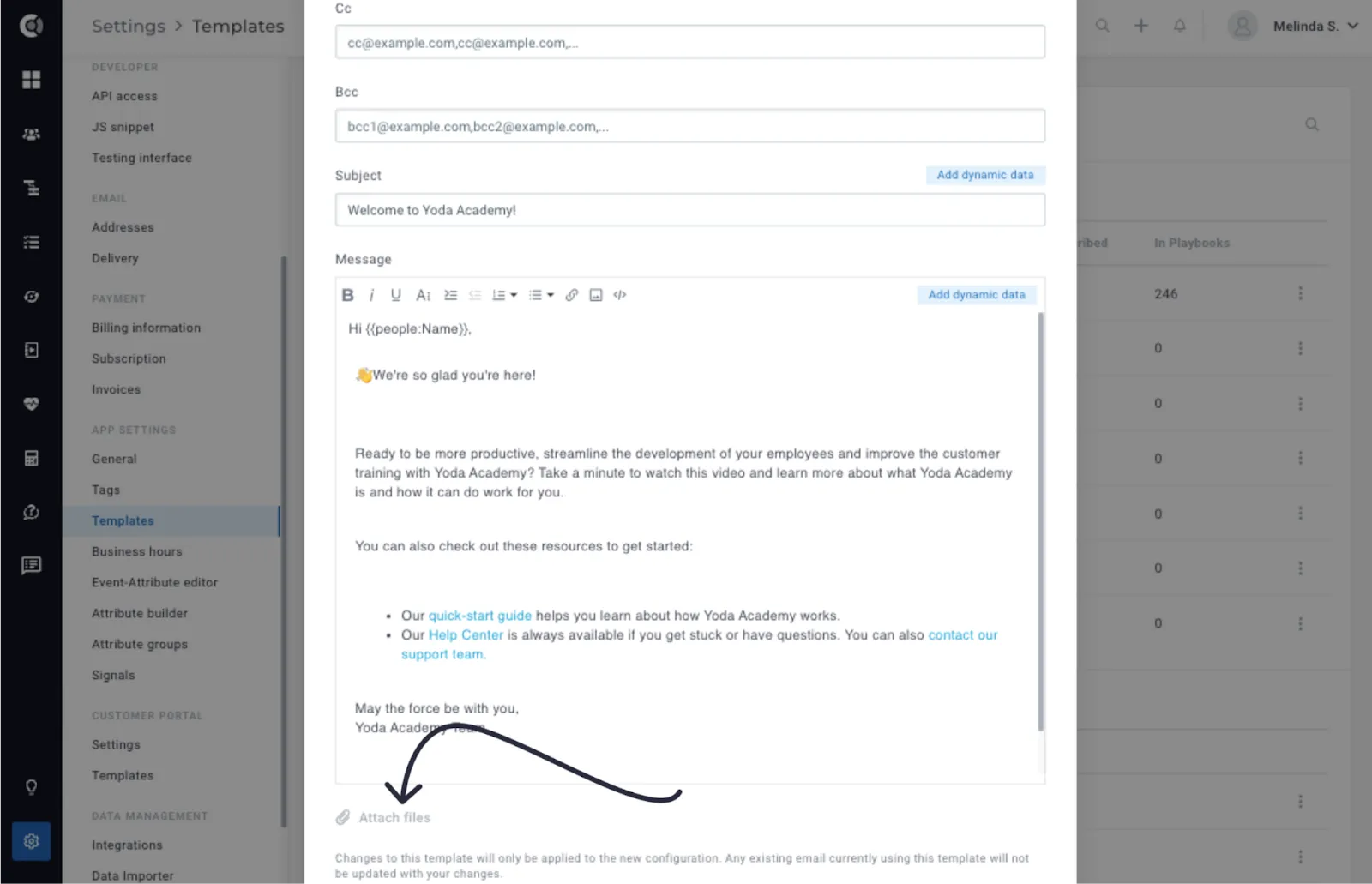
Dynamic Data in Note Templates: Enables users to create more dynamic and informative notes by incorporating real-time data directly into templates, enhancing documentation and communication efficiency.
Settings
Event-Attribute Editor – Event Visibility: This feature allows users to distinguish between background events and active interactions, providing more precise insights into customer engagement and behavior. To implement this functionality, we introduced a new option for Events called Visibility in the Event-Attribute Editor.
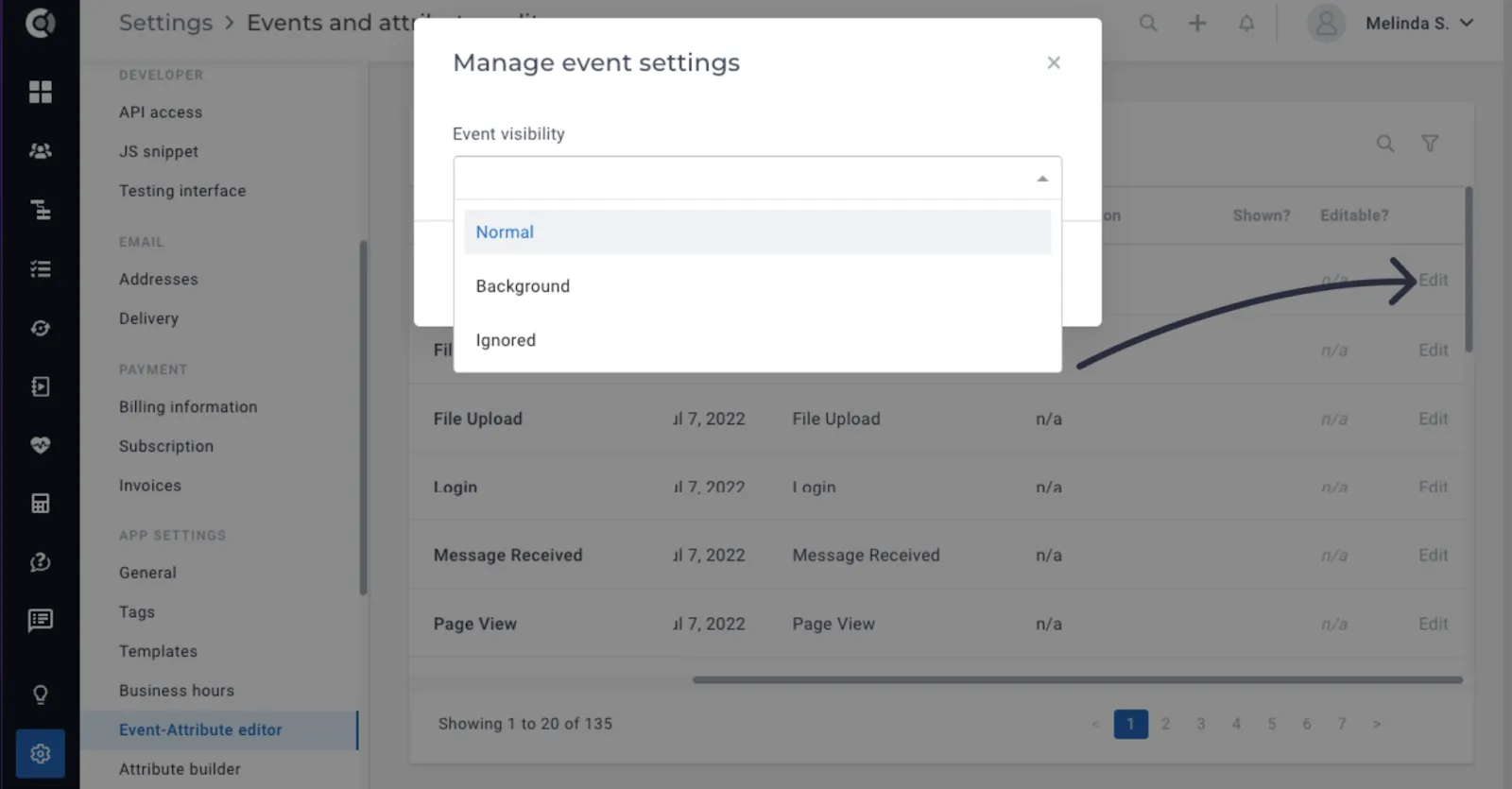
The options for Visibility include:
- Normal (default): The event behaves similarly to existing events. It affects
- Background: The event is stored in Custify and utilized for computations (e.g. segmentation), but it does not impact
- Ignored: The event is entirely disregarded by Custify and is no longer saved.
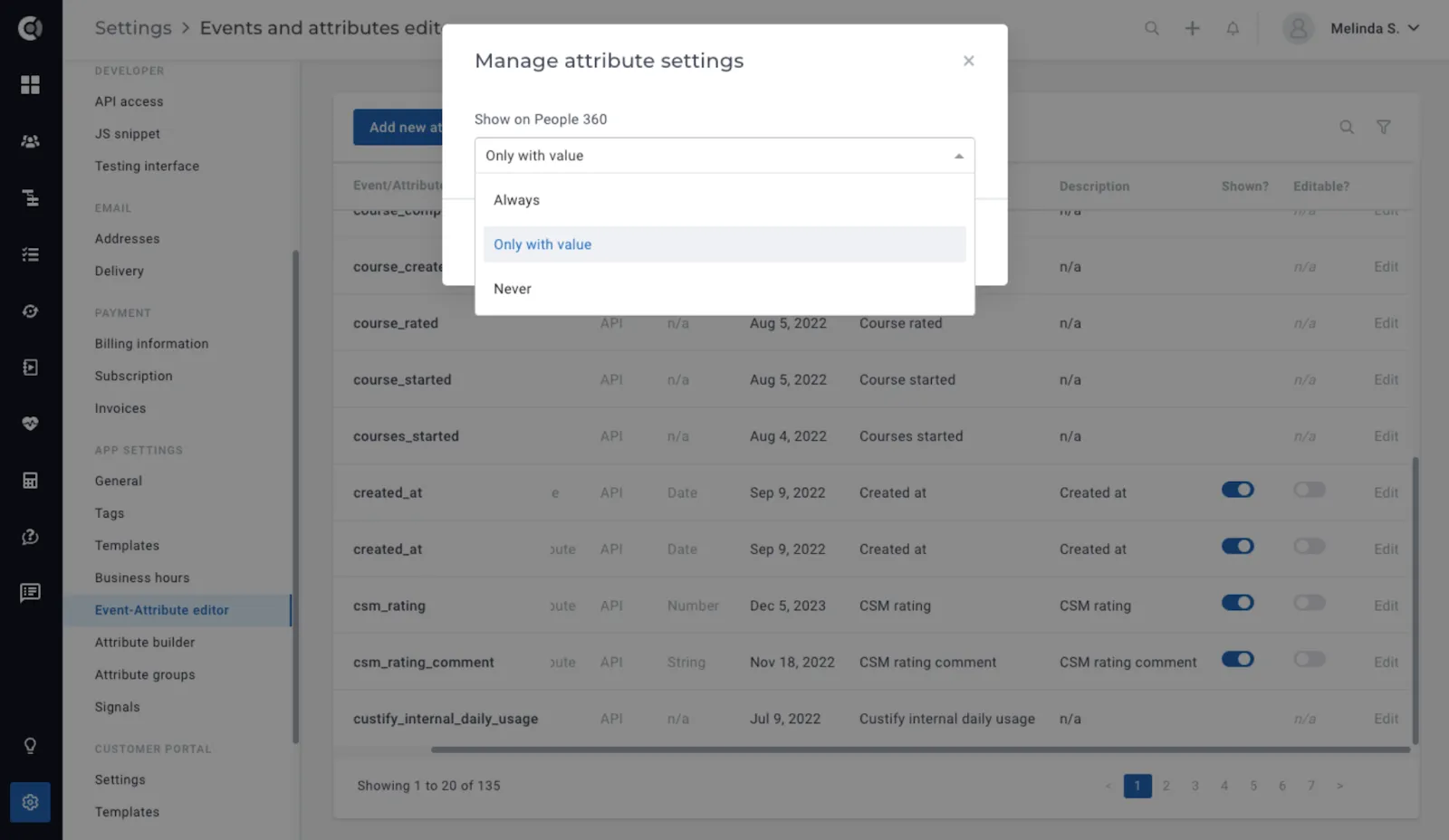
Event-Attribute Editor – Attribute Visibility in Customer 360: This feature enables customization of the customer view, ensuring that relevant attributes are always visible or hidden as desired, thereby enhancing data clarity and usability.
A new Edit button will be accessible for all attributes under Event-Attribute Editor, allowing users to select from three different visibility options:
- Always: The attribute will always be visible on the customer view.
- Only with value (default behaviour): The attribute will be displayed only when it contains a value.
- Never: The attribute will never be shown on the customer view.
General – Start Week on Sunday: Provides flexibility in date selection, accommodating different organizational preferences and improving user experience.
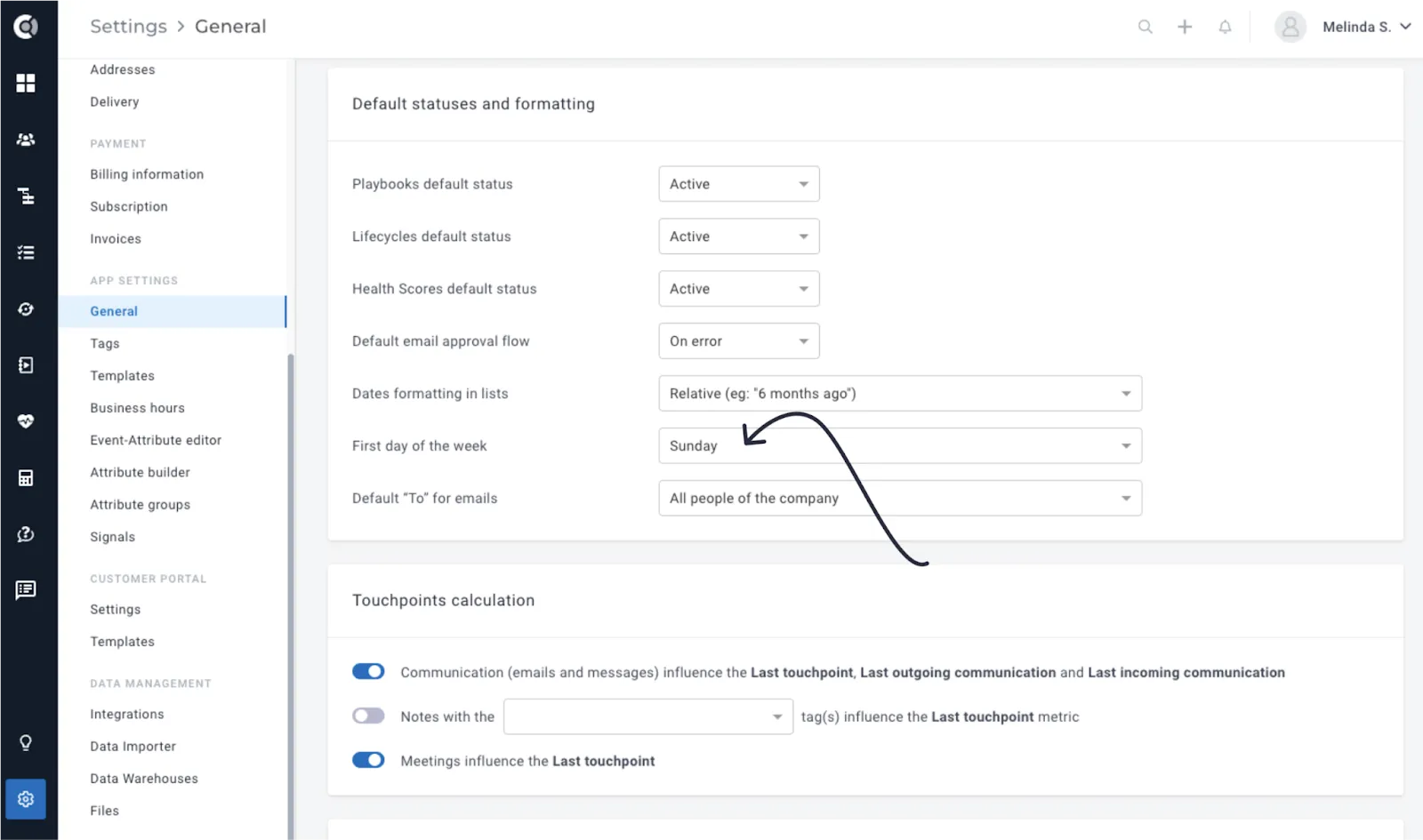
After selection, the change will apply across all calendar pickers.
Notifications
Notify CSM for Pending Email Approvals: When an email or survey is added to the Pending Approval queue, a notification is promptly dispatched within a maximum of 5 minutes from the arrival of the first email or survey. The initial notification is sent to the sender of the email. If the sender of the email or survey is not a Custify user, the system attempts to route the notification to the CSM associated with the recipient’s company.
In cases where additional emails continue to arrive in the Pending Approval queue after the initial notification, subsequent notifications are dispatched every 3 hours from the time of the first email, ensuring ongoing awareness and prompt attention to pending approvals.
This feature enhances task management and ensures accountability by promptly notifying relevant personnel of pending email approvals, facilitating timely action and resolution.
Company Name Added for Tasks Notifications: We’ve enhanced task activity email notifications by including the company name in the email body. This addition enables quicker response and prioritization by providing immediate context and clarity regarding the associated company.
Integrations
Intercom Conversations Linking: For Intercom Conversations, we added the conversation link on the conversation in Custify. This enhances contextual understanding by directly linking conversations to Intercom threads, facilitating seamless collaboration and resolution of customer inquiries. Clicking on the Intercom icon in Custify will redirect them to the conversation page in Intercom.
Salesforce Integration – Import Custom Objects as Custom Data: This feature enables seamless import of Salesforce custom object data into Custify, as custom data. The new import option is available under Settings – Integrations – Salesforce, only if the import of companies from Salesforce is enabled.
Once enabled, a new section called Custom Objects Importing will be available on the right side below the attribute selectors. Here, a list of imported custom object types (if any) along with a Manage Objects link. Clicking on Manage Objects opens a modal containing a table with three columns: “Imported?”, “Object Type”, and “Account ID Field”. Each row represents a type of object, with a checkbox indicating whether it’s imported or not, the custom object type from Salesforce being displayed as text in the second column.
When importing is turned on, a dropdown appears in the third column, allowing users to select the Account ID Field for each object type, which links the object to a Salesforce Account object.
During company import, if custom objects importing is enabled, Custify iterates through the different object types and builds the SOQL URL for each of them. It then imports the objects for that company as well, storing them in Custom Data linked to that company. The data type is set as the custom object type name, and the data ID is set as the ID of the object.
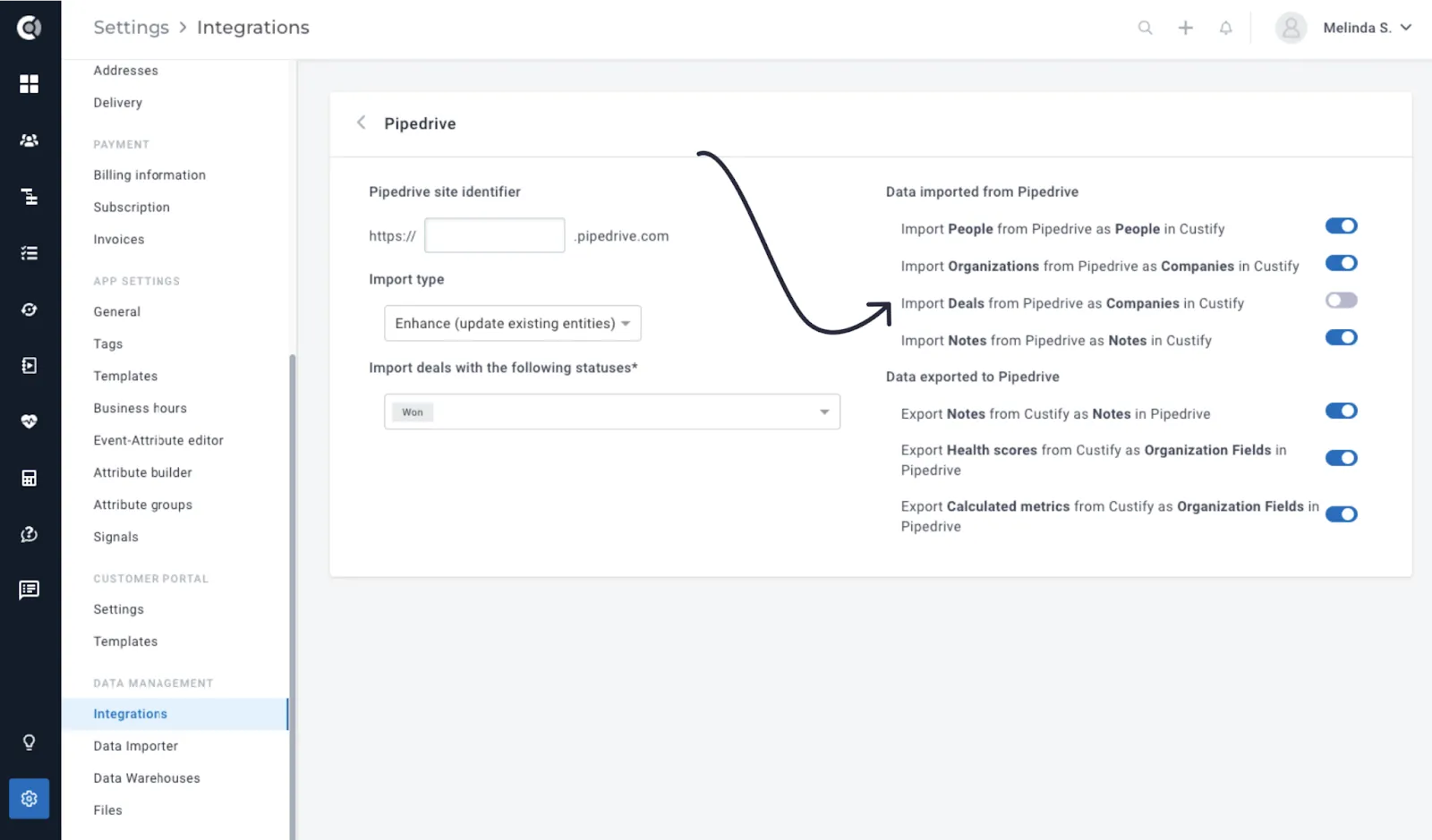
Pipedrive Integration – Deals Import: We’ve introduced the ‘Import Pipedrive Deals as Custify Companies‘ option within the Pipedrive integration. You can now choose to import either Organisations or Deals as Companies in Custify. When both ‘Import Pipedrive Organisations as Companies’ and ‘Import Pipedrive Deals as Companies’ are enabled, we import the Deals as child companies for the corresponding organisations. When only companies are imported and the ‘Deals as Companies’ is turned off, the Deals get imported as Financial Data on the companies.
Import data in Enhance mode from Data Warehouses: Offers enhanced data management capabilities with the option to run warehouses in “enhance” mode, ensuring data accuracy and consistency without creating duplicate entities. This way, the enhance mode would help them only enhance the data for the companies currently in Custify, rather than creating new ones that they don’t want in there.