Product Updates | February 16th, 2023
Insights
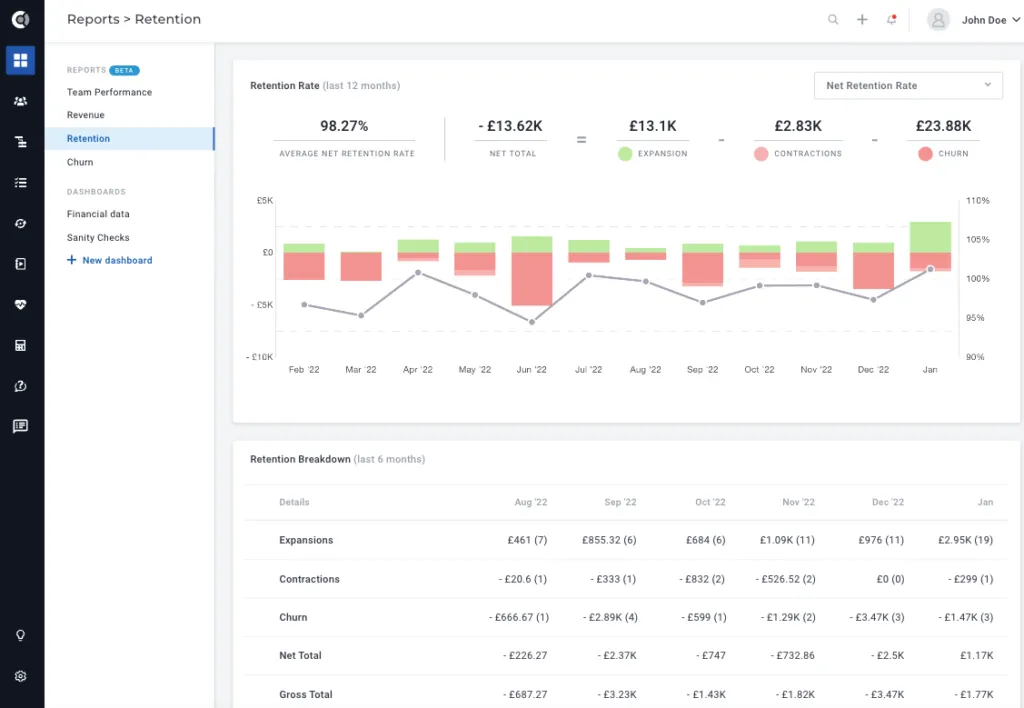
Retention report: New standard report for retention metrics. Net Retention Rate, Gross Retention Rate and the Retention Breakdown can now be easily tracked if you have the right attributes for it. More details about default reports can be found here.
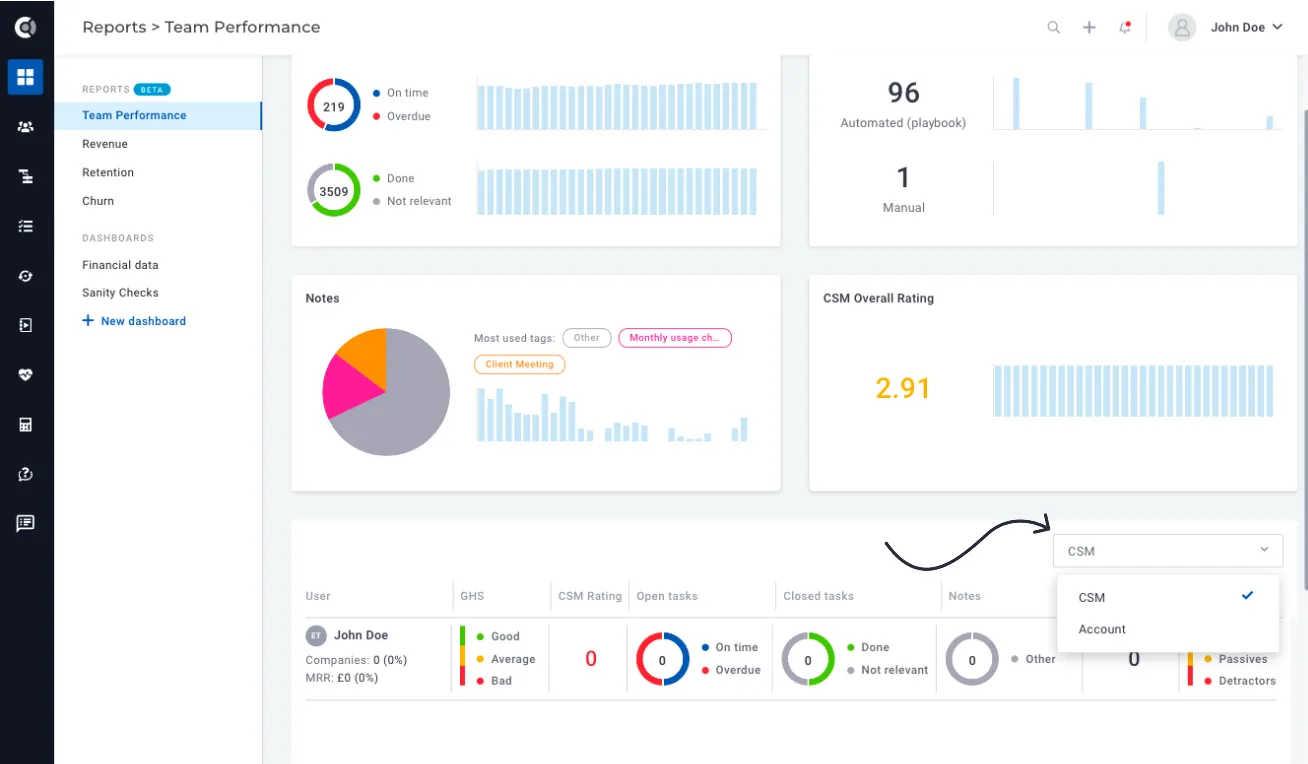
Team Performance report enhancements: Team performance can now be broken down by CSM or Account Manager. When you select the desired category, the chart is recalculated based on the metrics for the companies to which the users are assigned as CSMs/Account Managers.
For example, if a user is assigned 10 companies as CSM and 0 companies as Account Managers, the values 0 will be displayed under the Account Manager filter (0 assigned companies, 0 managed MRR, etc.).
Customer 360
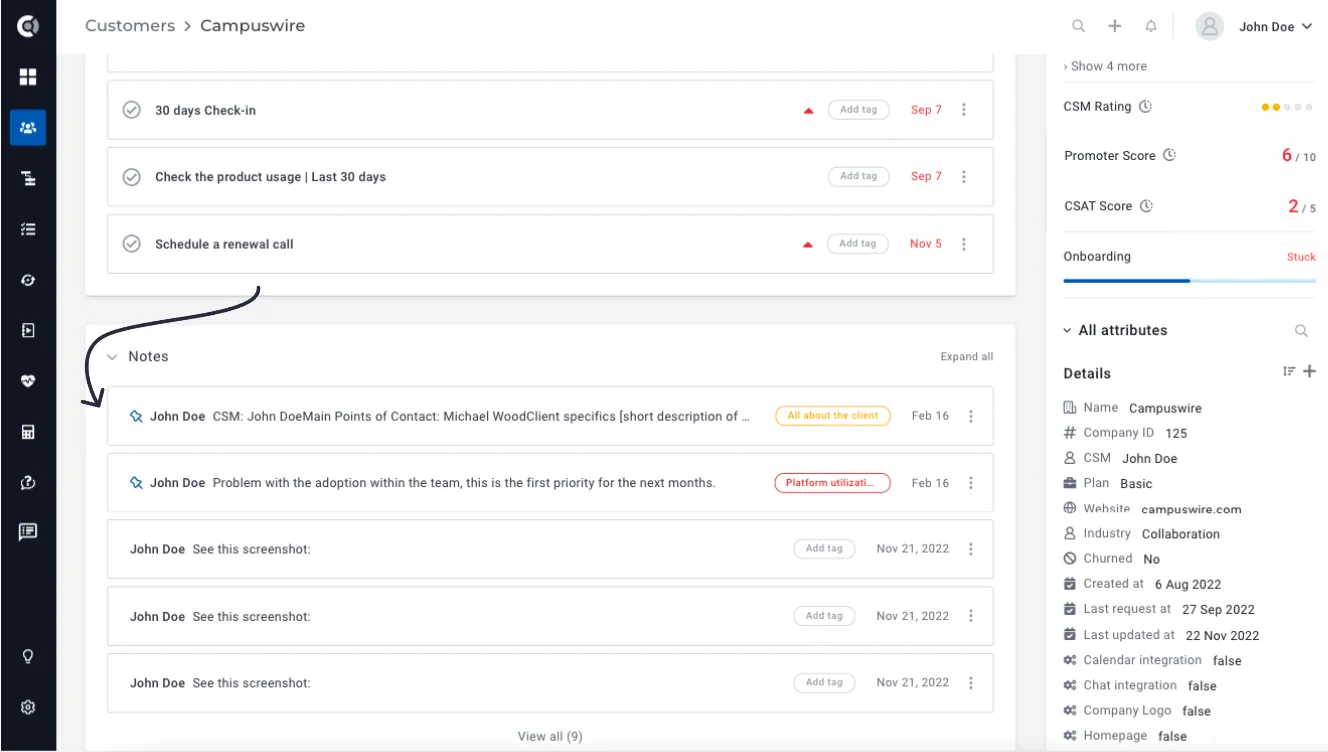
Multiple pinned notes: You can now mark multiple notes as pinned, so you’re no longer limited when it comes to information you want to make more visible.
Search inside Custom Data: Search the Custom Data tab to easily find the information you are looking for. You can search for entries in any column and the list will return only the results that contain corresponding data.
Segments
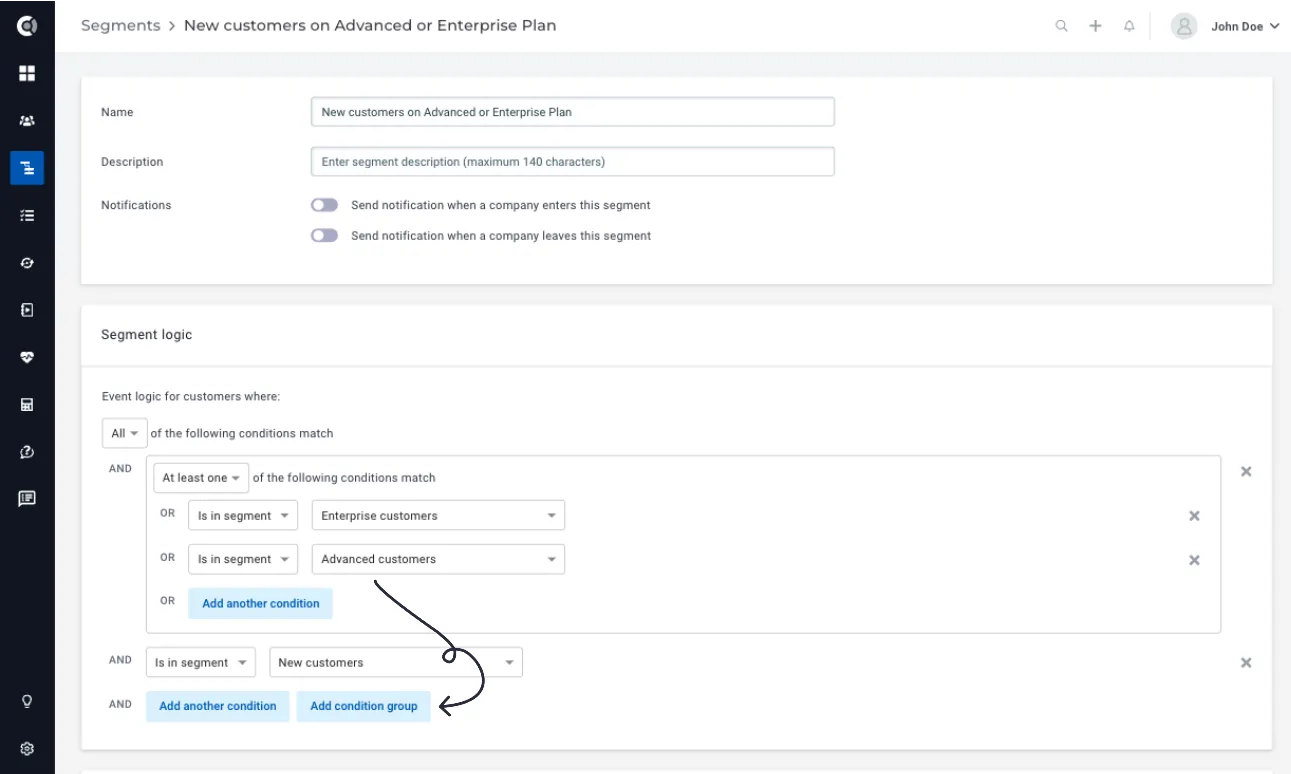
Condition groups: Defining segments based on multiple conditions just got easier. Click Add Condition Group to add new groups of logical conditions and combine AND and OR conditions within the same segment, so you can keep your list of segments short without creating more “helper” segments. The feature is available for both Company and People segments.
Calculated Metrics
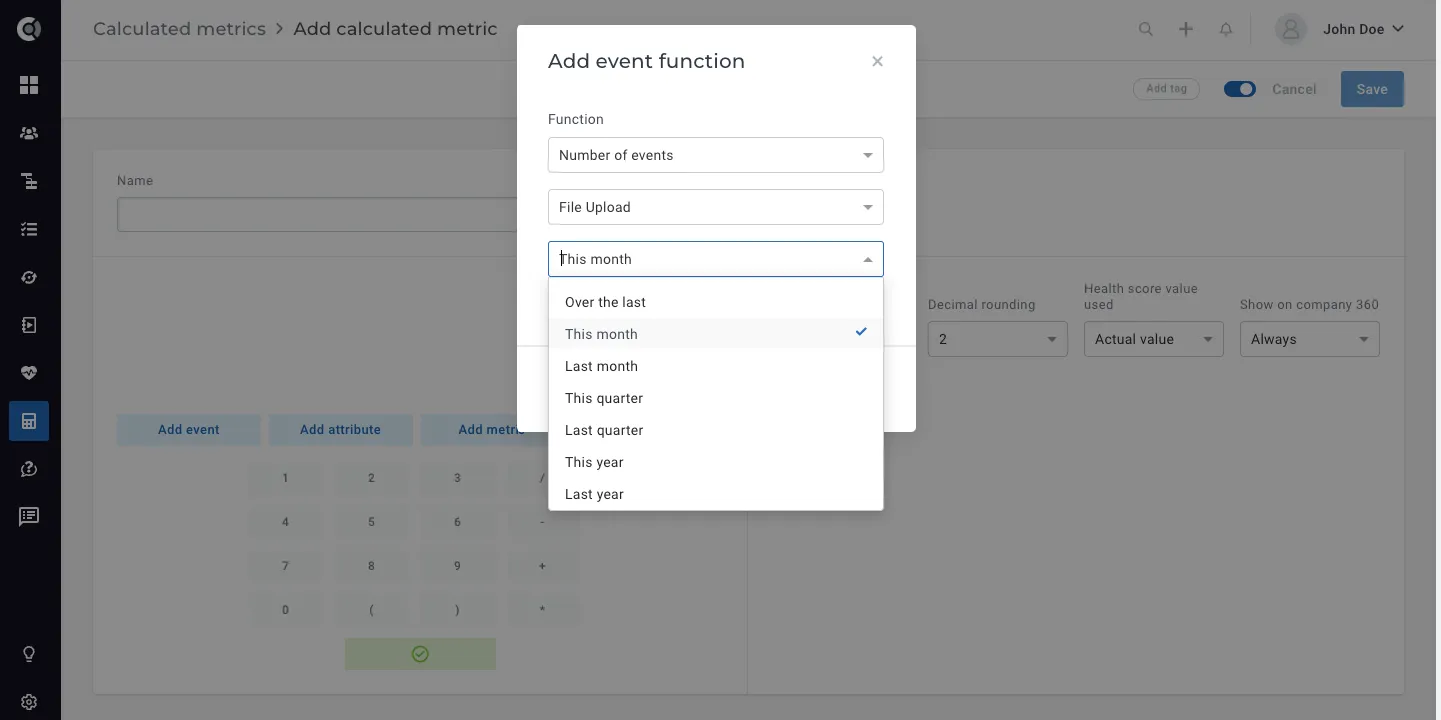
Dynamic calculation intervals: New dynamic calculation intervals for functions that contain time frame constraints. You can now return metrics that calculate the total number of events, aggregations of event attributes, or aggregations of attribute values for a given time frame (not just a rolling window of X days).
E.g. return the number of file uploads in the last month, because I need to know the value of this metric at the end of the month and not in the last 30 days.
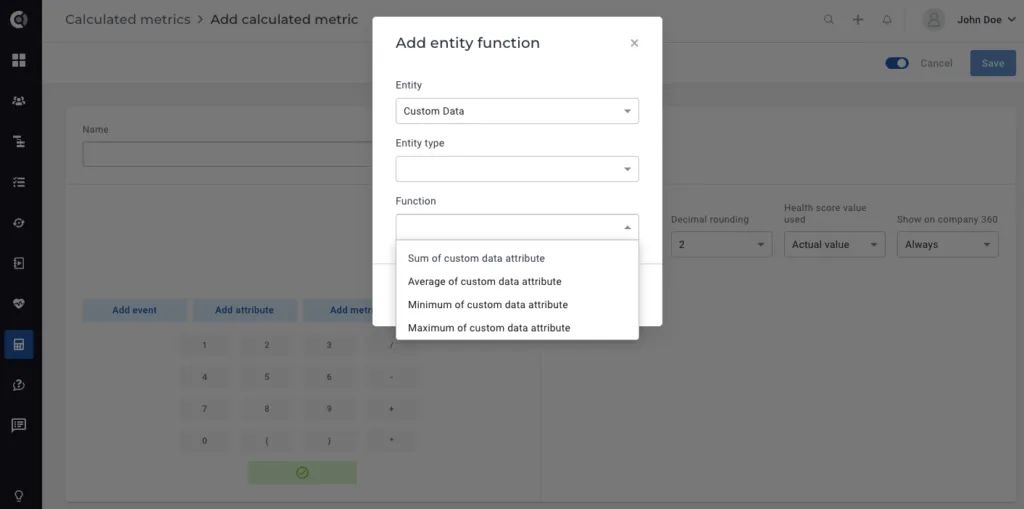
Custom data functions: Custom Data attributes can now be accessed under the Add Entity option in calculated metrics, so you can build metrics from Custom Data values.
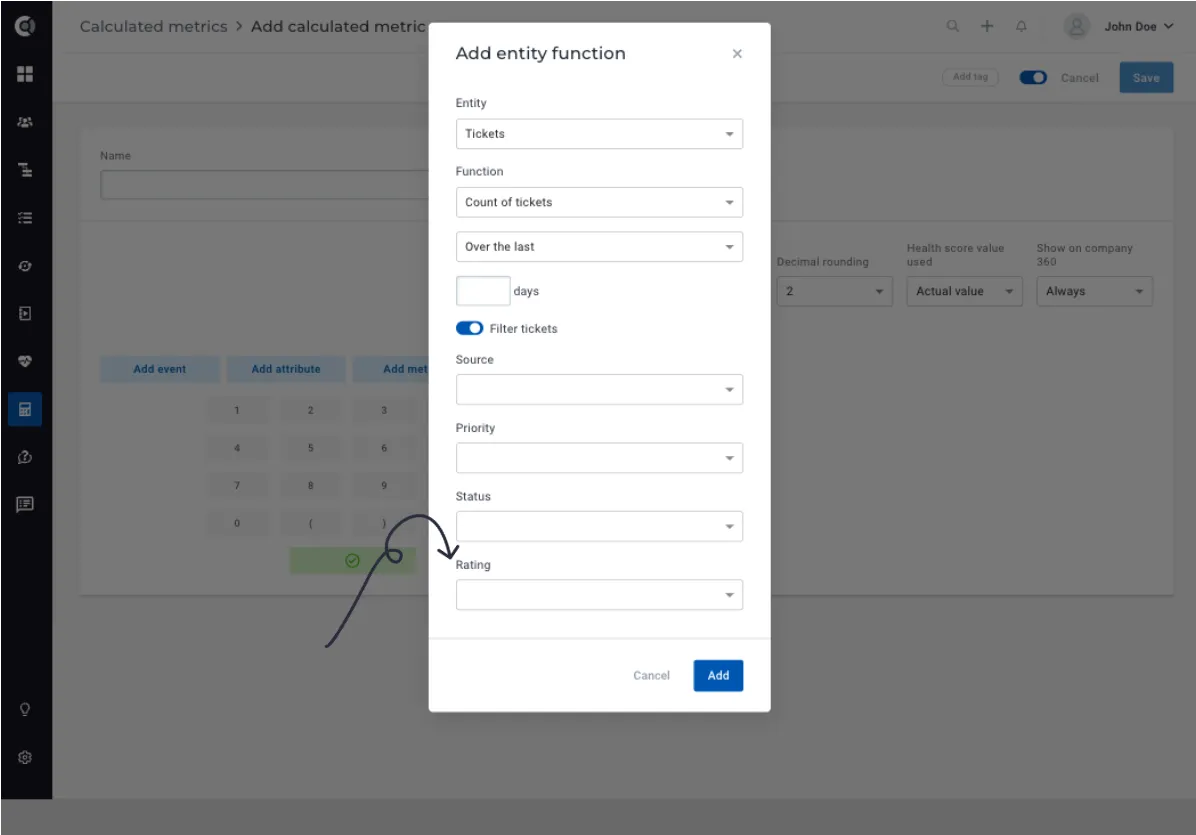
Filtering tickets by Zendesk CSAT rating: Count tickets based on Zendesk CSAT scores and convert them into health metrics. CSAT scores are automatically imported for all Zendesk tickets you assign in Custify (no re-import required), and you can access them through Calculated Metrics.
Lifecycles
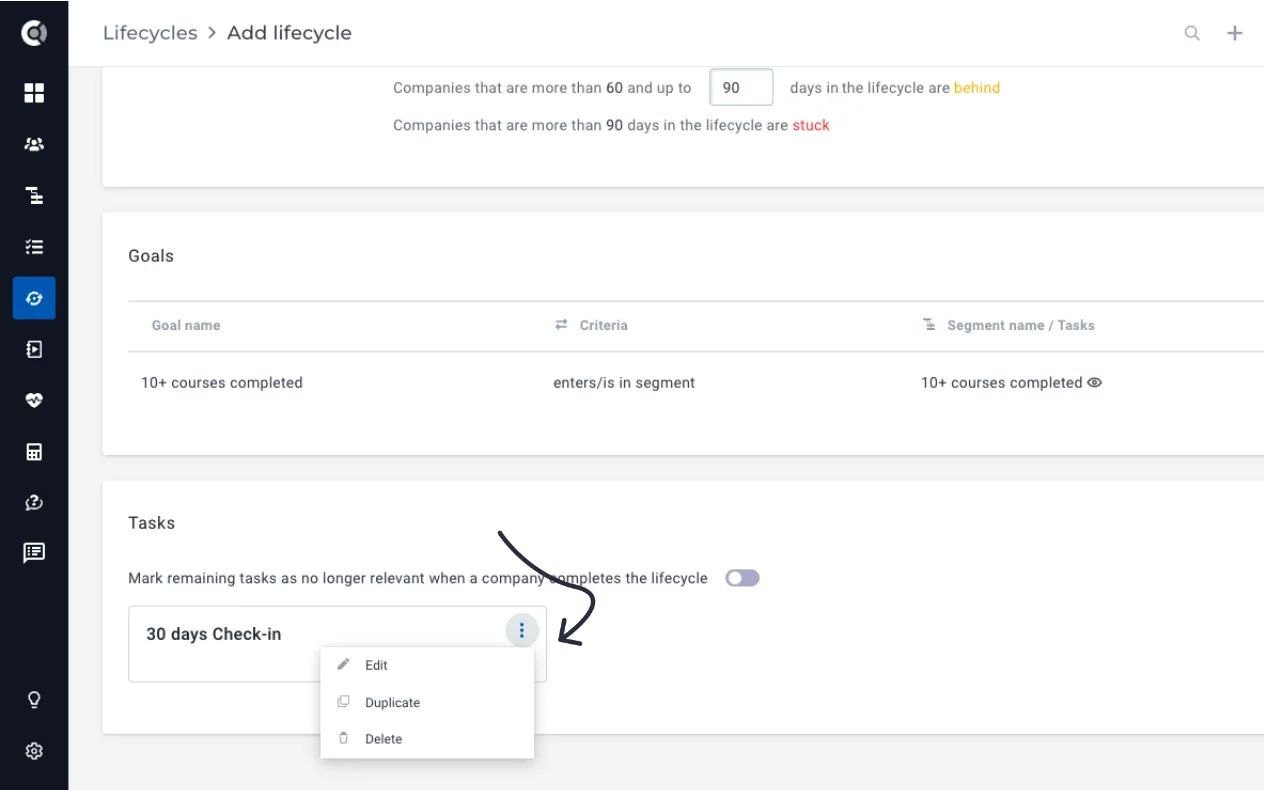
Option to Duplicate tasks: When defining/editing a lifecycle, you can duplicate the tasks you create in it. If you have recurring tasks where only the due date differs, you can save time in defining them.
Playbooks
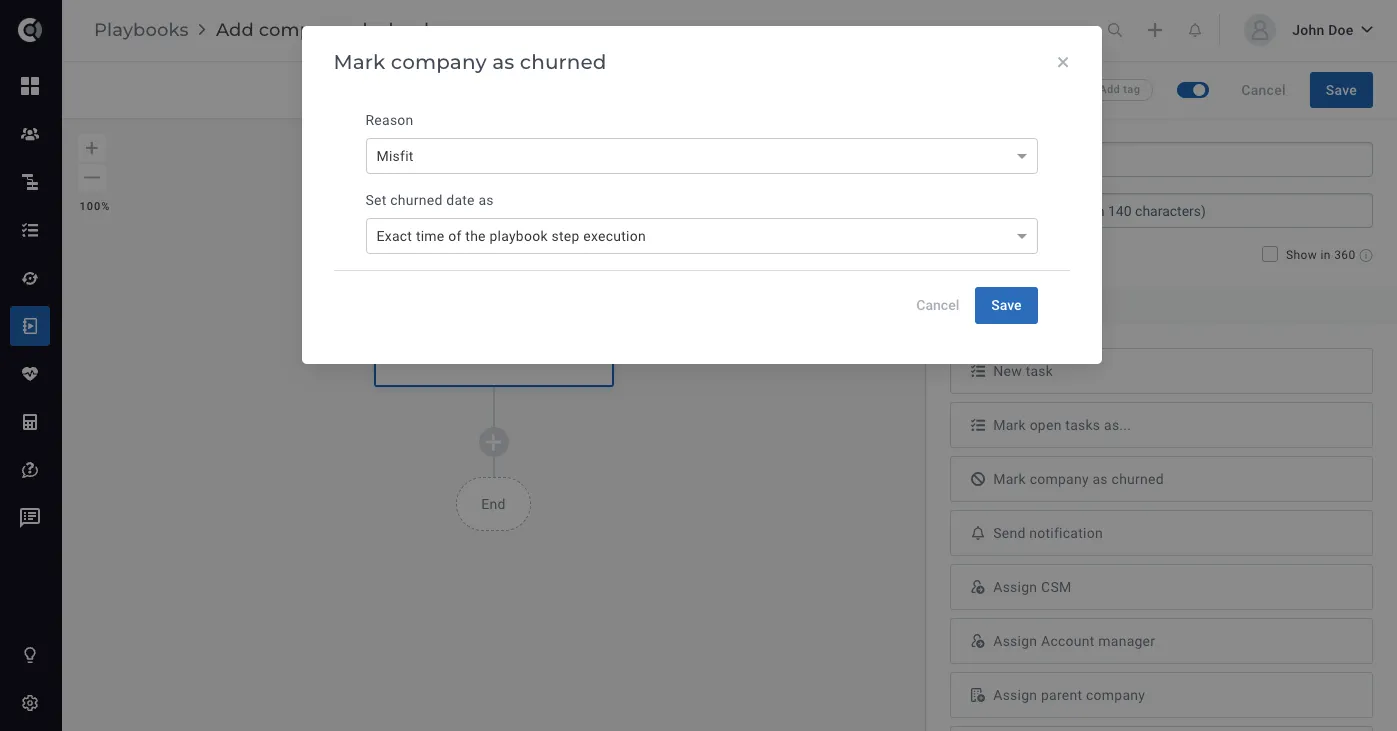
New Playbook step – Mark as churned: Similar to the Mark as churned action from the Company 360 Dashboard, this playbook step will help you automatically mark companies as churned in bulk. The Churned default attribute will be switched to True, Churned at date will be dynamically populated (Exact time of the playbook step execution or Time relative to the playbook step execution time), and the Churn Reason will receive the value that you select (to populate different churn reasons, define different playbooks/playbook branches). This action is only available under company playbooks.
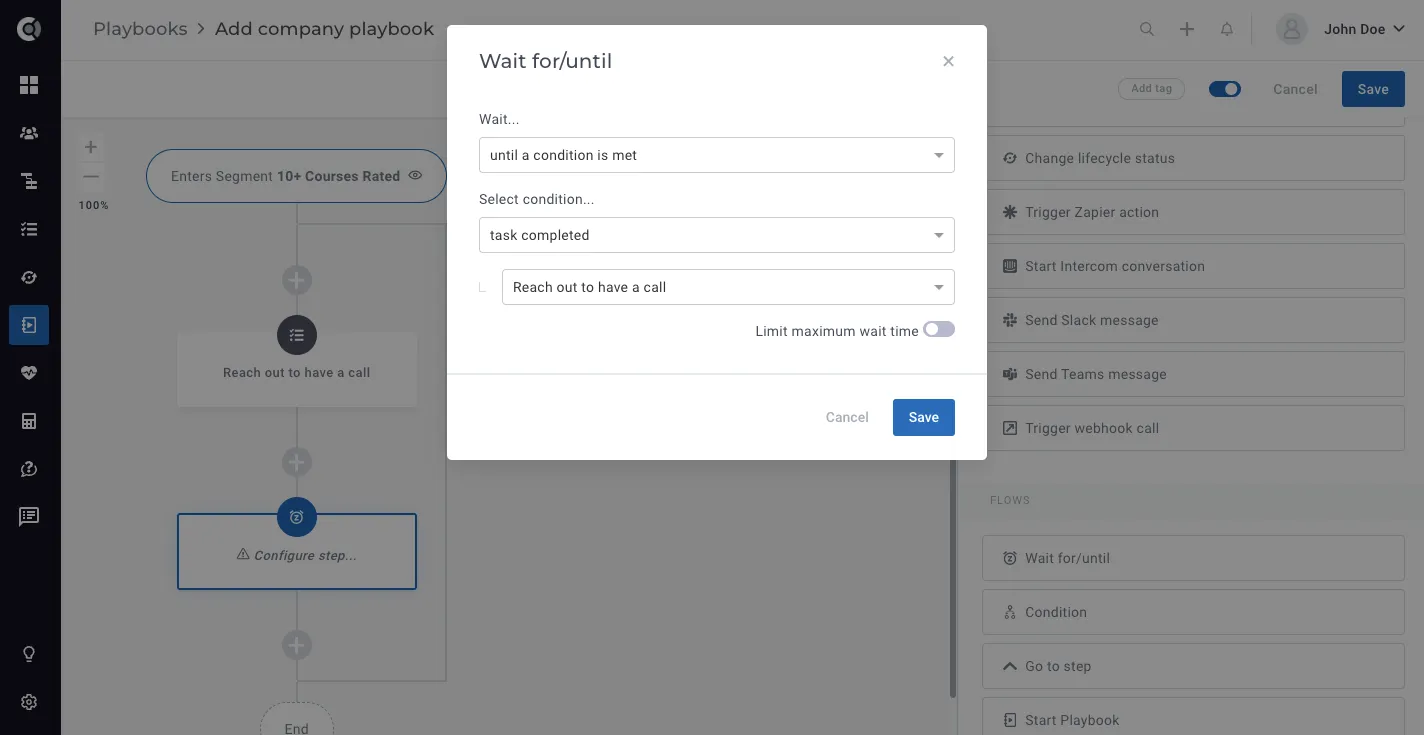
New flow – Wait for task(s) to be completed: This new waiting step inside playbooks allows you to add a condition for the playbook flow to wait until a task created through the same playbook is marked as completed. If the playbook creates multiple tasks, the sequence can contain multiple waiting conditions based on those tasks. This waiting flow is available for both company and people playbooks.
General features
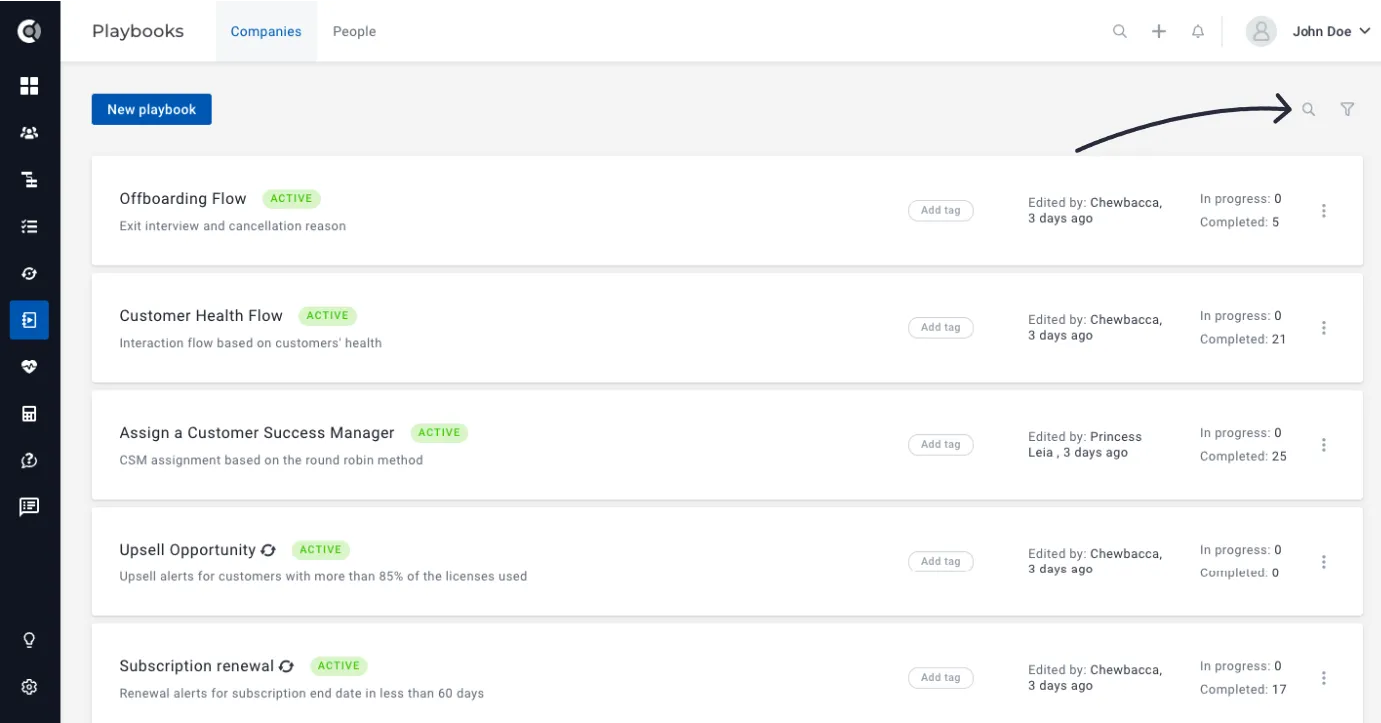
Search in list pages: New search box for the list pages – lifecycles, playbooks, health scores, calculated metrics, surveys.
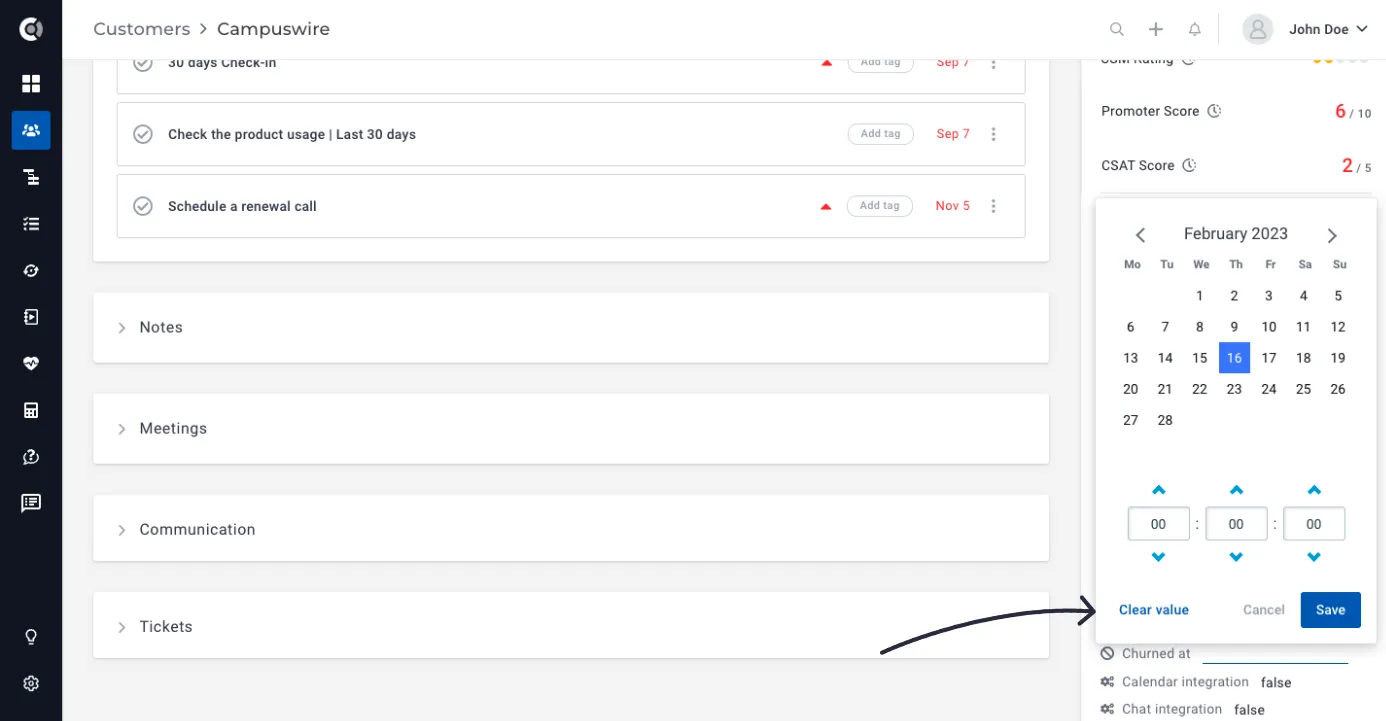
Unsetting date attributes: The entry of a manual date attribute can now be unset and the attribute value can be deleted either in the Customer 360 Profile or in the customer list view. After the attribute value is deleted, it disappears from the list of attributes for that company/person.
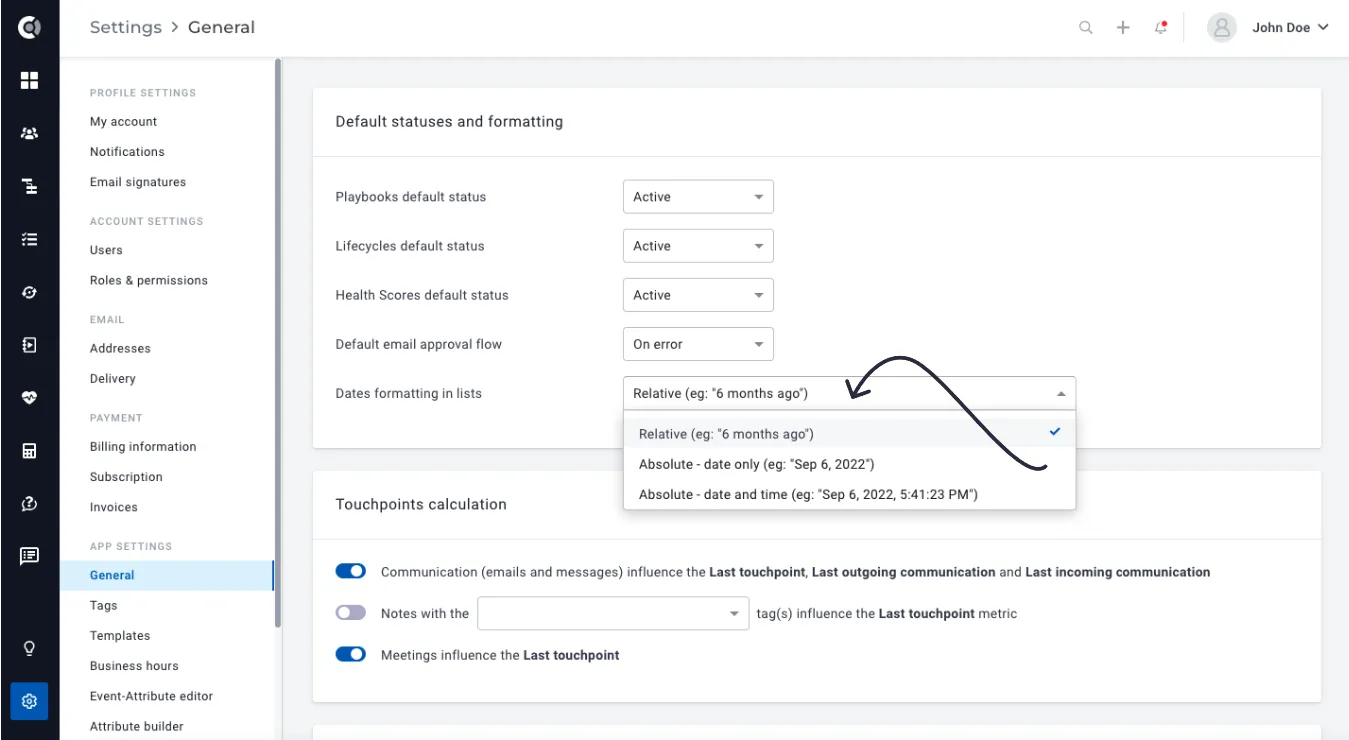
Ability to select the desired date format: New setting under General Settings that lets you choose how the date attribute is displayed in the lists.
Integrations
Hubspot – Allow importing of both companies and deals as companies: When you set up the Hubspot integration in Custify, you can now choose to import simultaneously both companies and deals as companies into Custify. This setting is available for both full import and enhanced import. Deals will be imported as companies and assigned to the corresponding company account in a parent-child relationship.
If you choose to import only Hubspot companies, the deals are automatically imported as financial deals and assigned in the Company 360 profile, Financial Data.
Intercom – Import conversation tags: Chats from Intercom are imported under Communications in Custify. With the new enhancement, conversation’s tags will also be displayed in Custify, and you can also filter Communications in Touchpoints based on them.
Zendesk – Allow mapping tickets to multiple companies: If a person is assigned to multiple companies, the tickets created by that person will now be imported to all the companies they belong to. If the match is based on the company domain, the tickets will be linked to all the companies that match the domain.
Freshdesk – Import custom ticket statuses: In addition to Freshdesk’s default ticket statuses, you may have created custom statuses. With this new version, the attributes that show the number of tickets with these statuses are also displayed in Custify.
Note: To benefit from these integration enhancements, you must initiate a full import. If you have any questions, please contact your CSM.
And of course, more bug fixes, performance improvements and quality of life updates.