Product Updates | January 12th, 2023
Insights
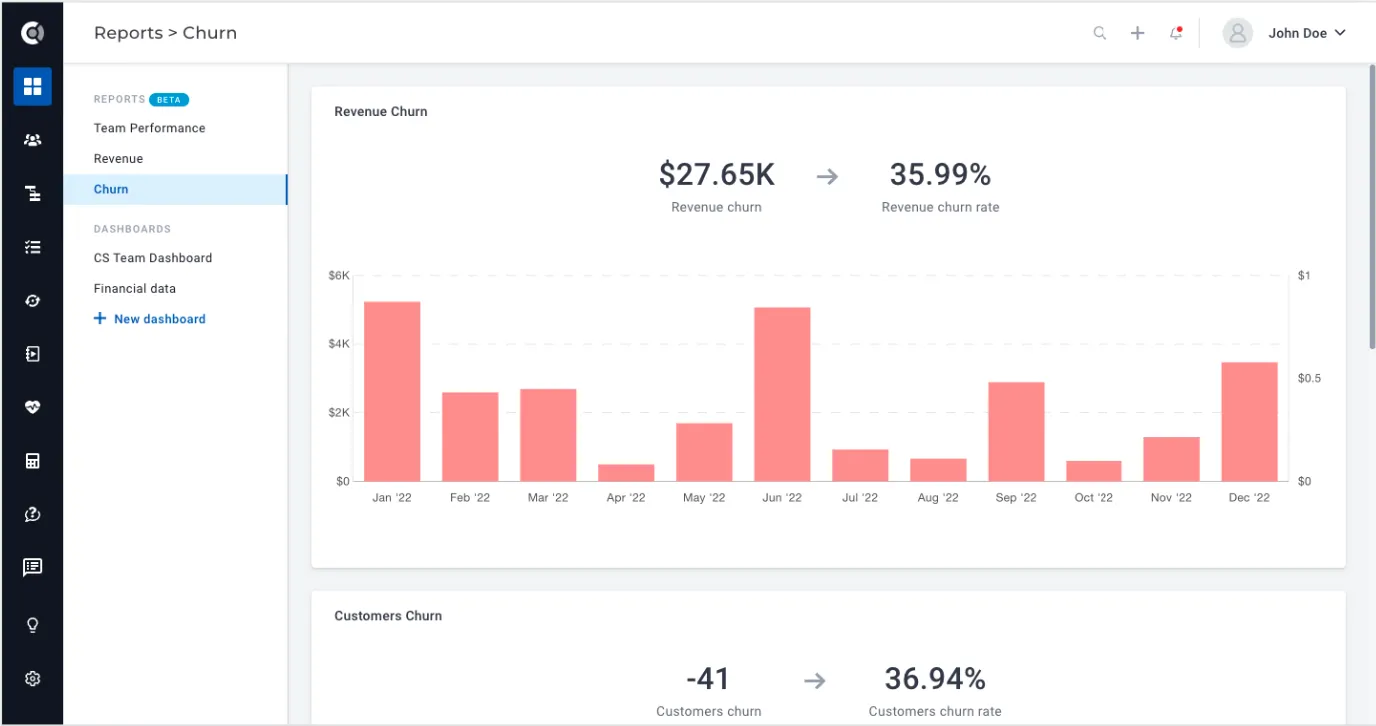
Churn report: New standard report for churn metrics. Revenue churn, revenue churn rate, customer churn and customer churn rate as well as the detailed list of churned customers per month and the top churn reasons graph can now be easily accessed. More details on report calculation can be found here.
Surveys
In-app surveys: A new survey sending method is now available: In-App Surveys. The surveys you create in the corresponding section (NPS and CSAT surveys) can now be pushed directly through your app interface, making them more visible to users.
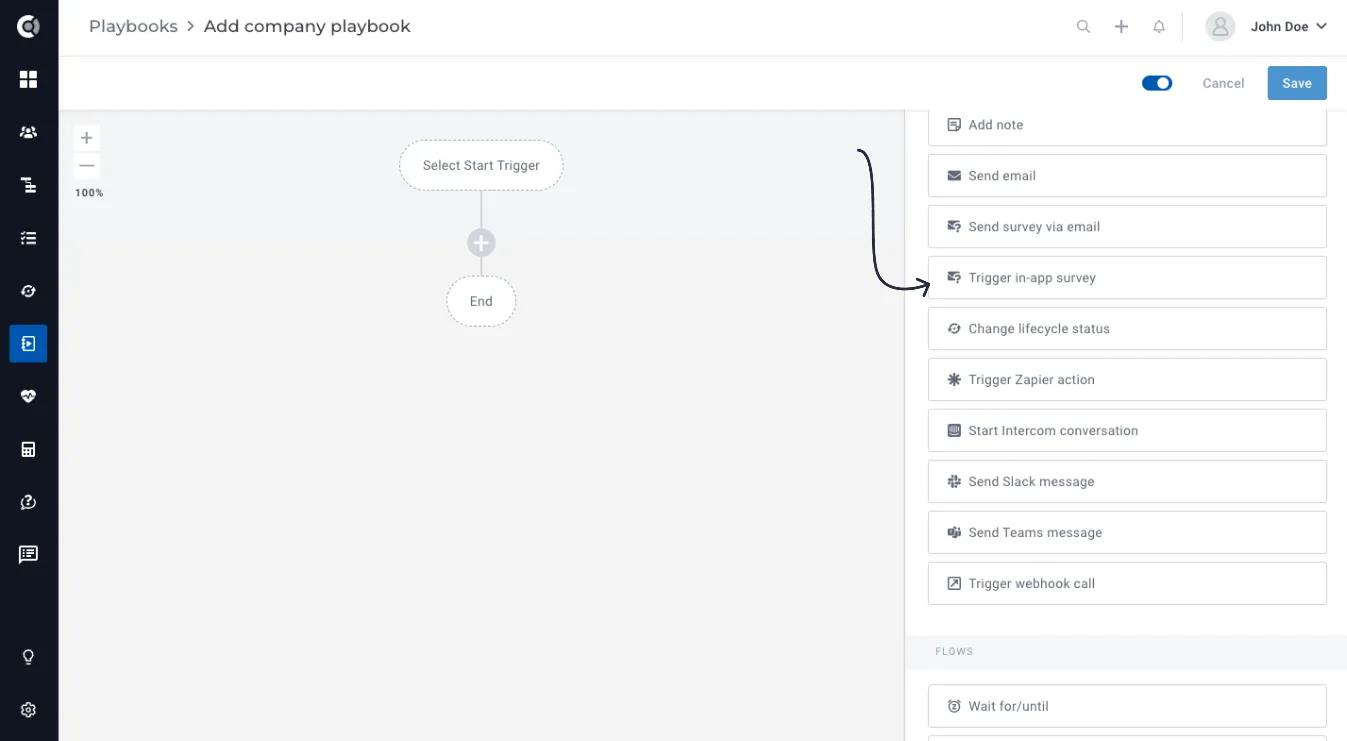
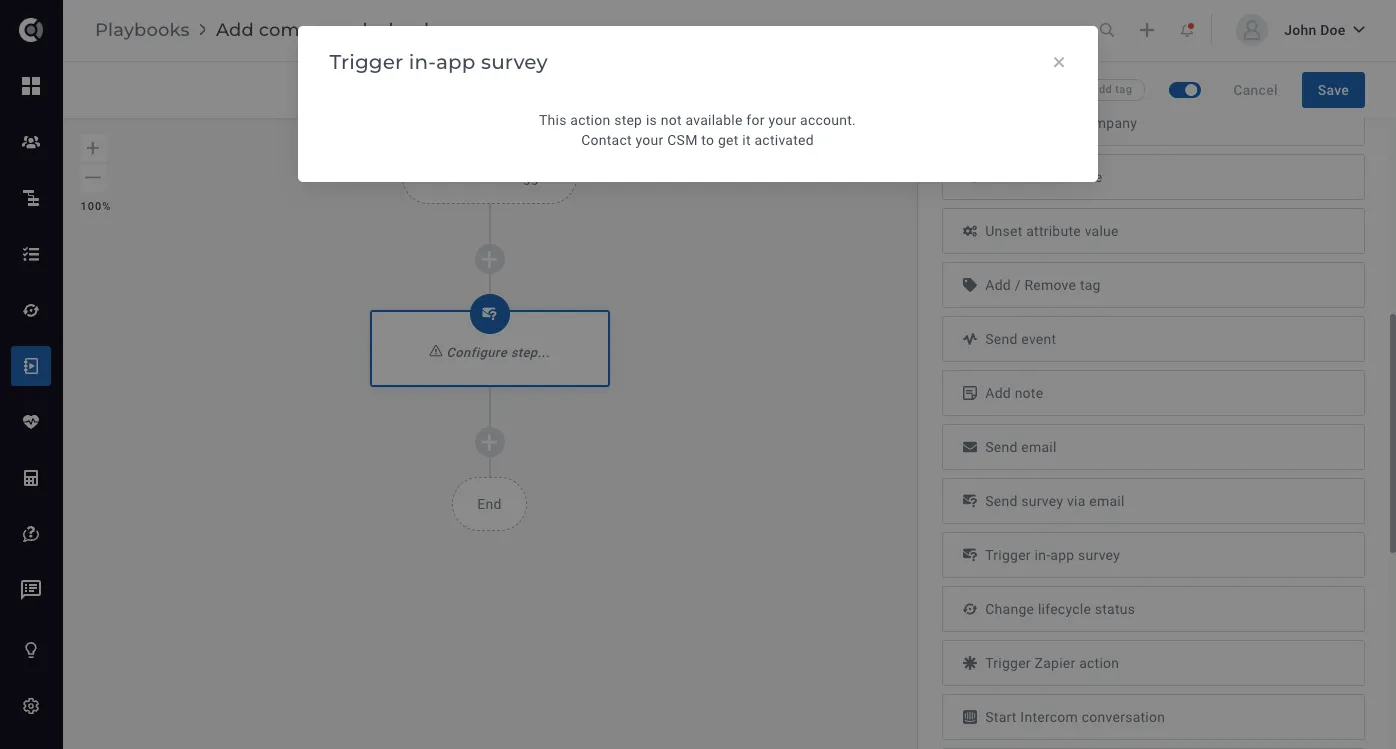
In-app surveys are triggered via a playbook step that is only actionable once we have enabled sending in-app surveys for your account.
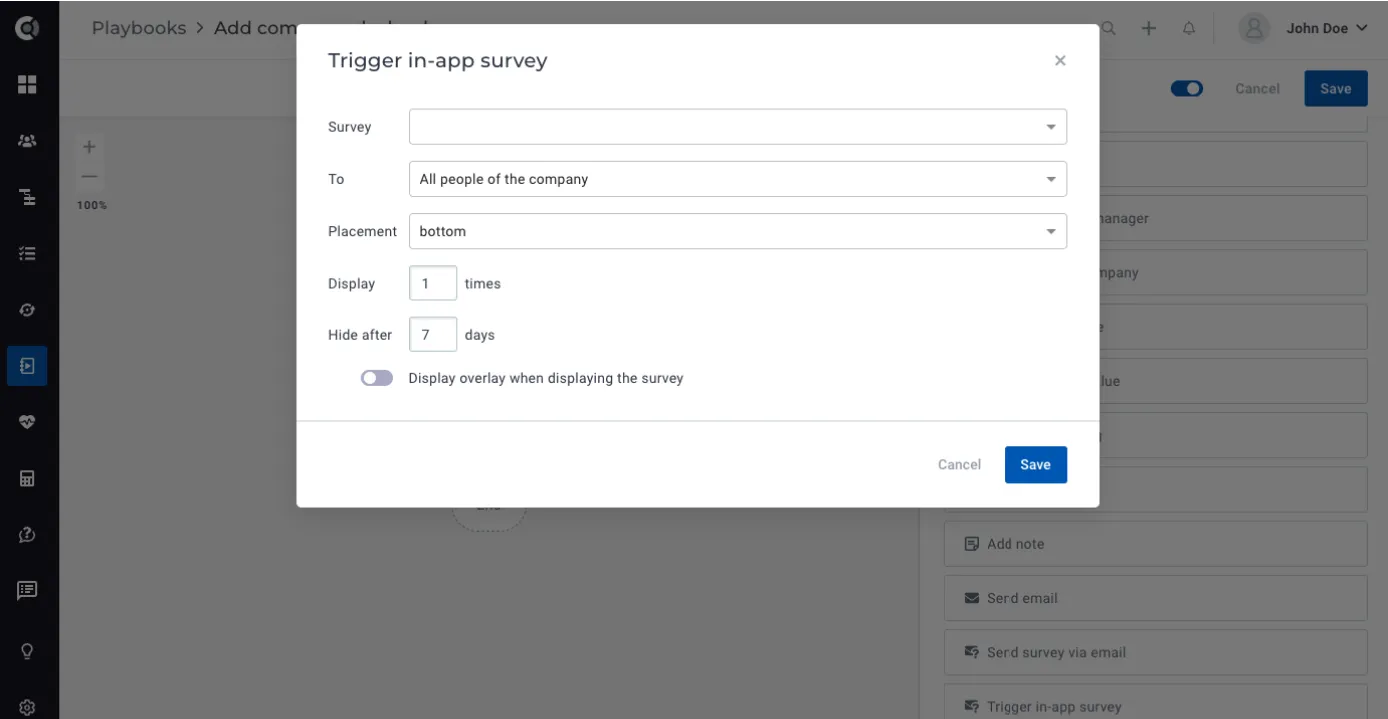
Once the in-app survey sending is enabled for your account, the survey setup section will be available in the playbook step.
If you are interested in using in-app surveys, please contact your CSM to help you with more details.
Customer 360
Meetings: New section for meetings imported from Gmail. You can now get a complete overview of customer touchpoints by simply going to the Customer 360 profile.
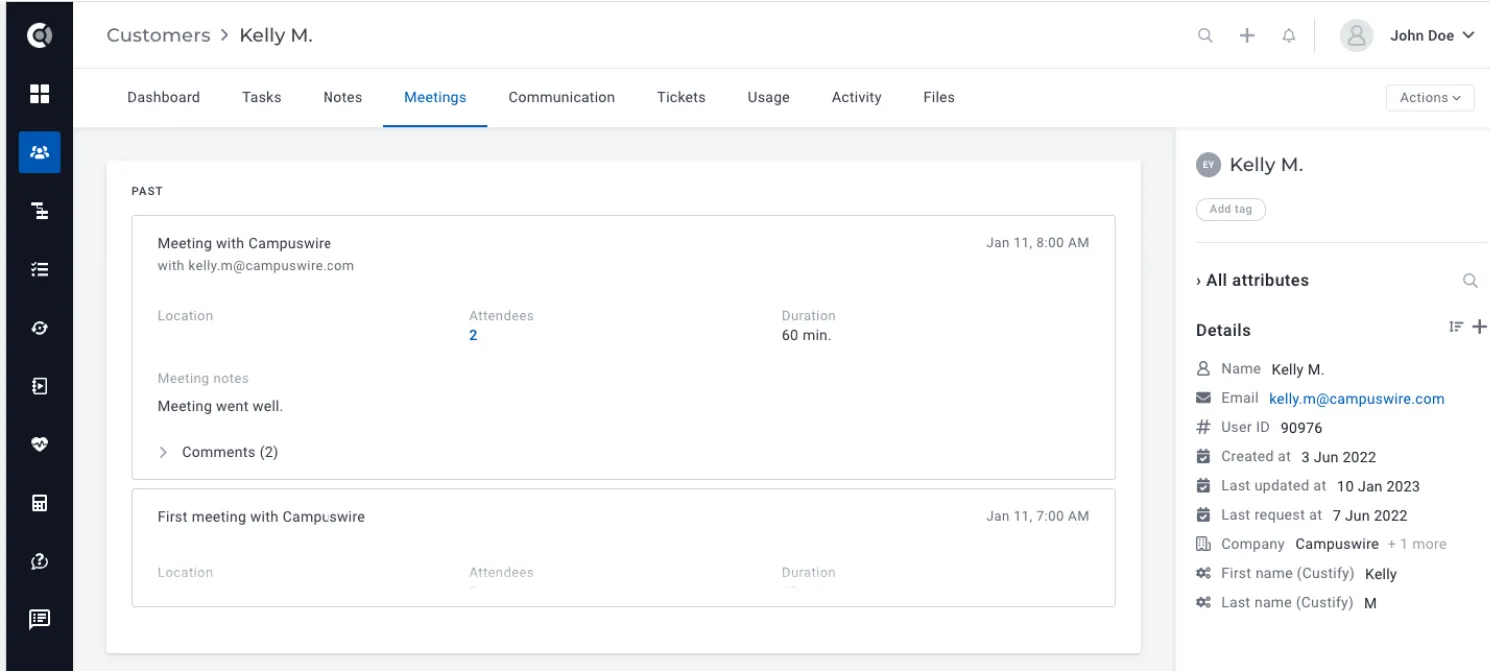
Observation: The logic for importing meetings is similar to email mapping – meetings are mapped based on email address/company domain. To import meetings, you just need to be connected to Gmail or reconnect your mailbox if you are already connected.
Meetings by default impact the last touchpoint date metric, but this option can be disabled. They can also be reviewed in the Touchpoints section.
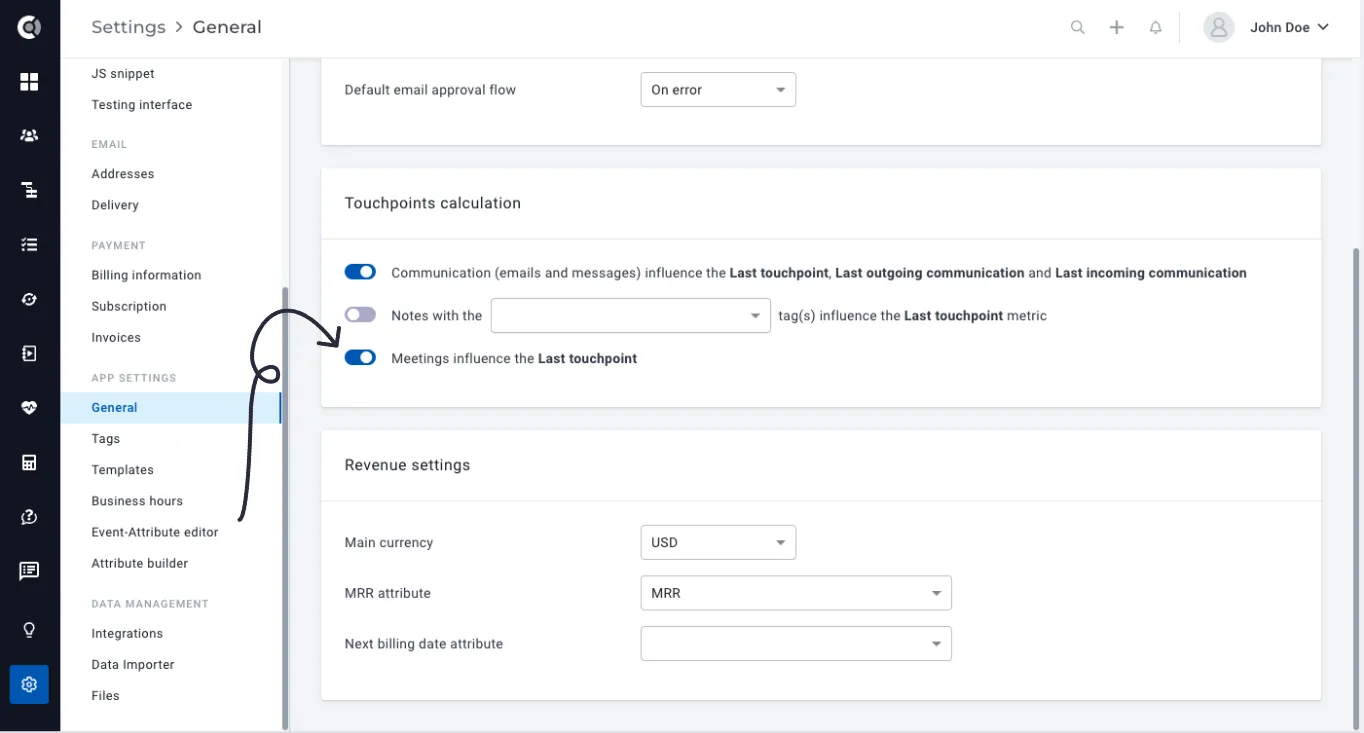
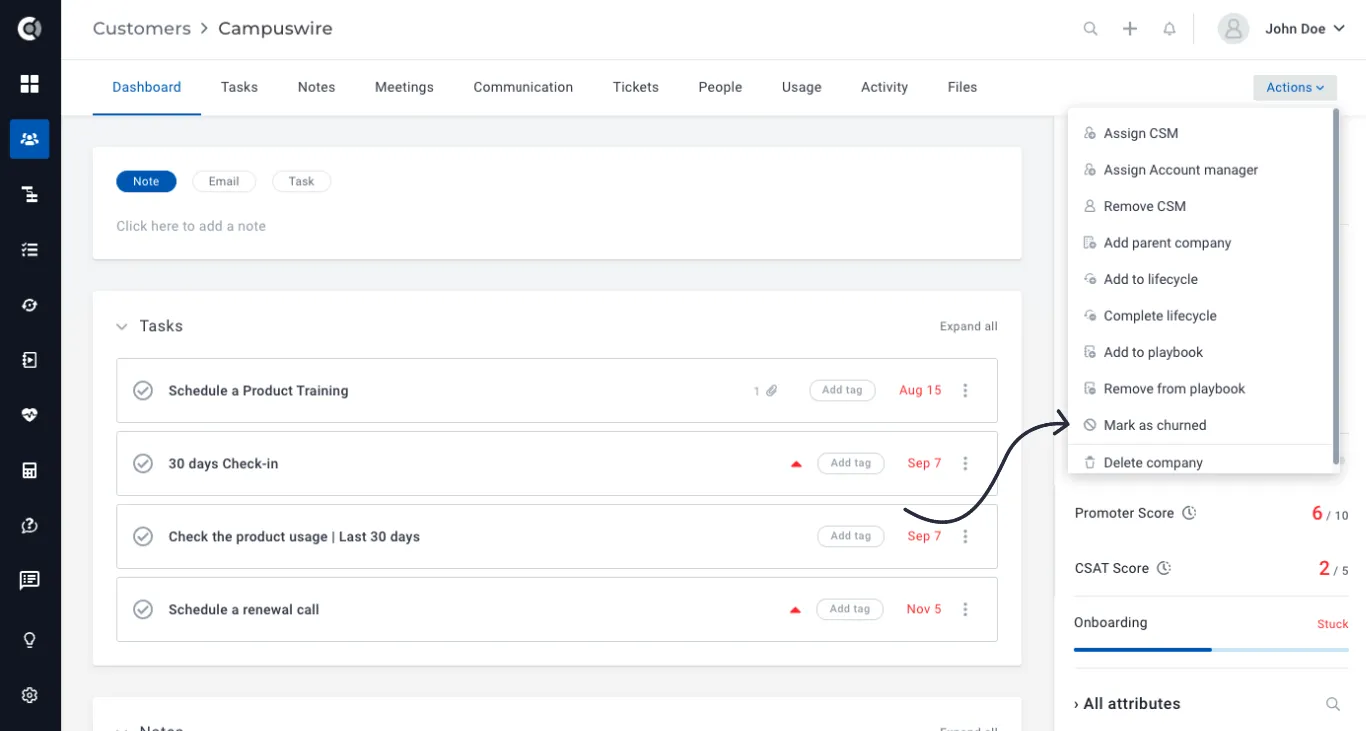
Mark company as churned: New action that allows you to mark a company as churned without any other additional steps.
Once you mark a company as churned, the default churned attribute will become true, and other two new default attributes will also be populated: churn reason and churned at.
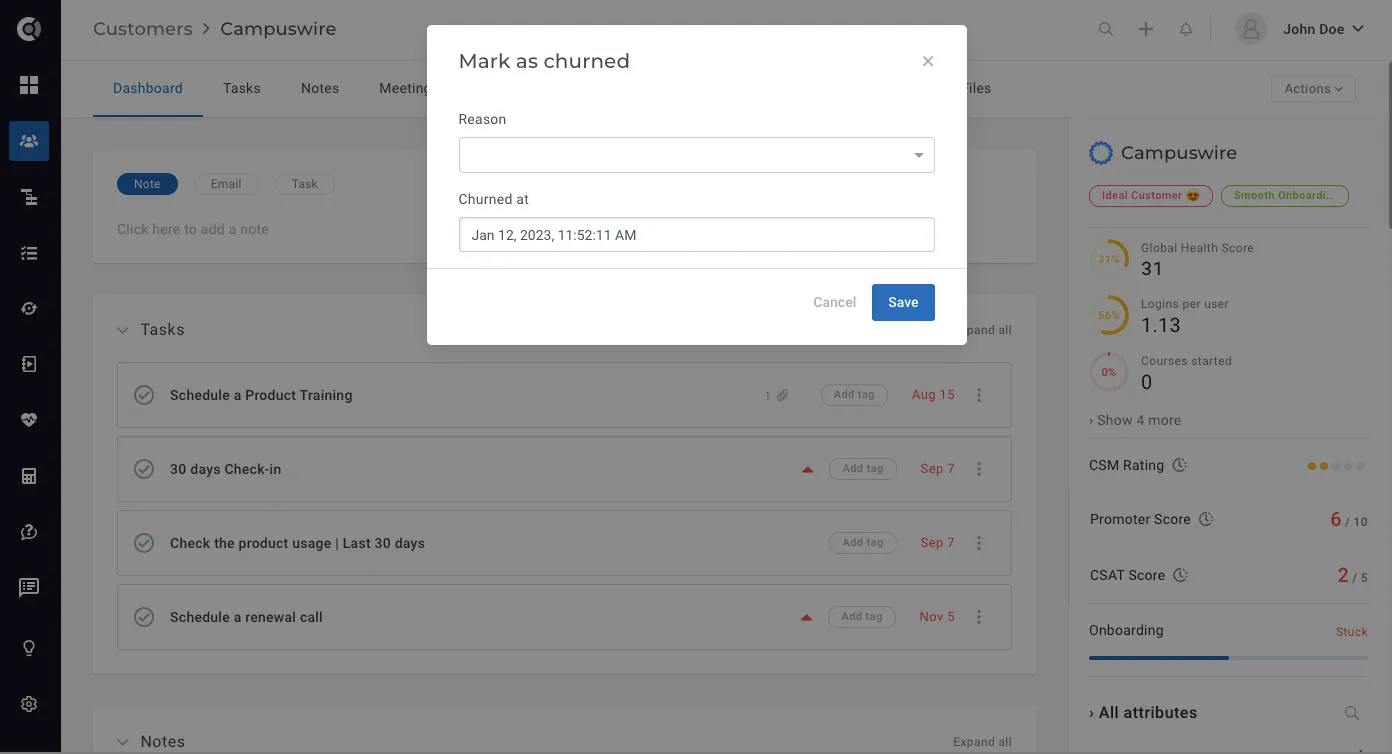
The churn reason is a default drop-down attribute that can be edited in Settings – Event-Attribute Editor (so you can add/change/remove the default churn reasons).

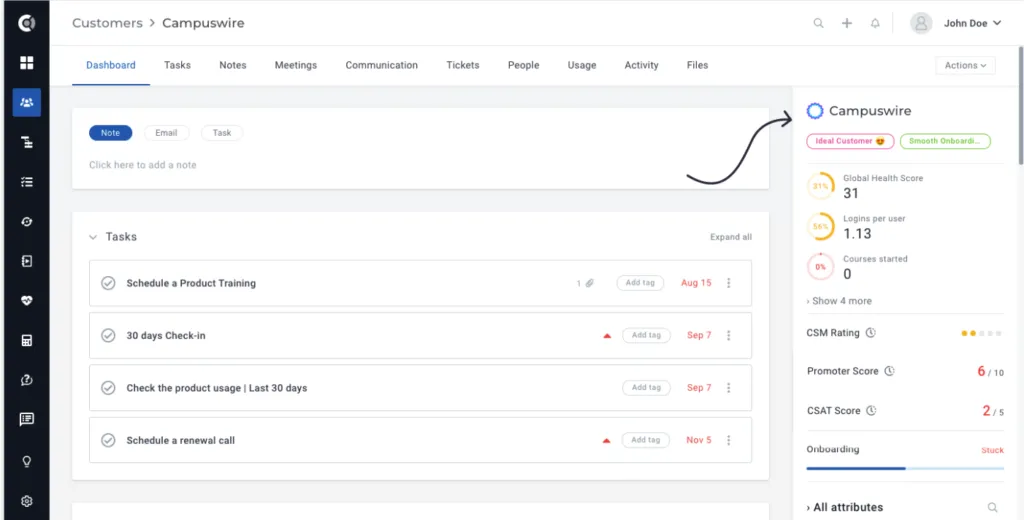
Company/people sidebar design: New user interface for the company/people profile so that the logos and tags are more visible.
Customer List View
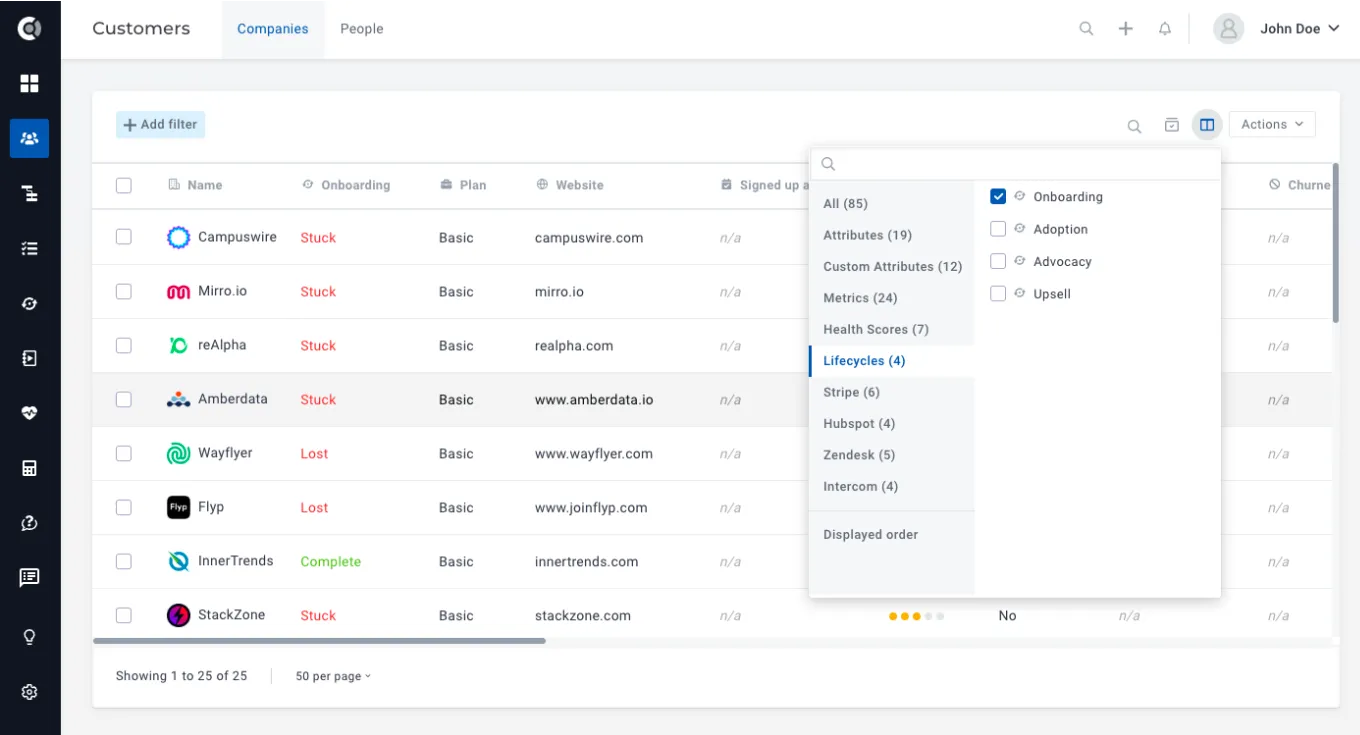
Lifecycle stages: Lifecycle stages can now be displayed in the customer list view, so you can have a deeper understanding of your customers’ details with everything in one place. Add the lifecycle column to the list view and you will be able to see for each customer in which stage he is (On Track, Behind, Stuck, Complete). They can also be exported to .csv or .xlsx files.
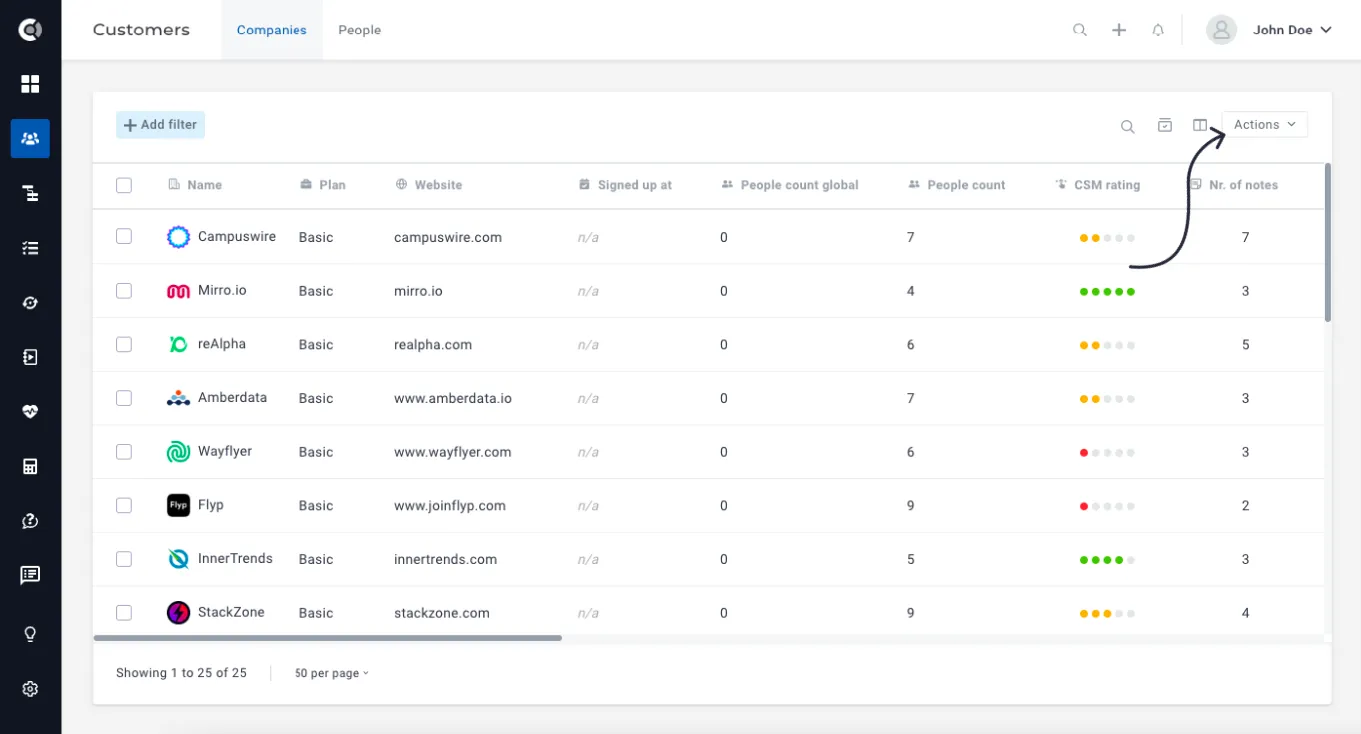
Actions button UI: New UI and logic for the Actions button.
Playbooks
Custom Triggers (in-place conditions): Define a playbook trigger on the spot without having to create a segment first. Segment logic is now available on the playbook creation page, making it even easier to define playbooks.
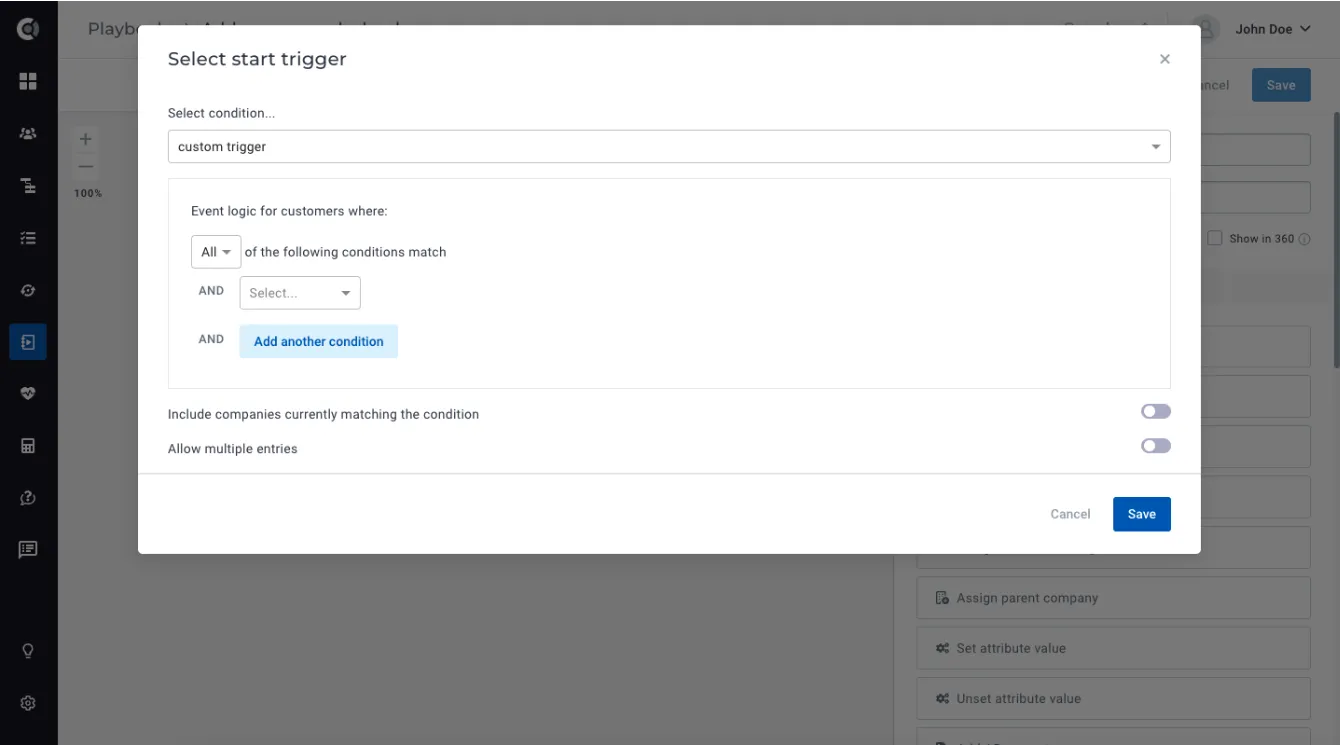
Observation: The logic you create is only available for the playbook in which it was defined. It does not create a permanent segment that can be used in other playbooks.
Access company data in people playbooks: Dynamic company data is now available in people playbooks, so you can reference company data when adding notes, tasks, or sending emails to people. When a person is assigned to multiple companies, the data is populated with the details of the company to which the person was first assigned.
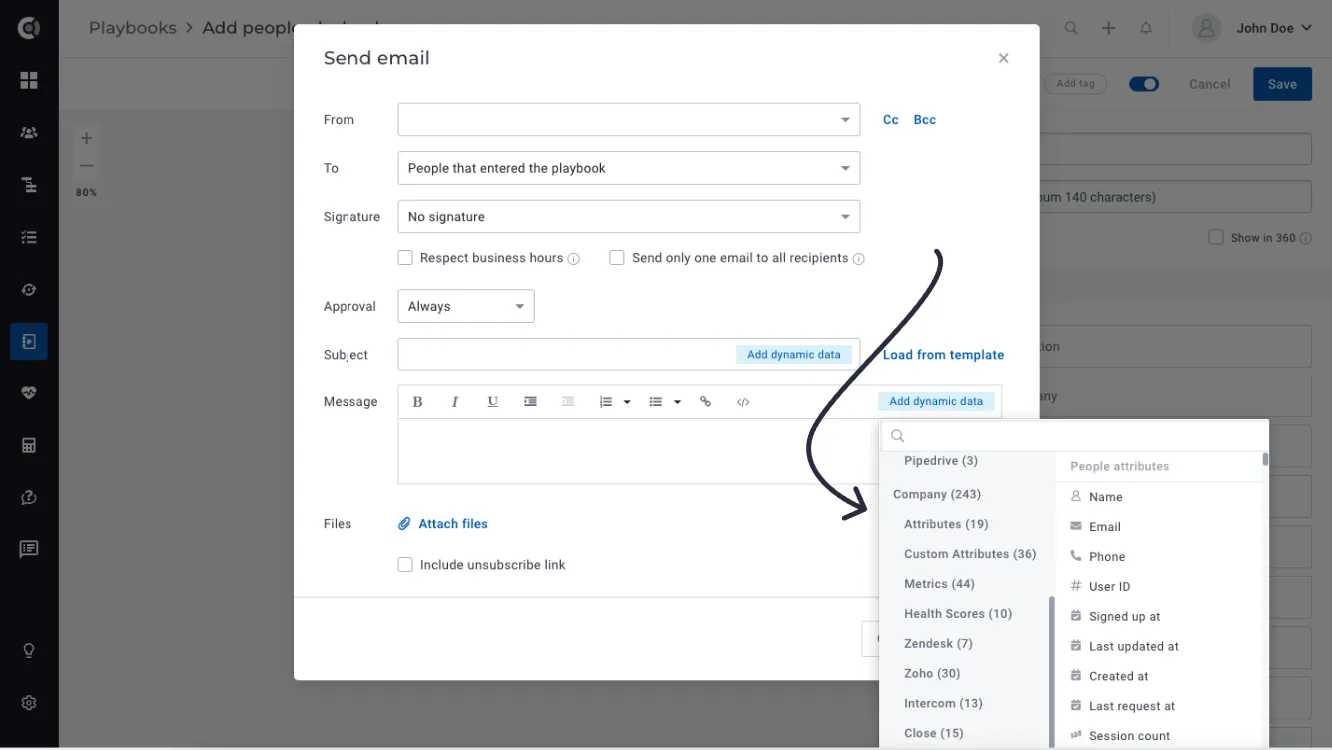
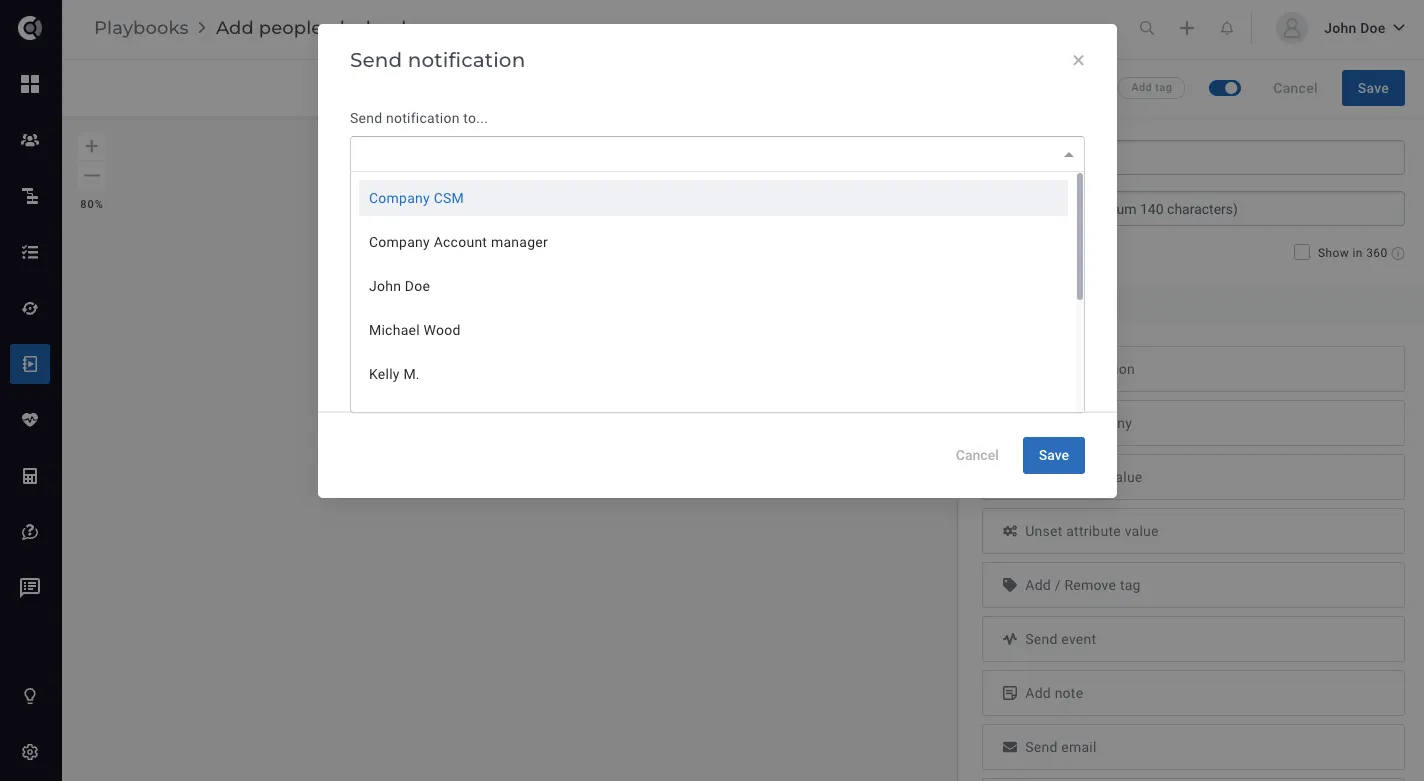
Send notifications to company CSM from people playbooks: You now have the option to send notifications to the company’s CSM/Account Manager via People Playbooks. When a person is assigned to multiple companies, the CSM/Account Manager will be the one of the company to which the person was first assigned.
Lifecycles
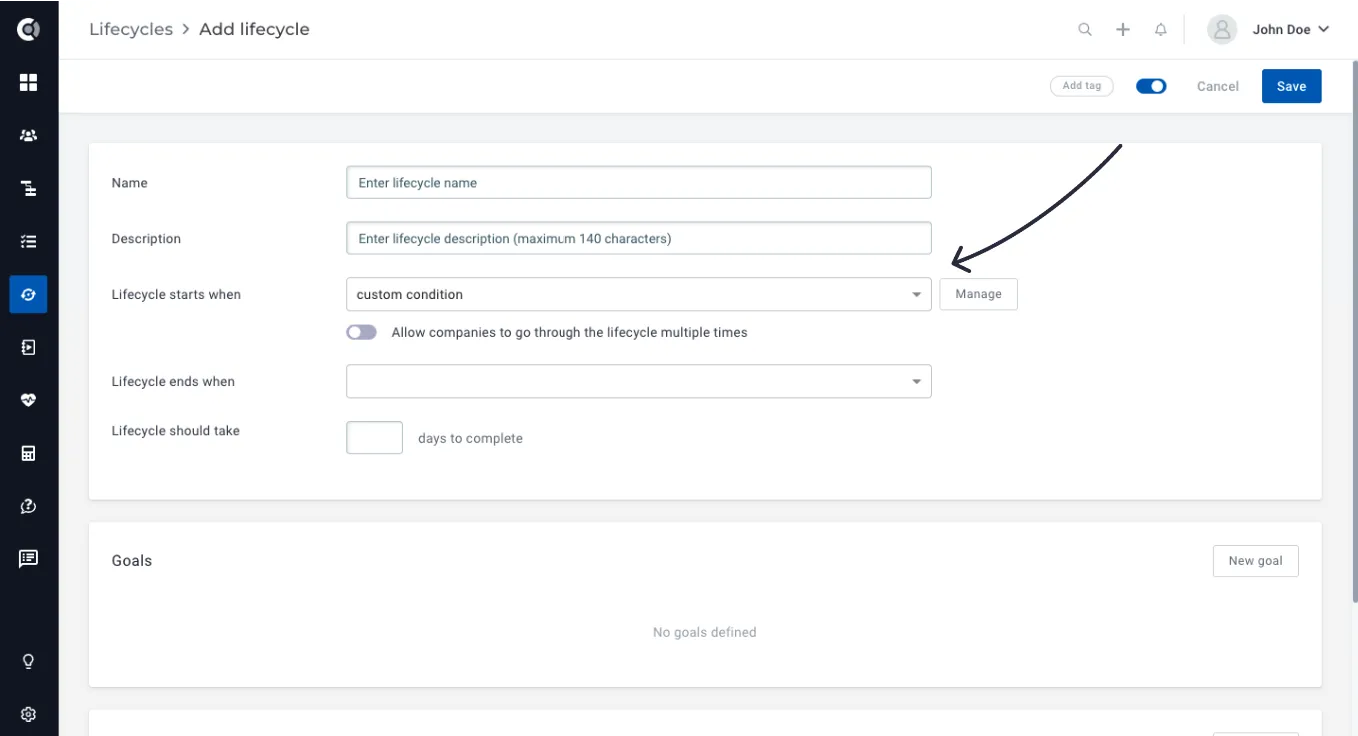
Custom Conditions (in-place conditions) to start a lifecycle: Define a lifecycle start condition on spot without having to create a segment first. The segment logic is now available on the lifecycle creation page.
The same applies to the creation of Goals (Custom Criteria).
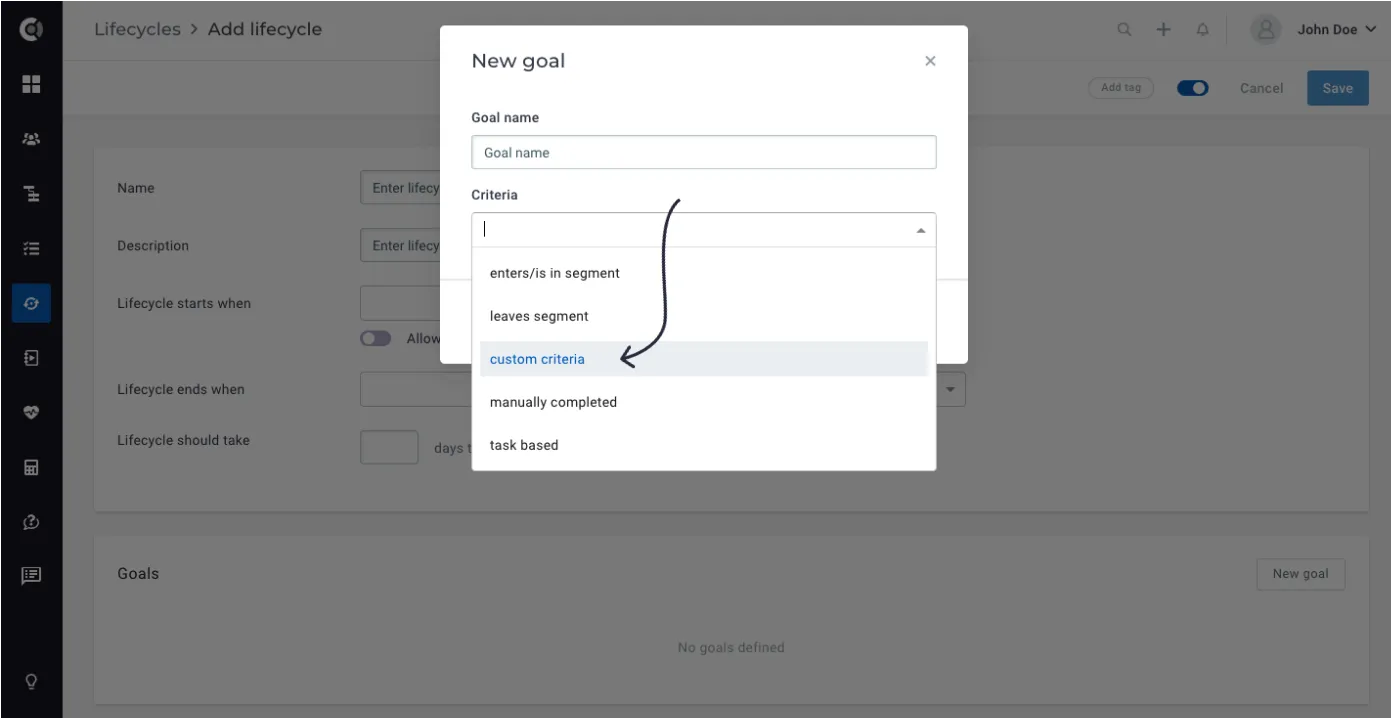
Observation: The logic you create is only available for the lifecycle in which it was defined. It does not create a permanent segment that can be used in other places.
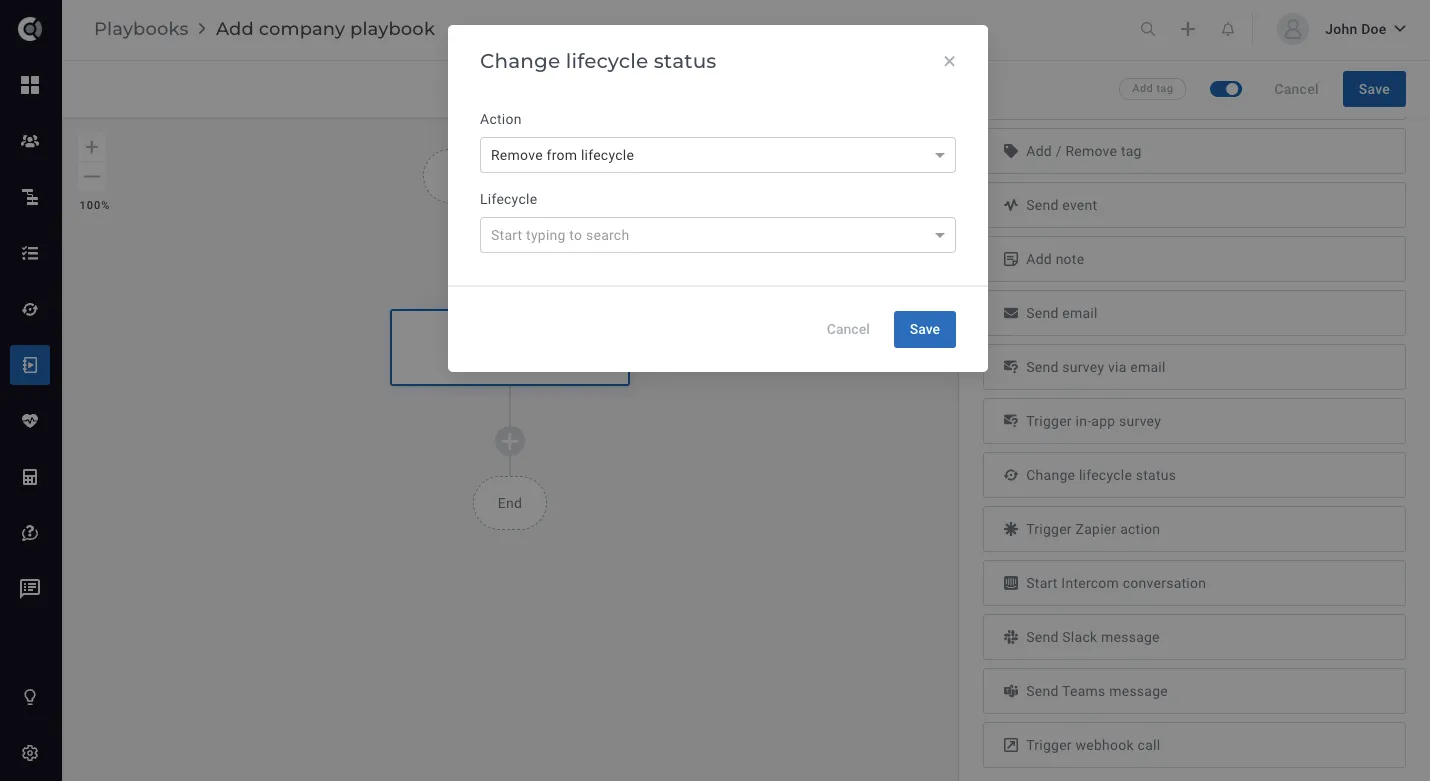
Remove company from Lifecycles: Did you accidentally add a company to a lifecycle? You can now remove the company from the lifecycle without affecting the completion of the lifecycle.
This can be done through a playbook step (Change Lifecycle Status – Remove from Lifecycle) and it completely removes the lifecycle from the customer profile, including marking the tasks opened by the lifecycle as not relevant.
Integrations
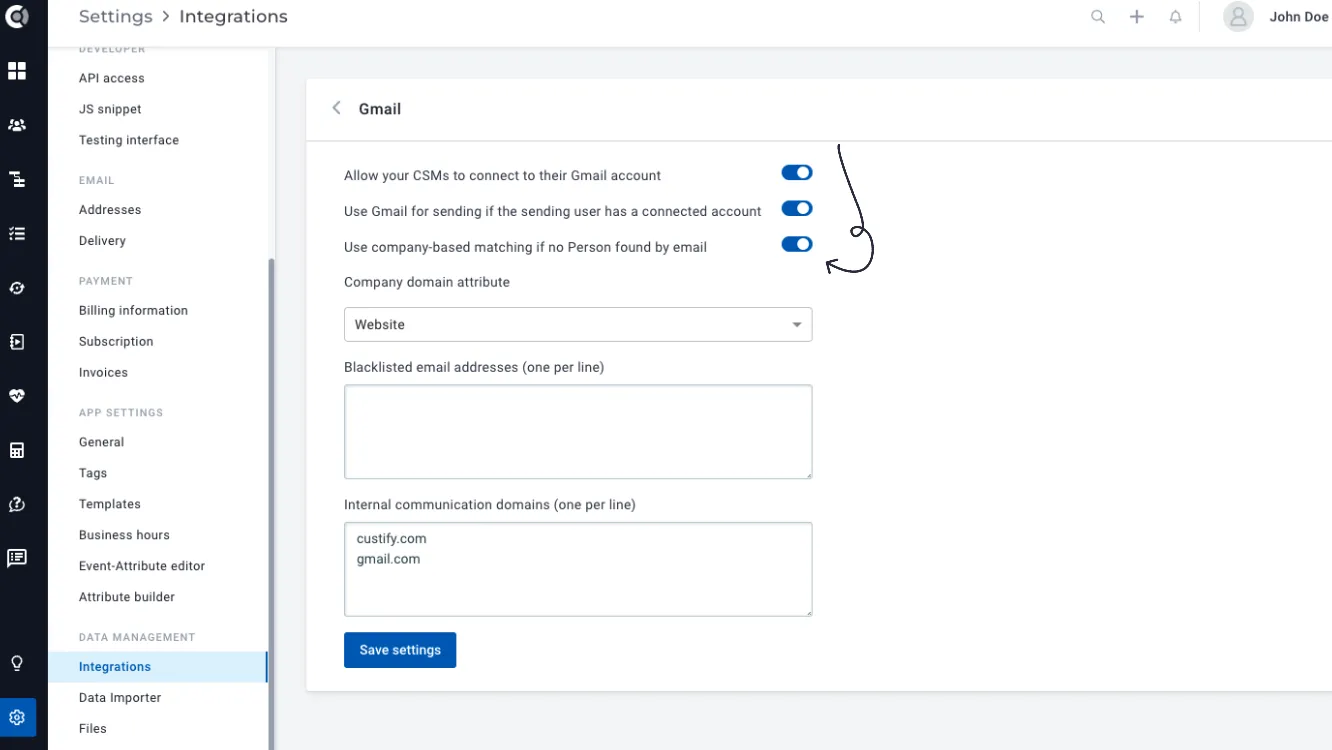
Map Gmail/Outlook emails by domain: If you want to import all emails exchanged with a specific customer, but you don’t have all the people stored in Custify, you can import the emails based on the company domain. Select the domain attribute and the integration will search for all emails exchanged by Custify users through that domain.
Calendar integration: Enhanced Gmail integration to also import Meetings as touchpoints in Custify.
The logic for importing meetings is similar to email mapping – meetings are mapped based on email address/company domain. To import meetings, you just need to connect to Gmail or reconnect your mailbox if you are already connected.