Product updates | April 28th, 2022
Important updates
The in-app chat is no longer available. Here is how you can contact our amazing support team.
Do you use Slack? Reach us using your dedicated Slack channel. Alternatively, you can email us at [email protected].
Playbooks
If you use automation to streamline your Customer Success processes, you’ll love our latest software release.
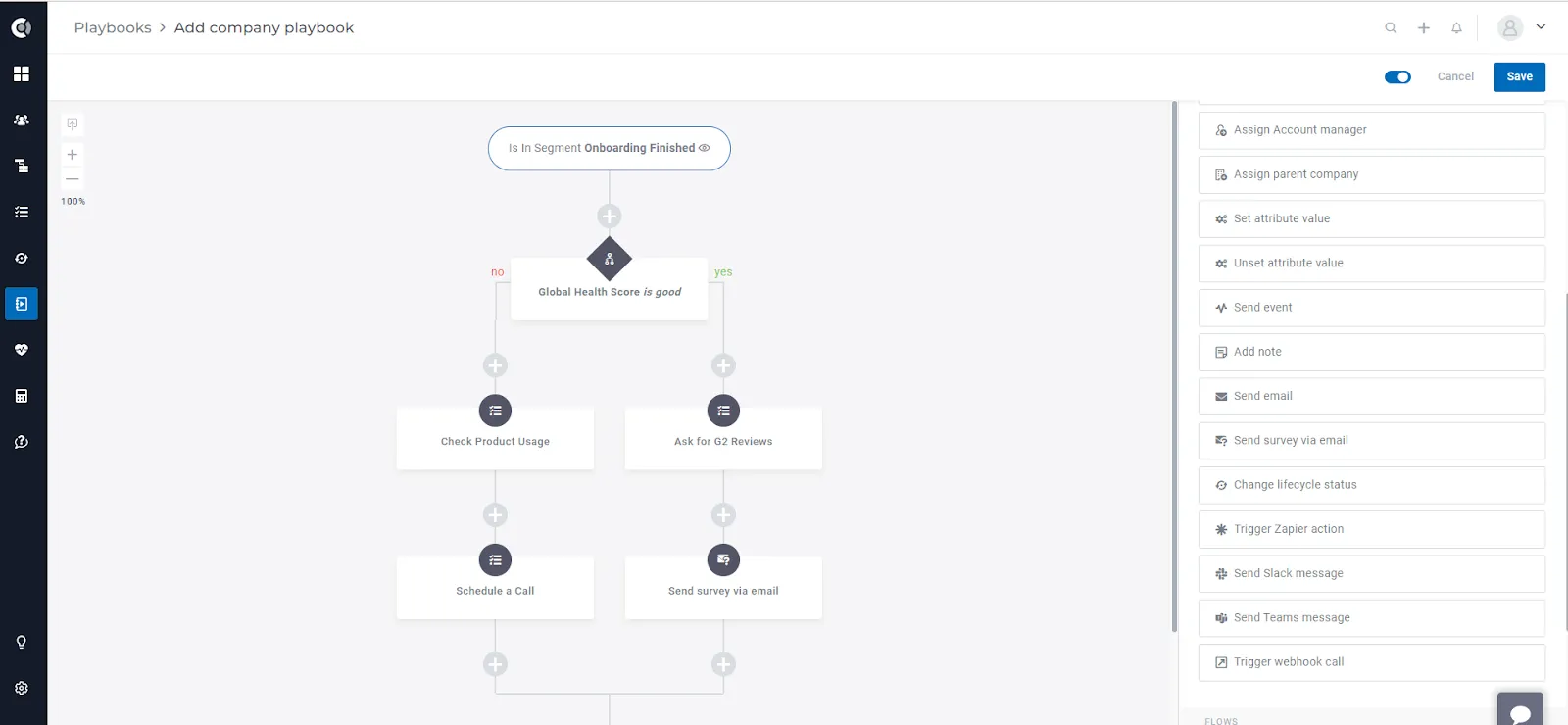
First things first, we are proud to present to you: Branching Playbooks, an enhancement that allows you to create more complex Playbooks based on various conditions. Here is an article with guidelines and best practices.
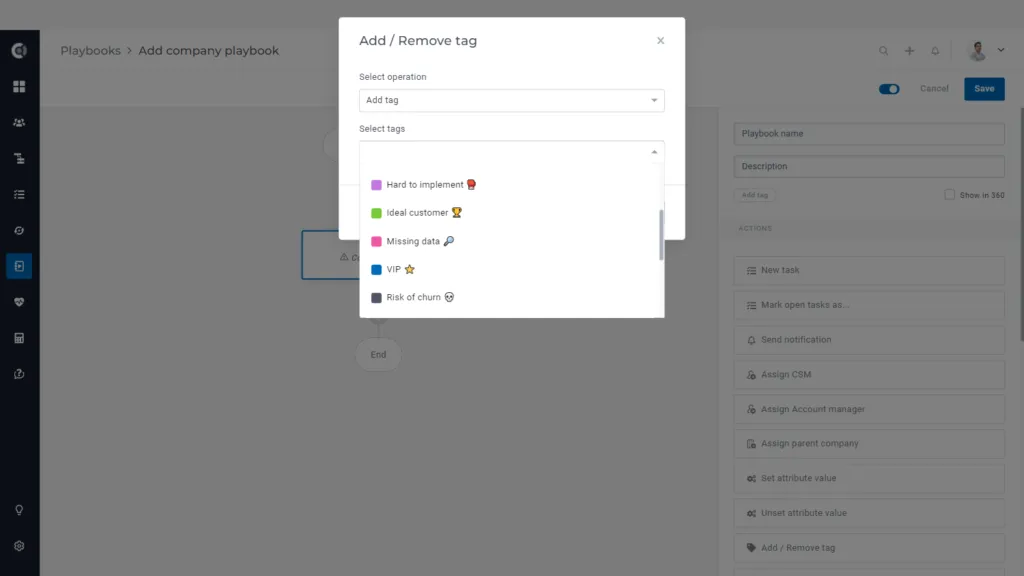
Tags are an easy way to label and cluster your customers. Now you have the options to add or remove company or people tags in bulk using Playbooks.
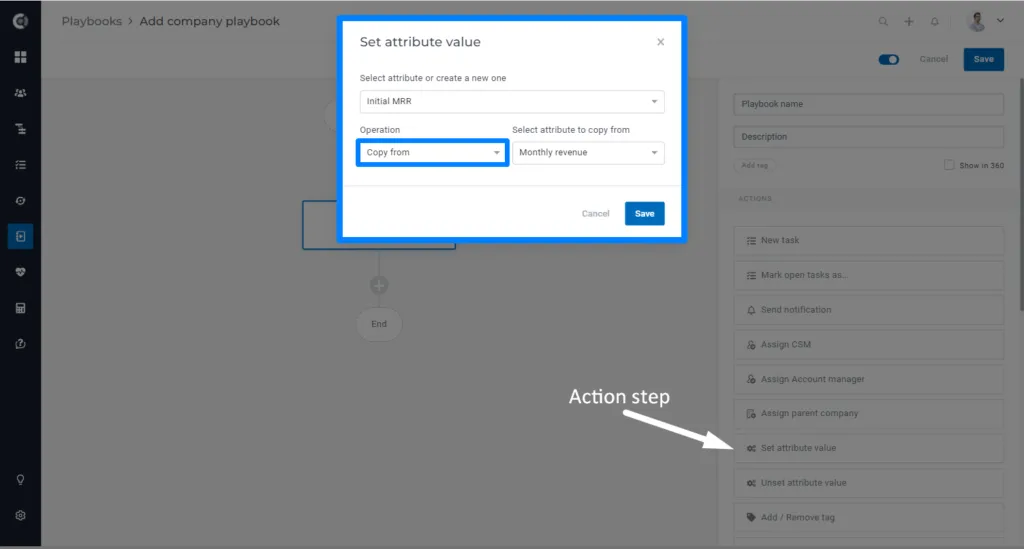
We have also enhanced the list of actions possible when setting an attribute value. So far you were able to use a Playbook to set a fixed value (e.g. Active flag = FALSE) or change the current value by a number or by number of days. Now you are also able to copy the value of another attribute.
There are a lot of use cases that will benefit from this enhancement. Here are some examples: – Track the MRR evolution by creating an additional MRR attribute (e.g. Initial MRR) and use a scheduled Playbook to store the MRR value at the beginning of the month. Then create a calculated metric that would determine the difference between the initial MRR and the current MRR. For example, if the difference is more than +/- 20% the responsible CSM can be prompted to take action. – Track date attributes evolution (e.g. renewal date) to see if the account successfully completed the renewal process
General | Searchable list option
This enhancement will help all the users that have a multitude of metrics, templates, scores, Playbooks etc created in Custify.
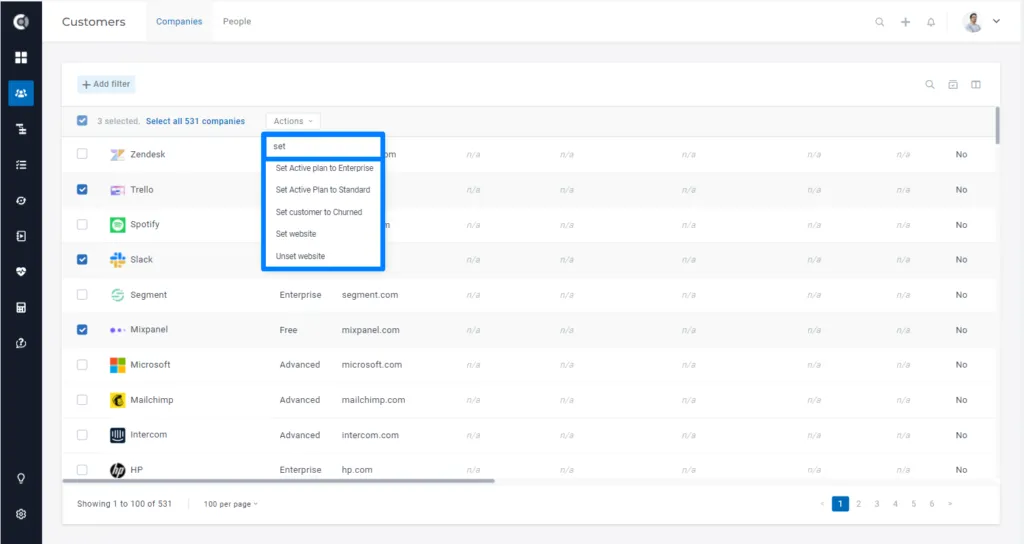
Applied to: – Customers 360° Profile (people & companies) > Actions button: Add to playbook, Remove from playbook, Add to lifecycle, Remove from lifecycle – Customers lists (people & companies) > Select companies > Actions button: Add to playbook, Remove from playbook, Add to lifecycle, Remove from lifecycle, Assign CSM, Assign Account Manager – All templates: notes, tasks, emails (in different areas of the product: Customers 360° Profile, Playbooks, Customers lists, etc)
Integrations | Intercom
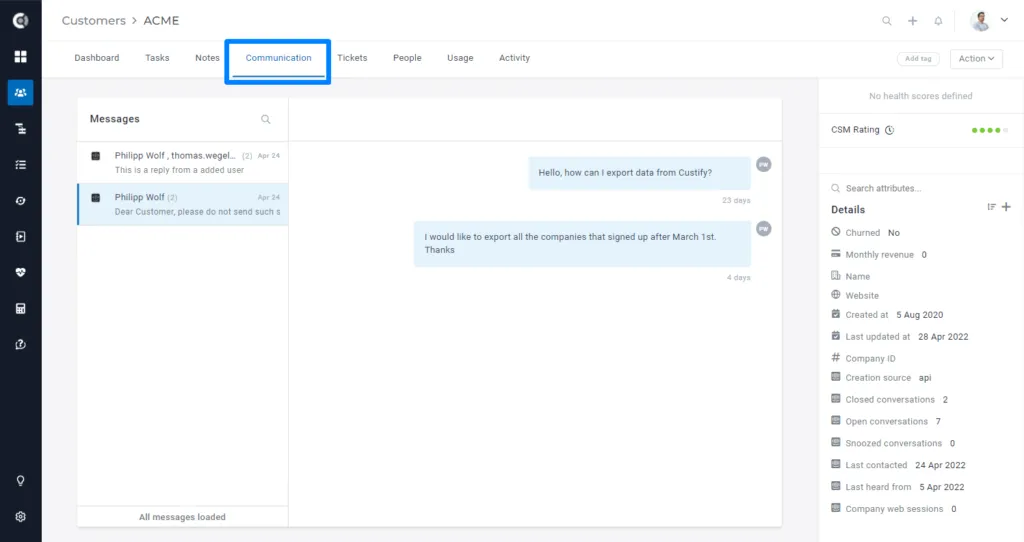
Starting from now on conversations from Intercom will be imported to Custify as Communication. Once you update the integration settings (details below) historical conversations will be imported from Intercom for all the people that are in Custify.
In order to do this, you need to go to Settings > Integrations > Intercom and enable the import of the conversation. If you are new to integrations please contact the Custify team before enabling this integration.
A full reimport will also be needed in order to import historical conversations (otherwise, only new conversations will be imported).
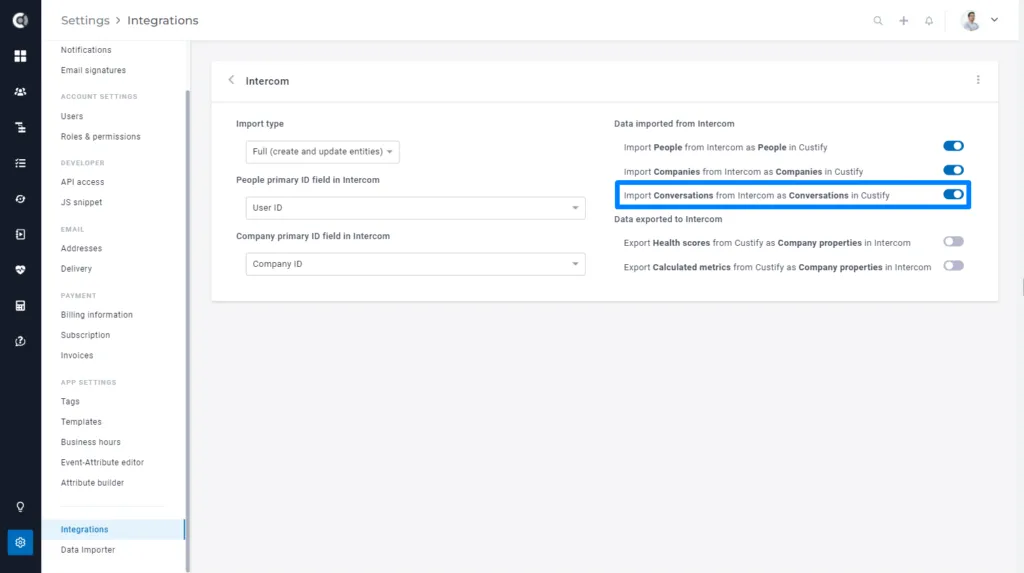
Once the conversations are enabled you can open the Customer 360° Profile and check the conversations in the Communication tab.
Integrations | Gmail
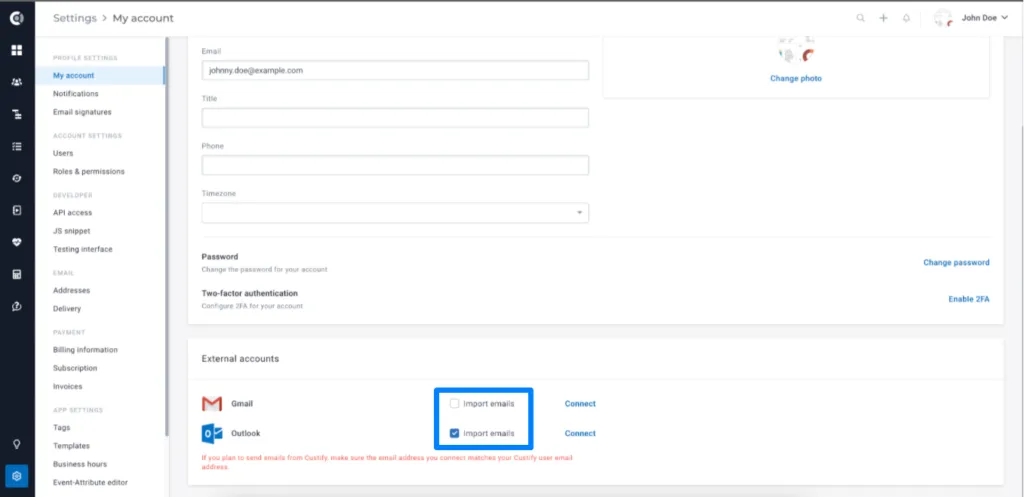
You have the option to stop the mailbox (Gmail or Outlook) from syncing. This allows each user to have Gmail or Outlook connected for sending emails from Custify, without having the email correspondence imported.
To prevent any correspondence from being imported, you must stop the sync BEFORE you connect your mailbox to Custify. If you stop the synchronization after you have connected your mailbox, the existing email correspondences will remain in Custify, but no new emails will be imported.
Integrations | Salesforce
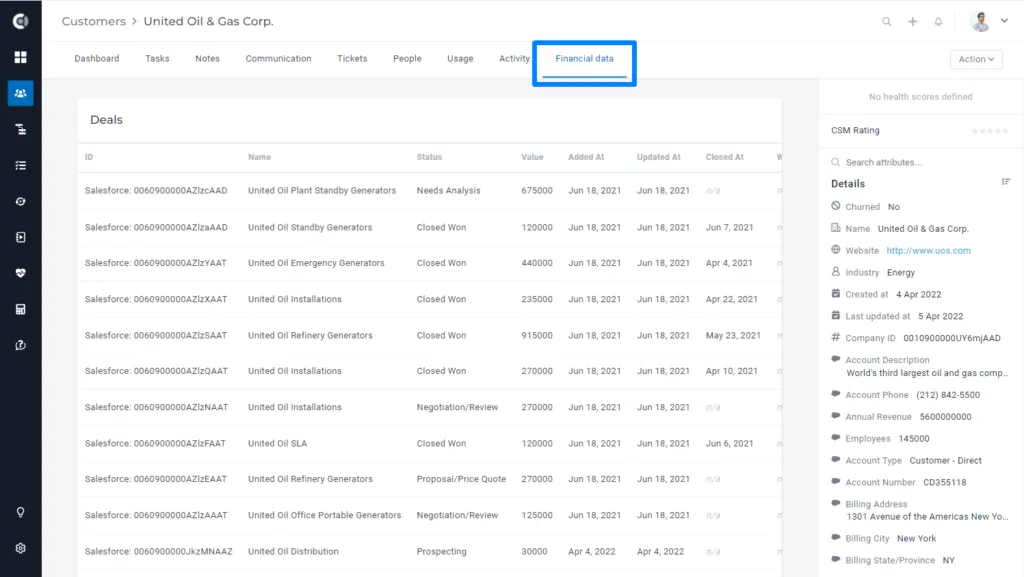
If companies are being imported from Saleforce, we also look at Opportunities and import them if they are there (and match at least one Company). This import is controlled directly by the import of Companies.
Salesforce Opportunities are displayed as Deals in the Financial tab on the Company 360° Profile.
This spring release also brings many other small improvements and bug fixes. Enjoy!
Love using Custify? We would like to hear your feedback! Leave us a review on G2 Crowd!