Product Updates | June 3rd
Release Spotlight
Custify Knowledge
The fastest way to get AI that actually understands your business? Give it your materials.
Custify Knowledge accepts files, pasted text, URLs, and audio recordings — whatever form your processes already live in. Custify structures and indexes each one, so CustifyAI can reason from your real operating context: your terminology, your escalation rules, your customer journey, your decision logic.
From there, it can draft Knowledge Base articles, extract rules, and power automations — all built on how your team actually works, not generic CS patterns.
It takes minutes to set up, and the impact compounds from day one.
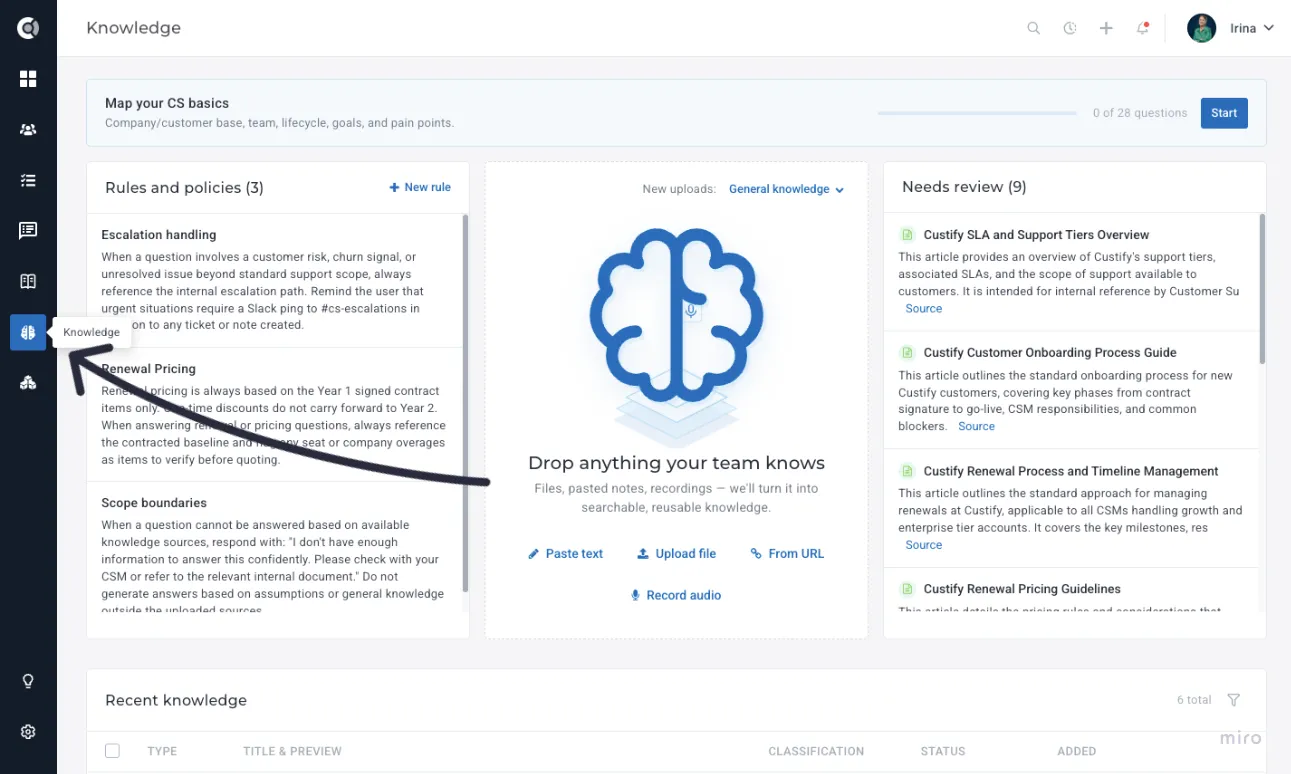
Open Custify Knowledge from the left navigation. Add your first source by clicking New Knowledge, choosing the source type, and Custify processes it in the background. You can review and edit the formatted content once processing completes.
For more details, see Custify FoundationCustify Knowledge..
Internal KB
Every CS team has knowledge. Most of it lives in someone's head, a forgotten Notion page, or a Slack thread no one can find.
Custify's Internal Knowledge Base puts your team's processes and best practices where they actually get used — inside Custify, linked directly to the PlaybooksPlaybooks, LifecyclesLifecycles, and SegmentsSegments they document.
CSMs can comment, search by tag, and pull up relevant articles without leaving the workflow they're in. And when you've already fed Custify Knowledge your materials, drafting articles is half done — Custify can generate a draft for you to review and publish.
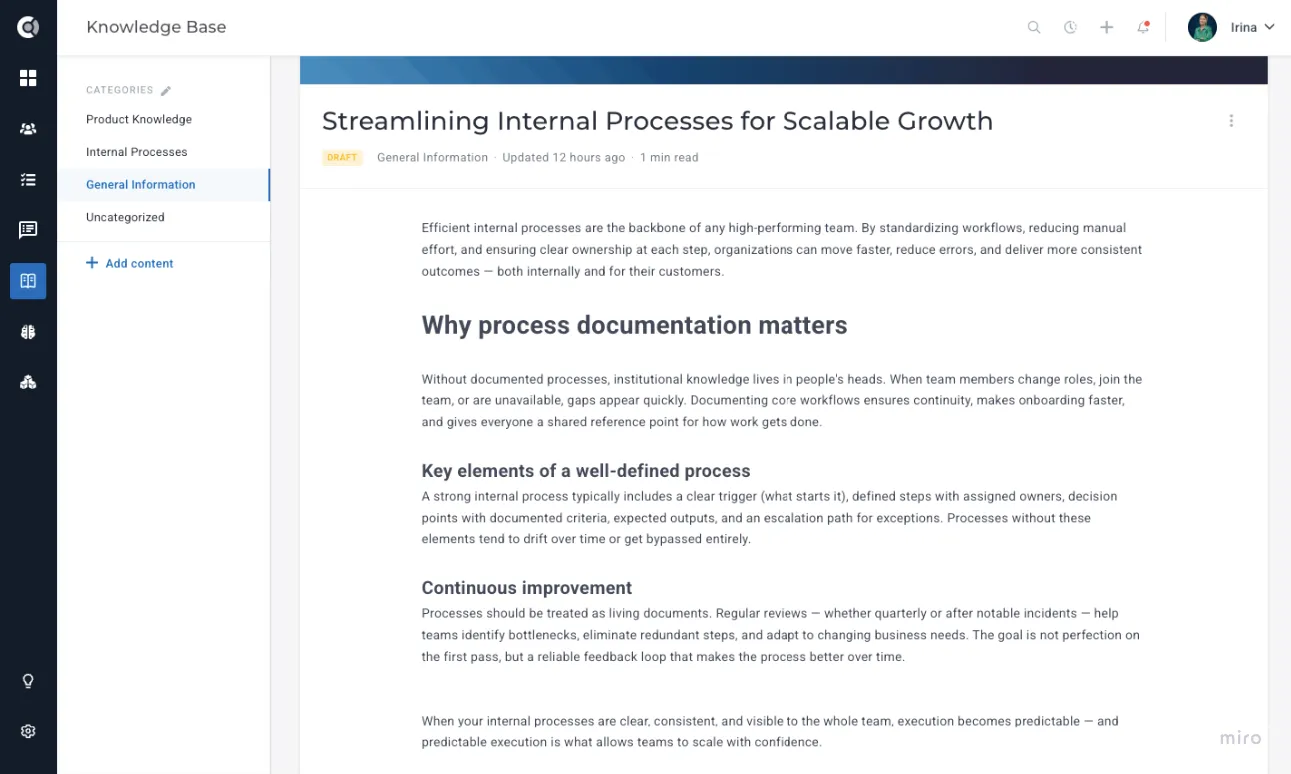
The Internal KB lives under Internal KB in the left navigation. Articles linked to a Playbook or Lifecycle also appear in a side panel on those entities.
For more details, see Internal KB Internal KB .
Custify MCP
Your AI assistant is only as useful as the data it can see. Now it can see Custify.
Custify's open-source MCP server connects Claude, Cursor, VS Code, ChatGPT, and any MCP-compatible client directly to your live Custify data. Ask your AI to pull up accounts by health score, fetch usage data, create notes or tasks, run playbooks, or update custom fields — all without switching tabs.
For CSMs, it means real customer context inside the tools they already use. For developers, it means building on live Custify data without writing a single API integration from scratch.
A new MCP Server setup page in Settings - Developer - MCP Server gives you a per-tool configuration snippet with your API key pre-filled. A separate MCP Activity log under Settings - Developer - MCP Activity shows every API call made through the MCP server, with summary cards, sortable columns, and filters by API key, tool, and status.
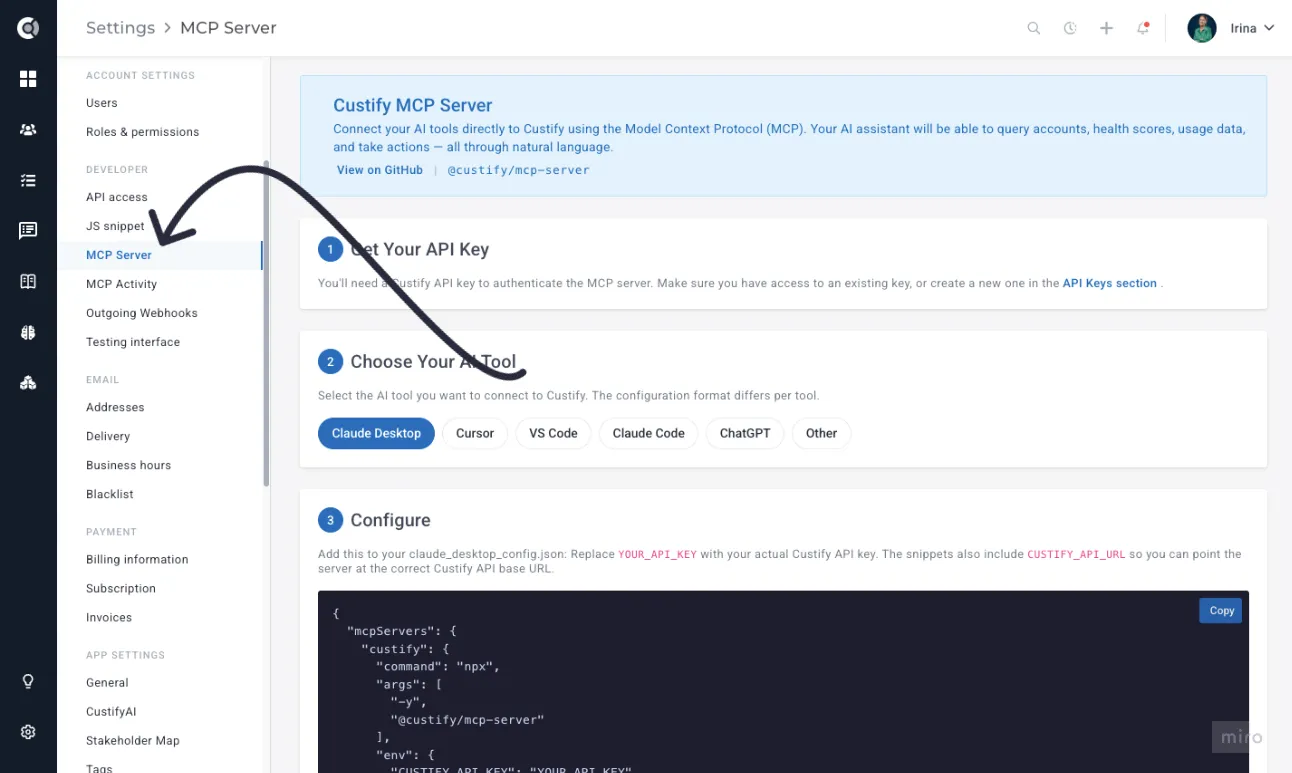
Generate or copy an API key from Settings - Developer - API Access, then go to Settings - Developer - MCP Server. Pick your AI tool, copy the configuration snippet, and paste it into your client. Once connected, every request shows up in the MCP Activity log.
The MCP server is in early release. The set of available tools and resources may expand or change in upcoming releases. Check this page periodically to stay up to date with the latest releases.
For more details, see MCP Server & Activity.
Outgoing Webhooks
The moment something happens in Custify, your systems can know about it.
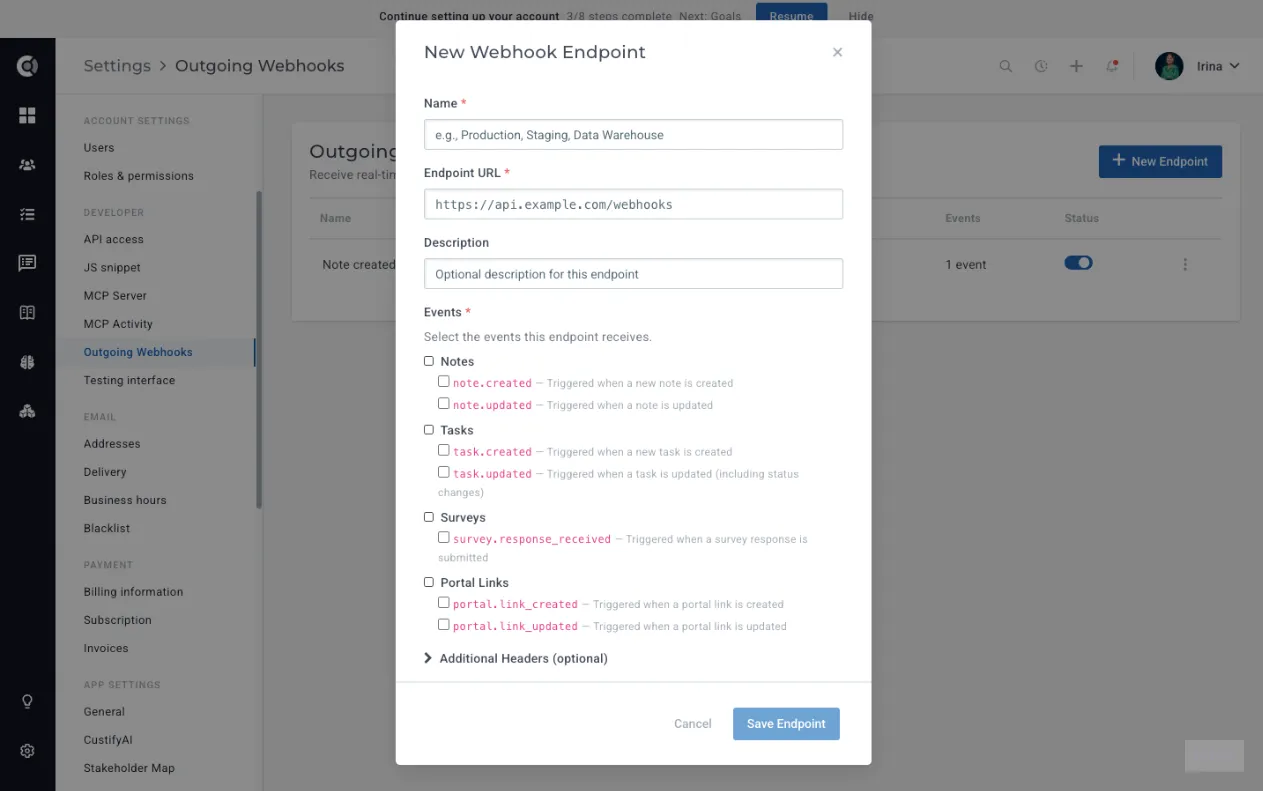
Custify's Outgoing Webhooks let you configure endpoints that receive instant notifications when notes, tasks, survey responses, or portal links are created or updated — no polling, no lag, no manual syncing. Every delivery is signed with HMAC-SHA256 so you can verify it's genuinely from Custify, retried automatically if your endpoint is down, and logged with full request and response details so nothing gets lost.
Pair them with playbook-driven webhooks, and you have end-to-end coverage: behavioural and segment triggers and real-time entity-level changes from manual actions in the app.
Go to Settings - Developer - Outgoing Webhooks and click New Endpoint. Provide an HTTPS destination URL, select the events you want to subscribe to, and copy the signing secret — it is shown only once. Use Send Test to verify your endpoint, then watch deliveries flow through the Delivery Logs page.
Endpoints that fail 50 deliveries in a row are automatically disabled. The endpoint health badge moves through Healthy, Degraded, and Failing as deliveries succeed or fail.
For more details, see Outgoing WebhooksOutgoing Webhooks.
C360 Gridster Layout
Every CS team looks at customer data differently. Now your Customer 360 can reflect that.
Custify's redesigned C360 detail page replaces the fixed layout with a flexible 3-column grid — drag, resize, reorder, add, or remove blocks freely, on every tab. No more working around a layout that wasn't built for how your team thinks.
Edit mode gives you full control: drag-select empty cells to place blocks exactly where you want them, insert or delete rows on the fly, and undo up to 50 steps if you change your mind. In view mode, everything sizes to content automatically and collapses cleanly on smaller screens.
The customer data you already have, arranged the way you actually use it.
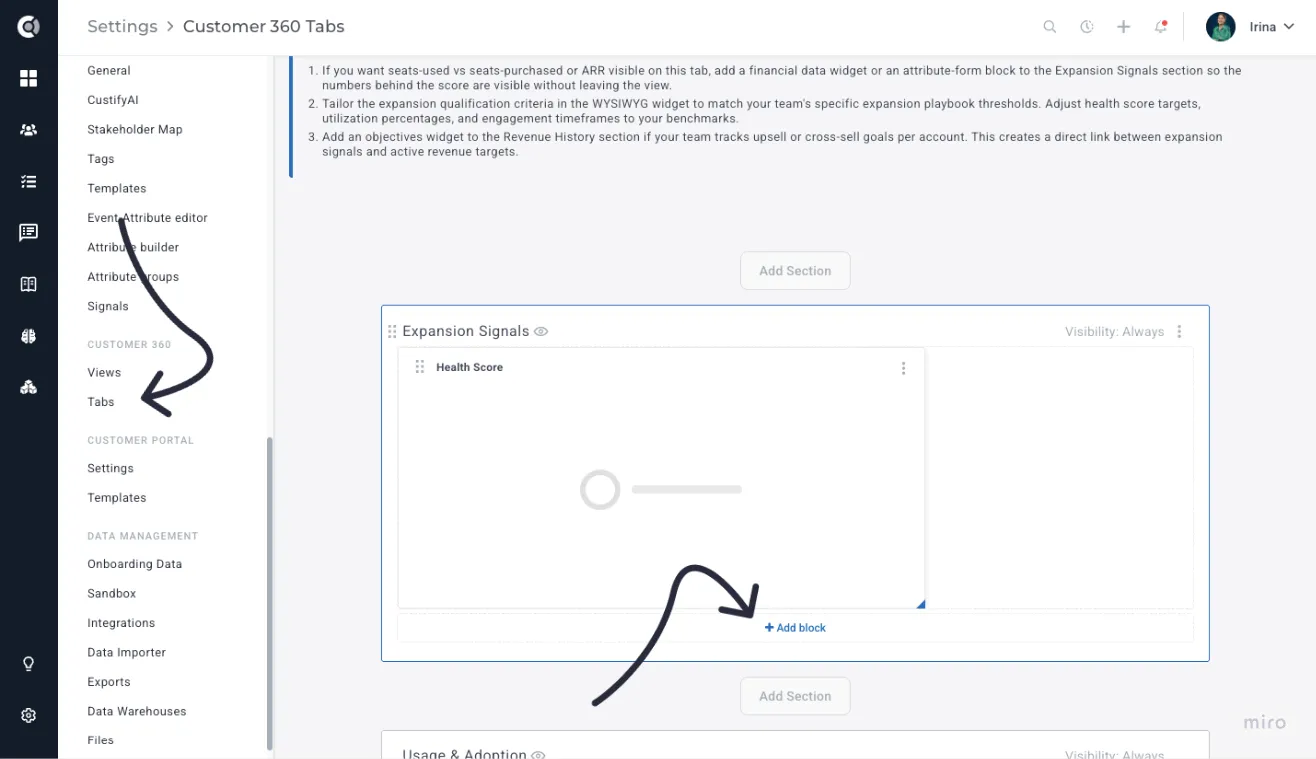
For more details, see Dynamic 360° ViewsDynamic Customer 360.
Stakeholders Map
Single-threaded accounts churn. Custify now tells you which ones are at risk before you find out the hard way.
Custify automatically maps the relationships at each company by analysing existing email, meeting, support ticket, and product usage data — no manual data entry. Every contact gets an influence score (0–100) computed from communication patterns, meeting attendance, support tickets, and product usage; every relationship gets a strength indicator (Strong, Decaying, At Risk, No Contact) based on how recently and frequently your team has engaged.
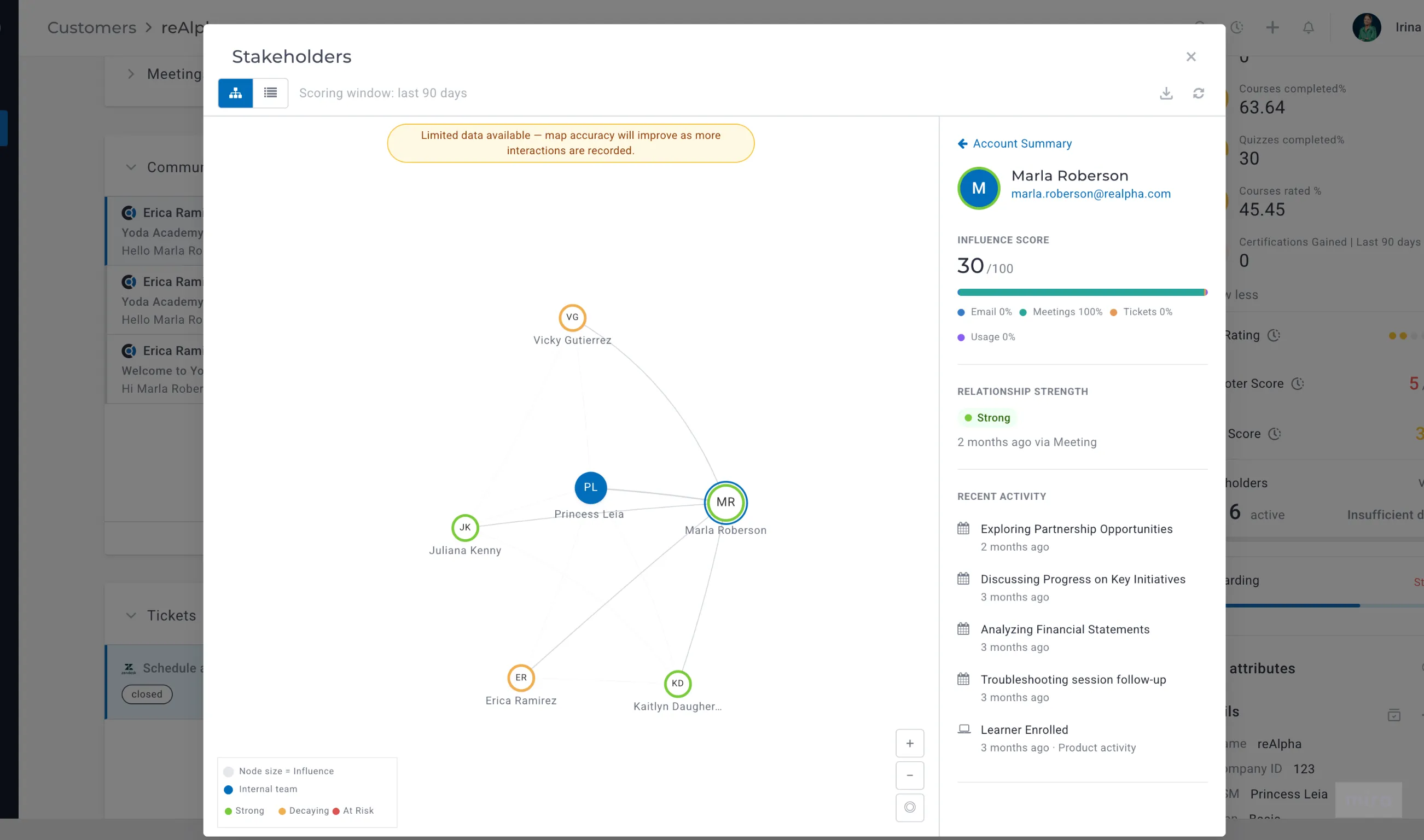
The visualisation is interactive: contacts appear as nodes (sized by influence) connected by communication links. You can switch between graph and list views, click any contact for an influence breakdown by channel, and review "ghost stakeholders" — email addresses that show up in CC lines or meeting invites but are not yet tracked in Custify.
When the selected percentage (by default, 80%) of an account's communication flows through a single contact, Custify populates an attribute that you can use in Playbooks triggers and Health Scores.
Open the Stakeholders Map from the sidebar widget on any Company 360. Tune influence channel weights, relationship decay thresholds, and the single-threading threshold in Settings - Stakeholder Map.
For more details, see Stakeholder MapStakeholder Map.
Customer Evolution Compare
Walk into every QBR knowing you haven't missed anything.
A new report that shows everything that changed for a customer between two dates — health scores, financials, activity, lifecycle stages, and objectives — in a single scrollable view. Built to replace the multi-tab manual research that QBR prep usually requires.
The report opens with an Executive Summary that names the most significant changes and links to the relevant section. Each section loads progressively as data is ready: Health Score Delta, Financial Changes, Activity Digest, Lifecycle & Signals, and Objective Progress. Sections with no data are hidden automatically.
Date ranges include presets, plus a custom picker. Reports can be exported to CSV.
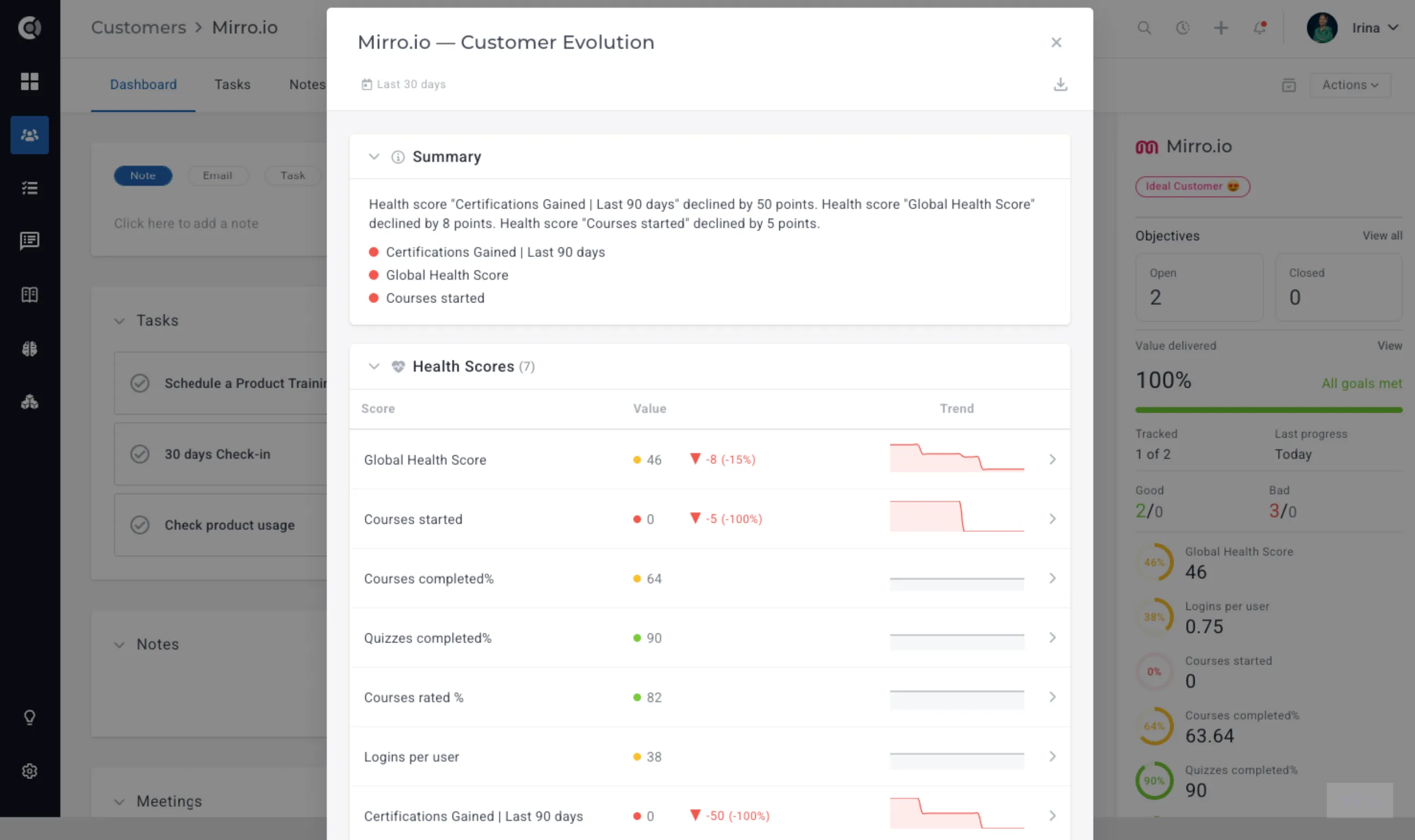
Open any company in the Customer 360 view, click the Actions dropdown in the top right, and choose Compare changes. Select a date range preset, or pick custom dates, then click Apply.
The "Since last QBR" preset requires the last_qbr_at custom attribute to be populated on the company.
For more details, see Customer Evolution Compare.
Value Realization
ROI slides are outdated the moment you finish them. Custify's Value Realization changes that.
Built on top of the Customer ObjectivesCustomer Objectives, Value Realization gives every account a live, always-current view of the value the customers are getting — tracked automatically, visible to both your CSM and your customer from the same source.
The Value Card in C360 shows aggregate Value Delivered %, account status (On Track, At Risk, Stalled, Exceeded, All Goals Met), a sparkline trend, and per-objective progress bars with baseline → current → target numbers. At the portfolio level, the Value Realization dashboard surfaces worst-performing accounts first. Customers see their own goals and progress directly in the Customer Portal. And when an account's value score crosses a threshold, a Playbook can be set to trigger a flow, based on the "value delivered" Custify attributes.
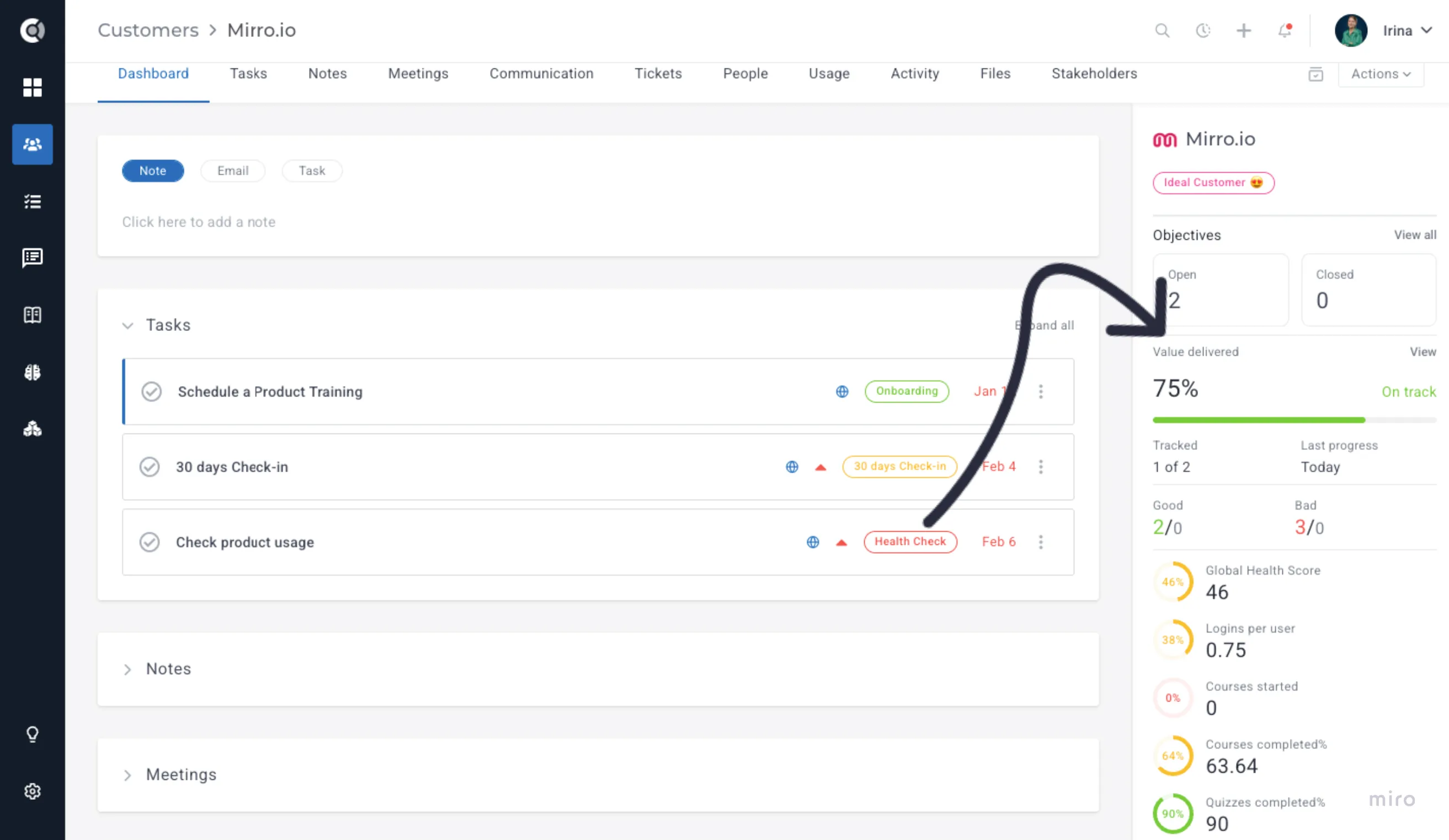
The Value Card appears automatically on accounts that have numeric objectives. Toggle Show in Customer Portal on any objective to make it visible to the customer.
For more details, see Value Realization.
Onboarding Data Wizard
Data setup, in the right order, with no guesswork. A new admin tool that guides a fresh Custify account through data setup in the right order: Team → Goals -> Core entities → Conversations → Financial → Usage. Each step explains why it matters, shows the current account evidence based on what Custify actually detects (not on a manual checklist), and points to the existing setup pages.
The wizard appears as a top in-app prompt for accounts that have not gone through it yet, with Start data setup / Resume data setup actions. From inside any step, leaving to complete setup on a destination page (Users, Integrations, API access, JS snippet, Data Importer, Data Warehouses, My Account) shows a Return to wizard prompt to send you back to the same step. Steps can be skipped with a reason and unskipped later, refreshed against live data, or the whole wizard can be restarted without disconnecting existing integrations.
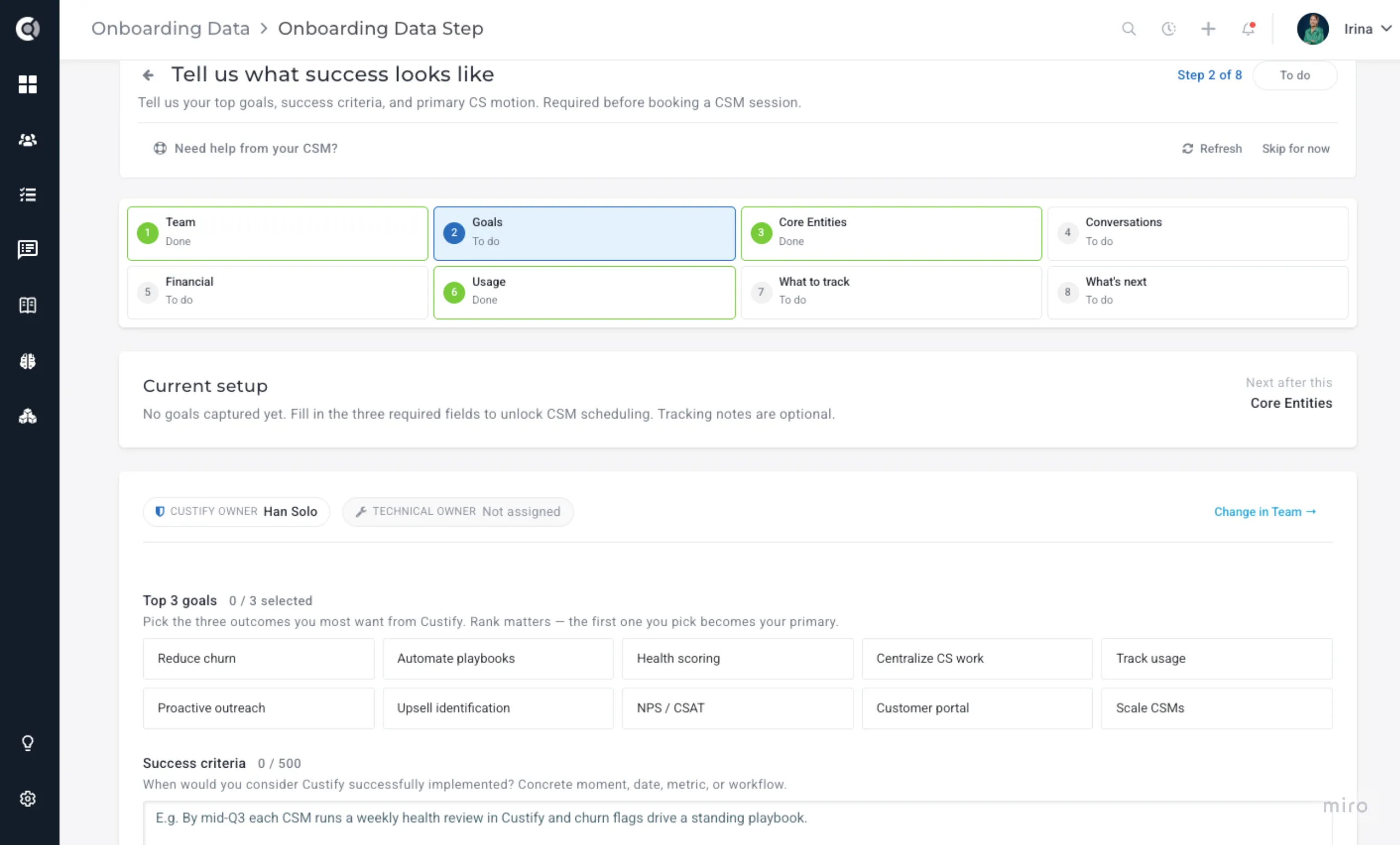
Open the wizard from the top in-app prompt or from Settings - Data management - Onboarding Data. Permissions: any user with data-management permissions can run the wizard.
For more details, see Onboard Data Wizard.
Custify Templates Library (Beta)
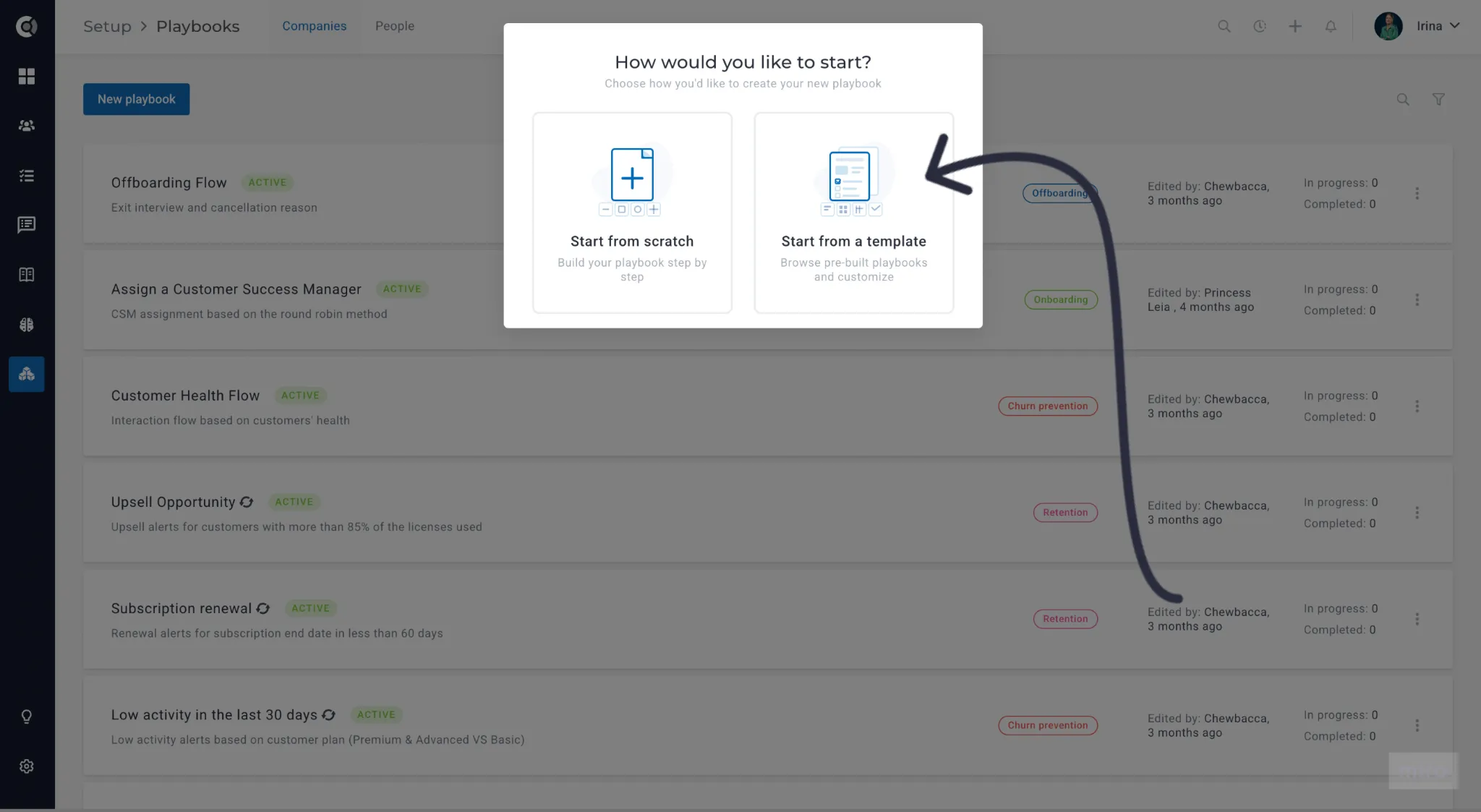
Getting started with a new Playbook, Lifecycle, Customer Portal Template, or Customer 360 View just got faster. When creating a new entity, you can choose to build from scratch or start from a template — a great way to move faster while drawing inspiration from industry best practices.
Browse by category, or filter by use case (Onboarding, Renewal, Churn Prevention) and CS motion type (SaaS B2B, PLG) to find the right fit. Click Use Template to load it directly into the matching editor — pre-populated and ready to customize.
Nothing is saved until you click Save — so you can explore, adjust, and preview completely risk-free before committing to anything.
Feature Enhancements
CustifyAI
AI Summary improvements for reversed health scores
AI-generated customer summaries now correctly interpret health scores configured in reverse (where a higher value = worse health). Previously, a high reversed score was described as positive — that's now enhanced.
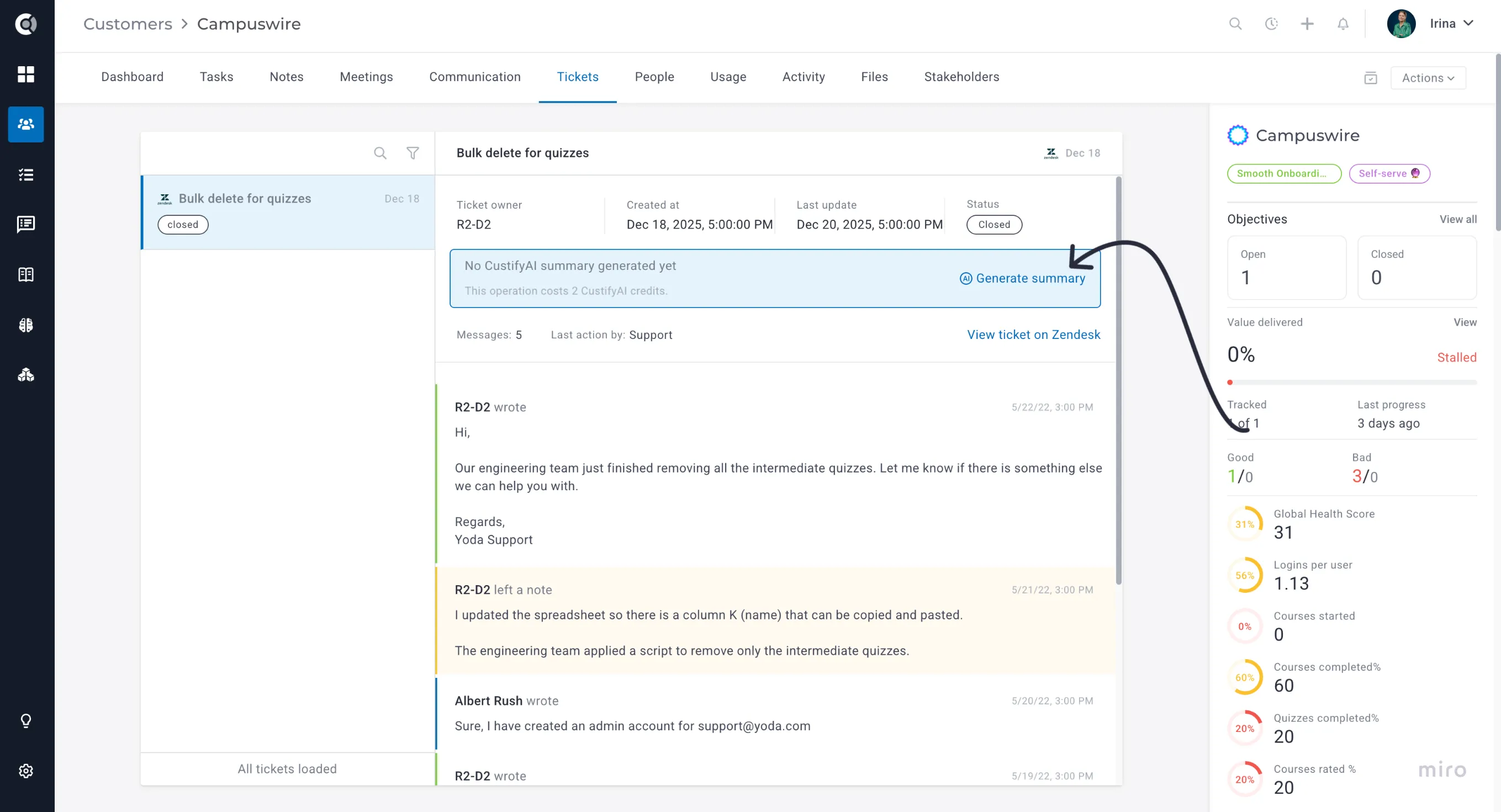
AI Summary for Tickets
CustifyAI can now summarize per-ticket activity. Each ticket gets its own AI-generated summary visible directly on the ticket record.
Read more about CustifyAIhere.
Insights and Reports
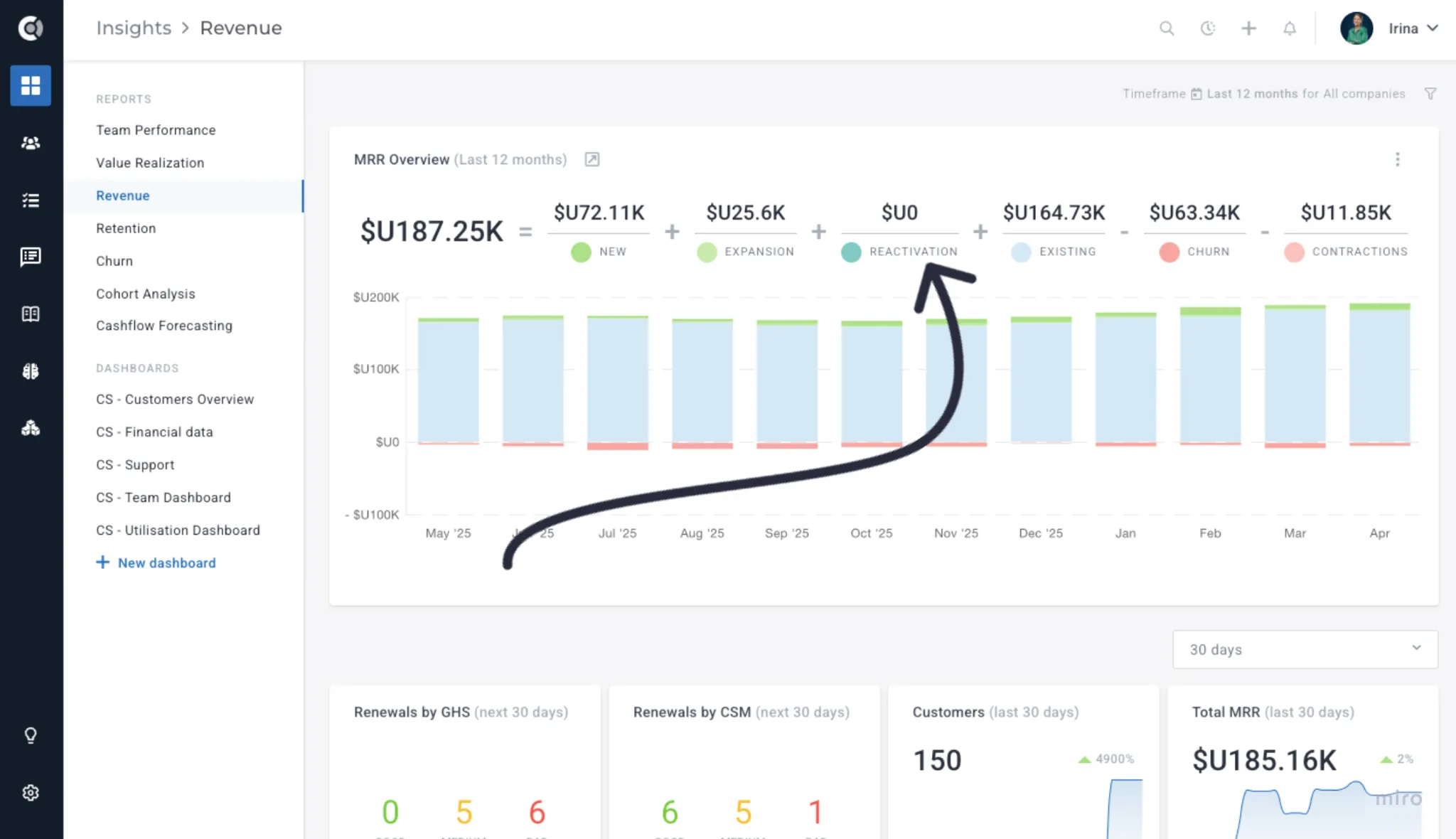
Reactivations in Revenue Reports
Reactivations are now tracked as a distinct MRR movement type — separate from new business. A reactivation is recorded when a previously lost account returns to a paying state (MRR drops to 0, then rises above 0 again). Configure this in Settings → General Settings → Revenue.
Schedule emails with reports from Dashboards
Dashboards can now be scheduled to send as a recurring email report to a list of recipients — useful for sharing health summaries with stakeholders who don't have a Custify login.
New metrics in the Revenue report
The Revenue report now includes expansion ratios and net retention deltas, alongside the existing MRR/ARR/GRR/NRR breakdowns.
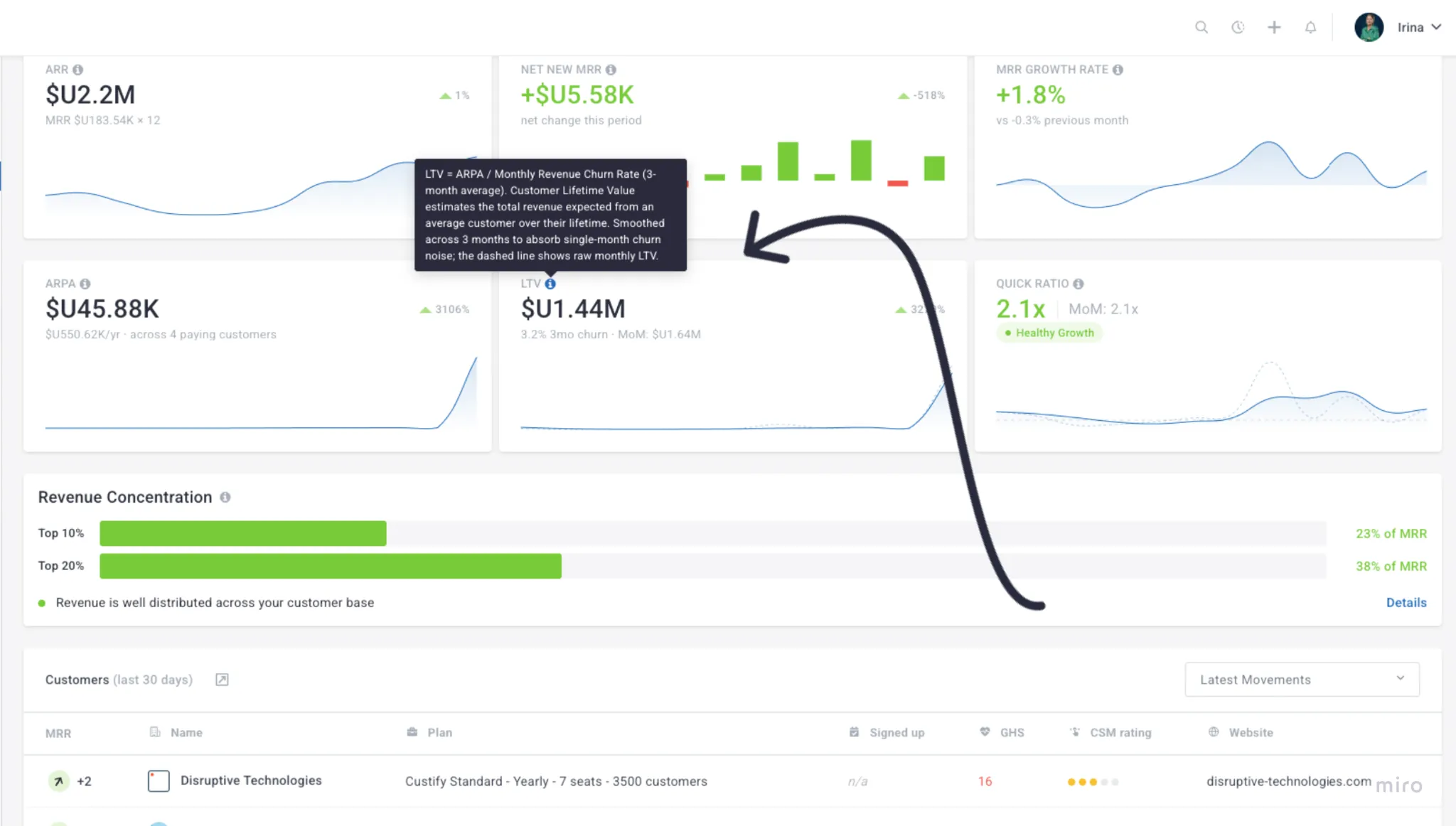
LTV in out-of-the-box reports
Lifetime Value (LTV) is now available as a built-in metric in Insights, with a default formula and segment-level breakdowns.
Other improvements
A set of smaller additions to widgets, filters, and Calculated Metrics:
- Survey filter on the Promoter Score widget — filter by a specific survey in addition to the date range.
- NPS widget timeframe restriction — restrict the NPS dashboard widget to a specific timeframe.
- Survey evolution graph — a new dashboard widget tracks survey responses over time.
- Fiscal Quarter in reporting periods — "Fiscal Quarter" is now available as a default reporting period option.
- "Since attribute" for meetings in Calculated Metrics — Calculated Metrics now support "since attribute" timeframes on meetings.
- Cashflow Forecast by custom attribute — split the Cashflow Forecast by any custom attribute, not just CSM Rating or Global Health Score.
- Segment vs. segment comparison widget — an enhanced Segment widget, allowing you to compare totals across two segments side by side.
Customer 360
C360 Gridster Layout, Customer Evolution Compare, and Stakeholders Map
— see Release Spotlight above.
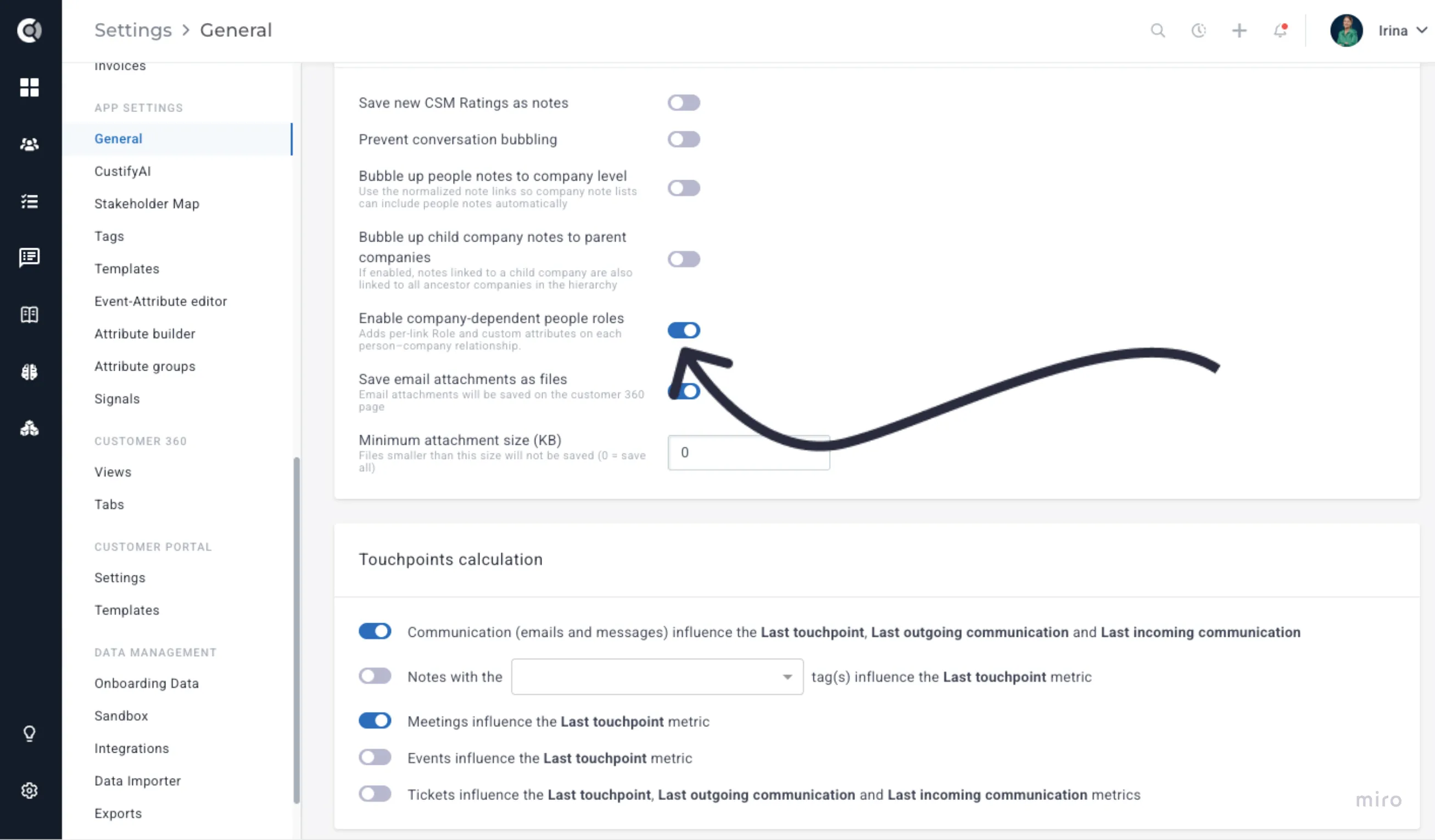
Company-dependent people roles
People roles are now scoped to the company they belong to. The same person can hold different roles across multiple companies — for example, "Champion" at one account and "Power User" at another.
Role-based email targeting
When company-dependent roles are enabled (Settings → General), the email composer lets you target recipients by role. Because roles are scoped to the company, the right people are reached on each account automatically.
Manage View on the Company Page
The Company Page now supports Manage View — toggle visible blocks, save personal views, and switch between views.
New C360 blocks and configuration options
New blocks available in the C360 layout editor:
- Attribute value displayed by color — Highlight specific attribute values using color coding for faster visual scanning across accounts.
- Pending emails block — Surfaces emails queued or awaiting approval for the account, so CSMs can see what's about to go out without leaving the customer view.
- Value Realization — Displays the progress of value realization based on the current objectives’ status. Helps surface customer progress toward their goals directly in the account view.
- Child Entities — Shows related child accounts or entities linked to a parent account. You can filter by segment, control the sort order (e.g. by sign-up date), filter by relationship type, and set the maximum number of entries displayed.
- Usage: A category with multiple sub-blocks for tracking product engagement:
- Events over time — Visualizes usage events within a configurable date range, with options for detailed or summary view and control over which initial events are shown. Both the date range and view type can be made editable directly in the C360 view.
- Active users — Display the evolution of total active users over time.
- Segments — Displays the segments the company is part of.
- Event metadata over time — Charts metadata values associated with specific usage events over a configurable date range. You can configure one or more data series, each defined by an event, a metadata field, and an aggregation method (e.g. MAX). Additional series can be added with + Add series. The date range can be set as editable in c360, and individual series can be toggled as visible by default. Trending over time applies only to numerical metadata values. String, boolean, and categorical metadata are not graphable as time series and will not appear in the chart selector.
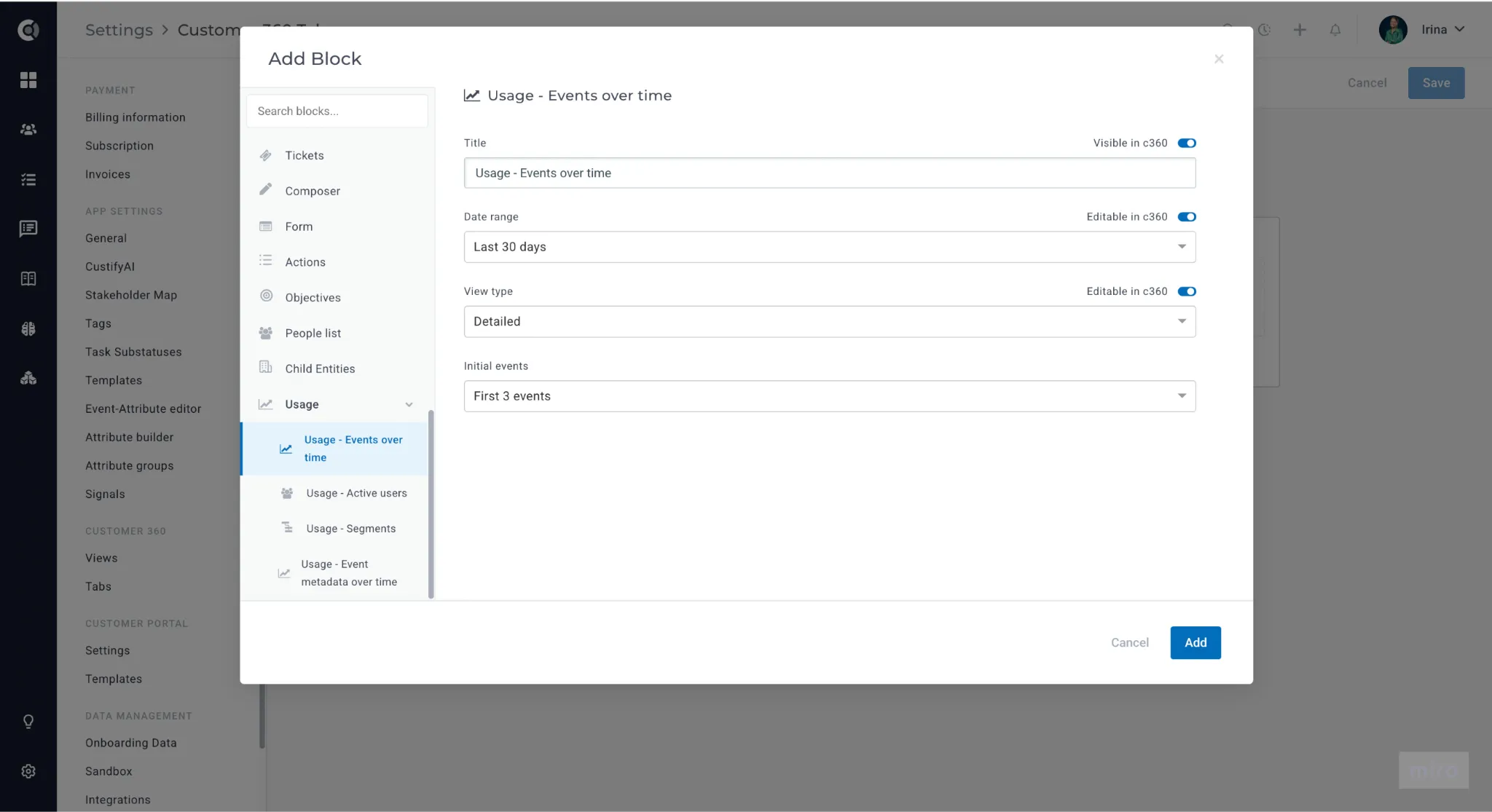
Existing blocks also gain new configuration options: title visibility toggles, per-block maximum display limits, and improved behavior at smaller screen sizes.
Tab visibility by attribute
C360 tab visibility rules now support an attribute condition — show or hide entire tabs based on attribute values (e.g. only show a "Renewal" tab to accounts in the renewal lifecycle stage).
Customer List View
CSM Rating split on Board view
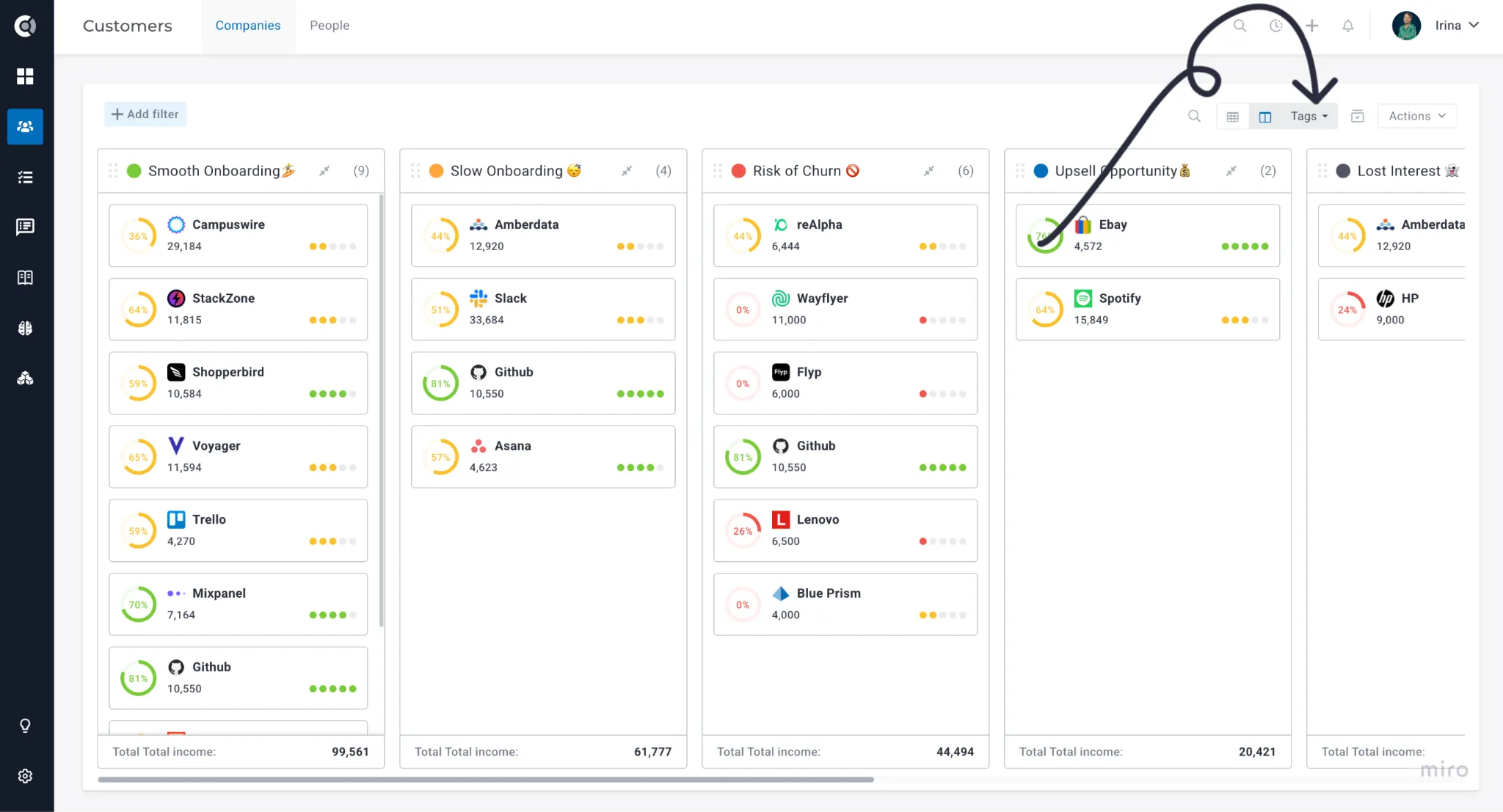
The Kanban Board now supports splitting columns by CSM Rating, alongside the existing split options. A quick way to get a visual distribution of your portfolio by rating without leaving the Board.
"Unknown" lane on splits
Any Board view split now includes an explicit Unknown lane for accounts where the split attribute has no value. No more accounts silently disappearing from the board when data is missing.
Custom column ordering on Kanban
Board columns can now be easily reordered by drag-and-drop. Arrange stages and statuses in the sequence that matches how your team actually works.
Column order is saved as part of a named view, not independently for each splitting attribute. This means that if you reorder columns within a view, that order is retained whenever the view is loaded — but it isn't automatically applied across different split configurations.
If you need different column orders for different split attributes, save each configuration as a separate custom view. This lets you switch between views while keeping each one's column order intact.
Group by tags
The Kanban view now supports grouping by tag, making it easier to slice your portfolio by any custom classification your team uses — product line, region, tier, or anything else you tag accounts with.
Currency attributes restricted to 2 decimals
Attributes flagged as currency now display consistently with 2 decimal places across the app. A small but meaningful fix for anyone using financial data in their customer views.
Multi-select filter UX improvements
Multi-select filters on the Customer List now show selected values inline and support quick clearing. Easier to see what's active and faster to reset when switching between views.
Objective attributes in Customer List
Objective progress and value can now be exposed as Customer List columns, used in segment criteria, and included in dynamic content blocks. Brings goal tracking data into the same views where you manage your portfolio day to day.
Tag changes tracked at the people level
Tag add and remove events are now recorded in tag history on person profiles, the same way they are for companies. Useful for auditing changes and understanding how contact classifications evolve over time.
Health Scores
Nested clustered Health Scores
Clustered Health Scores can now include other clustered scores as inputs — useful for multi-tiered health frameworks (e.g. a "Customer Health" score combining "Engagement Health" and "Adoption Health" sub-clusters).
Last calculated timestamp
Each Health Score on a Company 360 now shows when it was last recomputed, so CSMs always know whether they're looking at fresh data.
Tasks
Task Substatuses
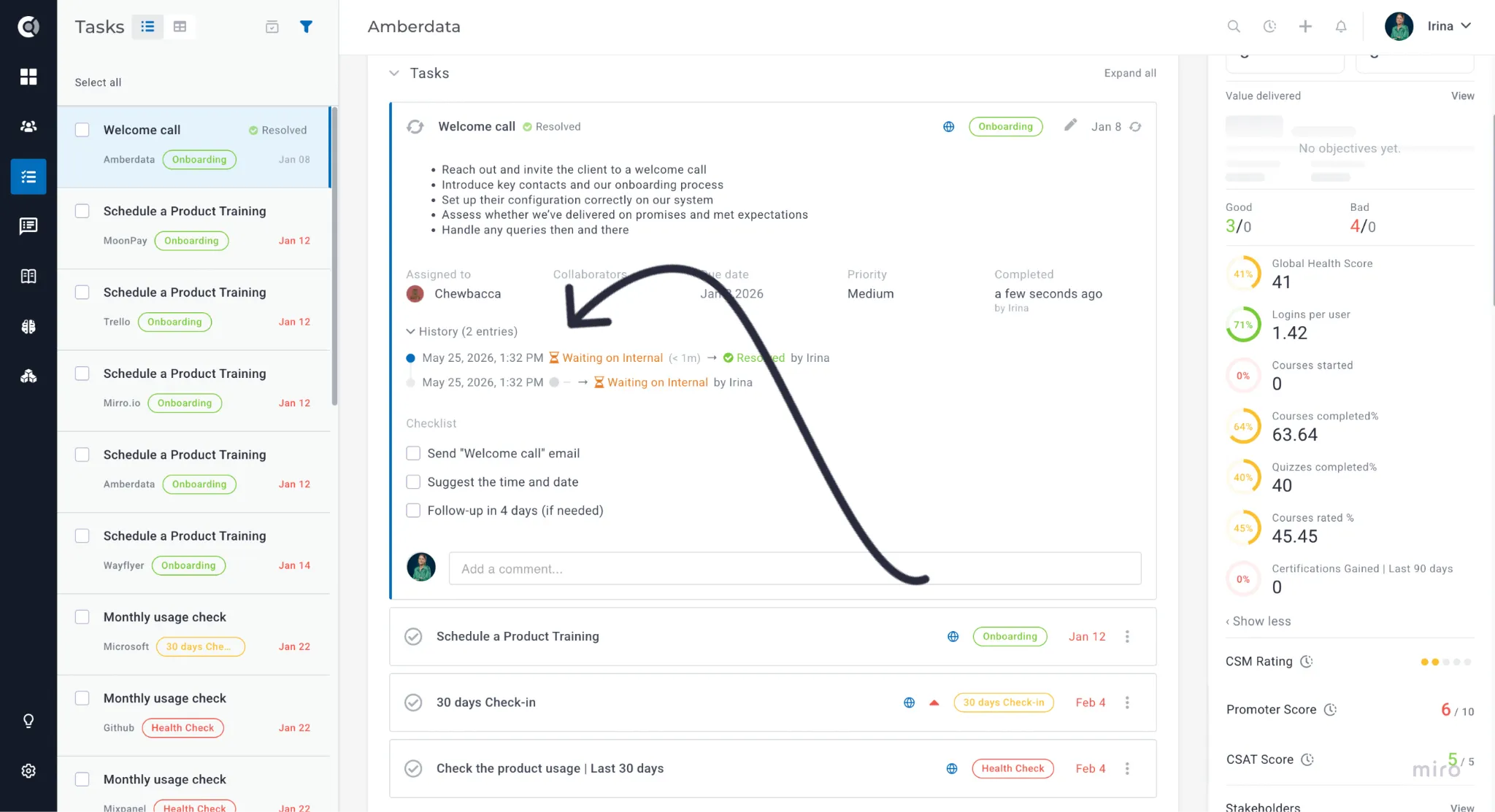
Sometimes "In Progress" just isn't specific enough. Is the task moving forward, or is it stuck waiting on a customer reply? That's where Task Substatuses come in.
Substatuses let you add a second layer of detail beneath each main task status — Open, Done, and No Longer Relevant. Instead of a single broad label, your team can see exactly where a task stands: Waiting on Customer, Blocked, Verified, or Won't Fix, to name a few examples.
Time-to-resolution metrics
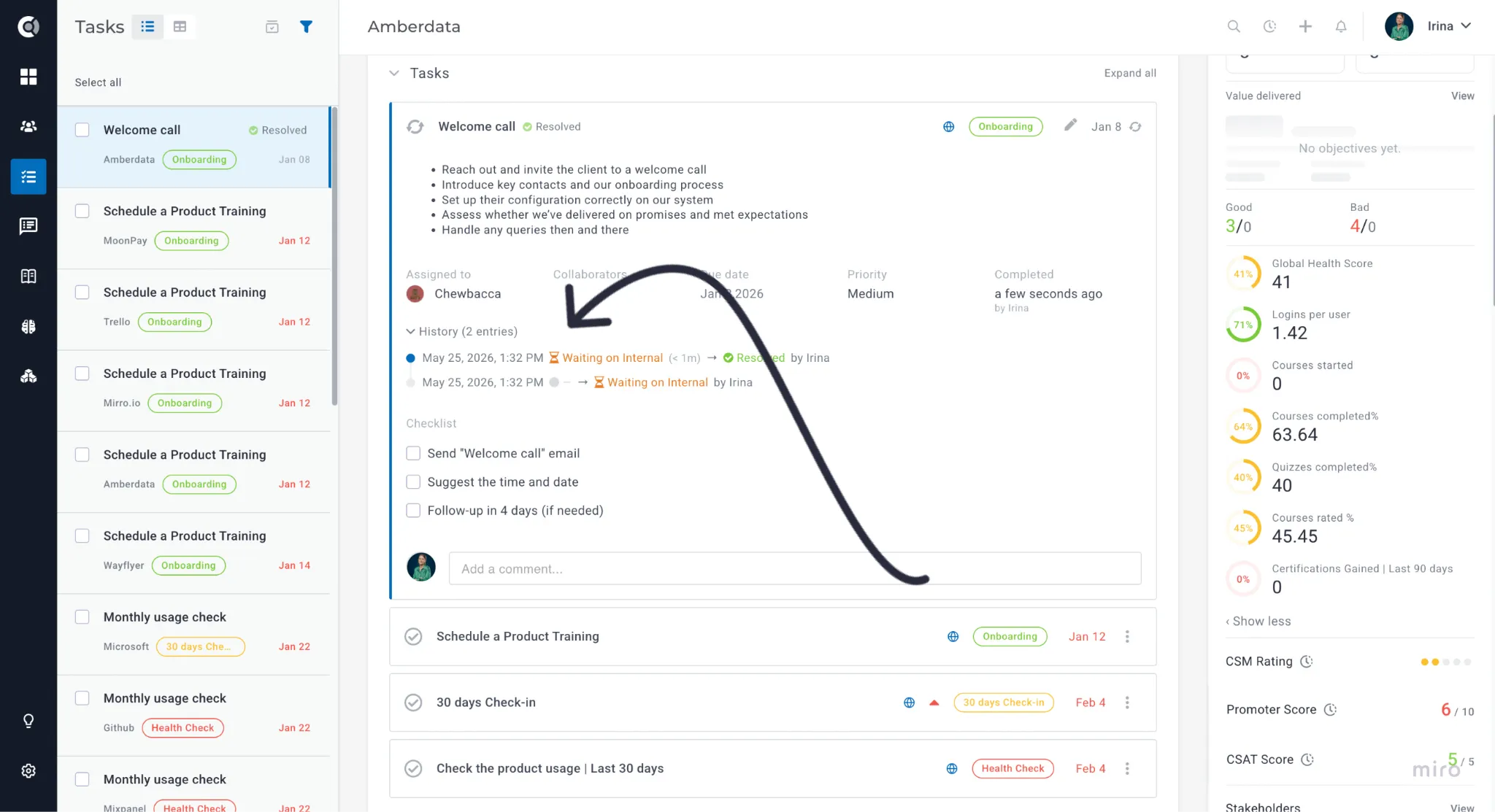
The Calculated Metrics builder now supports five new functions for the Tasks entity: four time-based metrics (average time to done, average time in substatus, maximum time in substatus, and total time in substatus — all in hours) and a point-in-time count of tasks currently in a given substatus. These functions make it easier to track task completion efficiency, surface outliers, and monitor workload distribution across substatuses.
Other Tasks & Notes improvements
- Completed tasks now show newest first.
- Sub-tasks display under their parent in the Tasks table, with collapse/expand controls.
- Notes attached to a person can now also appear on the parent company.
- The rich text editor now exposes an HTML code view.
- The Tasks table supports sorting by any company attribute.
- Playbook entity trigger "Created By" conditions now offer dynamic options like Account Manager and CSM.
- Notes and Tasks marked for Slack notification now route to Slack alongside playbook-driven notifications.
Touchpoints, Email & Surveys
Feed and table view for Notes and Meetings
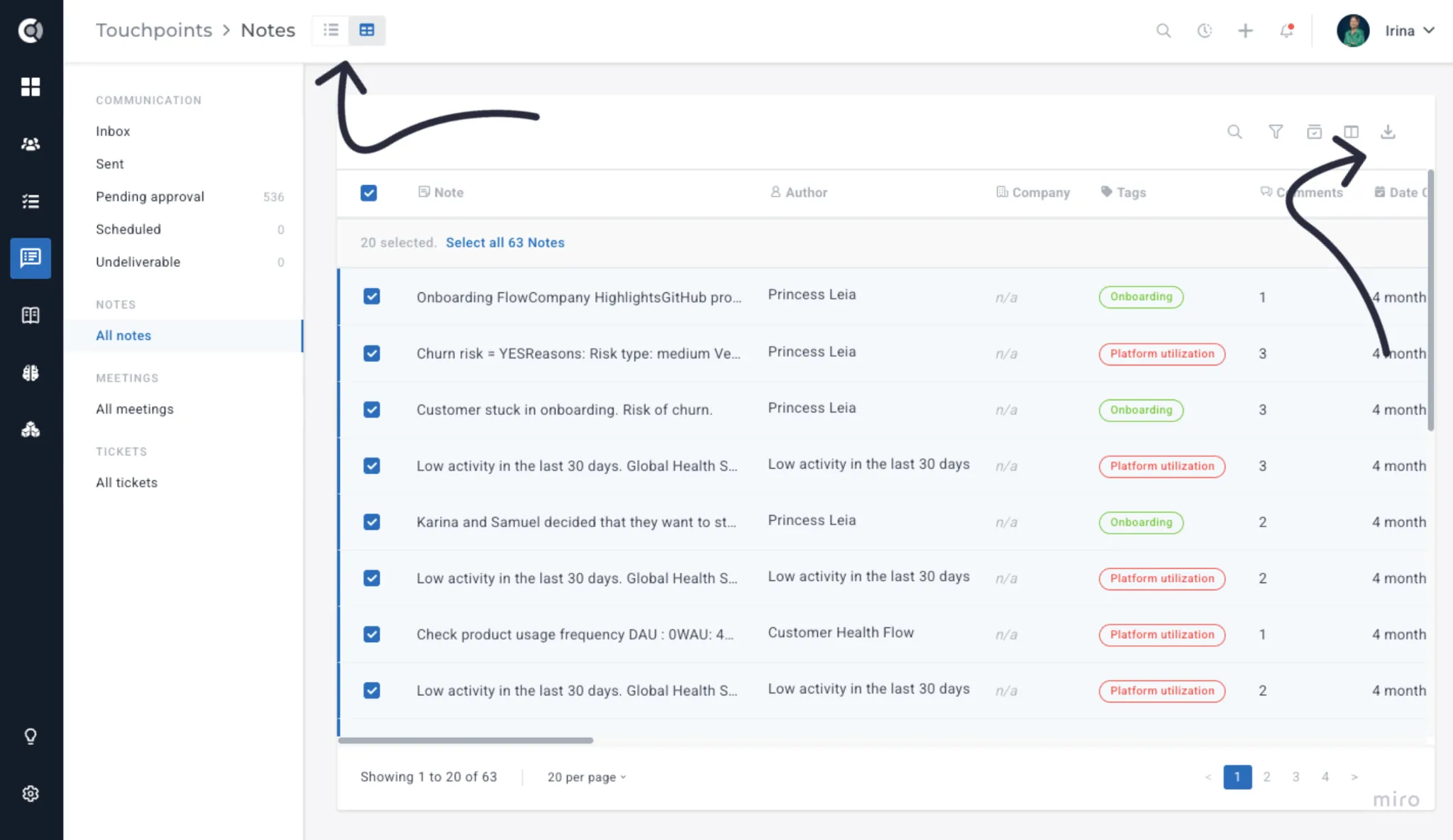
Notes and Meetings now support both a feed (timeline) view and a table view. The table view adds sorting, filtering, company-level columns, saved views, and export. Switch using the icons next to the page title — your last-used view is remembered per section.
Smart Content — conditional email blocks
Any block in the email editor can now be marked as conditional, so it only appears for recipients who match a rule you define. A single email adapts at send time based on tags, attributes, or segment membership — no more separate emails or branching playbook steps for different customer groups.
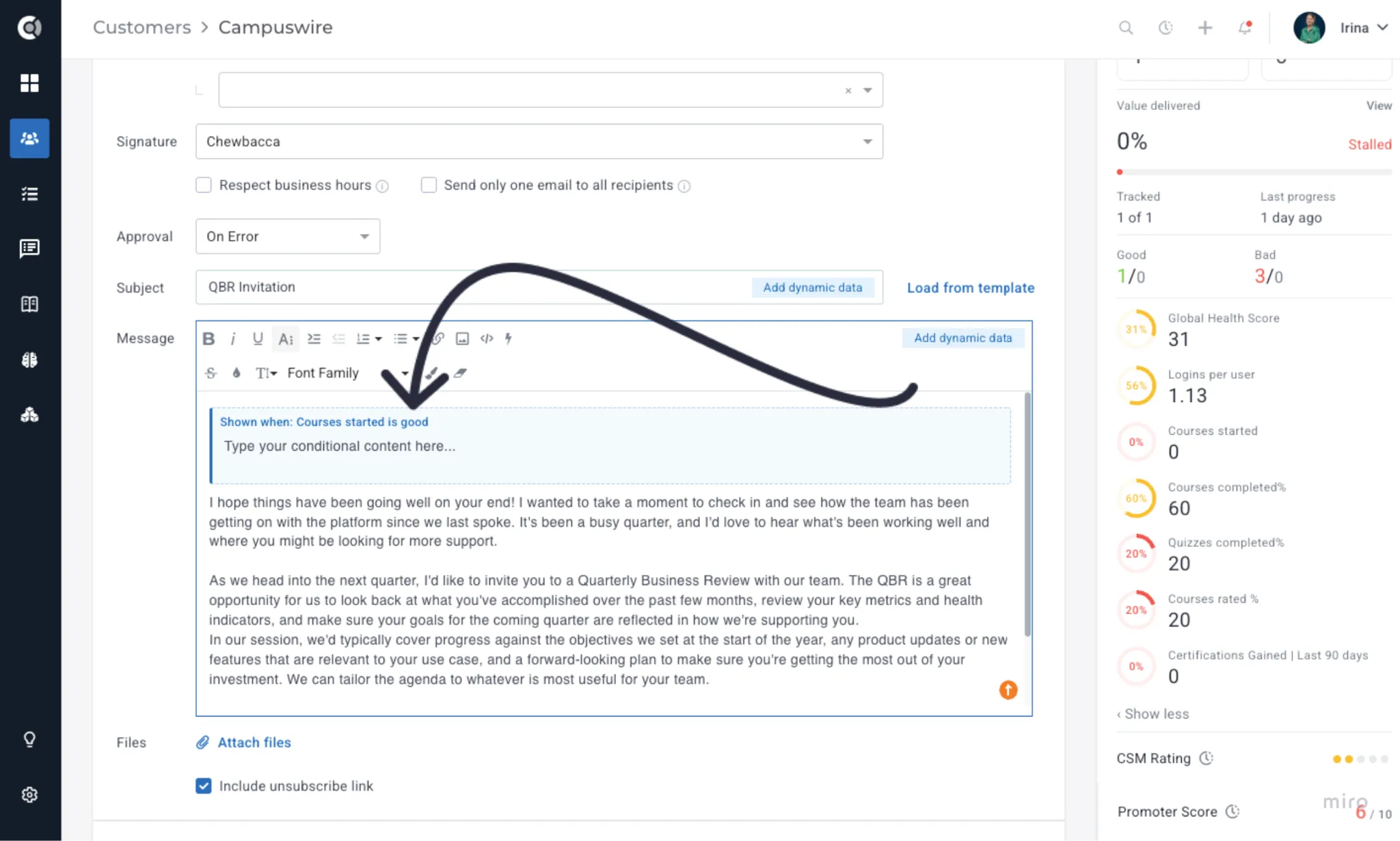
To use it: select the content block and click the Smart Content button (lightning bolt icon) in the toolbar, or right-click and choose Make Conditional. A dashed border shows which sections are gated at a glance.
Other email & survey improvements
- BCC-only emails — emails can now be sent with only BCC recipients.
- Propagate template changes to playbooks — when updating a template used in Playbooks, push the change to every instance at once.
- Filter emails by "analysed by AI" — new toggle in the email list filter.
- Unsubscribed users in the undeliverable box — emails skipped due to unsubscribe now appear with a clear reason.
- Unsubscribe link on multi-recipient emails — included even when sending to multiple recipients.
- Tickets in last touchpoint calculation — ticket activity can now be factored into the Last Touchpoint date (Settings - General).
- Survey filter by Segment — filter surveys in the Survey dashboard by customer segment, to analyse results only for specific customer groups.
- Mandatory survey questions — questions can be marked mandatory so respondents can't skip them.
- Unique people response rate — survey reports now show a unique respondent rate alongside total responses.
- Tickets — internal comments highlighted — internal comments are now visually distinct from customer-visible ones.
- Unsubscribe from specific email types — recipients can now opt out of specific categories (transactional, marketing, surveys) instead of all emails at once.
Customer Portal
Gridster layout for Customer Portal
The drag-and-drop layout now applies to Customer Portal templates and per-company portal pages. Configure the template in Settings → Customer Portal → Edit Template, override per-company on the Company 360 Portal tab.
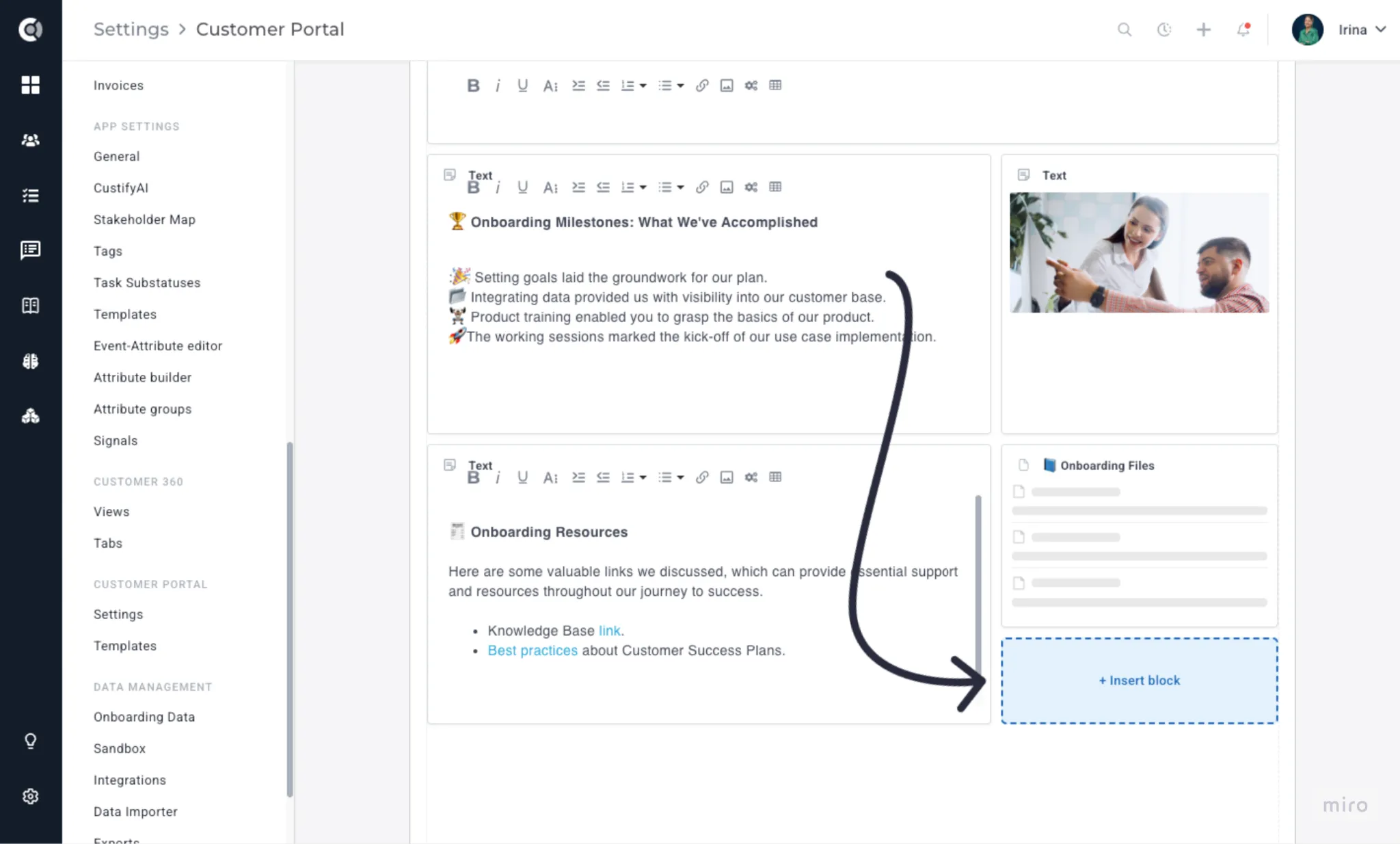
Distinguish portal views by audience
Customer Portal analytics now separate views and clicks from customer contacts vs. internal team members — so engagement metrics reflect actual customer activity, not a mix of internal and external traffic.
Integrations
Custify MCP and Outgoing Webhooks
- See the Release Spotlight section for full details.
API Endpoint — Meetings
The public API now exposes POST and DELETE endpoints for Touchpoints Meetings, consistent with the existing API surface for Tickets and Tasks.
Integration Logs
Each integration card in Settings → Integrations now has a drill-down log explorer. Click the "Synced X minutes ago" label to open it. Logs are kept for 30 days (compressed after day 7) and surface failures, retries, and per-record sync status.
Read the Integration LogsIntegration Logs article for more details.
New Integrations
Ten new connectors, significantly expanding how teams can centralize their customer data in Custify. The new integrations span customer feedback (AskNicely, Crisp), project and task management (Asana, Linear), conversation intelligence (Grain, Granola), support and success tooling (Groove, Pylon), and billing and subscription management (Maxio, Younium) — covering more of the tools your team already relies on.
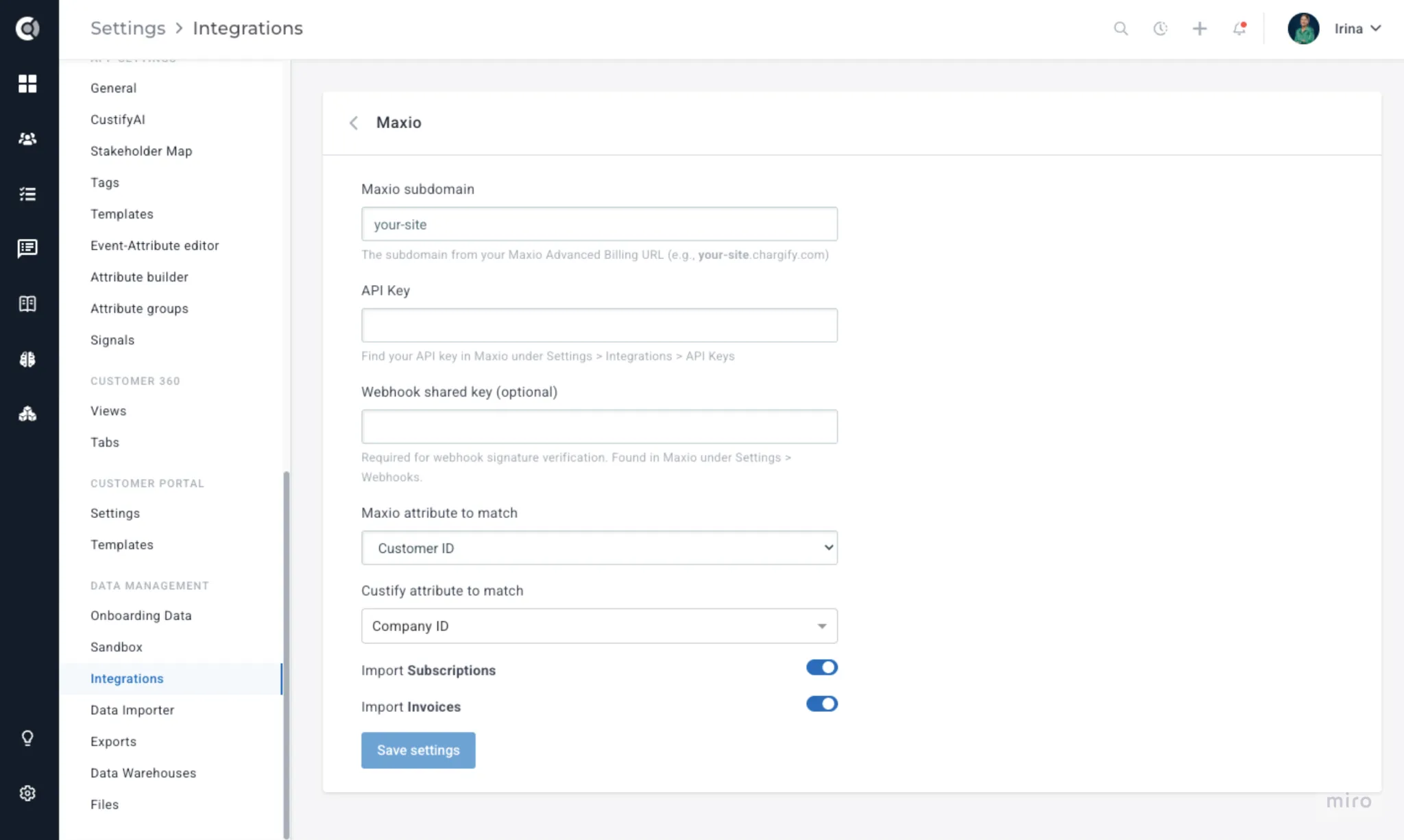
Read more about these in the full IntegrationsIntegrations list.
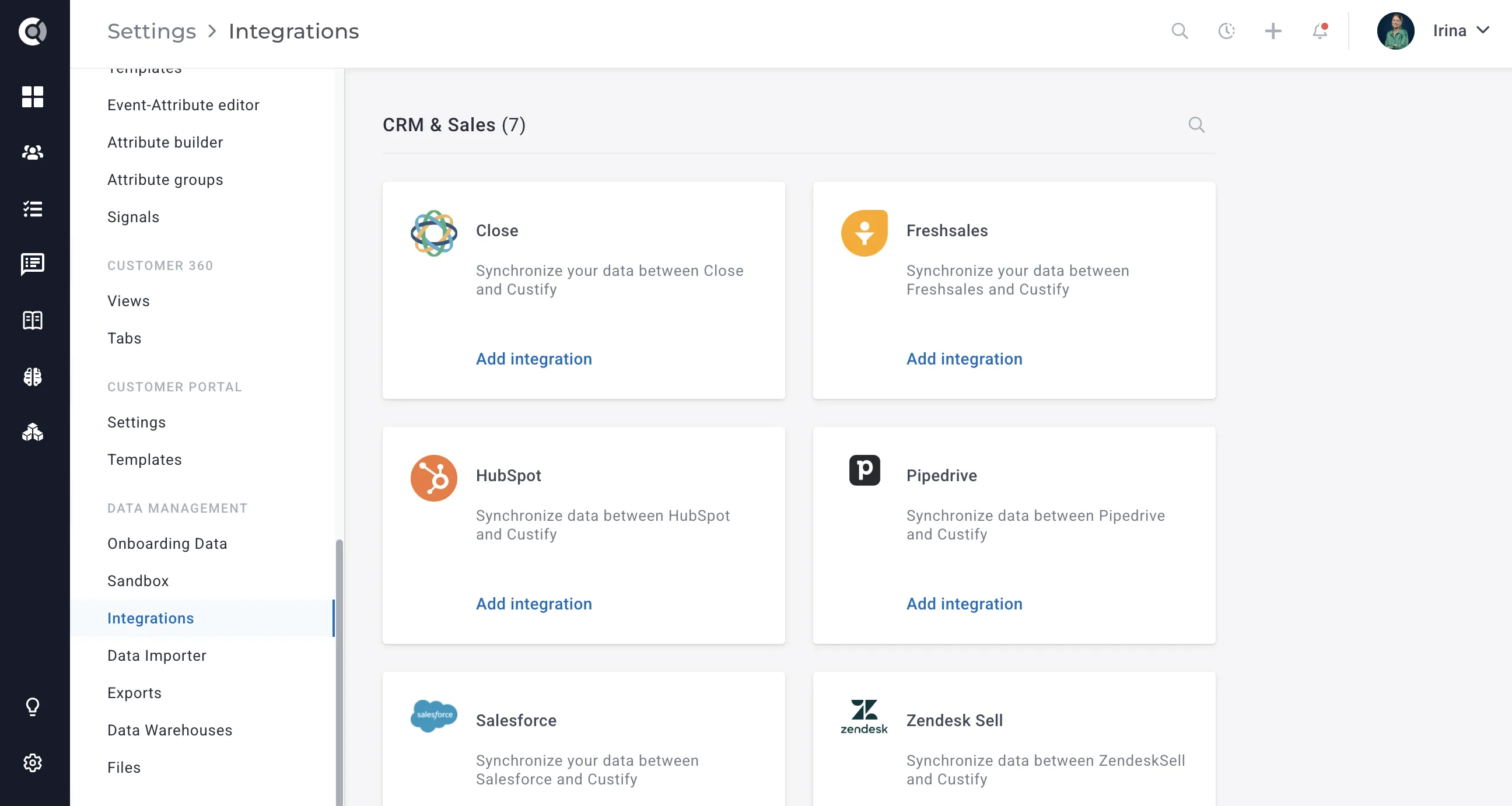
New UI and Search option
Integrations are now split by category, and you can easily use the search box to discover available native connectors.
Data Warehouses Improved
The Data Warehouse module now supports Notion and Airtable as direct sources, plus the ability to import notes alongside existing entity types.
Slack unfurl for Companies and People
When notifications and alerts containing Custify Company or Person URLs are sent into Slack, they now unfurl into a rich preview showing the name, owner, CSM rating, Global Health Score, Objectives, and Risk Score — giving teams instant visibility into account health directly from Slack.
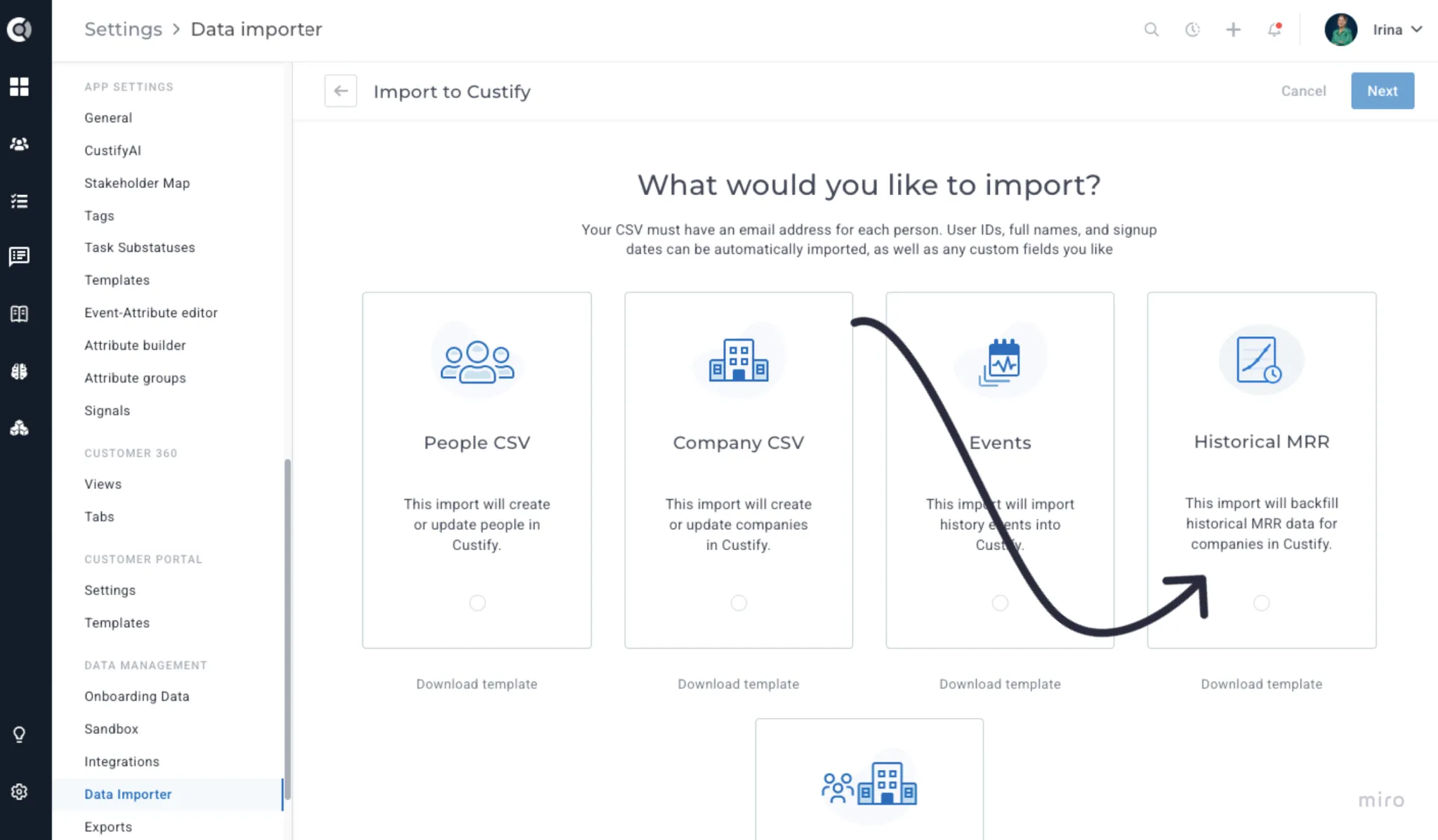
Historical MRR import via CSV
The CSV importer now accepts historical MRR records, populating the MRR timeline retroactively for accounts that want their dashboards to show prior history from day one.
Existing integration improvements
- Zendesk — can now match tickets by company, not only by contact.
- Salesforce — Case Comments can now be imported as Ticket comments.
- Pipedrive — parent-child relationships now imported.
- HubSpot — new setting to choose which label options to import for financial deal fields.
- Freshsales — owner_id field now imported for CSM assignment.
- Email attachments — new account-level toggle to disable auto-saving email attachments as files in Custify.
Settings
Onboarding Data Wizard
- See the Release Spotlight section for full details.
Offboarding Wizard
A guided admin-only wizard that walks through everything a departing team member owns — customer ownership, open tasks, playbook assignments, dashboards, saved views, and more — and reassigns it all in one place. Two modes: Execute and Deactivate (for departures) and Execute Only (for role changes).
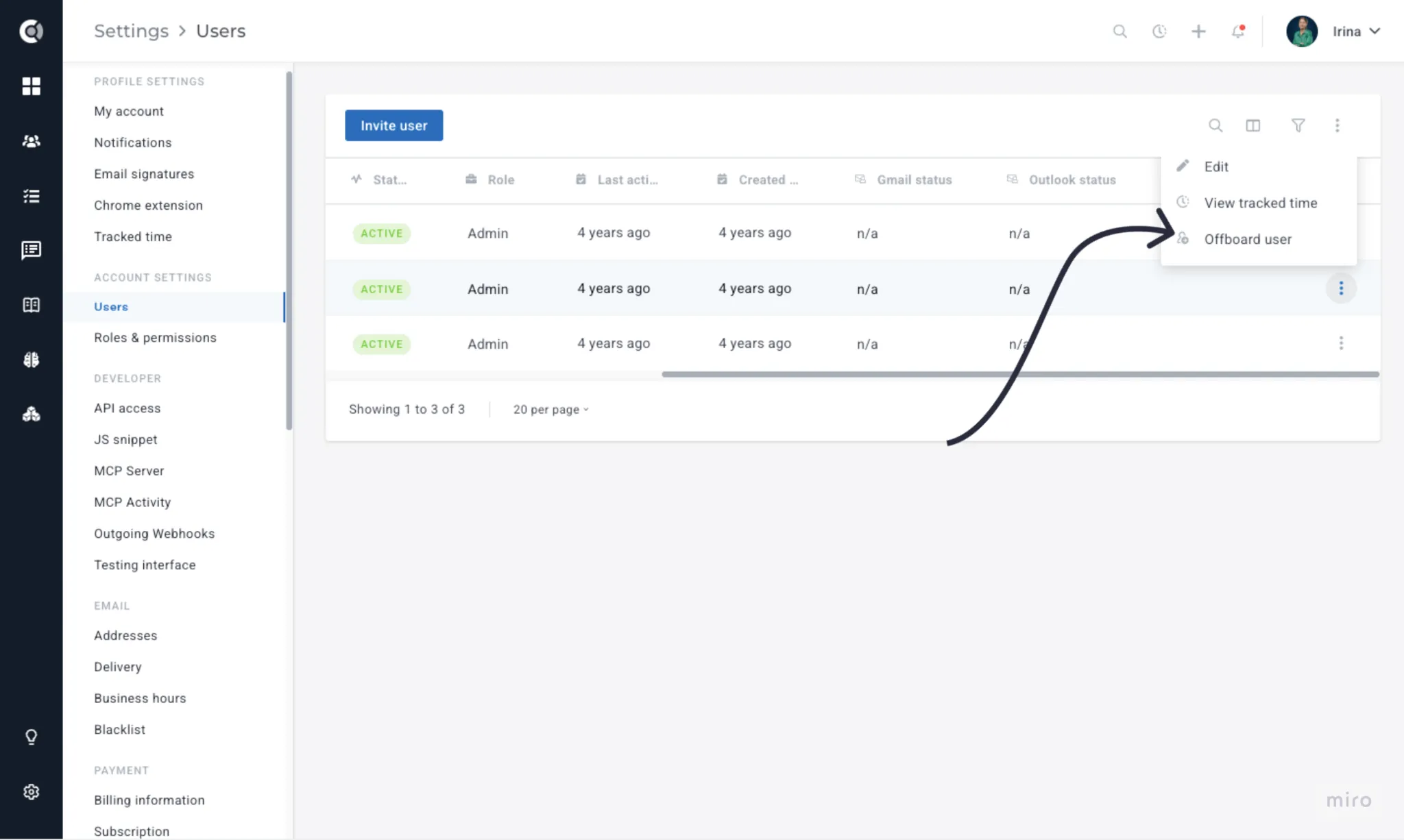
Access via Settings → Users → click the user → Offboard user. Attempting to deactivate a user who still owns work will now prompt you to launch the wizard first.
Read more about it on Offboarding Wizardhere.
Passkeys login
Custify now supports passkey authentication alongside password and SSO. Register passkeys from Settings → My Account → Security.
Force Two-Factor Authentication
Account admins can now require all users to set up 2FA. Users who haven't enrolled are blocked until they complete setup. The Users list adds a 2FA status column, a Send Reminders bulk action, and a Reset 2FA action per user.
Enable in Settings → General Settings → Security. Note: the admin enabling this must already have 2FA active on their own account.
Read-only API Keys
API keys can now be created in read-only mode — they can call all GET endpoints but are blocked from any write or destructive operation. Useful for analytics integrations and internal dashboards.
Notification settings - in-app, email, and Slack
Notification preferences now split out per channel (in-app, email, Slack), letting users choose which event types they want on which channel. Slack delivery supports notes, tasks, and selected playbook signals.
Attribute usage view in Event-Attribute Editor
A new "Used in" column on attributes shows every Segment, Health Score, Playbook, Lifecycle, and Calculated Metric that references it. Invaluable before renaming or deleting an attribute you're not sure is still in use.
Sandbox
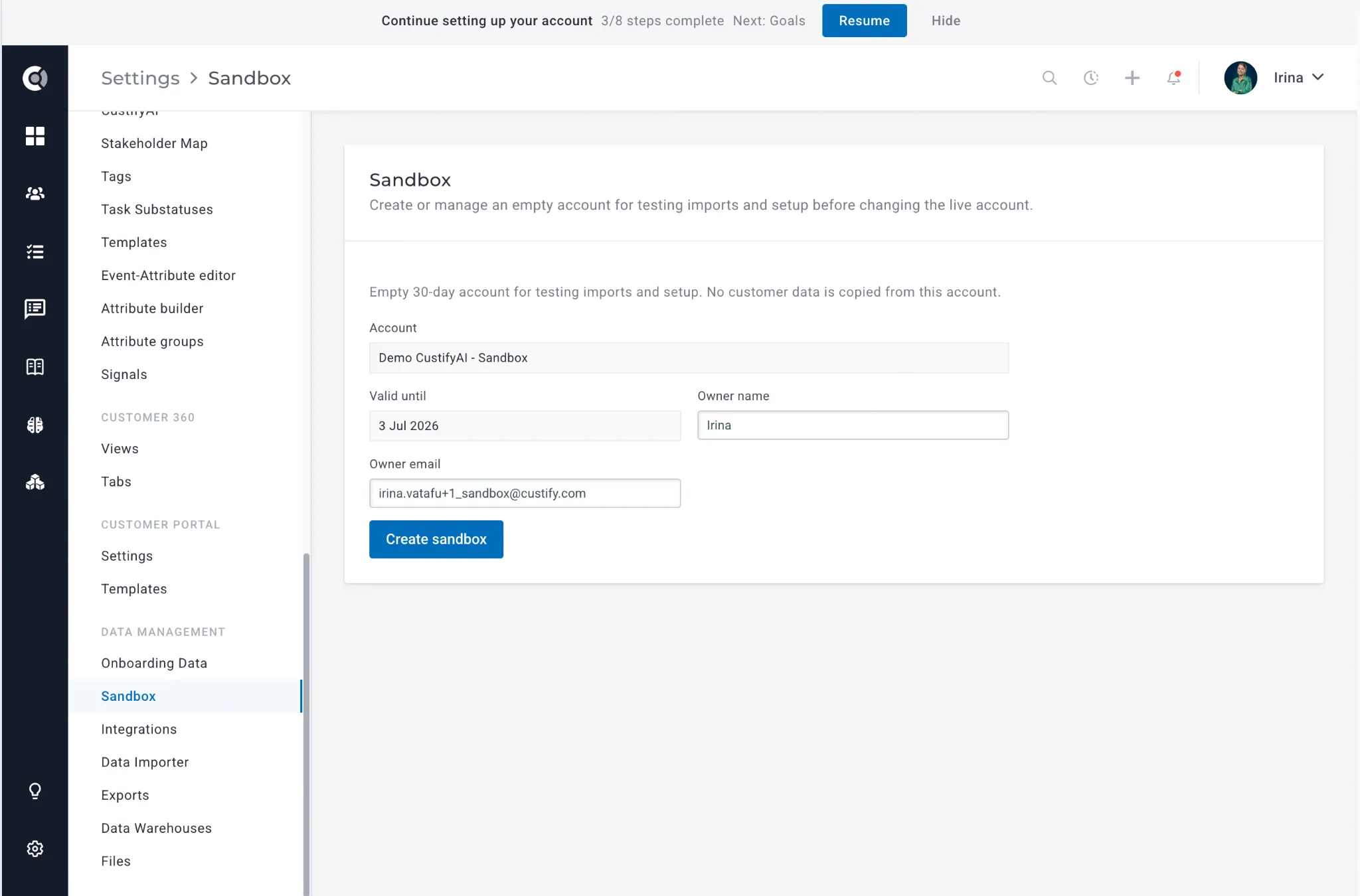
The Sandbox feature, found under Settings > Data Management > Sandbox, allows you to create an isolated, empty 30-day account for safely testing imports and configuration changes before applying them to your live account. No customer data is copied into the sandbox environment. To create one, simply provide an account name, and confirm the owner name and email — the valid until date is set automatically. Once ready, click Create Sandbox to spin up your test environment.
Note: We recommend using a different browser than the one you're using for your production account when logging into the sandbox.
Sandbox Limitations
Keep the following limitations in mind when working in your sandbox environment:
- API: The API limits and endpoints are the same as in your production environment. For details, see docs.custify.com.
- Data volume: The sandbox supports a maximum of 100 companies and 1,500 people.
- Integrations: You can connect integrations for testing purposes, but most third-party platforms only allow a single active connection. This means that if you want to test an integration such as Pipedrive, you will need to disconnect it from your production account first. This limitation is imposed by the integration partner and is outside of Custify's control.