Product Updates | August 13th
Release Spotlight
CustifyAI
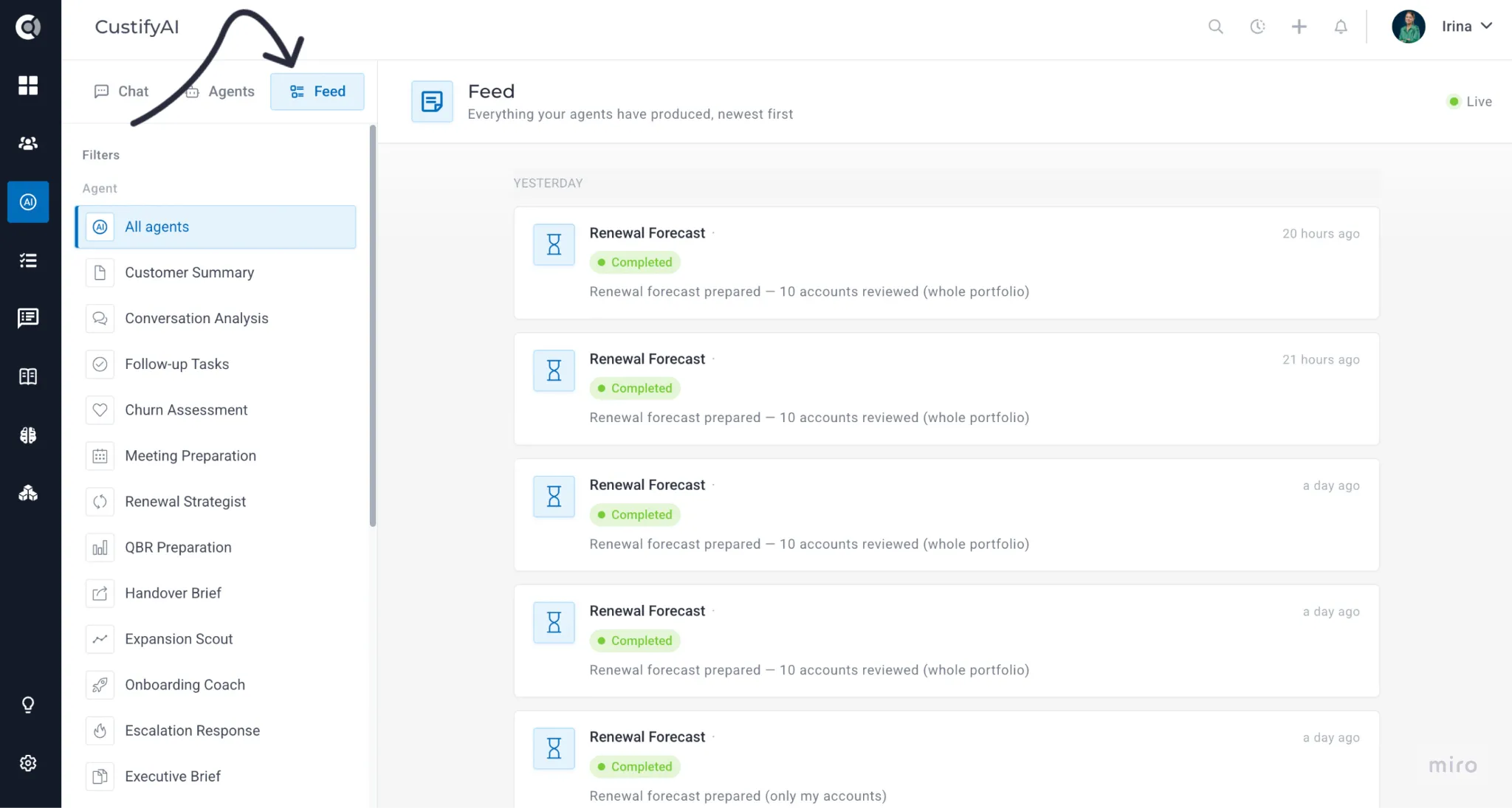
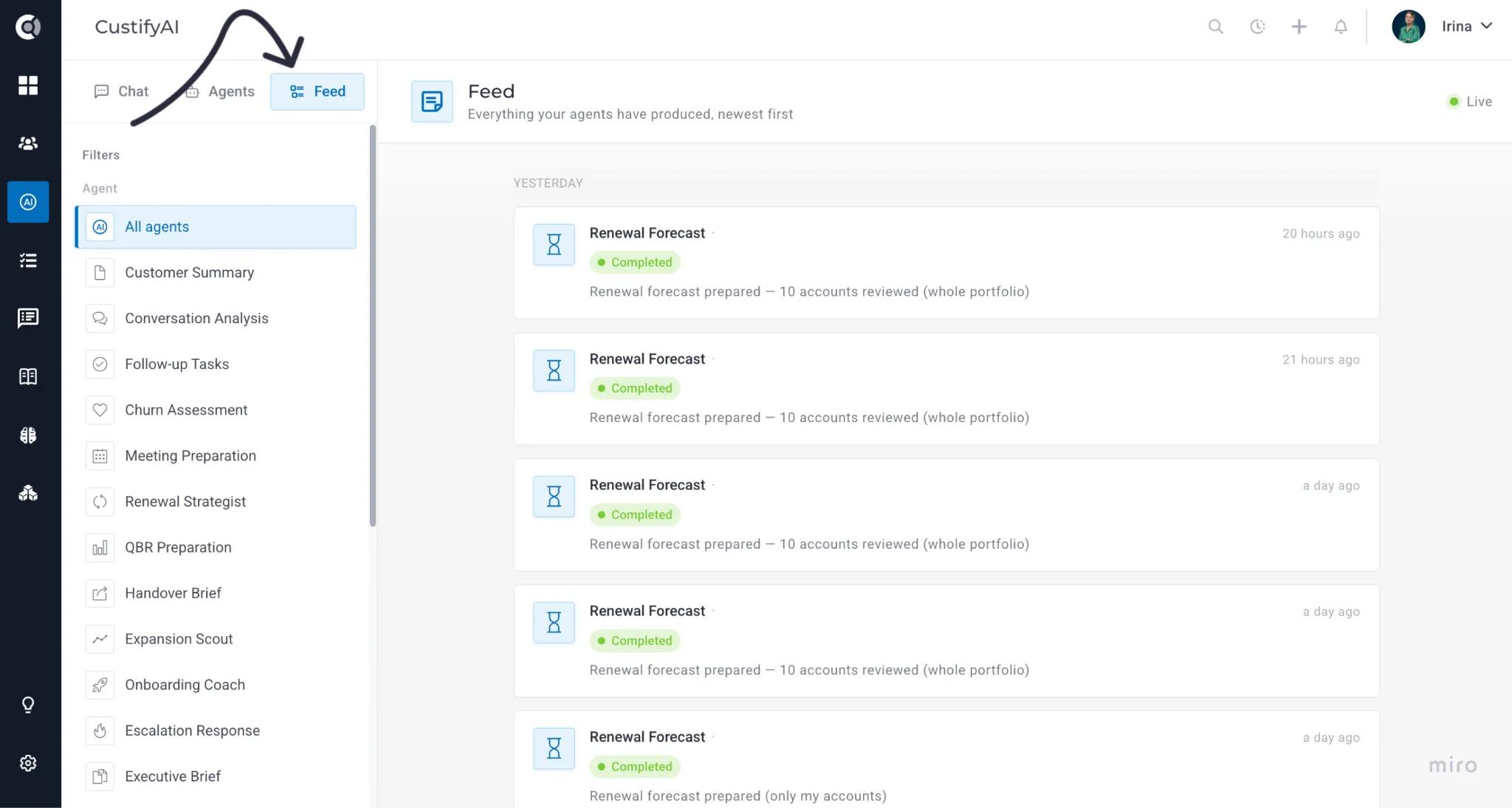
CustifyAI just moved into a home of its own, gathering almost everything AI does in Custify into three views built around how you actually work: Chat, which helps you gather information and trigger the right flows through a simple conversation; Agents, for when you already know specifically what you need; and Feed, for observing the work of all agents in one place. Open it from its new, dedicated page, or scope it to a single account straight from that Company's 360 view.
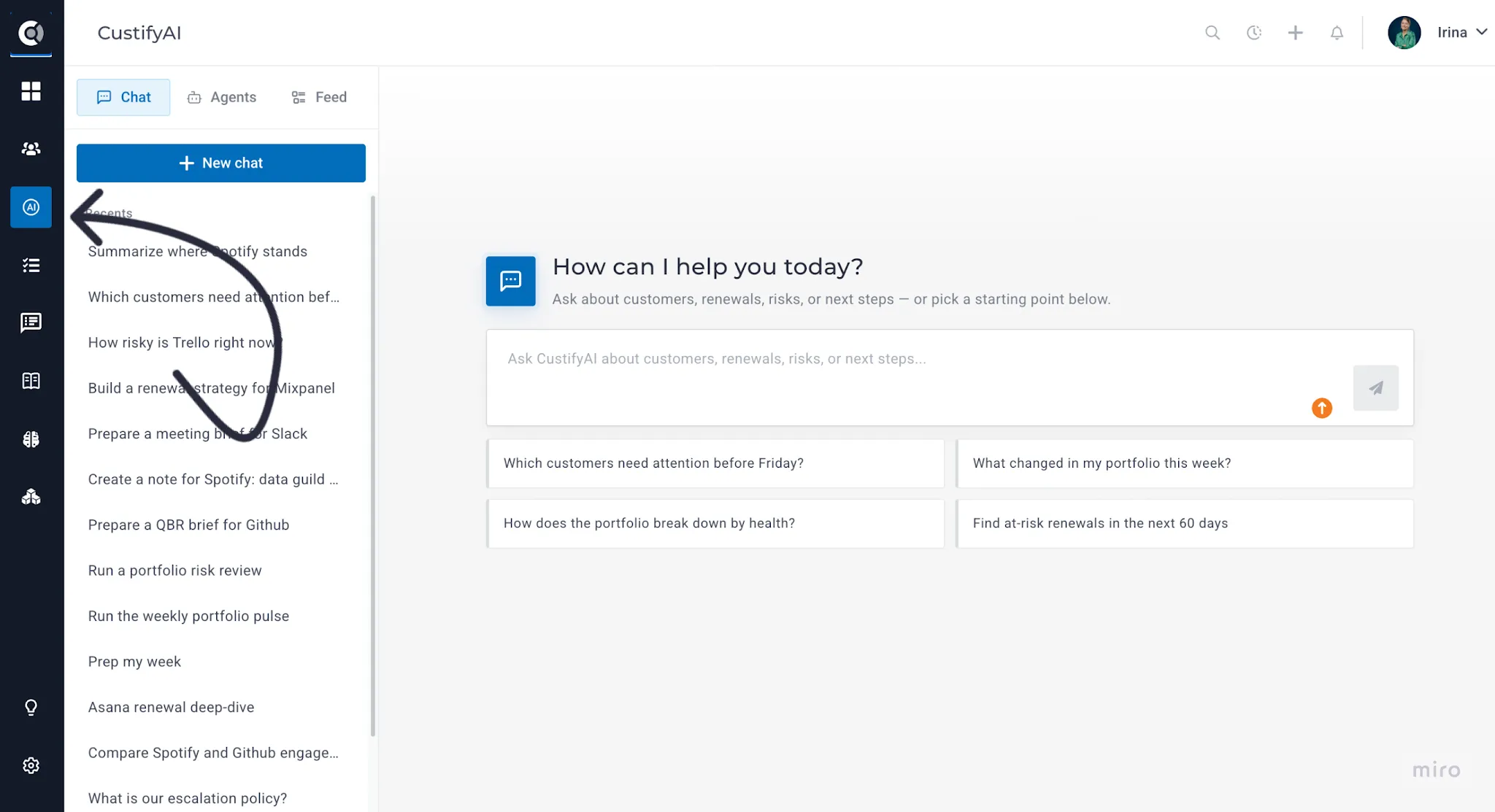
The agent fleet has grown, with brand-new specialists for meeting prep, renewal strategy, QBRs, account handovers, expansion, onboarding, escalations, win-backs, and advocacy, plus four portfolio-wide agents that triage your entire book in one pass.
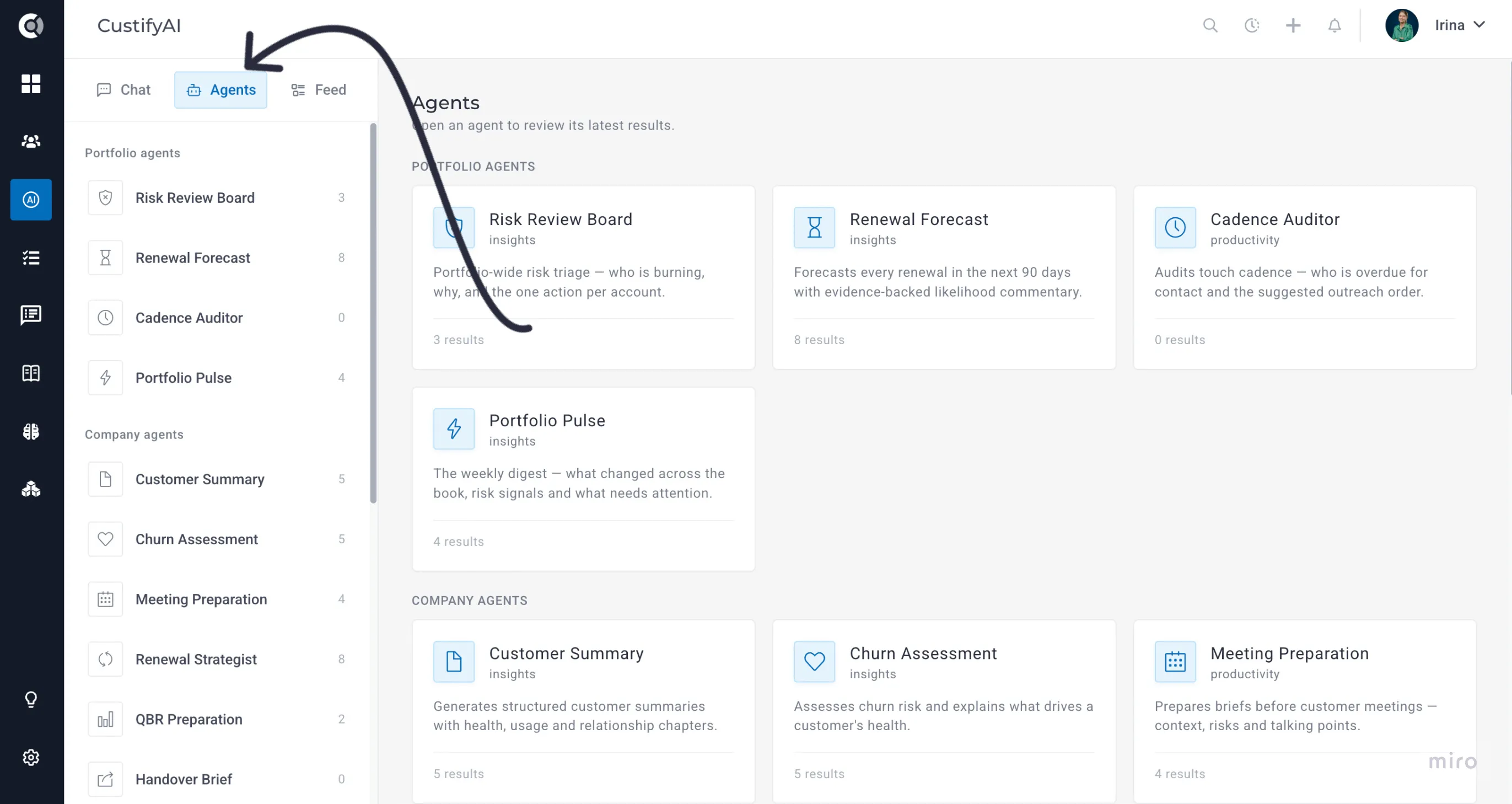
Here's what that looks like in practice. It's Monday morning, you open the CusitfyAI Chat and type "which customers need attention before Friday?" — the Chat picks the agent for you, pulling the relevant accounts and proposing to run Risk Review Board on your book. You can also interact with particular agents directly, then observe runs, success rate, plus every past result as a structured page, risk scores and recommended actions included.
On top of that, the activity Feed shows you the work of all your agents in one place — your own AI digest, surfacing the accounts that started burning while you were in back-to-back calls before you'd have caught them yourself.
AI Sentiment & Risk Analysis — Notes Analysis
Conversation Analysis — the background agent that reads your email threads and scores sentiment and risk — now does the same for Notes.
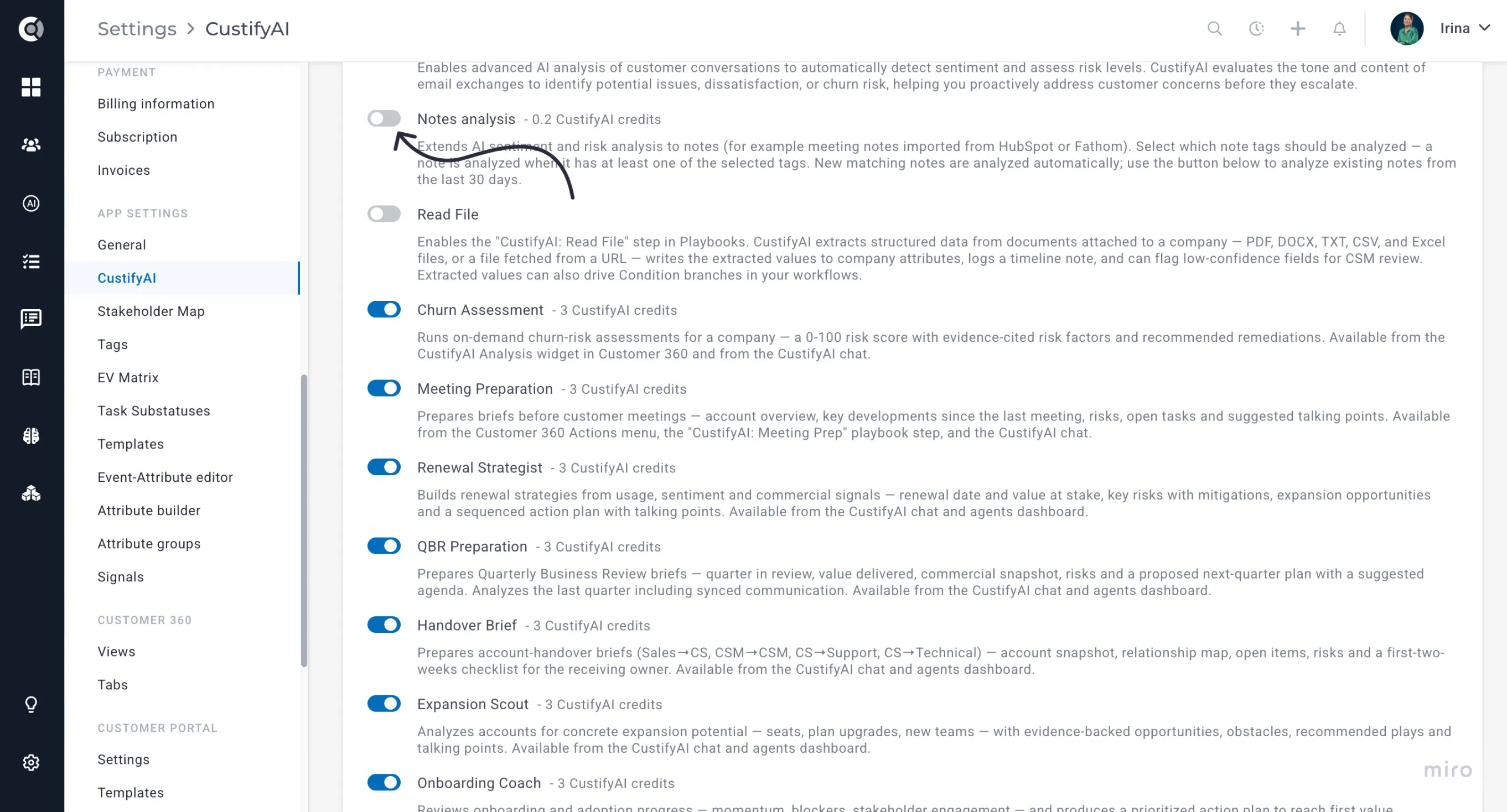
You choose which note tags get analyzed, so the agent only looks at the notes that matter (e.g., Client Meeting or QBR, not internal scratch notes). There's also a manual “analyze recent existing notes” action for backfilling history. Once enabled, an account's overall risk and sentiment score factors in what's being said in meetings and calls, not just in email — giving you a much fuller picture of how a relationship is actually going.
New Playbook Step - Read File
A new Playbook step lets CustifyAI read a document and turn it into company data automatically. Point it at a contract, invoice, or intake form, and it extracts the fields you ask for and writes them straight onto the company's attributes — no manual data entry.
- Where the file comes from — the newest matching file already on the company, a public URL, a company attribute that holds a file or URL, or the attachment on the email that triggered the playbook.
- What it reads — PDF, DOCX, TXT, CSV, XLSX, and XLS files up to 25 MB.
- What you configure — a plain-language extraction prompt, and a mapping from each extracted field to a company attribute, with a conflict rule (overwrite, skip if already populated, or append).
- Built-in safety net — every extraction is logged as a timeline note; you can optionally trigger a CSM review task whenever a field comes back with low confidence or can't be found, and a failed extraction never blocks the rest of the playbook.
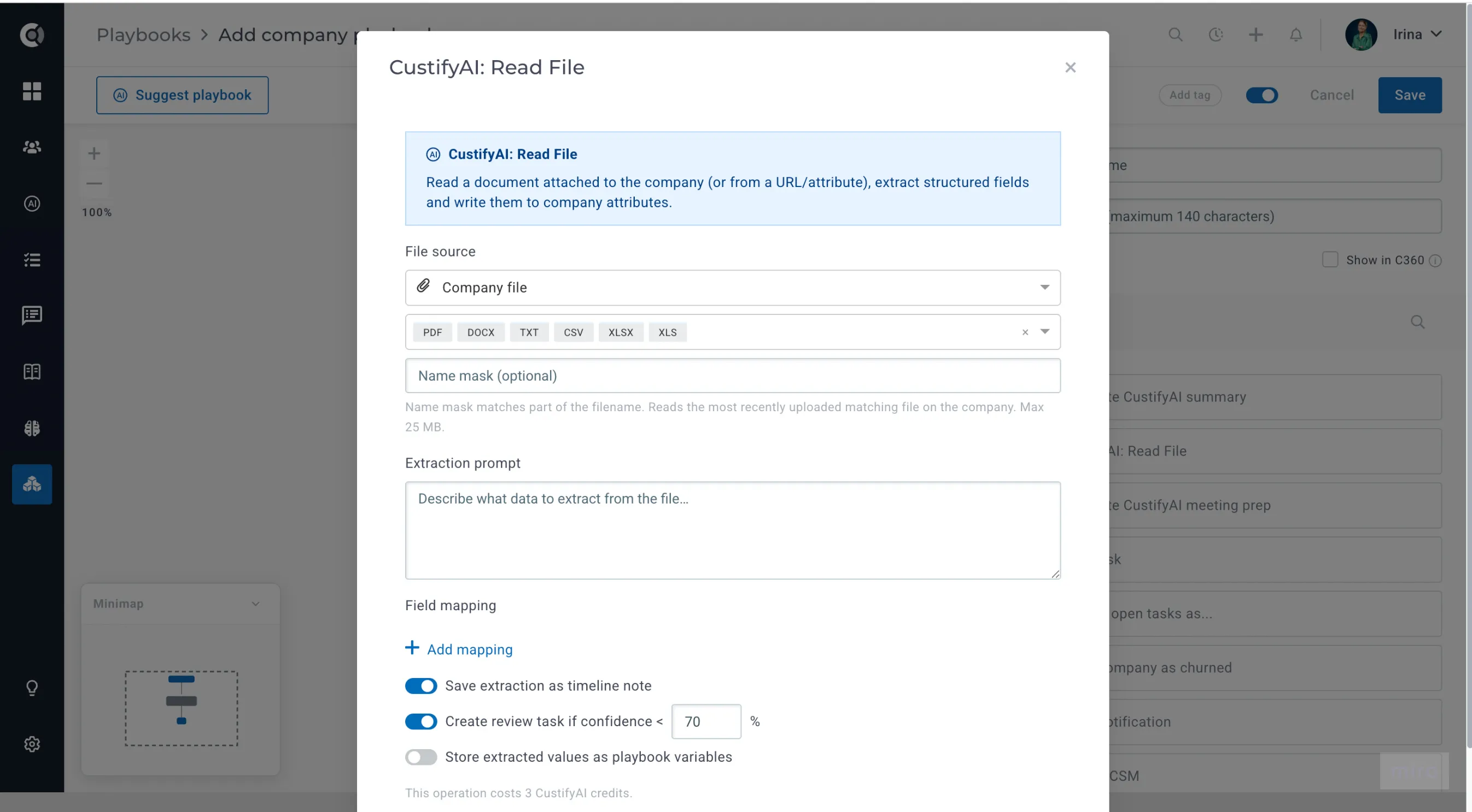
Extracted values can also be stored as playbook variables and used in a dedicated condition type, so you can branch a playbook on what was found in the document — for example, routing high-value contracts to a different track than standard ones.
Integrations & Developer Tools
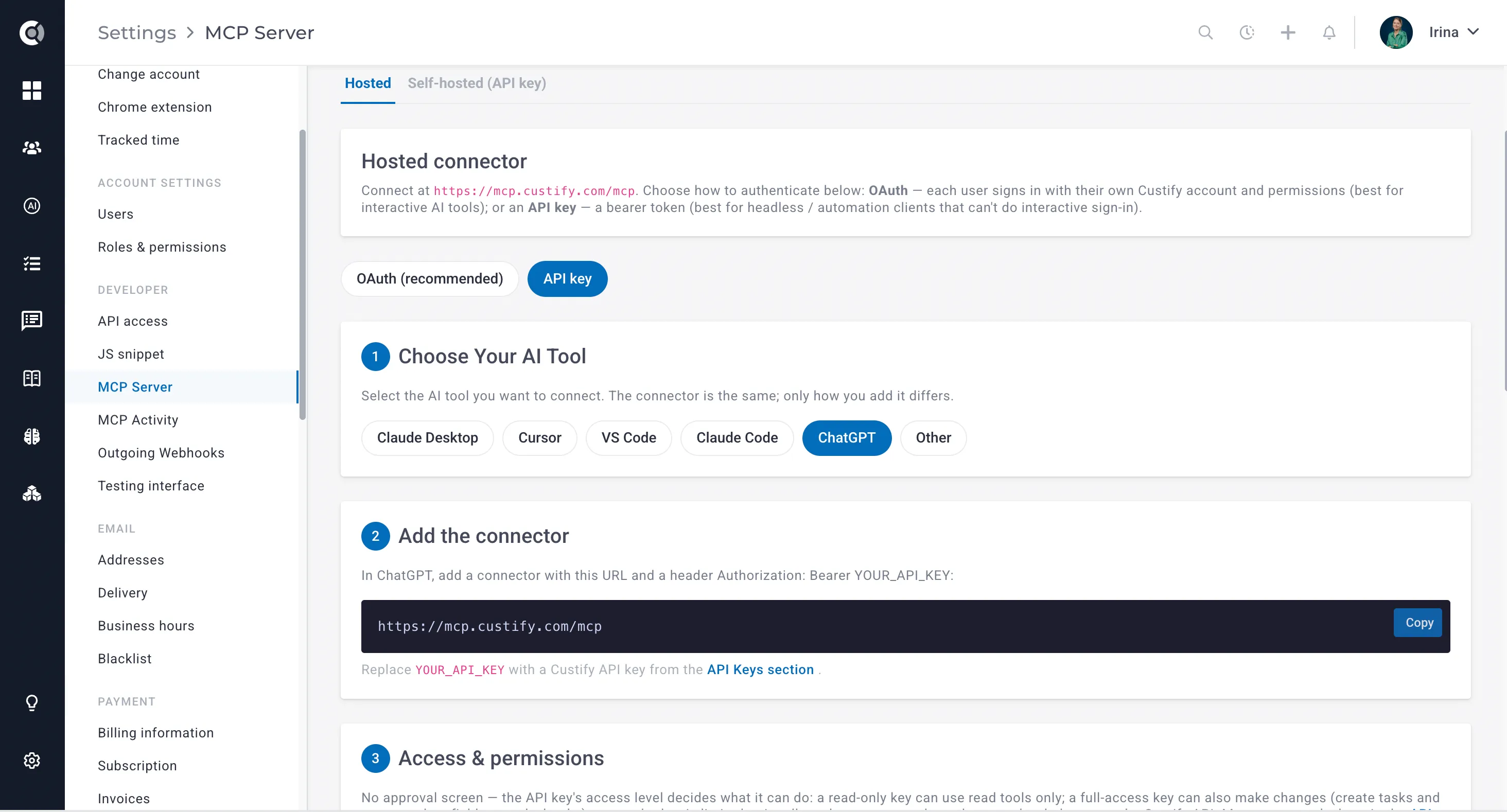
Remote, Hosted MCP Server
Our Model Context Protocol (MCP) server is now also available fully hosted at mcp.custify.com/mcp — with even more tools than before, but without needing to install or run anything locally. If you're connecting Custify to an AI tool that speaks MCP, this is the fastest way to get set up, especially for teams that don't want to manage a local Node.js process. We'll keep adding more tools regularly, so stay tuned!
Foundation
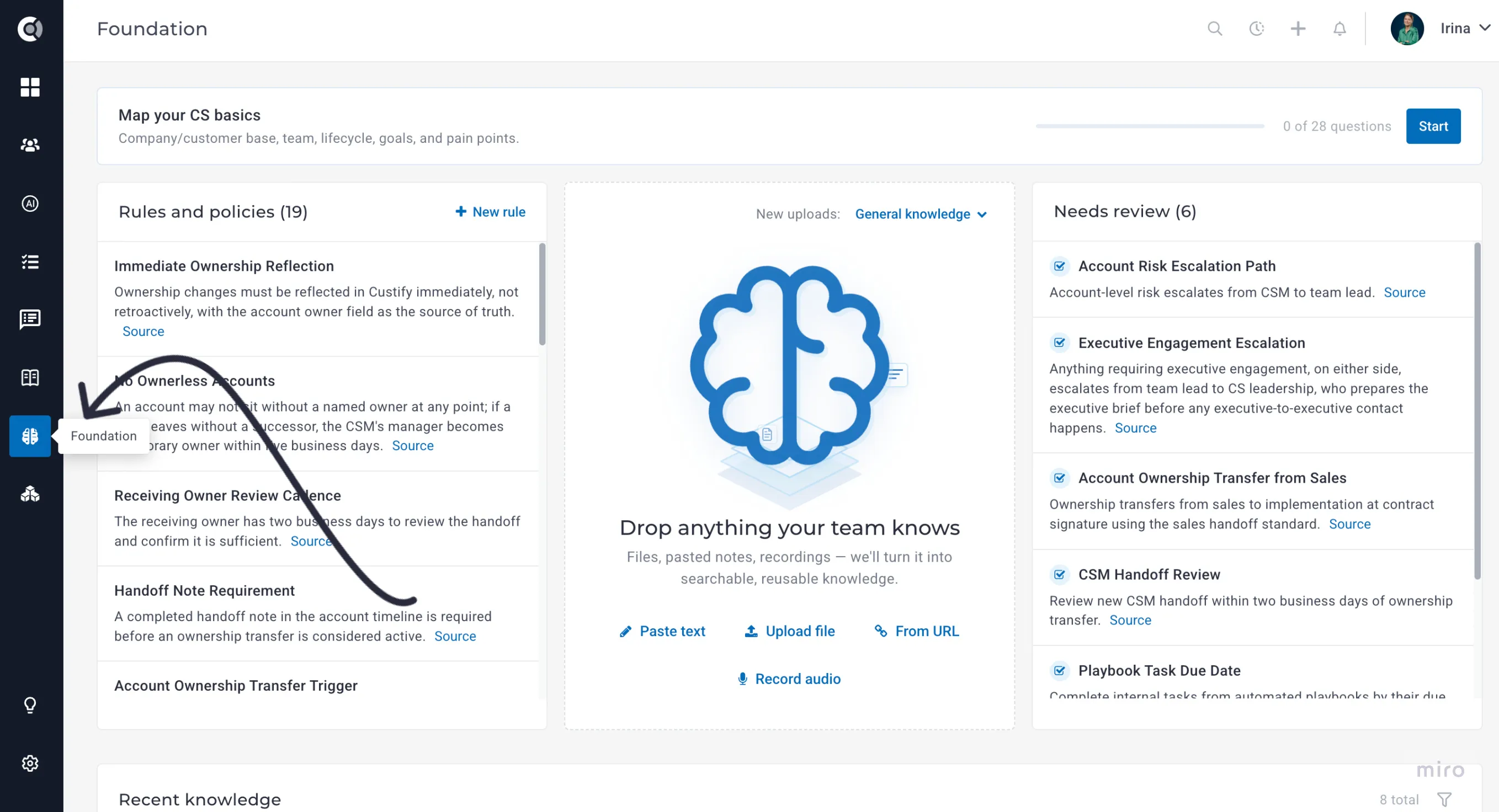
The recently released Custify KnowledgeCustify Knowledge module has been renamed to Foundation, to better differentiate it from the Knowledge Base section and to better reflect its purpose (being the foundation for everything that is built in Custify).
Knowledge Base
Tag and Filter Internal KB Articles
Your internal Knowledge Base now supports tags. Add tags to articles from Manage Articles mode, see them on both the article listing and the article itself, and filter the article list by tag — handy once your internal KB has grown past the point where folders alone keep it organized.
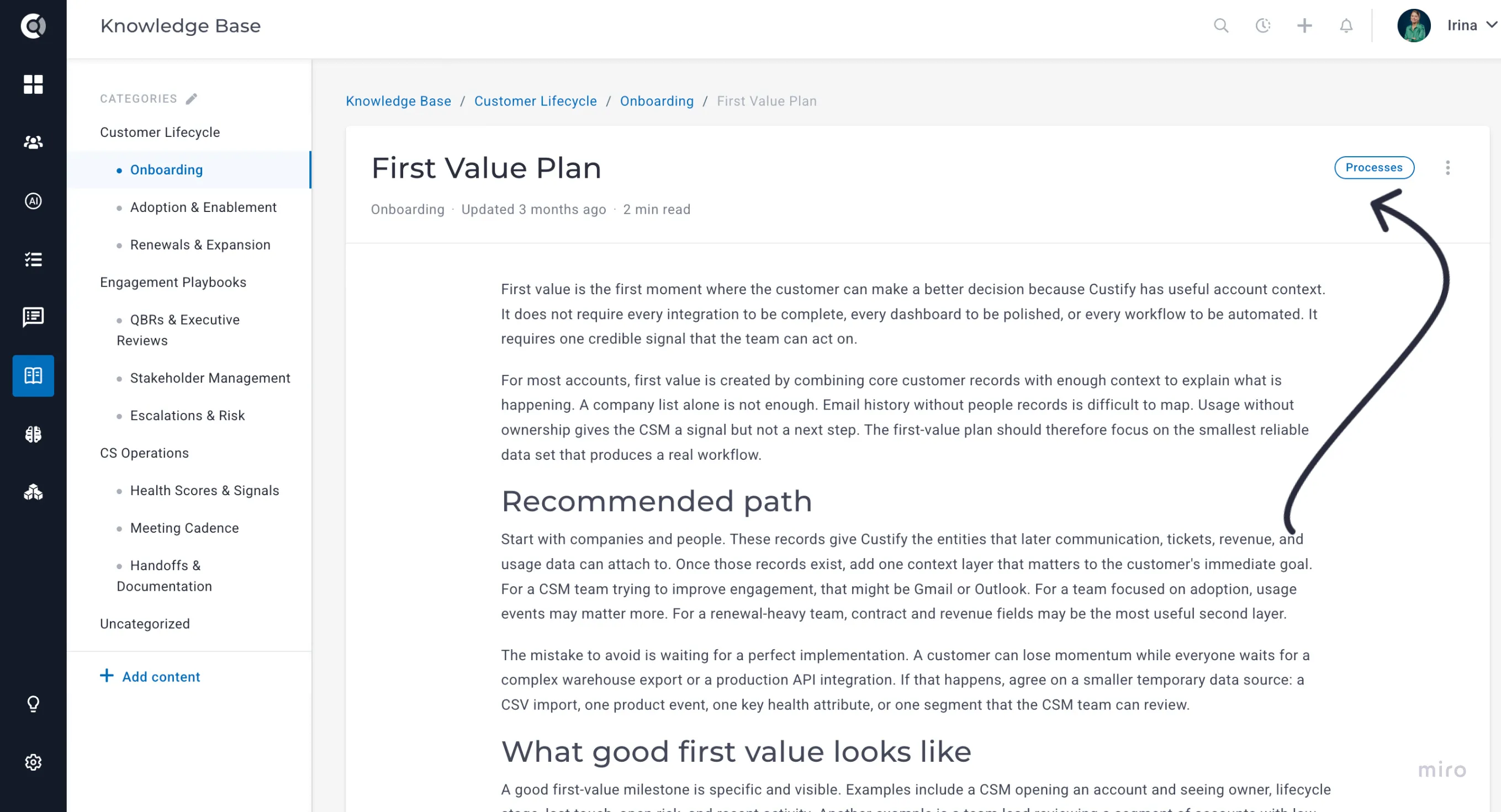
Article-Level Visibility Permissions
Knowledge Base articles can now be restricted to specific roles or specific users, not just left open to everyone with KB access. Each article's edit screen has a new Visibility setting — Public (the default) or Restricted — and choosing Restricted lets you pick the roles and/or individual users who should see it, the same way sharing already works on Dashboards.
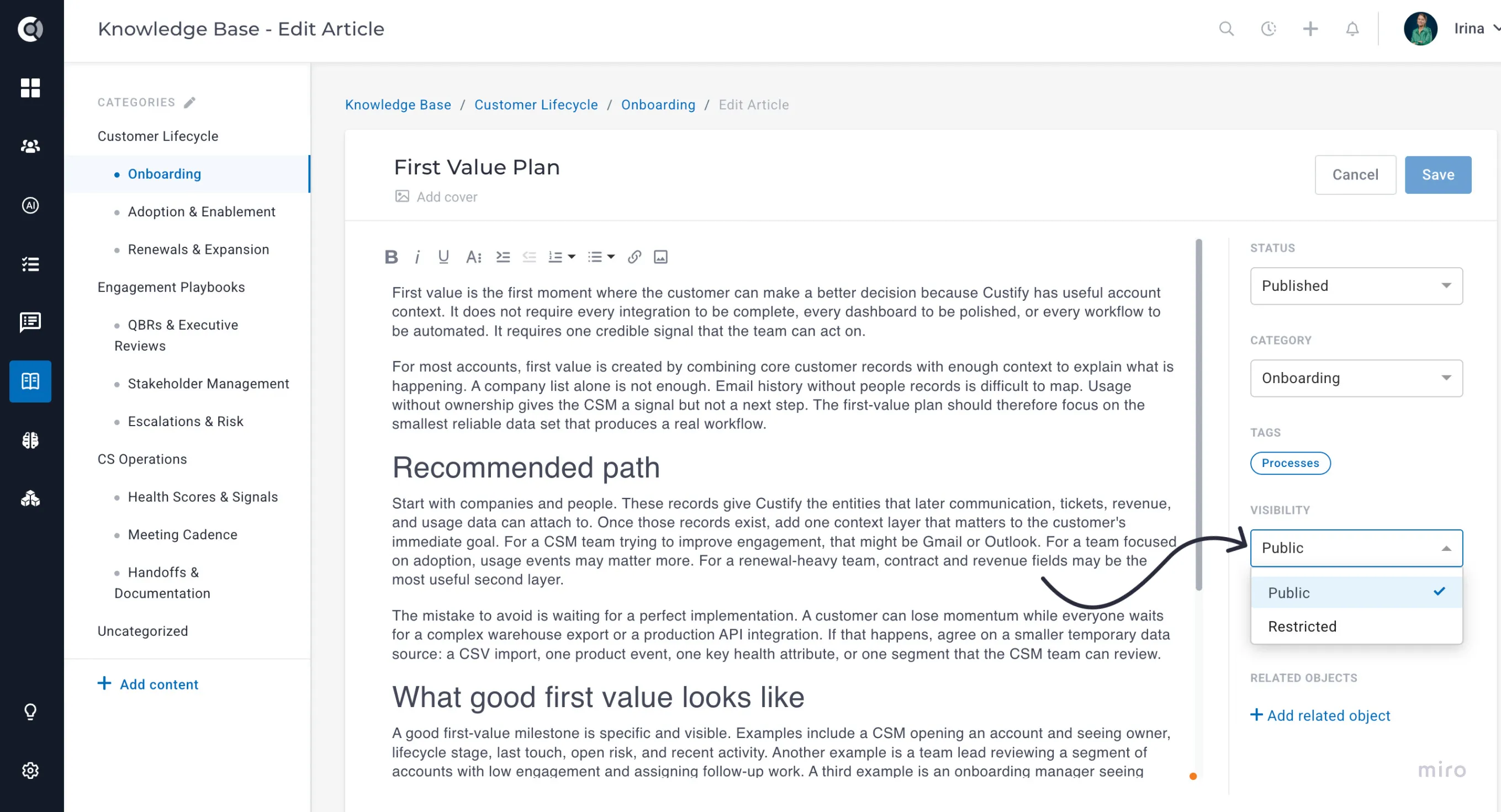
This is the right tool for management-only or team-specific articles that shouldn't be visible to the whole org. SuperAdmins can always see every article, regardless of its visibility setting.
Customer Portal
Create Tasks from the Portal
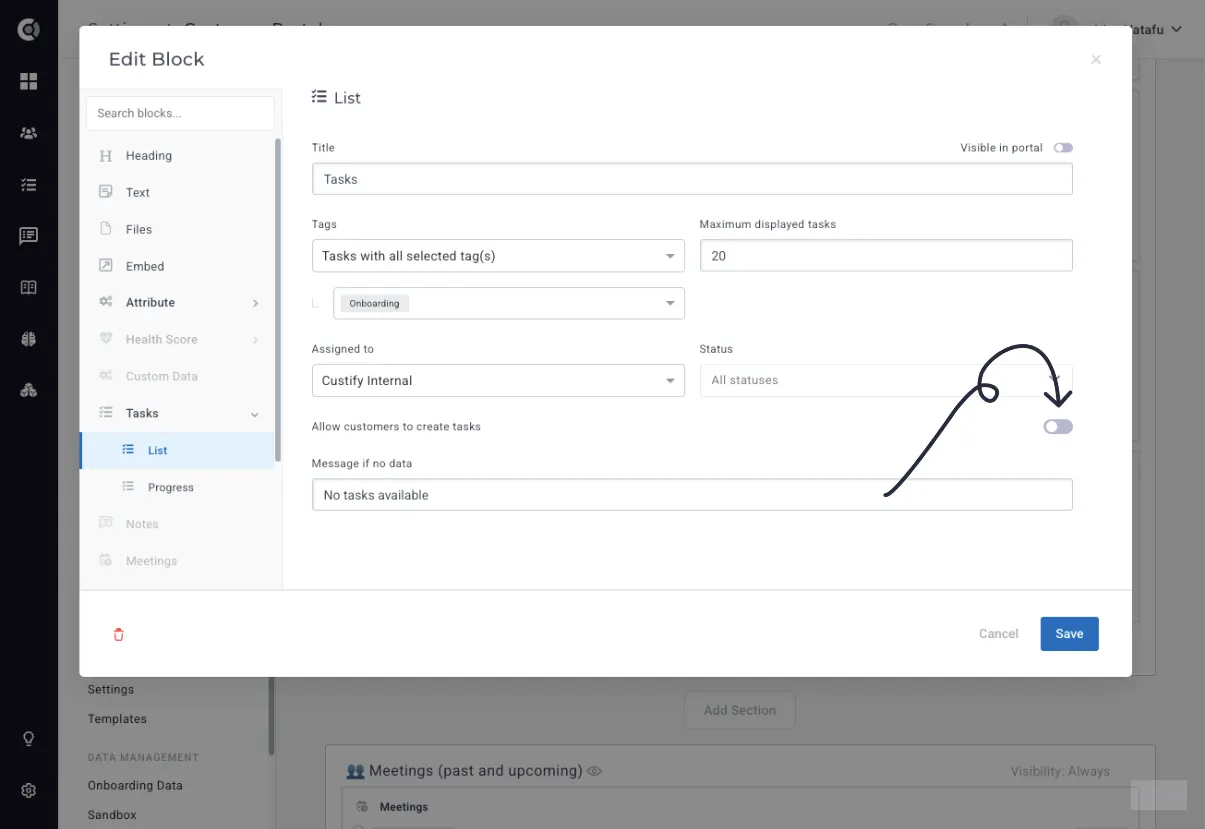
The Tasks block in the Customer Portal can now accept new tasks from your customers, not just display the ones you've assigned to them. Turn on “Allow customers to create tasks,” and optionally rename the button they'll see (it's called “Create task” by default).
Customers fill in a title, an optional description, who it's assigned to (themselves or your account owner), and an optional due date — and it shows up on the account like any other task, so your team sees it the moment it's created.
Upload Files from the Portal
The Files block now supports customer uploads. Turn on “Allow customers to upload files” and customize the button label (default: “Upload files”), and anything a customer uploads appears alongside the files you've already shared, stored at the company level — no more collecting documents over email.
Share Tickets in the Customer Portal
A new Tickets block lets you show a company's support tickets directly in their portal, filtered by whichever tags and settings you choose so you control exactly what customers see. Only outgoing replies and public ticket details are shown — internal notes and actions stay internal.
Choose between a detailed list view (tickets on the left, the open ticket's replies and status on the right) or a simpler view that shows just the subject and expands into the conversation on click — whichever fits how much detail you want customers to see.
Selective Access (Email-Based)
The Customer Portal now has a third access mode — Selective Access — alongside the existing Public Link and Password modes. It lets you open a portal to a specific, named audience instead of anyone with the link or everyone who knows a shared password.
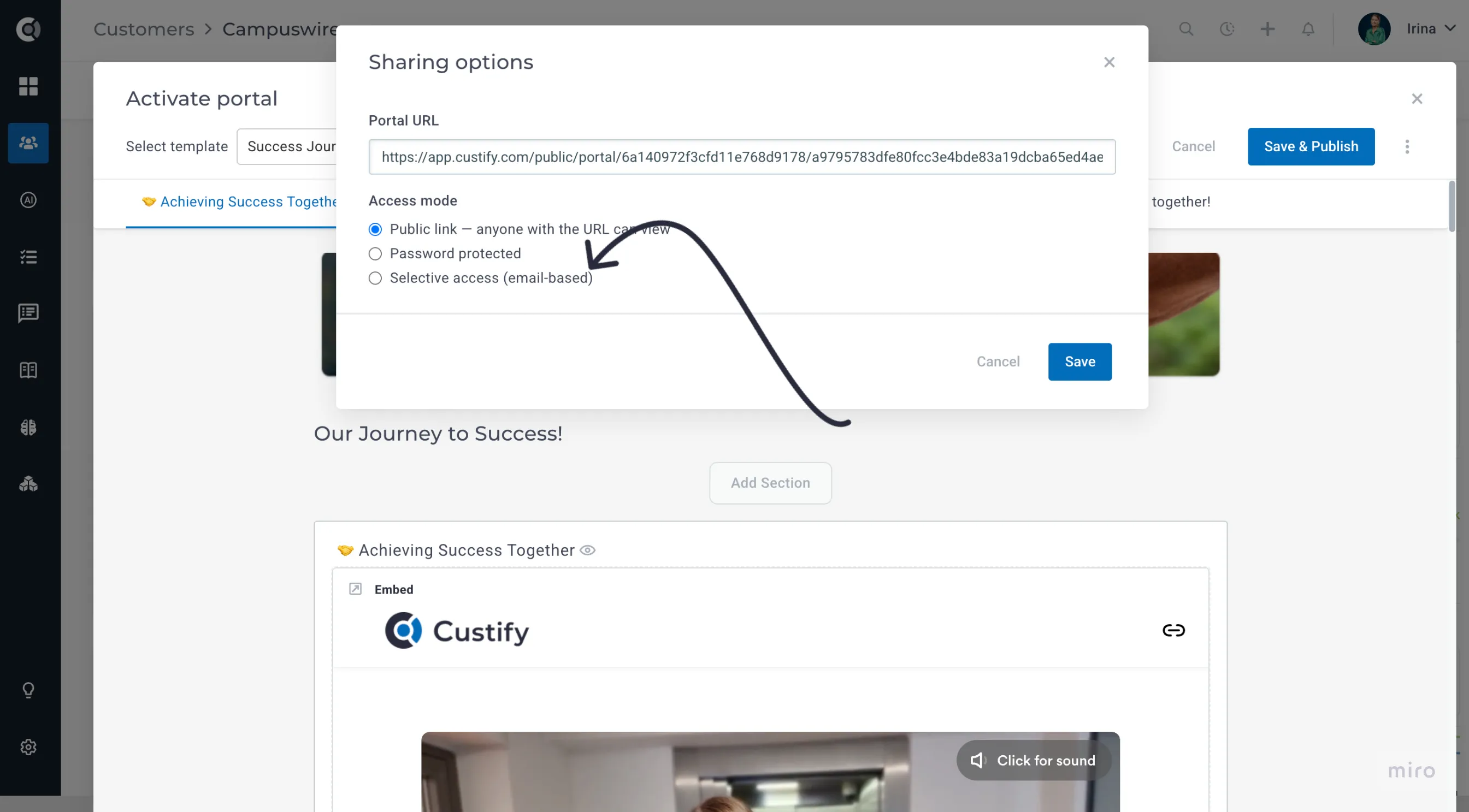
You build the audience from your People records, custom email addresses, or both. A visitor enters their email at a gate; if it's on the list, they're emailed a single-use magic link (valid for 15 minutes) that opens the portal in a signed, 24-hour session. Every request, view, and denial is logged to the account's activity timeline in Company 360 and People 360, so you always know who's actually looked at what.
Selective Access also accepts an entire email domain, not just individual people and addresses. Type a domain like acme.com into the audience picker and choose “Allow everyone from @acme.com” to open the portal to anyone on that company's email domain.
Playbooks
Multi-Branch Condition Step
Playbooks now support a Multi-Branch step: instead of nesting multiple yes/no Condition splits to route accounts down more than two paths, you can define up to 10 named branches directly in one step.
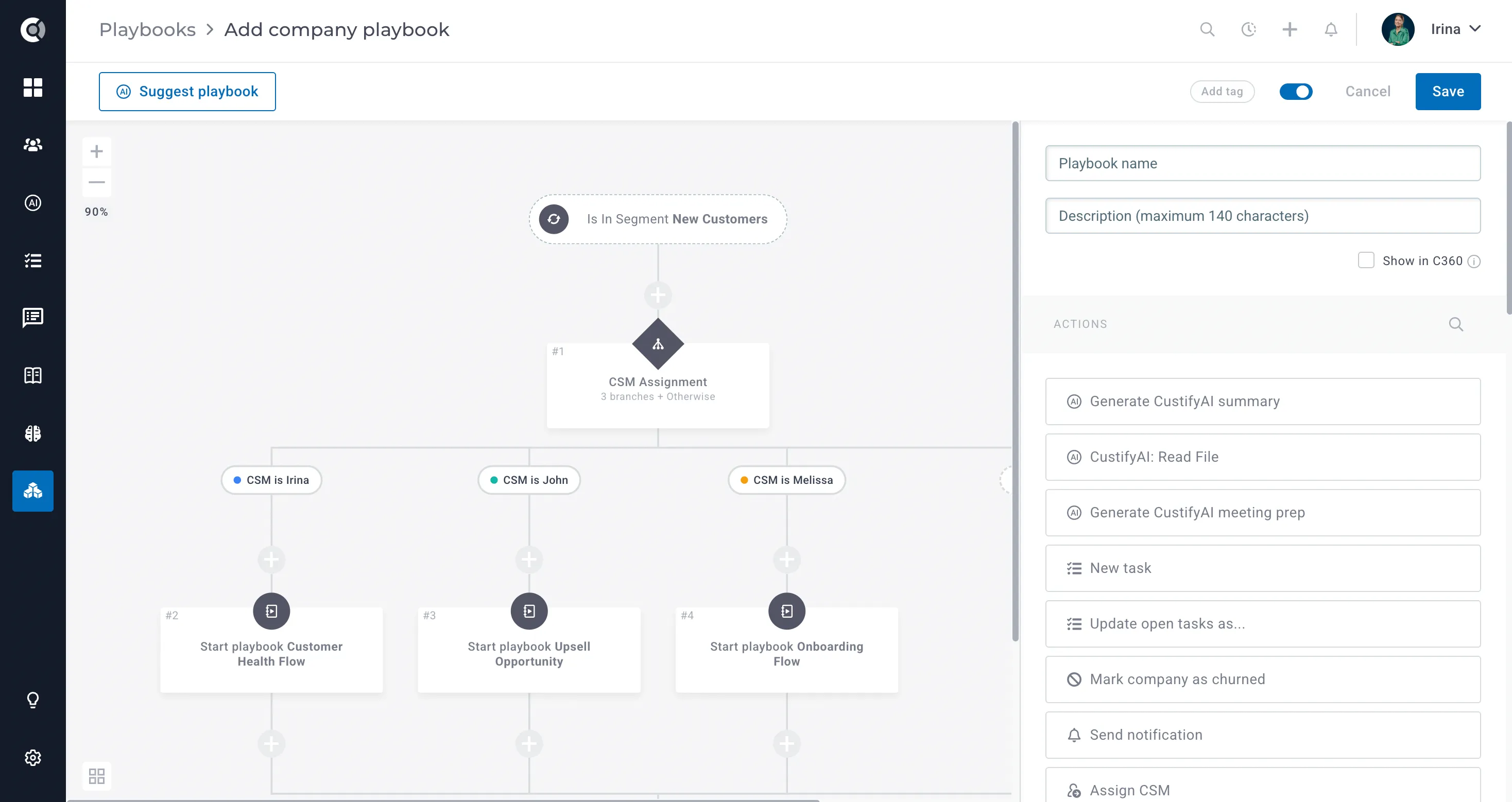
Branches are evaluated top to bottom and the first match wins — you can drag to reorder them, and an “Otherwise” branch is always included automatically to catch anything that doesn't match. It works in both Company and People playbooks, and if you already have a playbook built from nested binary splits, a “Convert to Multi-Branch” link turns it into a single step with no need to rebuild it from scratch.
This is the cleanest way to route accounts into several distinct tracks — plan tier, lifecycle stage, risk band — from one place instead of a chain of nested conditions.
Branch Playbooks by Task Sub-Status
Playbook conditions can now branch on a task's sub-status, not just its overall status. If your team uses sub-statuses to track finer-grained progress (e.g., “waiting on customer” vs. “in review” within an open task), your playbook logic can now react to that detail directly instead of treating every open task the same way.
Other Enhancements
Insights
Cohort Analysis — Extended to 36 Months
Cohort Analysis now looks back up to 36 months instead of 12, so you can track retention and revenue trends over a much longer window.
This makes it possible to spot slow-moving patterns — like renewal-cycle churn or the long-term impact of an onboarding change — that a 12-month view simply couldn't show. No setup is required: existing and new cohort reports automatically support the extended range.
Export Dashboard as Archive
Dashboards can now be exported as a ZIP archive, not just a PDF. This matters for dashboards that include Company List widgets, which don't translate well to a flat, static PDF page.
Choose the new archive export type and you'll get a ZIP containing the dashboard PDF plus, for every Company List widget on it, a screenshot image and a CSV of that widget's underlying data — ready to drop into a QBR deck or share with stakeholders who just need the numbers.
Company 360
Relationship Map — Auto-Highlight Key Contacts
The relationship map on each account's Stakeholders Map now automatically highlights two people worth knowing: the customer contact who's involved in the most communication, and the teammate on your side who's most active with that account.
Both are saved as company attributes as soon as they're identified, so you can pull them into segments and playbooks — for example, automatically sending a check-in email from whichever of your teammates the customer talks to most, without comparing activity by hand.
Freeze the People Name Column
The Name column can now be frozen (pinned) in the People tab, and in any custom-configured Company 360 tab, so it stays visible while you scroll horizontally through other columns.
The standard People tab already supported this — it's now consistent across every tab you've built, which makes wide, attribute-heavy tables much easier to read.
Unsubscribe People from Emails
People 360 profiles now have an “Unsubscribe from emails” action. Use it to manually stop a specific contact from receiving any further emails — Custify adds them to your email blacklist at the same time, so it's a one-click way to honor an opt-out request without digging through settings.
Segments
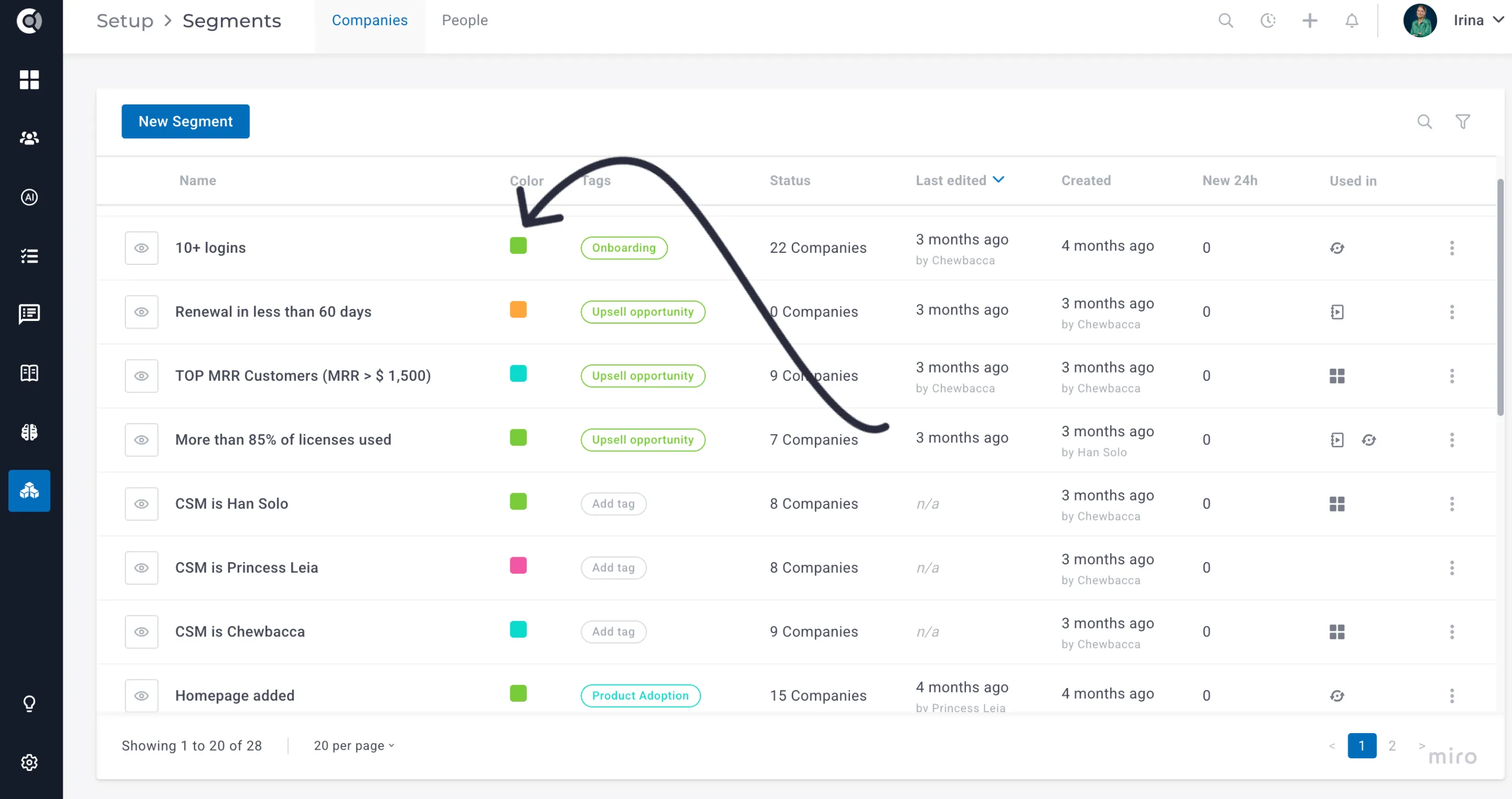
Color-Coded Segments
Segments can now be assigned a color, which shows up consistently anywhere the segment is referenced. If you rely on segments to group accounts by tier, risk, or region, this makes them much faster to scan visually instead of reading every label.
Surveys
Require an Explicit Submit Step
NPS and CSAT surveys can now require respondents to click a Submit button before their score is recorded, instead of recording it the instant they click a rating. This is an optional setting, off by default, with a short delay before the Submit button becomes active.
It exists to protect your data: a single accidental click — or a bot — can no longer register as a real response. Turn it on for any survey where response quality matters more than a slightly shorter interaction.
CC Internal Users on Surveys
Playbook-driven CSAT and NPS surveys can now CC or BCC internal teammates — a CSM or account owner, for example — the same way a regular “Send email” playbook step already allows. No more manually entering addresses to keep the right people looped in.
New Event for Individual Survey Answers
Multi-question surveys now fire a dedicated custify_internal_survey_answered event as soon as a respondent submits their final answer, carrying the survey name, ID, and type, the overall score, and each individual answer (answer_1, answer_2, and so on — one per question).
If you build automations or reporting off survey responses, this makes it possible to react to — or store — what someone said on each individual question, not just their overall NPS or CSAT score.
Customer Objectives
Link Tasks to Objectives
Objectives can now be linked directly to the tasks working toward them. Once tasks are linked, an objective using “Task Based” completion tracking updates its progress bar automatically as those tasks are completed.
This closes the loop between the plan and the work: instead of manually updating an objective's progress, you set it up once and let task completion drive it — giving you and the customer an always-current view of where things stand.
Time Tracker
Export Tracked Time Entries
The Tracked Time view now has an export action, producing a CSV or XLSX of every time entry matching your current filters — not just the page you're looking at. Each row includes the user, company, activity name, duration, start date, and any tags on the entry.
Useful for billing reviews, capacity reporting, or anywhere you need tracked time outside of Custify — previously the only way to get this data out was the API.
Settings
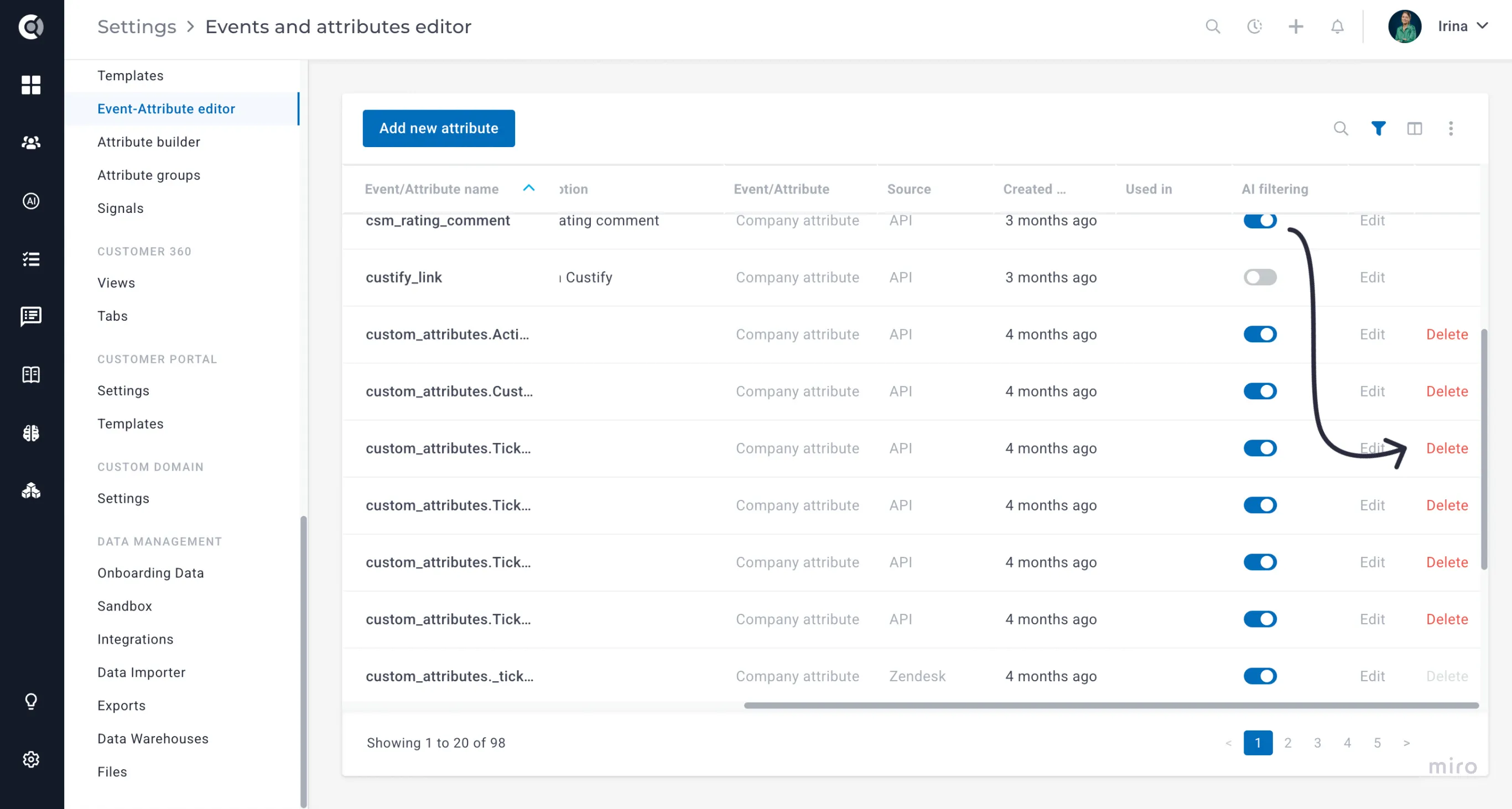
Delete Attributes from the UI
Attributes can now be deleted directly from Settings, without needing to go through support. A safety check runs before the deletion completes, to guard against removing an attribute that gets un-hidden or reused elsewhere mid-process — keeping cleanup safe as well as self-serve.
Tag Usage Details
Every tag in Settings now shows how many records currently use it, refreshed automatically every few hours. If your tag list has grown cluttered over time, this makes it easy to see at a glance which tags are actually in use and which are safe to clean up.