Intercom
Intercom is a popular customer messaging app designed for sales, support, and marketing teams. Among its most popular features are group conversations, customer context views, call-out collaborations, chat management, third-party integrations, knowledge base management, and lead qualification.
What can you do with Intercom in Custify?
- Get alerts on incoming leads.
- Check if certain clients have an unusual amount of open support chats.
- Define lifecycle stages and auto-assign leads or clients to a CSM based on set stages.
- Enrich your customer data in Intercom with health scores and calculated metrics from Custify.
- Segment your customers based on data from Intercom. For instance, you can segment by open conversations, snoozed conversations, specific data events or last-heard-from date.
Activation
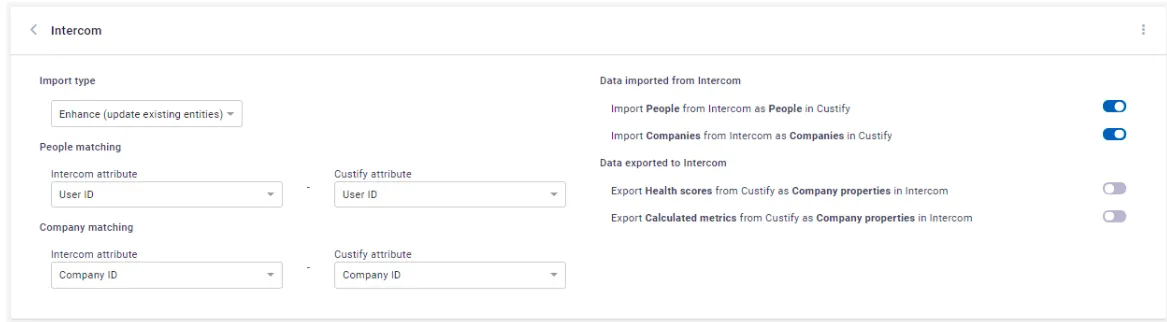
Intercom can be integrated in either full or enhanced mode:
- Full mode: turning on the integration in Full mode will create new companies and people in Custify when new entities (that are not existing yet in Custify) are added in the system and will also update the existing entities with new attributes
- Enhance mode: turning on the integration in Enhance mode will only update the existing Custify accounts. The primary source of truth will be your backend, you will continue updating the companies and people through API, but the data will be enhanced with new attributes from the system.
In order to successfully integrate with Intercom in enhanced mode, the first step is to make sure that you have a unique matching attribute in both Custify and Intercom.
Depending on how you store data in Intercom (user level, company level or both), the unique matching attribute that must be present in both systems should be:
- Company (Intercom Company ID*);
- Users (User ID or Email address).
We strongly recommend using an ID (e.g. Company ID) instead of a name (e.g. Company Name). In most cases, there are mismatched names (duplicates or typos) that prevent the integration from syncing for these accounts.
Here’s how you can bring the Intercom ID in Custify:
- Automatically imported via API (recommended)
- Manually added or using the CSV importer (not recommended)
Here’s how you can bring the Customer ID in Intercom:
- Automatically imported via API (recommended)
- Manually added (this can be done during the sales process)