Hubspot
HubSpot’s CRM and marketing automation solution are designed to simplify work and increase productivity. Marketing and sales teams benefit from the user-friendly interface and always have important information available at a glance. The free CRM tracks contacts’ activities and enables you to carry out targeted actions to easily move leads through the funnel.
What can you do with Hubspot in Custify:
- Keep your contacts and companies in sync using the 360 view.
- Synchronize tickets from HubSpot to Custify.
- Push attributes, customer health data and calculated metrics to HubSpot.
- Keep notes from your CSMs and sales team in sync.
- Segment your customers based on data from your HubSpot account.
- Define lifecycle stages and make sure customers stay on track with alerts.
- Enhance customer success playbooks, health scores with imported data.
Activation
Hubspot can be integrated in either full or enhanced mode:
- Full mode: turning on the integration in Full mode will create new companies and people in Custify when new entities (that are not existing yet in Custify) are added in the system and will also update the existing entities with new attributes
- Enhance mode: turning on the integration in Enhance mode will only update the existing Custify accounts. The primary source of truth will be your backend, you will continue updating the companies and people through API, but the data will be enhanced with new attributes from the system.
In order to successfully integrate with Hubspot in enhanced mode, the first step is to make sure that you have a unique matching attribute in both Custify and Hubspot.
Depending on how you store data in Hubspot (user level, company level or both), the unique matching attribute that must be present in both systems should be:
- Company (Hubspot Company ID*);
- Users (User ID or Email address).
We strongly recommend using an ID (e.g. Company ID) instead of a name (e.g. Company Name). In most cases, there are mismatched names (duplicates or typos) that prevent the integration from syncing for these accounts.
Here’s how you can bring the Hubspot ID in Custify:
- Automatically imported via API (recommended)
- Manually added or using the CSV importer (not recommended)
Here’s how you can bring the Customer ID in Hubspot:
- Automatically imported via API (recommended)
- Manually added (this can be done during the sales process)
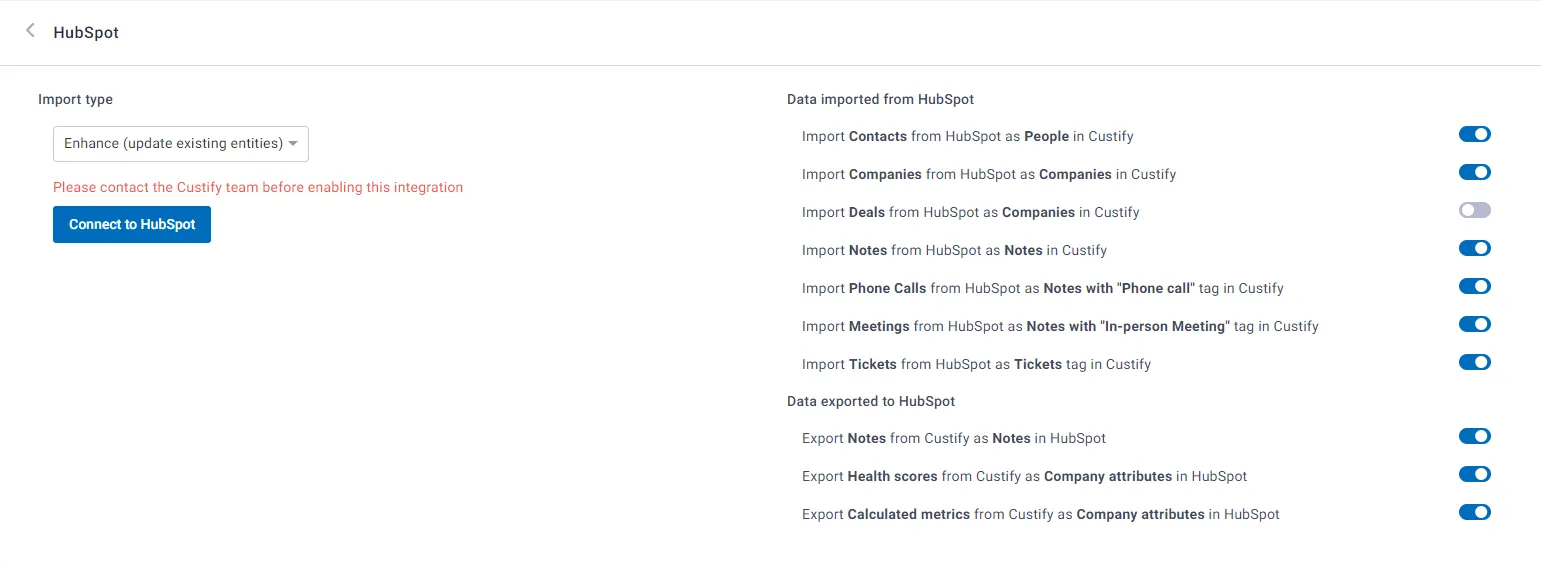
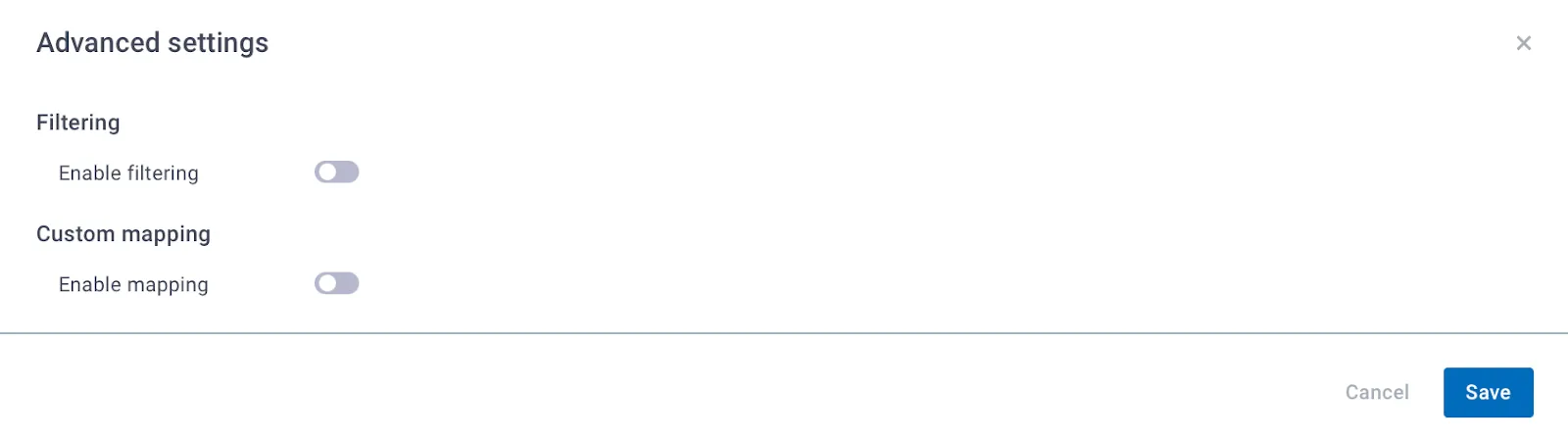
You’ll also see that there are some advanced settings as well:
- filtering – allows you to decide exactly what entities you want to import from Hubspot, by giving you the possibility to whitelist or blacklist entities based on defined conditions
- custom mapping – allows you to decide if you want some mapping to be done between the attributes that are currently existing in Hubspot and the default attributes existing in Custify
- Hubspot 2-way sync – this allows you to export Custify attributes to Hubspot. More details about this option can be found atEnabling Hubspot 2-way Sync.