Clustered Health Scores
Clustered Health Scores offer a powerful solution by combining multiple health indicators into a single, comprehensive score.
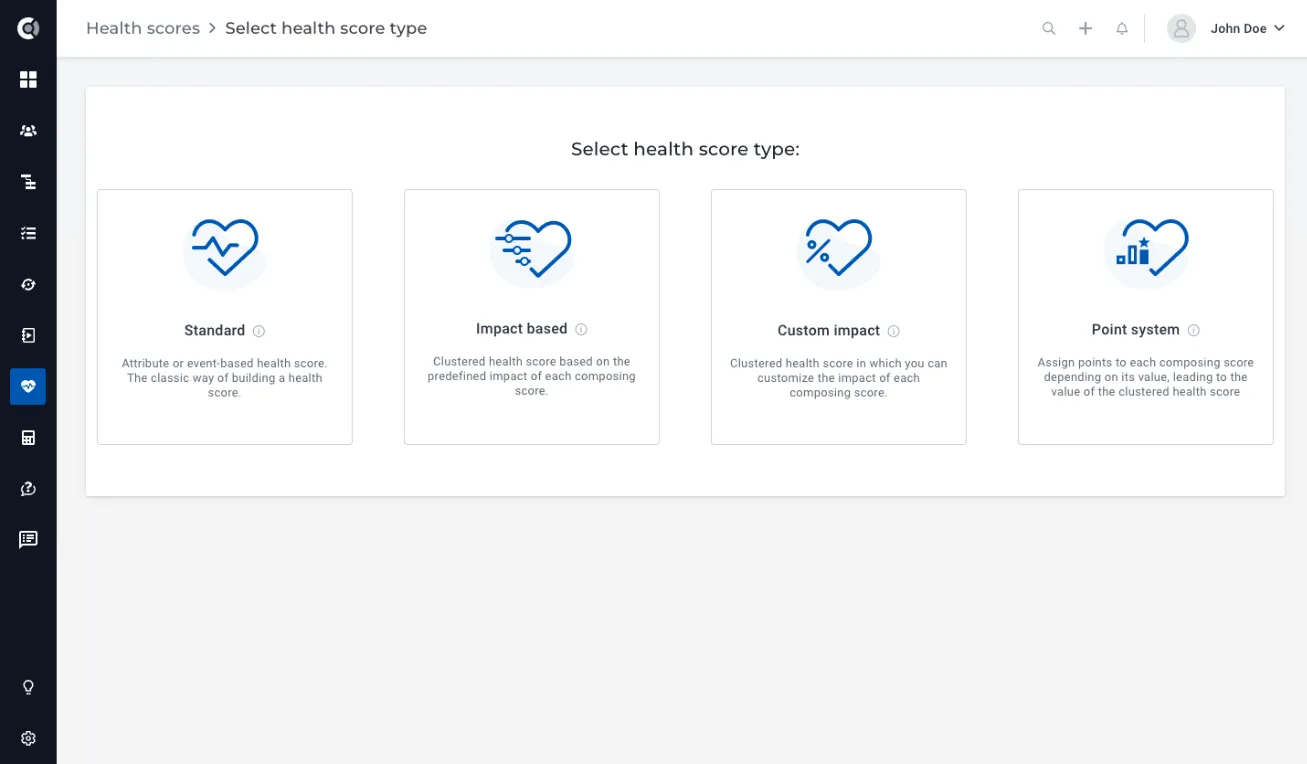
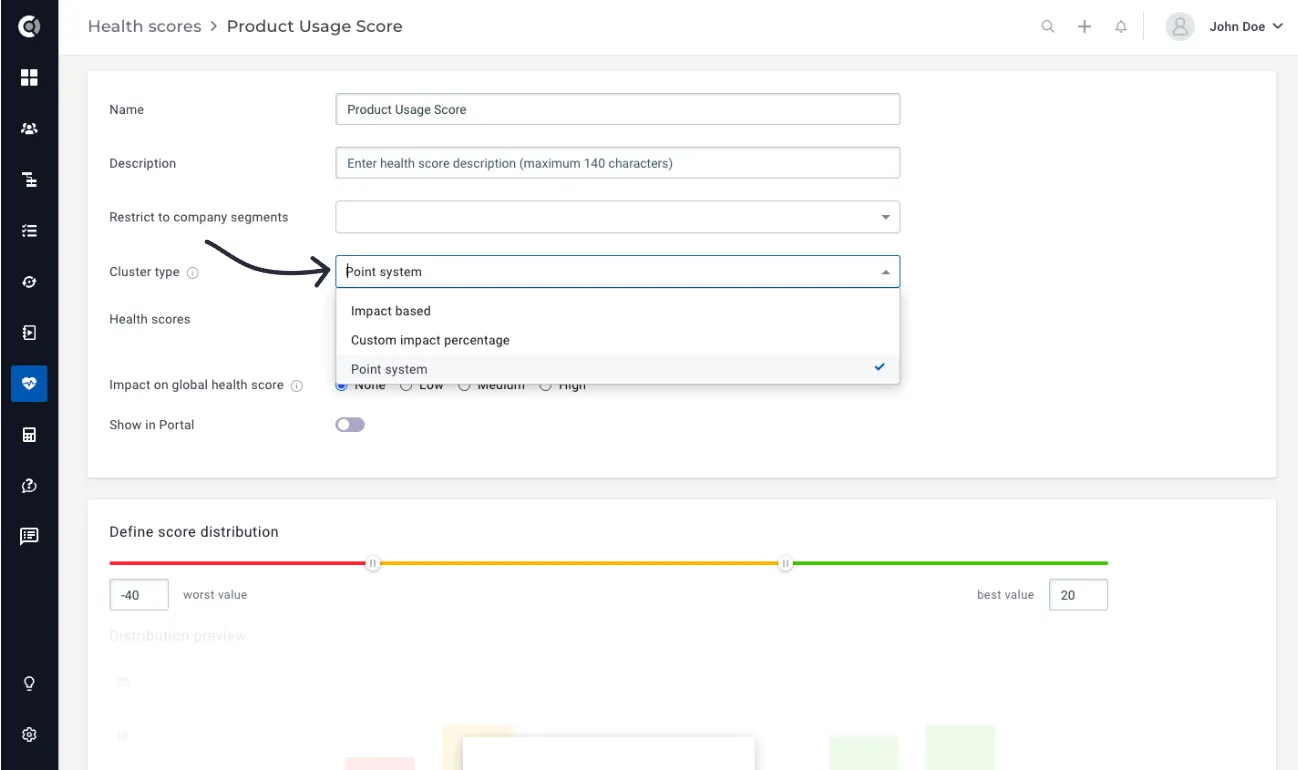
To create a clustered health score, you will simply go to Health Scores – New Health Score – Select Health Score Type. There are 3 types of Clustered Health Scores that you can create.
Impact Based
Similar to the Global Health Score, this score combines multiple health scores with varying levels of impact (low, medium, and high) to provide a comprehensive assessment.
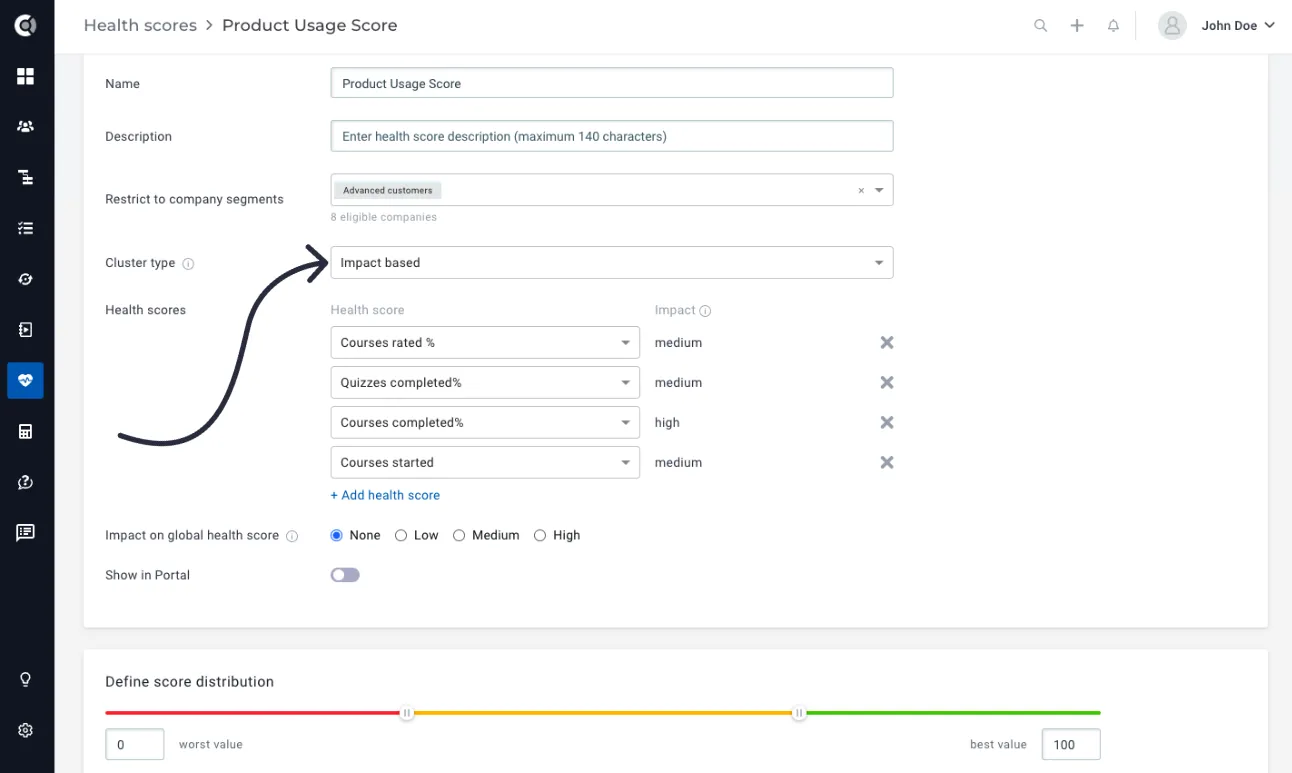
When selecting a health score (Health Scores – +Add health score), the impact on the global health score, as defined during its creation, will be automatically reflected in the Impact field.
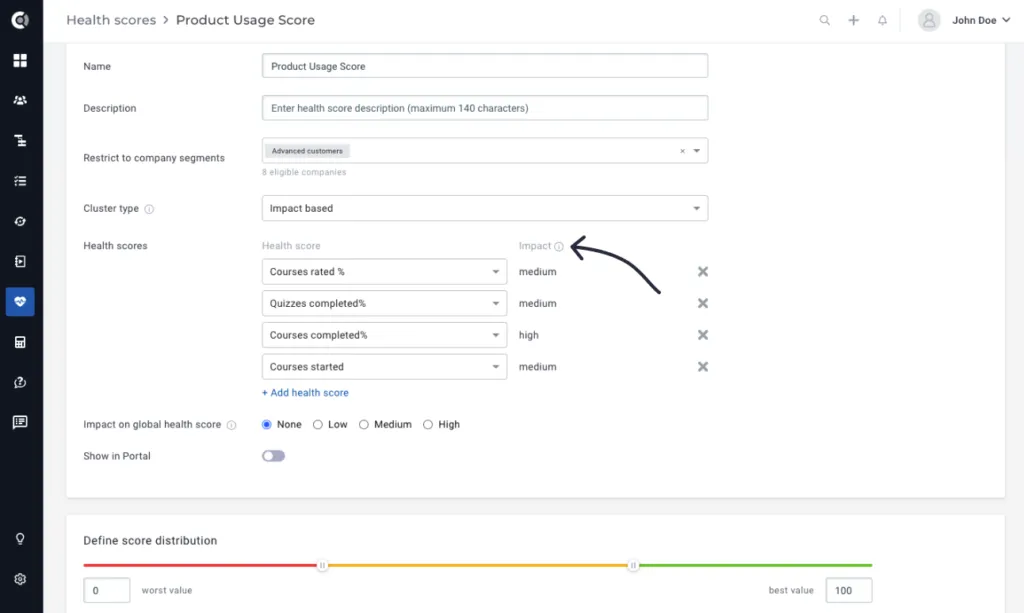
Example: Build a Product Usage Score by incorporating 4 usage health scores, each with their predetermined impact.
Observation! To calculate the score distribution, it is necessary to select a minimum of two health scores within the clustered health score definition. The score distribution cannot be edited, 0 will always be the worst value and 100 the best value.
Custom Impact
Create a comprehensive Clustered Health Score by combining multiple health scores and assigning impact percentages to each score.
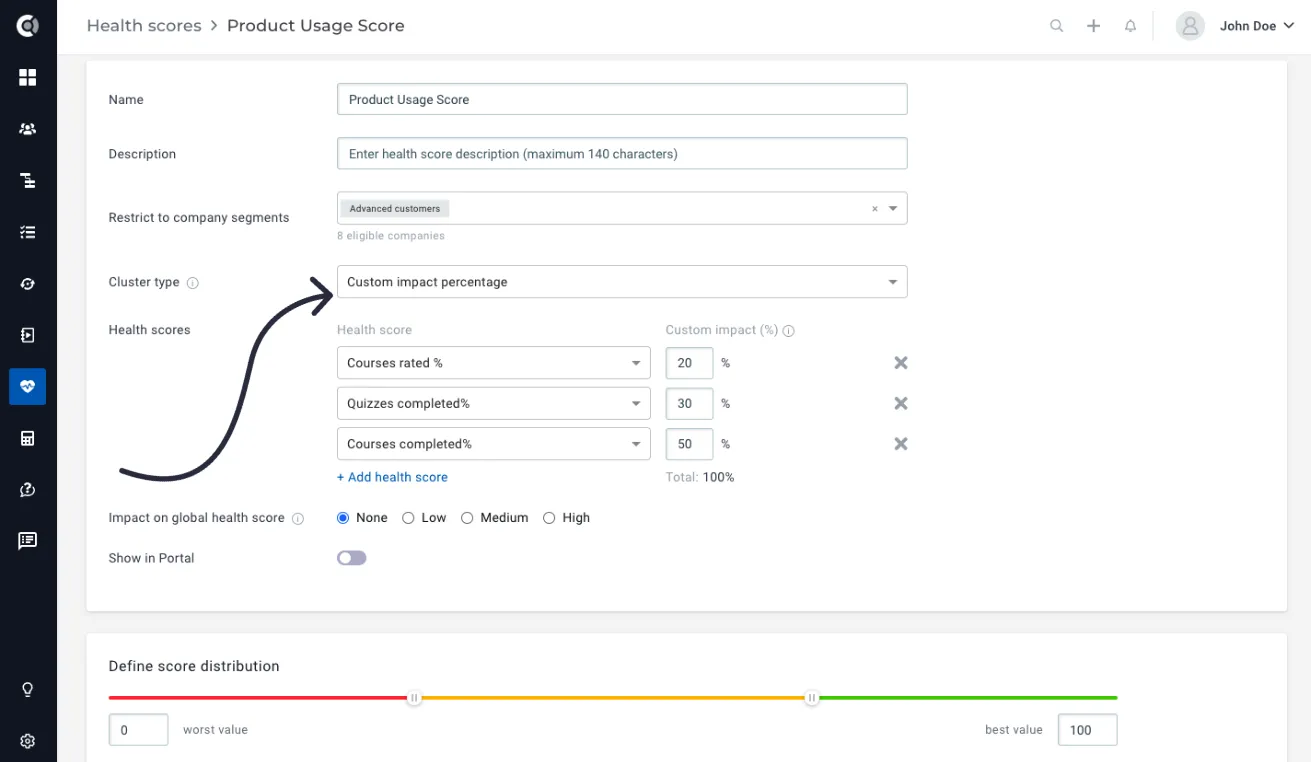
Manually add the impact percentage for each health score selected.
Example: Build a Product Usage Score based on different usage health scores, defining the exact weight percentages of these health scores in the calculation formula. You can have a health scores:
- Courses rated % = 20%
- Quizzes completed % = 30%
- Courses completed % = 50%
The health score calculation formula will be:
(“Courses rated %” value * 20 + “Quizzes completed %” value * 30 + “Courses completed %” value * 50%) / 100.
Observation! To calculate the score distribution, it is necessary to select a minimum of two health scores within the clustered health score definition. The score distribution cannot be edited, 0 will always be the worst value and 100 the best value.
Point System
Tailor your Clustered Health Score by assigning points and adjusting the value based on the impact of each individual health score’s values (bad, average, or high).
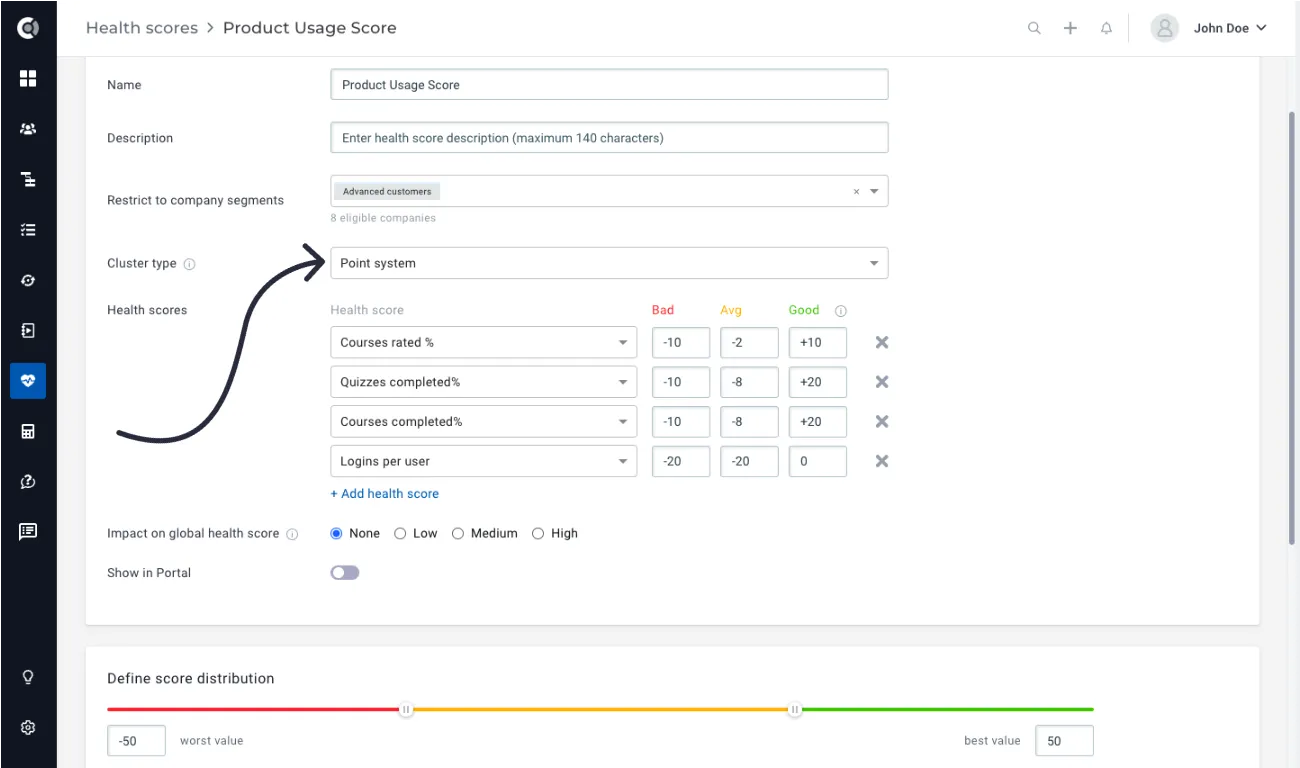
For each health score distribution type (bad, average or high), assign points and adjust the final value of the clustered health score based on the impact of each individual health score’s values.
Example: Create a Product Usage Score by combining multiple health scores that indicate the usage of key app functionalities. The health scores can be:
- Courses rated %: Bad = -10 points, Average = -2 points, Good = +10 points.
- Quizzes completed %: Bad = -10 points, Average = -8 points, Good = + 20 points.
- Courses completed %: Bad = -10 points, Average = -8 points, Good = + 20 points.
- Logins per user: Bad = -20 points, Average = -10 points; Good = +0 points.
Based on the definitions above, if there is no recent login activity resulting in a low Login per user Health Score, the Clustered Health Score value will be significantly reduced. This reflects the lack of product activity, and you may subtract a substantial number of points from the overall health score value. Conversely, a positive Login Health Score is expected, so the impact on the overall calculation will be less significant.
Observation! To calculate the score distribution, it is necessary to select a minimum of two health scores within the clustered health score definition. The system will automatically calculate the worst and best values. The worst value is determined by summing up the minimum values assigned to each score (for instance, in the aforementioned example, -10 -10 – 10 – 20 = -50), while the best value is obtained by summing up the maximum values assigned to each score (for example, in the aforementioned example, 10 + 20 + 20 + 0 = +50).
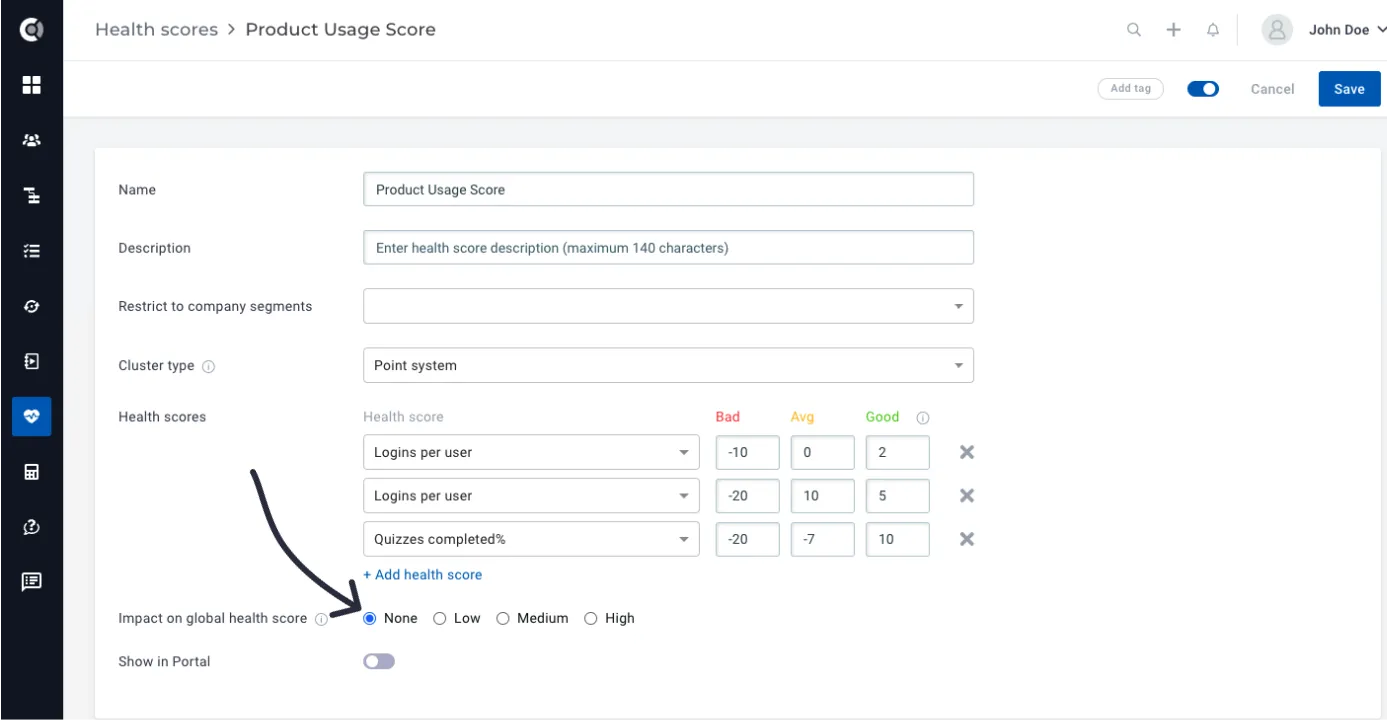
All the Clustered Health Score types can have an individual impact on the Global Health Score; however, they are by default created with no impact.
The grouping type can also be changed by editing an existing Clustered Health Score.
For additional inspiration in determining which Health Score groups to create, we recommend referring to our article that highlights the best practices for Health Score implementation.