Creating Group Health Scores
In Custify, you can build up your Global Health Score by creating individual Health Scores and setting up their impact on the Global Health Score.
By default, the Global Health Score applies to all customers.
However, in some situations, you might want to set up Group Health Scores and restrict them to particular Segments or to group certain Health Scores together.
An example of such a Group Health Score could be the Usage Group Health Score:
- Login in the last 7 days – 25% weight;
- Event occurrences in the last 7 days for menu clicks – 50% weight;
- Active people in the last 7 days divided by people count – 25% weight.
To set up Group Health Scores, follow the steps below:
1. Define how you would like to build the Group Health Scores, the Health Scores that should add up to them, and the impact of each Health Score.
2. Once the process is documented by the CS team, you can start building the Health Scores in Custify.
3. Create each Health Score and make sure that the worst, average, and best values are set up in similar ways for all the Health Scores to have balance within the Group Health Score.
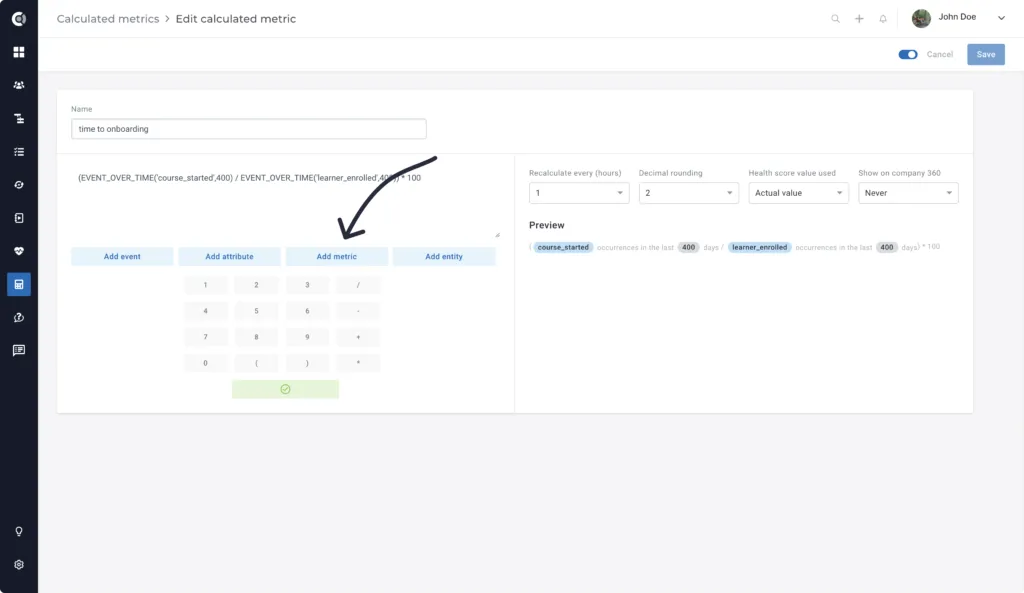
4. After the Health Scores are defined, create a Calculated Metric that would do the calculations for the Health Scores and their weights. To do that, select the Health Scores from “Add metric” option, add the weights defined, and divide the sum by 100:
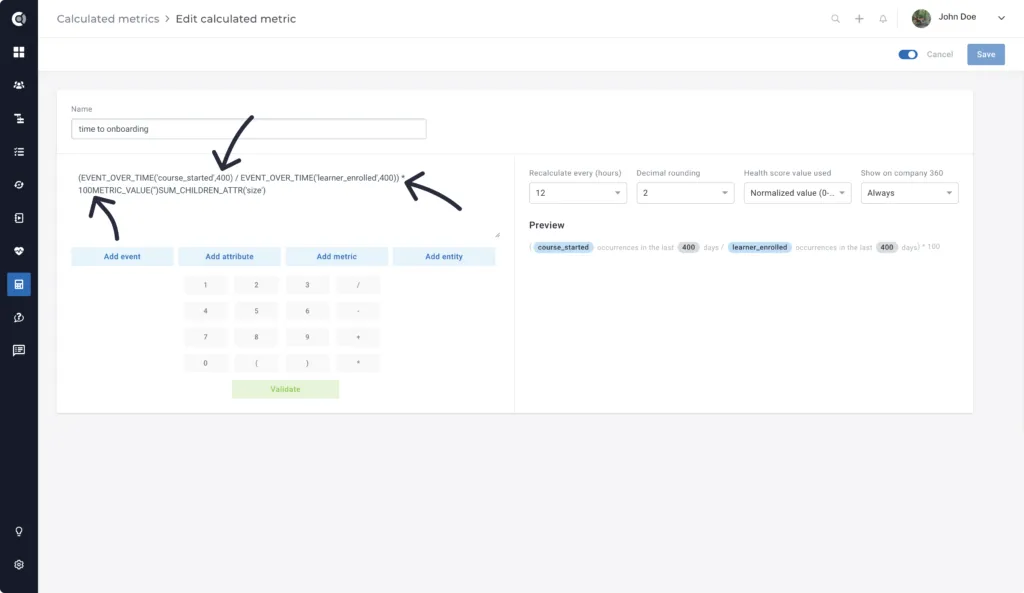
Custify Tip: The Health Scores will not be displayed inside the metric by their actual name but by their unique Custify code. Make sure that you set them up correctly.
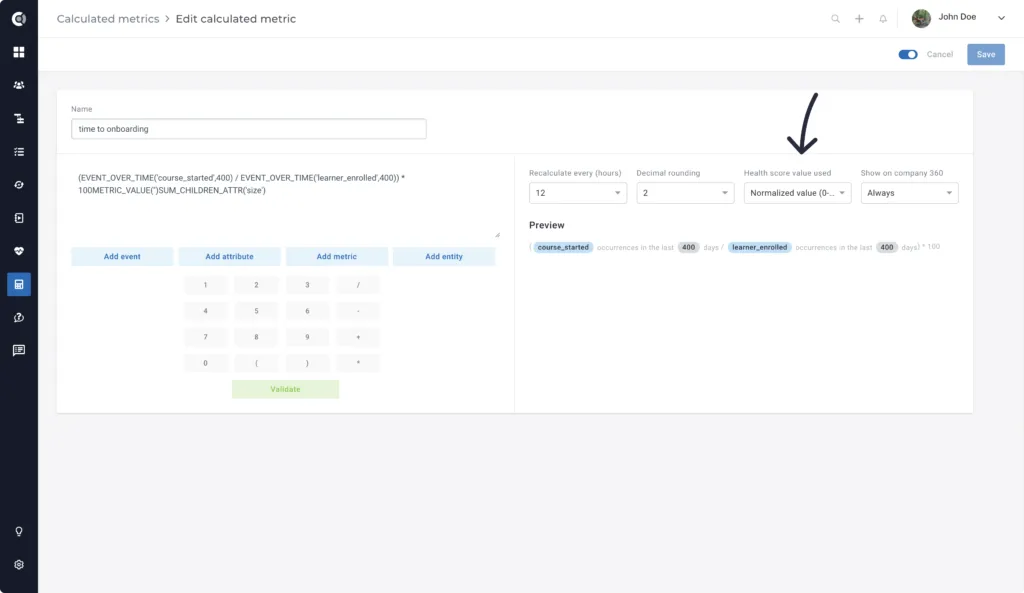
5. Select “Normalized value” under “Health Score value used” and click “Validate”. This will bring all Health Scores to a common denominator, calculating their position on a scale from 0 to 100.
6. Create the Health Score based on this metric. The worst value should be defined as 0, and the best value should be defined as 100. The recommended average value is from 33 to 66 so that the Health Score is well-balanced. You can restrict this Group Health Score to the segments that are of interest to you (for example, Onboarded customers).