AI-generated Playbooks
Part of our CustifyAI module, AI-generated playbooks empower you to transform your ideas into actionable strategies.
In certain situations, you may find yourself needing to create a process flow using playbooks, but feel unsure about where to begin. This is where the AI-generated playbooks feature comes to the rescue. Designed to simplify the process creation journey, simply input your desired process suggestions and provide hints about the steps you want to incorporate. Then, sit back and let the AI work its magic. In no time, you’ll witness the generation of playbook steps tailored specifically to your needs.
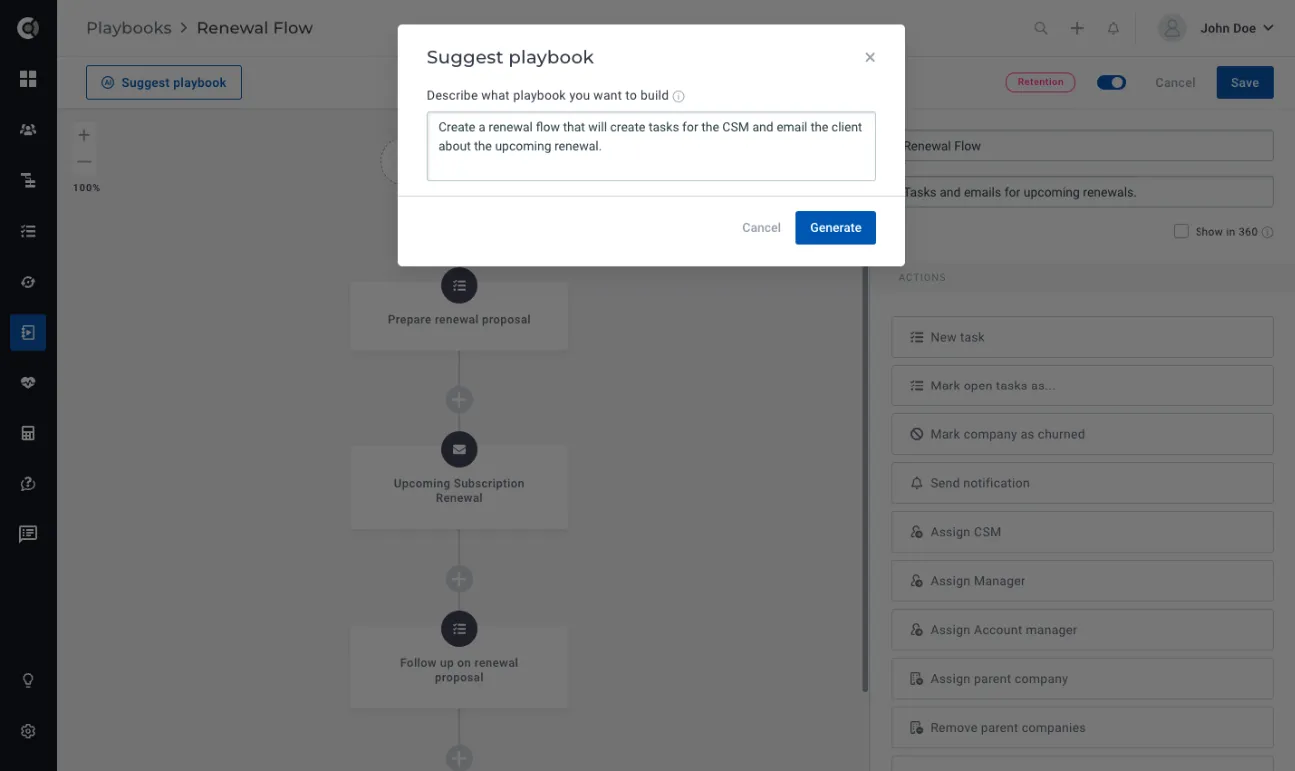
Getting Started with AI-Generated Playbooks
To build AI-Generated Playbooks, you will simply go to Playbooks – New Playbook and you will see a new Suggest Playbook button.
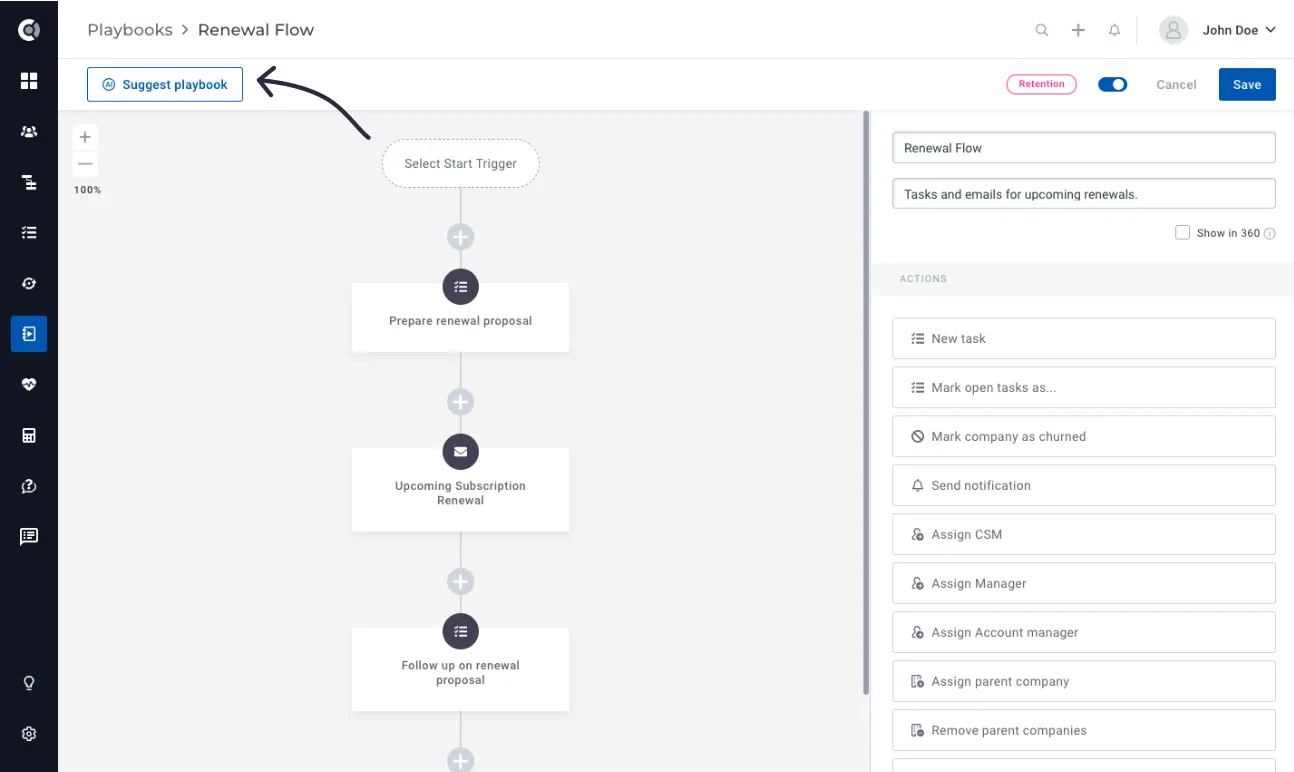
Simply click on it and provide a description of the playbook you require. After a short wait of a few seconds, the playbook steps will be automatically generated for you. If you wish to further refine the suggestions, you can click on Suggest Playbook again and enhance the initial suggestion. The text you initially entered will be preserved, eliminating the need to re-write it.
Custify Tips! Your suggestions have to be clear and precise, but not too detailed – the system will build the flows based on the use cases that it learned. Let it be creative! Example of a good suggestion text: Create a renewal flow that will create tasks for the CSM and email the client about the upcoming renewal. Example of a suggestion text that might be too detailed (hence a very granular flow, with too many steps): Create a playbook for the renewal flow that would alert both the CSM and the customer that their renewal is due in 90, 60, 30 days and that would reach out to the customer 2 weeks before renewal to schedule the renewal call. Add a task to the CSM to prepare the renewal presentation. Example of a suggestion text that might return errors/irrelevant flow (being too general): Send best practices.
When the suggestion you entered is too general, you might see this message:
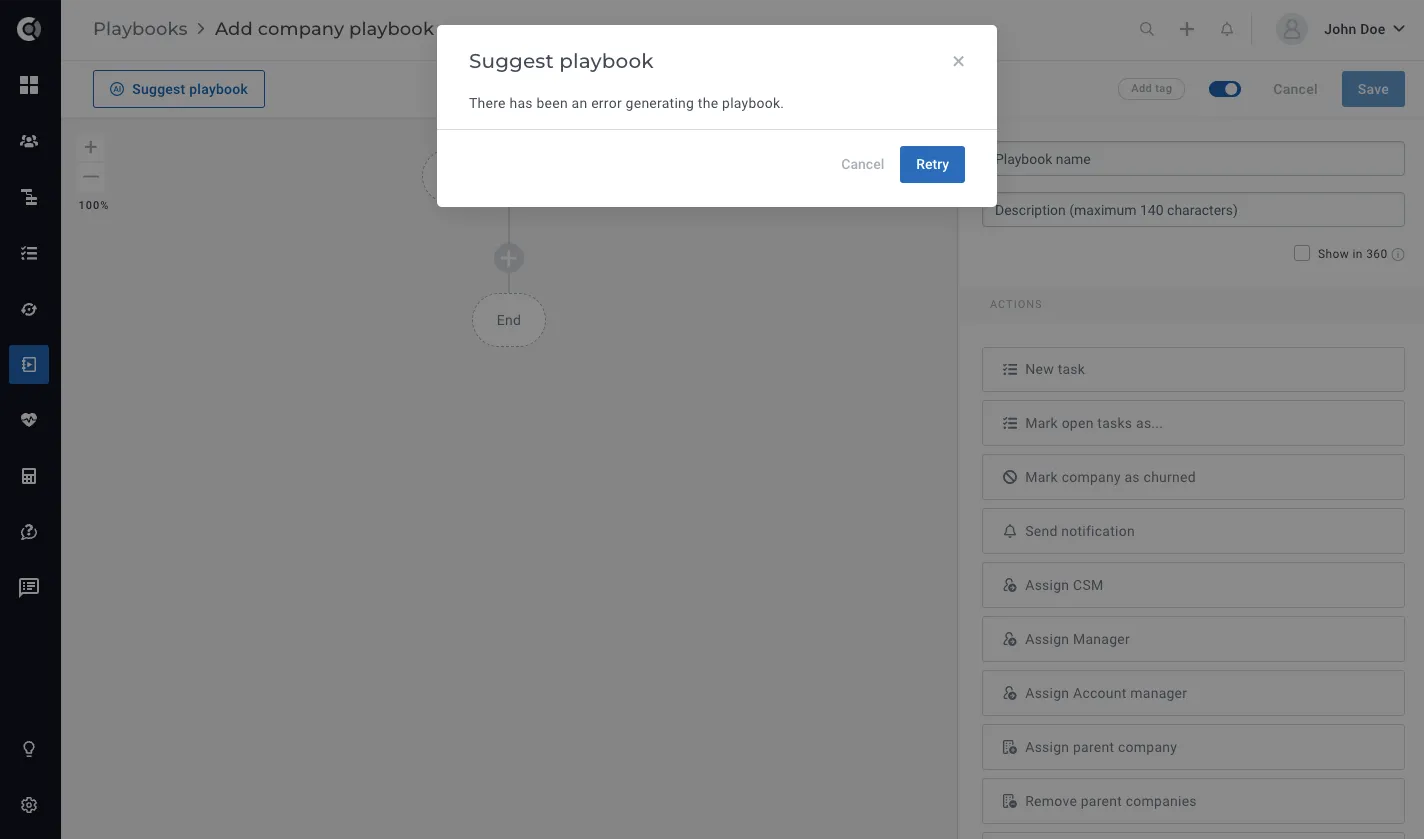
In that situation, refine your suggestion and re-generate the playbook.
For now, the steps that can be generated through AI playbooks are:
- Tasks: Whenever the AI generates tasks, they will be automatically assigned to the company’s CSM. The title, text, and due dates of the tasks will be generated based on the AI’s assessment of how the flow should be structured.
- Emails: The emails that are generated will be sent from the assigned CSM to “All people of the company.” The AI will determine the email subject and body content based on its understanding of the flow. By default, no signature is selected, and the approval setting is configured to “on error.” The unsubscribe link is also included by default.
- Notifications: In-app notifications are always generated and directed to the assigned CSM of the company. The body content of the notification is automatically generated by the AI.
- Waiting steps: The AI may add waiting steps based on the suggested flow, or the system may automatically include them by default after email steps. This is done to prevent multiple emails from being sent consecutively.
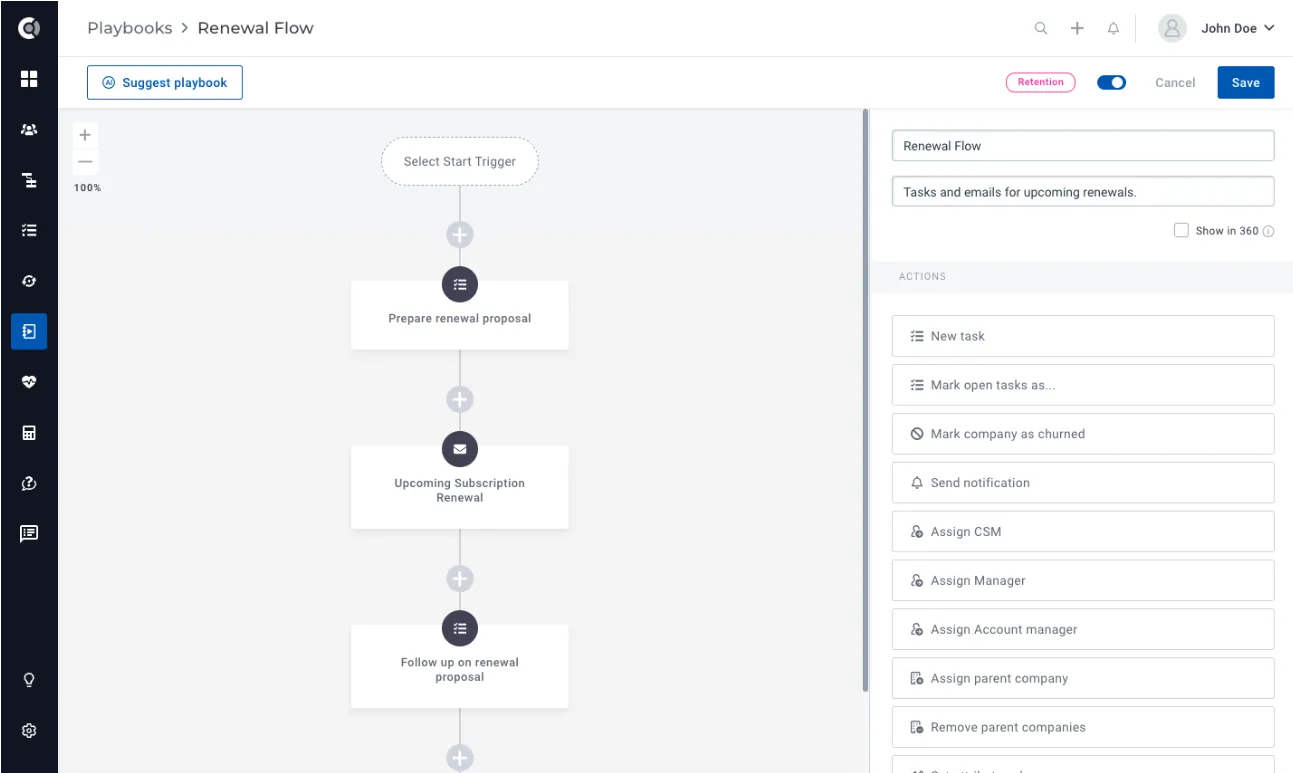
Observation! The AI generator does not create conditions or complex flows automatically. If you wish to incorporate these elements, you will need to manually edit the playbook structure. Also, currently, the tasks, emails and notifications will not contain any dynamic data.
Custify Tips! It’s important to note that the generated playbook flow does not have to be the final version of the playbook. The purpose of the AI-generated suggestions is to provide you with ideas and inspiration for building a playbook, rather than delivering a playbook that is ready to be used immediately. To refine and customize the playbook, you have the flexibility to make necessary adjustments to meet your specific requirements.