Notion
Automatically sync your Notion databases into Custify - create or update companies, people, events, and custom data on a recurring schedule.
One-way sync • Runs every ~20 minutes • Uses Notion API version 2025-09-03 |
|---|
What you can sync
Any Notion database can be mapped to one of four Custify entity types:
• Companies: sync your accounts or clients' database to create or update company records
• People: sync contacts or users into Custify people records
• Events: track customer activity from event-like data in Notion
• Custom data: sync any structured data that doesn’t fit the categories above
You can run multiple syncs from the same Notion workspace, for example:
• "Accounts" database → Companies in Custify
• "Contacts" database → People in Custify
• "Interactions" database → Events in Custify
How to connect Notion
Important: You need an Internal integration, not a Public one. Internal integrations are simple and immediate; Public integrations require privacy policies and other setup for the Notion marketplace. |
|---|
1. Create an internal integration
Go to notion.so/profile/integrations/internal and click New integration. Give it a name (e.g. “Custify Sync”), select your workspace, and make sure Read content is checked under Capabilities. Click Submit.
2. Copy your integration token
After creating the integration, click Show, then Copy to grab your token (starting with ntn_). Store it safely - it provides read access to every database you share with the integration.
3. Share your Notion databases
For each database you want to sync: open it in Notion, click the ••• menu (top right), go to Connections → Connect to, and select your integration. Repeat for every database you want to pull into Custify.
Note: Notion requires you to explicitly share each database with the integration. This is a security feature - it ensures the integration only sees what you allow. |
|---|
4. Add Notion as a source in Custify
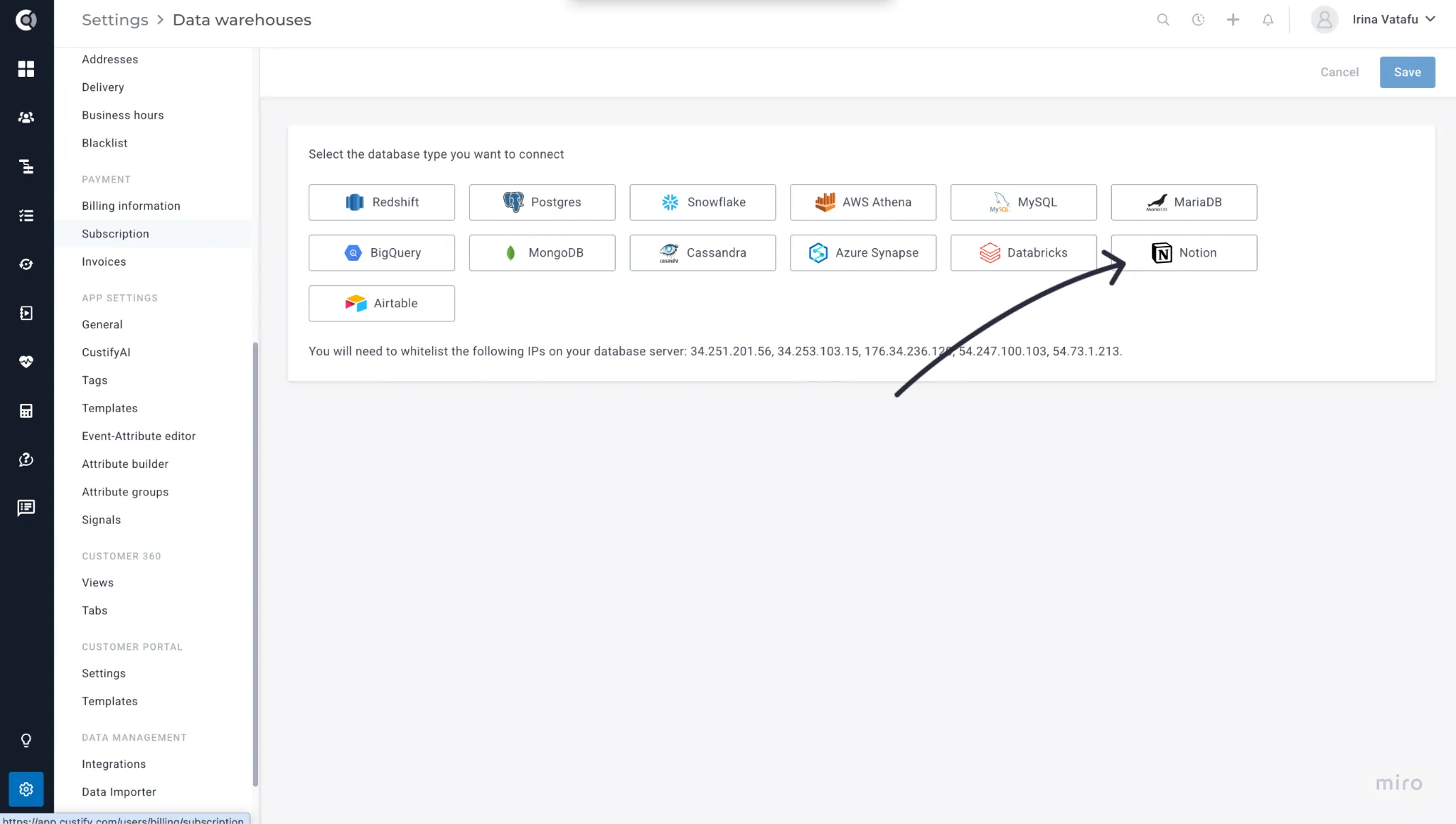
Go to Settings → Data Warehouses → Add new source. Select Notion, give it a name, paste your token, click Test connection, then Save.
5. Create a sync
Click Add sync, choose the entity type (Companies, People, Events, or Custom Data), select the database, click Preview data to check a sample, then map your Notion columns to Custify fields. Mandatory fields are marked with *. Click Save - the sync starts automatically.
Supported property types
- Text: Title, rich text
- Numbers: Number
- Options: Select, multi-select, status
- Dates: Date, created time, last edited time
- Contact: Email, phone number, URL
- Other: Checkbox, relation (as IDs), rollup, people (as names), files and media (first file URL), unique ID, formula
Not synced: Page body content (blocks) and comments on pages. For multi-view databases, each view with a different schema appears as a separate table in Custify and can be synced independently. |
|---|
Frequently asked questions
Do I need to share every database individually?
Yes. Notion requires you to explicitly share each database with the integration. This is a security feature - it ensures the integration only sees what you allow.
What if I add new columns to a Notion database?
New columns won’t sync automatically. Edit the sync in Custify and map the new column to a Custify field.
What if I rename a column?
The mapping will break for that column. Update the mapping in Custify to use the new column name.
How often does it sync?
Every ~20 minutes. After the first full sync, only records modified since the last sync are pulled (incremental sync).
Invalid credentials error
Your token may have been revoked. Create a new integration token and update it in Custify.
Table not found
The database may no longer be shared with the integration. Re-share it in Notion via the Connections menu.
Rate limited
Temporary. Custify automatically retries - no action needed.