Fathom
Fathom Integration
Overview
The Fathom integration automatically enriches your existing calendar meetings in Custify with valuable recording data from Fathom. When you record a meeting using Fathom, this integration will find the matching meeting in Custify and add the recording link, transcript, summary, and action items to it.
Important: This integration does not create new meetings in Custify. It only enriches meetings that have already been imported from your Gmail or Outlook calendar.
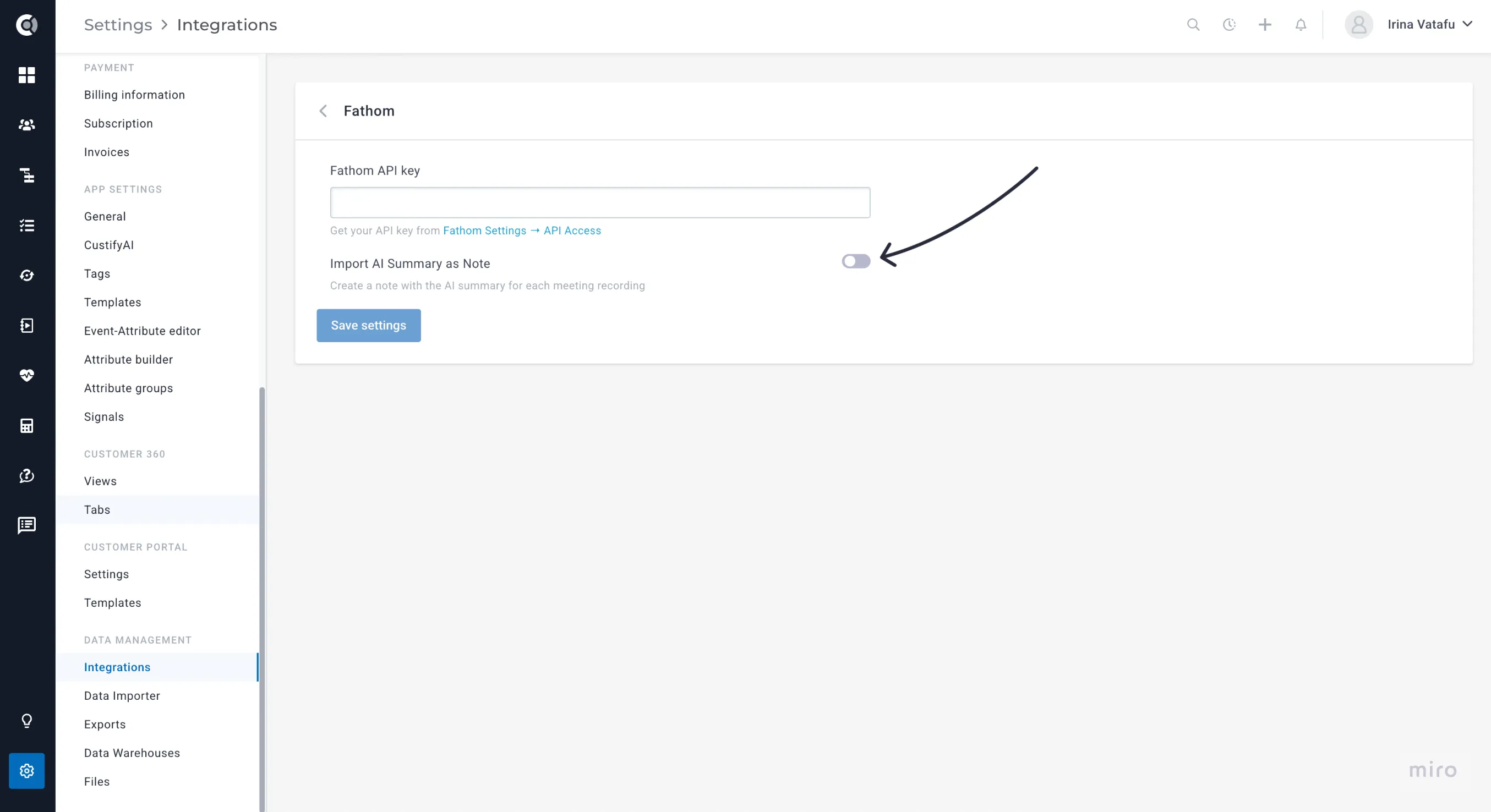
Optionally, meeting summaries can be imported into Custify as notes.
Integration Capabilities
With the Fathom - Custify integration, your customer meetings are automatically enriched with valuable context and insights - no manual effort required.
When a meeting is recorded in Fathom, the integration automatically:
- Finds the corresponding meeting in Custify by matching:
- Meeting participants (people and companies)
- Meeting time (within a 15-minute window)
- Meeting title
- Adds rich recording data to the existing meeting record, including:
- Recording URL: Direct link to view the recording in Fathom
- Share URL: Public link to share the recording externally
- Full transcript: Complete text of the meeting conversation
- AI-generated summary: Automatically created recap of key points
- Extracted action items: Tasks or follow-ups identified by Fathom
- Recording timestamps: Start and end times of the meeting
- Calendar details: Information about the meeting invitees
All of this happens in real time via webhooks - as soon as Fathom finishes processing the recording, Custify enriches the related meeting automatically.
All imported recording data appears in a dedicated section within each meeting record or on a note with the selected tag, allowing you to easily:
- Review what was discussed during customer calls
- Track action items and follow-ups
- Search through transcripts for specific topics
- Share meeting insights with your team
- Analyze conversations to improve customer engagement.
Setup Instructions
Step 1: Get Your Fathom API Key
- Log in to your Fathom account at https://fathom.video.
- Go to Settings → Integrations → API.
- Click Generate API Key.
- Copy the generated API key (it will appear as a long string of letters and numbers).
- Keep this key secure - you’ll need it for the next step.
Step 2: Configure the Integration in Custify
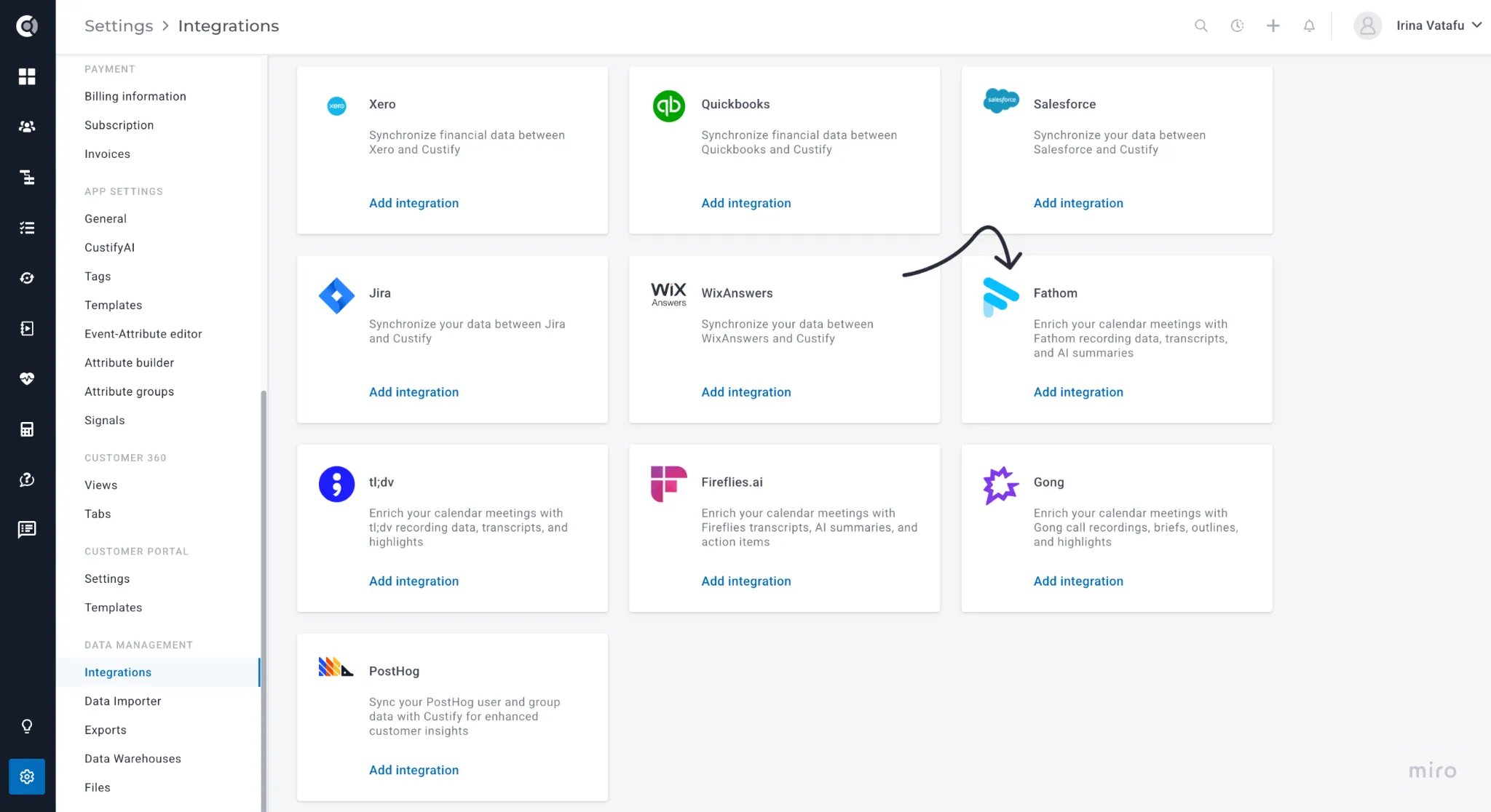
- In Custify, go to Settings → Integrations.
- Find Fathom in the list of available integrations.
- Click Connect or Configure.
- Paste your Fathom API key into the API Key field.
- Click Save or Activate.
Step 3: Automatic Webhook Setup
Once you save your API key, Custify automatically:
- Creates a webhook in your Fathom account
- Configures it to send meeting data to Custify
- Starts enriching your meetings in real time
✅ No manual setup is required - the integration handles everything automatically.
Important Note
The user whose API key is used must have access to all recordings that need to be imported into Custify. Custify can only import recordings that the API key’s owner can access.
Best practice: Share all Fathom meetings internally within your organization. This ensures that all relevant recordings are available to the user whose API key is connected, preventing missing data or sync issues.
How Matching Works
The integration automatically finds the correct meeting in Custify to enrich, using a smart multi-step matching process.
Primary Matching
- Matches meetings by participants (people and companies)
- Checks if the meeting time is within a 15-minute window
- Compares the meeting title
Why a 15-Minute Window?
Meetings rarely start exactly on time. This flexibility ensures accurate matching even if:
- The meeting started late or early
- Someone began recording before the scheduled time
- The calendar event time doesn’t perfectly match the recording
Title Matching
The integration compares:
- The calendar event title (e.g., “QBR 2025 Q1”)
- The Fathom recording title
If titles differ slightly but participants and time match, Custify will still enrich the meeting.
AI Summary Matching
The AI Summary is imported based on each user’s Fathom settings.
By default, Custify imports the standard AI summary automatically generated for each recording.
If you’d like to use a specific summary template:
- Go to your Fathom Settings → Default Meeting Summary Template.
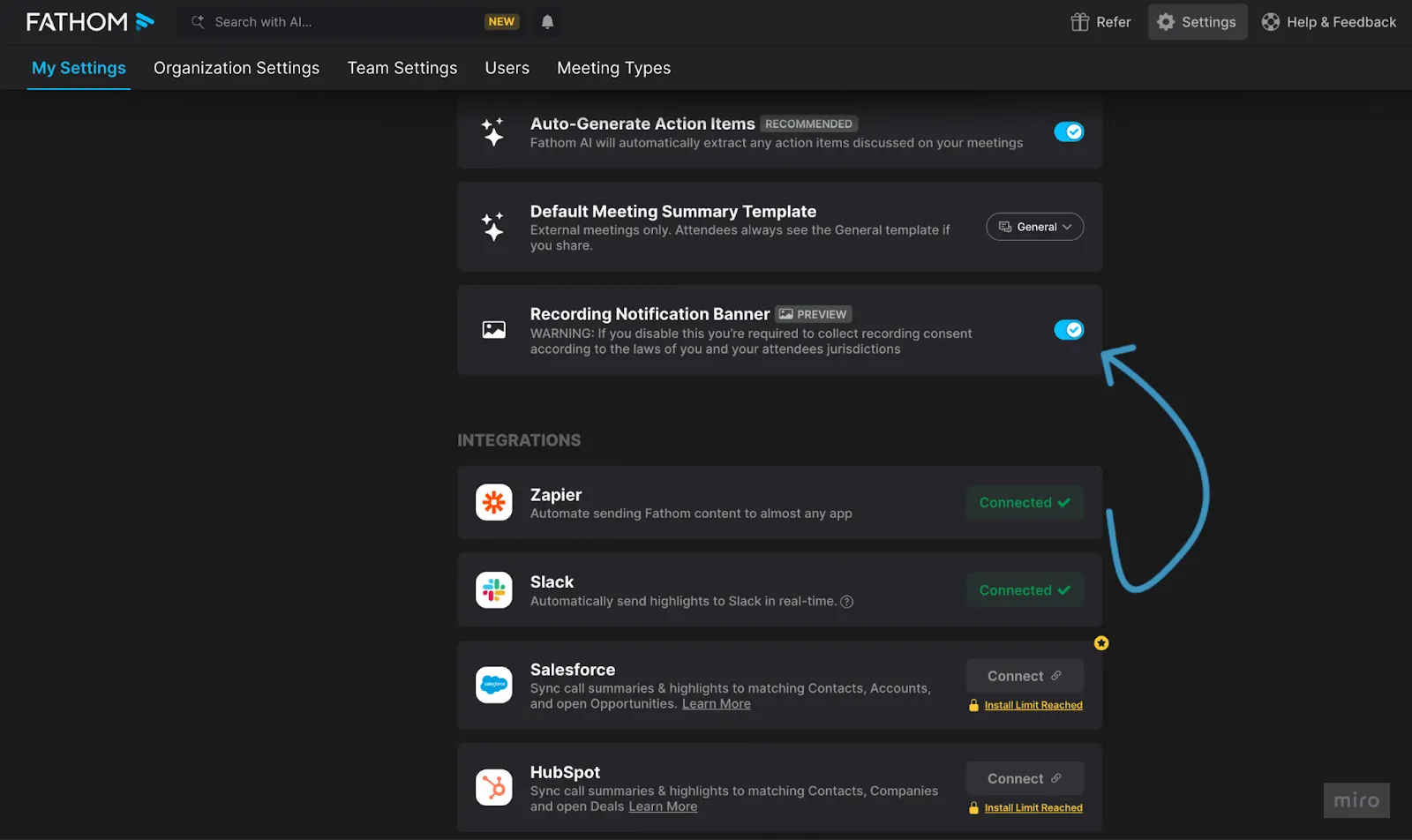
- Choose your preferred summary format.
The selected template will then be applied automatically to all future recordings imported into Custify.
What Meetings Get Enriched
The integration enriches recordings from:
- Your private recordings (meetings you recorded)
- Recordings shared with you by teammates
- Team recordings (if on a Fathom Team Plan)
- Recordings shared by external users
However, enrichment only applies to meetings that:
- Already exist in Custify (imported from Gmail or Outlook)
- Have matching participants (people or companies)
- Fall within the 15-minute matching window
Initial Sync vs. Real-Time Updates
Initial Sync (Full Import)
When you first activate the integration, you can perform a Full Sync to:
- Import all past Fathom recordings
- Enrich matching meetings in Custify
- Process transcripts, summaries, and action items
To run a Full Sync:
- Open the Fathom integration settings in Custify
- Click Reimport all
- Wait for the process to complete (duration depends on the number of recordings)
No manual action is required during the sync.
Incremental Sync (Updates)
You can also run Update Syncs periodically to:
- Capture any missed recordings
- Import new recordings since the last sync
- Handle cases where the webhook was temporarily inactive
What Data Is Stored
Recording Information
- Recording ID (unique identifier from Fathom)
- Recording URL (view in Fathom)
- Share URL (public sharing link)
- Start and end times
- Recording language
Meeting Content
- Full transcript: complete text of the conversation
- AI summary: key takeaways generated by Fathom
- Action items: tasks or follow-ups identified
- Generated title: AI-generated title (if different from the calendar)
Participant Information
- Calendar invitees and email addresses
- Who recorded the meeting
- Domain type (internal, external, or mixed)
Benefits
For Customer Success Teams
- Review customer calls without watching full recordings
- Track commitments and follow-ups
- Search transcripts for specific topics
- Share insights with teammates
For Sales Teams
- Review discovery calls and demos
- Identify customer needs and objections
- Share best-practice calls for training
- Track next steps and follow-ups
For Support Teams
- Document complex technical discussions
- Share solutions internally
- Create KB articles from transcripts
For Management
- Access summaries of key customer meetings
- Track commitments and team performance
- Analyze meeting topics and trends
- Ensure no customer details are missed
Troubleshooting
Meeting Not Enriched?
Check the following:
- Does the meeting exist in Custify?
- Only meetings imported from Gmail/Outlook can be enriched.
- Are participants in Custify?
- At least one participant must exist as a person or company.
- Is the meeting time within 15 minutes?
- Adjust timing if recording started too early or late.
- Was it already enriched?
- Meetings aren’t enriched twice.
Privacy & Security
Data Handling
- Only the recordings you have access to are processed.
- Summaries and metadata are securely stored in Custify.
- Recording files remain in Fathom - only links are stored.
Access Control
- Only users with meeting access in Custify can view recordings.
- Company-level permissions apply.
- Recording URLs require Fathom authentication.
API Key Security
- Your API key is encrypted in Custify.
- Used only to authenticate with Fathom’s API.
- Never shared with third parties.
Technical Details
API Endpoints Used
GET /external/v1/meetings – Retrieve and list recordings
Matching Algorithm
- Multi-level matching: people → companies → time → title
- Fuzzy title matching for flexibility
- Deduplication via external IDs
Data Storage
- All recording data is stored in recordingToolData