Crisp
The Crisp integration imports people profiles, conversations, and messages from your Crisp workspace into Custify. Your Customer Success team gets full context on support and chat interactions, linked directly to the right contacts and companies.
Key benefit: View all Crisp conversations alongside customer health data in Custify - without switching tools.
What This Integration Does
- Imports Crisp people profiles as contacts in Custify
- Imports conversations and their messages into Custify
- Matches conversations to the right contacts using email address or Crisp people ID
- Automatically associates conversations with all companies the matched contact belongs to
- Keeps data up to date through scheduled incremental syncs and real-time webhooks
Note on company association
The Crisp integration does not assign imported people to companies. Fields like company_name, job_title, and job_role pulled from Crisp's employment info are stored as plain-text custom attributes on the Person record — they are not links to a Company record, and no company is created or matched from them.
The only company association that happens automatically is on conversations: if an imported person already belongs to one or more companies in Custify (added via another source, such as a CRM, CSV import, API, or manual linking), their Crisp conversations will surface on those existing companies. The person-import step itself never creates a company or performs a company-name lookup.
If you want Crisp people linked to companies, that association needs to come from another source — for example, importing company data via CRM integration, CSV, API, or manual assignment in Custify.
Data Synced from Crisp
People Profiles
Crisp Field | Custify Field |
|---|---|
Email address | Contact email (used for matching) |
Full name (nickname) | Contact name |
Phone number | Contact phone |
Job title | Custom attribute: job_title |
Company name | Custom attribute: company_name |
Country | Custom attribute: country |
Last active timestamp | Custom attribute: last_active_at |
Profile creation date | Signed up at |
Conversations
Crisp Field | Custify Field |
|---|---|
Session ID | External ID (for deduplication) |
State (pending / unresolved / resolved) | Conversation status |
Subject | Conversation subject |
Origin (chat / email) | Metadata: origin |
Assigned operator | Metadata: assigned to |
Created / updated timestamps | Created at / Updated at |
Messages
Crisp Field | Custify Field |
|---|---|
Message fingerprint | External message ID |
Direction (user / operator) | Inbound or outbound |
Message content | Message body |
Timestamp | Sent at |
Sender name | Sender name |
Before You Begin
Make sure you have the following before connecting Crisp to Custify:
- An active Crisp account with at least one website (workspace) configured
- Your Crisp Website ID - find it in Crisp under Settings → Website Settings (it looks like a UUID, e.g. 8c842203-7ed8-4e29-a608-7cf78a7d2fcc)
- The Custify plugin must be installed in your Crisp workspace - you'll get a direct link during setup
- Admin or integration settings access in Custify
Connecting multiple Crisp workspaces
Crisp is a plugin-based integration — Custify only gains access to a workspace once an admin installs the Custify plugin directly inside that Crisp workspace. There's no single toggle that connects all workspaces at once; each workspace (identified by its own Website ID) needs the plugin installed and authorized individually.
On the Custify side, the integration setup screen will list every plugin-connected workspace in a dropdown, but each Custify integration instance can only be linked to one workspace at a time. To sync multiple Crisp workspaces, repeat the Crisp integration setup once per workspace, selecting a different workspace from the dropdown each time.
How to Set Up the Integration
Step 1: Install the Custify Plugin in Crisp
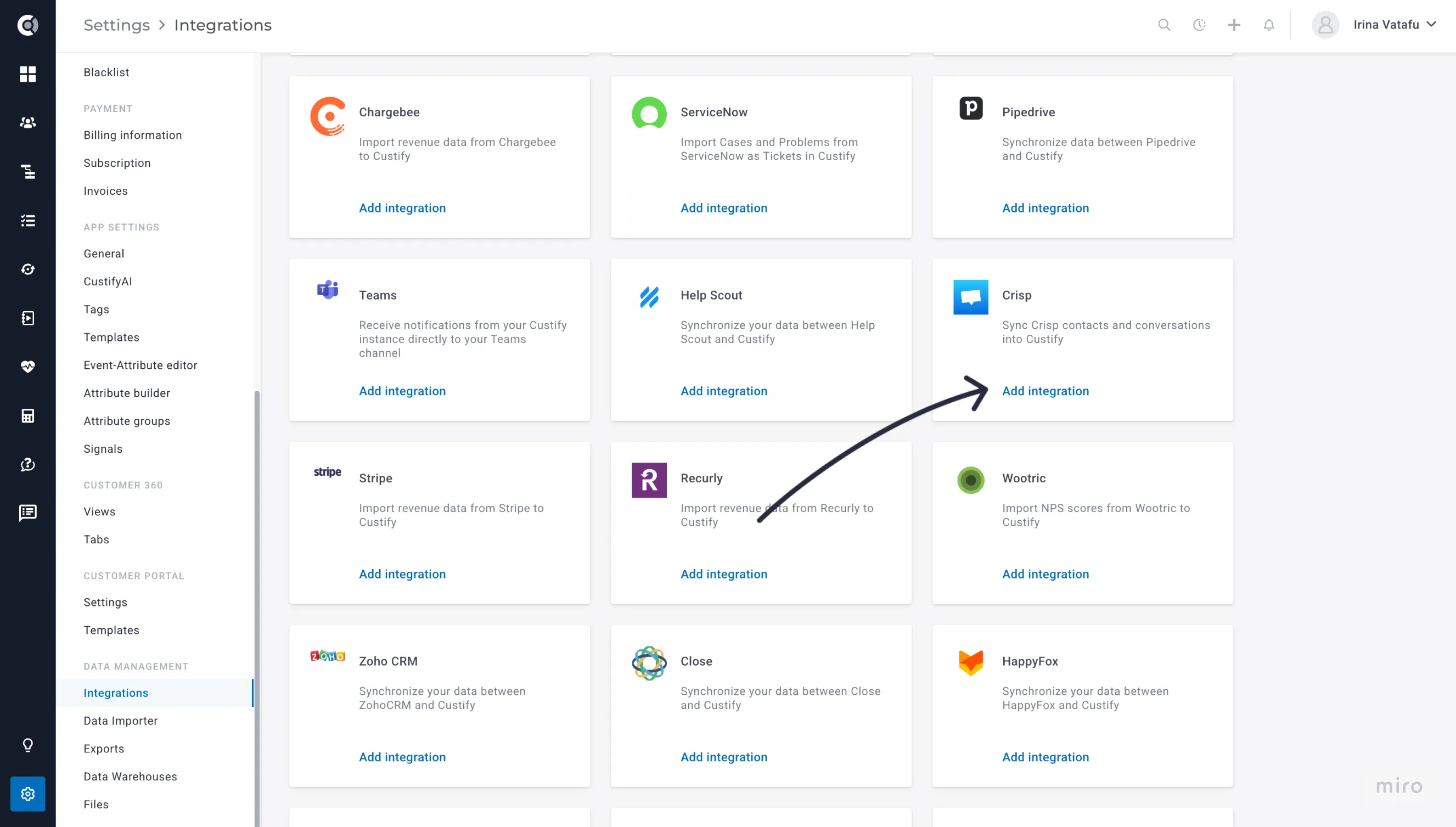
- In Custify, go to Settings → Integrations
- Find Crisp in the list and click Connect
- Follow the link provided to install the Custify plugin from the Crisp Marketplace
- Approve the installation in Crisp
Step 2: Enter Your Crisp Website ID
- Find your Website ID in Crisp under Settings → Website Settings
- Copy the Website ID
- Paste it into the Website ID field in Custify's Crisp integration settings
- Custify will verify that the Custify plugin is installed on that workspace
Note: Each Custify account connects to one Crisp website. If you have multiple Crisp workspaces, you will need a separate integration for each.
Step 3: Configure Import Settings
- Choose which data to import: People (contacts) and/or Conversations (including messages)
- Configure attribute mapping - select which Crisp profile fields map to Custify contact attributes
- Optionally set a backfill window to control how far back the first sync will import conversations
- Click Save settings
Step 4: Trigger Your First Import
- Click Trigger first import to start the initial sync
- Custify will first import people profiles, then conversations and their messages
- This may take several minutes, depending on the volume of data in your Crisp workspace
How Matching Works
When importing a conversation, Custify identifies the associated contact using:
- The Crisp people ID linked to the conversation - matched against contacts already imported from Crisp
- Fallback: the email address from the conversation metadata - matched against any Custify contact
Once the contact is identified, the conversation is also associated with all companies that the contact belongs to in Custify. This ensures conversations appear in both the contact view and the company view.
Conversations that cannot be matched to any contact or company in Custify are skipped.
Sync Types
Full Sync - Imports all people profiles and conversations from your Crisp workspace. Runs once on first activation and can be triggered manually.
Incremental Update - Imports only people and conversations updated since the last sync. Runs automatically on a schedule.
Real-Time Webhooks - Crisp sends instant notifications to Custify when new messages arrive, conversations change state, or people profiles are updated. This ensures your data in Custify is always current.
Troubleshooting
Contacts Not Importing?
- Check that the Custify plugin is still installed in your Crisp workspace
- Verify the Website ID entered in Custify matches your Crisp workspace
- Run a manual full sync from integration settings
Conversations Not Showing in Custify?
- Confirm that the contact associated with the conversation exists in Custify
- Check whether Conversations is enabled in your import settings
- Conversations matched to no contact or company are skipped - ensure contacts are imported first
Real-Time Updates Not Working?
- Check that the integration is active in Custify
- Verify the Custify plugin is still installed and active in Crisp
- Run an incremental update manually to catch any missed data
Privacy and Security
Custify connects to Crisp using a Marketplace plugin credential - not your personal Crisp login. Only your specific Crisp workspace (identified by Website ID) is accessed.
Custify reads data from Crisp only and never writes, modifies, or deletes any data in your Crisp account.
All credentials are stored encrypted. The integration can be disconnected at any time from Settings → Integrations → Crisp → Disconnect, or by uninstalling the Custify plugin from your Crisp Marketplace.