QuickBooks
Custify’s QuickBooks integration brings your revenue and invoice data directly into your customer success workflows - so your team can act on financial signals before they become churn risks.
What you can do with this integration
• Segment by financials: Group customers by total income, number of due invoices, or payment behavior to surface at-risk accounts.
• Revenue-based health scores: Build health scores in Custify using live revenue data tracked in QuickBooks.
• Automate follow-ups: Trigger email follow-ups or CSM tasks when invoices go overdue or payment timelines slip.
• Lifecycle stage tracking: Define lifecycle stages based on revenue and get alerts when key metrics change.
Data imported from QuickBooks
Once connected, Custify pulls the following financial data for each of your clients:
Data field | Description |
|---|---|
Count of due invoices | Number of unpaid invoices currently outstanding |
Total amount due | Sum of all outstanding invoice balances |
Count of paid invoices | Total number of invoices successfully paid |
Total income from the account | All-time revenue received from the customer |
Average days until invoice is paid | Average time between invoice issue and payment |
Last payment date | Date of the most recent payment received |
Oldest due invoice date | Date of the earliest unpaid invoice |
Newest due invoice date | Date of the most recent unpaid invoice |
How to activate the integration
Getting set up takes just a few minutes:
1. Sign in to Custify and navigate to the Integrations section.
2. Select the QuickBooks integration and click Connect to QuickBooks. You will be redirected to the QuickBooks login.
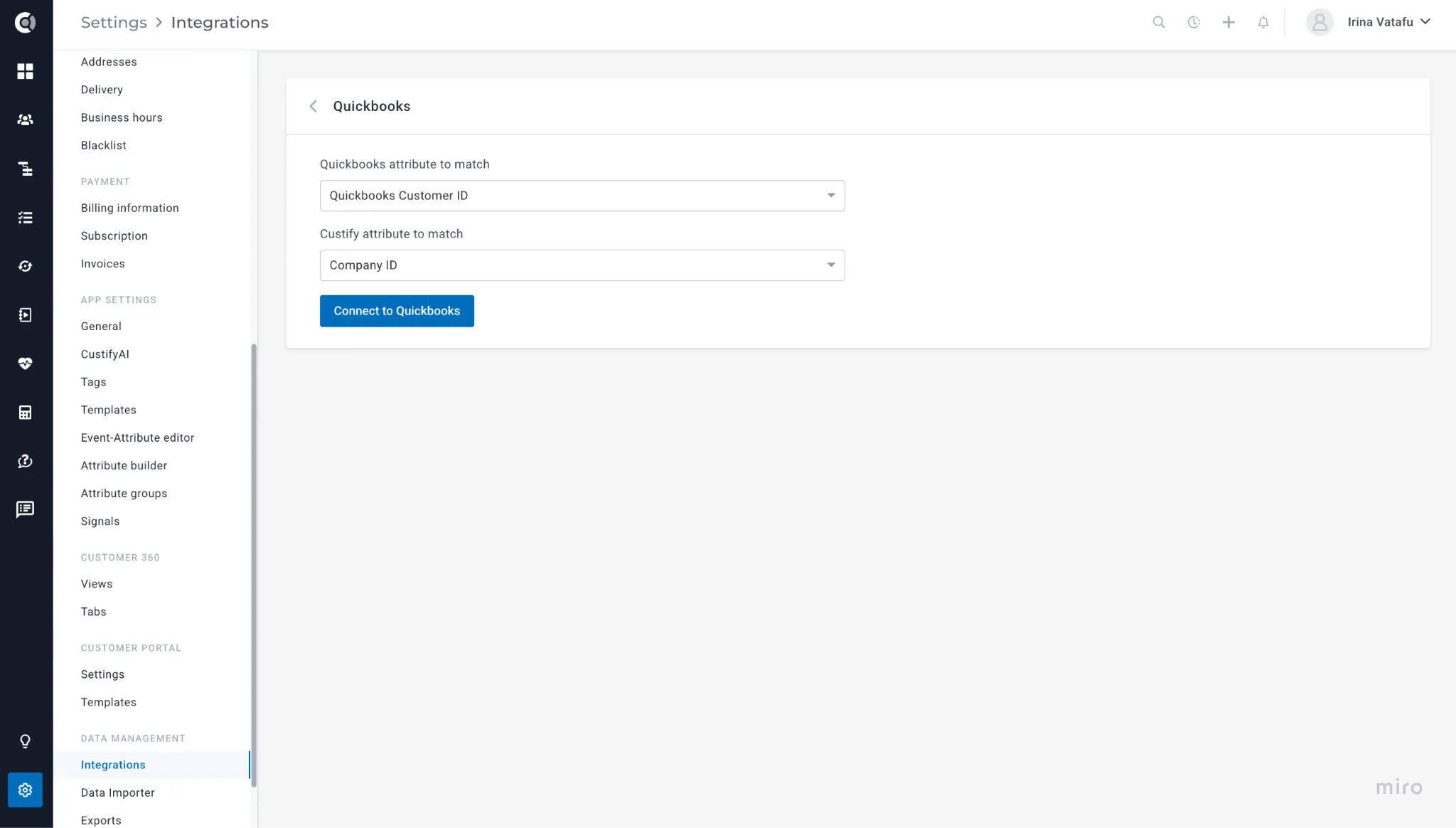
3. Sign in to QuickBooks and authorize Custify to read data from your account.
4. Select the QuickBooks company you want to connect.
5. Configure matching settings to link QuickBooks customers to the correct Custify company records.
Frequently asked questions
Can I get notified when a customer is invoiced in QuickBooks?
Yes. You can set up alerts using Custify’s segmentation and playbooks, and automatically assign a follow-up task to a CSM.
Can I get notified when invoices are overdue?
Yes. Playbook-based notifications can trigger when the count of due invoices exceeds a threshold you define.
Does this work with QuickBooks Desktop?
The integration is designed for QuickBooks Online. QuickBooks Desktop requires additional setup via the QuickBooks Web Connector.
Can I match QuickBooks customers to companies in Custify?
Yes. The integration lets you define matching criteria so financial data is automatically associated with the correct company records in Custify.
Data security and privacy
The integration uses read-only access - Custify never modifies any data in your QuickBooks account. All data transferred between the two platforms is encrypted using industry-standard protocols, and only the information needed to power the integration is retained.
Custify does not store sensitive financial details beyond what is required for integration functionality.