Airtable
Automatically sync your Airtable bases into Custify - create or update companies, people, events, and custom data on a recurring schedule.
One-way sync • Runs every ~20 minutes • Read-only access to your Airtable data |
|---|
What you can sync
Any Airtable table can be mapped to one of four Custify entity types:
• Companies: sync your accounts or clients table to create or update company records
• People: sync contacts or users into Custify people records
• Events: track customer activity from event-like data in Airtable
• Custom data: sync any structured data that doesn't fit the categories above
How to connect Airtable
1. Create a personal access token
Go to airtable.com/create/tokens and click Create new token. Add two scopes: data.records:read and schema.bases:read. Select the bases you want to sync, then click Create token.
2. Copy your token immediately
Your token (starting with pat) is shown only once. Copy it now and store it safely - it provides read access to every base you’ve granted.
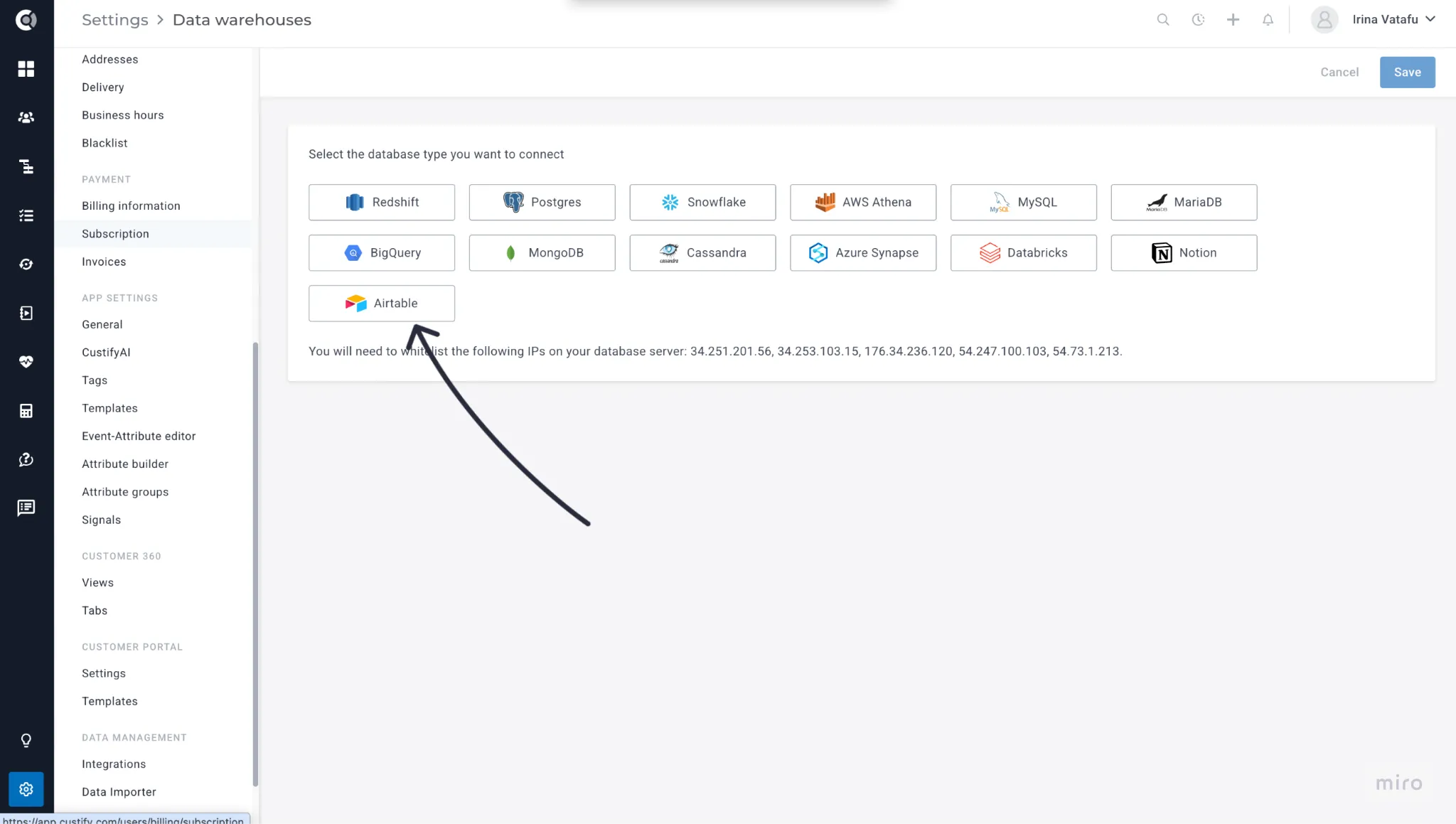
3. Add Airtable as a source in Custify
Go to Settings → Data Warehouses → Add Source. Select Airtable, paste your token, click Test Connection, then Save.
4. Create a sync
Click Add Sync on your new source. Select the base and table, choose the object type (Company, Person, Event, or Custom Data), map your Airtable fields to Custify attributes, and click Save. The first sync runs automatically.
Supported field types
- Text: Single line text, long text, rich text, email, URL, phone
- Numbers: Number, currency, percent, count, rating, duration, auto number
- Dates: Date, date and time, created time, last modified time
- Selects: Single select, multiple select
- Other: Checkbox, linked records (as record IDs), lookup, rollup, collaborator (as names), attachments (first file URL), formula, barcode, button
Not synced: Comments on records, record history/activity log, and attachment file contents (only the first file’s URL is synced, not the file itself). |
|---|
Troubleshooting
Invalid credentials error
Your token may have been revoked or expired. Create a new token at airtable.com/create/tokens and update it in Custify.
Table not found
The table may have been deleted, or the token doesn’t have access to that base. Check the token’s scope and base permissions.
Rate limited
This is temporary. Custify automatically retries after 30 seconds - no action needed.
Insufficient permissions
Your token is missing a required scope. Make sure it has both data.records:read and schema.bases:read.
How do incremental syncs work?
If your table has a Last modified time field, Custify will only pull records changed since the last sync - much faster for large tables. Without it, a full sync runs each time.